2003 DODGE RAM bulb
[x] Cancel search: bulbPage 671 of 2895

OPERATION
OPERATION
When in theCustomer Usagemode of operation,
the system is armed when the vehicle is locked using
the:
²Power Door Lock Switches
²Remote Keyless Entry (RKE) Transmitter
²Key Cylinder Switches
After the vehicle is locked and the last door is
closed, the VTSS indicator in the instrument cluster
will flash quickly for 16 seconds, indicating that the
arming is in process. After 16 seconds, the LED will
continue to flash at a slower rate indicating that the
system is armed.
VTSS disarming occurs upon normal vehicle entry
by unlocking either door via the key cylinder or RKE
transmitter, or by starting the vehicle with a valid
Sentry Key. This disarming will also halt the alarm
once it has been activated.
A tamper alert exists to notify the driver that the
system has been activated. This alert consists of 3
horn pulses and the security telltail flashing for 30
seconds when the vehicle is disarmed. The tamper
alert will not occur if disarmed while alarming.
The VTSS will not arm by mechanically locking the
vehicle doors. This will manually override the sys-
tem.
OPERATION
The SKIS includes two valid Sentry Key transpon-
ders from the factory. These two Sentry Keys can be
used to program additional non-coded blank Sentry
Keys. These blank keys can be cut to match a valid
ignition key, but the engine will not start unless the
key transponder is also programmed to the vehicle.
The SKIS will recognize no more than eight valid
Sentry Key transponders at any one time.
The SKIS performs a self-test each time the igni-
tion switch is turned to the ON position, and will
store Diagnostic Trouble Codes (DTC's) if a system
malfunction is detected. The SKIS can be diagnosed,
and any stored DTC can be retrieved using a
DRBIIItscan tool as described in the proper Power-
train Diagnostic Procedures manual.
OPERATION
The SKIM transmits and receives RF signals
through a tuned antenna enclosed within a molded
plastic ring formation that is integral to the SKIM
housing. When the SKIM is properly installed on the
steering column, the antenna ring is oriented around
the circumference of the ignition lock cylinder hous-
ing. This antenna ring must be located within eight
millimeters (0.31 inches) of the Sentry Key in orderto ensure proper RF communication between the
SKIM and the Sentry Key transponder.
For added system security, each SKIM is pro-
grammed with a unique ªSecret Keyº code and a
security code. The SKIM keeps the ªSecret Keyº code
in memory. The SKIM also sends the ªSecret Keyº
code to each of the programmed Sentry Key tran-
sponders. The security code is used by the assembly
plant to access the SKIS for initialization, or by the
dealer technician to access the system for service.
The SKIM also stores in its memory the Vehicle
Identification Number (VIN), which it learns through
a PCI bus message from the PCM during initializa-
tion.
The SKIM and the PCM both use software that
includes a rolling code algorithm strategy, which
helps to reduce the possibility of unauthorized SKIS
disarming. The rolling code algorithm ensures secu-
rity by preventing an override of the SKIS through
the unauthorized substitution of the SKIM or the
PCM. However, the use of this strategy also means
that replacement of either the SKIM or the PCM
units will require a system initialization procedure to
restore system operation.
When the ignition switch is turned to the ON or
START positions, the SKIM transmits an RF signal
to excite the Sentry Key transponder. The SKIM then
listens for a return RF signal from the transponder
of the Sentry Key that is inserted in the ignition lock
cylinder. If the SKIM receives an RF signal with
valid ªSecret Keyº and transponder identification
codes, the SKIM sends a ªvalid keyº message to the
PCM over the PCI bus. If the SKIM receives an
invalid RF signal or no response, it sends ªinvalid
keyº messages to the PCM. The PCM will enable or
disable engine operation based upon the status of the
SKIM messages.
The SKIM also sends messages to the Instrument
Cluster which controls the VTSS indicator. The
SKIM sends messages to the Instrument Cluster to
turn the indicator on for about three seconds when
the ignition switch is turned to the ON position as a
ªbulbº test. After completion of the ªbulbº test, the
SKIM sends bus messages to keep the indicator off
for a duration of about one second. Then the SKIM
sends messages to turn the indicator on or off based
upon the results of the SKIS self-tests. If the VTSS
indicator comes on and stays on after the ªbulb testº,
it indicates that the SKIM has detected a system
malfunction and/or that the SKIS has become inoper-
ative.
If the SKIM detects an invalid key when the igni-
tion switch is turned to the ON position, it sends
messages to flash the VTSS indicator. The SKIM can
also send messages to flash the indicator to serve as
an indication to the customer that the SKIS has been
8Q - 2 VEHICLE THEFT SECURITYDR
VEHICLE THEFT SECURITY (Continued)
Page 674 of 2895
²To learn additional keys, turn the ignition OFF,
remove the learned key, and insert the next new
blank key. Turn ignition to the RUN position and re-
enter the secured access mode function and repeat
the ªProgram New Keyº procedure outlined above.
SENTRY KEY IMMOBILIZER
SYSTEM INDICATOR LAMP
DESCRIPTION
The Sentry Key Immobilizer System (SKIS) uses
the Vehicle Theft Security System (VTSS) indicator
in the instrument cluster to give an indication when
the SKIS is faulty or when the vehicle has been
immobilized due to the use of an invalid key. The
indicator is controlled by the instrument cluster
based upon messages received from the Sentry Key
Immobilizer Module (SKIM).
OPERATION
The SKIM sends PCI Bus messages to the instru-
ment cluster, to turn on the 'Securityº indicator for
about 3 seconds when the ignition is turned to theON position, as a ªBulbº test. After completion of the
ªBulbº test, the SKIM sends a PCI bus messages to
keep the LED off for 1 second. Then the SKIM sends
messages to the instrument cluster to turn the LED
off based upon the results if the SKIS self - test. If
the indicator illuminates and remains illuminated
after the ªbulb testº, it indicates that the SKIM has
detected a system malfunction and/or the system has
become inoperative. If the SKIM detects a invalid
key when the ignition switch is turned on, it sends a
message to the instrument cluster to flash the ªSecu-
rityº indicator.
The SKIM can also send messages to the cluster to
flash the LED and generate a chime. These functions
serve as an indication to the customer that the SKIM
is in theCustomer Learnprogramming mode. See
Sentry Key Immobilizer System Transponder Pro-
gramming in this group for more information on the
ªCustomer Learnº programming Mode.
If the VTSS indicator remains on after the ªBulbº
test, the system should be diagnosed using the
DRBIIItscan tool and the proper Powertrain Diag-
nostic Procedures manual.
DRVEHICLE THEFT SECURITY 8Q - 5
VEHICLE THEFT SECURITY (Continued)
Page 1758 of 2895
FUEL FILTER / WATER
SEPARATOR
DESCRIPTION
The fuel filter/water separator assembly is located
on left side of engine above starter motor. The assem-
bly also includes the fuel heater and Water-In-Fuel
(WIF) sensor, and fuel transfer pump.
OPERATION
The fuel filter/water separator protects the fuel
injection pump by removing water and contaminants
from the fuel. The construction of the filter/separator
allows fuel to pass through it, but helps prevent
moisture (water) from doing so. Moisture collects at
the bottom of the canister.
Refer to the maintenance schedules for the recom-
mended fuel filter replacement intervals.
For draining of water from canister, refer to Fuel
Filter/Water Separator Removal/Installation section.A Water-In-Fuel (WIF) sensor is attached to side of
canister. Refer to Water-In-Fuel Sensor Description/
Operation.
The fuel heater is installed into the top of the fil-
ter/separator housing. Refer to Fuel Heater Descrip-
tion/Operation.
REMOVAL
Refer to maintenance schedules in this manual for
recommended fuel filter replacement intervals.
Draining water from fuel filter/water separa-
tor housing:
The housing drain valve (Fig. 3) or (Fig. 4) serves
two purposes. One is topartiallydrain filter hous-
ing of excess water. The other is tocompletelydrain
housing for fuel filter, drain valve, heater element, ,
water-in-fuel sensor replacement or transfer pump
replacement.
The filter housing should be partially drained
whenever water-in-fuel warning lamp remains illumi-
nated. (Note that lamp will be illuminated for
approximately two seconds when ignition key is ini-
tially placed in ON position for a bulb check).
(1) A drain hose (Fig. 3) or (Fig. 4) is located at
bottom of drain valve. Place drain pan under drain.
(2)With engine not running,rotate drain valve
handle rearward to OPEN (DRAIN) position. Hold
drain valve open until all water and contaminants
have been removed and clean fuel exits.
(3) If drain valve, fuel heater element or Water-In-
Fuel (WIF) sensor is being replaced, drain housing
completely. Dispose of mixture in drain pan according
to applicable regulations.
(4) After draining operation, push valve handle
forward to CLOSE position.
(5)Fuel Filter Replacement:The fuel filter is
located inside of the fuel filter housing.
(a) Clean all debris from around canister.
(b) Remove filter lid (Fig. 5) using a socket.
Attach socket to large hex on top of lid (Fig. 5).
Rotate counter-clockwise for removal. Remove
o-ring.
(c) Remove filter element by twisting element
sideways from filter lid.
(6)Water-In-Fuel (WIF) Sensor Replacement:
The WIF sensor is located on the side of the fuel fil-
ter housing (Fig. 3) or (Fig. 4).
(a) Disconnect electrical connector at sensor.
(b) Clean area around sensor.
(c) Remove sensor by rotating counter-clockwise.
(d) Check condition of sensor o-ring. Replace if
damaged.
(7)Fuel Heater Element Replacement:The
heater element is located in the fuel filter housing
(Fig. 3) or (Fig. 4).
(a) Remove fuel filter. See previous steps.
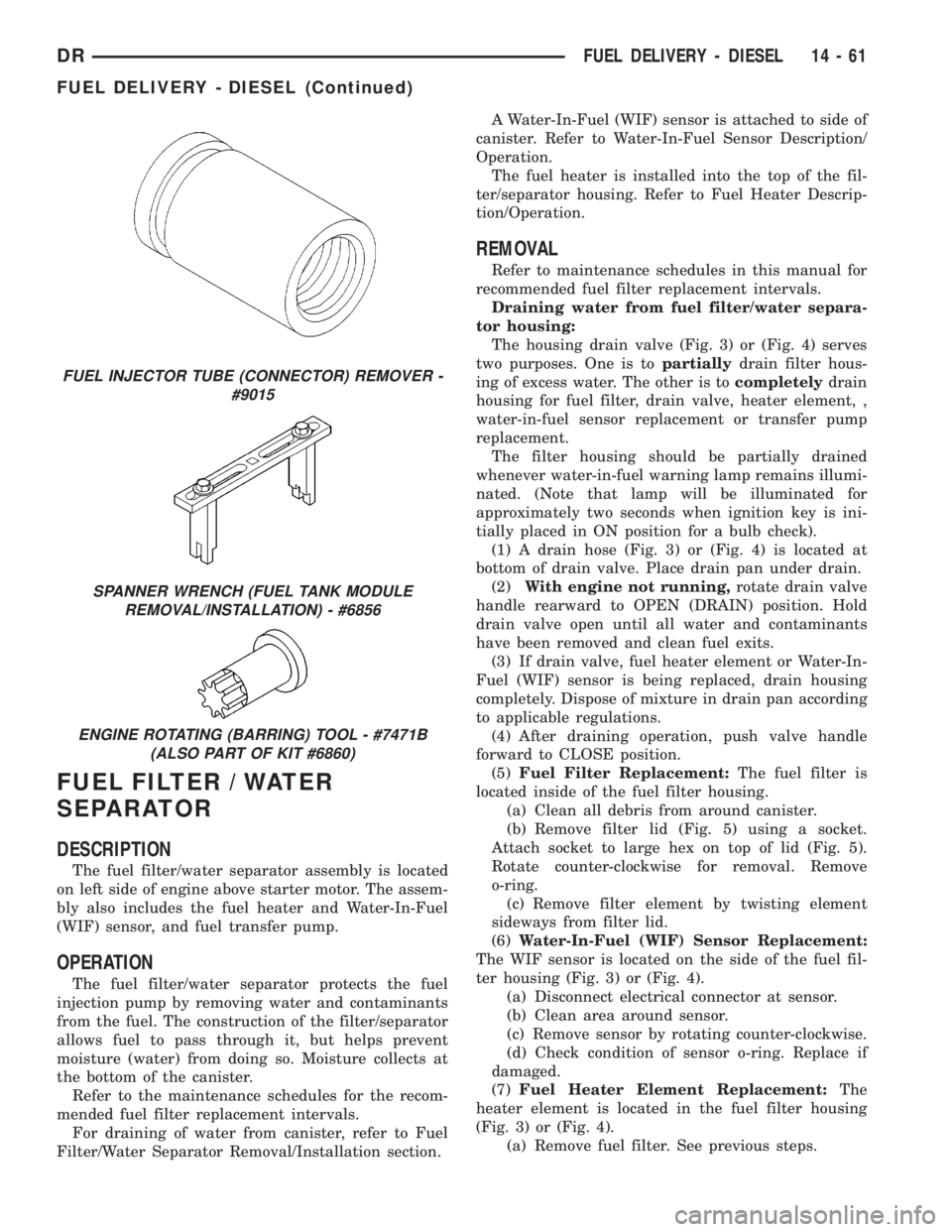
FUEL INJECTOR TUBE (CONNECTOR) REMOVER -
#9015
SPANNER WRENCH (FUEL TANK MODULE
REMOVAL/INSTALLATION) - #6856
ENGINE ROTATING (BARRING) TOOL - #7471B
(ALSO PART OF KIT #6860)
DRFUEL DELIVERY - DIESEL 14 - 61
FUEL DELIVERY - DIESEL (Continued)
Page 2667 of 2895
DOOR OPENING SEAL
REMOVAL
FRONT DOOR SEAL
(1) Remove the cowl trim panel. (Refer to 23 -
BODY/INTERIOR/COWL TRIM - REMOVAL)
(2) Remove the lower b-pillar trim panel. (Refer to
23 - BODY/INTERIOR/B-PILLAR LOWER TRIM -
REMOVAL)
(3) Separate the door opening seal from the door
opening flange. (Fig. 1)
REAR DOOR SEAL
(1) Remove the lower b-pillar trim panel. (Refer to
23 - BODY/INTERIOR/B-PILLAR LOWER TRIM -
REMOVAL)
(2) Remove the lower c-pillar trim. (Refer to 23 -
BODY/INTERIOR/C-PILLAR TRIM - REMOVAL)
(3) Separate the door opening seal from the door
opening flange. (Fig. 1)
INSTALLATION
FRONT DOOR SEAL
(1) Position the seal to the bottom of the door
opening, with bulb facing outboard, starting the
installation at the center of the lower flange. Press
the seal onto the sill flange and work around the
perimeter of the door opening until fully seated.
Work in one direction, smoothing the seal to avoid
puckers or wrinkles.
(2) Install the lower b-pillar trim. (Refer to 23 -
BODY/INTERIOR/B-PILLAR LOWER TRIM -
INSTALLATION)
(3) Install the cowl trim panel. (Refer to 23 -
BODY/INTERIOR/COWL TRIM - INSTALLATION)
(4) When installing a new weatherstrip on the
front door opening, remove the tear strip starting at
the splice and moving around the front of the door to
the back of the opening.
REAR DOOR SEAL
(1) Position the seal to the bottom of the door
opening, with bulb facing outboard, starting the
installation at the center of the lower flange. Press
the seal onto the sill flange and work around the
perimeter of the door opening until fully seated.
Work in one direction, smoothing the seal to avoid
puckers or wrinkles.
(2) Install the lower c-pillar trim. (Refer to 23 -
BODY/INTERIOR/C-PILLAR TRIM - INSTALLA-
TION)(3) Install the lower b-pillar trim. (Refer to 23 -
BODY/INTERIOR/B-PILLAR LOWER TRIM -
INSTALLATION)
(4) When installing a new weatherstrip on the rear
door opening, remove the tear strip starting at the
splice and moving around the back of the door to the
front of the opening.
DRIP RAIL WEATHERSTRIP
RETAINER
REMOVAL
(1) Separate the drip rail weatherstrip from the
weatherstrip retainer. (Fig. 1)
(2) Remove the seven screws and remove the
retainer.
INSTALLATION
(1) Install the weatherstrip retainer and install
the seven screws.
(2) Position the weatherstrip over the retainer
flange and seat fully.
FRONT DOOR GLASS RUN
WEATHERSTRIP
REMOVAL
(1) Remove the door glass. (Refer to 23 - BODY/
DOOR - FRONT/DOOR GLASS - REMOVAL)
(2) Separate the weatherstrip out of the door
frame and remove through the window opening. (Fig.
2)
INSTALLATION
NOTE: A mixture of soap and water may be used to
aid installation of the weatherstrip into the corners.
(1) Position the glass run weatherstrip into the
door through the window opening.
(2) Position the weatherstrip into the upper cor-
ners and seat firmly.
(3) From back to front, seat the weatherstrip
between the corners and then down the sides firmly
(4) Install the door glass. (Refer to 23 - BODY/
DOOR - FRONT/DOOR GLASS - INSTALLATION)
23 - 92 WEATHERSTRIP/SEALSDR
Page 2830 of 2895
EMISSIONS CONTROL
TABLE OF CONTENTS
page page
EMISSIONS CONTROL
DESCRIPTION
DESCRIPTION - STATE DISPLAY TEST
MODE...............................1
DESCRIPTION - CIRCUIT ACTUATION TEST
MODE...............................1
DESCRIPTION - DIAGNOSTIC TROUBLE
CODES..............................1
DESCRIPTION - TASK MANAGER..........1DESCRIPTION - MONITORED SYSTEMS....1
DESCRIPTION - TRIP DEFINITION.........4
DESCRIPTION - COMPONENT MONITORS . . 4
OPERATION
OPERATION..........................4
OPERATION - TASK MANAGER...........5
OPERATION - NON-MONITORED CIRCUITS . . 8
EVAPORATIVE EMISSIONS................10
EMISSIONS CONTROL
DESCRIPTION
DESCRIPTION - STATE DISPLAY TEST MODE
The switch inputs to the Powertrain Control Mod-
ule (PCM) have two recognized states; HIGH and
LOW. For this reason, the PCM cannot recognize the
difference between a selected switch position versus
an open circuit, a short circuit, or a defective switch.
If the State Display screen shows the change from
HIGH to LOW or LOW to HIGH, assume the entire
switch circuit to the PCM functions properly. Connect
the DRB scan tool to the data link connector and
access the state display screen. Then access either
State Display Inputs and Outputs or State Display
Sensors.
DESCRIPTION - CIRCUIT ACTUATION TEST
MODE
The Circuit Actuation Test Mode checks for proper
operation of output circuits or devices the Powertrain
Control Module (PCM) may not internally recognize.
The PCM attempts to activate these outputs and
allow an observer to verify proper operation. Most of
the tests provide an audible or visual indication of
device operation (click of relay contacts, fuel spray,
etc.). Except for intermittent conditions, if a device
functions properly during testing, assume the device,
its associated wiring, and driver circuit work cor-
rectly. Connect the DRB scan tool to the data link
connector and access the Actuators screen.
DESCRIPTION - DIAGNOSTIC TROUBLE CODES
A Diagnostic Trouble Code (DTC) indicates the
PCM has recognized an abnormal condition in the
system.Remember that DTC's are the results of a sys-
tem or circuit failure, but do not directly iden-
tify the failed component or components.
BULB CHECK
Each time the ignition key is turned to the ON
position, the malfunction indicator (check engine)
lamp on the instrument panel should illuminate for
approximately 2 seconds then go out. This is done for
a bulb check.
OBTAINING DTC'S USING DRB SCAN TOOL
(1) Obtain the applicable Powertrain Diagnostic
Manual.
(2) Obtain the DRB Scan Tool.
(3) Connect the DRB Scan Tool to the data link
(diagnostic) connector. This connector is located in
the passenger compartment; at the lower edge of
instrument panel; near the steering column.
(4) Turn the ignition switch on and access the
ªRead Faultº screen.
(5) Record all the DTC's and ªfreeze frameº infor-
mation shown on the DRB scan tool.
(6) To erase DTC's, use the ªErase Trouble Codeº
data screen on the DRB scan tool.Do not erase any
DTC's until problems have been investigated
and repairs have been performed.
DESCRIPTION - TASK MANAGER
The PCM is responsible for efficiently coordinating
the operation of all the emissions-related compo-
nents. The PCM is also responsible for determining if
the diagnostic systems are operating properly. The
software designed to carry out these responsibilities
is call the 'Task Manager'.
DESCRIPTION - MONITORED SYSTEMS
There are new electronic circuit monitors that
check fuel, emission, engine and ignition perfor-
DREMISSIONS CONTROL 25 - 1