2003 CHEVROLET CORVETTE battery
[x] Cancel search: batteryPage 109 of 368
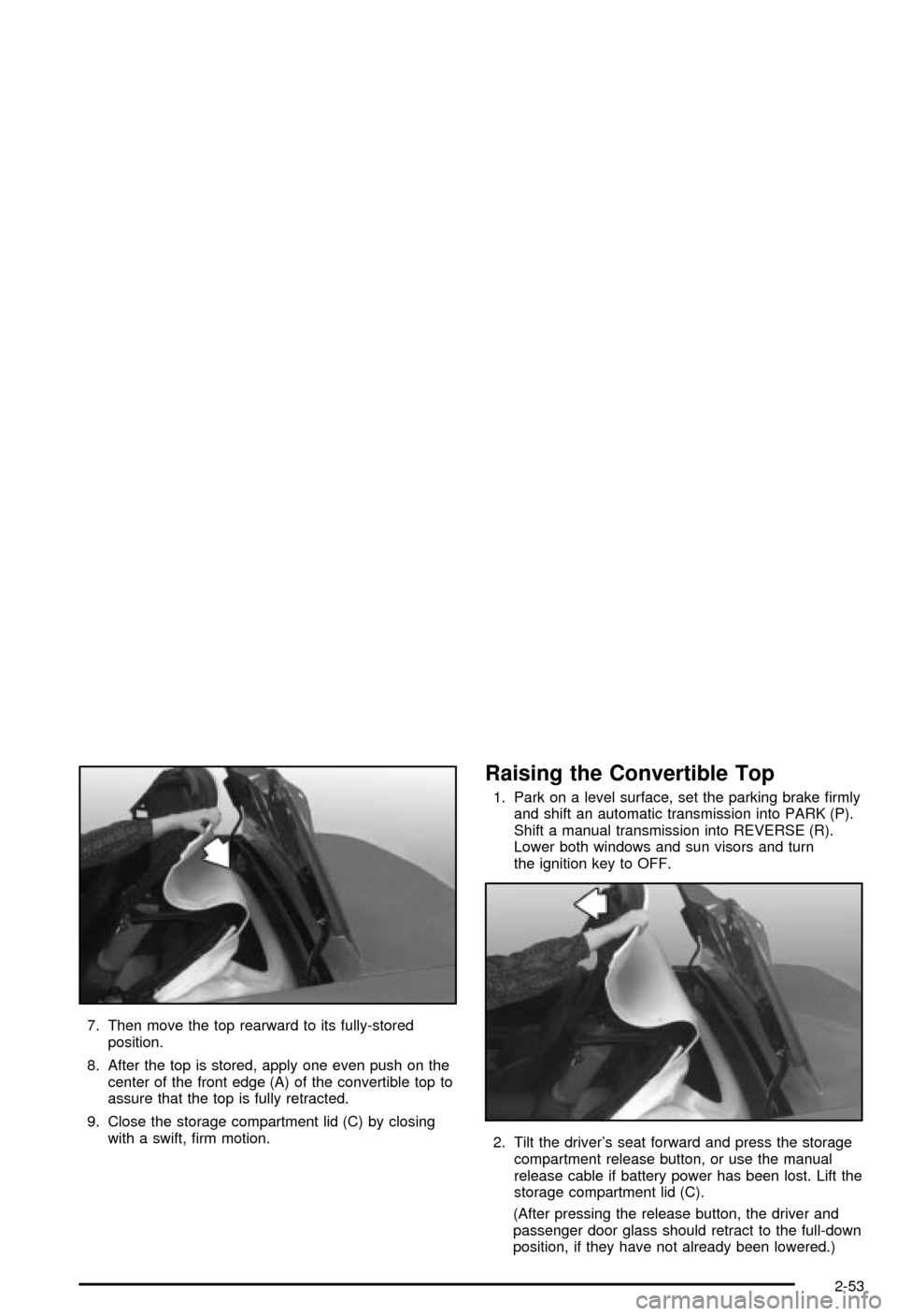
7. Then move the top rearward to its fully-stored
position.
8. After the top is stored, apply one even push on the
center of the front edge (A) of the convertible top to
assure that the top is fully retracted.
9. Close the storage compartment lid (C) by closing
with a swift, ®rm motion.
Raising the Convertible Top
1. Park on a level surface, set the parking brake ®rmly
and shift an automatic transmission into PARK (P).
Shift a manual transmission into REVERSE (R).
Lower both windows and sun visors and turn
the ignition key to OFF.
2. Tilt the driver's seat forward and press the storage
compartment release button, or use the manual
release cable if battery power has been lost. Lift the
storage compartment lid (C).
(After pressing the release button, the driver and
passenger door glass should retract to the full-down
position, if they have not already been lowered.)
2-53
Page 129 of 368

Battery Run-Down Protection
Your vehicle has a feature to help prevent you from
draining the battery in case the underhood lamp, vanity
mirror lamps, cargo lamps, reading lamps, console
or glove box lamps are accidentally left on. If you leave
any of these lamps on, they will automatically timeout
after about 15 minutes. To reset it, all of the above
lamps must be turned off or the ignition key must be
in ON.
Head-Up Display (HUD)
{CAUTION:
If the HUD image is too bright, or too high in
your ®eld of view, it may take you more time to
see things you need to see when it's dark
outside. Be sure to keep the HUD image dim
and placed low in your ®eld of view.
If your vehicle is equipped with the Head-Up Display
(HUD), you can see some of the driver information that
appears on your instrument panel cluster.The information may be displayed in English or metric
units and appears as an image focused out toward
the front of your vehicle. The HUD consists of the
following information:
·Speedometer
·Turn Signal Indicators
·High-Beam Indicator Symbol
·Tachometer
·Oil, Temperature and Fuel Gages
·Shift Light (Performance SHIFT Light)
This light is used for performance driving to indicate
that the vehicle's best performance level has
been reached to shift the transmission into the next
higher gear. The SHIFT light will display at an
engine speed of about 5,750 rpm (6,250 rpm on
Z06), just prior to reaching the engine fuel
cut-off mode.
·Check Gages Icon
3-17
Page 132 of 368

If the sun comes out or it becomes cloudy, you may
need to adjust the HUD brightness again using
the dimmer control. Polarized sunglasses could make
the HUD image harder to see.
To change from English to metric units, press the
E/M button located to the right of the steering wheel.
Clean the inside of the windshield as needed to remove
any dirt or ®lm that reduces the sharpness or clarity
of the HUD image.
To clean the HUD, spray household glass cleaner on a
soft, clean cloth. Wipe the HUD lens gently, then dry
it. Do not spray cleaner directly on the lens because the
cleaner could leak into the unit.
If the ignition is on and you can't see the HUD image,
check to see if:
·Something is covering the HUD unit.
·The HUD dimmer control is adjusted properly.
·The HUD image is adjusted to the proper height.
·Ambient light, in the direction your vehicle is facing,
is low.
·A fuse is blown. SeeFuses and Circuit Breakers on
page 5-86
.
Keep in mind that your windshield is part of the HUD
system. If you ever have to have your windshield
replaced, be sure to get one that is designed for HUD
or your HUD image may look blurred and out of focus.
Accessory Power Outlets
The accessory power outlet can be used to connect
electrical equipment such as a cellular phone or
CB radio.
The accessory power outlet is located inside the
center console storage compartment, on the forward
left side.
To use the outlet, remove the tethered cap. When not
using it, always cover the outlet with the protective cap.
Notice:When using an accessory power outlet,
maximum electrical load must not exceed 15 amps.
Always turn off any electrical equipment when
not in use. Leaving electrical equipment on for
extended periods will drain your battery.
Certain electrical accessories may not be compatible
with the accessory power outlet and could result
in blown vehicle or adapter fuses. If you experience a
problem, see your dealer for additional information
on accessory power outlets.
Notice:Adding some electrical equipment to your
vehicle can damage it or keep other things from
working as they should. This wouldn't be covered by
your warranty. Check with your dealer before
adding electrical equipment, and never use anything
that exceeds the amperage rating.
3-20
Page 146 of 368
{CAUTION:
If the air bag readiness light ever comes on
when you have turned off the air bag, it means
that something may be wrong with the air bag
system. The passenger's air bag could in¯ate
even though the switch is off. If this ever
happens, don't let anyone whom the national
government has identi®ed as a member of a
passenger air bag risk group sit in the
passenger's position (for example, don't
secure a rear-facing child restraint in your
vehicle) until you have your vehicle serviced.
See ªAir Bag Off Switchº in the Index.
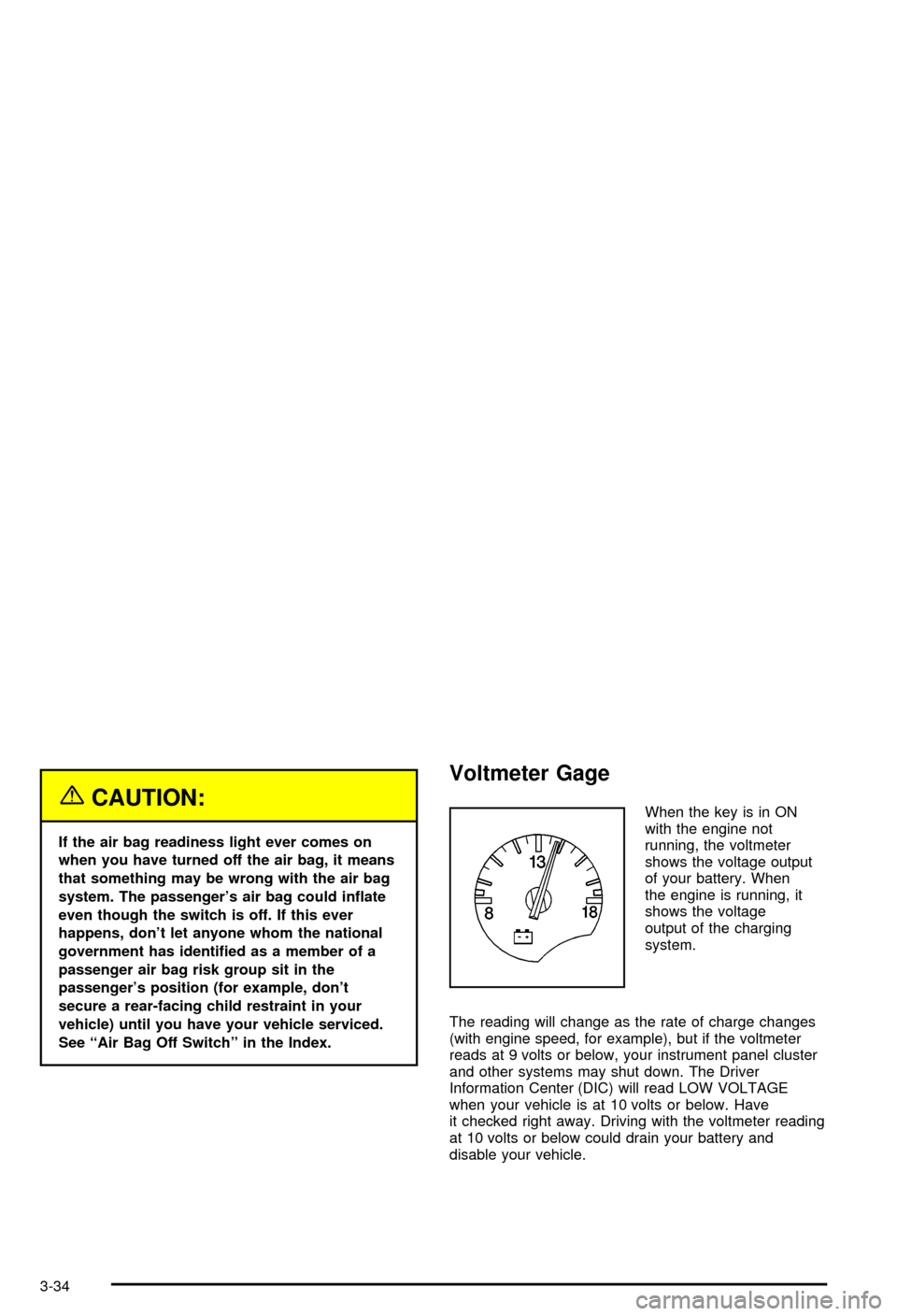
Voltmeter Gage
When the key is in ON
with the engine not
running, the voltmeter
shows the voltage output
of your battery. When
the engine is running, it
shows the voltage
output of the charging
system.
The reading will change as the rate of charge changes
(with engine speed, for example), but if the voltmeter
reads at 9 volts or below, your instrument panel cluster
and other systems may shut down. The Driver
Information Center (DIC) will read LOW VOLTAGE
when your vehicle is at 10 volts or below. Have
it checked right away. Driving with the voltmeter reading
at 10 volts or below could drain your battery and
disable your vehicle.
3-34
Page 152 of 368

Did you just drive through a deep puddle of water?
If so, your electrical system may be wet. The condition
will usually be corrected when the electrical system
dries out. A few driving trips should turn the light off.
Have you recently changed brands of fuel?
If so, be sure to fuel your vehicle with quality fuel. See
Gasoline Octane on page 5-4. Poor fuel quality will
cause your engine not to run as efficiently as designed.
You may notice this as stalling after start-up, stalling
when you put the vehicle into gear, mis®ring, hesitation
on acceleration or stumbling on acceleration. (These
conditions may go away once the engine is warmed up.)
This will be detected by the system and cause the
light to turn on.
If you experience one or more of these conditions,
change the fuel brand you use. It will require at least
one full tank of the proper fuel to turn the light off.
If none of the above steps have made the light turn off,
your dealer can check the vehicle. Your dealer has
the proper test equipment and diagnostic tools to ®x any
mechanical or electrical problems that may have
developed.
Emissions Inspection and Maintenance
Programs
Some state/provincial and local governments have or
may begin programs to inspect the emission control
equipment on your vehicle. Failure to pass this
inspection could prevent you from getting a vehicle
registration.
Here are some things you need to know to help your
vehicle pass an inspection:
Your vehicle will not pass this inspection if the CHECK
ENGINE light is on or not working properly.
Your vehicle will not pass this inspection if the OBD
(on-board diagnostic) system determines that critical
emission control systems have not been completely
diagnosed by the system. The vehicle would be
considered not ready for inspection. This can happen if
you have recently replaced your battery or if your
battery has run down. The diagnostic system is
designed to evaluate critical emission control systems
during normal driving. This may take several days
of routine driving. If you have done this and your vehicle
still does not pass the inspection for lack of OBD
system readiness, your GM dealer can prepare the
vehicle for inspection.
3-40
Page 154 of 368

Security Light
This light comes on to
remind you to arm your
theft-deterrent system. If it
comes on and stays on
when your ignition is
on, there may be a
problem with your
theft-deterrent system.
See
Theft-Deterrent System on page 2-16andPASS-Keyžon page 2-17.
Check Gages Warning Light
This light will come on
brie¯y when you are
starting the engine. If the
light comes on and
stays on while you are
driving, check your gages
to see if they are in the
warning areas.This light can come on for the following reasons:
·Low Oil Pressure
·High Coolant Temperature
·High or Low Battery Voltage
·Low Fuel Level
Fuel Gage
Your fuel gage tells you
about how much fuel you
have left when the
ignition is on.
When the needle approaches the red zone, RESERVE
FUEL will appear on the Driver Information Center (DIC)
display. When the needle approaches the E, LOW
FUEL will appear on the display. At this time, you still
have a little fuel left, but you should get more soon.
3-42
Page 156 of 368

Driver Information Center (DIC)
The Driver Information Center (DIC) will display
information about how your vehicle is functioning, as
well as warning messages if a system problem is
detected. The DIC display area is located in the
instrument panel cluster below the speedometer and
tachometer, directly above the steering column.
The following buttons are located on the DIC control
panel which is located to the right of the instrument
panel cluster.1 FUEL:Press this button to display fuel information
such as fuel economy and range.
2 GAGES:Press this button to display gage information
like oil pressure and temperature, coolant temperature,
automatic transmission ¯uid temperature, battery
voltage and front/rear tire pressures.
3 TRIP:Press this button to display your total and trip
miles, the elapsed time function, your average speed
and the engine oil life.
4 OPTIONS:This button allows you to choose personal
options that are available on your vehicle, depending
on the options your vehicle is equipped with, such
as security, door locks, easy entry seats and language.
5 E/M (English/Metric):Press this button to change
the display between English and metric units.
RESET:This button, used along with the other buttons,
will reset system functions and turn off or acknowledge
messages on the Driver Information Center (DIC).
At the top of the DIC control buttons is a light sensor.
Be sure not to block the sensor or your lighting functions
may be disrupted.
3-44
Page 159 of 368

Press the GAGE button again to display the oil
temperature, such as:
·OIL TEMP 234ÉF or
·OIL TEMP 112ÉC
Press the GAGE button again to display the coolant
temperature, such as:
·COOLANT TEMP 123ÉF or
·COOLANT TEMP 51ÉC
Press the GAGE button again to display the automatic
transmission ¯uid temperature, such as:
·TRANS FLUID 123ÉF or
·TRANS FLUID 51ÉC
Press the GAGE button again to display the battery
voltage, such as:
·BATTERY VOLTS 13.5
Press the GAGE button again to display the tire
pressure for the front tires (except Z06), such as:
·FRONT L34 R33 PSI or
·FRONT L234 R228 kPaPress the GAGE button again to display the tire
pressure for the rear tires (except Z06), such as:
·REAR L34 R33 PSI or
·REAR L234 R228 kPa
Tire pressure is not available until the vehicle has
reached a speed of 15 mph (24 km/h) or more.
3 TRIP
The TRIP button allows you to scroll through the
functions listed below when you press it.
3-47