2003 CHEVROLET ASTRO brake light
[x] Cancel search: brake lightPage 182 of 386

Avoid needless heavy braking. Some people drive
in spurts
- heavy acceleration followed by heavy
braking
- rather than keeping pace with traffic. This is
a mistake. Your brakes may not have time to cool
between
hard stops. Your brakes will wear out much
faster
if you do a lot of heavy braking. If you keep pace
with the traffic and allow realistic following distances,
you will eliminate a lot of unnecessary braking.
That means better braking and longer brake life.
If your engine ever stops while you’re driving, brake
normally but don’t pump your brakes.
If you do,
the pedal may get harder to push down.
If your engine
stops, you will still have some power brake assist.
But you will use it when you brake. Once the power
assist is used up, it may take longer to stop and
the brake pedal will be harder to push.
Anti-lock Brake System
Your vehicle has anti-lock brakes. ABS is an advanced
electronic braking system that will help prevent a
braking skid.
When you start your engine and begin to drive away,
your anti-lock brake system will check itself. You may hear a momentary motor or clicking noise while this test
is going on. This is normal.
ANTI -
LOCK
I I I I
United States Canada
If there’s a problem with the anti-lock brake system, this
warning light will stay on. See
Anti-Lock Brake System
Warning Light on page
3-29.
4-7
Page 192 of 386
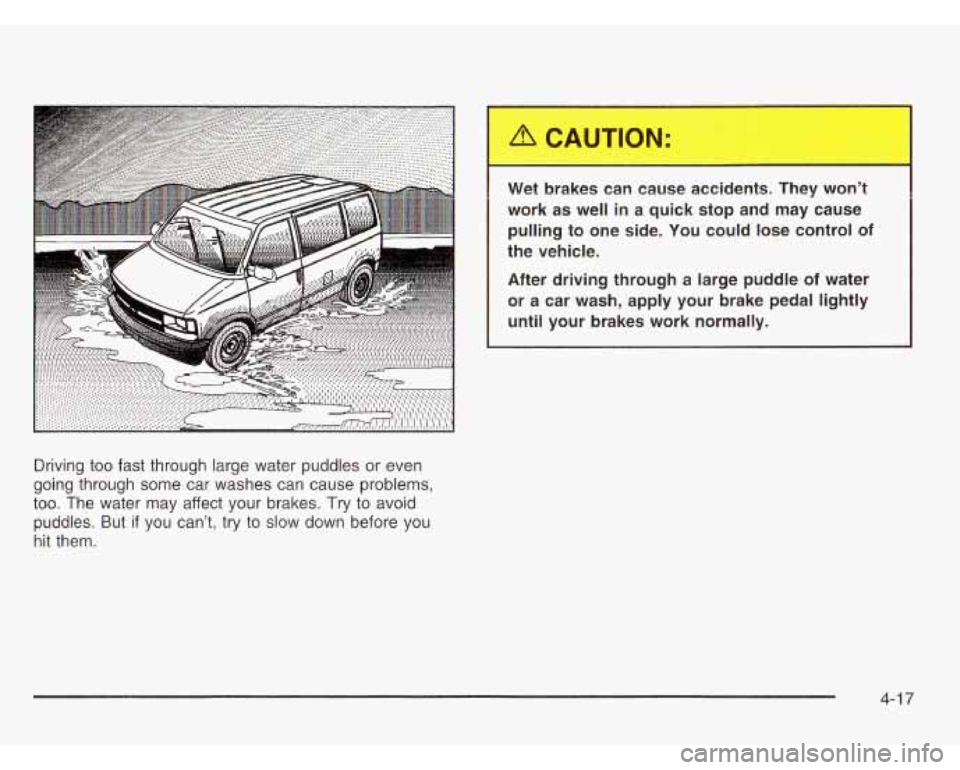
Driving too fast through large water puddles or even
going through some car washes can cause problems,
too. The water may affect your brakes. Try to avoid
puddles. But
if you can’t, try to slow down before you
hit them.
Wet brakes can cause -:cider.--. They w -.j’t
work as well in a quick stop and may cause
pulling to one side. You could lose control
of
the vehicle.
After driving through a large puddle
of water
or a car wash, apply your brake pedal lightly
until your brakes work normally.
4-1 7
Page 262 of 386
Brake Wear
Your vehicle has four-wheel disc brakes,
Disc brake pads have built-in wear indicators that make
a high-pitched warning sound when the brake
pads
are worn and new pads are needed. The sound
may come and go or be heard all the time your vehicle
is moving (except when you are pushing on the
brake pedal firmly).
The brake wear warning sound means that soon
your brakes won’t work well. That could lead to
an accident. When
you hear the brake wear
Notice: Continuing to drive with worn-out brake
pads could result in costly brake repair.
Some driving conditions or climates may cause a brake
squeal when the brakes are first applied or lightly
applied. This does not mean something is wrong with
your brakes.
Properly torqued wheei nuts are necessary to heip
prevent brake pulsation. When tires are rotated, inspect
brake pads for wear and evenly tighten wheel nuts in
the proper sequence to
GM torque specifications.
Brake linings should always be replaced as complete
axle sets.
See
Brake System Inspection on page 6-31.
Brake Pedal Travel
See your dealer if the brake pedal does not return to
normal height, or if there is a rapid increase in
pedal travel. This could be a sign of brake trouble.
Brake Adjustment
Every time you make a brake stop, your disc brakes
adjust for wear.
5-45
Page 265 of 386
1. Check the other vehicle. It must have a 12-volt
battery with a negative ground system.
Notice: If the other system isn’t a 12-volt system
with a negative ground, both vehicles can be
damaged.
2. Get the vehicles close enough so the jumper cables
can reach, but be sure the vehicles aren’t touching
each other. If they are, it could cause a ground
connection you don’t want. You wouldn’t be able
to
start your vehicle, and the bad grounding could
damage the electrical systems.
To avoid the possibility
of the vehicles rolling, set
the parking brake firmly on both vehicles involved
in the jump start procedure. Put an automatic
transmission in PARK (P) and a manual
transmission in NEUTRAL.
3. Turn off the ignition on both vehicles. Unplug
unnecessary accessories plugged into the cigarette
lighter
or accessory power outlets. Turn off all lamps
that aren’t needed as well as radios. This will avoid
sparks and help save both batteries. In addition,
it could save your radio!
Nofice: If you leave your radio on, it could be badly
damaged. The repairs wouldn’t be covered by
your warranty.
4. Open the hoods and locate the batteries. Find the
positive
(+) and negative (-) terminals on each
battery.
Using a match near a battery can cause battery
gas to explode. People have been hurt doing
this, and some have been blinded. Use a
flashlight if you need more light.
Be sure the battery has enough water.
You don’t need to add water to the ACDelco@
battery installed in your new vehicle. But if
a battery has filler caps, be sure the right amount
of fluid is there. If it is low, add water
to take care
of that first. If you don’t, explosive
gas could be present.
Battery fluid contains acid that can burn you.
Don’t get
it on you. If you accidentally get it in
your eyes or on your skin, flush the place with
water and get medical help immediately.
5-48
Page 311 of 386

FuseKircuit Usage
Breaker
1
2
Stop/Turn/Hazard Lamps,
Center High Mounted Stop Lamp,
Anti-Lock Brakes
Radio Accy, Rear Seat
Audio Controls
FuseKircuit
Breaker
3
4
5
6
8
9
Usage
Courtesy Lamps, Glove Box Lamp,
Dome Reading Lamps, Vanity Mirror
Lamps, Courtesy Lamps
Daytime Running Lamps Relay,
Instrument Panel Cluster
Rear Defogger
Cruise Module, Truck Body Control Module, Instrument Panel Cluster,
Cruise Control Switch,
Electrochromic Mirror
Power Outlets, DLC,
Subwoofer Amplifier
Crank Circuit Fuse, ParWNeutral
Switch, Starter Enabler Relay
License Plate Lamp, Tailamps,
Parking Lamps, Ashtray Lamp,
Panel Lights, Trailer Taillamps,
Front and Rear Sidemarker Lamps,
Door Switch Illumination, Headlamp
Switch Illumination, Rear Seat
Audio Illumination, Truck Body
Control Module
5-94
Page 312 of 386

13
14
15
16
Fuse/Circuit Usage Breaker
10 Air Bag System
11 Not Used
12 L, MI, M2 Blower Motor, Rear Air
Conditioning Relay Coil, Front Cont.
Temp. Door Motor, HI Blower Relay.
Defogger Timer Coil
Cigarette Lighter, Door Lock
Switches, Dutch Door Release Module
Cluster Illum, Climate Controls,
Chime Module, Radio Illumination,
Rear Heat Switch Illumination, Rear
Wipermasher Switch Illumination,
Rear Liftgate Switch Illumination,
Remote Cassette Illumination,
Overhead Console, Truck Body
Control Illurnination
Truck Body Module, Headlamp Relay
Front Turn Signals, Rear Turn
Signals, Trailer Turn Signals,
Back-up Lamps, Brake Transmission
Shift Interlock Solenoid 21
22
23
24
A
19
20
FuseKircuit
Usage
Breaker
17 Front Wipers, Front Washer Pump
18 VCM-lgn
3, VCM-Brake, Cruise
Stepper Motor Signal, ATC Module
Instrument Panel Radio: ATC
(Main Feed),
2000 Series (Standby)
PRNDUOdometer, TCC Enable and
PWM Solenoid, Shift A and Shift B
Solenoids, 3-2 Downshift Solenoid, Instrument Panel Cluster, VCM
Module
Powr Adjust Mirrors
Not Used
Rear Wiper, Rear Washer Pump
Not Used
(Circuit Breaker) Power Door Lock
Relay, 6-Way Power Seats
(Circuit Breaker) Power Windows
B
5-95
Page 315 of 386

Fuse/Circuit Usage
Breaker
DIODE-I Air Conditioning
Blank Not Used
Blank
Not Used
Blank Not Used
LIGHTING Courtesy Fuse, Power Adjust
Mirrors Fuse, Truck Body Control
Battery Fuse
Power Accessory Circuit Breaker,
Stop/Hazard Fuse, Auxiliary Power
Fuse, Cigarette Lighter Fuse, Radio
Battery Fuse
BATT
Fuse/Circuit
Breaker
IGN A
IGN
B
ABS
Blank RAP
HTD MIRI
RR DEFOG
Usage
Starter Relay, Ignition Switch
Ignition Switch
Electronic Brake Control Module
Not Used Radio Accessory, Power Windows
Rear Window Defogger,
Climate Control Head
5-98
Page 368 of 386
Accessory Power Outlets ................................. 3-16
Activating the Theft-Deterrent Feature
................ 3-48
Adding Equipment to Your Air Bag-Equipped
Vehicle
....................................................... 1-70
Adding Washer Fluid
....................................... 5-41
Additional Program Information
......................... 7-1 0
Additives, Fuel ................................................. 5-6
Add-On Electrical Equipment
............................ 5-92
Add-on Equipment
.......................................... 4-31
Adjusting the Speakers (Balance/Fade)
........ 3-40, 3-43
Air Bag
Readiness Light
.......................................... 3-26
Air Bag System
.............................................. 1-62
Adding Equipment to Your
Air Bag-Equipped Vehicle
...................... 1-70
How Does an Air Bag Restrain?
.................... 1-67
Servicing Your Air Bag-Equipped Vehicle
......... 1-69
What Will You See After an Air Bag inflates?
...... 1-68
When Should an Air Bag Inflate?
................... 1-66
Where Are the Air Bags?
.............................. 1-64
All Overseas Locations
...................................... 7-5
All-Wheel Drive
............................................... 5-52
All-Wheel Drive (AWD) System
......................... 2-26
All-Wheel-Drive Service Light
............................ 3-35
Aluminum Wheels
........................................... 5-88
What
Makes an Air Bag Inflate?
.................... 1-67
Air CleanedFiIter, Engine
... ...................... 5-24
AM
............................................................... 3-50 AM-FM Radio
...................... ................ 3-39
Antenna, Fixed Mast
....................................... 3-50
Anti-lock Brake System
..................................... 4-7
Anti-Lock Brake, System Warning Light
.............. 3-29
Appearance Care
............................................ 5-83
Care of Safety Belts
.................................... 5-86
Chemical Paint Spotting
............................... 5-89
Cleaning the Inside of Your Vehicle
................ 5-83
Finish Damage
............................................ 5-88
Sheet Metal Damage
................................... 5-88
Underbody Maintenance
............................... 5-89
Weatherstrips
.............................................. 5-86
Ashtrays
........................................................ 3-17
Audio System(s)
............................................. 3-38
Audio Systems
AM-FM Radio
............................................. 3-39
Care of Your CD Player
............................... 3-50
Care of Your CDs
........................................ 3-50
Fixed Mast Antenna
..................................... 3-50
Radio with CQ
............................................ 3-41
Rear Seat Audio (RSA)
................................ 3-46
Setting the Time for Radios with HR and
MN Buttons
............................................. 3-38
Setting the Time for Radios with the
Set Button
.............................................. 3-38
Theft-Deterrent Feature
................................ 3-47
Understanding Radio Reception
..................... 3-50
Cleaning
the Outside of Your Vehicle
.............. 5-86
GM Vehicle Care/Appearance Materials
.......... 5-89
1