2003 CADILLAC SEVILLE trunk
[x] Cancel search: trunkPage 80 of 408
Testing the Alarm
1. From inside the vehicle, roll down the window, then
get out of the vehicle, keeping the door open.
2. From outside of the vehicle, with the door open,
lock the vehicle using the power door lock or the
remote keyless entry transmitter and close the
door. Wait 30 seconds until the SECURITY lamp
goes off.
3. Reach in and unlock the door using the manual
lock and open the door. The horn will sound and
the hazard lights will ¯ash.
You can turn off the alarm by unlocking the driver's door
with your key, using the unlock button on the remote
keyless entry transmitter or by starting the car with
a valid key.
If the alarm does not sound when it should, check to
see if the horn works. The horn fuse may be blown. To
replace the fuse, see
Fuses and Circuit Breakers on
page 5-93. If the fuse does not need to be replaced, you
may need to have your vehicle serviced.
To reduce the possibility of theft, always arm the
theft-deterrent system when leaving your vehicle.
Valet Lockout Switch
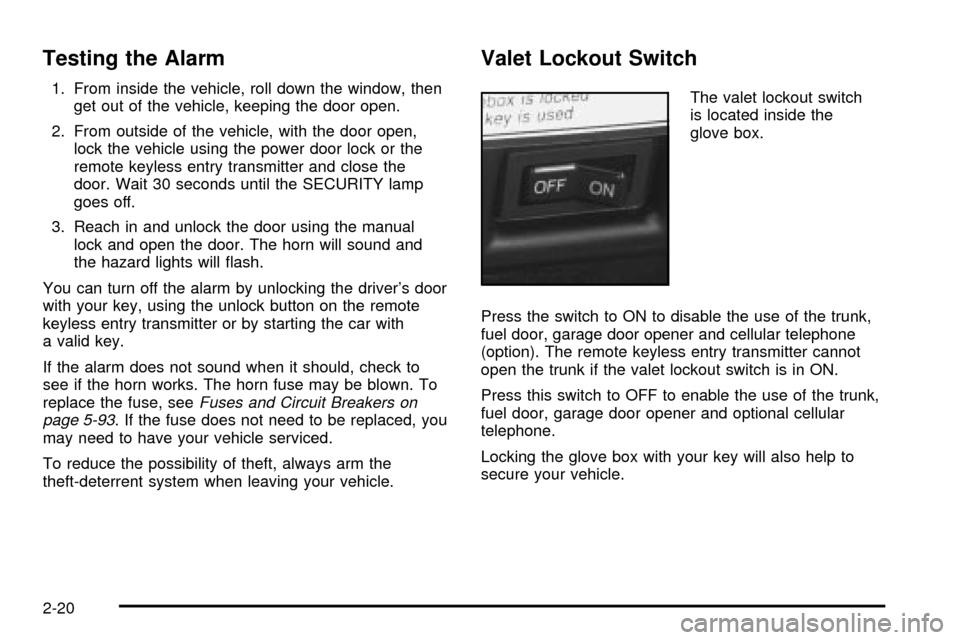
The valet lockout switch
is located inside the
glove box.
Press the switch to ON to disable the use of the trunk,
fuel door, garage door opener and cellular telephone
(option). The remote keyless entry transmitter cannot
open the trunk if the valet lockout switch is in ON.
Press this switch to OFF to enable the use of the trunk,
fuel door, garage door opener and optional cellular
telephone.
Locking the glove box with your key will also help to
secure your vehicle.
2-20
Page 109 of 408

Center Console Storage Area
The center console comes with a storage tray, a
storage compartment for CDs or tapes, a dual cupholder
that unfolds, a coinholder, an optional phone and an
armrest. The cupholder can be opened by pressing on
the surface panel located in front of the armrest and
unfolding it. Close the lid to secure it.
Map Pocket
The map/storage pockets are located on each front door
as well as on the passenger's and driver's seatbacks.
Assist Handles
A handle above each door can be used when getting
out of your vehicle.
Garment Hooks
For your convenience, a garment hook is attached to
each rear assist handle.
Umbrella Holder
The driver's and passenger's front seat cushion may be
equipped with an umbrella holder. Gently slide the
umbrella into the slot located under the front portion of
the driver's or passenger's seat cushion.
Floor Mats
Your vehicle is equipped with rubber-backed front and
rear ¯oor mats. Keep them clean by vacuuming and using
a spot cleaner, if necessary. Do not machine wash.
Convenience Net
Your vehicle may be equipped with a convenience net.
The net attaches to the ¯oor of the trunk. Put small
loads, like grocery bags, behind the net. It can help keep
them from falling over during sharp turns or quick
starts and stops.
The net is not for larger, heavier loads. Store them in the
trunk as far forward as you can. When not using the net,
hook the net to the tabs securing it to the sill plate.
2-49
Page 117 of 408

The main components of the instrument panel are the following:
A. Air Outlets. See
Outlet Adjustment on page 3-33.
B. Driver Information Center (DIC) Buttons. See
DIC Controls and Displays on page 3-53.
C. Turn Signal/Multifunction Lever. See
Turn
Signal/Multifunction Lever on page 3-9.
D. Climate Controls and OnStaržSteering Wheel
Controls (or Cellular Telephone Controls, If
Equipped).
See
Steering Wheel Climate Controls on page 3-35andOnStaržSystem on page 2-42.
E. Instrument Panel Cluster. See
Instrument Panel
Cluster on page 3-38.
F. Windshield Wiper/Washer Lever. See ªWindshield
Wipersº under
Turn Signal/Multifunction Lever
on page 3-9.
G. Audio Steering Wheel Controls. See
Audio Steering
Wheel Controls on page 3-103.
H. Ignition Switch. See
Ignition Positions on page 2-24.
I. Air Outlet Thumbwheel. See
Outlet Adjustment
on page 3-33.
J. Hazard Warning Flasher Button. See
Hazard
Warning Flashers on page 3-6.K. Audio System. See
Audio System(s) on page 3-78.
L. Exterior Lamp Controls. See
Exterior Lamps on
page 3-16.
M. Hood Release. See
Hood Release on page 5-11.
N. Fuel Door Release. See
Filling Your Tank on
page 5-6.
O. Trunk Release Button. See
Trunk on page 2-12.
P. Cruise Control. See ªCruise Controlº under
Turn Signal/Multifunction Lever on page 3-9.
Q. Horn. See
Horn on page 3-7.
R. Heated Seat Controls. See
Heated Seats on
page 1-3.
S. Traction Control System (TCS) Button. See
Traction
Control System (TCS) on page 4-9.
T. Console Shift Lever. See
Automatic Transaxle
Operation on page 2-28.
U. Optional Ashtray. See
Ashtrays and Cigarette
Lighter on page 3-27.
V. Climate Controls. See
Dual Climate Control System
on page 3-28.
W. Glove Box. See
Glove Box on page 2-48.
3-5
Page 135 of 408

Battery Load Management
The battery load management feature is designed to
monitor the vehicle's electrical load and determine when
the battery is in a heavy discharge condition. During
times of high electrical loading, the engine may idle at a
higher revolutions per minute (rpm) setting than
normal to make sure the battery charges. High electrical
loads may occur when several of the following are
on: headlamps, high beams, fog lamps, rear window
defogger, the climate control fan at high speeds, heated
seats and engine cooling fans.
If the battery continues to discharge, even with the
engine idling at a higher rpm setting, some electrical
loads will automatically be reduced. When this occurs,
the rear window defogger may take slightly longer
to clear the glass, the heated seats may not get as warm
as they usually do and the fan may cut back to a
lower speed. For more battery saving information, see
ªBattery Saver Active Messageº under
DIC Warnings
and Messages on page 3-56.
Inadvertent Power Battery Saver
This feature is designed to protect your vehicle's battery
against drainage from the interior lamps, trunk lamp,
glove box lamp, cigarette lighters or the garage
door opener. When the ignition is turned off, the power
to these features will automatically turn off after
10 minutes (three minutes if a new car has 15 miles
(24 km) or less). Power will be restored for an additional
10 minutes if any door is opened, the trunk is opened
or the courtesy lamp switch is turned on.
3-23
Page 137 of 408

How the System Works
URPA comes on automatically when the shift lever is
moved into REVERSE (R) and the vehicle speed is less
than 3 mph (5 km/h). When the system comes on,
the three lights on the display will illuminate to let you
know that the system is working. URPA senses
how close your vehicle is to an object. The distance is
determined by the four ultrasonic sensors located on the
rear bumper. When you shift into REVERSE (R) and
an object is detected, the following will occur in
sequence depending on the distance from the object:
·At 5 feet (1.5 m) a chime will sound and one
amber light will be lit;
·at 40 inches (1.0 m) both amber lights will be lit;
·at 20 inches (0.5 m) a continuous chime will
sound and all three lights (amber/amber/red) will
be lit; and
·at 1 foot (0.3 m) a continuous chime will sound and
all three lights (amber/amber/red) will ¯ash.
URPA can detect objects 3 inches (7.6 cm) and wider,
and at least 10 inches (25.4 cm) tall, but it cannot detect
objects that are above trunk level. In order for the
rear sensors to recognize an object, it must be within
operating range.If the URPA system is not functioning properly, the
display will ¯ash red, indicating that there is a problem.
The light will also ¯ash red while driving if a trailer is
attached to your vehicle, or a bicycle or object is on the
back of, or hanging out of your trunk. The light will
continue to ¯ash until the trailer or the object is
removed and your vehicle is driven forward at least
15 mph (25 km/h).
It may also ¯ash red if the ultrasonic sensors are not
kept clean. So be sure to keep your rear bumper free of
mud, dirt, snow, ice and slush or materials such as
paint or the system may not work properly. If after
cleaning the rear bumper and driving forward at least
15 mph (25 km/h), the display continues to ¯ash red, see
your dealer. For cleaning instructions, see
Cleaning
the Outside of Your Vehicle on page 5-86.
It may also ¯ash red if your vehicle is moving in
REVERSE (R) at a speed greater than 3 mph (5 km/h).
Other conditions that may affect system performance
include things like the vibrations from a jackhammer or
the compression of air brakes on a very large truck.
As always, drivers should use care when backing up a
vehicle. Always look behind you, being sure to check
for other vehicles, obstructions and blind spots.
3-25
Page 175 of 408

TRACTION SUSPENDED ± 56:This message displays
when the traction control system has been temporarily
shut off because your vehicle's brakes have overheated.
This message does not indicate a problem with your
vehicle's traction control system. After a few minutes,
the traction control system will be available again
and the TRACTION READY message will appear.
TRANS HOT IDLE ENGINE ± 112:This message
indicates that the transaxle ¯uid in your vehicle is too
hot. Stop and allow your vehicle to idle until it cools
down or until this message is removed.
TRUNK OPEN ± 24:This message indicates that the
trunk is open when the ignition is on.
TURN SIGNAL ON ± 20:If you drive your vehicle for
more than a mile with a turn signal on, this message will
appear as a reminder to turn off the turn signal. A
multiple chime will sound when this message is
displayed.
VEHICLE OVERSPEED ± 52:This message is
displayed when the vehicle speed exceeds a certain
limit as required by some export countries. A continuous
chime will sound when this message is displayed.Climate Controls and Radio System
Personalization
These features allow both drivers to personalize their
own climate control settings as well as their radio
settings. For more information, see
Climate Controls
Personalization on page 3-36andRadio Personalization
with Home and Away Feature on page 3-102.
The outside temperature is always available for display
if it has been selected for a DIC display when your
vehicle is running unless an overriding DIC message
appears. You can change the temperature from
Fahrenheit to Celsius by pressing the ENG/MET
(English/metric) button on the instrument panel. For
more information on the DIC, see
DIC Warnings
and Messages on page 3-56.
The electronic sensor can be affected by road or engine
heat during idling, slow driving or when the engine is
®rst started after a short trip. To ensure proper automatic
climate control operation, the outside air temperature
display may not update as quickly as expected. This is
to allow the air surrounding the outside temperature
sensor to be as close to the actual outside conditions as
possible. This is determined by how much time has
elapsed since the vehicle has been turned off and by
vehicle speed.
3-63
Page 244 of 408
Winter Driving
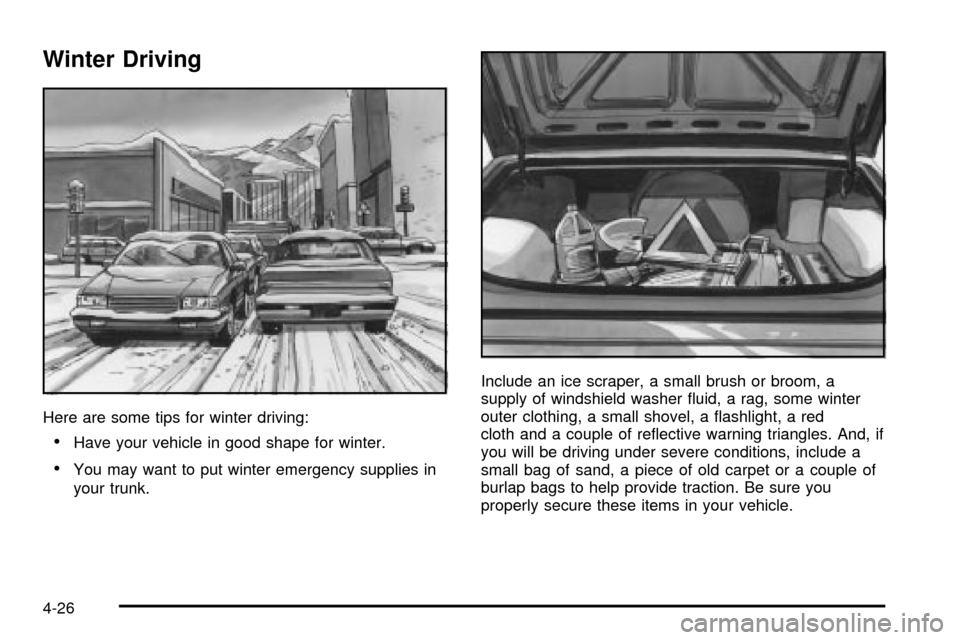
Here are some tips for winter driving:
·Have your vehicle in good shape for winter.
·You may want to put winter emergency supplies in
your trunk.Include an ice scraper, a small brush or broom, a
supply of windshield washer ¯uid, a rag, some winter
outer clothing, a small shovel, a ¯ashlight, a red
cloth and a couple of re¯ective warning triangles. And, if
you will be driving under severe conditions, include a
small bag of sand, a piece of old carpet or a couple of
burlap bags to help provide traction. Be sure you
properly secure these items in your vehicle.
4-26
Page 252 of 408
If you do have a heavy load, you should spread it out.
Don't carry more than 176 lbs. (80 kg) in your trunk.
{CAUTION:
Do not load your vehicle any heavier than the
GVWR, or either the maximum front or rear
GAWR. If you do, parts on your vehicle can
break, and it can change the way your vehicle
handles. These could cause you to lose
control and crash. Also, overloading can
shorten the life of your vehicle.
Notice:Your warranty does not cover parts or
components that fail because of overloading.
If you put things inside your vehicle ± like suitcases,
tools, packages, or anything else ± they will go as fast
as the vehicle goes. If you have to stop or turn
quickly, or if there is a crash, they'll keep going.
{CAUTION:
Things you put inside your vehicle can strike
and injure people in a sudden stop or turn, or
in a crash.
·Put things in the trunk of your vehicle. In a
trunk, put them as far forward as you can.
Try to spread the weight evenly.
·Never stack heavier things, like suitcases,
inside the vehicle so that some of them
are above the tops of the seats.
·Don't leave an unsecured child restraint in
your vehicle.
·When you carry something inside the
vehicle, secure it whenever you can.
Automatic Level Control
This feature keeps the rear of your vehicle level as the
load changes. It's automatic ± you don't need to
adjust anything.
4-34