2003 BMW 760LI SEDAN warning
[x] Cancel search: warningPage 128 of 229
Things to remember when driving
126 Warning lamp for Canadian models.
The brake pads have reached their
minimum pad thickness. Have them
replaced at your BMW center as soon as
possible.
For your own safety: use only brake
pads that BMW has released for your
particular vehicle model. Because BMW
cannot assess the suitability of other brake
pads for use on your vehicle, we are unable
to assume continued responsibility for the
vehicle's operating safety if non-approved
pads are installed.<
Cargo loading
Stowing cargo
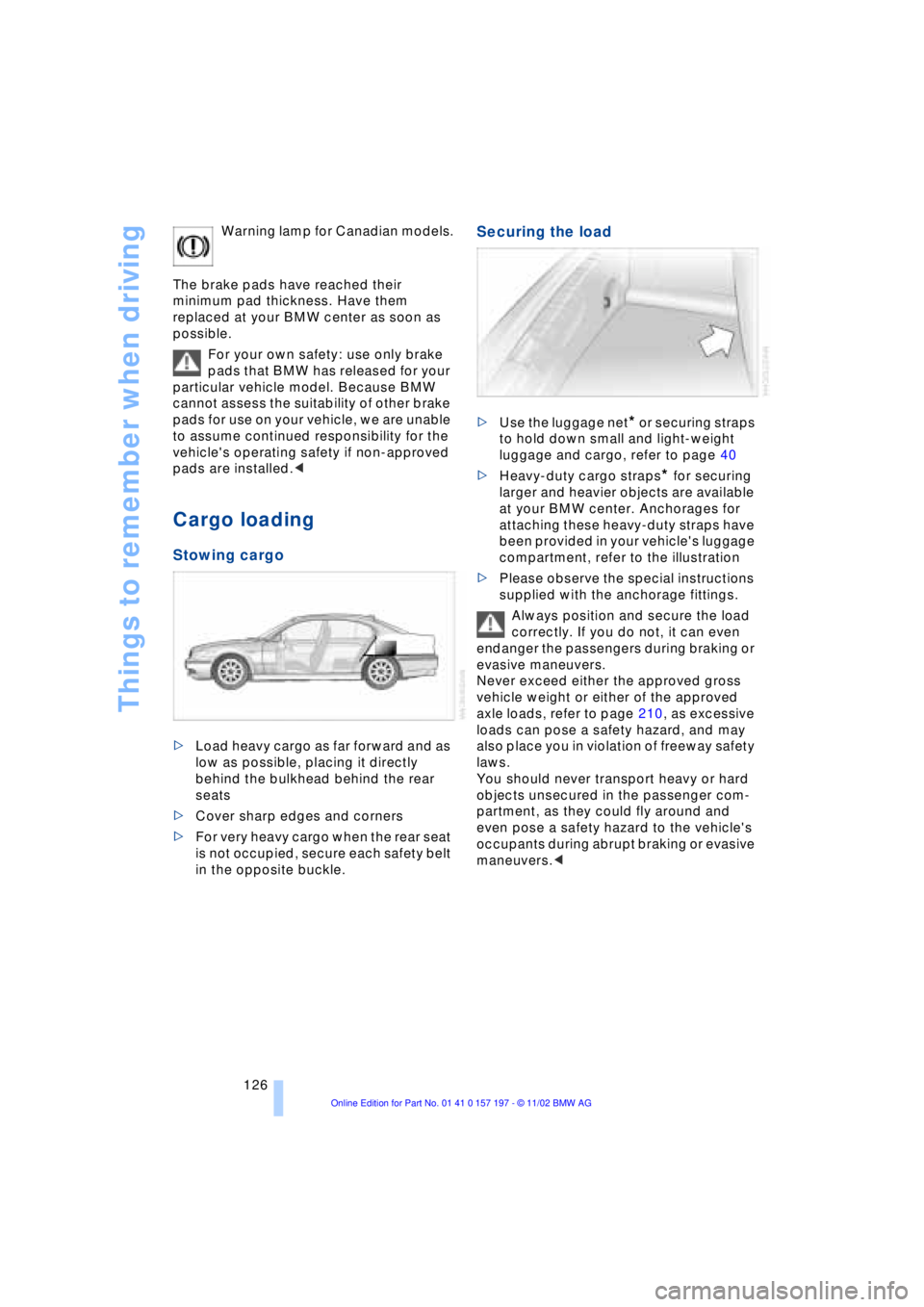
>Load heavy cargo as far forward and as
low as possible, placing it directly
behind the bulkhead behind the rear
seats
>Cover sharp edges and corners
>For very heavy cargo when the rear seat
is not occupied, secure each safety belt
in the opposite buckle.
Securing the load
>Use the luggage net* or securing straps
to hold down small and light-weight
luggage and cargo, refer to page 40
>Heavy-duty cargo straps
* for securing
larger and heavier objects are available
at your BMW center. Anchorages for
attaching these heavy-duty straps have
been provided in your vehicle's luggage
compartment, refer to the illustration
>Please observe the special instructions
supplied with the anchorage fittings.
Always position and secure the load
correctly. If you do not, it can even
endanger the passengers during braking or
evasive maneuvers.
Never exceed either the approved gross
vehicle weight or either of the approved
axle loads, refer to page 210, as excessive
loads can pose a safety hazard, and may
also place you in violation of freeway safety
laws.
You should never transport heavy or hard
objects unsecured in the passenger com-
partment, as they could fly around and
even pose a safety hazard to the vehicle's
occupants during abrupt braking or evasive
maneuvers.<
Page 141 of 229
At a glance
Controls
Driving tips
Communications
Navigation
Entertainment
Mobility
Reference
139
Displaying route list
You can access a listing of streets and
towns on your route whenever the guid-
ance system is active. This list is based on
the navigation system's suggested travel
route.
The distances remaining to be traveled on
each individual road are also displayed.
1.Select "View" and confirm your selec-
tion. All the menu items will disappear
after a few moments if no further entries
are made
2.Select "Route" and confirm.
If the system has not yet completely
defined the travel route, "..." will appear
in the list.
Select and confirm to switch off the
route list.
The route list is displayed again after
a short time if no other menu item has
been selected.<
Selecting new route
During active guidance you can revise the
navigation system's route recommenda-
tions to avoid particular stretches of road.
Enter the number of miles/kilometers that
you want to travel before returning to the
original route.
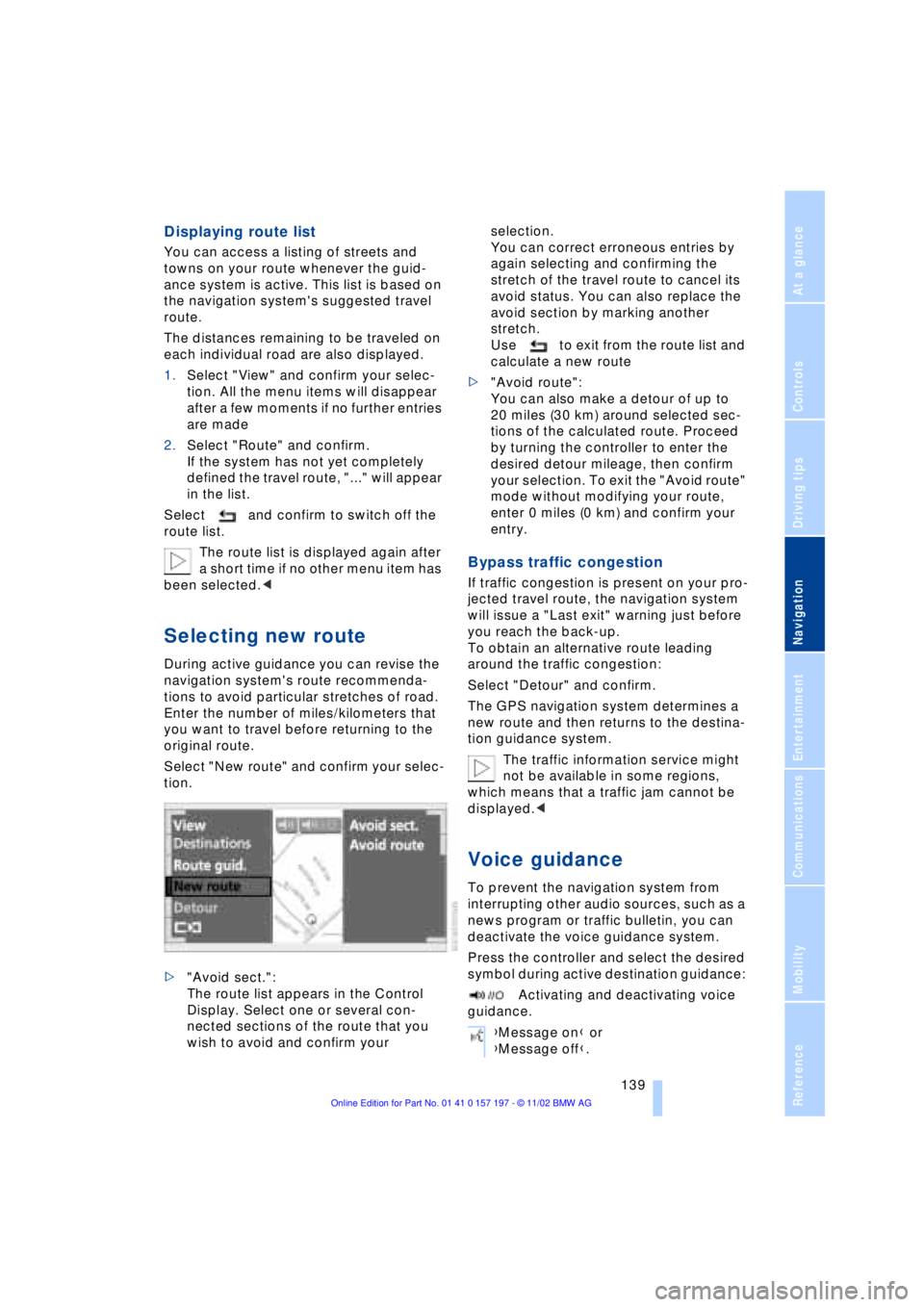
Select "New route" and confirm your selec-
tion.
>"Avoid sect.":
The route list appears in the Control
Display. Select one or several con-
nected sections of the route that you
wish to avoid and confirm your selection.
You can correct erroneous entries by
again selecting and confirming the
stretch of the travel route to cancel its
avoid status. You can also replace the
avoid section by marking another
stretch.
Use to exit from the route list and
calculate a new route
>"Avoid route":
You can also make a detour of up to
20 miles (30 km) around selected sec-
tions of the calculated route. Proceed
by turning the controller to enter the
desired detour mileage, then confirm
your selection. To exit the "Avoid route"
mode without modifying your route,
enter 0 miles (0 km) and confirm your
entry.
Bypass traffic congestion
If traffic congestion is present on your pro-
jected travel route, the navigation system
will issue a "Last exit" warning just before
you reach the back-up.
To obtain an alternative route leading
around the traffic congestion:
Select "Detour" and confirm.
The GPS navigation system determines a
new route and then returns to the destina-
tion guidance system.
The traffic information service might
not be available in some regions,
which means that a traffic jam cannot be
displayed.<
Voice guidance
To prevent the navigation system from
interrupting other audio sources, such as a
news program or traffic bulletin, you can
deactivate the voice guidance system.
Press the controller and select the desired
symbol during active destination guidance:
Activating and deactivating voice
guidance.
{Message on} or
{Message off}.
Page 153 of 229
At a glance
Controls
Driving tips
Communications
Navigation
Entertainment
Mobility
Reference
151
>"MANUAL"
The stations can be set manually by
turning the controller
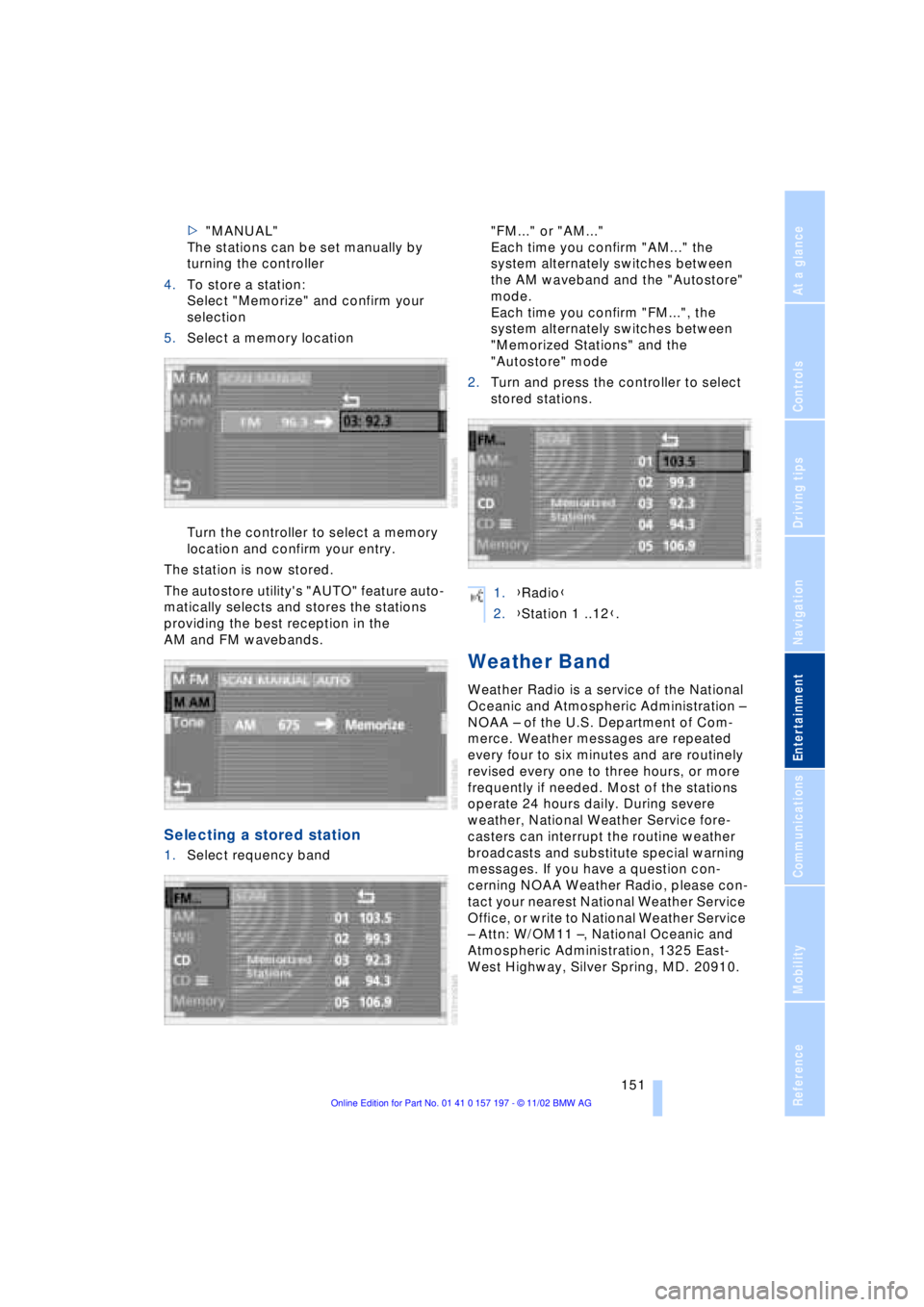
4.To store a station:
Select "Memorize" and confirm your
selection
5.Select a memory location
Turn the controller to select a memory
location and confirm your entry.
The station is now stored.
The autostore utility's "AUTO" feature auto-
matically selects and stores the stations
providing the best reception in the
AM and FM wavebands.
Selecting a stored station
1.Select requency band "FM..." or "AM..."
Each time you confirm "AM..." the
system alternately switches between
the AM waveband and the "Autostore"
mode.
Each time you confirm "FM...", the
system alternately switches between
"Memorized Stations" and the
"Autostore" mode
2.Turn and press the controller to select
stored stations.
Weather Band
Weather Radio is a service of the National
Oceanic and Atmospheric Administration Ð
NOAA Ð of the U.S. Department of Com-
merce. Weather messages are repeated
every four to six minutes and are routinely
revised every one to three hours, or more
frequently if needed. Most of the stations
operate 24 hours daily. During severe
weather, National Weather Service fore-
casters can interrupt the routine weather
broadcasts and substitute special warning
messages. If you have a question con-
cerning NOAA Weather Radio, please con-
tact your nearest National Weather Service
Office, or write to National Weather Service
Ð Attn: W/OM11 Ð, National Oceanic and
Atmospheric Administration, 1325 East-
West Highway, Silver Spring, MD. 20910.
1.{Radio}
2.{Station 1 ..12}.
Page 193 of 229
At a glance
Controls
Driving tips
Communications
Navigation
Entertainment
Mobility
Reference
191
The oil quantity between the two marks on
the dipstick is approx. 1.1 US quarts
(1 liter). Do not fill beyond the upper mark
on the dipstick. Excess oil can damage the
engine.
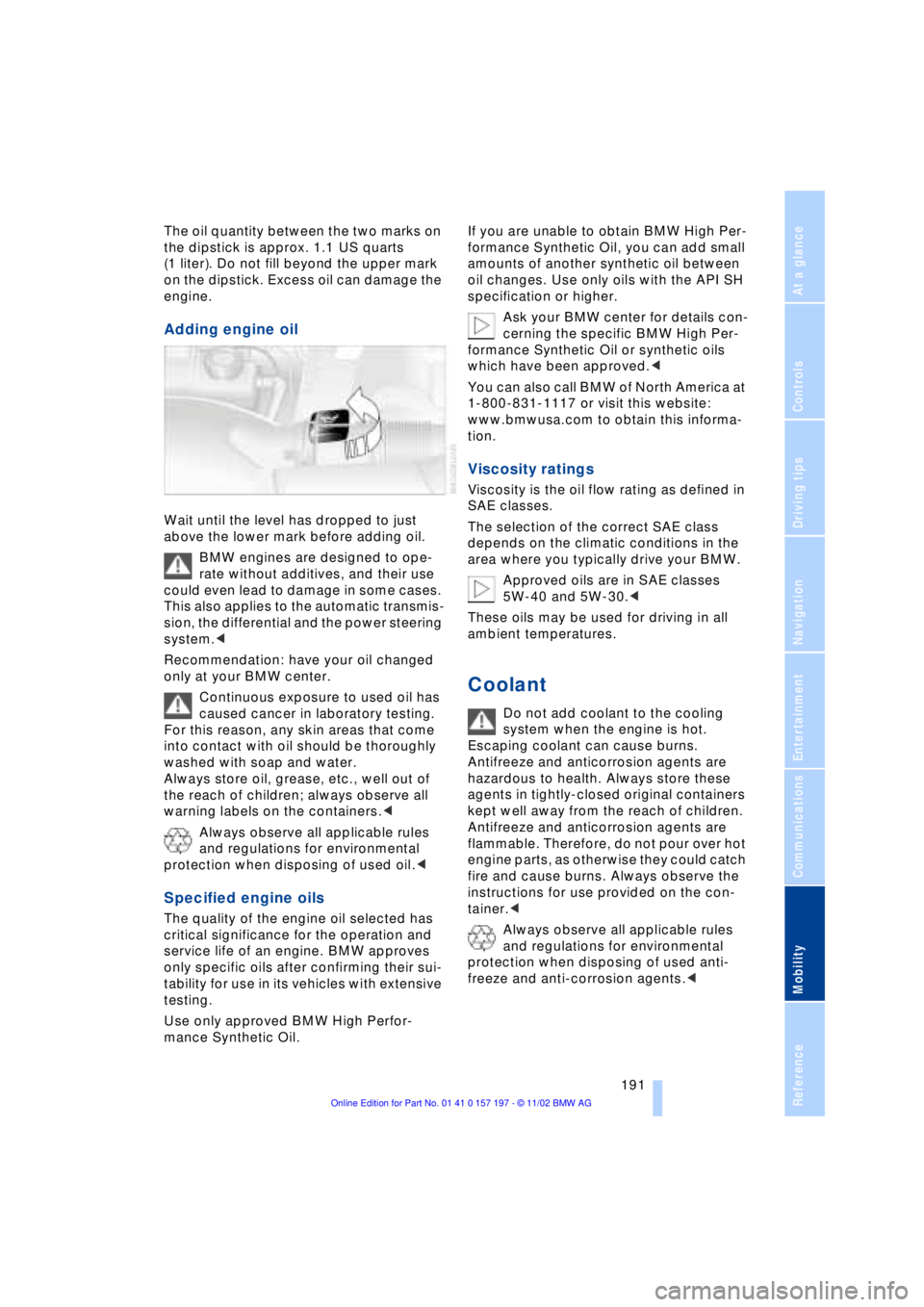
Adding engine oil
Wait until the level has dropped to just
above the lower mark before adding oil.
BMW engines are designed to ope-
rate without additives, and their use
could even lead to damage in some cases.
This also applies to the automatic transmis-
sion, the differential and the power steering
system.<
Recommendation: have your oil changed
only at your BMW center.
Continuous exposure to used oil has
caused cancer in laboratory testing.
For this reason, any skin areas that come
into contact with oil should be thoroughly
washed with soap and water.
Always store oil, grease, etc., well out of
the reach of children; always observe all
warning labels on the containers.<
Always observe all applicable rules
and regulations for environmental
protection when disposing of used oil.<
Specified engine oils
The quality of the engine oil selected has
critical significance for the operation and
service life of an engine. BMW approves
only specific oils after confirming their sui-
tability for use in its vehicles with extensive
testing.
Use only approved BMW High Perfor-
mance Synthetic Oil.If you are unable to obtain BMW High Per-
formance Synthetic Oil, you can add small
amounts of another synthetic oil between
oil changes. Use only oils with the API SH
specification or higher.
Ask your BMW center for details con-
cerning the specific BMW High Per-
formance Synthetic Oil or synthetic oils
which have been approved.<
You can also call BMW of North America at
1-800-831-1117 or visit this website:
www.bmwusa.com to obtain this informa-
tion.
Viscosity ratings
Viscosity is the oil flow rating as defined in
SAE classes.
The selection of the correct SAE class
depends on the climatic conditions in the
area where you typically drive your BMW.
Approved oils are in SAE classes
5W-40 and 5W-30.<
These oils may be used for driving in all
ambient temperatures.
Coolant
Do not add coolant to the cooling
system when the engine is hot.
Escaping coolant can cause burns.
Antifreeze and anticorrosion agents are
hazardous to health. Always store these
agents in tightly-closed original containers
kept well away from the reach of children.
Antifreeze and anticorrosion agents are
flammable. Therefore, do not pour over hot
engine parts, as otherwise they could catch
fire and cause burns. Always observe the
instructions for use provided on the con-
tainer.<
Always observe all applicable rules
and regulations for environmental
protection when disposing of used anti-
freeze and anti-corrosion agents.<
Page 194 of 229
Under the hood
192
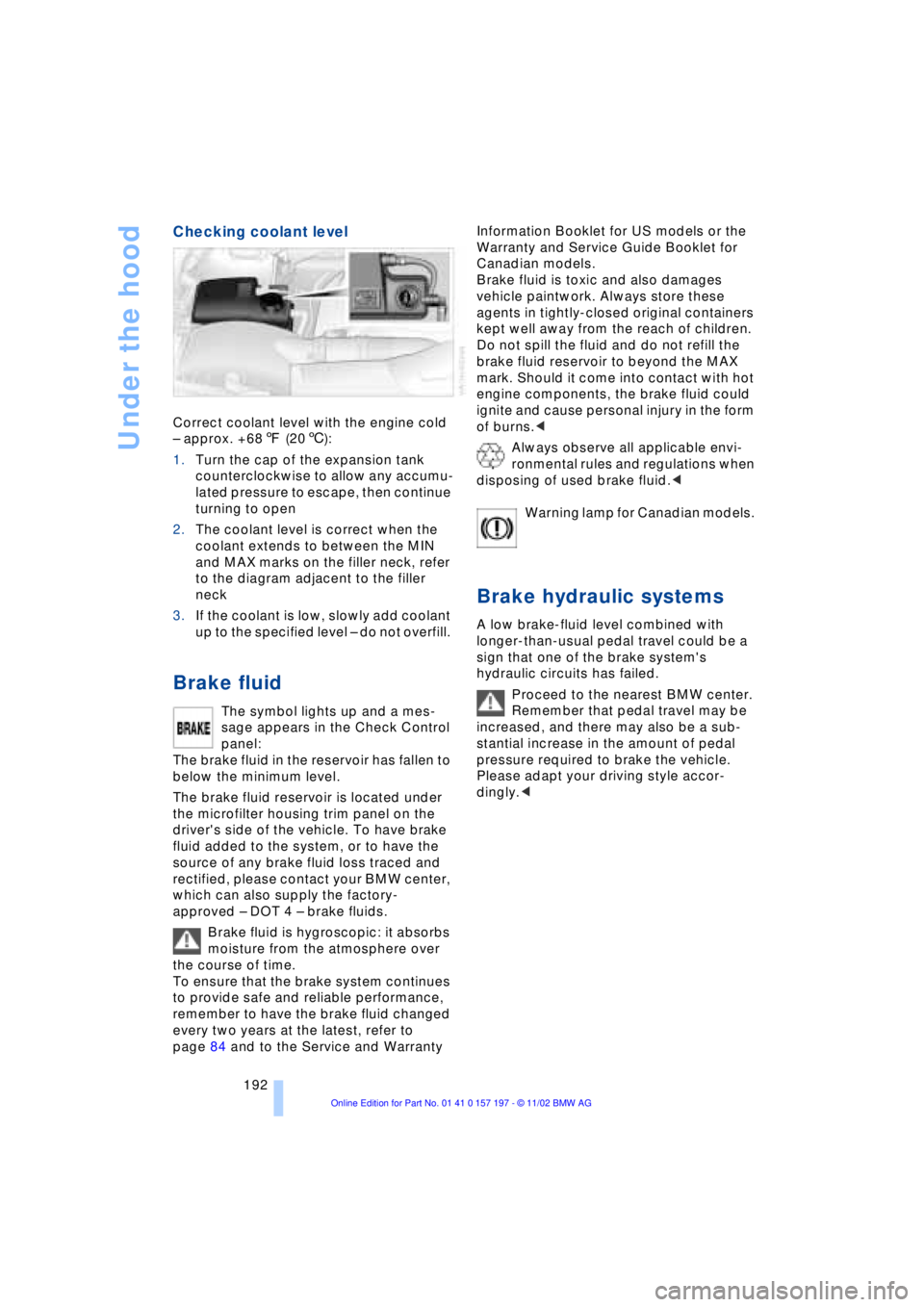
Checking coolant level
Correct coolant level with the engine cold
Ð approx. +687 (206):
1.Turn the cap of the expansion tank
counterclockwise to allow any accumu-
lated pressure to escape, then continue
turning to open
2.The coolant level is correct when the
coolant extends to between the MIN
and MAX marks on the filler neck, refer
to the diagram adjacent to the filler
neck
3.If the coolant is low, slowly add coolant
up to the specified level Ð do not overfill.
Brake fluid
The symbol lights up and a mes-
sage appears in the Check Control
panel:
The brake fluid in the reservoir has fallen to
below the minimum level.
The brake fluid reservoir is located under
the microfilter housing trim panel on the
driver's side of the vehicle. To have brake
fluid added to the system, or to have the
source of any brake fluid loss traced and
rectified, please contact your BMW center,
which can also supply the factory-
approved Ð DOT 4 Ð brake fluids.
Brake fluid is hygroscopic: it absorbs
moisture from the atmosphere over
the course of time.
To ensure that the brake system continues
to provide safe and reliable performance,
remember to have the brake fluid changed
every two years at the latest, refer to
page 84 and to the Service and Warranty Information Booklet for US models or the
Warranty and Service Guide Booklet for
Canadian models.
Brake fluid is toxic and also damages
vehicle paintwork. Always store these
agents in tightly-closed original containers
kept well away from the reach of children.
Do not spill the fluid and do not refill the
brake fluid reservoir to beyond the MAX
mark. Should it come into contact with hot
engine components, the brake fluid could
ignite and cause personal injury in the form
of burns.<
Always observe all applicable envi-
ronmental rules and regulations when
disposing of used brake fluid.<
Warning lamp for Canadian models.
Brake hydraulic systems
A low brake-fluid level combined with
longer-than-usual pedal travel could be a
sign that one of the brake system's
hydraulic circuits has failed.
Proceed to the nearest BMW center.
Remember that pedal travel may be
increased, and there may also be a sub-
stantial increase in the amount of pedal
pressure required to brake the vehicle.
Please adapt your driving style accor-
dingly.<
Page 196 of 229
Rules and regulations
194
Rules and regulations
California Proposition 65
Warning
California laws require us to state the fol-
lowing warning:
Engine exhaust, some of its constitu-
ents, and certain vehicle components
contain or emit chemicals known to the
State of California to cause cancer and
birth defects and reproductive harm. In
addition, certain fluids contained in
vehicles and certain products of compo-
nent wear contain or emit chemicals known
to the State of California to cause cancer
and birth defects or other reproductive
harm.
Battery posts, terminals and related acces-
sories contain lead and lead compounds.
Wash your hands after handling.
Used engine oil contains chemicals that
have caused cancer in laboratory animals.
Always protect your skin by washing tho-
roughly with soap and water.<
OBD connector
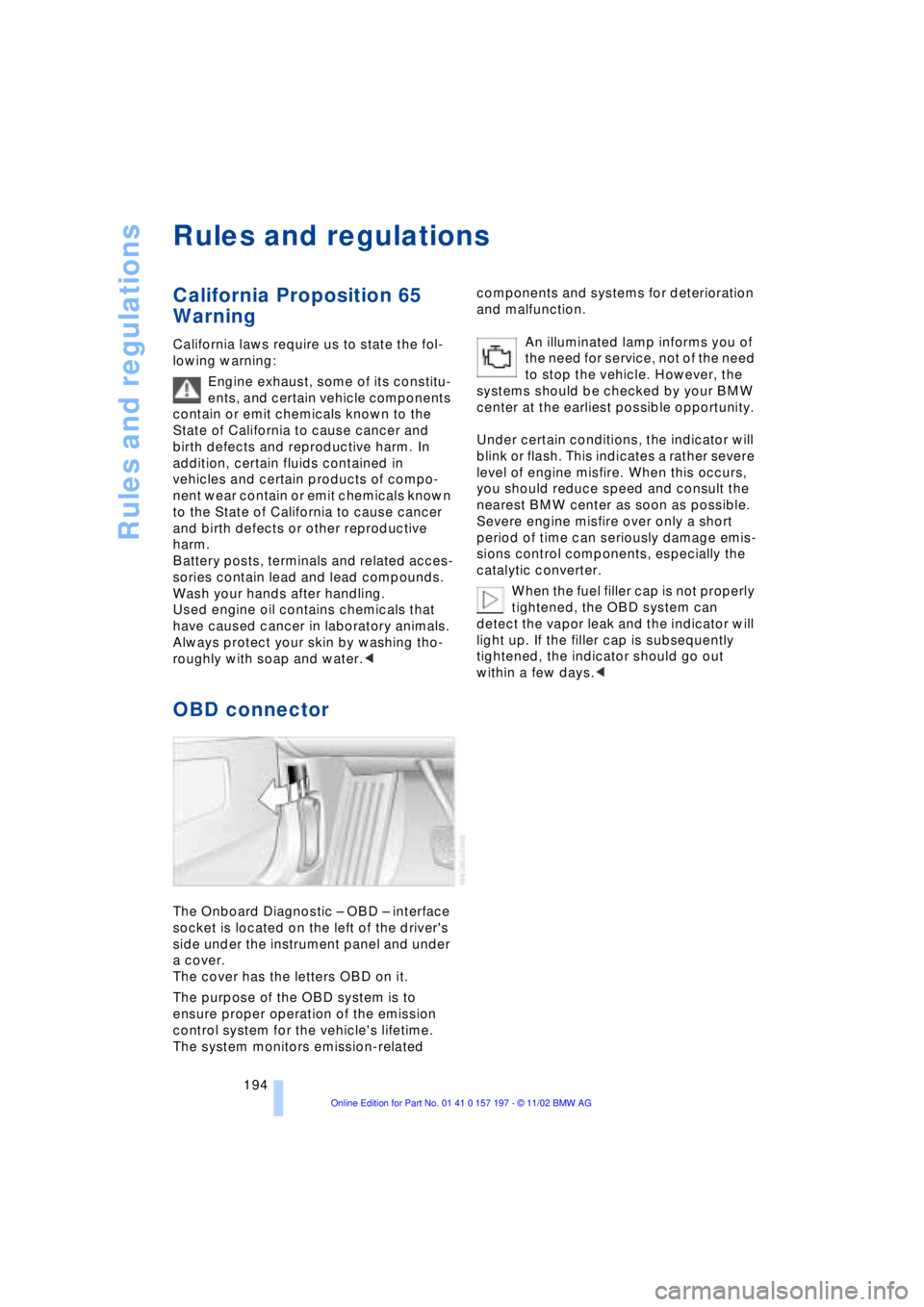
The Onboard Diagnostic Ð OBD Ð interface
socket is located on the left of the driver's
side under the instrument panel and under
a cover.
The cover has the letters OBD on it.
The purpose of the OBD system is to
ensure proper operation of the emission
control system for the vehicle's lifetime.
The system monitors emission-related components and systems for deterioration
and malfunction.
An illuminated lamp informs you of
the need for service, not of the need
to stop the vehicle. However, the
systems should be checked by your BMW
center at the earliest possible opportunity.
Under certain conditions, the indicator will
blink or flash. This indicates a rather severe
level of engine misfire. When this occurs,
you should reduce speed and consult the
nearest BMW center as soon as possible.
Severe engine misfire over only a short
period of time can seriously damage emis-
sions control components, especially the
catalytic converter.
When the fuel filler cap is not properly
tightened, the OBD system can
detect the vapor leak and the indicator will
light up. If the filler cap is subsequently
tightened, the indicator should go out
within a few days.<
Page 199 of 229
Overview
Controls
Driving tips
Communications
Navigation
Entertainment
Mobility
Reference
197
4.Extract the bulb for replacement.
Side marker lamps, front and rear
Please contact your BMW center for
replacement.
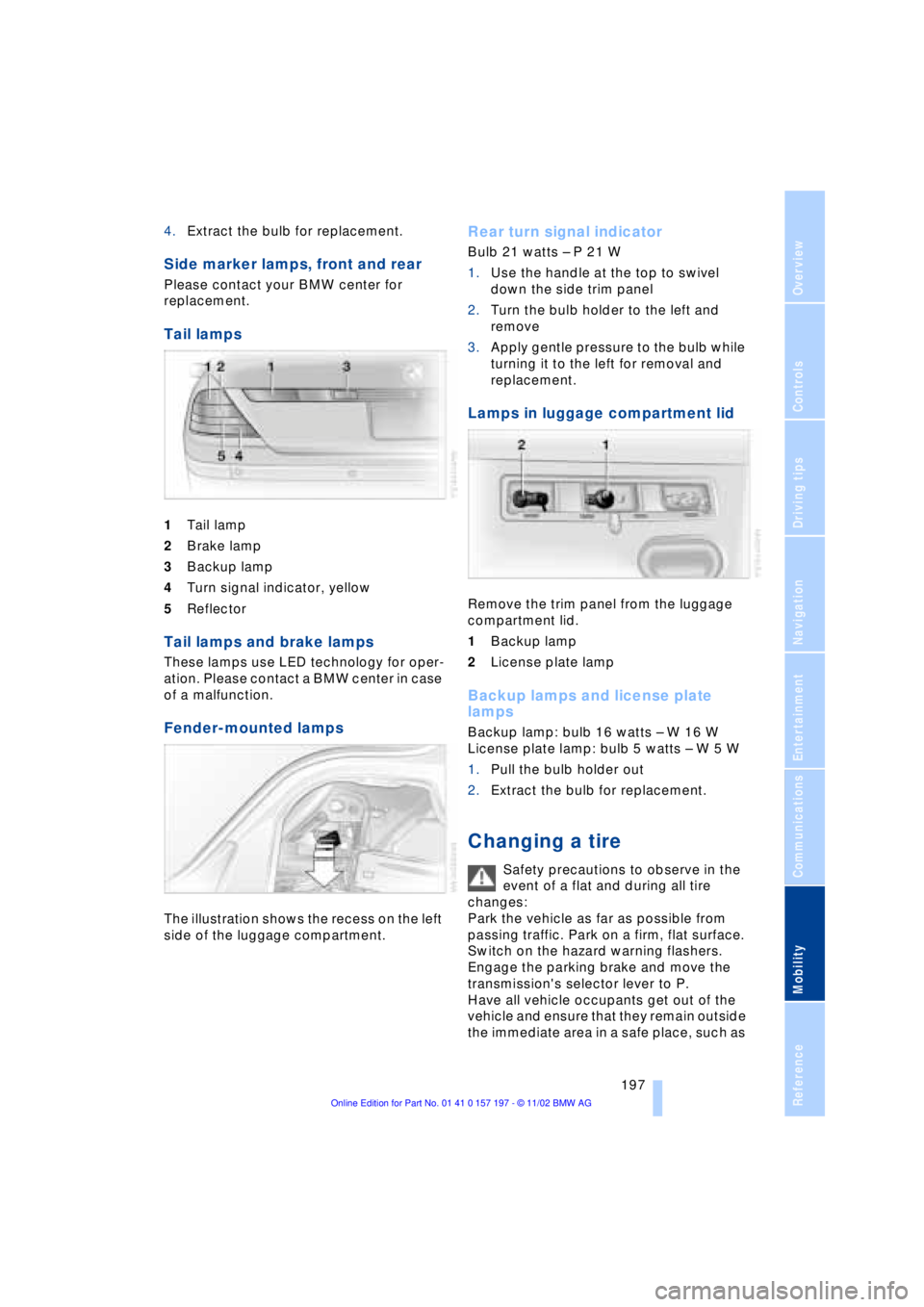
Tail lamps
1Tail lamp
2Brake lamp
3Backup lamp
4Turn signal indicator, yellow
5Reflector
Tail lamps and brake lamps
These lamps use LED technology for oper-
ation. Please contact a BMW center in case
of a malfunction.
Fender-mounted lamps
The illustration shows the recess on the left
side of the luggage compartment.
Rear turn signal indicator
Bulb 21 watts Ð P 21 W
1.Use the handle at the top to swivel
down the side trim panel
2.Turn the bulb holder to the left and
remove
3.Apply gentle pressure to the bulb while
turning it to the left for removal and
replacement.
Lamps in luggage compartment lid
Remove the trim panel from the luggage
compartment lid.
1Backup lamp
2License plate lamp
Backup lamps and license plate
lamps
Backup lamp: bulb 16 watts Ð W 16 W
License plate lamp: bulb 5 watts Ð W 5 W
1.Pull the bulb holder out
2.Extract the bulb for replacement.
Changing a tire
Safety precautions to observe in the
event of a flat and during all tire
changes:
Park the vehicle as far as possible from
passing traffic. Park on a firm, flat surface.
Switch on the hazard warning flashers.
Engage the parking brake and move the
transmission's selector lever to P.
Have all vehicle occupants get out of the
vehicle and ensure that they remain outside
the immediate area in a safe place, such as
Page 200 of 229
Replacing components
198 behind a guardrail.
If a warning triangle or portable hazard
warning lamp is required, set it up on the
roadside at an appropriate distance from
the rear of the vehicle. Comply with all
safety guidelines and regulations.
Change the wheel only on a level, firm sur-
face which is not slippery. The vehicle or
the jack could slip to the side if you attempt
to raise the vehicle on a soft or slippery sur-
face such as snow, ice, tiles, etc.
Position the jack on a firm support surface.
Do not use a wooden block or similar
object as a support base for the jack, as
this would prevent it from extending to its
full support height and reduce its load-
carrying capacity.
To avoid serious or fatal injury: never lie
under the vehicle, and never start the
engine while it is supported by the jack.<
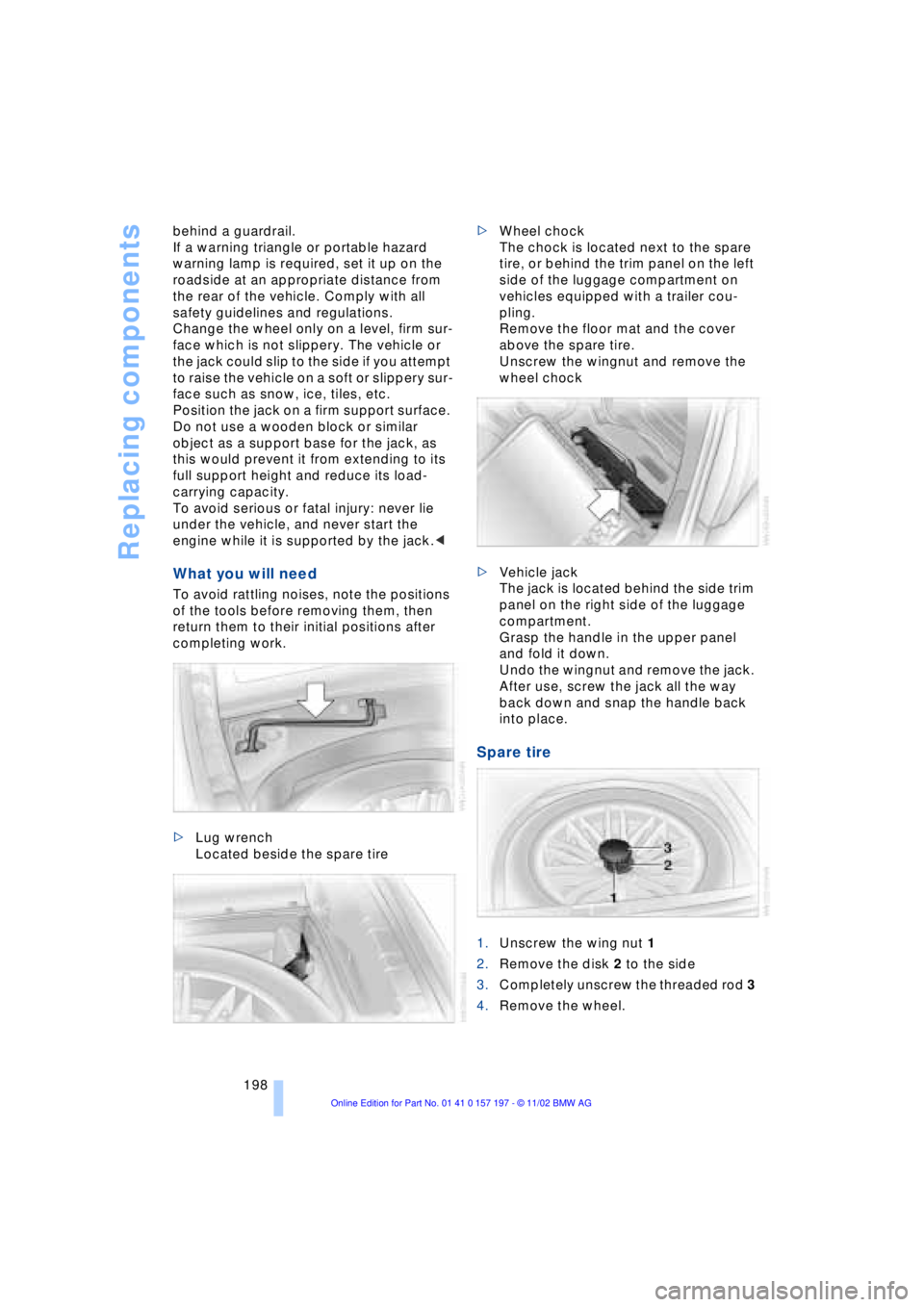
What you will need
To avoid rattling noises, note the positions
of the tools before removing them, then
return them to their initial positions after
completing work.
>Lug wrench
Located beside the spare tire >Wheel chock
The chock is located next to the spare
tire, or behind the trim panel on the left
side of the luggage compartment on
vehicles equipped with a trailer cou-
pling.
Remove the floor mat and the cover
above the spare tire.
Unscrew the wingnut and remove the
wheel chock
>Vehicle jack
The jack is located behind the side trim
panel on the right side of the luggage
compartment.
Grasp the handle in the upper panel
and fold it down.
Undo the wingnut and remove the jack.
After use, screw the jack all the way
back down and snap the handle back
into place.
Spare tire
1.Unscrew the wing nut 1
2.Remove the disk 2 to the side
3.Completely unscrew the threaded rod 3
4.Remove the wheel.