2003 BMW 760LI SEDAN battery
[x] Cancel search: batteryPage 196 of 229
Rules and regulations
194
Rules and regulations
California Proposition 65
Warning
California laws require us to state the fol-
lowing warning:
Engine exhaust, some of its constitu-
ents, and certain vehicle components
contain or emit chemicals known to the
State of California to cause cancer and
birth defects and reproductive harm. In
addition, certain fluids contained in
vehicles and certain products of compo-
nent wear contain or emit chemicals known
to the State of California to cause cancer
and birth defects or other reproductive
harm.
Battery posts, terminals and related acces-
sories contain lead and lead compounds.
Wash your hands after handling.
Used engine oil contains chemicals that
have caused cancer in laboratory animals.
Always protect your skin by washing tho-
roughly with soap and water.<
OBD connector
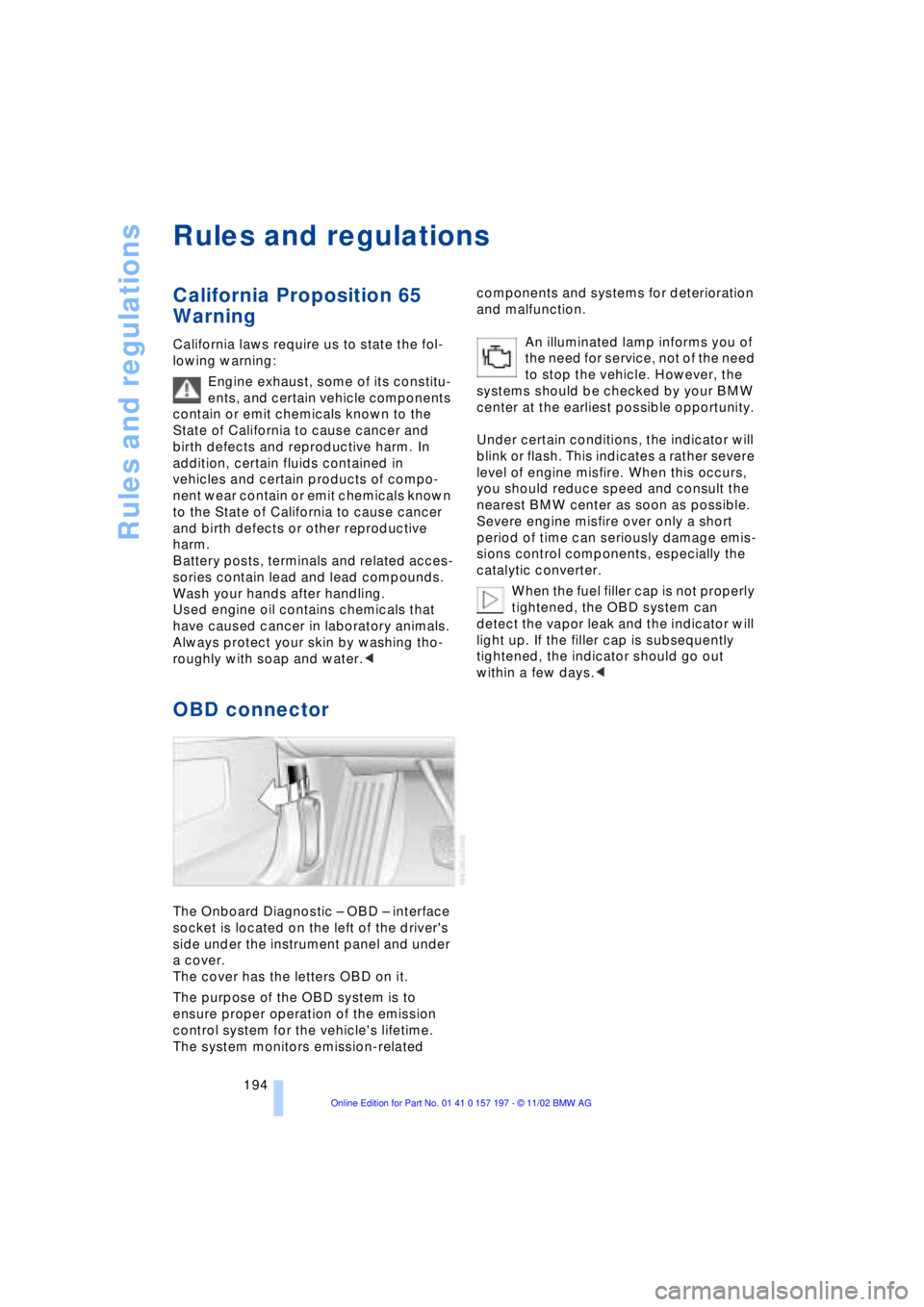
The Onboard Diagnostic Ð OBD Ð interface
socket is located on the left of the driver's
side under the instrument panel and under
a cover.
The cover has the letters OBD on it.
The purpose of the OBD system is to
ensure proper operation of the emission
control system for the vehicle's lifetime.
The system monitors emission-related components and systems for deterioration
and malfunction.
An illuminated lamp informs you of
the need for service, not of the need
to stop the vehicle. However, the
systems should be checked by your BMW
center at the earliest possible opportunity.
Under certain conditions, the indicator will
blink or flash. This indicates a rather severe
level of engine misfire. When this occurs,
you should reduce speed and consult the
nearest BMW center as soon as possible.
Severe engine misfire over only a short
period of time can seriously damage emis-
sions control components, especially the
catalytic converter.
When the fuel filler cap is not properly
tightened, the OBD system can
detect the vapor leak and the indicator will
light up. If the filler cap is subsequently
tightened, the indicator should go out
within a few days.<
Page 197 of 229
Overview
Controls
Driving tips
Communications
Navigation
Entertainment
Mobility
Reference
195
Replacing components
Onboard tool kit
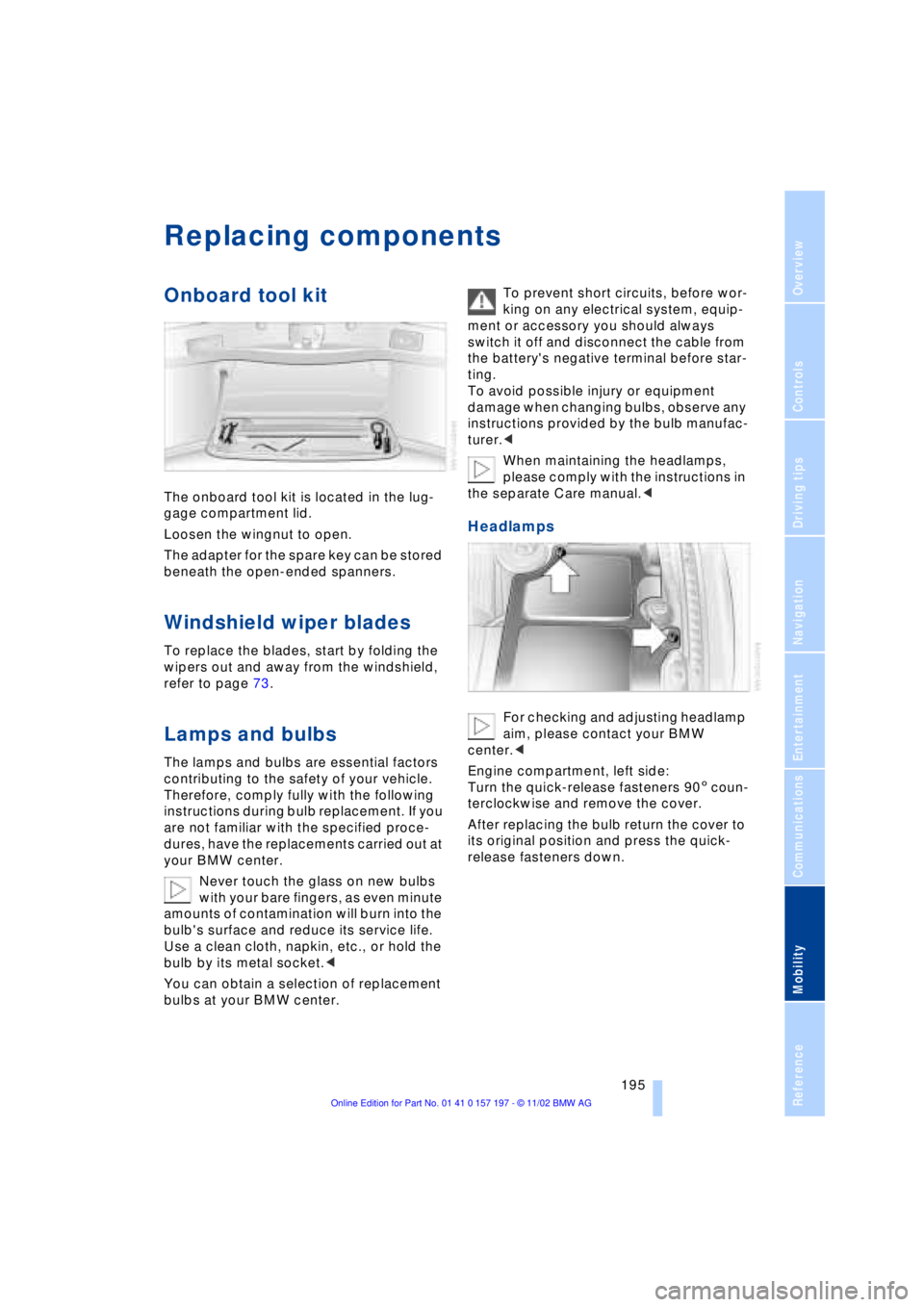
The onboard tool kit is located in the lug-
gage compartment lid.
Loosen the wingnut to open.
The adapter for the spare key can be stored
beneath the open-ended spanners.
Windshield wiper blades
To replace the blades, start by folding the
wipers out and away from the windshield,
refer to page 73.
Lamps and bulbs
The lamps and bulbs are essential factors
contributing to the safety of your vehicle.
Therefore, comply fully with the following
instructions during bulb replacement. If you
are not familiar with the specified proce-
dures, have the replacements carried out at
your BMW center.
Never touch the glass on new bulbs
with your bare fingers, as even minute
amounts of contamination will burn into the
bulb's surface and reduce its service life.
Use a clean cloth, napkin, etc., or hold the
bulb by its metal socket.<
You can obtain a selection of replacement
bulbs at your BMW center. To prevent short circuits, before wor-
king on any electrical system, equip-
ment or accessory you should always
switch it off and disconnect the cable from
the battery's negative terminal before star-
ting.
To avoid possible injury or equipment
damage when changing bulbs, observe any
instructions provided by the bulb manufac-
turer.<
When maintaining the headlamps,
please comply with the instructions in
the separate Care manual.<
Headlamps
For checking and adjusting headlamp
aim, please contact your BMW
center.<
Engine compartment, left side:
Turn the quick-release fasteners 905 coun-
terclockwise and remove the cover.
After replacing the bulb return the cover to
its original position and press the quick-
release fasteners down.
Page 202 of 229
Replacing components
200
Run-flat tires*
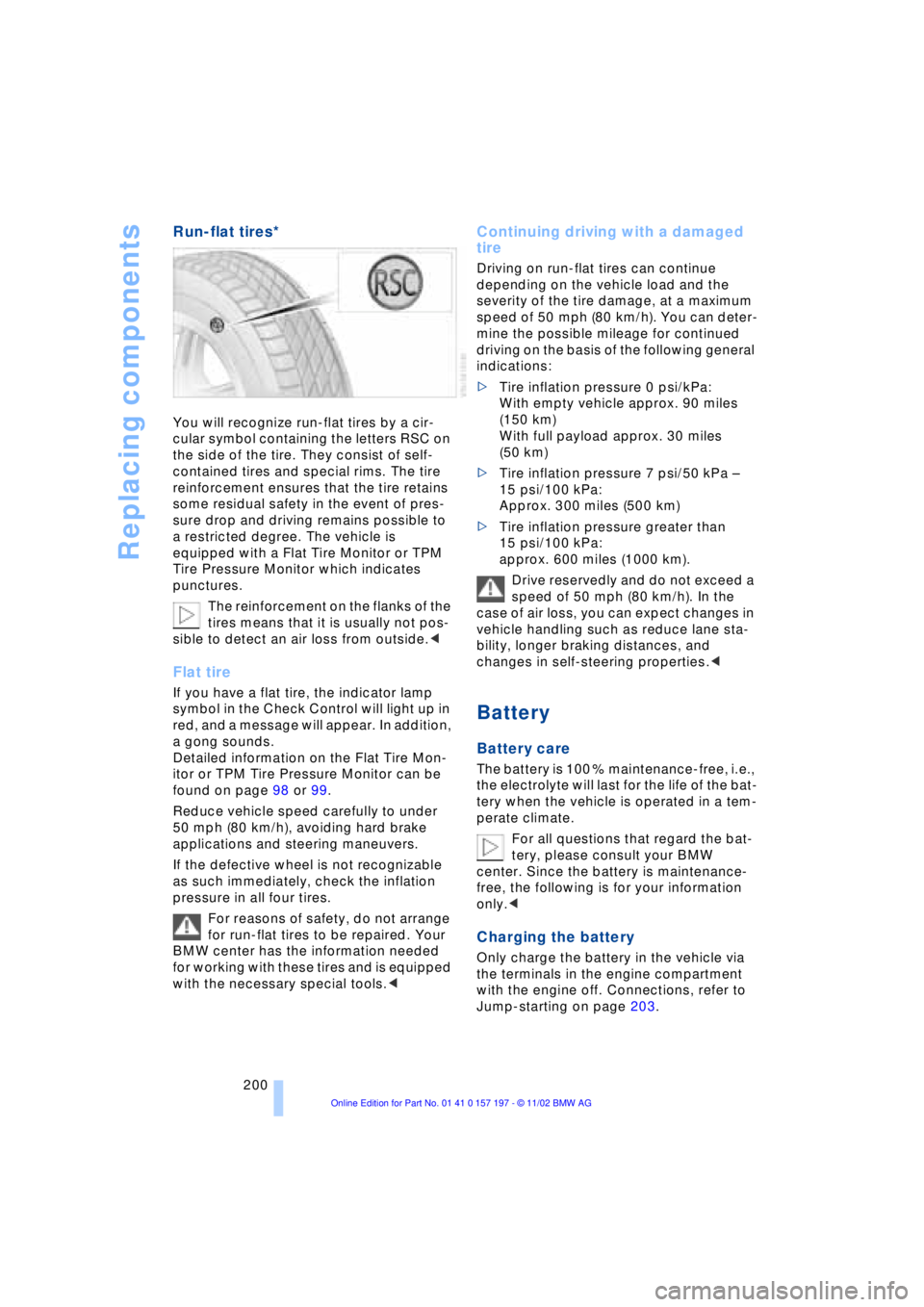
You will recognize run-flat tires by a cir-
cular symbol containing the letters RSC on
the side of the tire. They consist of self-
contained tires and special rims. The tire
reinforcement ensures that the tire retains
some residual safety in the event of pres-
sure drop and driving remains possible to
a restricted degree. The vehicle is
equipped with a Flat Tire Monitor or TPM
Tire Pressure Monitor which indicates
punctures.
The reinforcement on the flanks of the
tires means that it is usually not pos-
sible to detect an air loss from outside.<
Flat tire
If you have a flat tire, the indicator lamp
symbol in the Check Control will light up in
red, and a message will appear. In addition,
a gong sounds.
Detailed information on the Flat Tire Mon-
itor or TPM Tire Pressure Monitor can be
found on page 98 or 99.
Reduce vehicle speed carefully to under
50 mph (80 km/h), avoiding hard brake
applications and steering maneuvers.
If the defective wheel is not recognizable
as such immediately, check the inflation
pressure in all four tires.
For reasons of safety, do not arrange
for run-flat tires to be repaired. Your
BMW center has the information needed
for working with these tires and is equipped
with the necessary special tools.<
Continuing driving with a damaged
tire
Driving on run-flat tires can continue
depending on the vehicle load and the
severity of the tire damage, at a maximum
speed of 50 mph (80 km/h). You can deter-
mine the possible mileage for continued
driving on the basis of the following general
indications:
>Tire inflation pressure 0 psi/kPa:
With empty vehicle approx. 90 miles
(150 km)
With full payload approx. 30 miles
(50 km)
>Tire inflation pressure 7 psi/50 kPa Ð
15 psi/100 kPa:
Approx. 300 miles (500 km)
>Tire inflation pressure greater than
15 psi/100 kPa:
approx. 600 miles (1000 km).
Drive reservedly and do not exceed a
speed of 50 mph (80 km/h). In the
case of air loss, you can expect changes in
vehicle handling such as reduce lane sta-
bility, longer braking distances, and
changes in self-steering properties.<
Battery
Battery care
The battery is 100 % maintenance-free, i.e.,
the electrolyte will last for the life of the bat-
tery when the vehicle is operated in a tem-
perate climate.
For all questions that regard the bat-
tery, please consult your BMW
center. Since the battery is maintenance-
free, the following is for your information
only.<
Charging the battery
Only charge the battery in the vehicle via
the terminals in the engine compartment
with the engine off. Connections, refer to
Jump-starting on page 203.
Page 203 of 229
Overview
Controls
Driving tips
Communications
Navigation
Entertainment
Mobility
Reference
201
To avoid short circuits, as well as pos-
sible fires and personal injury, always
disconnect the cable from the battery's
negative terminal before working on the
vehicle's electrical system.<
Battery switch
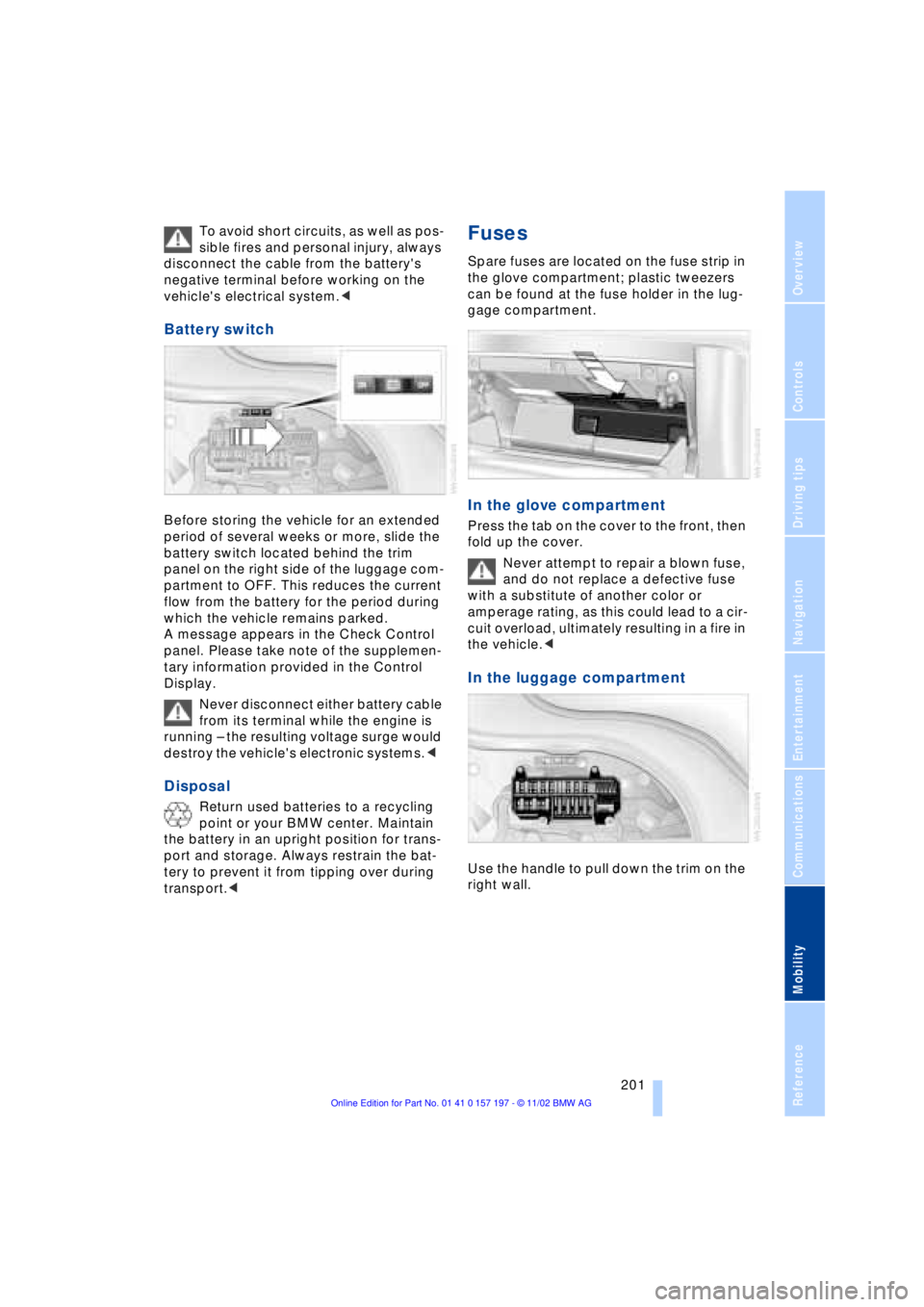
Before storing the vehicle for an extended
period of several weeks or more, slide the
battery switch located behind the trim
panel on the right side of the luggage com-
partment to OFF. This reduces the current
flow from the battery for the period during
which the vehicle remains parked.
A message appears in the Check Control
panel. Please take note of the supplemen-
tary information provided in the Control
Display.
Never disconnect either battery cable
from its terminal while the engine is
running Ð the resulting voltage surge would
destroy the vehicle's electronic systems.<
Disposal
Return used batteries to a recycling
point or your BMW center. Maintain
the battery in an upright position for trans-
port and storage. Always restrain the bat-
tery to prevent it from tipping over during
transport.<
Fuses
Spare fuses are located on the fuse strip in
the glove compartment; plastic tweezers
can be found at the fuse holder in the lug-
gage compartment.
In the glove compartment
Press the tab on the cover to the front, then
fold up the cover.
Never attempt to repair a blown fuse,
and do not replace a defective fuse
with a substitute of another color or
amperage rating, as this could lead to a cir-
cuit overload, ultimately resulting in a fire in
the vehicle.<
In the luggage compartment
Use the handle to pull down the trim on the
right wall.
Page 204 of 229
Giving and receiving assistance
202
Giving and receiving assistance
Warning triangle*
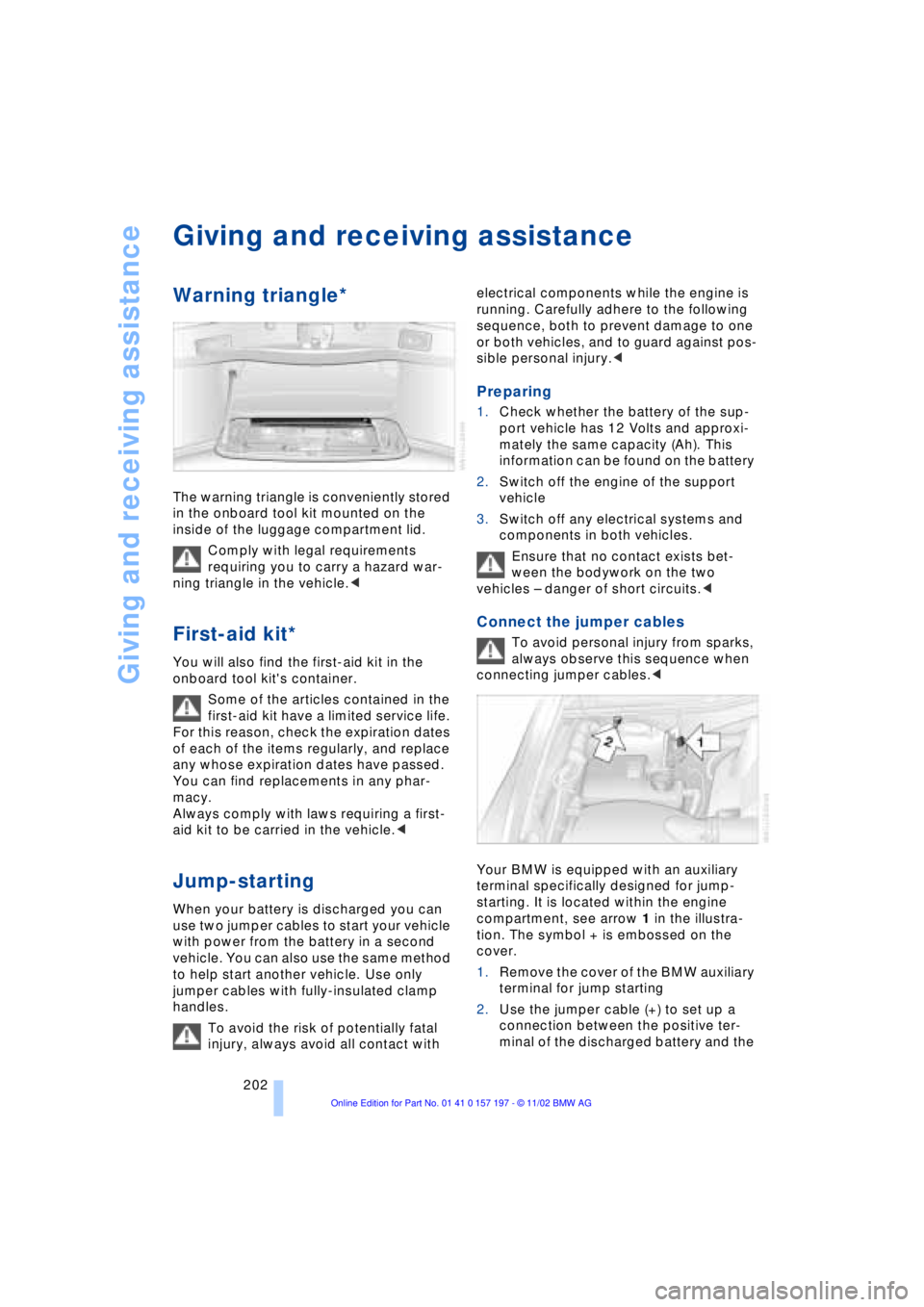
The warning triangle is conveniently stored
in the onboard tool kit mounted on the
inside of the luggage compartment lid.
Comply with legal requirements
requiring you to carry a hazard war-
ning triangle in the vehicle.<
First-aid kit*
You will also find the first-aid kit in the
onboard tool kit's container.
Some of the articles contained in the
first-aid kit have a limited service life.
For this reason, check the expiration dates
of each of the items regularly, and replace
any whose expiration dates have passed.
You can find replacements in any phar-
macy.
Always comply with laws requiring a first-
aid kit to be carried in the vehicle.<
Jump-starting
When your battery is discharged you can
use two jumper cables to start your vehicle
with power from the battery in a second
vehicle. You can also use the same method
to help start another vehicle. Use only
jumper cables with fully-insulated clamp
handles.
To avoid the risk of potentially fatal
injury, always avoid all contact with electrical components while the engine is
running. Carefully adhere to the following
sequence, both to prevent damage to one
or both vehicles, and to guard against pos-
sible personal injury.<
Preparing
1.Check whether the battery of the sup-
port vehicle has 12 Volts and approxi-
mately the same capacity (Ah). This
information can be found on the battery
2.Switch off the engine of the support
vehicle
3.Switch off any electrical systems and
components in both vehicles.
Ensure that no contact exists bet-
ween the bodywork on the two
vehicles Ð danger of short circuits.<
Connect the jumper cables
To avoid personal injury from sparks,
always observe this sequence when
connecting jumper cables.<
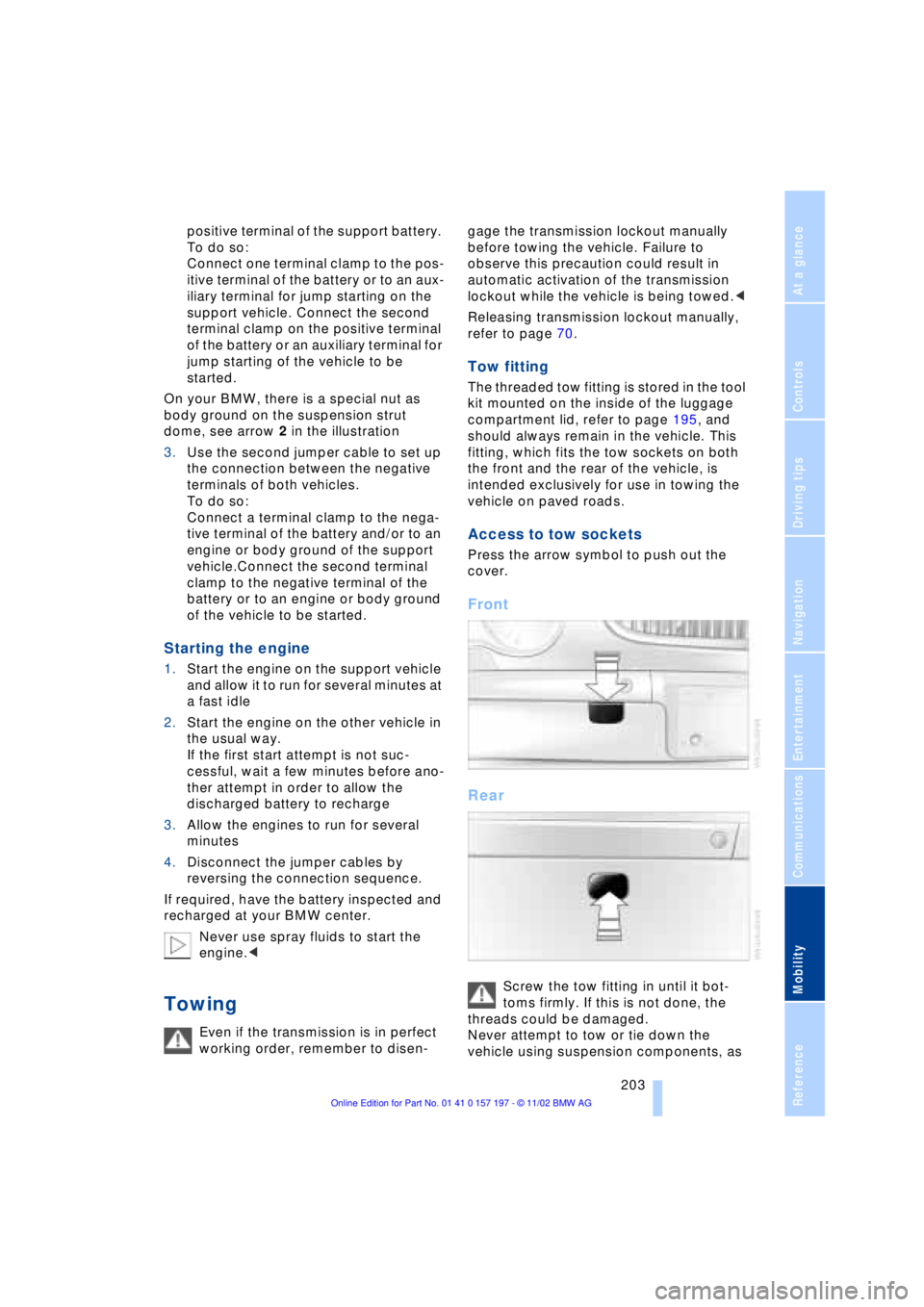
Your BMW is equipped with an auxiliary
terminal specifically designed for jump-
starting. It is located within the engine
compartment, see arrow 1 in the illustra-
tion. The symbol + is embossed on the
cover.
1.Remove the cover of the BMW auxiliary
terminal for jump starting
2.Use the jumper cable (+) to set up a
connection between the positive ter-
minal of the discharged battery and the
Page 205 of 229
At a glance
Controls
Driving tips
Communications
Navigation
Entertainment
Mobility
Reference
203
positive terminal of the support battery.
To do so:
Connect one terminal clamp to the pos-
itive terminal of the battery or to an aux-
iliary terminal for jump starting on the
support vehicle. Connect the second
terminal clamp on the positive terminal
of the battery or an auxiliary terminal for
jump starting of the vehicle to be
started.
On your BMW, there is a special nut as
body ground on the suspension strut
dome, see arrow 2 in the illustration
3.Use the second jumper cable to set up
the connection between the negative
terminals of both vehicles.
To do so:
Connect a terminal clamp to the nega-
tive terminal of the battery and/or to an
engine or body ground of the support
vehicle.Connect the second terminal
clamp to the negative terminal of the
battery or to an engine or body ground
of the vehicle to be started.
Starting the engine
1.Start the engine on the support vehicle
and allow it to run for several minutes at
a fast idle
2.Start the engine on the other vehicle in
the usual way.
If the first start attempt is not suc-
cessful, wait a few minutes before ano-
ther attempt in order to allow the
discharged battery to recharge
3.Allow the engines to run for several
minutes
4.Disconnect the jumper cables by
reversing the connection sequence.
If required, have the battery inspected and
recharged at your BMW center.
Never use spray fluids to start the
engine.<
Towing
Even if the transmission is in perfect
working order, remember to disen-gage the transmission lockout manually
before towing the vehicle. Failure to
observe this precaution could result in
automatic activation of the transmission
lockout while the vehicle is being towed.<
Releasing transmission lockout manually,
refer to page 70.
Tow fitting
The threaded tow fitting is stored in the tool
kit mounted on the inside of the luggage
compartment lid, refer to page 195, and
should always remain in the vehicle. This
fitting, which fits the tow sockets on both
the front and the rear of the vehicle, is
intended exclusively for use in towing the
vehicle on paved roads.
Access to tow sockets
Press the arrow symbol to push out the
cover.
Front
Rear
Screw the tow fitting in until it bot-
toms firmly. If this is not done, the
threads could be damaged.
Never attempt to tow or tie down the
vehicle using suspension components, as
Page 215 of 229
213
At a glance
Controls
Driving tips
Communications
Navigation
Entertainment
Mobility
Reference
Automatic recirculated-air
control AUC 107
Automatic transmission
with L mode 67
Automatic transmission
with Steptronic 69
Ð operation via buttons in
steering wheel 69
"AUTO P" 54, 64
"AUTOSTOR" 161
"Autostore" for radio
operation 150
Average fuel
consumption 88
Average speed 88
Avoid false alarms 41
"Avoid highway" 137
"Avoid route" 139
"Avoid sect." 139
"Avoid tolls" 137
Avoid unintentional
alarms 41
"A-Z" 175
B
Backrest adjustment 47
Ð front seats 46
Ð rear seats 47
Backrests, refer to
Seats 45
Backup lamp, bulb
replacement 197
Balance 147
"Balance" in sound system
operation 148
Bass 147
"Bass" in sound system
operation 148
Battery 200
Ð discharged 202
Ð switch 201
"BC", refer to Computer 88
Belts 50
Beverage holders 118
Blinds 115
Blower 107
BMW active seat 52"BMW Assist" 19, 22, 178
Ð "Roadside
Assistance" 178
BMW Assist 178
BMW comfort seat 46
"BMW Services" 178
"Booktape" 158
Brake, malfunctions 192
Brake assistant, refer to
Dynamic Brake Control
DBC 96
Brake fluid 192
Brake hydraulic
systems 192
Brake lamp, adaptive 101
Brake lamps, bulb
replacement 197
Brake pads 125, 193
Brakes 125
Brake system
Ð brake fluid 192
Break-in procedures 124
"Brief info" information
bulletin 23
"Brightness" during
TV operation 161
"Brightness" in the Control
Center 92
Bulb changes 195
Buttons in steering
wheel 18
Ð refer to Automatic
transmission with
Steptronic 69
C
California Proposition
65 Warning 194
Call
Ð ending 175
Ð making 174
Calling 174
Ð from telephone
directory 175
Ð from the redialing list 176
Ð from the Top 8 list 176
Ð redialing 176Can holders, refer to
Beverage holders 118
Capacities 211
Car care, refer to Care
manual
"Car data" 19, 22
Cargo, securing 126
Cargo area
Ð emergency release 40
Ð manual operation 40
Ð opening and locking
separately 39
Ð opening from the
inside 39
Ð opening from the
outside 38
Ð operating via remote
control 36
Cargo loading 126
"Car parked" 109, 112
Car phone 171, 174
Car radio, refer to
Radio 146
Car wash 124
Car wash, refer to Care
manual
Cassette 158
Cassette deck 158
Ð adjusting the tone 147
Ð "Booktape" 158
Ð controls 146
Ð Dolby 158
Ð fast forward 159
Ð music search 159
Ð operating
temperatures 158
Ð reverse 159
Ð selecting tape side 158
Ð skipping pauses 159
Ð switching on 158
Ð volume 147
CBC Cornering Brake
Control 96
CBS Condition Based
Service 193
"CD" 146, 153
Page 222 of 229
Everything from A to Z
220 Phone number, refer to
Portable phone 174
"Pict. format" 166
"Picture" 146
Ð DVD changer 166
Ð TV 161
Please fasten safety belts
warning lamp 50
Pollen 111
Portable phone
Ð adjusting volume 173
Ð calling 174
Ð call termination 175
Ð controlling with the
buttons on the steering
wheel 18
Ð emergency calls 173
Ð hands-free system 173
Ð missed calls 176
Ð operating using the
Control Display 171
Ð redialing 176
Ð refer to separate Portable
phone manual 170
Ð selecting phone
numbers 174
Ð switching on and off 174
Ð Top 8 list 176
Portable phone battery 171
Portable phone codes 174
Power electric seat 47
Power rating 208
Power socket 119
Pressure, tires 184
Pressure monitor, tires 98
Programmable cruise
control 73
Programming settings,
refer to Vehicle Memory,
Key Memory 60
Publishers 2
Puncture
Ð Flat Tire Monitor 98
R
Radio
Ð adjusting the tone 147
Ð autostore 150
Ð controls 146
Ð frequency band
selection 149
Ð memory locations 150
Ð operating
temperatures 149
Ð sample 150
Ð scan 150
Ð station search 150
Ð station selection 151
Ð store station 150
Ð switching on 149
Ð volume 147
Ð Weather Band 151
Radio mode 61
Radio waveband
selection 149
Rain sensor 72
Reading lamps 104
"Rear" 25
Rear air conditioner 111
Ð air supply 111
Ð cooling adjustment 111
Ð "Extra" 112
Ð maximum cooling 111
Ð "Rear air cond." 112
Ð switching off 111
Ð switching on/off in the
Control Display 112
Rear armrest, refer to
Center armrest 120
Rear cooler 116
Ð "Extra" 116
Ð "Rear refr. box" 116
Rear monitor, refer to
Control Center in rear 24
Rear screen 24
Rear seat heaters 51Rear seats
Ð adjusting passenger seat
from the rear 47
Ð comfort seat
adjustments 47
Ð head restraint
adjustment 48
Rearview mirror 52
Rear window blind, refer to
Sun blinds 115
Rear window defroster 16
Rear window safety
switch 12, 43
"Recirc. air" 54
Reclining seat 45
Redialing list 176
Redialing with portable
phone 176
Refueling 182
Releasing the hood 189
Remaining distance 88
Remote control 34, 35
Remote control unit 34
Removing condensation
from windows 107
Replacement fuses 201
Replacement keys 35
Replacing tires 186
Reserve warning 87
Reservoir, washer
system 73
Reset 147
"RESET" for
audio operation 148
Residual heat mode 108
"Right"
Ð for automatic climate
control 109
Ð for heated seats 51
"RND"
Ð CD changer 157
Ð CD player 154
"Roadside Assistance" 178
Roadside assistance calls
Ð manual activation 173
Roof-mounted luggage
rack 127
"Route" 139