2003 BMW 540I SEDAN maintenance
[x] Cancel search: maintenancePage 77 of 187
77n
OverviewControlsMaintenanceRepairsDataIndex
Automatic transmission with Steptronic
*
ATC executes upshifts and downshifts
only when the new gear will provide a
suitable combination of vehicle and
engine speed, i.e., ATC will not execute
downshifts that would cause the engine
to overrev. The gear selected will
appear briefly in the instrument cluster
followed by the current gear.
If you are driving in the manual
mode and wish to accelerate
rapidly from low road speeds (when
passing, for instance), you must shift
down manually or with the "kickdown"
function.<
You can only change from "M/S" to
selector lever positions "P," "R," and
"N" via the "D" position.
Electronic transmission control
module
If the indicator lamp comes on
or the message "TRANS. FAIL-
SAFE PROG" appears in the
Check Control
*, there is a fault in the
transmission system.
Bring the vehicle to a stop. Move the
transmission selector lever to "P."
Engage the parking brake and turn the
engine off (ignition key to position 0).
Wait a few seconds, then start the
engine.
If the indicator lamp goes out after a
few seconds, normal transmission
performance has been restored. You
may continue to drive as usual. If the
indicator lamp does not go out, you can
place the selector lever in all positions.
However, the vehicle will now only drive
forward with limited gear selection.
If this happens, avoid extreme engine
loads and refer the problem to the
nearest BMW center.
Never perform work in the engine
compartment without first
ensuring that the transmission is in
"Park" or "Neutral" as the vehicle could
otherwise start to move off on its own.<
For jump-starting, towing and tow-
starting, refer to pages 164 and 165.
Page 79 of 187
79n
OverviewControlsMaintenanceRepairsDataIndex
Washer/Wiper system
Turn the rain sensor off in auto-
matic car washes. Failure to do so
could result in damage caused by
undesired wiper activation.<
Normal wipeThe system automatically reverts to
operation in the intermittent mode
whenever the vehicle is stationary (not
on vehicles with rain sensor
*).
Fast wipeThe wipers revert to operation at
normal speed when the vehicle stops
(not on vehicles with rain sensor
*).
Clean the windshieldThe system sprays washer fluid against
the windshield and activates the wipers
for a brief period.
Intensive cleaning
*
As in setting 5. In addition, an intensive-
action washer fluid is first sprayed on
the windshield.
For changing the wiper blades, refer to
page 152.Clean the headlamps
*
When the headlamps are on, they are
also cleaned automatically every fifth
time you activate the clean the wind-
shield (5) or intensive cleaning (6)
mode.
Do not use the washers if there is
any danger that the fluid will
freeze on the windshield, as your vision
could be obscured. Always use an anti-
freeze agent. Refer to page 141.
Do not use the washers when the reser-
voir is empty. This could cause damage
to the washer pump.< Windshield washer jetsThe windshield washer jets are warmed
automatically when the ignition key is in
position 2.
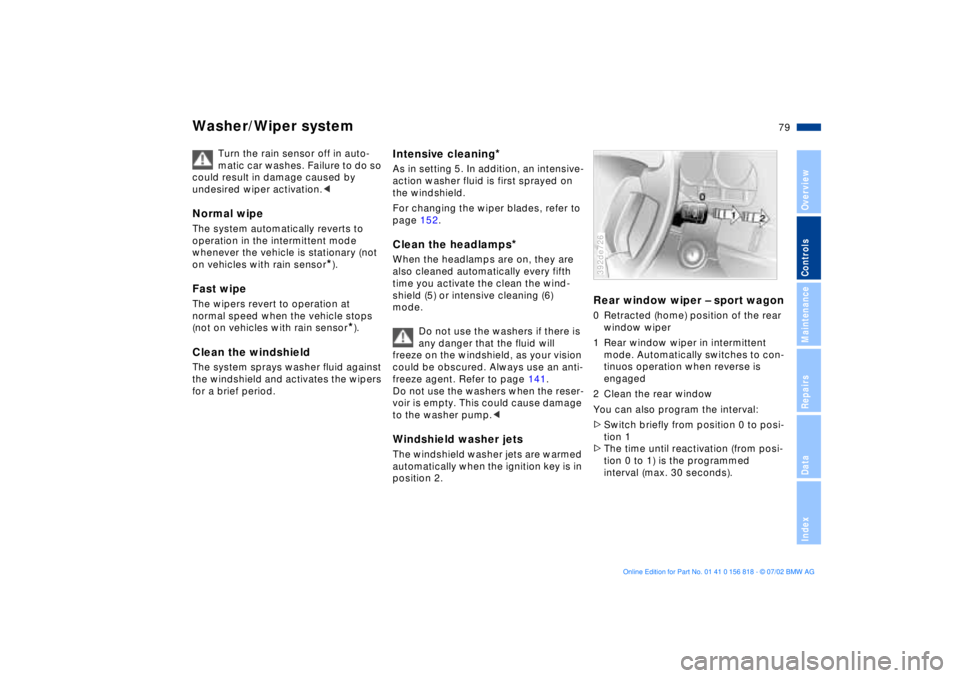
Rear window wiper Ð sport wagon0 Retracted (home) position of the rear
window wiper
1 Rear window wiper in intermittent
mode. Automatically switches to con-
tinuos operation when reverse is
engaged
2 Clean the rear window
You can also program the interval:
>Switch briefly from position 0 to posi-
tion 1
>The time until reactivation (from posi-
tion 0 to 1) is the programmed
interval (max. 30 seconds).392de726
Page 81 of 187
81n
OverviewControlsMaintenanceRepairsDataIndex
Cruise controlTo maintain and store speed
or to acceleratePress button (+) briefly:
The system maintains and stores the
current vehicle speed. Every time you
tap the button, the speed increases by
approx. 0.6 mph (1 km/h).
Press and hold button (+):
The vehicle accelerates without pres-
sure on the accelerator pedal. When
you release the button, the system
maintains and stores the current speed.
If, on a downhill gradient, the
engine braking effect is not suffi-
cient, the controlled speed can be
exceeded. Speed can drop on uphill
grades if the engine output is insuffi-
cient.<
To deceleratePress button (Ð) briefly:
If you are already driving with active
cruise control, the speed is decreased
by approx. 0.6 mph (1 km/h) every time
you tap the button.
Press and hold button (Ð):
With the cruise control active, the
system automatically reduces the
throttle opening to slow the vehicle.
When you release the button, the
system maintains and stores the cur-
rent speed.
To interrupt the cruise control When the system is activated, press the
button. The indicator lamp stays on.
You can use the cruise control again
whenever you want by calling up the
speed that was stored last.
In addition, cruise control is interrupted
automatically:
>When the brakes are applied
>When you depress the clutch pedal
>If you exceed or fall below the pro-
grammed speed for an extended
period (by depressing the acceler-
ator, for example). To recall the stored settingPress button:
The vehicle accelerates to and main-
tains the last speed stored.
Page 83 of 187
83n
OverviewControlsMaintenanceRepairsDataIndex
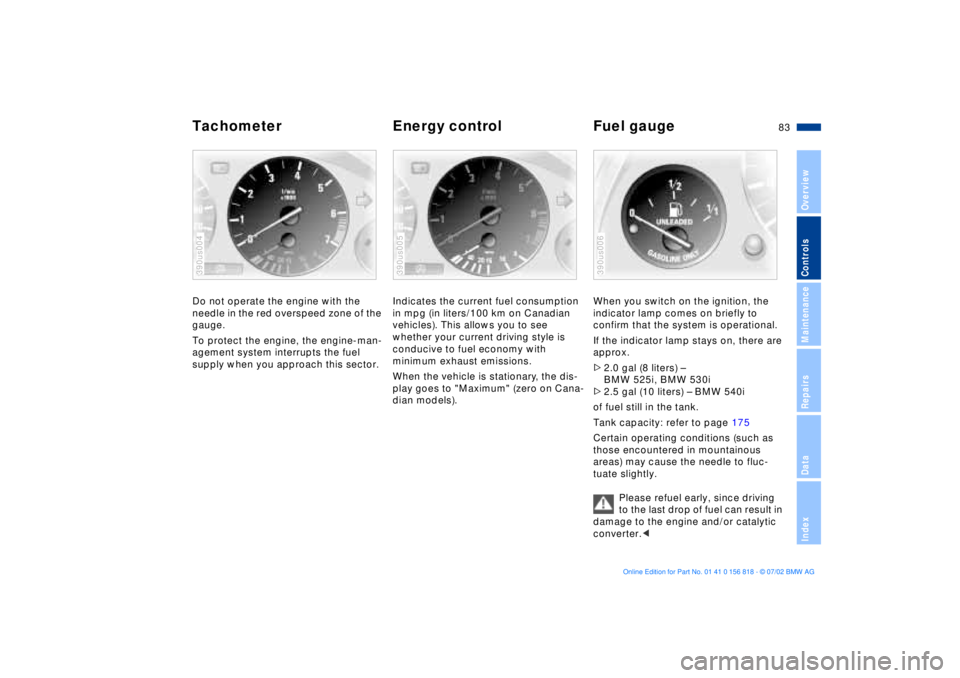
Tachometer Energy control Fuel gaugeDo not operate the engine with the
needle in the red overspeed zone of the
gauge.
To protect the engine, the engine-man-
agement system interrupts the fuel
supply when you approach this sector.390us004
Indicates the current fuel consumption
in mpg (in liters/100 km on Canadian
vehicles). This allows you to see
whether your current driving style is
conducive to fuel economy with
minimum exhaust emissions.
When the vehicle is stationary, the dis-
play goes to "Maximum" (zero on Cana-
dian models).390us005
When you switch on the ignition, the
indicator lamp comes on briefly to
confirm that the system is operational.
If the indicator lamp stays on, there are
approx.
>2.0 gal (8 liters) Ð
BMW 525i, BMW 530i
>2.5 gal (10 liters) Ð BMW 540i
of fuel still in the tank.
Tank capacity: refer to page 175
Certain operating conditions (such as
those encountered in mountainous
areas) may cause the needle to fluc-
tuate slightly.
Please refuel early, since driving
to the last drop of fuel can result in
damage to the engine and/or catalytic
converter.< 390us006
Page 84 of 187
84n
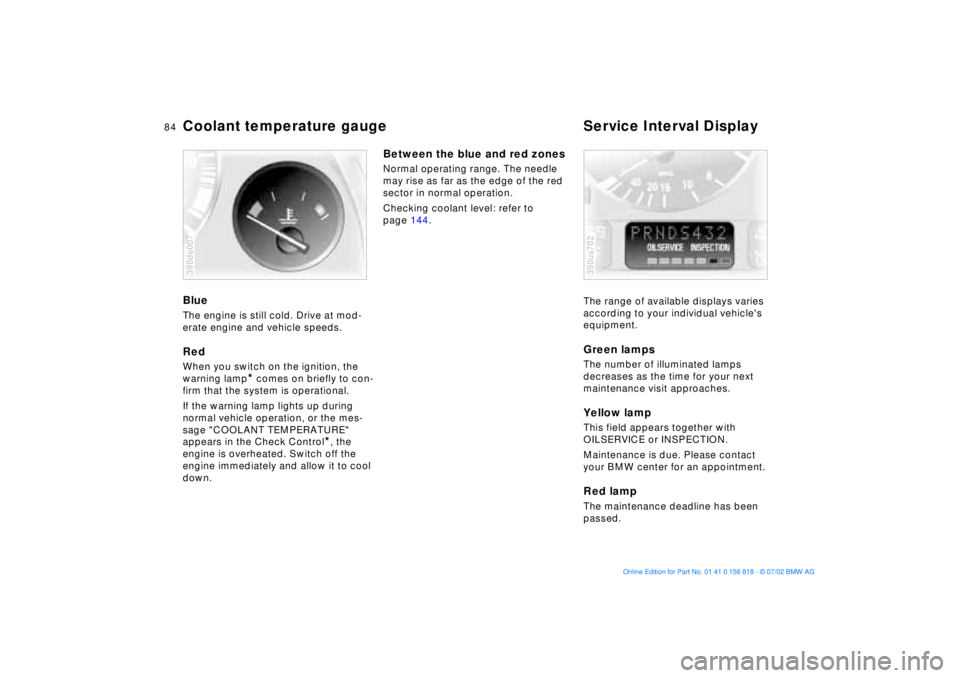
Coolant temperature gauge Service Interval DisplayBlueThe engine is still cold. Drive at mod-
erate engine and vehicle speeds.RedWhen you switch on the ignition, the
warning lamp
* comes on briefly to con-
firm that the system is operational.
If the warning lamp lights up during
normal vehicle operation, or the mes-
sage "COOLANT TEMPERATURE"
appears in the Check Control
*, the
engine is overheated. Switch off the
engine immediately and allow it to cool
down.
390de007
Between the blue and red zonesNormal operating range. The needle
may rise as far as the edge of the red
sector in normal operation.
Checking coolant level: refer to
page 144.
The range of available displays varies
according to your individual vehicle's
equipment.
Green lampsThe number of illuminated lamps
decreases as the time for your next
maintenance visit approaches.Yellow lampThis field appears together with
OILSERVICE or INSPECTION.
Maintenance is due. Please contact
your BMW center for an appointment.Red lampThe maintenance deadline has been
passed.390us702
Page 85 of 187
85n
OverviewControlsMaintenanceRepairsDataIndex
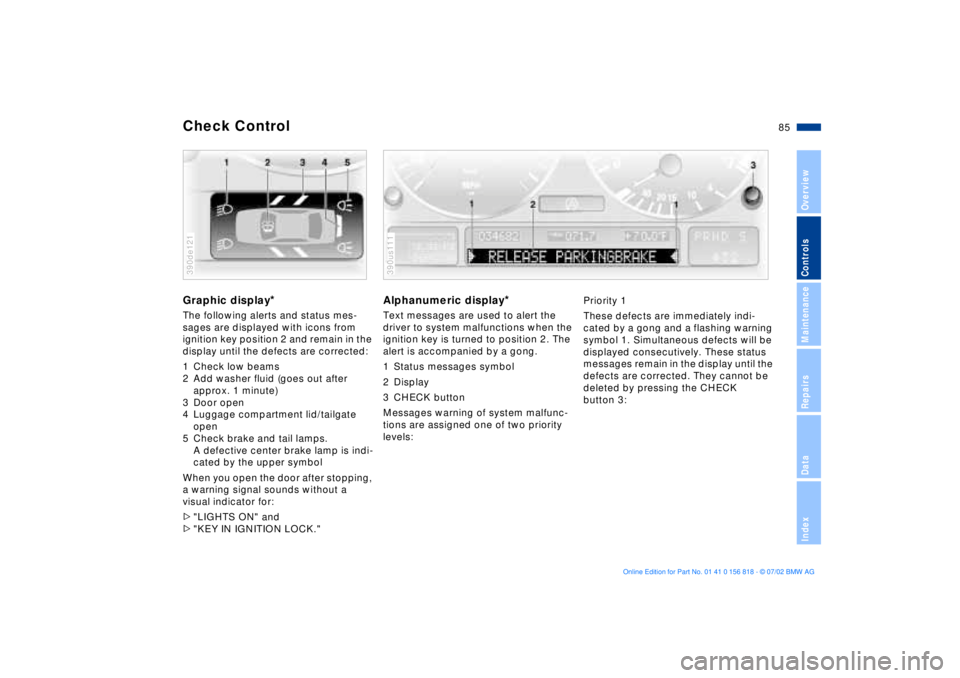
Check ControlGraphic display
*
The following alerts and status mes-
sages are displayed with icons from
ignition key position 2 and remain in the
display until the defects are corrected:
1 Check low beams
2 Add washer fluid (goes out after
approx. 1 minute)
3 Door open
4 Luggage compartment lid/tailgate
open
5 Check brake and tail lamps.
A defective center brake lamp is indi-
cated by the upper symbol
When you open the door after stopping,
a warning signal sounds without a
visual indicator for:
>"LIGHTS ON" and
>"KEY IN IGNITION LOCK."390de121
Alphanumeric display
*
Text messages are used to alert the
driver to system malfunctions when the
ignition key is turned to position 2. The
alert is accompanied by a gong.
1 Status messages symbol
2 Display
3 CHECK button
Messages warning of system malfunc-
tions are assigned one of two priority
levels:390us111
Priority 1
These defects are immediately indi-
cated by a gong and a flashing warning
symbol 1. Simultaneous defects will be
displayed consecutively. These status
messages remain in the display until the
defects are corrected. They cannot be
deleted by pressing the CHECK
button 3:
Page 87 of 187
87n
OverviewControlsMaintenanceRepairsDataIndex
Check Control>"CHECK LOWBEAM LIGHTS"
"CHECK SIDE LIGHTS"
"CHECK REAR LIGHTS"
"CHECK FRONT FOGLAMPS"
"CHECK LICPLATE LIGHT"
"CHECK HIGHBEAM LIGHT"
"CHECK BACK UP LIGHTS"
Defective bulb or circuit. Refer to
pages 153 and following, page 162
or consult your BMW center
>"TRANS. FAILSAFE PROG"
Please consult the nearest BMW
center. Refer to pages 74 and 77
>"CHECK BRAKE LININGS"
Have the brake pads inspected by
your BMW center. Refer to page 134
>"CHECK COOLANT LEVEL"
Coolant too low, top up at the next
opportunity. Refer to page 144
>"ENGINE FAILSAFE PROG"
*
Indicates a malfunction in the elec-
tronic engine-management system,
which then reverts to an emergency
default program allowing continued
operation at reduced power and
lower engine speeds.
Please have the system inspected at
your BMW center.
Displays after completion of tripAll of the malfunctions registered during
the trip appear consecutively when the
ignition key is turned to position 0.
The following displays will appear when
appropriate:
>"LIGHTS ON"
>"KEY IN IGNITION LOCK"
>"CHECK ENGINE OIL LEV"
Add engine oil at the next opportunity
(next stop to refuel). Refer to
page 142.
This display appears when you open
the driver's door after parking the
vehicle. A supplementary gong is also
heard.
Status messages remain available for a
period of approx. three minutes after
the display goes out and the key is
removed from the ignition. Press the
CHECK button 3. If there were multiple
reports, press the CHECK button
repeatedly to view them all in
sequence.
To check the Check ControlPress the CHECK button 3 with the
ignition key in position 2:
CHECK CONTROL OK appears in the
display.
No malfunctions are present in the
monitored systems.ComputerYou can find a description of the com-
puter on pages 88 and 93 as well as in
the "Owner's Manual for Onboard Com-
puter."
You can have the Check Control
and computer messages
displayed in a different language.<
Page 89 of 187
89n
OverviewControlsMaintenanceRepairsDataIndex
Multi-Information Display (MID)
*
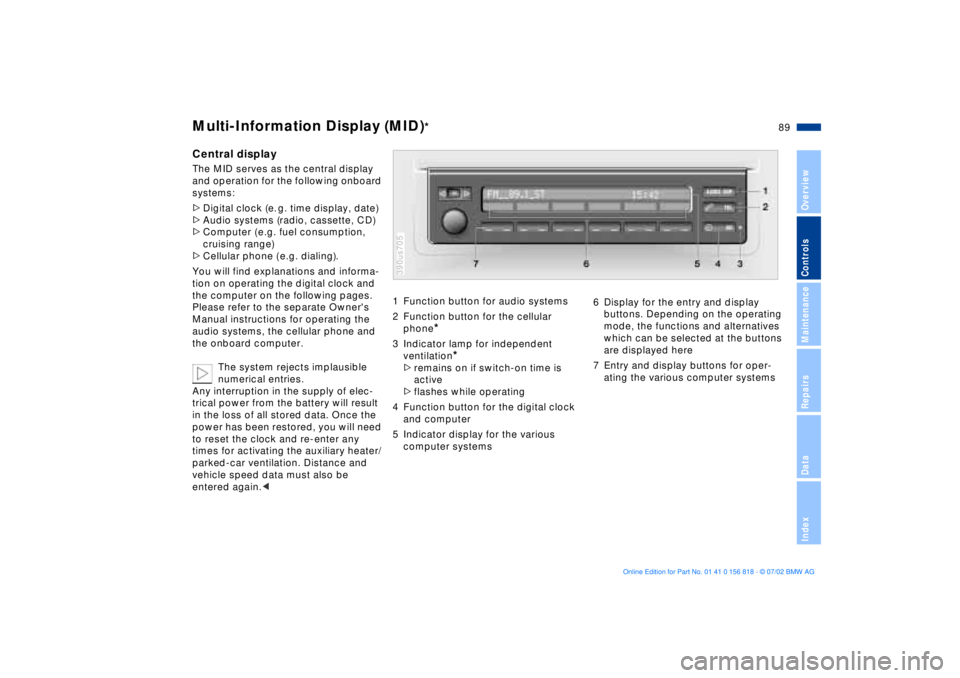
Central displayThe MID serves as the central display
and operation for the following onboard
systems:
>Digital clock (e. g. time display, date)
>Audio systems (radio, cassette, CD)
>Computer ( e.g. fuel consumption,
cruising range)
>Cellular phone ( e.g. dialing).
You will find explanations and informa-
tion on operating the digital clock and
the computer on the following pages.
Please refer to the separate Owner's
Manual instructions for operating the
audio systems, the cellular phone and
the onboard computer.
The system rejects implausible
numerical entries.
Any interruption in the supply of elec-
trical power from the battery will result
in the loss of all stored data. Once the
power has been restored, you will need
to reset the clock and re-enter any
times for activating the auxiliary heater/
parked-car ventilation. Distance and
vehicle speed data must also be
entered again.<
1 Function button for audio systems
2 Function button for the cellular
phone
*
3 Indicator lamp for independent
ventilation
*
>remains on if switch-on time is
active
>flashes while operating
4 Function button for the digital clock
and computer
5 Indicator display for the various
computer systems390us705
6 Display for the entry and display
buttons. Depending on the operating
mode, the functions and alternatives
which can be selected at the buttons
are displayed here
7 Entry and display buttons for oper-
ating the various computer systems