Page 100 of 249
cDo not fill a portable fuel container in
the vehicle or trailer. Static electric-
ity can cause an explosion of flam-
mable liquid, vapor or gas in any
vehicle or trailer. To reduce the risk
of serious injury or death when fill-
ing portable fuel containers:
Ð Always the place container on the
ground when filling.
Ð Do not use electronic devices
while filling.
Ð Keep the pump nozzle in contact
with the container while you are
filling it.
Ð Use only approved portable fuel
containers for flammable liquid.
cNever pour fuel into the throttle body
to attempt to start your vehicle.
CAUTION
cIf fuel is spilled on the vehicle body,
flush it away with water to avoid
paint damage.
cTighten until the fuel filler cap clicks.
Failure to tighten the fuel filler capproperly may cause the
mal-
function indicator lamp (MIL) to illu-
minate. If the
lamp illuminates
because the fuel filler cap is loose or
missing, tighten or install the cap
and continue to drive the vehicle.
The
lamp should turn off after
a few driving trips. If thelamp
does not turn off after a few driving
trips, have the vehicle inspected by
an authorized NISSAN dealer.
cFor additional information, see the
ªMalfunction indicator lamp (MIL)''
in the ªInstrument and controlsº
section earlier in this manual.
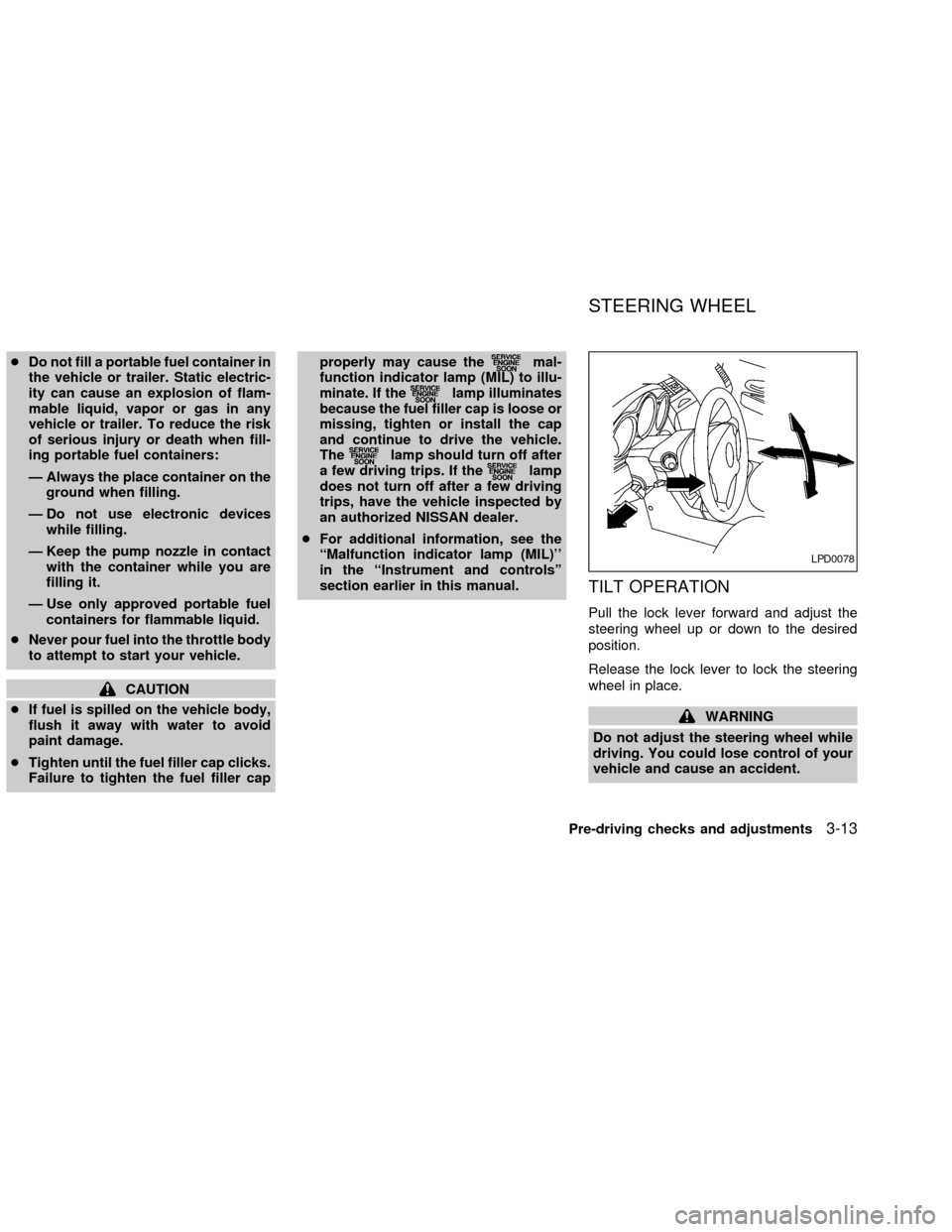
TILT OPERATION
Pull the lock lever forward and adjust the
steering wheel up or down to the desired
position.
Release the lock lever to lock the steering
wheel in place.
WARNING
Do not adjust the steering wheel while
driving. You could lose control of your
vehicle and cause an accident.
LPD0078
STEERING WHEEL
Pre-driving checks and adjustments3-13
ZX
Page 101 of 249
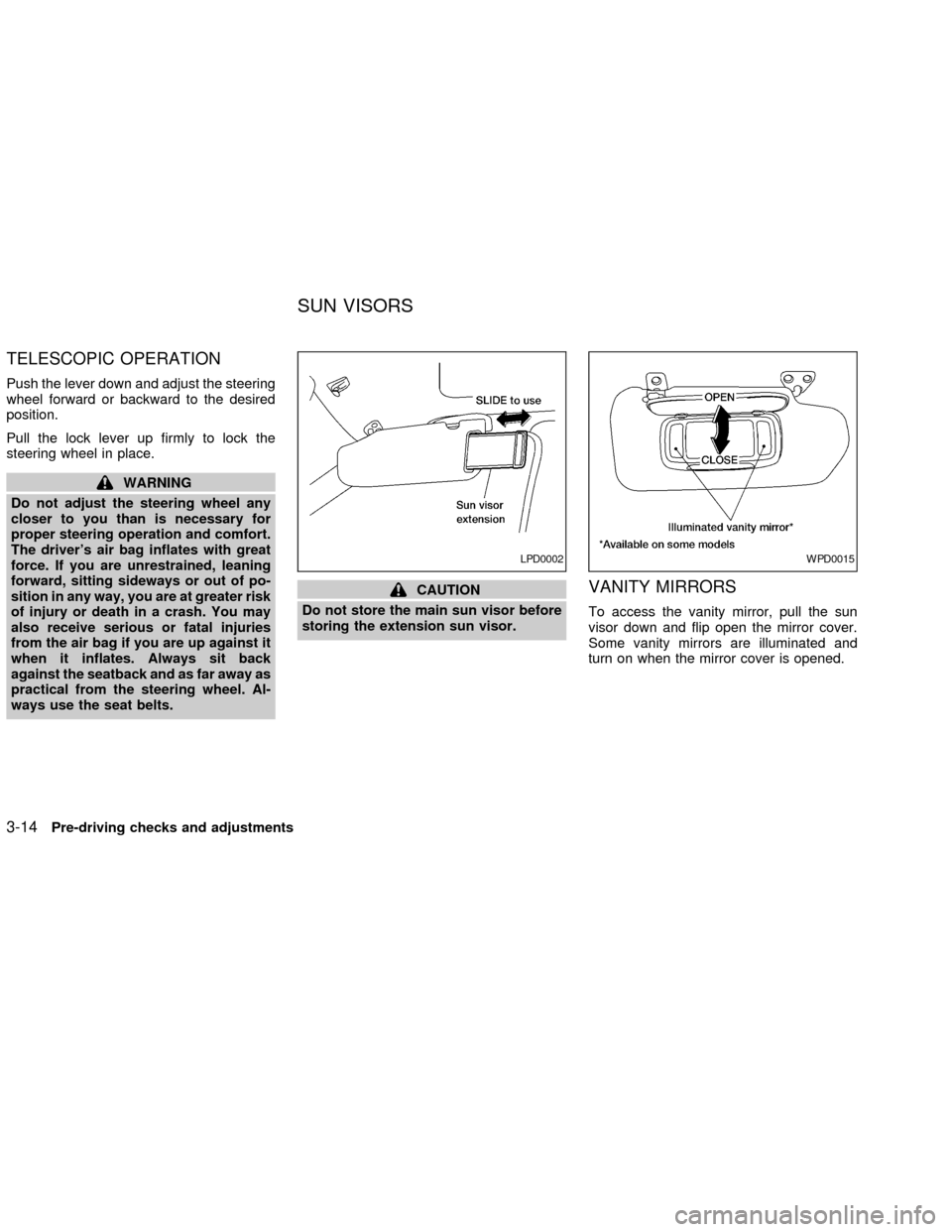
TELESCOPIC OPERATION
Push the lever down and adjust the steering
wheel forward or backward to the desired
position.
Pull the lock lever up firmly to lock the
steering wheel in place.
WARNING
Do not adjust the steering wheel any
closer to you than is necessary for
proper steering operation and comfort.
The driver's air bag inflates with great
force. If you are unrestrained, leaning
forward, sitting sideways or out of po-
sition in any way, you are at greater risk
of injury or death in a crash. You may
also receive serious or fatal injuries
from the air bag if you are up against it
when it inflates. Always sit back
against the seatback and as far away as
practical from the steering wheel. Al-
ways use the seat belts.
CAUTION
Do not store the main sun visor before
storing the extension sun visor.VANITY MIRRORS
To access the vanity mirror, pull the sun
visor down and flip open the mirror cover.
Some vanity mirrors are illuminated and
turn on when the mirror cover is opened.
LPD0002WPD0015
SUN VISORS
3-14Pre-driving checks and adjustments
ZX
Page 102 of 249
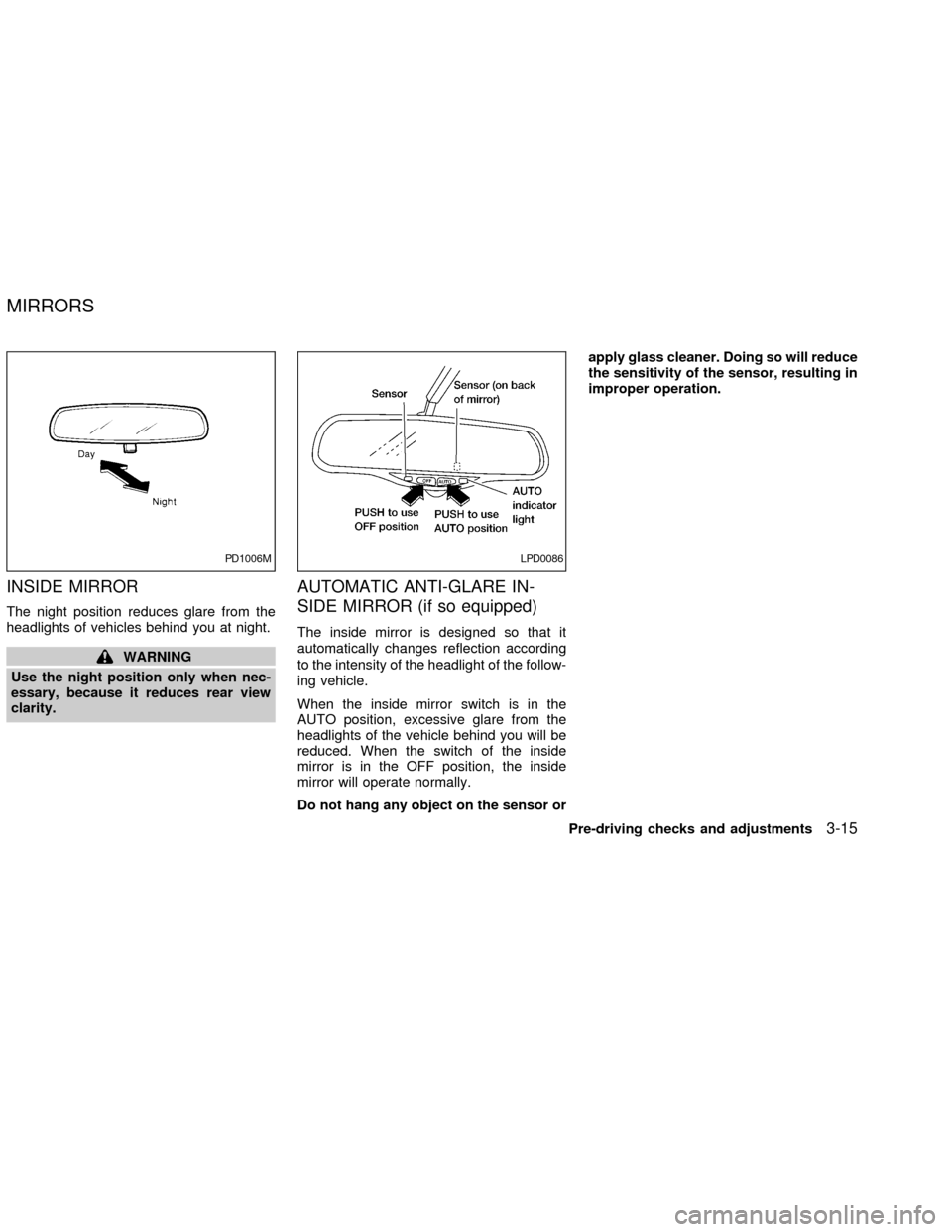
INSIDE MIRROR
The night position reduces glare from the
headlights of vehicles behind you at night.
WARNING
Use the night position only when nec-
essary, because it reduces rear view
clarity.
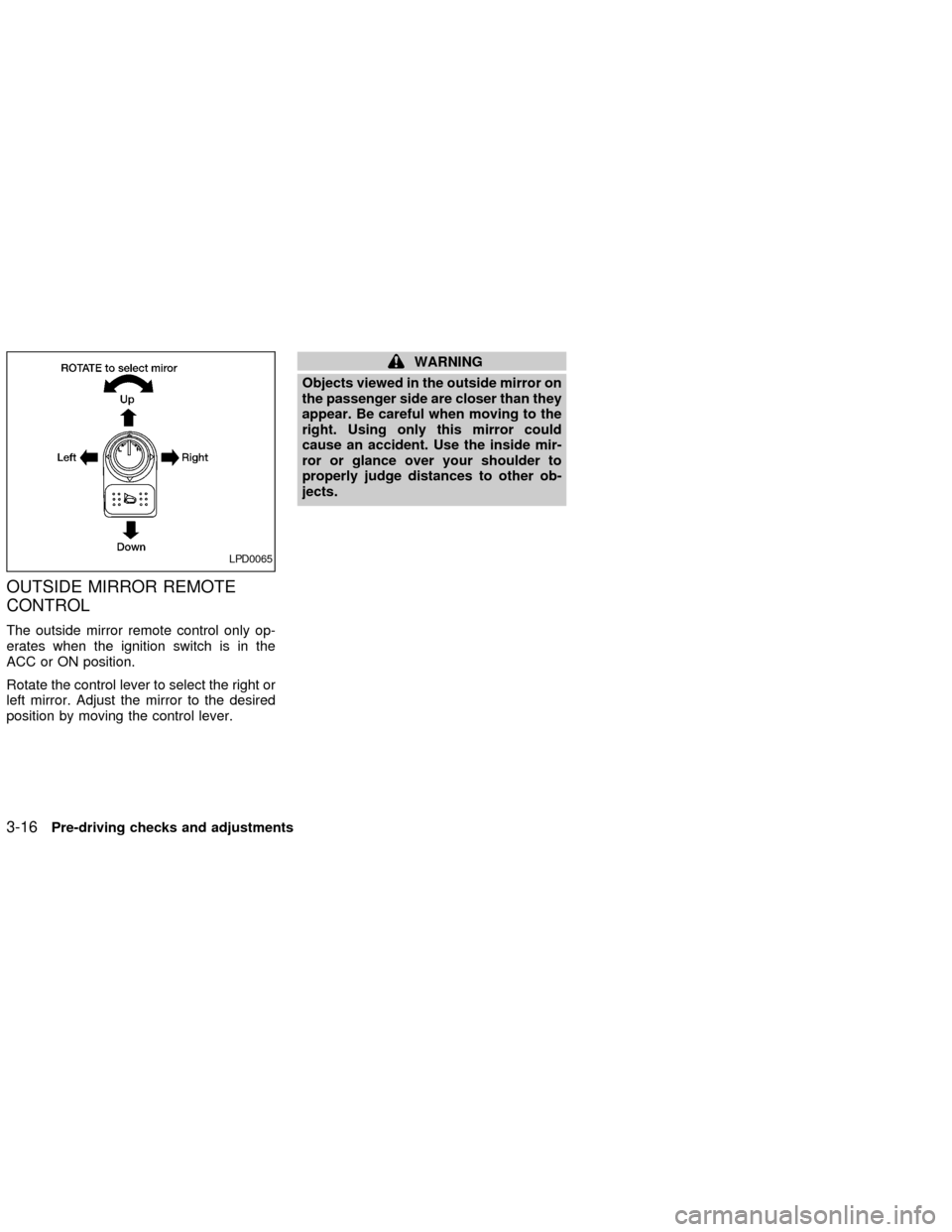
AUTOMATIC ANTI-GLARE IN-
SIDE MIRROR (if so equipped)
The inside mirror is designed so that it
automatically changes reflection according
to the intensity of the headlight of the follow-
ing vehicle.
When the inside mirror switch is in the
AUTO position, excessive glare from the
headlights of the vehicle behind you will be
reduced. When the switch of the inside
mirror is in the OFF position, the inside
mirror will operate normally.
Do not hang any object on the sensor orapply glass cleaner. Doing so will reduce
the sensitivity of the sensor, resulting in
improper operation.
PD1006MLPD0086
MIRRORS
Pre-driving checks and adjustments3-15
ZX
Page 103 of 249
OUTSIDE MIRROR REMOTE
CONTROL
The outside mirror remote control only op-
erates when the ignition switch is in the
ACC or ON position.
Rotate the control lever to select the right or
left mirror. Adjust the mirror to the desired
position by moving the control lever.
WARNING
Objects viewed in the outside mirror on
the passenger side are closer than they
appear. Be careful when moving to the
right. Using only this mirror could
cause an accident. Use the inside mir-
ror or glance over your shoulder to
properly judge distances to other ob-
jects.
LPD0065
3-16Pre-driving checks and adjustments
ZX
Page 106 of 249
WARNING
cThe air conditioner cooling function
operates only when the engine is
running.
c
Do not leave children, impaired adults,
or pets alone in your vehicle. On hot
sunny days, temperatures in a closed
vehicle could quickly become high
enough to cause severe or possibly
fatal injuries to people or animals.
cDo not use the recirculation mode
for long periods as it may cause the
interior air to become stale and the
windows to fog up.
cPositioning of the heating or air con-
ditioning controls should not be
done while driving, so full attention
may be given to vehicle operation.
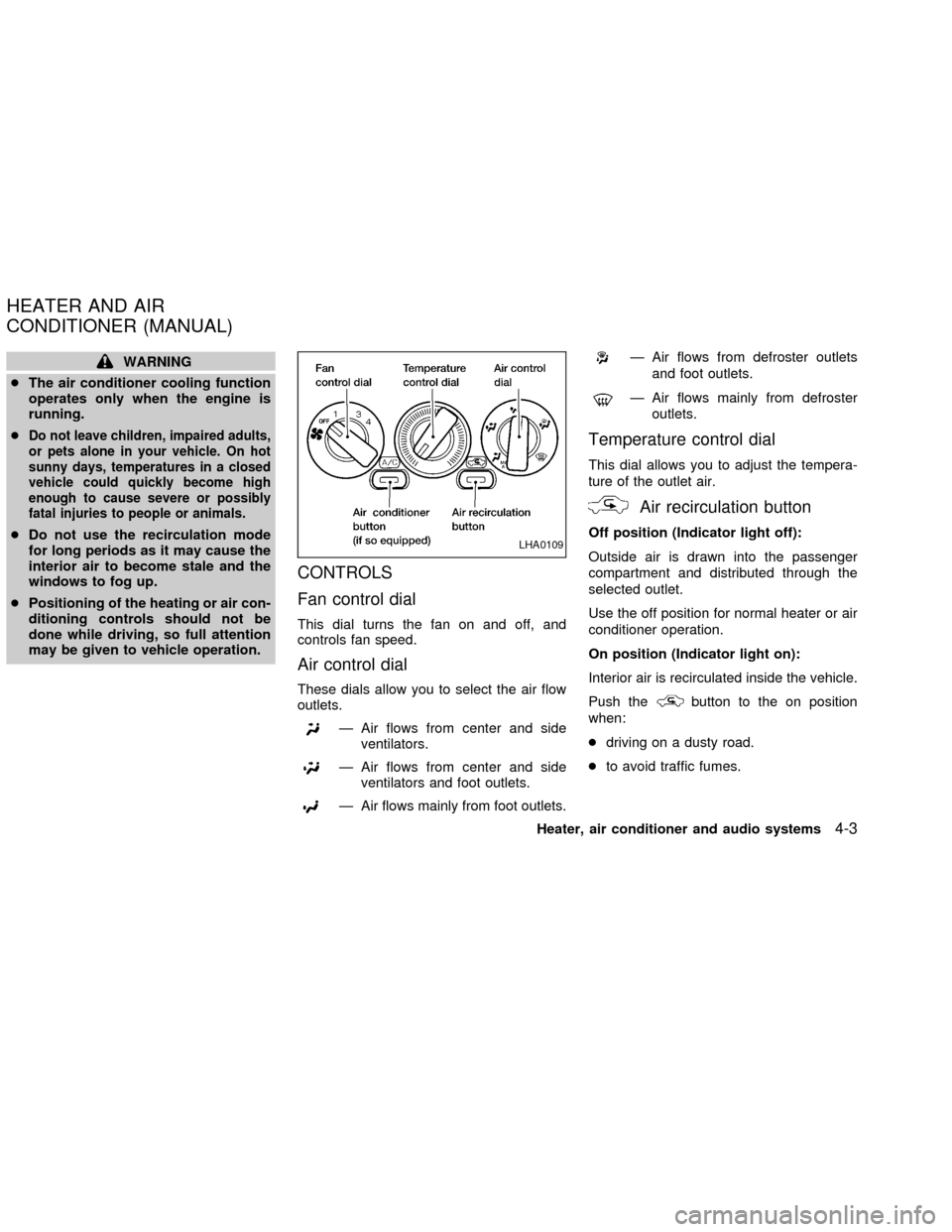
CONTROLS
Fan control dial
This dial turns the fan on and off, and
controls fan speed.
Air control dial
These dials allow you to select the air flow
outlets.
Ð Air flows from center and side
ventilators.
Ð Air flows from center and side
ventilators and foot outlets.
Ð Air flows mainly from foot outlets.
Ð Air flows from defroster outlets
and foot outlets.
Ð Air flows mainly from defroster
outlets.
Temperature control dial
This dial allows you to adjust the tempera-
ture of the outlet air.
Air recirculation button
Off position (Indicator light off):
Outside air is drawn into the passenger
compartment and distributed through the
selected outlet.
Use the off position for normal heater or air
conditioner operation.
On position (Indicator light on):
Interior air is recirculated inside the vehicle.
Push the
button to the on position
when:
cdriving on a dusty road.
cto avoid traffic fumes.
LHA0109
HEATER AND AIR
CONDITIONER (MANUAL)
Heater, air conditioner and audio systems4-3
ZX
Page 112 of 249
WARNING
cThe air conditioner cooling function
operates only when the engine is
running.cDo not leave children, impaired
adults, or pets alone in your vehicle.
On hot, sunny days, temperatures in
a closed vehicle could quickly be-
come high enough to cause severe orpossibly fatal injuries to people or
animals.
cDo not use the recirculation mode
for long periods as it may cause the
interior air to become stale and the
windows to fog up.
cPositioning of the heating or air con-
ditioning controls should not be
done while driving, so full attention
may be given to vehicle operation.
Start the engine and operate the controls to
activate the air conditioner.
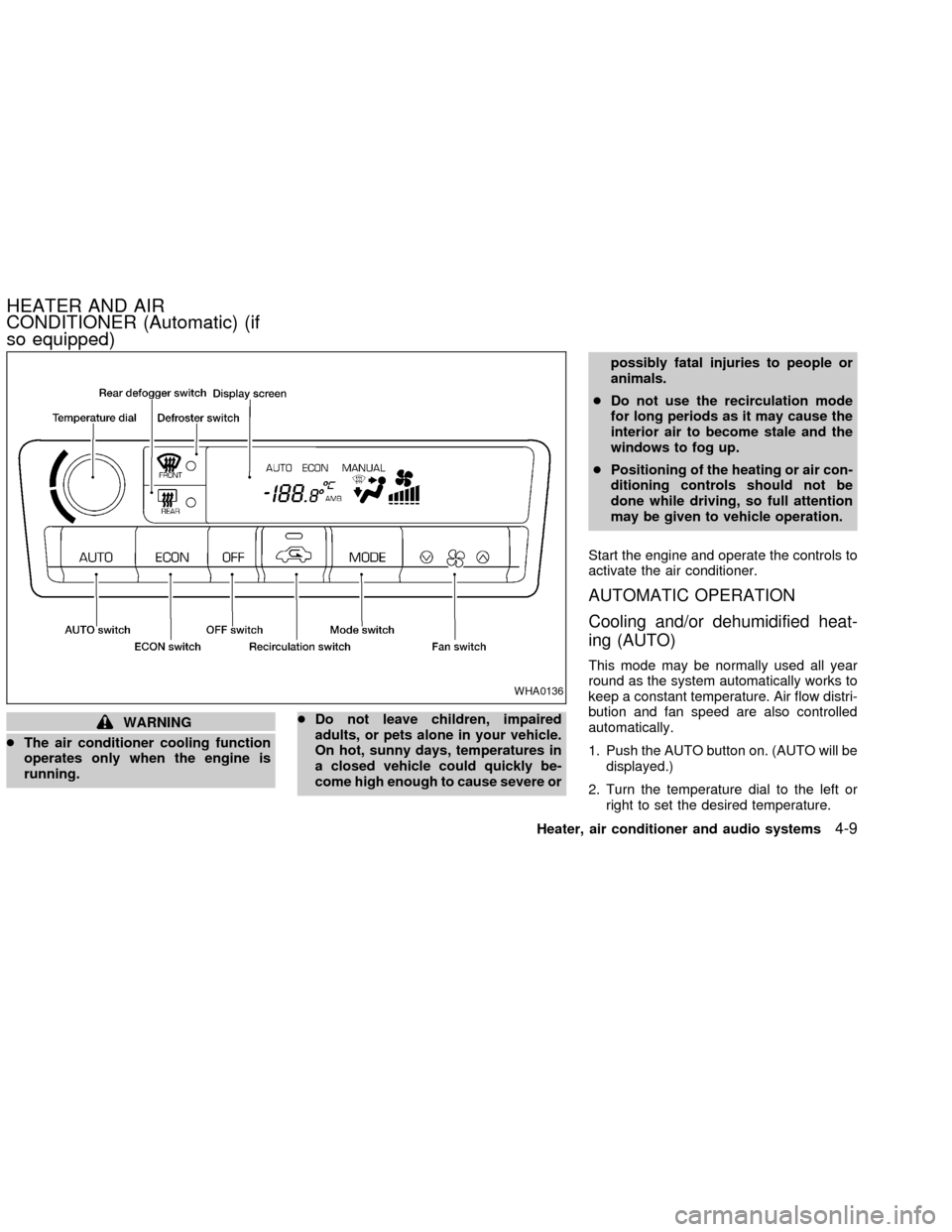
AUTOMATIC OPERATION
Cooling and/or dehumidified heat-
ing (AUTO)
This mode may be normally used all year
round as the system automatically works to
keep a constant temperature. Air flow distri-
bution and fan speed are also controlled
automatically.
1. Push the AUTO button on. (AUTO will be
displayed.)
2. Turn the temperature dial to the left or
right to set the desired temperature.
WHA0136
HEATER AND AIR
CONDITIONER (Automatic) (if
so equipped)
Heater, air conditioner and audio systems4-9
ZX
Page 114 of 249
OPERATING TIPS
cWhen the engine coolant temperature
and outside air temperature are low, the
air flow from the foot outlets may not
operate for a maximum of 150 seconds.
However, this is not a malfunction. After
the coolant temperature warms up, air
flow from the foot outlets will operate
normally.
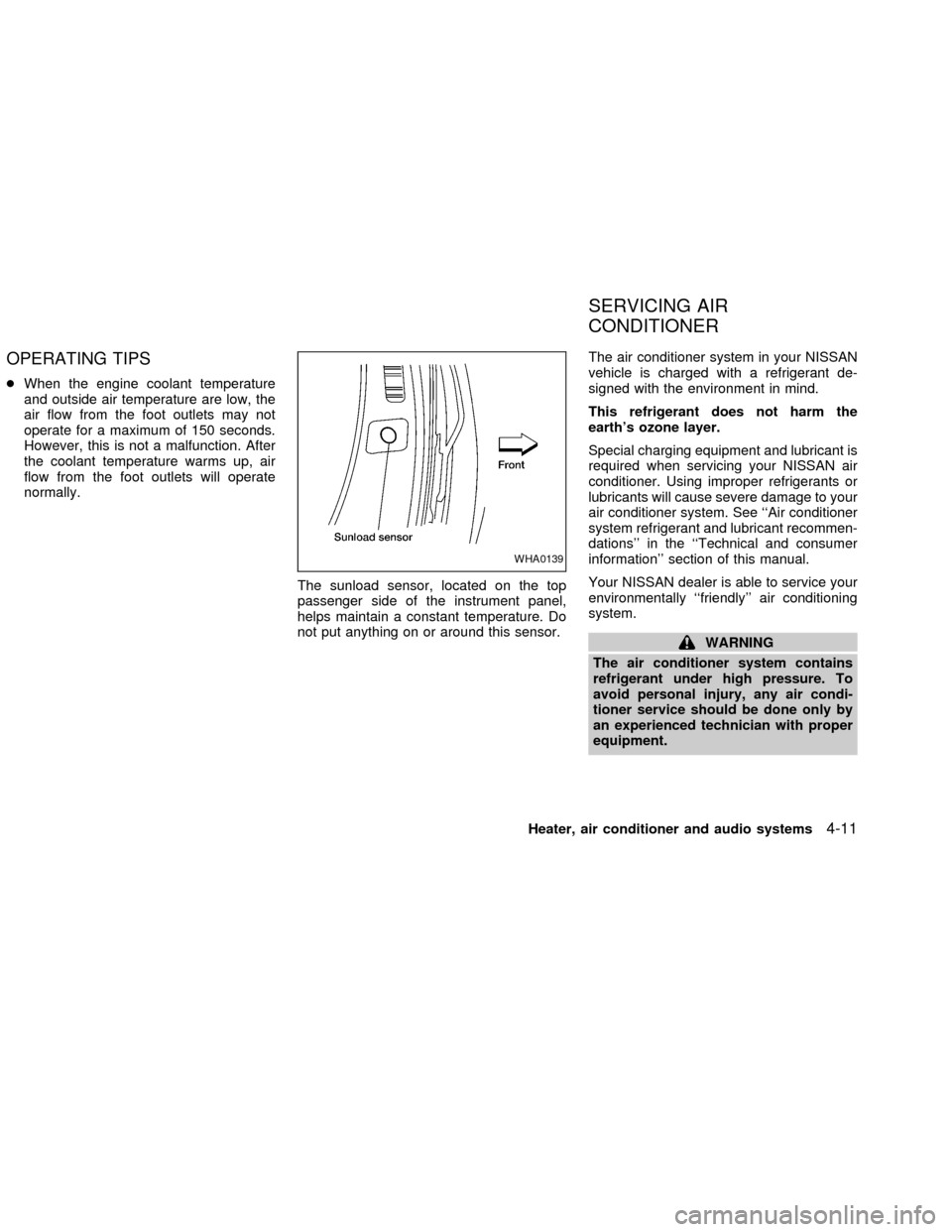
The sunload sensor, located on the top
passenger side of the instrument panel,
helps maintain a constant temperature. Do
not put anything on or around this sensor.The air conditioner system in your NISSAN
vehicle is charged with a refrigerant de-
signed with the environment in mind.
This refrigerant does not harm the
earth's ozone layer.
Special charging equipment and lubricant is
required when servicing your NISSAN air
conditioner. Using improper refrigerants or
lubricants will cause severe damage to your
air conditioner system. See ``Air conditioner
system refrigerant and lubricant recommen-
dations'' in the ``Technical and consumer
information'' section of this manual.
Your NISSAN dealer is able to service your
environmentally ``friendly'' air conditioning
system.
WARNING
The air conditioner system contains
refrigerant under high pressure. To
avoid personal injury, any air condi-
tioner service should be done only by
an experienced technician with proper
equipment.
WHA0139
SERVICING AIR
CONDITIONER
Heater, air conditioner and audio systems4-11
ZX
Page 120 of 249
TUNE/FF-REV
WARNING
The radio should not be tuned while
driving so full attention may be given to
vehicle operation.
Use the
orbuttons for manual tun-
ing. To move quickly through the channels,
hold the tuning buttons down.
SEEK tuning
Push SEEK/TRACK (or). SEEK
tuning begins from low to high frequencies or
high to low frequencies, depending on which
button is pressed, and stops at the next
broadcasting station. If using the up button,
once the highest broadcasting station is
reached, the radio continues in the SEEK
mode at the lowest broadcasting station. If
using the down button, once the lowest
broadcasting station is reached, the radio
continues in the SEEK mode at the highest
broadcasting station.
SCAN tuning
Push the SCAN button. SCAN illuminates in
the display window. Scan tuning begins
from low to high frequencies or from high to
low frequencies. Scan tuning stops at each
broadcasting station that has sufficient sig-
nal strength for 5 seconds. When scanning,
SCAN blinks in the display. Pushing the
SCAN button again during this 5 second
period stops Scan tuning and the radio
remains tuned to that station.
Station memory operation þ Travel Pre-
set is OFF
Each preset mode (A, B or C) has 6 presets,
capable of storing any combination of AM,
FM and FM RDS stations.
Press the PRESET ABC button to change
between the presets:
A!B!C
The radio displays icon A, B or C to indicate
which set of presets is active.
To store a radio station in a preset:
1. Select the desired preset by pressing
PRESET ABC.
2. Tune to the desired station.3. Press the desired station select button
(>2 seconds.)
4. A beep will sound indicating memoriza-
tion is complete.
5. Other station select buttons can be set in
the same manner.
If the battery cable is disconnected, or if the
radio fuse opens, the radio memory is can-
celled. In that case, reset the desired sta-
tions.
Turning ON Travel Preset
1. Press the TRAVEL preset button (<1.5
seconds). The TRAVEL icon shows in
the display.
2. The radio selects the strongest stations
in the area and stores them in Travel
Presets A, B and C. 12 FM stations and
6 AM stations are the default settings. To
change the default settings, see ªEditing
Travel Presetº later in this section.
3. When finished storing radio stations, the
radio tunes to the first stored preset of
Travel Preset A.
4. If the radio cannot find any stations, the
Heater, air conditioner and audio systems
4-17
ZX