2002 NISSAN ALTIMA warning
[x] Cancel search: warningPage 81 of 249
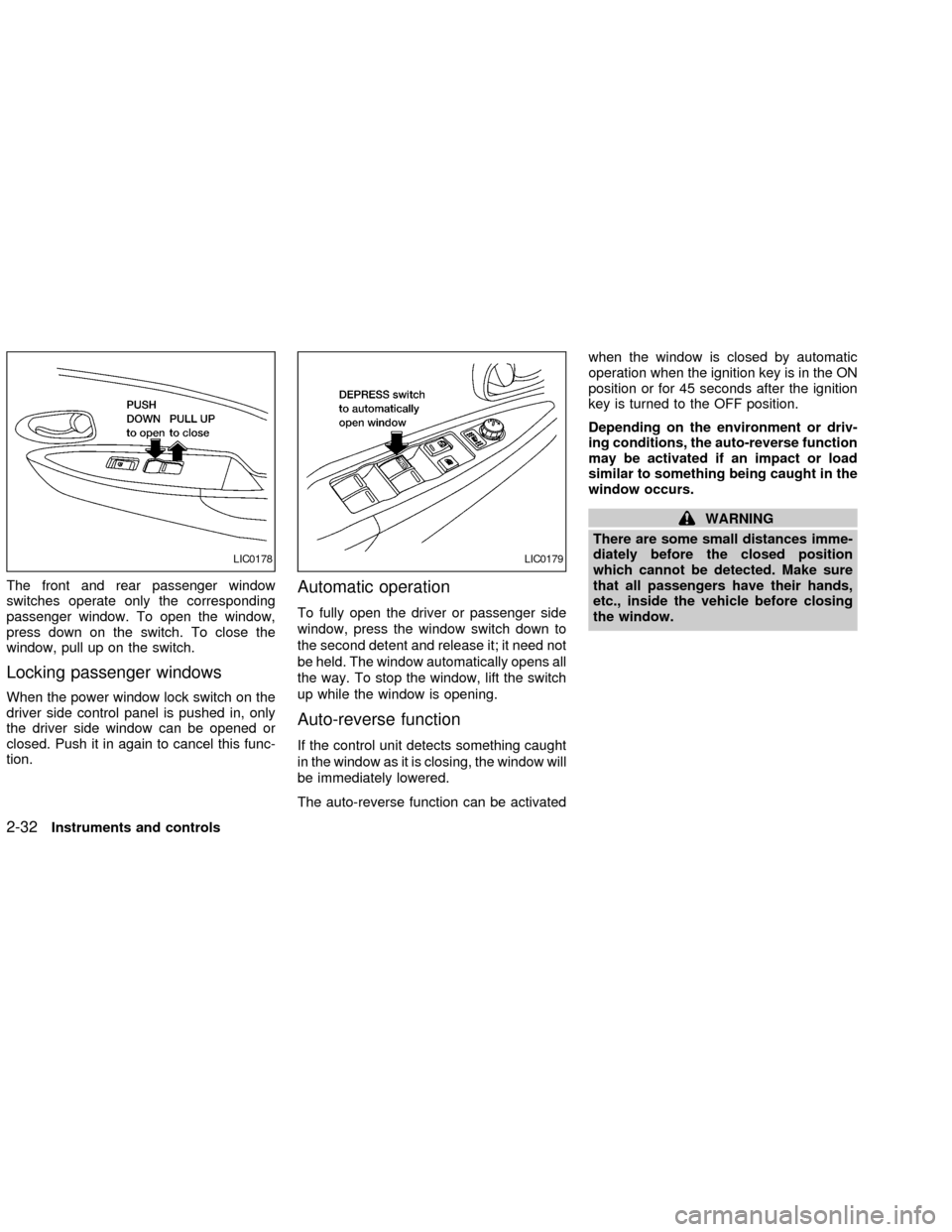
The front and rear passenger window
switches operate only the corresponding
passenger window. To open the window,
press down on the switch. To close the
window, pull up on the switch.
Locking passenger windows
When the power window lock switch on the
driver side control panel is pushed in, only
the driver side window can be opened or
closed. Push it in again to cancel this func-
tion.
Automatic operation
To fully open the driver or passenger side
window, press the window switch down to
the second detent and release it; it need not
be held. The window automatically opens all
the way. To stop the window, lift the switch
up while the window is opening.
Auto-reverse function
If the control unit detects something caught
in the window as it is closing, the window will
be immediately lowered.
The auto-reverse function can be activatedwhen the window is closed by automatic
operation when the ignition key is in the ON
position or for 45 seconds after the ignition
key is turned to the OFF position.
Depending on the environment or driv-
ing conditions, the auto-reverse function
may be activated if an impact or load
similar to something being caught in the
window occurs.
WARNING
There are some small distances imme-
diately before the closed position
which cannot be detected. Make sure
that all passengers have their hands,
etc., inside the vehicle before closing
the window.
LIC0178LIC0179
2-32Instruments and controls
ZX
Page 82 of 249
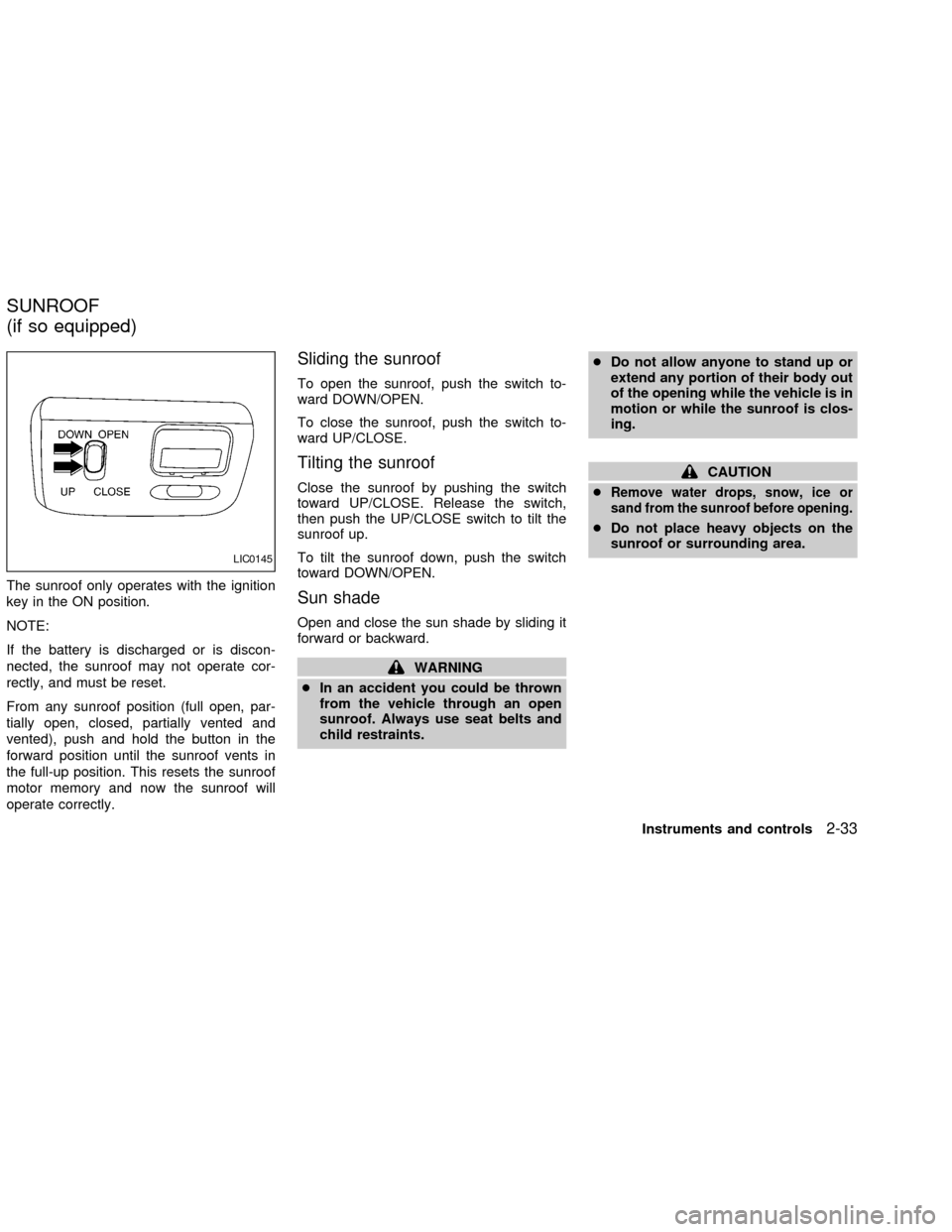
The sunroof only operates with the ignition
key in the ON position.
NOTE:
If the battery is discharged or is discon-
nected, the sunroof may not operate cor-
rectly, and must be reset.
From any sunroof position (full open, par-
tially open, closed, partially vented and
vented), push and hold the button in the
forward position until the sunroof vents in
the full-up position. This resets the sunroof
motor memory and now the sunroof will
operate correctly.
Sliding the sunroof
To open the sunroof, push the switch to-
ward DOWN/OPEN.
To close the sunroof, push the switch to-
ward UP/CLOSE.
Tilting the sunroof
Close the sunroof by pushing the switch
toward UP/CLOSE. Release the switch,
then push the UP/CLOSE switch to tilt the
sunroof up.
To tilt the sunroof down, push the switch
toward DOWN/OPEN.
Sun shade
Open and close the sun shade by sliding it
forward or backward.
WARNING
cIn an accident you could be thrown
from the vehicle through an open
sunroof. Always use seat belts and
child restraints.cDo not allow anyone to stand up or
extend any portion of their body out
of the opening while the vehicle is in
motion or while the sunroof is clos-
ing.
CAUTION
c
Remove water drops, snow, ice or
sand from the sunroof before opening.
cDo not place heavy objects on the
sunroof or surrounding area.
LIC0145
SUNROOF
(if so equipped)
Instruments and controls2-33
ZX
Page 85 of 249
WARNING
cDo not use the HomeLinkTUniversal
Transceiver with any garage door
opener that lacks safety stop and
reverse features as required by fed-
eral safety standards. (These stan-
dards became effective for opener
models manufactured after April 1,
1982). A garage door opener which
cannot detect an object in the path of
a closing garage door and then au-
tomatically stop and reverse, does
not meet current federal safety stan-
dards. Using a garage door opener
without these features increases the
risk of serious injury or death.
cDuring programming, your garage
door or gate may open or close.
Make sure that people and objects
are clear of the garage door or gate
that you are programming.
cYour vehicle's engine should be
turned off while programming the
HomeLinkTUniversal Transceiver.
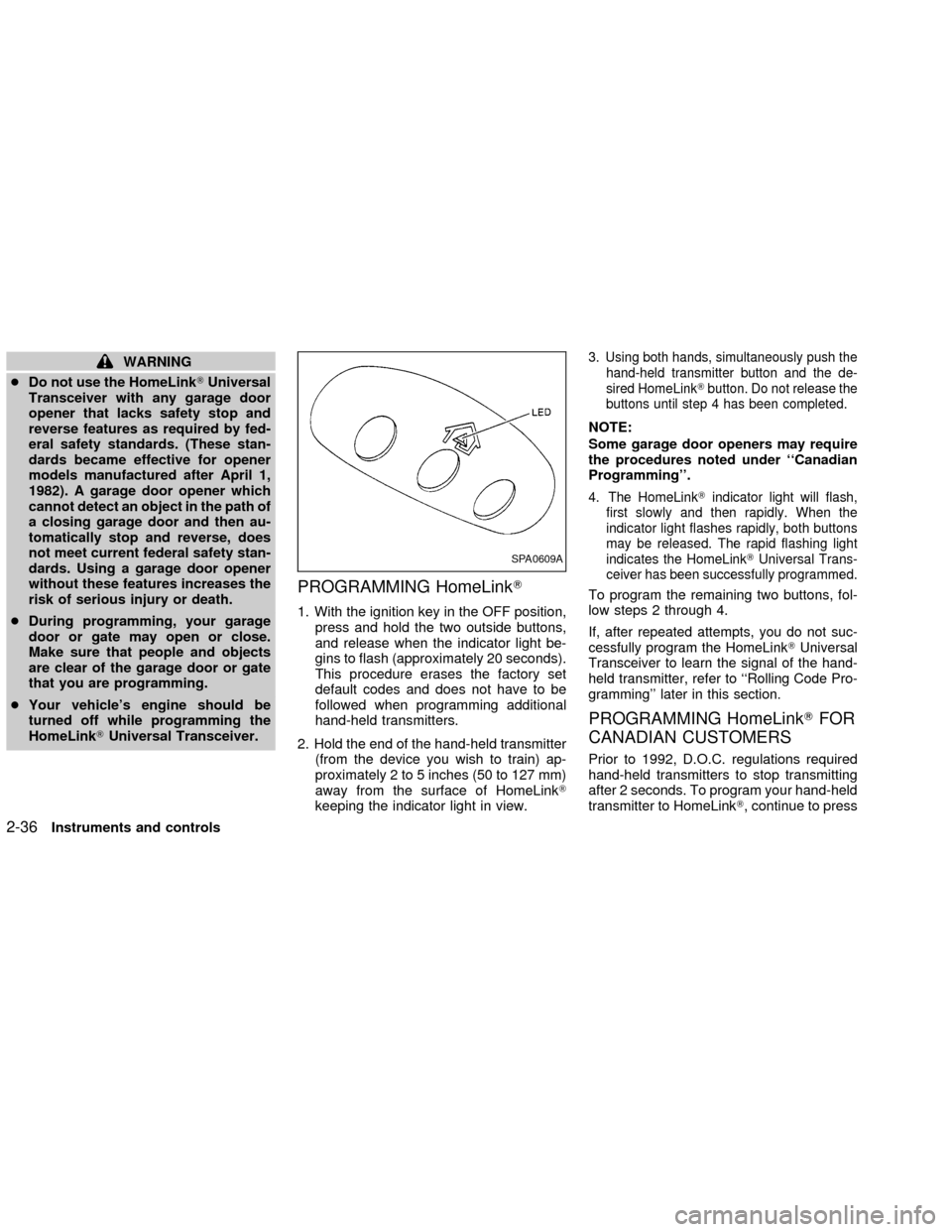
PROGRAMMING HomeLinkT
1. With the ignition key in the OFF position,
press and hold the two outside buttons,
and release when the indicator light be-
gins to flash (approximately 20 seconds).
This procedure erases the factory set
default codes and does not have to be
followed when programming additional
hand-held transmitters.
2. Hold the end of the hand-held transmitter
(from the device you wish to train) ap-
proximately 2 to 5 inches (50 to 127 mm)
away from the surface of HomeLinkT
keeping the indicator light in view.
3. Using both hands, simultaneously push the
hand-held transmitter button and the de-
sired HomeLinkTbutton. Do not release the
buttons until step 4 has been completed.
NOTE:
Some garage door openers may require
the procedures noted under ``Canadian
Programming''.
4. The HomeLinkTindicator light will flash,
first slowly and then rapidly. When the
indicator light flashes rapidly, both buttons
may be released. The rapid flashing light
indicates the HomeLinkTUniversal Trans-
ceiver has been successfully programmed.
To program the remaining two buttons, fol-
low steps 2 through 4.
If, after repeated attempts, you do not suc-
cessfully program the HomeLinkTUniversal
Transceiver to learn the signal of the hand-
held transmitter, refer to ``Rolling Code Pro-
gramming'' later in this section.
PROGRAMMING HomeLinkTFOR
CANADIAN CUSTOMERS
Prior to 1992, D.O.C. regulations required
hand-held transmitters to stop transmitting
after 2 seconds. To program your hand-held
transmitter to HomeLinkT, continue to press
SPA0609A
2-36Instruments and controls
ZX
Page 89 of 249
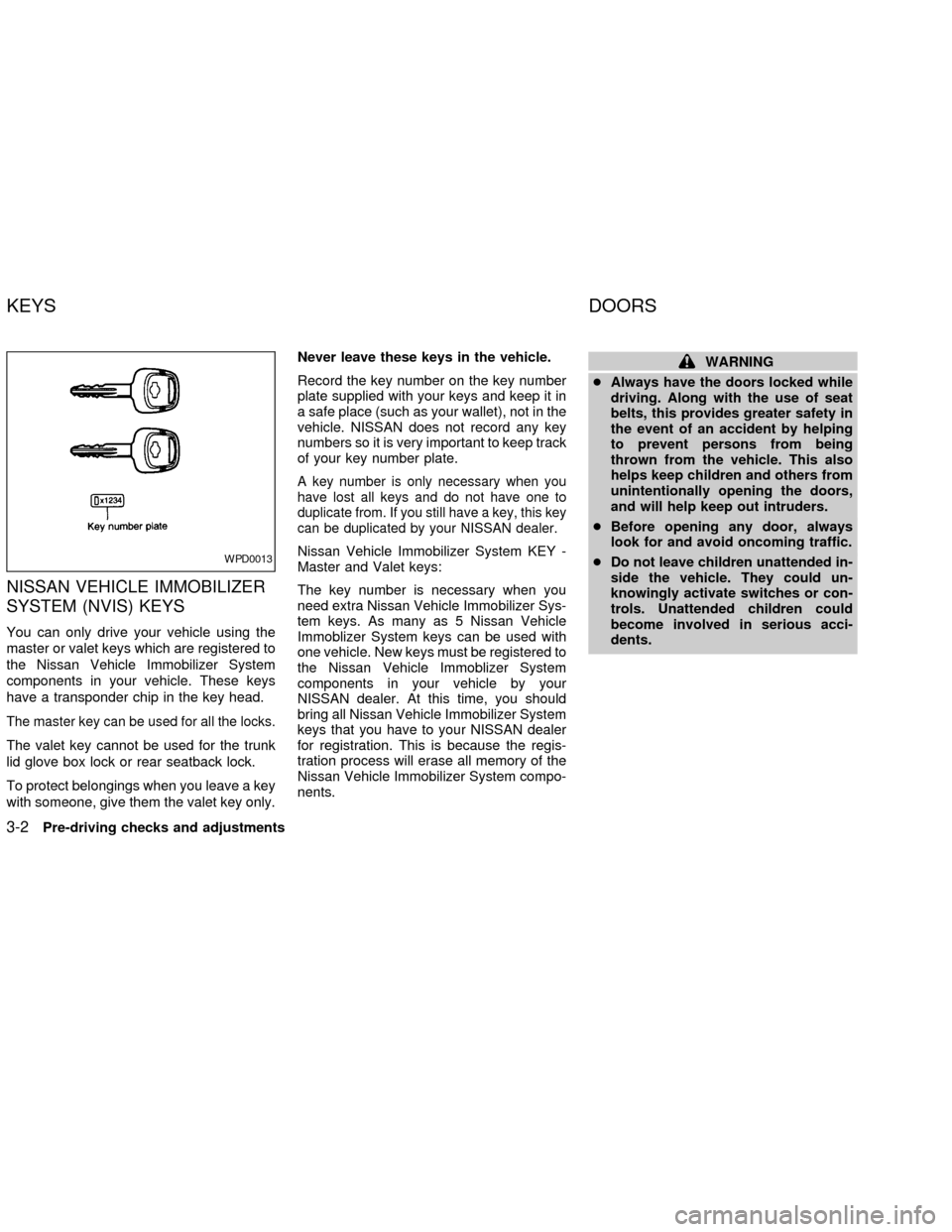
NISSAN VEHICLE IMMOBILIZER
SYSTEM (NVIS) KEYS
You can only drive your vehicle using the
master or valet keys which are registered to
the Nissan Vehicle Immobilizer System
components in your vehicle. These keys
have a transponder chip in the key head.
The master key can be used for all the locks.
The valet key cannot be used for the trunk
lid glove box lock or rear seatback lock.
To protect belongings when you leave a key
with someone, give them the valet key only.Never leave these keys in the vehicle.
Record the key number on the key number
plate supplied with your keys and keep it in
a safe place (such as your wallet), not in the
vehicle. NISSAN does not record any key
numbers so it is very important to keep track
of your key number plate.
A key number is only necessary when you
have lost all keys and do not have one to
duplicate from. If you still have a key, this key
can be duplicated by your NISSAN dealer.
Nissan Vehicle Immobilizer System KEY -
Master and Valet keys:
The key number is necessary when you
need extra Nissan Vehicle Immobilizer Sys-
tem keys. As many as 5 Nissan Vehicle
Immoblizer System keys can be used with
one vehicle. New keys must be registered to
the Nissan Vehicle Immoblizer System
components in your vehicle by your
NISSAN dealer. At this time, you should
bring all Nissan Vehicle Immobilizer System
keys that you have to your NISSAN dealer
for registration. This is because the regis-
tration process will erase all memory of the
Nissan Vehicle Immobilizer System compo-
nents.
WARNING
cAlways have the doors locked while
driving. Along with the use of seat
belts, this provides greater safety in
the event of an accident by helping
to prevent persons from being
thrown from the vehicle. This also
helps keep children and others from
unintentionally opening the doors,
and will help keep out intruders.
cBefore opening any door, always
look for and avoid oncoming traffic.
cDo not leave children unattended in-
side the vehicle. They could un-
knowingly activate switches or con-
trols. Unattended children could
become involved in serious acci-
dents.
WPD0013
KEYS DOORS
3-2Pre-driving checks and adjustments
ZX
Page 93 of 249

Unlocking doors
1. Push the UNLOCK button on the keyfob
once.
cOnly the driver's door unlocks
cThe hazard indicator flashes once if all
doors are completely closed with the
ignition key in any position except the ON
position.
cThe interior light turns on and the light
timer activates for 30 seconds when the
switch is in the centerjposition with the
ignition key in any position except the ON
position.2. Push the UNLOCK button on the keyfob
again within 5 seconds.
cAll doors unlock
cThe hazard indicator flashes once if all
doors are completely closed.
If the following operation is not carried
out within 1 minute after pressing the
ªUNLOCKº button, all doors will be
locked automatically.
cWhen any door is not opened.
cWhen the ignition key is not set in the
ON position.
The interior light can be turned off without
waiting for 30 seconds by turning the igni-
tion switch to the ON position or by locking
the doors with the keyfob.
Releasing the trunk lid
1. Push the trunk button on the keyfob for
longer than 0.5 second. The trunk re-
lease button on the keyfob will not oper-
ate when the ignition switch is in the ON
position.
2. The trunk lid opens.The trunk lid will not open with the trunk
lid release cancel switch turned to OFF.
See ªTrunk lidº later in this section for
cancel switch. It can be opened only with
the key.
Using the panic alarm
If you are near your vehicle and feel threat-
ened, you may activate the alarm to call
attention as follows:
1. Push and hold the PANIC button on the
keyfob forlonger than 0.5 seconds.
2. The theft warning alarm and headlights
will stay on for 25 seconds.
3. The panic alarm stops when:
cit has run for 25 seconds, or
cany button is pressed on the keyfob.
LPD0071
3-6Pre-driving checks and adjustments
ZX
Page 97 of 249
port rod to its original position, lower the
hood to approximately 12 inches above
the latch and release it. This allows
proper engagement of the hood latch.
WARNING
cMake sure the hood is completely
closed and latched before driving.
Failure to do so could cause the
hood to fly open and result in an
accident.
cIf you see steam or smoke coming
from the engine compartment, to
avoid injury do not open the hood.
OPENER OPERATION
WARNING
cDo not drive with the trunk lid open.
This could allow dangerous exhaust
gases to be drawn into the vehicle.
See ``Exhaust gas'' in the ``Starting
and driving'' section of this manual.cClosely supervise children when they
are around cars to prevent them from
playing and becoming locked in the
trunk where they could be seriously
injured. Keep the car locked, with the
trunk closed, when not in use, and
prevent children's access to car
keys.
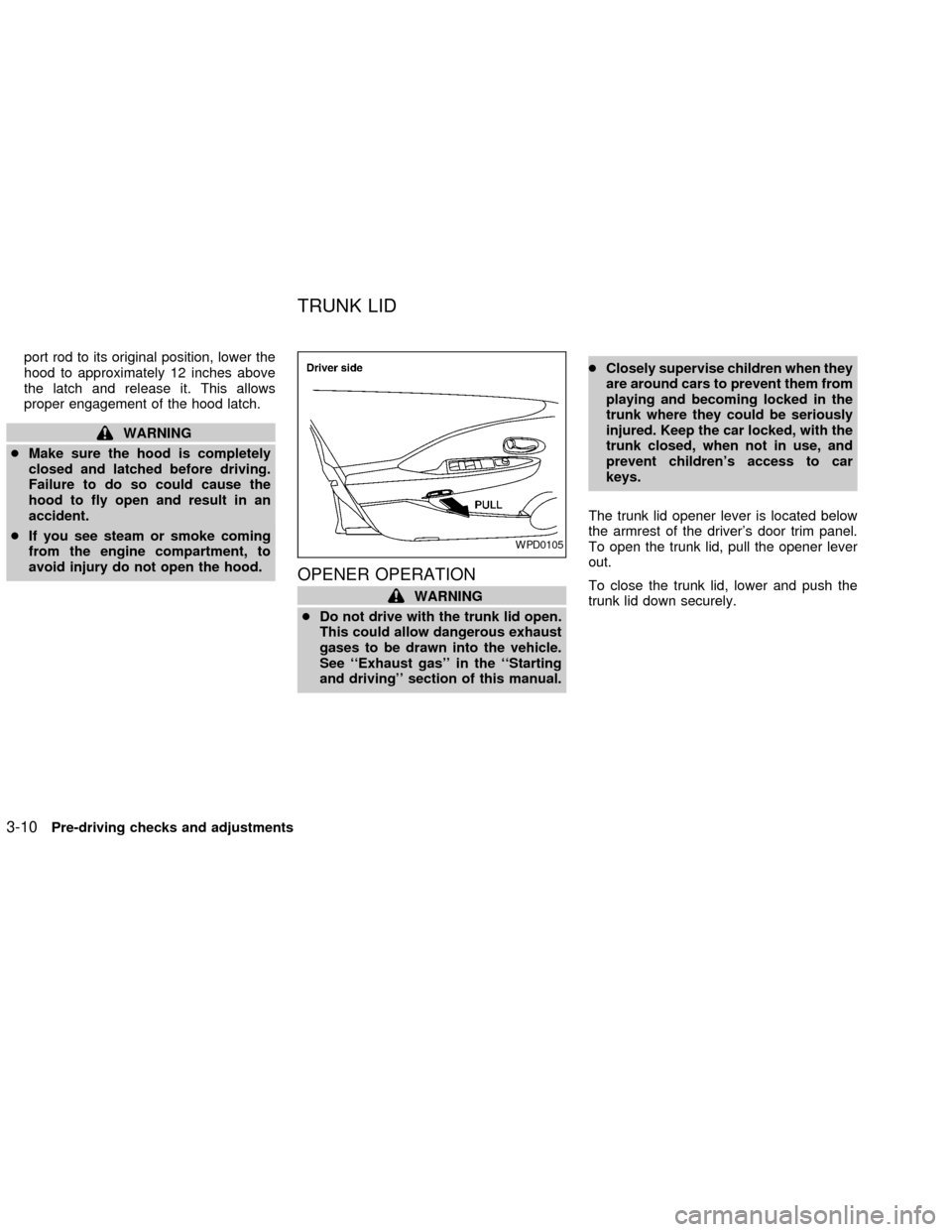
The trunk lid opener lever is located below
the armrest of the driver's door trim panel.
To open the trunk lid, pull the opener lever
out.
To close the trunk lid, lower and push the
trunk lid down securely.
WPD0105
TRUNK LID
3-10Pre-driving checks and adjustments
ZX
Page 98 of 249
Cancel switch
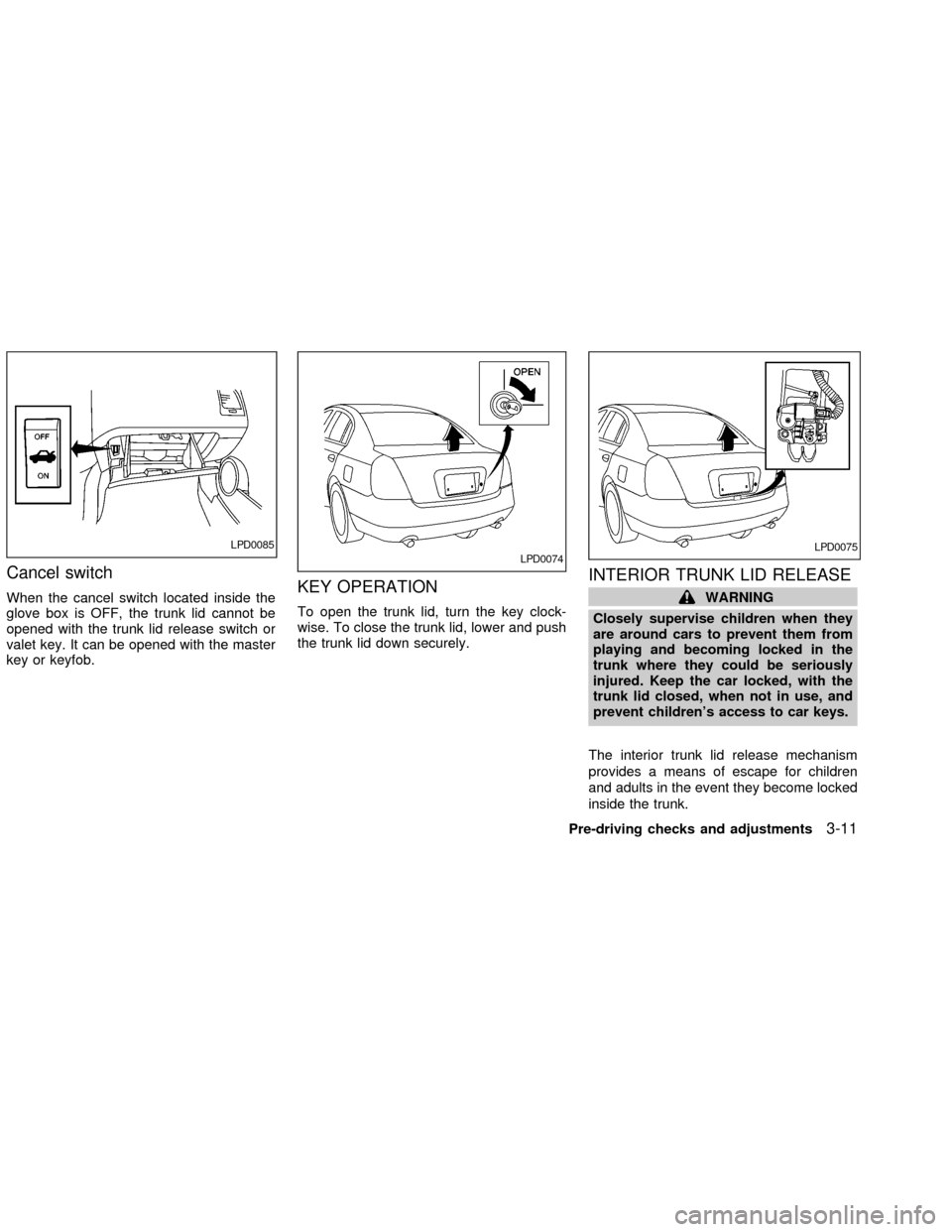
When the cancel switch located inside the
glove box is OFF, the trunk lid cannot be
opened with the trunk lid release switch or
valet key. It can be opened with the master
key or keyfob.KEY OPERATION
To open the trunk lid, turn the key clock-
wise. To close the trunk lid, lower and push
the trunk lid down securely.
INTERIOR TRUNK LID RELEASE
WARNING
Closely supervise children when they
are around cars to prevent them from
playing and becoming locked in the
trunk where they could be seriously
injured. Keep the car locked, with the
trunk lid closed, when not in use, and
prevent children's access to car keys.
The interior trunk lid release mechanism
provides a means of escape for children
and adults in the event they become locked
inside the trunk.
LPD0085LPD0074LPD0075
Pre-driving checks and adjustments3-11
ZX
Page 99 of 249
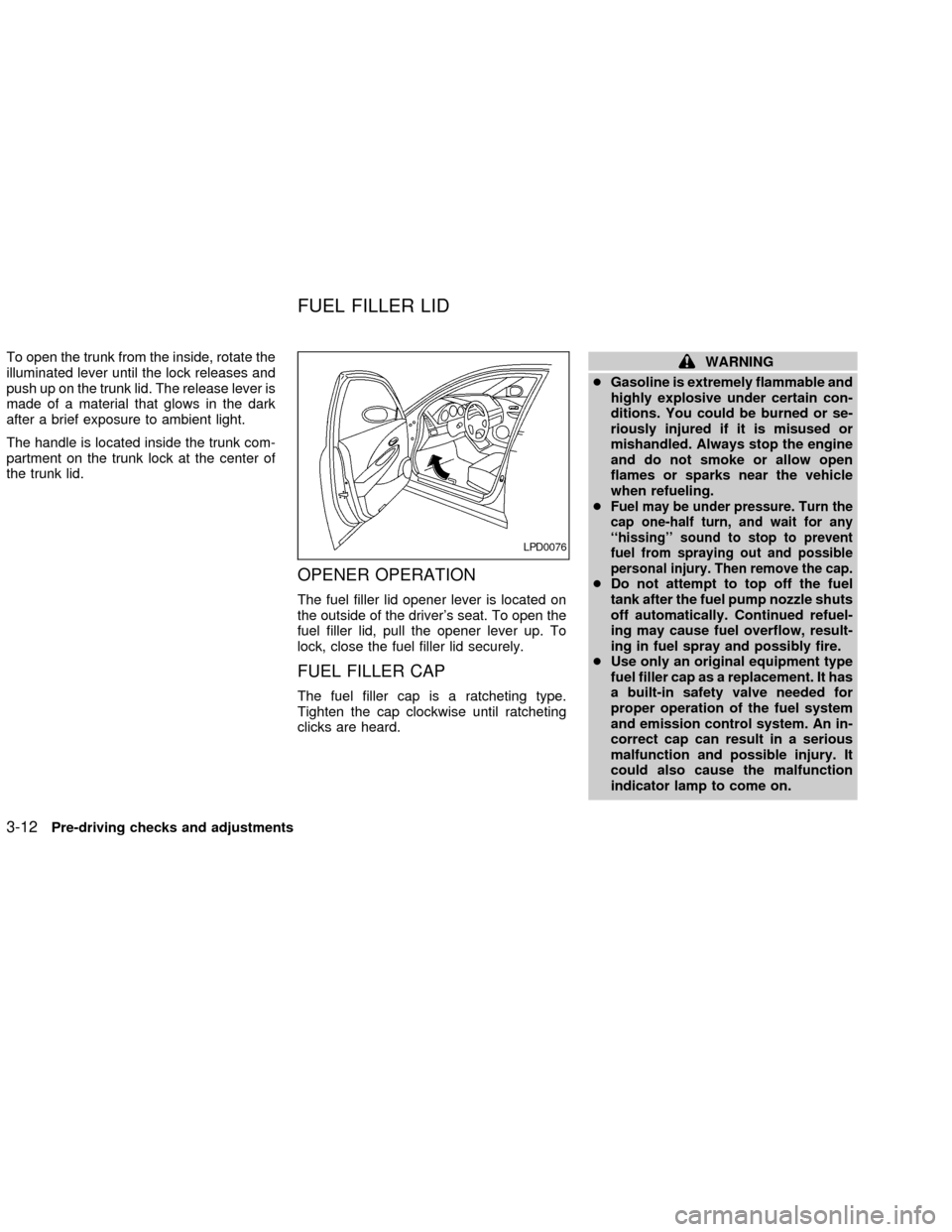
To open the trunk from the inside, rotate the
illuminated lever until the lock releases and
push up on the trunk lid. The release lever is
made of a material that glows in the dark
after a brief exposure to ambient light.
The handle is located inside the trunk com-
partment on the trunk lock at the center of
the trunk lid.
OPENER OPERATION
The fuel filler lid opener lever is located on
the outside of the driver's seat. To open the
fuel filler lid, pull the opener lever up. To
lock, close the fuel filler lid securely.
FUEL FILLER CAP
The fuel filler cap is a ratcheting type.
Tighten the cap clockwise until ratcheting
clicks are heard.
WARNING
cGasoline is extremely flammable and
highly explosive under certain con-
ditions. You could be burned or se-
riously injured if it is misused or
mishandled. Always stop the engine
and do not smoke or allow open
flames or sparks near the vehicle
when refueling.
c
Fuel may be under pressure. Turn the
cap one-half turn, and wait for any
``hissing'' sound to stop to prevent
fuel from spraying out and possible
personal injury. Then remove the cap.
cDo not attempt to top off the fuel
tank after the fuel pump nozzle shuts
off automatically. Continued refuel-
ing may cause fuel overflow, result-
ing in fuel spray and possibly fire.
cUse only an original equipment type
fuel filler cap as a replacement. It has
a built-in safety valve needed for
proper operation of the fuel system
and emission control system. An in-
correct cap can result in a serious
malfunction and possible injury. It
could also cause the malfunction
indicator lamp to come on.
LPD0076
FUEL FILLER LID
3-12Pre-driving checks and adjustments
ZX