2002 FORD EXPLORER display
[x] Cancel search: displayPage 43 of 312
When AUTO is selected, the recirculated air feature operates automatically
for existing conditions. However, the air recirculation indicator will not be
lit. If the recirculated air is selected while in AUTO operation, the DEATC
system will be disabled and you will return to manual operation with the
recirculated air indicator lit and with the A/C operating.
To return to automatic recirculated air operation, press AUTO.
Do not leave the DEATC system in recirculated air operation for
extended periods of time while the system is in a heating mode or in
cold/damp conditions as this may cause interior fogging of the front, side
and rear windows.
Manual override controls
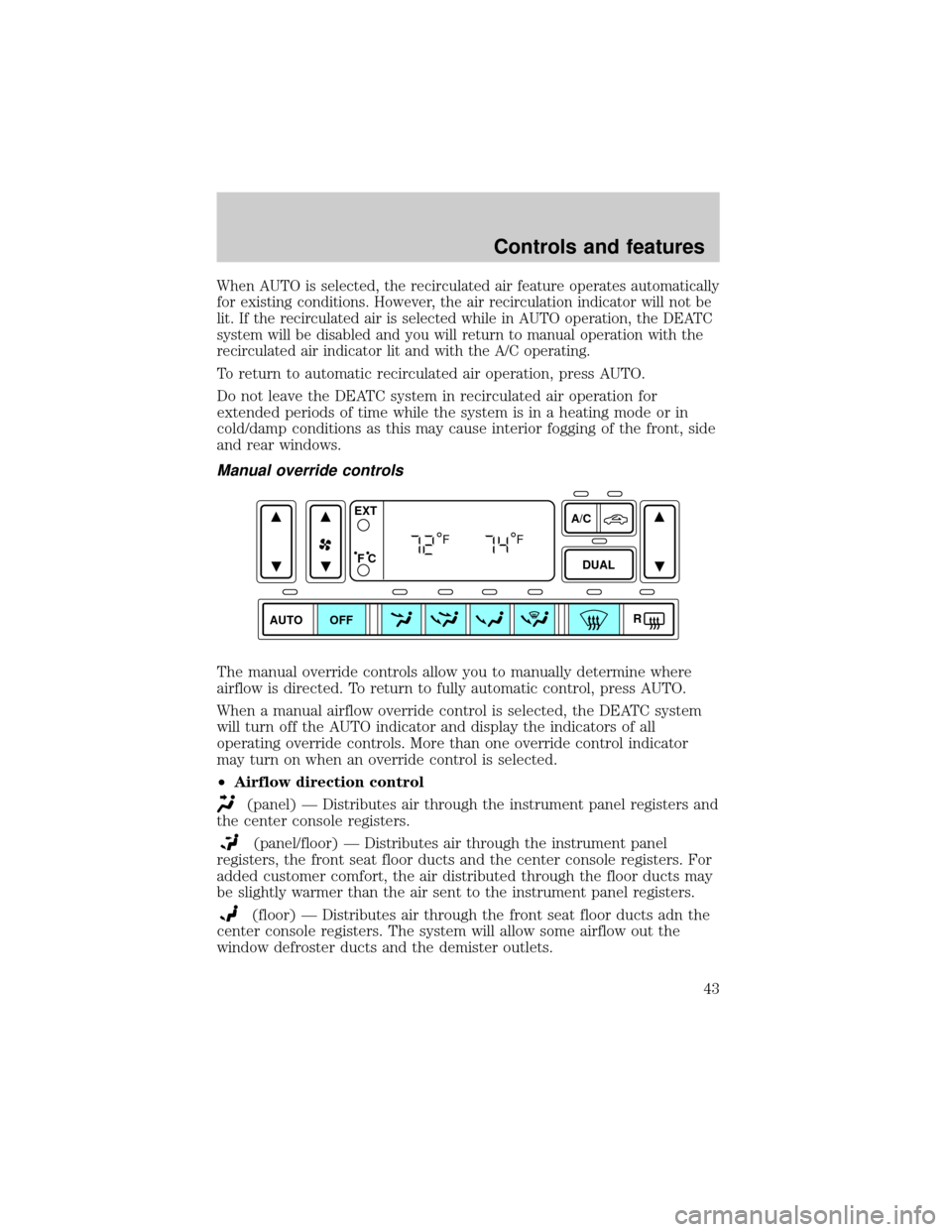
The manual override controls allow you to manually determine where
airflow is directed. To return to fully automatic control, press AUTO.
When a manual airflow override control is selected, the DEATC system
will turn off the AUTO indicator and display the indicators of all
operating override controls. More than one override control indicator
may turn on when an override control is selected.
²Airflow direction control
(panel) Ð Distributes air through the instrument panel registers and
the center console registers.
(panel/floor) Ð Distributes air through the instrument panel
registers, the front seat floor ducts and the center console registers. For
added customer comfort, the air distributed through the floor ducts may
be slightly warmer than the air sent to the instrument panel registers.
(floor) Ð Distributes air through the front seat floor ducts adn the
center console registers. The system will allow some airflow out the
window defroster ducts and the demister outlets.
AUTO DUAL
A/C
R EXT
F C
FF
OFF
Controls and features
43
Page 44 of 312
(floor/defrost) ÐDistributes outside air through the windshield
defroster ducts, the demister outlets and the front and rear seat floor
ducts. If the temperature is about 6ÉC (43ÉF) or higher, the air
conditioner will automatically dehumidify the air to reduce fogging. (Note
that the A/C indicator does not illuminate when this mode is selected.)
Recirculation and A/C override controls cannot be selected. For added
customer comfort, the air distributed through the floor ducts may be
slightly warmer than the air sent to the windshield defroster ducts.
(defrost) ÐDistributes outside air through the windshield defroster
ducts, the demister outlets and the center console registers. It can be
used to clear ice or fog from the windshield. If the outside air temperature
is about 6ÉC (43ÉF) or higher, the air conditioner will automatically
dehumidify the air to reduce fogging. (Note that the A/C indicator does
not illuminate when this mode is selected.) Recirculation and A/C override
controls cannot be selected. For added customer comfort, the system will
allow some airflow through the floor ducts in this mode.
²Turn DEATC off
OFF-Outside air is shut out. The fan, heating and air conditioning will
not operate. The outside temperature will still display when selected
with the ignition in the ON position.
R(rear window defroster) Ð Refer toRear Window Defroster.
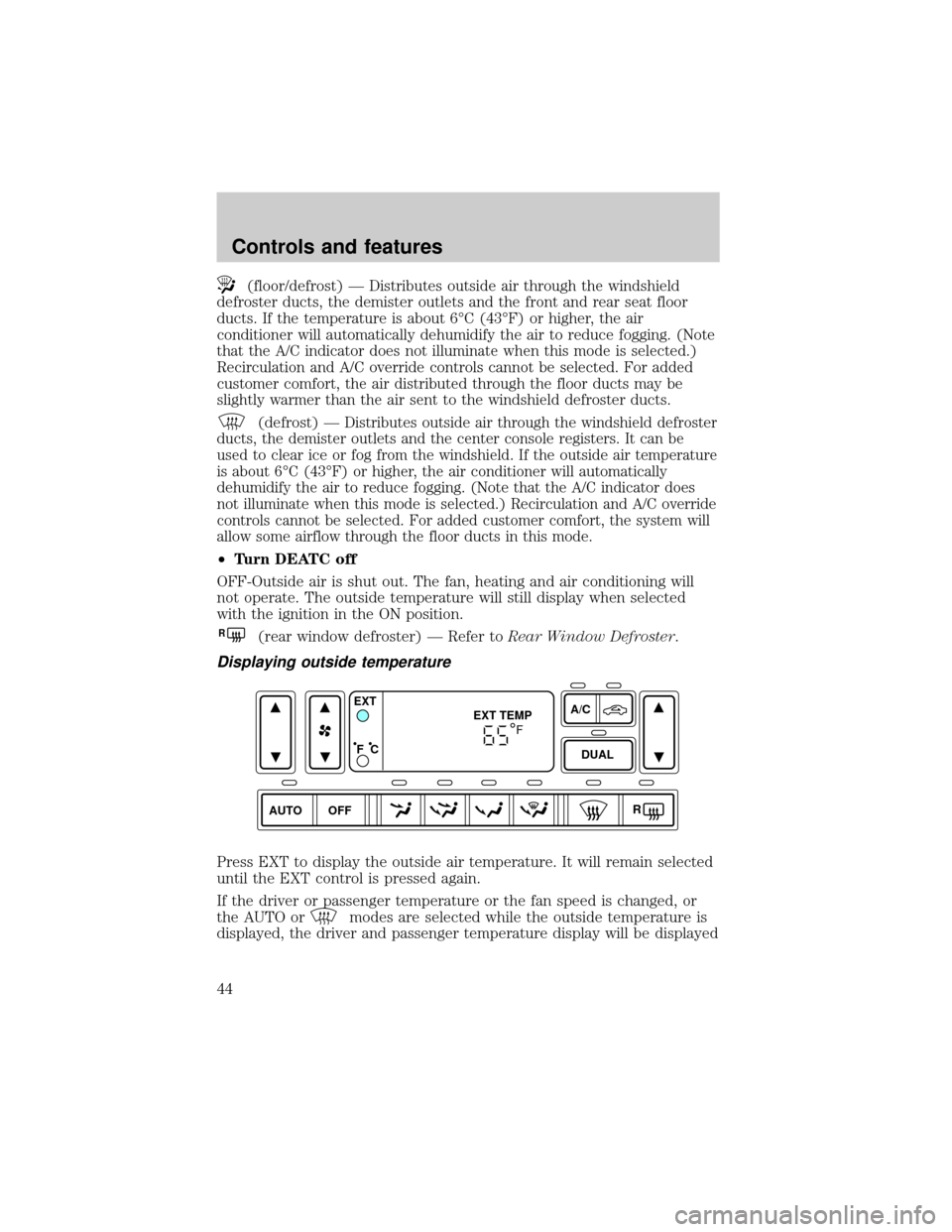
Displaying outside temperature
Press EXT to display the outside air temperature. It will remain selected
until the EXT control is pressed again.
If the driver or passenger temperature or the fan speed is changed, or
the AUTO or
modes are selected while the outside temperature is
displayed, the driver and passenger temperature display will be displayed
AUTO DUALOFFA/C
R EXT
EXT TEMP
F C
F
Controls and features
44
Page 45 of 312
for 4 seconds. Following this, the outside temperature display will return
to the window.
If the outside temperature is displayed while the DEATC system is in the
OFF mode and the DEATC is turned on, the driver and passenger
temperatures will be displayed for 4 seconds. Following this, the outside
temperature display will return to the window.
The outside temperature reading is most accurate when the vehicle is
moving. Higher readings may be obtained when the vehicle is not
moving. The readings that you get may not agree with temperatures
given on the radio due to differences in vehicle and station locations.
Operating tips
²In humid weather conditions, place the climate control system in
orRbefore driving. This will reduce fogging on your windshield.
Once the windshield has been cleared, operate the climate control
system as desired.
²To reduce humidity buildup inside the vehicle in cold weather
conditions, don't drive with the climate control system in the OFF or
MAX A/C position.
²To reduce humidity buildup inside the vehicle in warm weather
conditions, don't drive with the climate control system in the OFF
position.
²Under normal weather conditions, your vehicle's climate control
system should be left in any position other than MAX A/C or OFF
when the vehicle is parked. This allows the vehicle to ªbreatheº
through the outside air inlet duct.
²Under snowy or dirty weather conditions, your vehicle's climate
control system should be left in the OFF position when the vehicle is
parked. This allows the climate control system to be free from
contamination of outside pollutants.
²If your vehicle has been parked with the windows closed during warm
weather conditions, the air conditioner will perform more efficiently in
cooling the vehicle if driven for two or three minutes with the
windows open. This will force most of the hot, stale air out of the
vehicle. Once the vehicle has been ªaired outº, operate the climate
control system as desired.
²Remove any snow, ice or leaves from the air intake area at the base of
the windshield.
Controls and features
45
Page 57 of 312

²to decrease minutes and
²
to increase minutes.
The CLK control will allow you to switch between media display mode
(radio station, stereo information, etc.) and clock display mode (time).
When in clock mode, the media information will display for 10 seconds,
when the radio is turned on, and then revert to clock information.
Anytime that the media is changed, (new radio station, etc.), the media
information will again display for 10 seconds before reverting back to the
clock. In media mode, the media information will always be displayed.
AM/FM Stereo / Single CD RadioSEEK
TUNE
SEEK
TUNE
BASS
CDTREB BAL FADESCN
CLK AM
FM
VOL - PUSH ON
SEEK
EJ
COMP DISC
DISCS
TUNE
12 3456
FM1ST
SHUFFLE CD CD
Controls and features
57
Page 73 of 312

²to decrease minutes and
²
to increase minutes.
If your vehicle has a separate clock
module, (other than the digital radio
display), the CLK button will not
function in the above manner.
The CLK button will allow you to
switch between media display mode
(radio station, stereo information,
etc.) and clock display mode (time).
When in clock mode, the media
information will display for 10
seconds, when the radio is turned
on, and then revert to clock
information. Anytime that the media
is changed, (new radio station, etc.), the media information will again
display for 10 seconds before reverting back to the clock. In media mode,
the media information will always be displayed.
Mute mode
Press the control to mute the
playing media. Press the control
again to return to the playing media.
SEEK
TUNE
SEEK
TUNE
AUTO
CLK
EJ
MUTE
Controls and features
73
Page 76 of 312

Tune adjust in radio mode
²Pressto move to the next
frequency down the band
(whether or not a listenable
station is located there). Hold the
control to move through the
frequencies quickly.
²Press
to move to the next frequency up the band (whether or not
a listenable station is located there). Hold for quick movement.
Tune adjust for CD mode
²Pressto select the previous
disc. (Play will begin on the first
track of the disc unless shuffle
mode is engaged.) Refer to
Shuffle featurefor more
information. Hold the control to
continue reversing through the discs.
²Press
to select the next disc. Hold the control to fast-forward
through the remaining discs.
Seek function
The seek function works in radio or CD mode.
Seek function in radio mode
²Pressto find the next
listenable station down the
frequency band. SEEK DOWN
will display.
²Press
to find the next listenable station up the frequency band.
SEEK UP will display.
Seek function in CD mode
²Pressto seek to the previous
track of the current disc. If the
beginning of the disc is reached,
the CD player seeks to the
beginning of the last track on the current disc and begins playing.
²Press
to seek forward to the next track of the current disc. After
the last track has been completed, the first track of the current disc
will automatically replay.
DISC
TUNE
DISC
TUNE
SEEK
SEEK
Controls and features
76
Page 77 of 312
Scan function
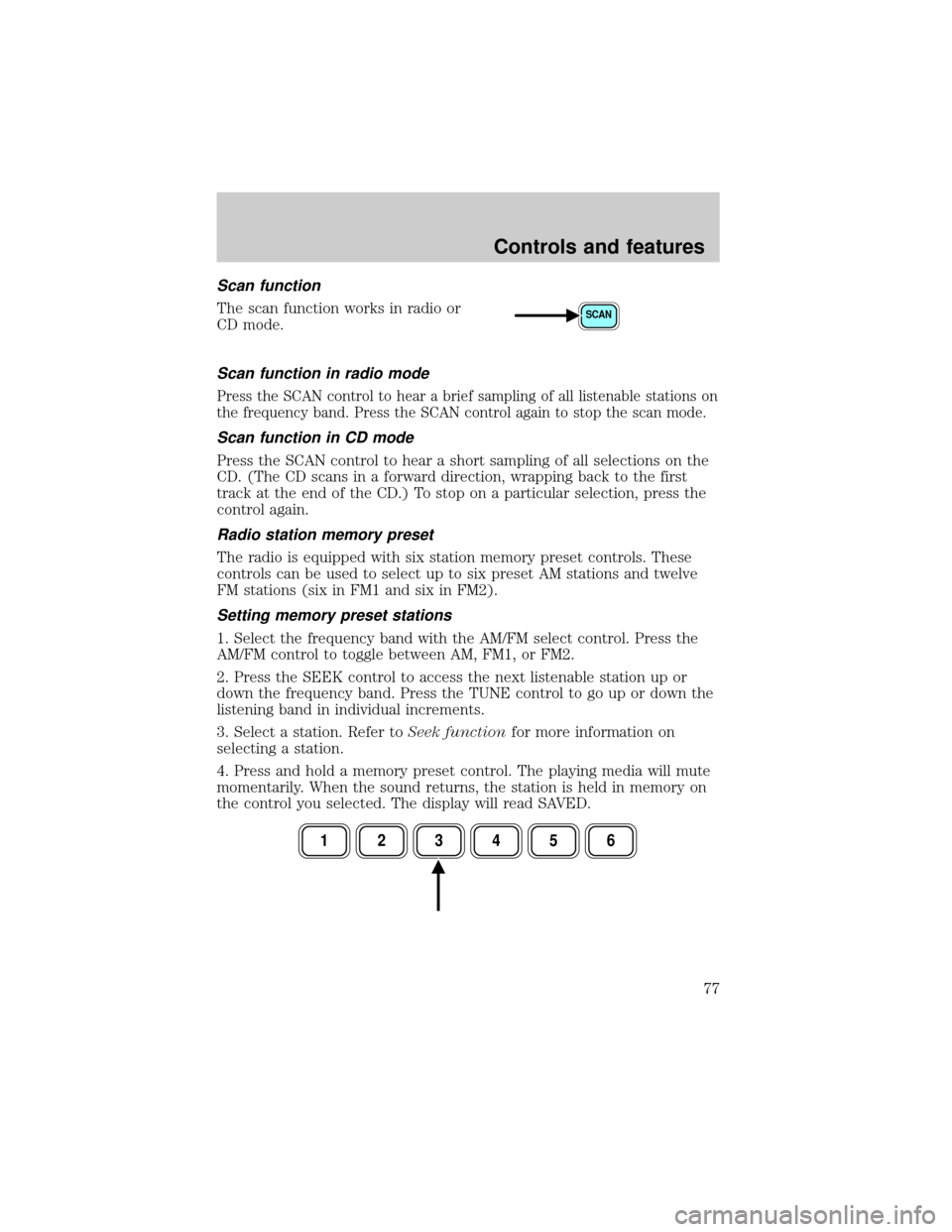
The scan function works in radio or
CD mode.
Scan function in radio mode
Press the SCAN control to hear a brief sampling of all listenable stations on
the frequency band. Press the SCAN control again to stop the scan mode.
Scan function in CD mode
Press the SCAN control to hear a short sampling of all selections on the
CD. (The CD scans in a forward direction, wrapping back to the first
track at the end of the CD.) To stop on a particular selection, press the
control again.
Radio station memory preset
The radio is equipped with six station memory preset controls. These
controls can be used to select up to six preset AM stations and twelve
FM stations (six in FM1 and six in FM2).
Setting memory preset stations
1. Select the frequency band with the AM/FM select control. Press the
AM/FM control to toggle between AM, FM1, or FM2.
2. Press the SEEK control to access the next listenable station up or
down the frequency band. Press the TUNE control to go up or down the
listening band in individual increments.
3. Select a station. Refer toSeek functionfor more information on
selecting a station.
4. Press and hold a memory preset control. The playing media will mute
momentarily. When the sound returns, the station is held in memory on
the control you selected. The display will read SAVED.
SCAN
123456
Controls and features
77
Page 78 of 312

Autostore
Autostore allows you to set the strongest local radio stations without
losing your original manually set preset stations. This feature is helpful
on trips when you travel between cities with different radio stations.
Starting autostore
1. Press and momentarily hold the AM/FM control.
2. AUTOSET will flash in the display
as the frequency band is scrolled
through.
3.
When the six strongest stations are
filled, the station stored in memory
preset control 1 will start playing.
If there are less than six strong stations available on the frequency band,
the remaining memory preset controls will all store the last strong
station available.
To deactivate autoset and return to your audio system's manually set
memory stations, press the AM/FM control again.
CD select
CD mode may be entered by
pressing the CD control and the
LOAD control. Load the CD into the
audio system. The first track of the
disc will begin playing. After that, CD
play will begin where it stopped last.
If an alternative CD is desired, press the corresponding preset control
(1±6) of a loaded CD, or press the TUNE control to access the other
loaded CDs.
NO CD will display if the CD control is activated when there is not a CD
present in the audio system.
NO CD will illuminate in the display if the CD control and a present
number (that is currently empty) are pressed. The system will play the
next available disc.
If your vehicle is equipped with a CD changer, pressing the CD control
again will allow you to toggle between accessing the multi disc system
and the CD changer. The display will read CD or CDDJ.
CD AM
FM
Controls and features
78