Page 24 of 312
System check
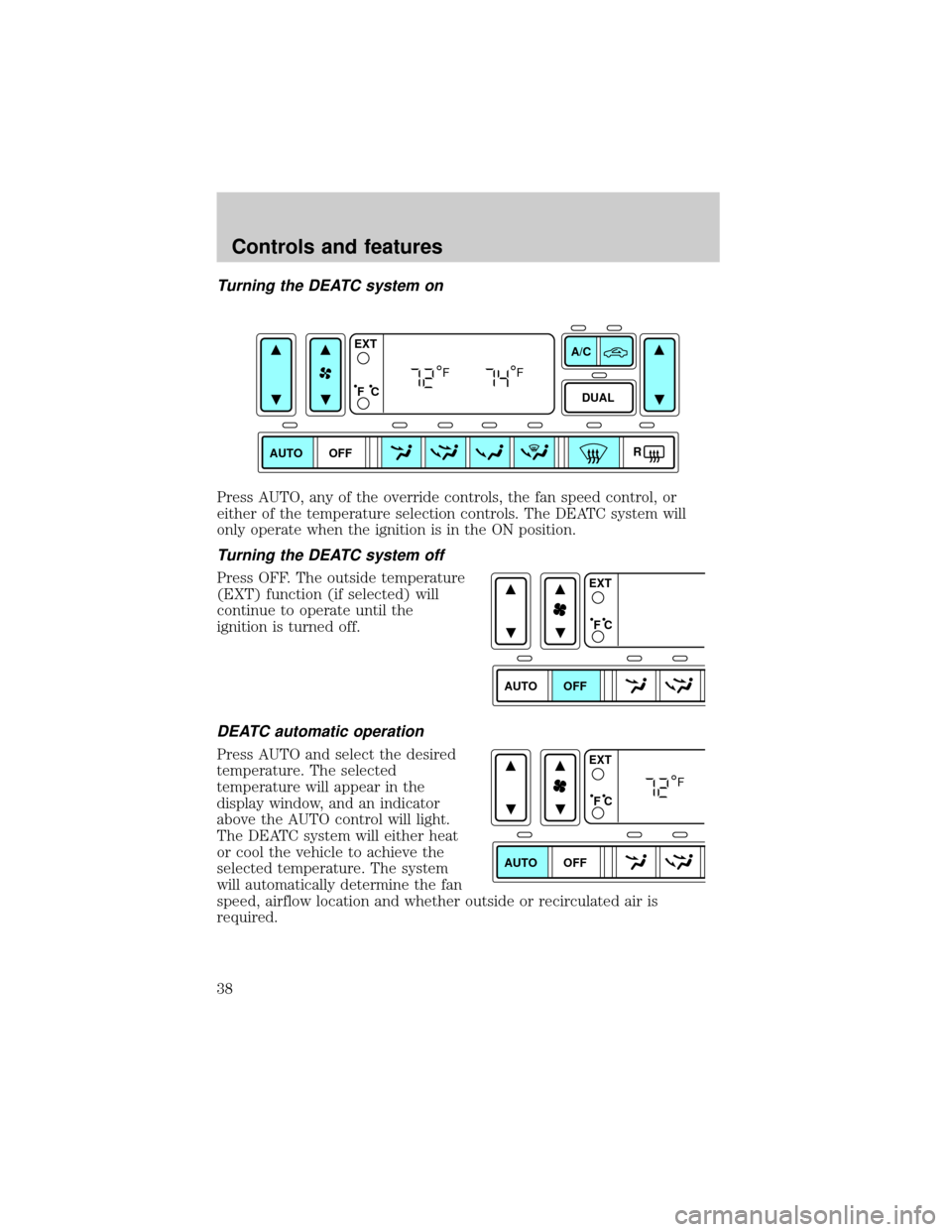
Selecting this function from the
SETUP menu causes the message
center to cycle through each of the
systems being monitored. For each
of the monitored systems, the
message center will indicate either an OK message or a warning message
for three seconds.
Pressing the RESET control cycles the message center through each of
the systems being monitored.
The sequence of the system check report is as follows:
1. oil life in XX%
2. Oil pressure
3. Engine Temp
4. charging system
5. washer fluid level
6. brake fluid level
7. fuel level
System warnings
System warnings alert you to possible problems or malfunctions in your
vehicle's operating systems.
In the event of a multiple warning situation, the message center will
cycle the display to show all warnings by displaying each one for 4
seconds.
The message center will display the last selected feature if there are no
more warning messages. This allows you to use the full functionality of
the message center after you acknowledge the warning by pressing the
RESET control and clearing the warning message.
Warning messages that have been reset are divided into two categories:
²They will reappear on the display ten minutes from the reset.
²They will not reappear until an ignition OFF-ON cycle has been
completed.
This acts as a reminder that these warning conditions still exist within
the vehicle.
Instrumentation
24
Page 25 of 312

Door ajar Warning cannot be reset
Low oil pressure Warning returns after 10 minutes
Check engine temperature
Check charging system
Transmission overheated
Check transmission
Low fuel level
Low brake fluid level Warning returns after the ignition key
is turned from OFF to ON.
Change oil soon
Oil change required
Low washer fluid level
DOOR AJAR.Displayed when a door or liftgate is not completely
closed.
LOW OIL PRESSURE.Displayed when the engine oil level is low. If
this warning message is displayed, check the level of the engine oil.
Refer toEngine oilin theMaintenance and carechapter for
information about adding engine oil.
CHECK ENGINE TEMP.Displayed when the engine coolant is
overheating. Stop the vehicle as soon as safely possible, turn off the
engine and let it cool. Check the coolant and coolant level. Refer to
Engine coolantin theMaintenance and carechapter. If the warning
stays on or continues to come on, contact your dealer as soon as safely
possible.
CHECK CHARGING SYSTEM.Displayed when the electrical system is
not maintaining proper voltage. If you are operating electrical accessories
when the engine is idling at a low speed, turn off as many of the
electrical loads as soon as possible. If the warning stays on or comes on
when the engine is operating at normal speeds, have the electrical
system checked as soon as possible.
TRANSMISSION OVERHEATED.Indicates the transmission is
overheating. This warning may appear when towing heavy loads or when
driving in a low gear at a high speed for an extended period of time.
Stop the vehicle as soon as safely possible, turn off the engine and let it
cool. Refer toTransmission fluidin theMaintenance and care
chapter. If the warning stays on or continues to come on, contact your
dealer for transmission service as soon as possible.
Instrumentation
25
Page 26 of 312

CHECK TRANSMISSION.Indicates the transmission is not operating
properly. If this warning stays on, contact your dealer as soon as possible.
LOW FUEL LEVEL.Displayed as an early reminder of a low fuel condition.
LOW BRAKE FLUID LEVEL.Indicates the brake fluid level is low and
the brake system should be inspected immediately. Refer toChecking
and adding brake fluidin theMaintenance and carechapter.
CHANGE OIL SOON/OIL CHANGE REQUIRED.Displayed when the
engine oil life remaining is 5 percent or less. When oil life left is between 5%
and 0%, the CHANGE OIL SOON message will be displayed. When oil life left
reaches 0%, the OIL CHANGE REQUIRED message will be displayed.
An oil change is required whenever indicated by the message center.
USE ONLY RECOMMENDED ENGINE OILS.
To reset the oil monitoring system to 100% after each oil change
[approximately 8 000 km (5 000 miles) or 180 days] perform the following:
1. Press the SETUP control to
access the System Check function.
2. Press and release the RESET
control to display ªOIL LIFE XX%
HOLD RESET NEW.
3. Press and hold the RESET
control for 2 seconds to display ªIF
NEW OIL HOLD RESET.
4. Press and hold the RESET
control to display OIL LIFE SET TO
100%. Your oil life is now reset.
To reset the oil monitoring system to your personalized oil life %:
1. Press the SETUP control to
access the System Check function.
%
%
Instrumentation
26
Page 27 of 312

2. Press and release the RESET
control to display ªOIL LIFE XX%
HOLD RESET NEW.
3. Press and hold the RESET
control for 2 seconds to display ªIF
NEW OIL HOLD RESET.
4. Release the RESET control
momentarily, then press RESET and
SETUP controls at the same time to
activate a service mode which will
display OIL LIFE XX% RESET TO
ALTER.
5. Press RESET until you find your personalized OIL LIFE XX%.
6. With your personalized OIL LIFE XX% displayed, press SETUP to
continue the system check.
LOW WASHER FLUID LEVEL.Indicates the washer fluid reservoir is
less than one quarter full. Check the washer fluid level. Refer to
Windshield washer fluidin theMaintenance and carechapter.
DATA ERR.These messages indicate improper operation of the vehicle
network communication between electronic modules.
²Fuel Computer
²Oil life
²Charging system
²Door sensor
²Washer fluid
²Brake Fluid
²Compass
²Outside temperature
²Engine sensor
Contact your dealer as soon as possible if these messages occur on a
regular basis.
%
%
Instrumentation
27
Page 38 of 312
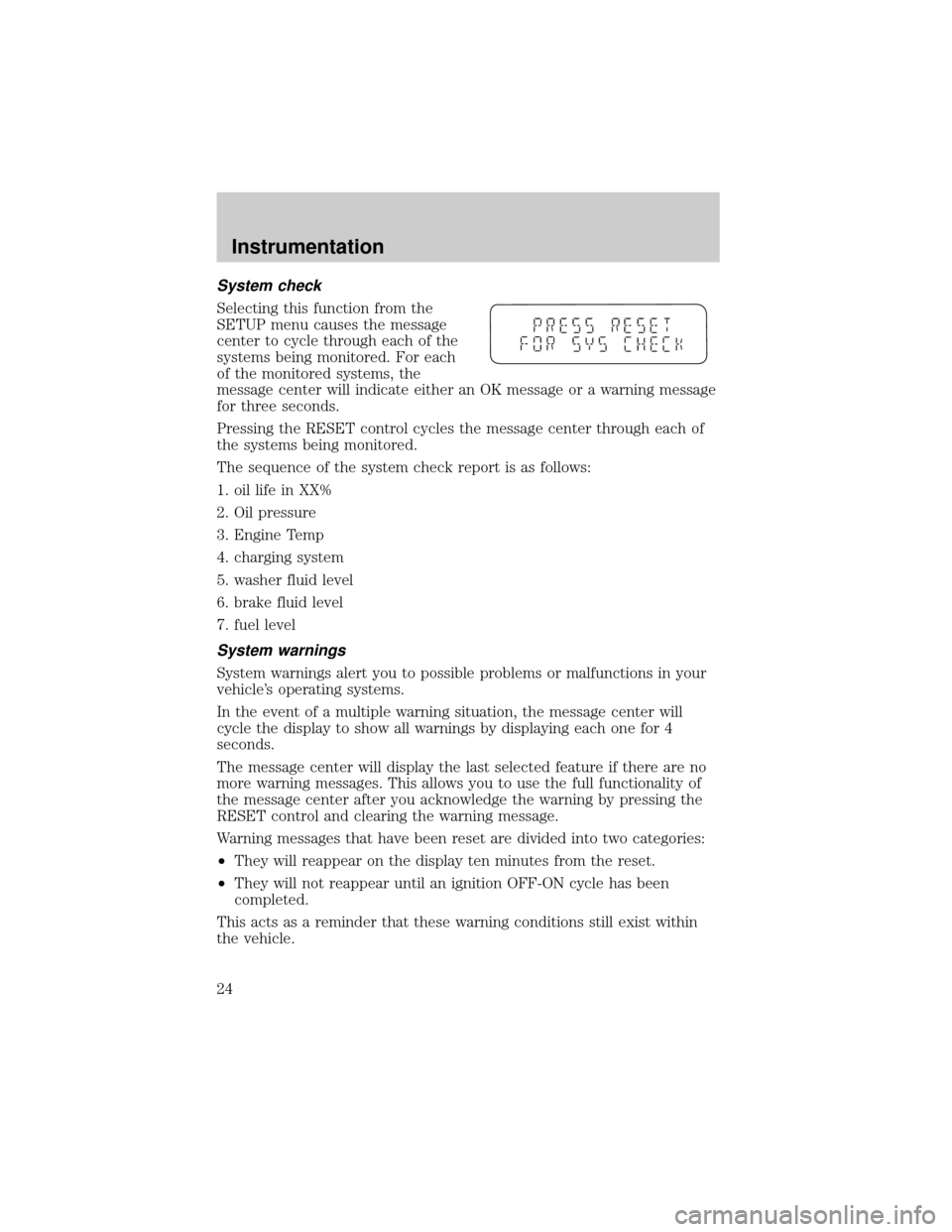
Turning the DEATC system on
Press AUTO, any of the override controls, the fan speed control, or
either of the temperature selection controls. The DEATC system will
only operate when the ignition is in the ON position.
Turning the DEATC system off
Press OFF. The outside temperature
(EXT) function (if selected) will
continue to operate until the
ignition is turned off.
DEATC automatic operation
Press AUTO and select the desired
temperature. The selected
temperature will appear in the
display window, and an indicator
above the AUTO control will light.
The DEATC system will either heat
or cool the vehicle to achieve the
selected temperature. The system
will automatically determine the fan
speed, airflow location and whether outside or recirculated air is
required.
AUTO OFFDUAL A/C
R EXT
F C
FF
AUTO OFFEXT
F C
AUTO OFFEXT
F C
F
Controls and features
38
Page 39 of 312
When in AUTO mode and the weather is cool, the DEATC directs the
majority of the airflow to the floor area. The system will allow some
airflow out the windshield defroster ducts and the demister outlets to
reduce window fogging. Additionally, if the engine is not warm enough to
provide heat, the fan will operate at a low speed and the airflow will be
directed to the windshield or to the floor. The fan speed will start to
increase and the airflow location will change to the floor area.
When in AUTO mode, the DEATC system automatically controls the air
conditioning operation, the fan speed, the airflow direction and
determines whether outside or recirculated air is required.
If unusual conditions exist (i.e.-window fogging, etc.), the manual
override controls allow you to select airflow locations as necessary. To
return to full automatic control, press the AUTO control.
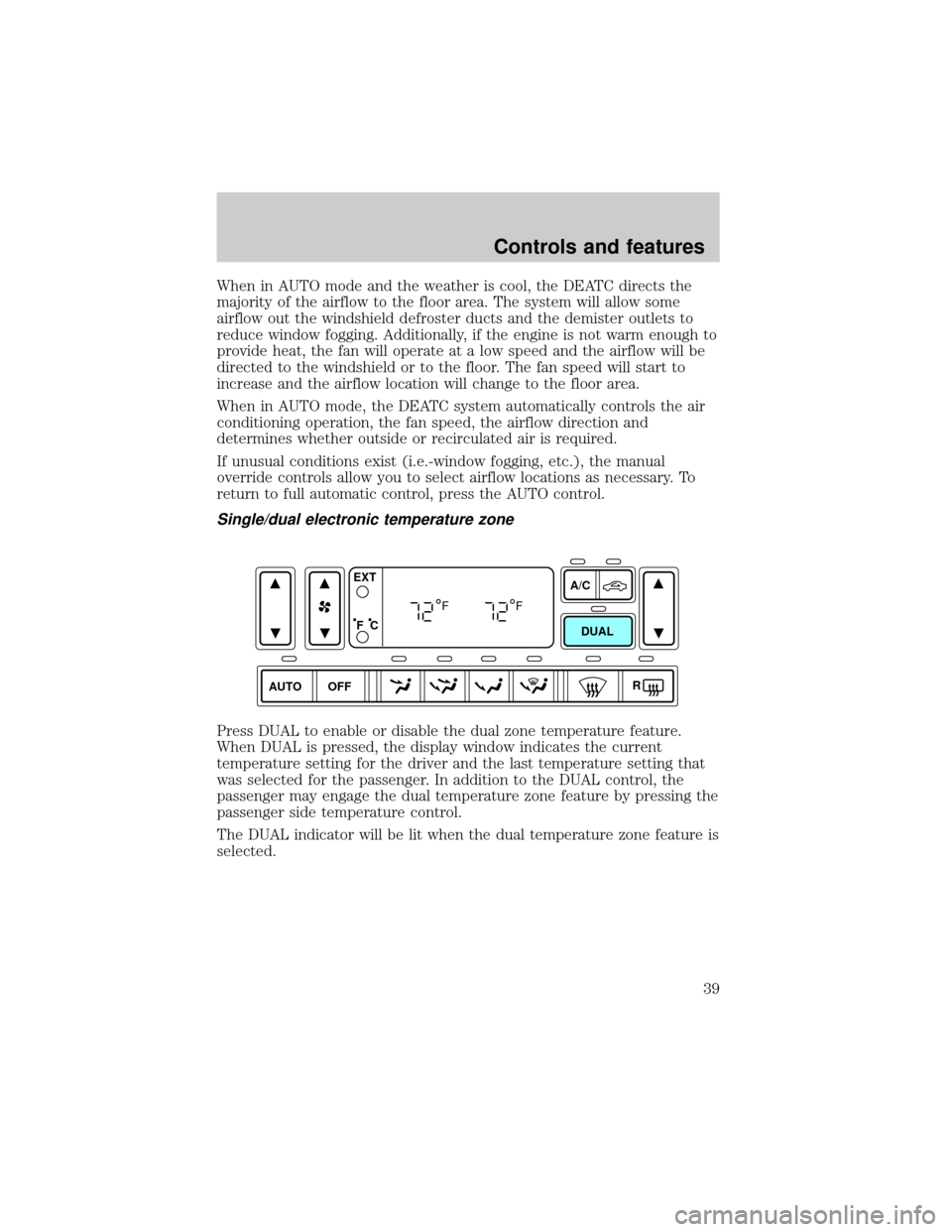
Single/dual electronic temperature zone
Press DUAL to enable or disable the dual zone temperature feature.
When DUAL is pressed, the display window indicates the current
temperature setting for the driver and the last temperature setting that
was selected for the passenger. In addition to the DUAL control, the
passenger may engage the dual temperature zone feature by pressing the
passenger side temperature control.
The DUAL indicator will be lit when the dual temperature zone feature is
selected.
AUTO OFFDUAL A/C
R EXT
F C
FF
Controls and features
39
Page 40 of 312
Driver side temperature selection
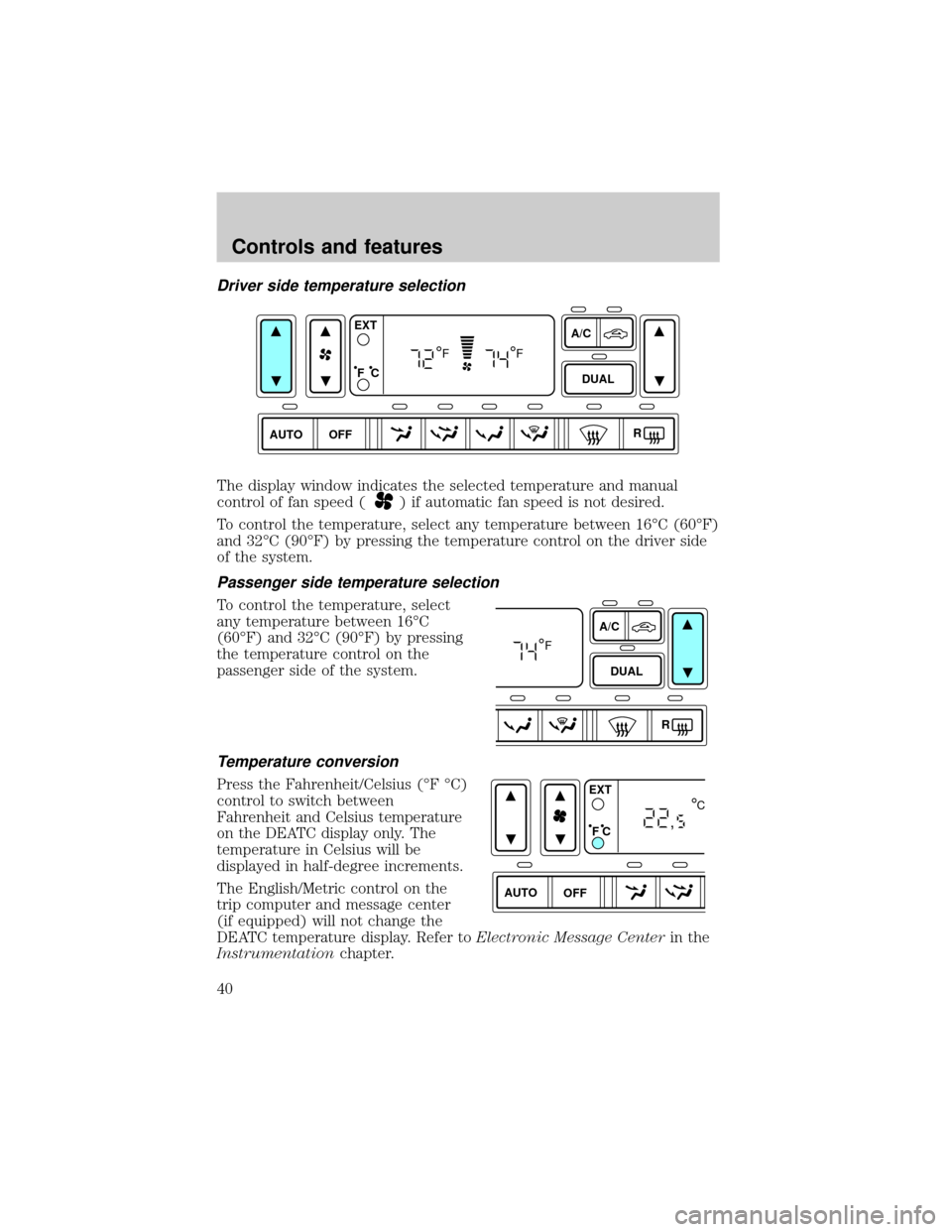
The display window indicates the selected temperature and manual
control of fan speed (
) if automatic fan speed is not desired.
To control the temperature, select any temperature between 16ÉC (60ÉF)
and 32ÉC (90ÉF) by pressing the temperature control on the driver side
of the system.
Passenger side temperature selection
To control the temperature, select
any temperature between 16ÉC
(60ÉF) and 32ÉC (90ÉF) by pressing
the temperature control on the
passenger side of the system.
Temperature conversion
Press the Fahrenheit/Celsius (ÉF ÉC)
control to switch between
Fahrenheit and Celsius temperature
on the DEATC display only. The
temperature in Celsius will be
displayed in half-degree increments.
The English/Metric control on the
trip computer and message center
(if equipped) will not change the
DEATC temperature display. Refer toElectronic Message Centerin the
Instrumentationchapter.
AUTO
OFFDUAL A/C
R EXT
F C
FF
A/C
DUAL
R
F
AUTO OFFEXT
F C
C
,
Controls and features
40
Page 41 of 312
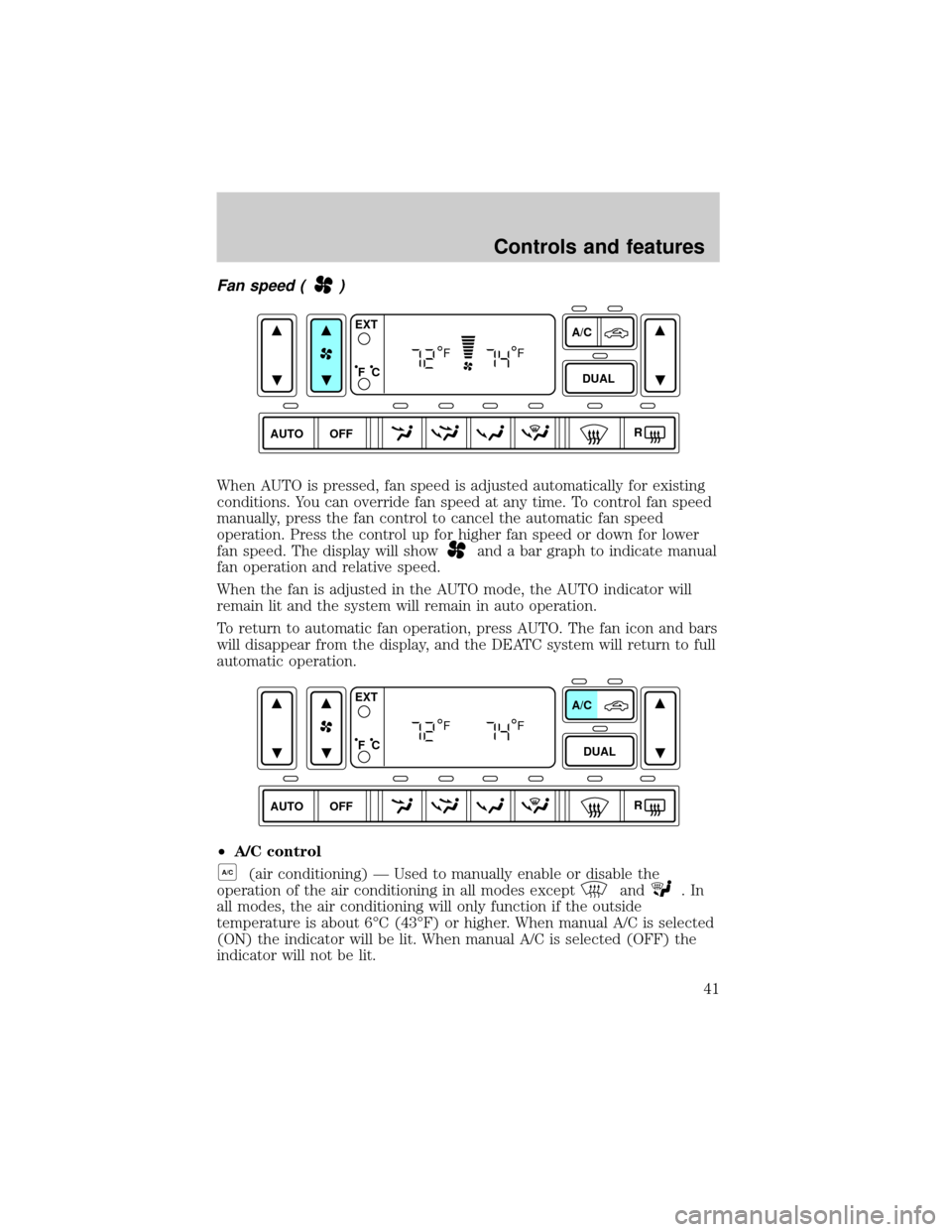
Fan speed ()
When AUTO is pressed, fan speed is adjusted automatically for existing
conditions. You can override fan speed at any time. To control fan speed
manually, press the fan control to cancel the automatic fan speed
operation. Press the control up for higher fan speed or down for lower
fan speed. The display will show
and a bar graph to indicate manual
fan operation and relative speed.
When the fan is adjusted in the AUTO mode, the AUTO indicator will
remain lit and the system will remain in auto operation.
To return to automatic fan operation, press AUTO. The fan icon and bars
will disappear from the display, and the DEATC system will return to full
automatic operation.
²A/C control
A/C(air conditioning) Ð Used to manually enable or disable the
operation of the air conditioning in all modes except
and.In
all modes, the air conditioning will only function if the outside
temperature is about 6ÉC (43ÉF) or higher. When manual A/C is selected
(ON) the indicator will be lit. When manual A/C is selected (OFF) the
indicator will not be lit.
AUTO DUALOFFA/C
R EXT
F C
FF
AUTO DUALOFFA/C
R EXT
F C
FF
Controls and features
41