Page 155 of 432
2-86
Service Four-Wheel-Drive Warning Light
(If Equipped)
United States Canada
This light should come on briefly when you turn on the
ignition, as a check to show you it is working.
The SERVICE 4WD light comes on to indicate that
there may be a problem with the drive system and
service is required. Malfunctions can be indicated by
the system before any problem is apparent, which may
prevent serious damage to the vehicle. This system is
also designed to assist your service technician in
correctly diagnosing a malfunction.
Check Gages Light
United States Canada
The CHECK GAGES light will come on briefly when
you are starting the engine.
If the light comes on and stays on while you are driving,
check your coolant temperature and engine oil pressure
gages to see if they are in the warning zones.
Page 158 of 432
2-89
Driver Information Center (DIC)
(If Equipped)
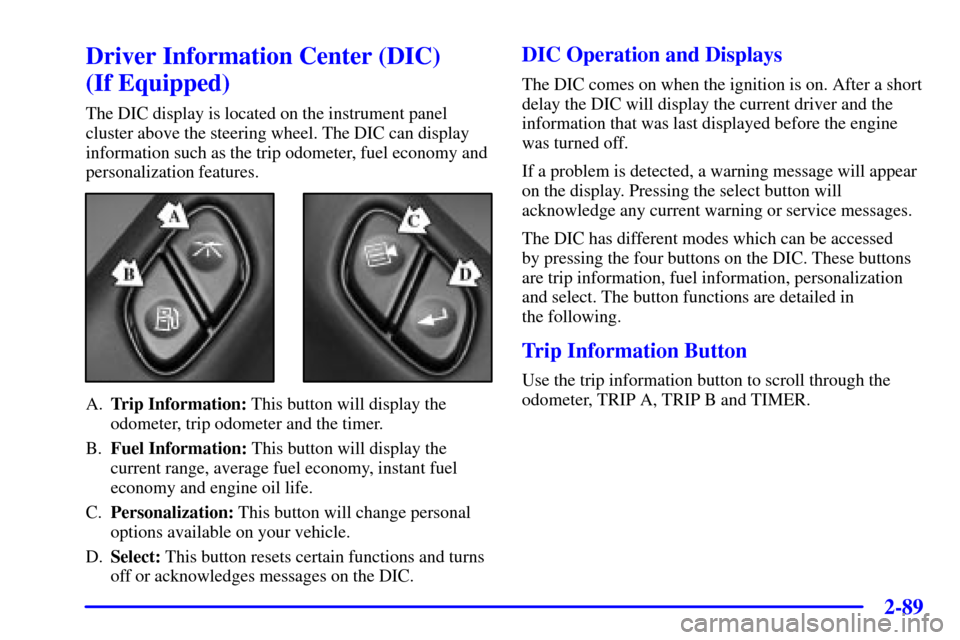
The DIC display is located on the instrument panel
cluster above the steering wheel. The DIC can display
information such as the trip odometer, fuel economy and
personalization features.
A.Trip Information: This button will display the
odometer, trip odometer and the timer.
B.Fuel Information: This button will display the
current range, average fuel economy, instant fuel
economy and engine oil life.
C.Personalization: This button will change personal
options available on your vehicle.
D.Select: This button resets certain functions and turns
off or acknowledges messages on the DIC.
DIC Operation and Displays
The DIC comes on when the ignition is on. After a short
delay the DIC will display the current driver and the
information that was last displayed before the engine
was turned off.
If a problem is detected, a warning message will appear
on the display. Pressing the select button will
acknowledge any current warning or service messages.
The DIC has different modes which can be accessed
by pressing the four buttons on the DIC. These buttons
are trip information, fuel information, personalization
and select. The button functions are detailed in
the following.
Trip Information Button
Use the trip information button to scroll through the
odometer, TRIP A, TRIP B and TIMER.
Page 173 of 432
3-
3-1
Section 3 Comfort Controls and Audio Systems
In this section, you'll find out how to operate the comfort control and audio systems offered with your vehicle.
Be sure to read about the particular systems supplied with your vehicle.
3
-2 Comfort Controls
3
-8 Air Conditioning
3
-8 Heating
3
-8 Defogging and Defrosting
3
-9 Rear Window Defogger
3
-11 Ventilation System
3
-13 Audio Systems
3
-13 Setting the Clock
3
-13 AM-FM Stereo with Cassette Tape Player
with Radio Data System (RDS) and Automatic
Tone Control
3
-24 AM-FM Stereo with Compact Disc Player
with Radio Data System (RDS) and Automatic
Tone Control (If Equipped)
3
-32 AM-FM Stereo with Cassette Tape and
Compact Disc Player with Radio Data
System (RDS) and Automatic Tone Control
(If Equipped)3
-44 AM-FM Stereo with 6-Disc Compact Disc
Player with Programmable Equalization and
Radio Data System (RDS) (If Equipped)
3
-55 Rear Seat Audio (If Equipped)
3
-56 Theft-Deterrent Feature RDS Radios
3
-56 Audio Steering Wheel Controls (If Equipped)
3
-57 Understanding Radio Reception
3
-57 Tips About Your Audio System
3
-58 Care of Your Cassette Tape Player
3
-60 Care of Your Compact Discs
3
-60 Care of Your Compact Disc Player
3
-60 Fixed Mast Antenna
3
-60 Chime Level Adjustment
Page 183 of 432
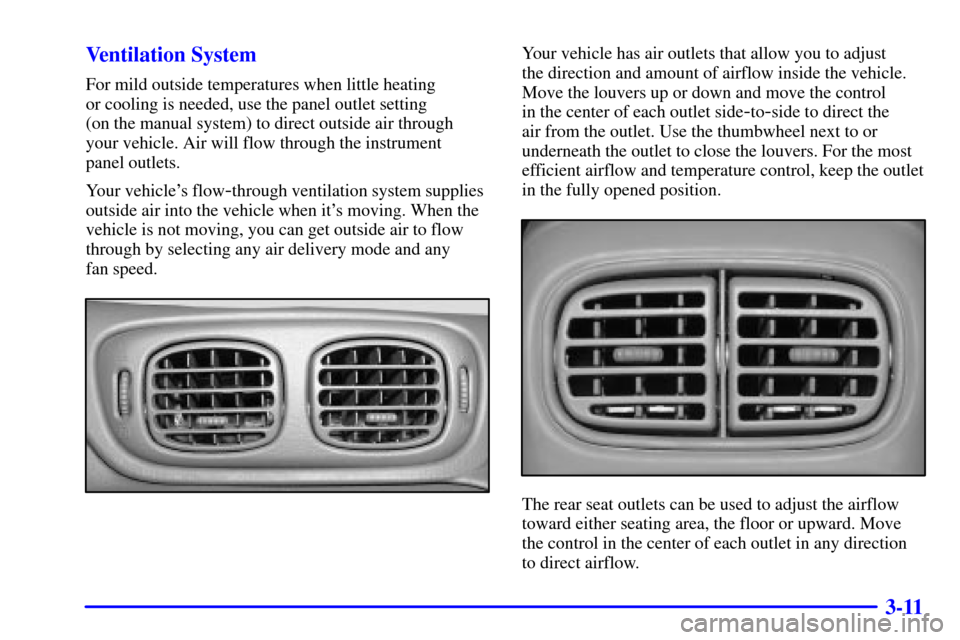
3-11 Ventilation System
For mild outside temperatures when little heating
or cooling is needed, use the panel outlet setting
(on the manual system) to direct outside air through
your vehicle. Air will flow through the instrument
panel outlets.
Your vehicle's flow
-through ventilation system supplies
outside air into the vehicle when it's moving. When the
vehicle is not moving, you can get outside air to flow
through by selecting any air delivery mode and any
fan speed.
Your vehicle has air outlets that allow you to adjust
the direction and amount of airflow inside the vehicle.
Move the louvers up or down and move the control
in the center of each outlet side
-to-side to direct the
air from the outlet. Use the thumbwheel next to or
underneath the outlet to close the louvers. For the most
efficient airflow and temperature control, keep the outlet
in the fully opened position.
The rear seat outlets can be used to adjust the airflow
toward either seating area, the floor or upward. Move
the control in the center of each outlet in any direction
to direct airflow.
Page 184 of 432
3-12
Ventilation Tips
�Keep the hood and front air inlet free of ice, snow or
any other obstruction such as leaves. The heater and
defroster will work better, reducing the chance of
fogging your windows.
�In cool damp weather, minimize your use of
recirculation to reduce the chance of fogging
your windows.
�When you enter a vehicle with the manual system in
cold weather, select floor mode to supply air through
the floor outlets. Then turn the fan on high for a few
moments before driving away. This will blow moist
air from the intake outlets toward the floor, not the
windshield. It reduces the chance of fogging your
windows. If you have the automatic system, the
AUTO setting will do this for you. Manual operation
of the automatic system in the floor mode will also
supply air through the floor outlets.
�Keep the air path under the front seats clear of
objects. This helps air to circulate throughout
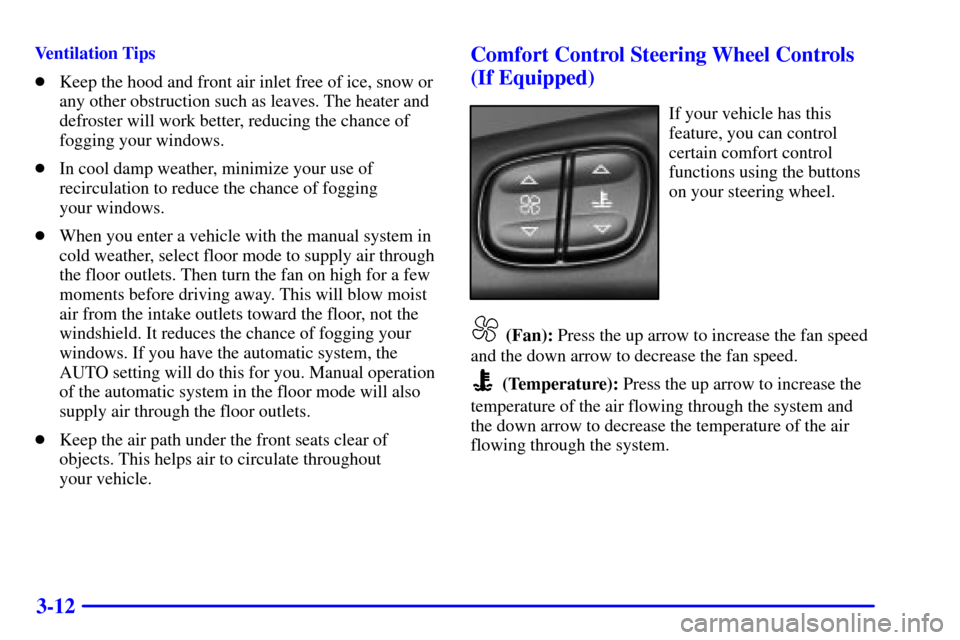
your vehicle.Comfort Control Steering Wheel Controls
(If Equipped)
If your vehicle has this
feature, you can control
certain comfort control
functions using the buttons
on your steering wheel.
(Fan): Press the up arrow to increase the fan speed
and the down arrow to decrease the fan speed.
(Temperature): Press the up arrow to increase the
temperature of the air flowing through the system and
the down arrow to decrease the temperature of the air
flowing through the system.
Page 228 of 432
3-56
The SEEK button is inactive if the AM FM mode on
the front radio is in use.
While listening to a cassette tape, press the SEEK button
to hear the next selection on the tape. Press and hold the
SEEK button to go to the other side of the tape. The
SEEK button is inactive if the tape mode on the front
radio is in use.
While listening to a CD, press the SEEK button to
hear the next selection on the CD. The SEEK button
is inactive if the CD mode on the front radio or the
CD changer is in use.
Theft-Deterrent Feature RDS Radios
THEFTLOCK� is designed to discourage theft of your
radio. The feature works automatically by learning a
portion of the Vehicle Identification Number (VIN).
If the radio is moved to a different vehicle, it will not
operate and LOCKED will be displayed.
When the radio and vehicle are turned off, the blinking
red light indicates that THEFTLOCK is armed.
With THEFTLOCK activated, your radio will not
operate if stolen.
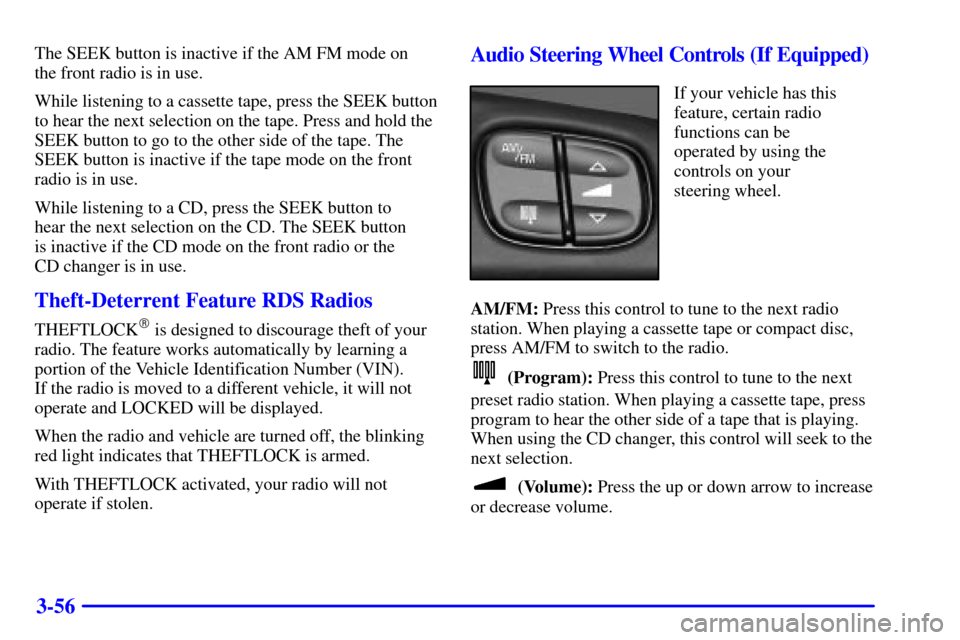
Audio Steering Wheel Controls (If Equipped)
If your vehicle has this
feature, certain radio
functions can be
operated by using the
controls on your
steering wheel.
AM/FM: Press this control to tune to the next radio
station. When playing a cassette tape or compact disc,
press AM/FM to switch to the radio.
(Program): Press this control to tune to the next
preset radio station. When playing a cassette tape, press
program to hear the other side of a tape that is playing.
When using the CD changer, this control will seek to the
next selection.
(Volume): Press the up or down arrow to increase
or decrease volume.
Page 233 of 432
4-
4-1
Section 4 Your Driving and the Road
Here you'll find information about driving on different kinds of roads and in varying weather conditions. We've also
included many other useful tips on driving.
4
-2 Defensive Driving
4
-3 Drunken Driving
4
-6 Control of a Vehicle
4
-6 Braking
4
-9 Traction Assist System (TAS)
(Two
-Wheel Drive Only)
4
-11 Steering
4
-13 Off-Road Recovery
4
-14 Passing
4
-15 Loss of Control
4
-16 Off-Road Driving with Your
Four
-Wheel-Drive Vehicle4
-31 Driving at Night
4
-33 Driving in Rain and on Wet Roads
4
-36 City Driving
4
-37 Freeway Driving
4
-38 Before Leaving on a Long Trip
4
-39 Highway Hypnosis
4
-39 Hill and Mountain Roads
4
-41 Winter Driving
4
-45 Recreational Vehicle Towing
4
-48 Loading Your Vehicle
4
-50 Adding a Snow Plow or Similar Equipment
4-50 Towing a Trailer
Page 240 of 432
4-8
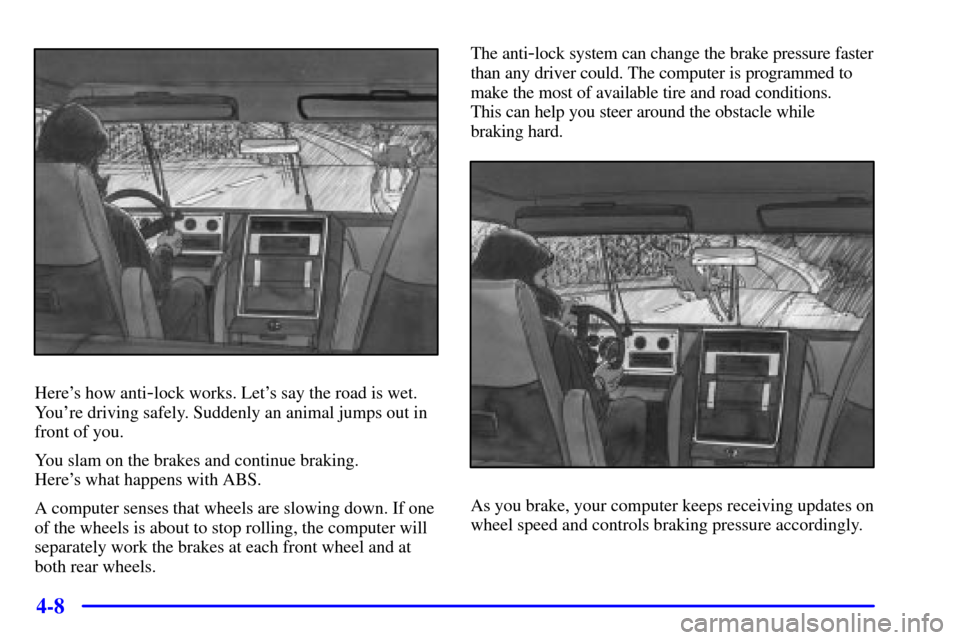
Here's how anti-lock works. Let's say the road is wet.
You're driving safely. Suddenly an animal jumps out in
front of you.
You slam on the brakes and continue braking.
Here's what happens with ABS.
A computer senses that wheels are slowing down. If one
of the wheels is about to stop rolling, the computer will
separately work the brakes at each front wheel and at
both rear wheels.The anti
-lock system can change the brake pressure faster
than any driver could. The computer is programmed to
make the most of available tire and road conditions.
This can help you steer around the obstacle while
braking hard.
As you brake, your computer keeps receiving updates on
wheel speed and controls braking pressure accordingly.