2001 VOLVO S60 seats
[x] Cancel search: seatsPage 6 of 128

2 0 0 1
VOLVO S60
Instruments and controls
pg. 29 Instruments and controls
Instrument panel 30
Indicator and warning symbols31
Steering wheel adjustment36
Switches in the center console37
Lighting panel39
Turn signals40
Windshield wipers/ washer41
Hazard warning flashers, rear window/ sideview mirror defroster, heated front seats42
Trip computer (option)43
Cruise control44
Parking brake, electric socket/ cigarette lighter45
Electrically operated windows46
Rearview mirror/ sideview mirrors48
Electrically operated sun roof49
pg. 30 Instrument panel
1. Turn signal indicators - right - left
2. Text window
The text window displays information and warning messages.
3. Temperature gauge
The pointer should be approximately midway on the gauge when driving. Do not drive the car if the warning light is
on. The text window will provide you with additional information. If the engine temperature remains high, check
coolant level - see page 169
.
4. Trip odometer
The trip odometers are used for measuring shorter distances. The right- hand digit gives tenth of a mile/ kilometer.
Press the button for more than 2 seconds to reset. Change between trip odometers 1 and 2 using one short press on the
button.
ProCarManuals.com
Page 9 of 128

PARK BRAKE Parking brake applied
This light will be on when the parking brake (hand brake) is applied. The parking brake lever is situated between the
front seats.
Canadian models are equipped with this symbol.
Rear fog light
This light indicates that the fog light is on.
Turn signal indicator - trailer (certain models)
If you are towing a trailer, this light will flash simultaneously with the turn signals on the trailer. If the light does not
flash when signaling, neither the trailer's turn signals nor the car's turn signals are functioning.
Oil pressure warning light
If the light comes on while driving, stop the car and then stop the engine immediately and check the engine oil level.
See page 172
. If the light stays on after restart, have the car towed to the nearest authorized Volvo retailer. After hard
driving, the light may come on occasionally when the engine is idling. This is normal, provided it goes off when the
engine speed is increased.
CHECK ENGINE Malfunction indicator light
If the light comes on (or stays on after the vehicle has started), the engine diagnostic system has detected a possible
fault in the emission control system. Although driveability may not be affected, see an authorized Volvo retailer as
soon as possible for inspection.
Canadian models are equipped with this warning light:
NOTE: If the fuel filler cap is not closed tightly or if the engine is running when the car is refueled, the Malfunction
Indicator Lamp may indicate a fault. However, your vehicle's performance will not be affected. Use only Volvo
original or approved fuel filler caps.
pg. 34 Indicator and warning symbols
Cars equipped with STC or DSTC (option) Cars equipped with STC or DSTC have a switch in the center console
marked STC or DSTC. See pages 37, 38
.
If the indicator light flashes, it indicates that the STC or DSTC system is working.
The indicator light stays on when the STC or DSTC system has been switched off with the appropriate button in the
center console.
Fault in the STC or DSTC system
If the indicator light remains on, there is a fault in one of the systems.
Stop the car in a safe place and switch off the engine. Restart the engine.
If the indicator light goes off, no further action is necessary.
ProCarManuals.com
Page 15 of 128

Windshield wipers
Windshield wipers off
If the lever is in the 0 position and you move it upwards, the wipers will sweep one stroke at a time for as long as you
hold the lever up.
Intermittent wiper function With the lever in this position, you can set the wiper interval by twisting the
control ring (A) upward to increase wiper speed or downward to decrease the speed.
Rain sensor (option) The rain sensor replaces the intermittent wiper function. The windshield wiper speed increases
or decreases according to the amount of rain. The sensitivity of the sensor can be adjusted by twisting control A
upward or downward.
Wipers operate at "normal" speed
Wipers operate at "high" speed
3 - Windshield washer/ headlight washer (certain models)
The wipers will make 2- 3 sweeps across the windshield and headlights (certain models) after the lever is released.
pg. 42 Hazard warning flashers, rear window/ sideview mirror defroster, heated front seats
Hazard warning flashers
The four- way flasher should be used to indicate that the vehicle has become a traffic hazard. To activate the flashers,
press the triangular button in the center dash. Press the button again to turn off the flashers.
NOTE: Regulations regarding the use of the hazard warning flasher may vary, depending on where you live.
Sideview mirror and rear window defroster Press the switch to start heating the rear window and sideview mirrors
ProCarManuals.com
Page 16 of 128

to remove ice or condensation. An LED in the switch will light up.
A timer automatically switches off the heating to the sideview mirrors after approximately 6 minutes and to the rear
window after approxi- mately 12 minutes. The LED will go out correspondingly.
Heated front seats (option)
The front seat heating can be switched on and off as required.
Press the switch once for maximum seat heating. Both LEDs in the switch will be lit.
Press the switch a second time for comfort heating. One LED in the switch will be lit.
Press the switch a third time to turn the heating off completely. The seat heating for the passenger seat should be
switched off when the seat is not occupied.
pg. 43 Trip computer (option)
The trip computer stores information gathered from several systems in your car and has four menus that can be
displayed in the text window.
Driving distance on current fuel reserve
Average fuel consumption
Current fuel consumption
Average speed
NOTE: Warning messages from the car's monitoring systems will override the trip computer function. If a warning
message is displayed in the text window while you are using the trip computer, you must acknowledge the message
by pressing button A. Press button A again to return to the trip computer function.
Trip computer controls
The four trip computer functions can be accessed by twisting control B one step at a time in either direction. Twisting
a fifth time returns you to the original function.
The trip computer can be reset (current data will be erased from system memory) by pressing RESET (button C).
Trip computer functions
Driving distance on current fuel reserve This function shows the approximate distance that can be driven on the fuel
remaining in the tank. This calculation is based on average fuel consumption during the last 12 miles (20 km) of
driving and the amount of fuel remaining in the tank when the reading was taken.
When the driving distance on current fuel reserve is less than 12 miles (20 km), "----" will be displayed in the text
window.
Average fuel consumption
ProCarManuals.com
Page 18 of 128
Temporarily disengaging cruise control
Press 0 to temporarily disengage cruise control. Press "resume" to return to the previously set speed.
Press the brake pedal. Press "resume" to return to the previously set speed..
WARNING!
Cruise control should not be used in heavy traffic or when driving on wet or slippery roads. Cruise control may not
maintain set speed on steep downgrades.
pg. 45 Parking brake, electric socket/ cigarette lighter
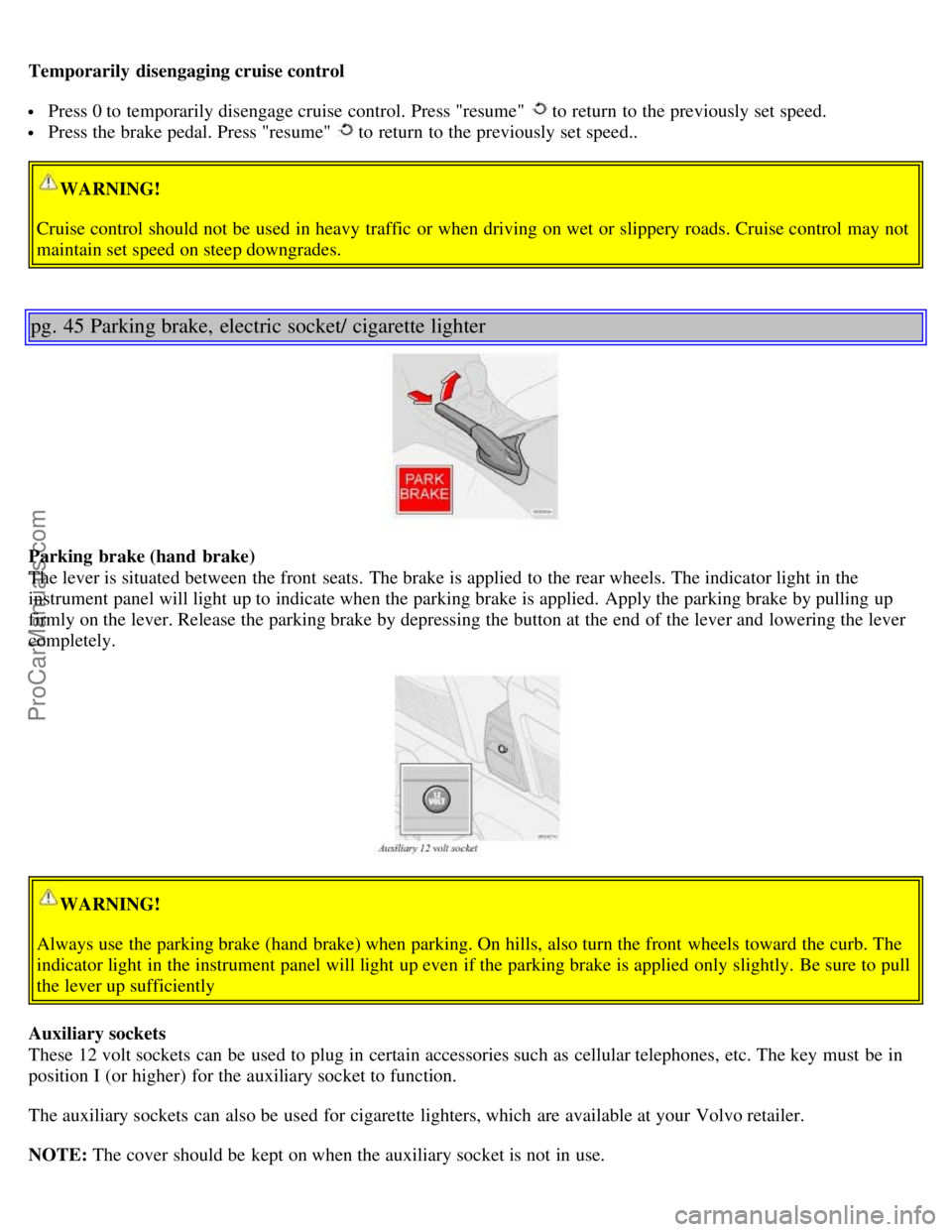
Parking brake (hand brake)
The lever is situated between the front seats. The brake is applied to the rear wheels. The indicator light in the
instrument panel will light up to indicate when the parking brake is applied. Apply the parking brake by pulling up
firmly on the lever. Release the parking brake by depressing the button at the end of the lever and lowering the lever
completely.
WARNING!
Always use the parking brake (hand brake) when parking. On hills, also turn the front wheels toward the curb. The
indicator light in the instrument panel will light up even if the parking brake is applied only slightly. Be sure to pull
the lever up sufficiently
Auxiliary sockets
These 12 volt sockets can be used to plug in certain accessories such as cellular telephones, etc. The key must be in
position I (or higher) for the auxiliary socket to function.
The auxiliary sockets can also be used for cigarette lighters, which are available at your Volvo retailer.
NOTE: The cover should be kept on when the auxiliary socket is not in use.
ProCarManuals.com
Page 41 of 128
Defroster
This function defrosts/ de -ices the windshield and front side windows. The LED in the switch will light up to indicate
that the defrost function is engaged. Blower speed increases automatically and the air in the passenger compartment is
dehumidified. Recirculation will not function while defrost is engaged.
Blower control
Turn the control clockwise to increase or counterclockwise to decrease the blower speed. Pressing the AUTO switch
will automatically regulate blower speed and override manual adjustment.
NOTE: Turning the blower control counter-clockwise until an orange LED comes on will turn both the blower and
the air conditioning off.
pg. 56 Electronic climate control, ECC (option)
Air distribution
Press AUTO to automatically regulate air flow or press any combination of the controls shown in the illustration to
manually adjust air flow. An LED in the switch will light up if an air flow control has been pressed.
Heated front seats (option)
Press the switch once for maximum seat heating. Both LEDs in the switch will be lit.
Press the switch a second time for comfort heating. One LED in the switch will be lit.
Press the switch a third time to turn the heating off completely. The LED will go off. The seat heating for the
passenger seat should be switched off when the seat is not occupied.
A/ C - ON/ OFF
Press the switch to turn the air conditioning on or off. The "ON" or "OFF" LED will light up to indicate if the system
is switched on or off. Other functions will still be regulated automatically (if the AUTO switch is on).
The air conditioning functions only at temperatures above 32¡ F (0¡ C).
While the Defroster function is selected, the air conditioning is temporarily activated to dehumidify the air, even if
you have manually switched the air conditioning off. This will only function if the blower is not switched off.
ProCarManuals.com
Page 44 of 128
Rear window and sideview mirror defrosters
This function defrosts/ de -ices the rear window and sideview mirrors. The LED in the switch will light up to indicate
that the heating function is engaged. See page 42
for additional information on this function.
Never use ice scrapers made of metal as they can easily scratch the mirror surface.
Heated front seats (option)
Press the switch once for maximum seat heating. Both LEDs in the switch will be lit.
Press the switch a second time for comfort heating. One LED in the switch will be lit.
Press the switch a third time to turn the heating off completely. The LED will go off.
The seat heating for the passenger seat should be switched off when the seat is not occupied.
pg. 60 Manual climate control with air conditioning, (A/ C)
Recirculation
Recirculation can be used to shut out stale air, exhaust, etc. from the passenger compartment. The air in the passenger
compartment is then recirculated, i. e. no air from outside the car is taken into the car when this function is activated.
Recirculation (together with the air conditioning system) cools the passenger compartment more quickly in warm
weather.
If you allow the air in the car to recirculate, there is a risk of icing and fogging, especially in winter. The timer
function minimizes the risk of ice, misting and stale air.
Activate the timer function as follows:
Press for more than 3 seconds. The LED flashes for 5 seconds. The air recirculates in the car for 3-12 minutes
depending on the outside temperature.
The timer function is activated each time you press . To switch off the timer function:
Press again for more than 3 seconds. The LED lights for 5 seconds to confirm your selection. Recirculation is
always disconnected when you select
Defroster.
Air distribution
Use the air distribution control positions (marked with dots) between the different symbols to fine-tune air distribution
for maximum comfort.
ProCarManuals.com
Page 51 of 128
Place the transmission in the (P) ark position (automatic transmission) to help prevent inadvertent movement of the
gear selector. The car features a 60/ 40 split fold- down rear seat. This function is performed by handles inside the
trunk, and also provides a means for children and adults to enter the passenger compartment in the event they
become locked inside the trunk.
Adults are advised to familiarize themselves with the operation and location of the release handles.
To fold down the rear seats from inside the trunk, pull the release control handles located on either side of the trunk.
pg. 112 Rear seat and trunk
Carrying long loads
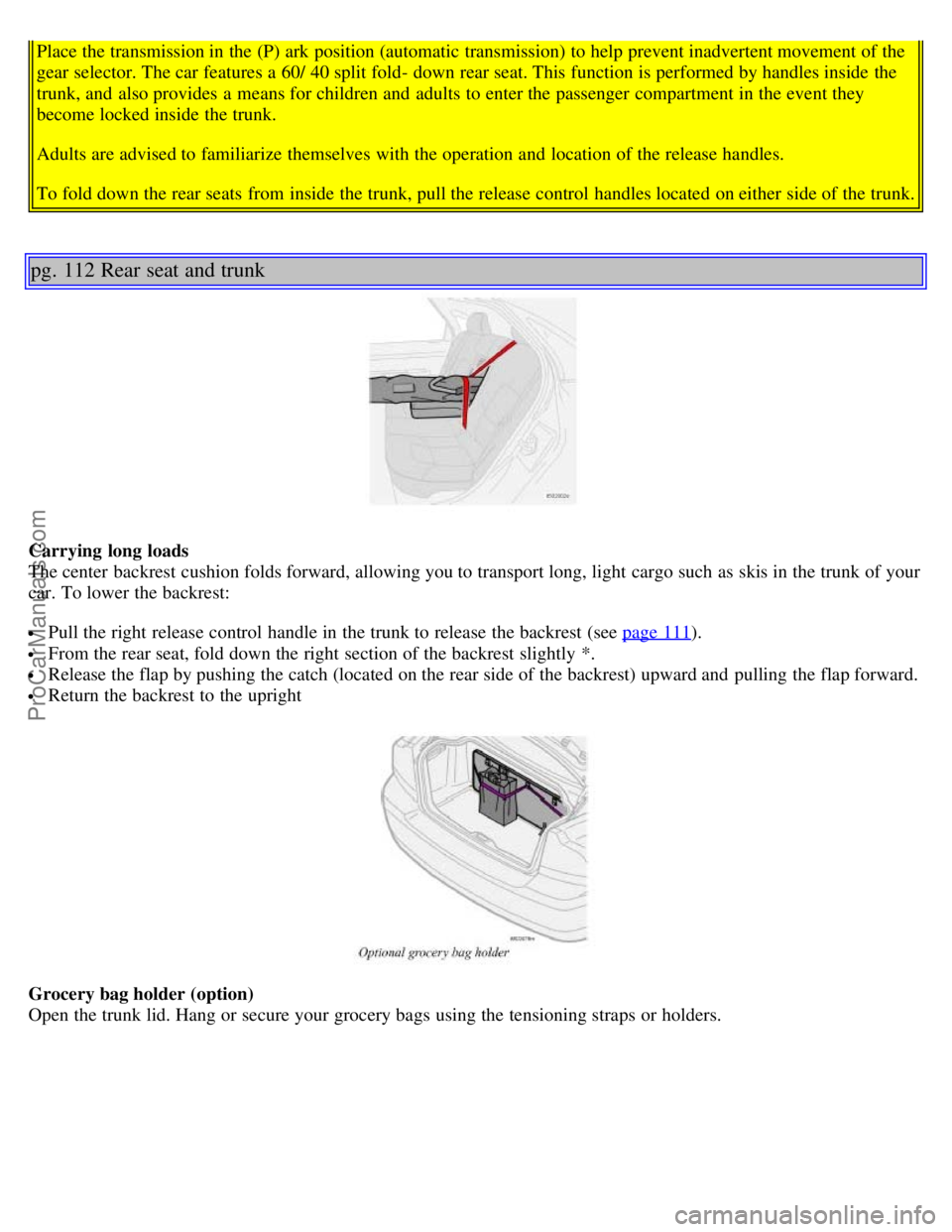
The center backrest cushion folds forward, allowing you to transport long, light cargo such as skis in the trunk of your
car. To lower the backrest:
Pull the right release control handle in the trunk to release the backrest (see page 111).
From the rear seat, fold down the right section of the backrest slightly *.
Release the flap by pushing the catch (located on the rear side of the backrest) upward and pulling the flap forward.
Return the backrest to the upright
Grocery bag holder (option)
Open the trunk lid. Hang or secure your grocery bags using the tensioning straps or holders.
ProCarManuals.com