Page 2333 of 2493
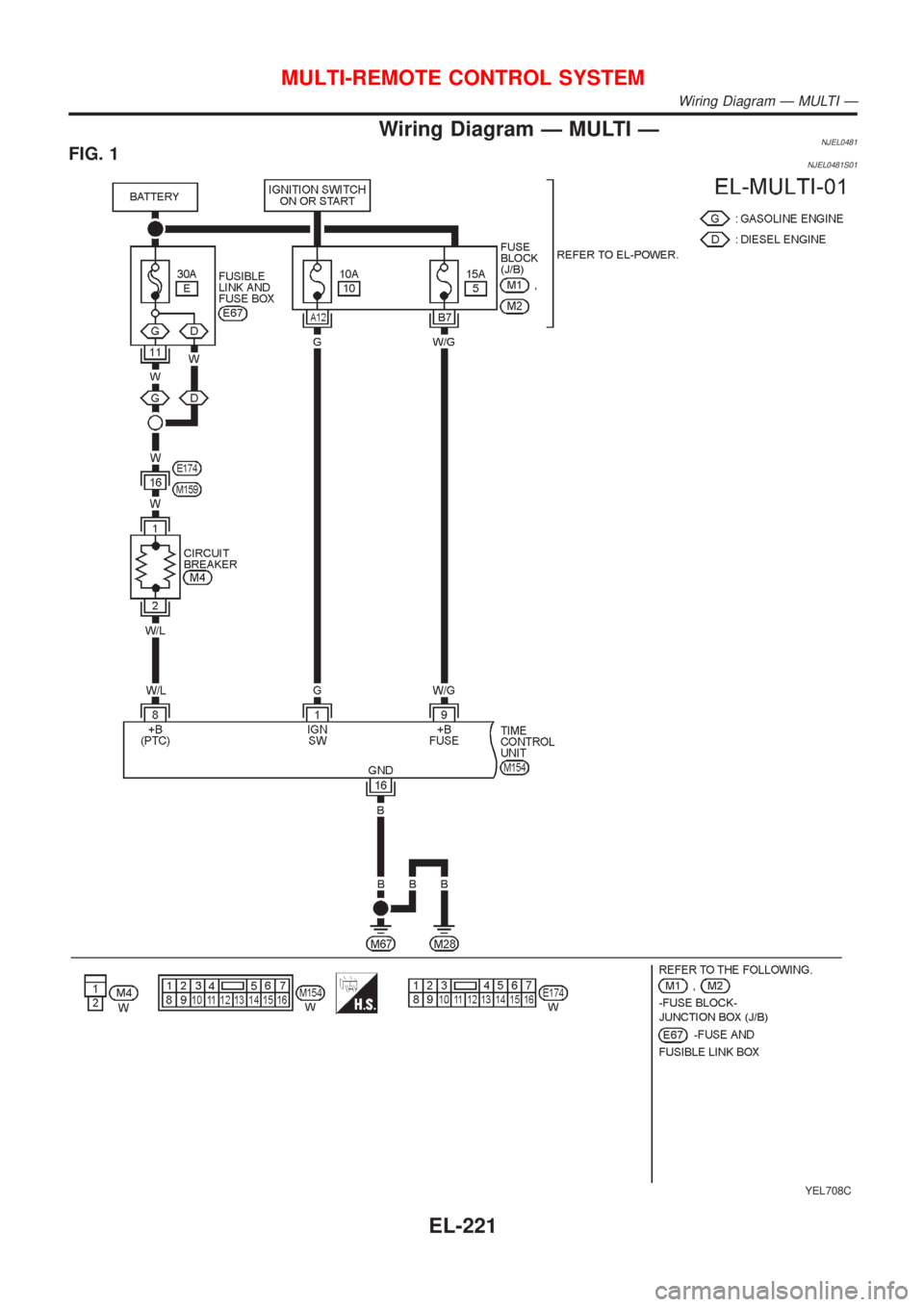
Wiring Diagram Ð MULTI ÐNJEL0481FIG. 1NJEL0481S01
YEL708C
MULTI-REMOTE CONTROL SYSTEM
Wiring Diagram Ð MULTI Ð
EL-221
Page 2334 of 2493
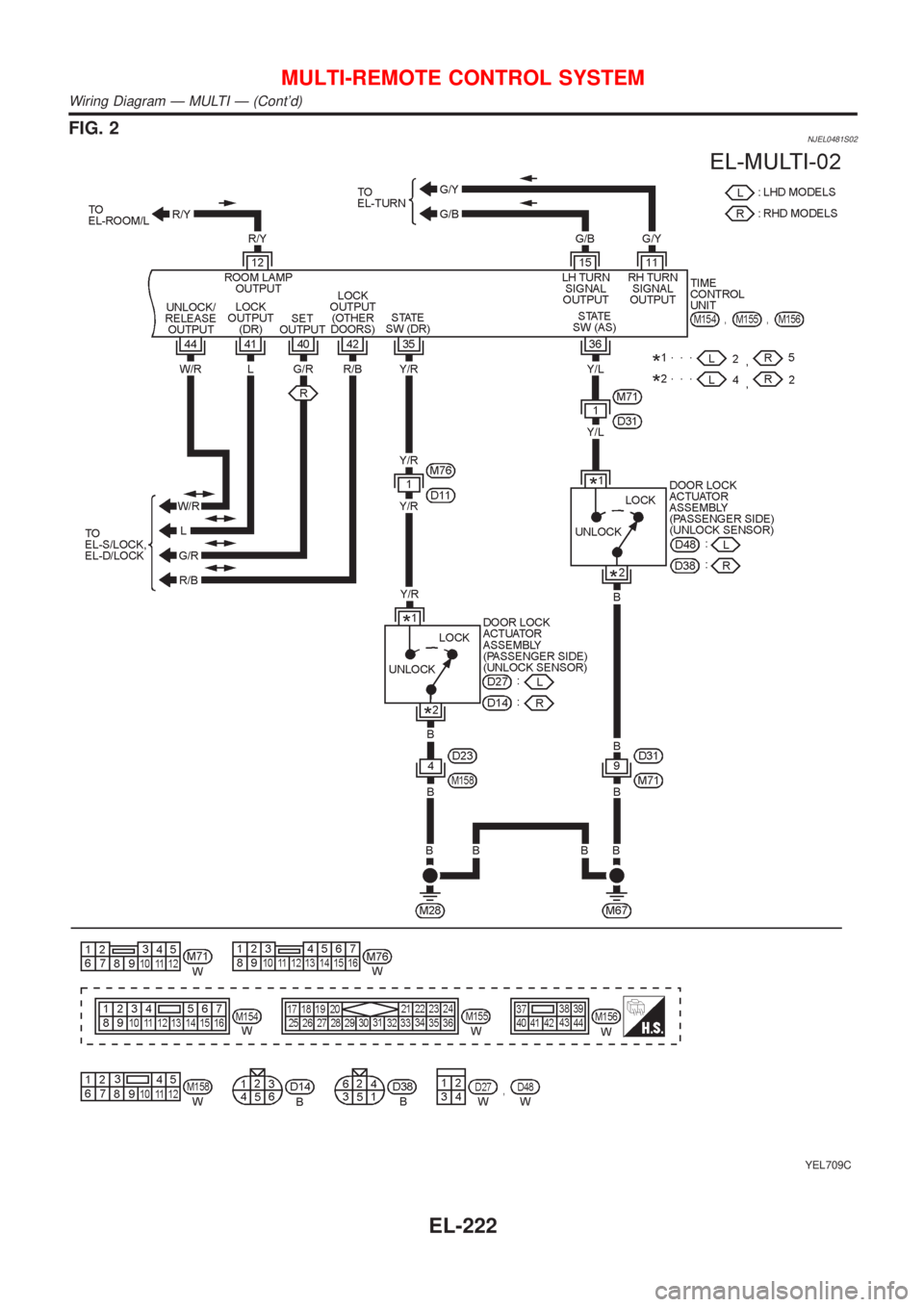
FIG. 2NJEL0481S02
YEL709C
MULTI-REMOTE CONTROL SYSTEM
Wiring Diagram Ð MULTI Ð (Cont'd)
EL-222
Page 2335 of 2493
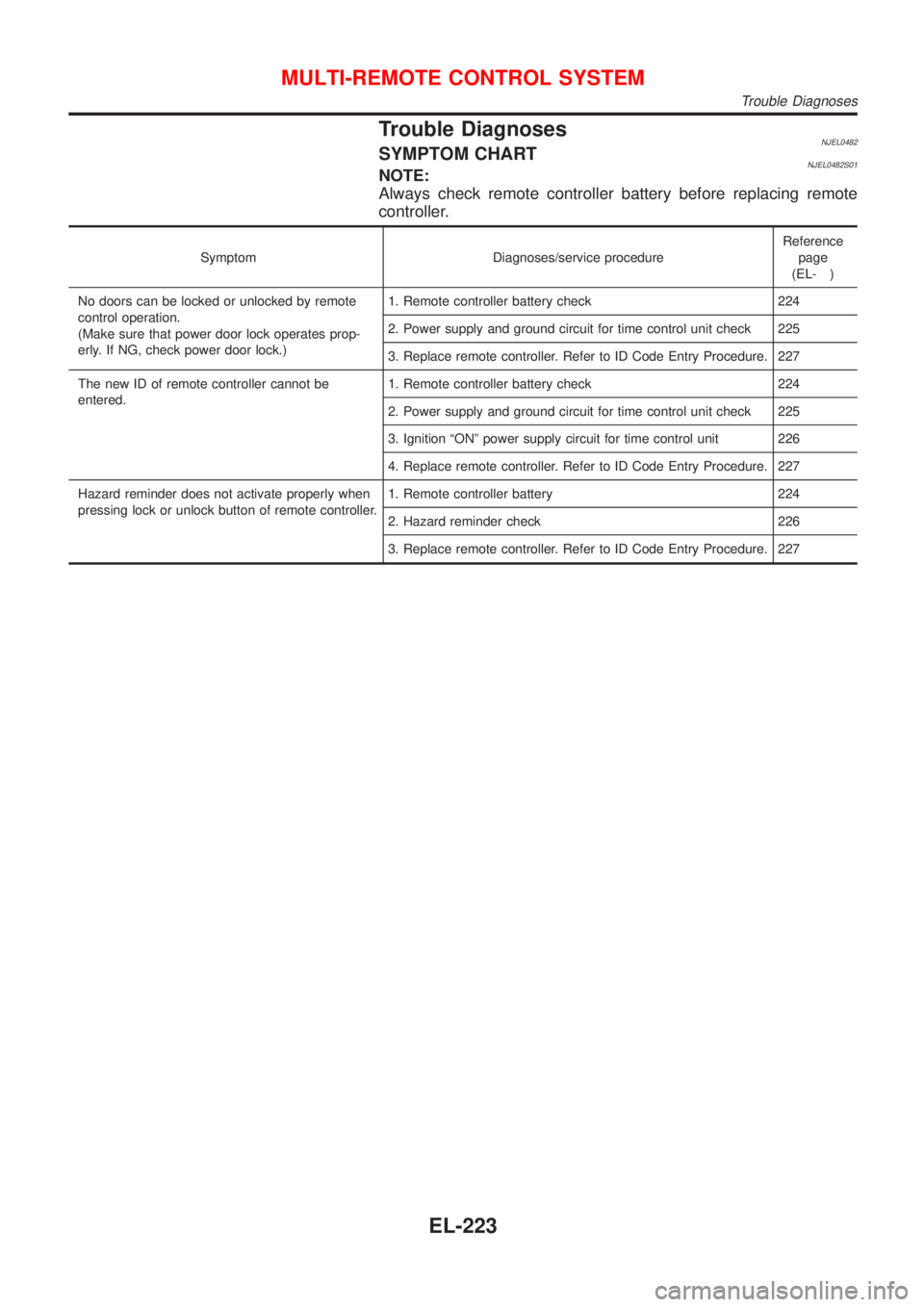
Trouble DiagnosesNJEL0482SYMPTOM CHARTNJEL0482S01NOTE:
Always check remote controller battery before replacing remote
controller.
Symptom Diagnoses/service procedureReference
page
(EL- )
No doors can be locked or unlocked by remote
control operation.
(Make sure that power door lock operates prop-
erly. If NG, check power door lock.)1. Remote controller battery check 224
2. Power supply and ground circuit for time control unit check 225
3. Replace remote controller. Refer to ID Code Entry Procedure. 227
The new ID of remote controller cannot be
entered.1. Remote controller battery check 224
2. Power supply and ground circuit for time control unit check 225
3. Ignition ªONº power supply circuit for time control unit 226
4. Replace remote controller. Refer to ID Code Entry Procedure. 227
Hazard reminder does not activate properly when
pressing lock or unlock button of remote controller.1. Remote controller battery 224
2. Hazard reminder check 226
3. Replace remote controller. Refer to ID Code Entry Procedure. 227
MULTI-REMOTE CONTROL SYSTEM
Trouble Diagnoses
EL-223
Page 2336 of 2493
REMOTE CONTROLLER BATTERY AND FUNCTION
CHECK
=NJEL0482S02
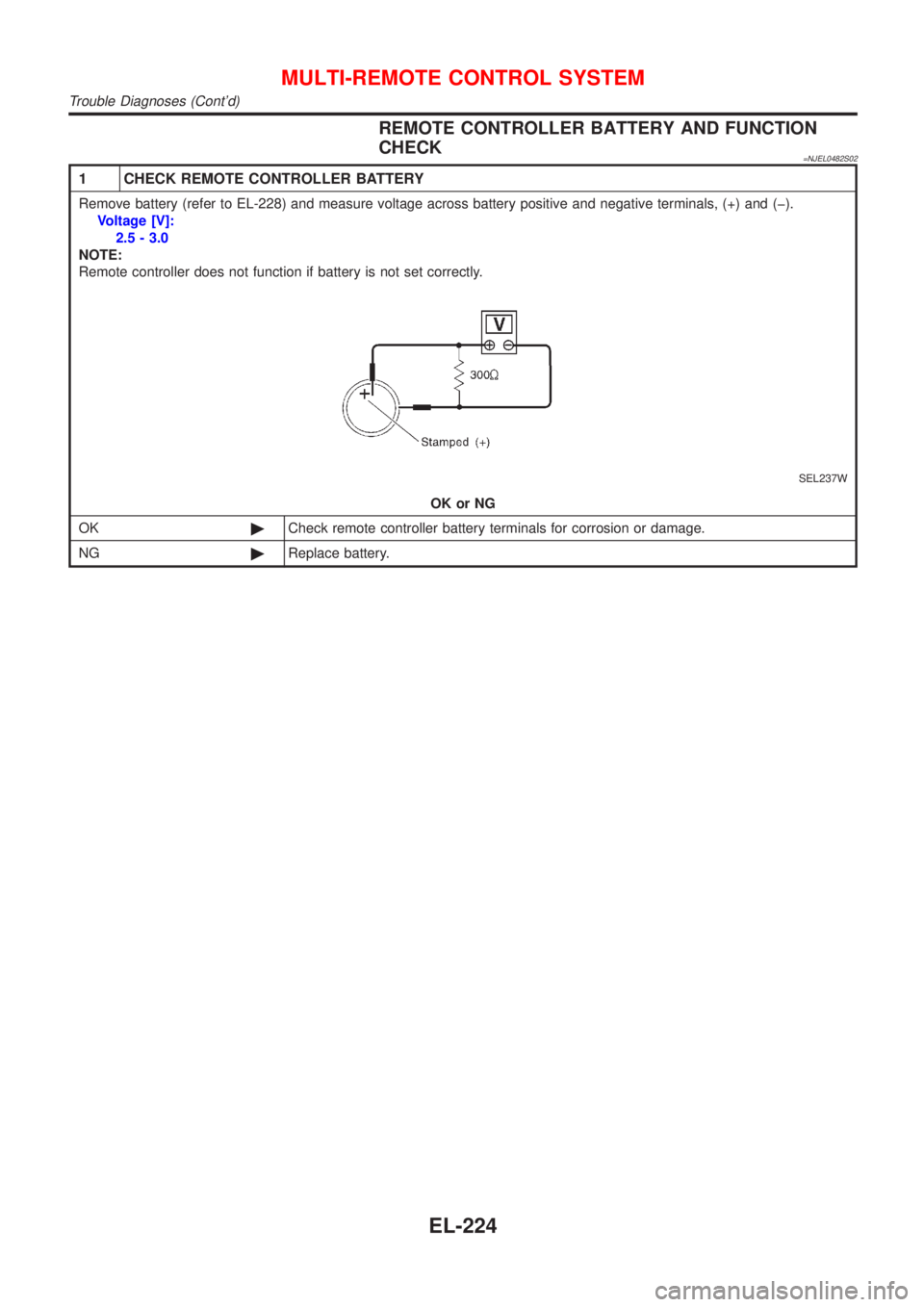
1 CHECK REMOTE CONTROLLER BATTERY
Remove battery (refer to EL-228) and measure voltage across battery positive and negative terminals, (+) and (þ).
Voltage [V]:
2.5 - 3.0
NOTE:
Remote controller does not function if battery is not set correctly.
SEL237W
OK or NG
OK©Check remote controller battery terminals for corrosion or damage.
NG©Replace battery.
MULTI-REMOTE CONTROL SYSTEM
Trouble Diagnoses (Cont'd)
EL-224
Page 2337 of 2493
POWER SUPPLY AND GROUND CIRCUIT CHECK=NJEL0482S03
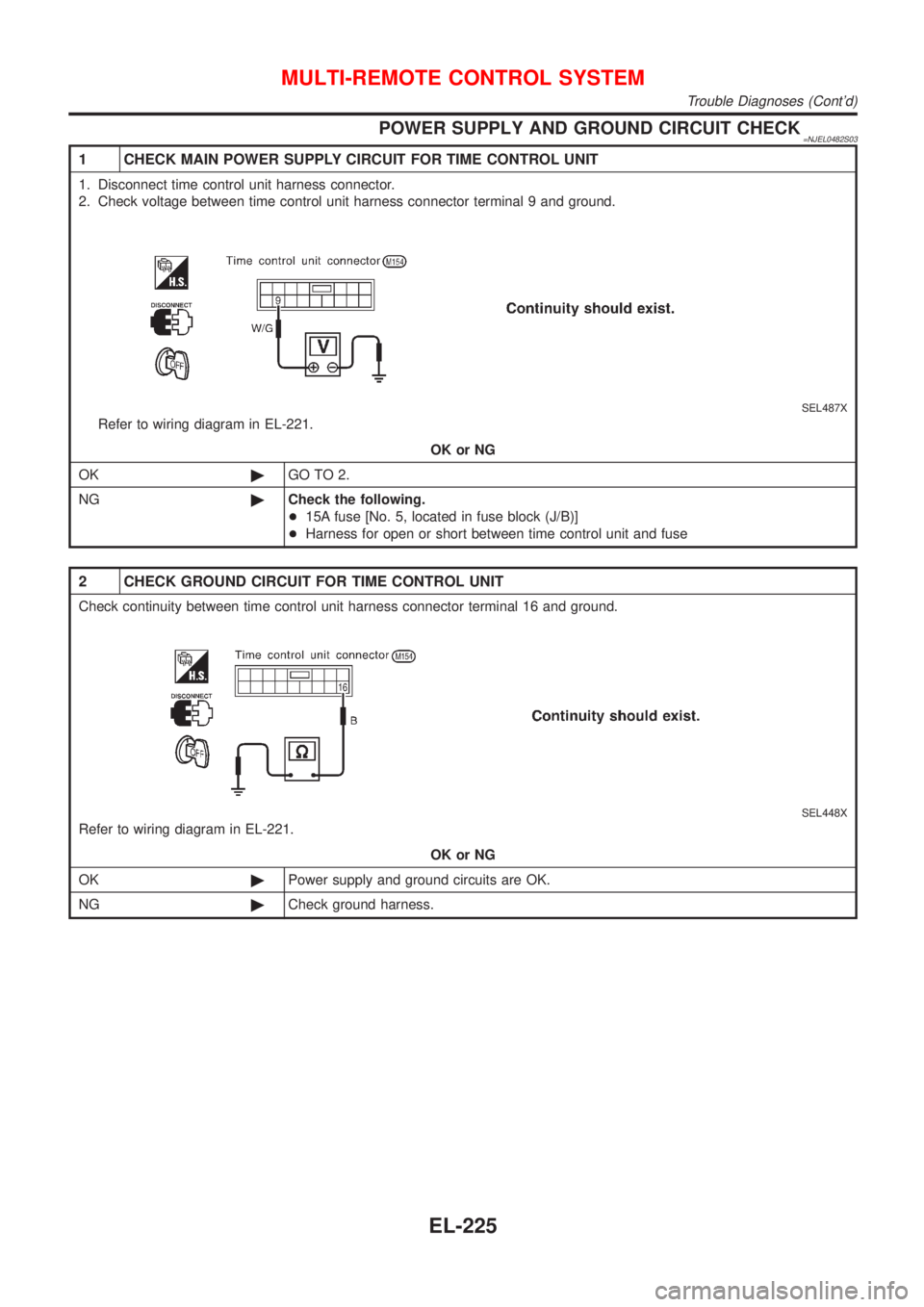
1 CHECK MAIN POWER SUPPLY CIRCUIT FOR TIME CONTROL UNIT
1. Disconnect time control unit harness connector.
2. Check voltage between time control unit harness connector terminal 9 and ground.
SEL487X
Refer to wiring diagram in EL-221.
OK or NG
OK©GO TO 2.
NG©Check the following.
+15A fuse [No. 5, located in fuse block (J/B)]
+Harness for open or short between time control unit and fuse
2 CHECK GROUND CIRCUIT FOR TIME CONTROL UNIT
Check continuity between time control unit harness connector terminal 16 and ground.
SEL448X
Refer to wiring diagram in EL-221.
OK or NG
OK©Power supply and ground circuits are OK.
NG©Check ground harness.
MULTI-REMOTE CONTROL SYSTEM
Trouble Diagnoses (Cont'd)
EL-225
Page 2338 of 2493
IGNITION ªONº POWER SUPPLY CIRCUIT FOR TIME
CONTROL UNIT
=NJEL0482S17
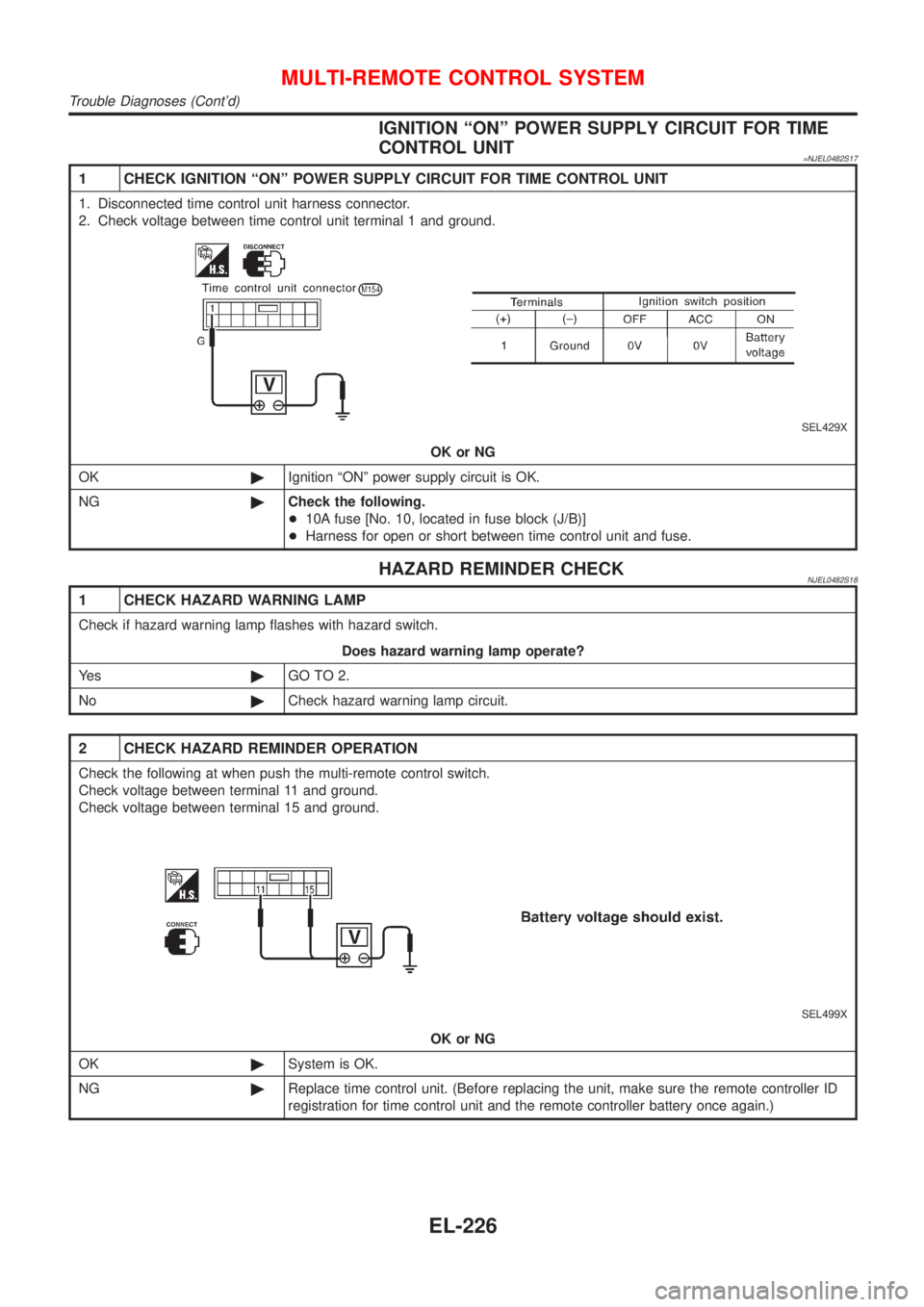
1 CHECK IGNITION ªONº POWER SUPPLY CIRCUIT FOR TIME CONTROL UNIT
1. Disconnected time control unit harness connector.
2. Check voltage between time control unit terminal 1 and ground.
SEL429X
OK or NG
OK©Ignition ªONº power supply circuit is OK.
NG©Check the following.
+10A fuse [No. 10, located in fuse block (J/B)]
+Harness for open or short between time control unit and fuse.
HAZARD REMINDER CHECKNJEL0482S18
1 CHECK HAZARD WARNING LAMP
Check if hazard warning lamp flashes with hazard switch.
Does hazard warning lamp operate?
Ye s©GO TO 2.
No©Check hazard warning lamp circuit.
2 CHECK HAZARD REMINDER OPERATION
Check the following at when push the multi-remote control switch.
Check voltage between terminal 11 and ground.
Check voltage between terminal 15 and ground.
SEL499X
OK or NG
OK©System is OK.
NG©Replace time control unit. (Before replacing the unit, make sure the remote controller ID
registration for time control unit and the remote controller battery once again.)
MULTI-REMOTE CONTROL SYSTEM
Trouble Diagnoses (Cont'd)
EL-226
Page 2339 of 2493
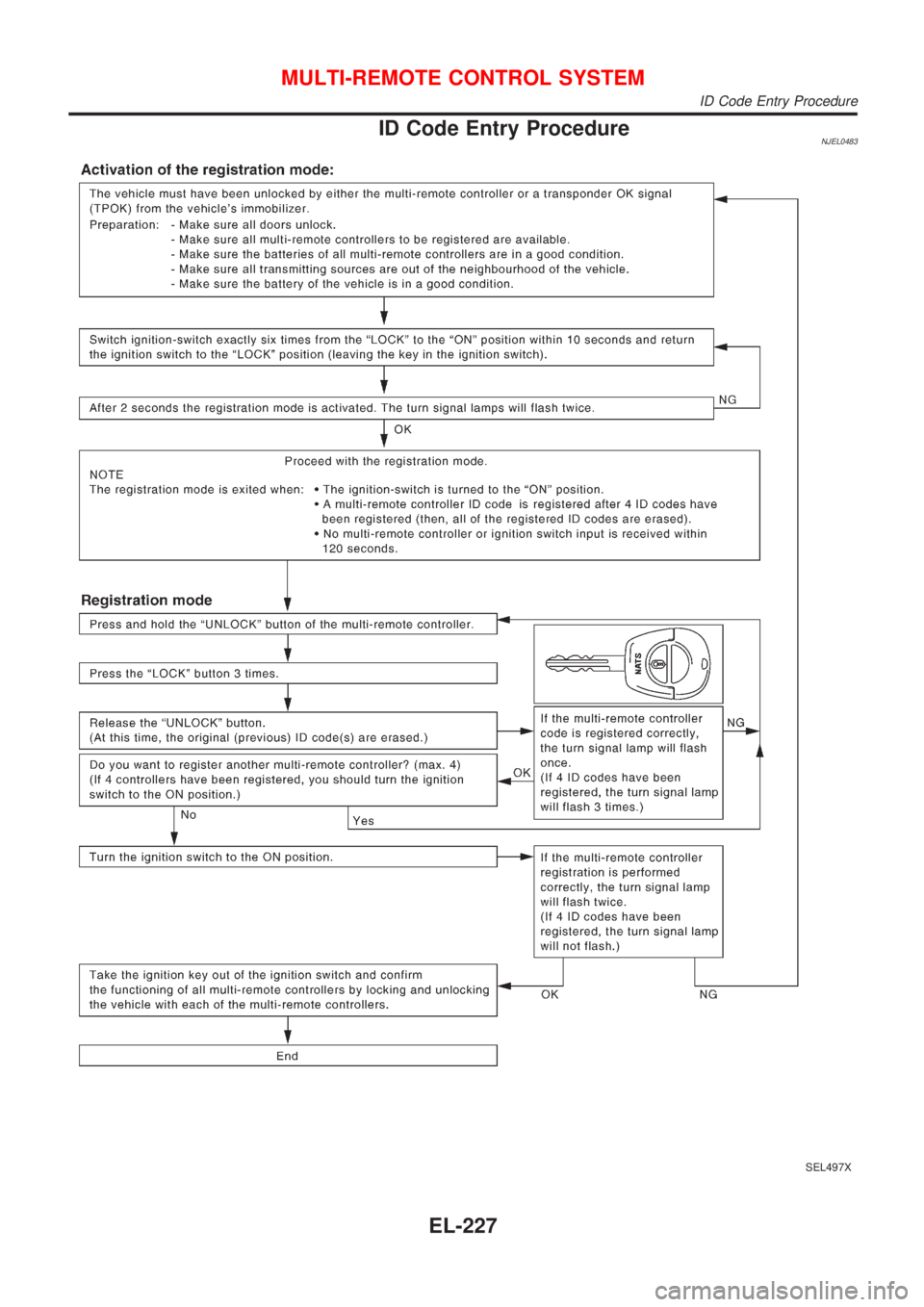
ID Code Entry ProcedureNJEL0483
SEL497X
MULTI-REMOTE CONTROL SYSTEM
ID Code Entry Procedure
EL-227
Page 2340 of 2493
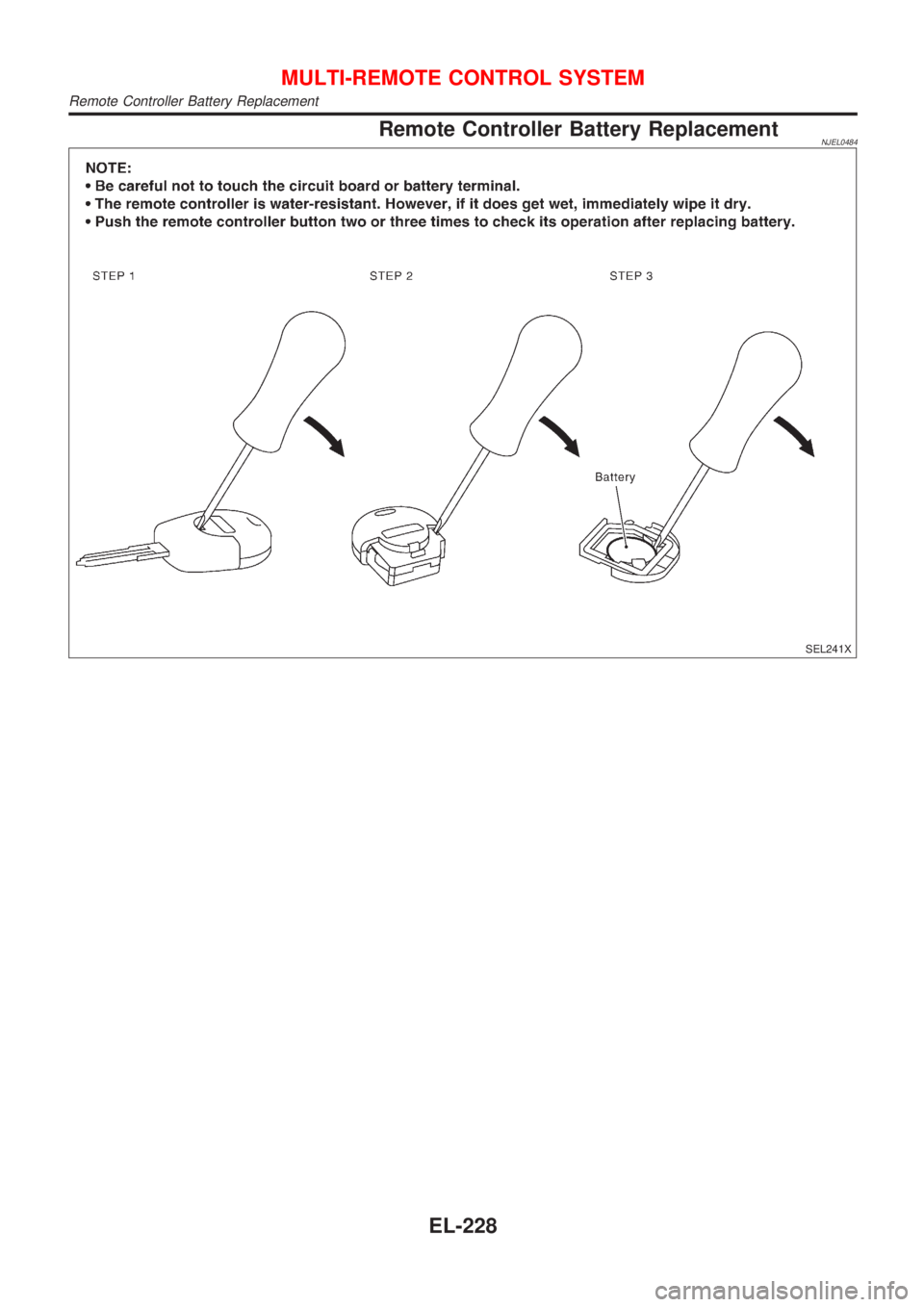
Remote Controller Battery ReplacementNJEL0484
SEL241X
MULTI-REMOTE CONTROL SYSTEM
Remote Controller Battery Replacement
EL-228