Page 190 of 371
3-11
Audio Systems
Your audio system has been designed to operate easily
and give years of listening pleasure. You will get the
most enjoyment out of it if you acquaint yourself with it
first. Find out what your audio system can do and how
to operate all its controls, to be sure you're getting the
most out of the advanced engineering that went into it.
Setting the Clock
Press and hold HR or MN until the time display begins
to change. Release the button as you get close to the
correct time. The time may be set anytime the clock is
displayed. There is a two
-second delay before the clock
goes into time
-set mode.
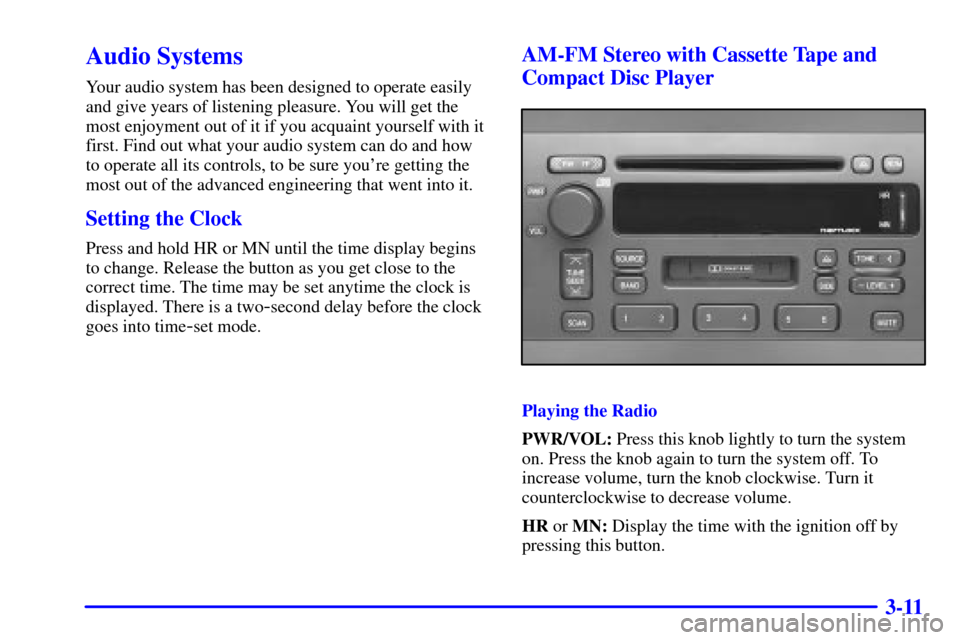
AM-FM Stereo with Cassette Tape and
Compact Disc Player
Playing the Radio
PWR/VOL: Press this knob lightly to turn the system
on. Press the knob again to turn the system off. To
increase volume, turn the knob clockwise. Turn it
counterclockwise to decrease volume.
HR or MN: Display the time with the ignition off by
pressing this button.
Page 195 of 371
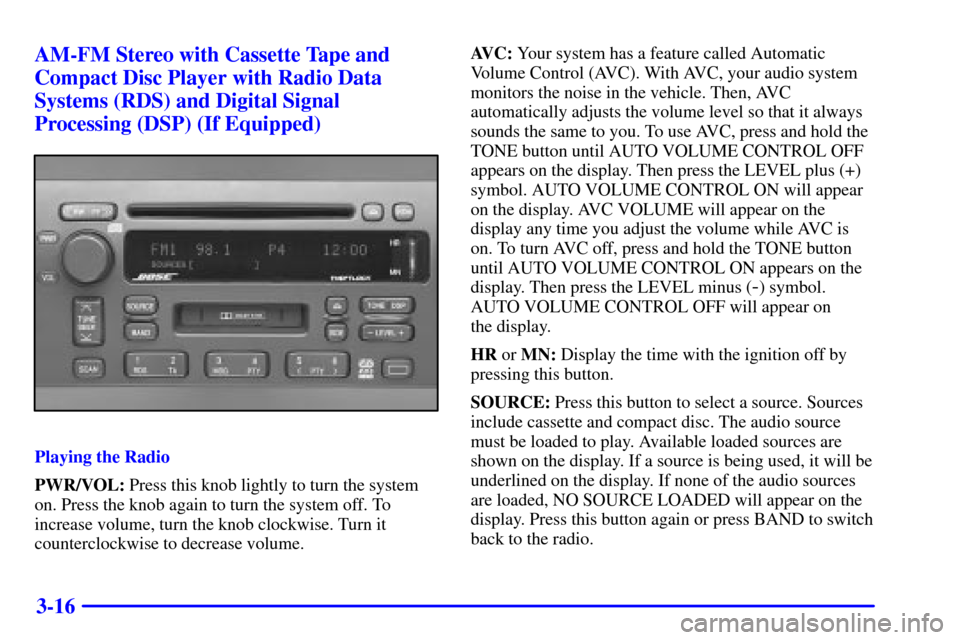
3-16 AM-FM Stereo with Cassette Tape and
Compact Disc Player with Radio Data
Systems (RDS) and Digital Signal
Processing (DSP) (If Equipped)
Playing the Radio
PWR/VOL: Press this knob lightly to turn the system
on. Press the knob again to turn the system off. To
increase volume, turn the knob clockwise. Turn it
counterclockwise to decrease volume.AVC: Your system has a feature called Automatic
Volume Control (AVC). With AVC, your audio system
monitors the noise in the vehicle. Then, AVC
automatically adjusts the volume level so that it always
sounds the same to you. To use AVC, press and hold the
TONE button until AUTO VOLUME CONTROL OFF
appears on the display. Then press the LEVEL plus (+)
symbol. AUTO VOLUME CONTROL ON will appear
on the display. AVC VOLUME will appear on the
display any time you adjust the volume while AVC is
on. To turn AVC off, press and hold the TONE button
until AUTO VOLUME CONTROL ON appears on the
display. Then press the LEVEL minus (
-) symbol.
AUTO VOLUME CONTROL OFF will appear on
the display.
HR or MN: Display the time with the ignition off by
pressing this button.
SOURCE: Press this button to select a source. Sources
include cassette and compact disc. The audio source
must be loaded to play. Available loaded sources are
shown on the display. If a source is being used, it will be
underlined on the display. If none of the audio sources
are loaded, NO SOURCE LOADED will appear on the
display. Press this button again or press BAND to switch
back to the radio.
Page 212 of 371
3-33
This interference is described as an increased level of
static while listening to the radio. If you notice static
while listening to the radio, unplug the cellular phone
and turn if off.
Weather Band
Weather band is restricted to speech and the audio
quality is not as good as with the AM or FM bands.
Depending on location, the radio should receive one or
two channels.
Tips About Your Audio System
Hearing damage from loud noise is almost undetectable
until it is too late. Your hearing can adapt to higher
volumes of sound. Sound that seems normal can be loud
and harmful to your hearing. Take precautions by
adjusting the volume control on your radio to a safe
sound level before your hearing adapts to it.
To help avoid hearing loss or damage:
�Adjust the volume control to the lowest setting.
�Increase volume slowly until you hear comfortably
and clearly.
NOTICE:
Before you add any sound equipment to your
vehicle
-- like a tape player, CB radio, mobile
telephone or two
-way radio -- be sure you can
add what you want. If you can, it's very
important to do it properly. Added sound
equipment may interfere with the operation of
your vehicle's engine, radio or other systems, and
even damage them. Your vehicle's systems may
also interfere with the operation of sound
equipment that has been added improperly.
So, before adding sound equipment, check with
your dealer and be sure to check Federal rules
covering mobile radio and telephone units.
Care of Your Cassette Tape Player
A tape player that is not cleaned regularly can cause
reduced sound quality, ruined cassettes or a damaged
mechanism. Cassette tapes should be stored in their
cases away from contaminants, direct sunlight and
extreme heat. If they aren't, they may not operate
properly or may cause failure of the tape player.
Page 214 of 371
3-35 Care of Your Compact Discs
Handle discs carefully. Store them in their original cases
or other protective cases and away from direct sunlight
and dust. If the surface of a disc is soiled, dampen a
clean, soft cloth in a mild, neutral detergent solution and
clean it, wiping from the center to the edge.
Be sure never to touch the side without writing when
handling discs. Pick up discs by grasping the outer edges
or the edge of the hole and the outer edge.
Care of Your Compact Disc Player
The use of CD lens cleaner discs is not advised, due to
the risk of contaminating the lens of the CD optics with
lubricants internal to the CD mechanism.
Diversity Antenna System
Your AM-FM antennas are located in the front
windshield and rear window. Be sure that the inside
surfaces of the front windshield and rear window are not
scratched and that the lines on the glass are not
damaged. If the inside surfaces are damaged, they could
interfere with radio reception.Do not apply aftermarket glass tinting. The metallic film
in some tinting materials will interfere with or distort the
incoming radio reception.
NOTICE:
Do not try to clear frost or other material from
the inside of the rear window with a razor blade
or anything else that is sharp. This may damage
the rear defogger grid and affect your radio's
ability to pick up stations clearly. The repairs
wouldn't be covered by your warranty.
If, when you turn on your rear window defogger, you
hear static on your radio station, it could mean that a
defogger grid line has been damaged. If this is true, the
grid line must be repaired.
If you choose to add an aftermarket cellular telephone to
your vehicle, and the antenna needs to be attached to the
glass, be sure that you do not damage the grid lines for
the AM
-FM antennas or place the cellular telephone
antenna over the grid lines.
Page 221 of 371

4-7
Avoid needless heavy braking. Some people drive
in spurts
-- heavy acceleration followed by heavy
braking
-- rather than keeping pace with traffic.
This is a mistake. Your brakes may not have time to
cool between hard stops. Your brakes will wear out
much faster if you do a lot of heavy braking. If you
keep pace with the traffic and allow realistic following
distances, you will eliminate a lot of unnecessary
braking. That means better braking and longer
brake life.
If your engine ever stops while you're driving, brake
normally but don't pump your brakes. If you do, the
pedal may get harder to push down. If your engine
stops, you will still have some power brake assist.
But you will use it when you brake. Once the power
assist is used up, it may take longer to stop and the
brake pedal will be harder to push.
Anti-Lock Brakes (ABS)
Your vehicle has anti-lock brakes (ABS).
ABS is an advanced electronic braking system
that will help prevent a braking skid.
When you start your engine and begin to drive away,
your anti
-lock brake system will check itself. You may
hear a momentary motor or clicking noise while this test
is going on, and you may even notice that your brake
pedal moves a little. This is normal.
If there's a problem with
the anti
-lock brake system,
this warning light will stay
on. See ªAnti
-Lock Brake
System Warning Lightº in
the Index.
Page 224 of 371
4-10
United States Canada
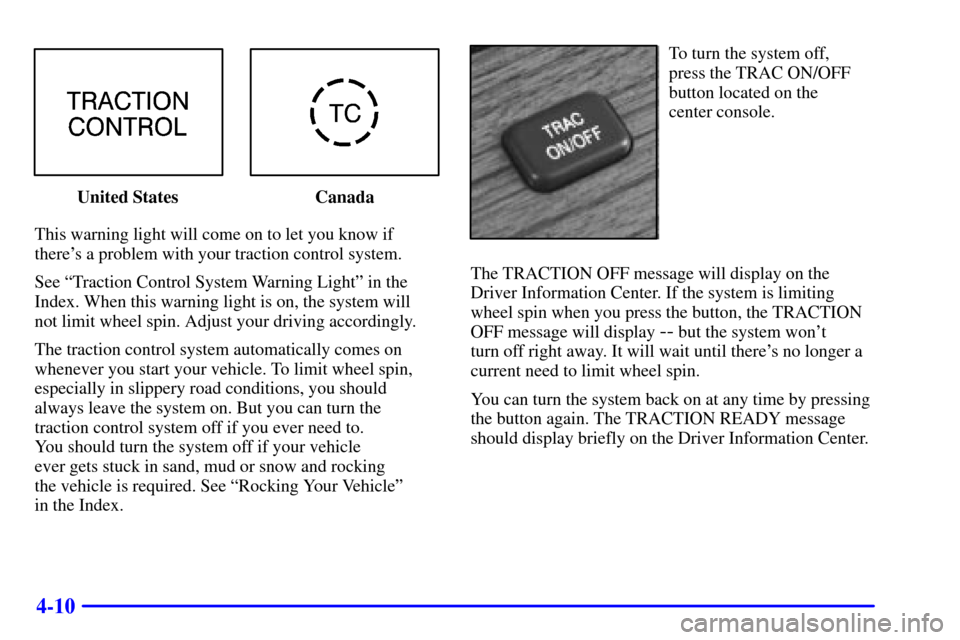
This warning light will come on to let you know if
there's a problem with your traction control system.
See ªTraction Control System Warning Lightº in the
Index. When this warning light is on, the system will
not limit wheel spin. Adjust your driving accordingly.
The traction control system automatically comes on
whenever you start your vehicle. To limit wheel spin,
especially in slippery road conditions, you should
always leave the system on. But you can turn the
traction control system off if you ever need to.
You should turn the system off if your vehicle
ever gets stuck in sand, mud or snow and rocking
the vehicle is required. See ªRocking Your Vehicleº
in the Index.
To turn the system off,
press the TRAC ON/OFF
button located on the
center console.
The TRACTION OFF message will display on the
Driver Information Center. If the system is limiting
wheel spin when you press the button, the TRACTION
OFF message will display
-- but the system won't
turn off right away. It will wait until there's no longer a
current need to limit wheel spin.
You can turn the system back on at any time by pressing
the button again. The TRACTION READY message
should display briefly on the Driver Information Center.
Page 227 of 371

4-13
An emergency like this requires close attention and a
quick decision. If you are holding the steering wheel at
the recommended 9 and 3 o'clock positions, you can
turn it a full 180 degrees very quickly without removing
either hand. But you have to act fast, steer quickly,
and just as quickly straighten the wheel once you have
avoided the object.
The fact that such emergency situations are always
possible is a good reason to practice defensive driving
at all times and wear safety belts properly.
Off-Road Recovery
You may find that your right wheels have dropped off the
edge of a road onto the shoulder while you're driving.
If the level of the shoulder is only slightly below the
pavement, recovery should be fairly easy. Ease off the
accelerator and then, if there is nothing in the way, steer
so that your vehicle straddles the edge of the pavement.
You can turn the steering wheel up to one
-quarter turn
until the right front tire contacts the pavement edge.
Then turn your steering wheel to go straight down
the roadway.
Page 231 of 371

4-17
Driving at Night
Night driving is more dangerous than day driving. One
reason is that some drivers are likely to be impaired
-- by
alcohol or drugs, with night vision problems, or by fatigue.Here are some tips on night driving.
�Drive defensively.
�Don't drink and drive.
�Since you can't see as well, you may need to
slow down and keep more space between you
and other vehicles.
�Slow down, especially on higher speed roads. Your
headlamps can light up only so much road ahead.
�In remote areas, watch for animals.
�If you're tired, pull off the road in a safe place
and rest.
No one can see as well at night as in the daytime. But as
we get older these differences increase. A 50
-year-old
driver may require at least twice as much light to see the
same thing at night as a 20
-year-old.
What you do in the daytime can also affect your night
vision. For example, if you spend the day in bright
sunshine you are wise to wear sunglasses. Your eyes
will have less trouble adjusting to night. But if you're
driving, don't wear sunglasses at night. They may cut
down on glare from headlamps, but they also make
a lot of things invisible.