AUDIO SYSTEM
4-5
4
Making mode settingsGeneral procedure
The following setting procedure applies
to the audio system and optional CD
changer.
1. Push the “AUDIO” button for less
than 1 second.
2. Repeatedly push the “SELECT”
button for less than 1 second until
the desired mode appears in the
display. With each press of the
button, the mode changes in the
following sequence.3. While the selected mode is dis-
played (for about 5 seconds), re-
peatedly push either side of the
up/down switch for less than
1 second until the desired setting
is displayed.
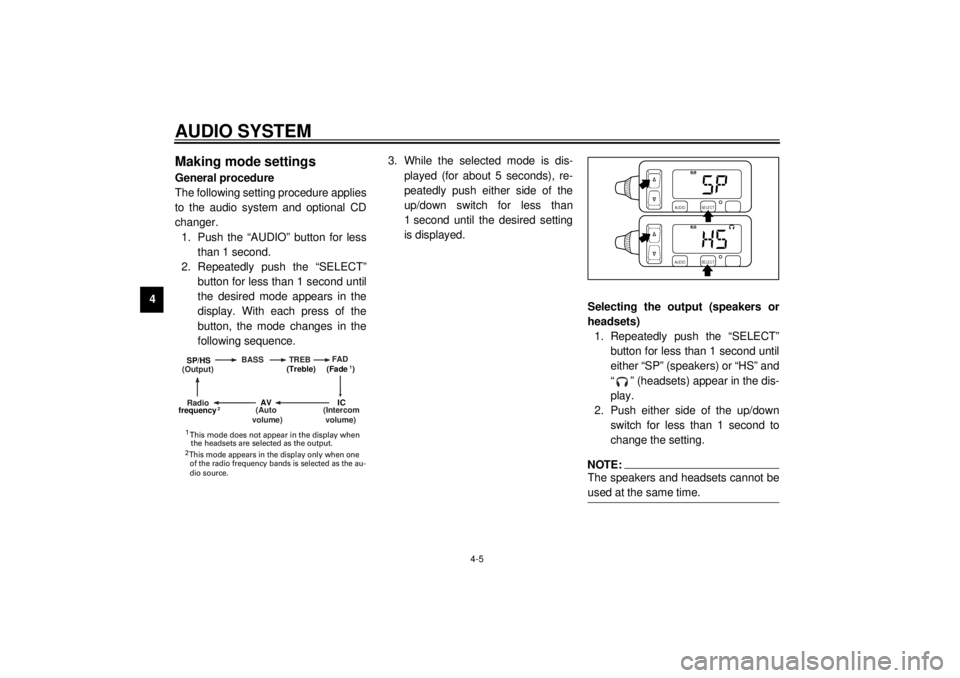
Selecting the output (speakers or
headsets)
1. Repeatedly push the “SELECT”
button for less than 1 second until
either “SP” (speakers) or “HS” and
“ ” (headsets) appear in the dis-
play.
2. Push either side of the up/down
switch for less than 1 second to
change the setting.
NOTE:@ The speakers and headsets cannot be
used at the same time. @
(Output)BASS TREBFAD
(Auto
volume)
(Intercom
volume)
Radio SP/HS
(Treble)
frequency(Fade )
1
2
IC
AV
1
2 This mode does not appear in the display when
the headsets are selected as the output. This mode appears in the display only when one
of the radio frequency bands is selected as the au-
dio source.
E_5jc_Audio.fm Page 5 Saturday, October 16, 1999 1:09 PM