Page 215 of 352
The Brakin g Syste m
Important Safety Reminders
ABS doe s no t reduc e th e tim e o r
distanc e i t take s t o sto p th e
vehicle , it only helps with steering
control during braking. You should always maintain a safe following
distance from other vehicles.
AB S wil l no t preven t a ski d tha t
result s fro m changin g directio n
abruptly , such as trying to take a
corner too fast or making a sudden
lane change. Always drive at a safe,
prudent speed for the road and
weather conditions.
AB S canno t preven t a los s o f
stability . Always steer moderately
when you are braking hard. Severe or sharp steering wheel movement
can still cause your vehicle to veer
into oncoming traffic or off the road. A
vehicl e wit h AB S ma y requir e a
longe r distanc e t o sto p on loose or
uneven surfaces, such as gravel or snow, than a vehicle without anti-
lock. Slow down and allow a greater distance between vehicles under
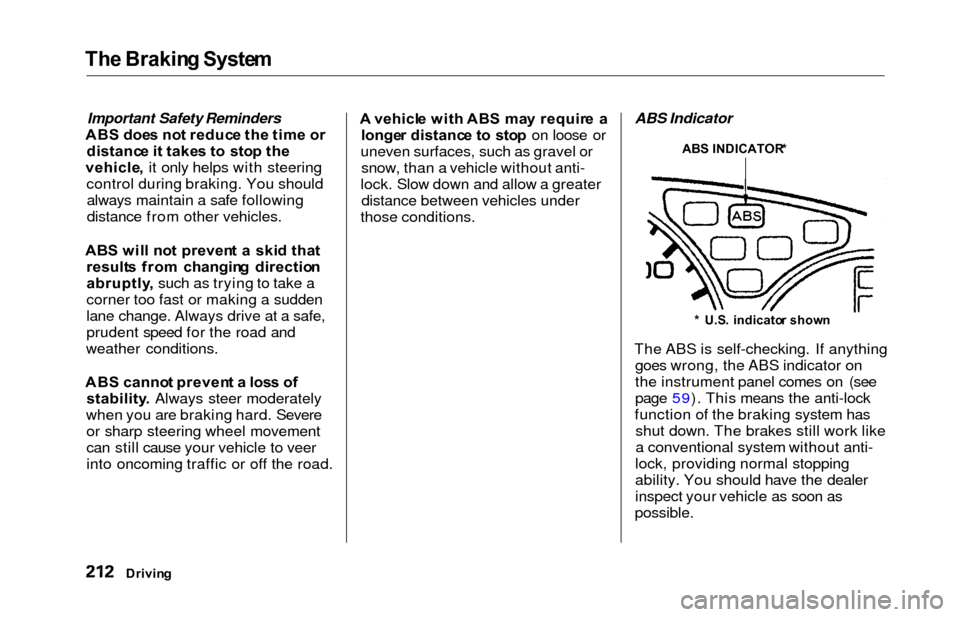
those conditions. ABS Indicator
The ABS is self-checking. If anything goes wrong, the ABS indicator on
the instrument panel comes on (see
page 59). This means the anti-lock
function of the braking system has shut down. The brakes still work like
a conventional system without anti-
lock, providing normal stopping
ability. You should have the dealer
inspect your vehicle as soon as
possible.
Drivin g
ABS INDICATOR *
* U.S . indicato r show n
Page 216 of 352
The Brakin g System , Tractio n Contro l Syste m
If the ABS indicator and the brake
system indicator come on together,
and the parking brake is fully
released, the front-to-rear braking
distribution system may also shut
down.
Test your brakes as instructed on page 310. If the brakes feel normal,drive slowly and have your vehicle
repaired by your dealer as soon as
possible. Avoid sudden hard braking
which could cause the rear wheels to lock up and possibly lead to a loss of
control.
On EX model
The TCS indicator will come on
along with the ABS indicator. Tractio
n Contro l Syste m
On EX model
Your Honda is equipped with a
Traction Control System (TCS) to assist you in maintaining traction
while driving slowly on loose or
slippery surfaces. The TCS assists
only in low-speed, low-traction
conditions; up to approximately 18
mph (30km/h).
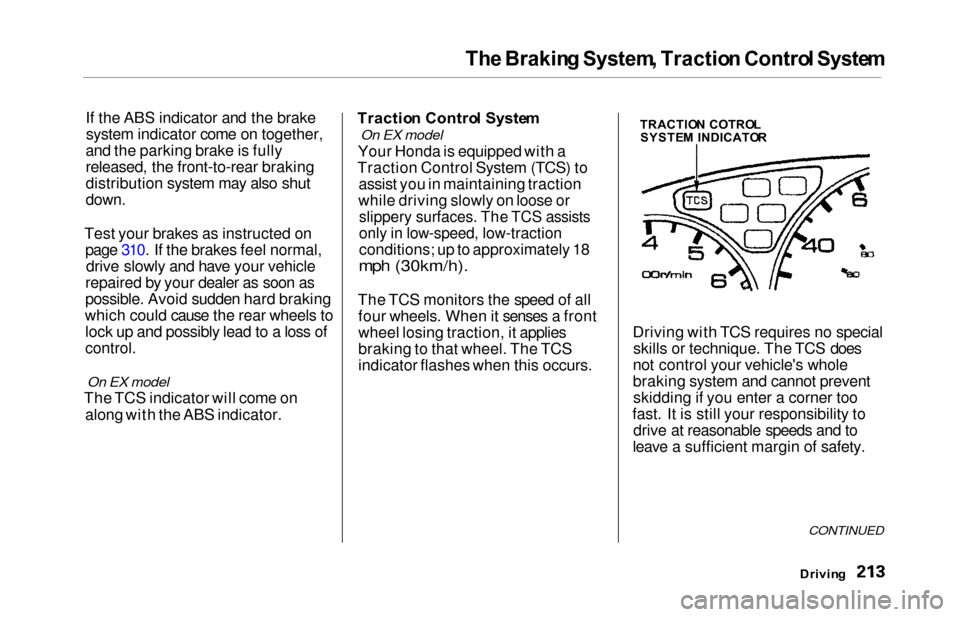
The TCS monitors the speed of all four wheels. When it senses a front
wheel losing traction, it applies
braking to that wheel. The TCS
indicator flashes when this occurs. Driving with TCS requires no special
skills or technique. The TCS does
not control your vehicle's whole
braking system and cannot prevent skidding if you enter a corner too
fast. It is still your responsibility to drive at reasonable speeds and to
leave a sufficient margin of safety.
Drivin g
CONTINUED
TRACTIO N COTRO L
SYSTE M INDICATO R
Page 218 of 352
Traction Contro l Syste m
The Traction Control System turns
on every time you start the engine,
even if you turned it off the last time
you drove the vehicle.TCS Indicator
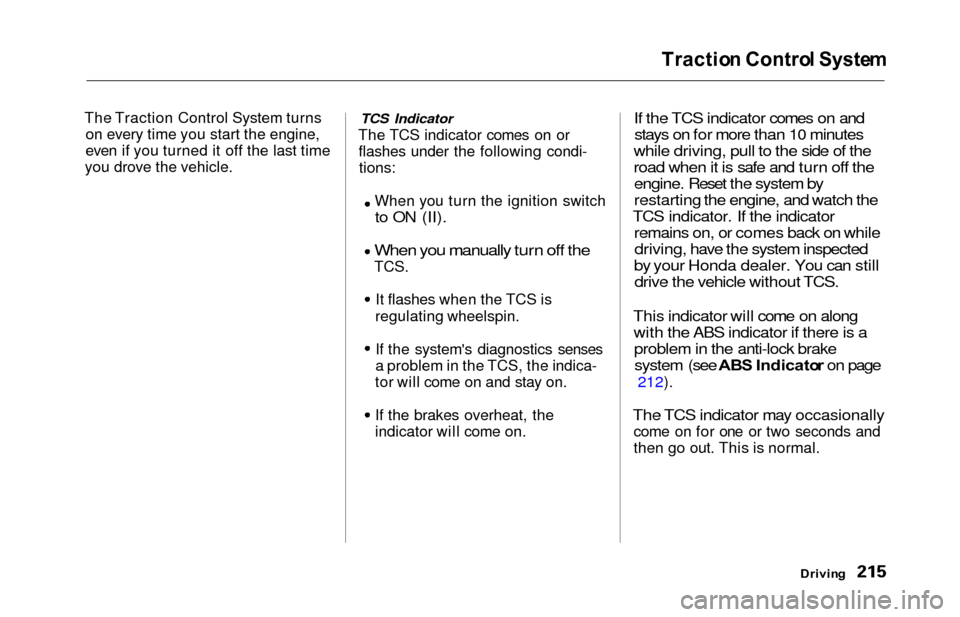
The TCS indicator comes on or flashes under the following condi-tions:
When you turn the ignition switch
to ON (II).
When you manually turn off the
TCS.
It flashes when the TCS is
regulating wheelspin.
If the system's diagnostics senses
a problem in the TCS, the indica-
tor will come on and stay on.
If the brakes overheat, the
indicator will come on.
If the TCS indicator comes on and stays on for more than 10 minutes
while driving, pull to the side of the
road when it is safe and turn off the engine. Reset the system by
restarting the engine, and watch the
TCS indicator. If the indicator remains on, or comes back on whiledriving, have the system inspected
by your Honda dealer. You can still drive the vehicle without TCS.
This indicator will come on along with the ABS indicator if there is aproblem in the anti-lock brakesystem (see ABS Indicato r on page
212).
The TCS indicator may occasionally
come on for one or two seconds and
then go out. This is normal.
Drivin g
Page 220 of 352
Driving in Ba d Weathe r
Traction — Check your tires
frequently for wear and proper
pressure. Both are important in
preventing "hydroplaning" (loss of
traction on a wet surface). In the
winter, mount snow tires on all four wheels for the best handling.
Watch road conditions carefully, they can change from moment to
moment. Wet leaves can be as slip-
pery as ice. "Clear" roads can have
patches of ice. Driving conditions
can be very hazardous when the
outside temperature is near freezing.
The road surface can become covered with areas of water puddles
mixed with areas of ice, so your
traction can change without warning.
Be careful when downshifting. If
traction is low, you can lock up the drive wheels for a moment and cause
a skid.
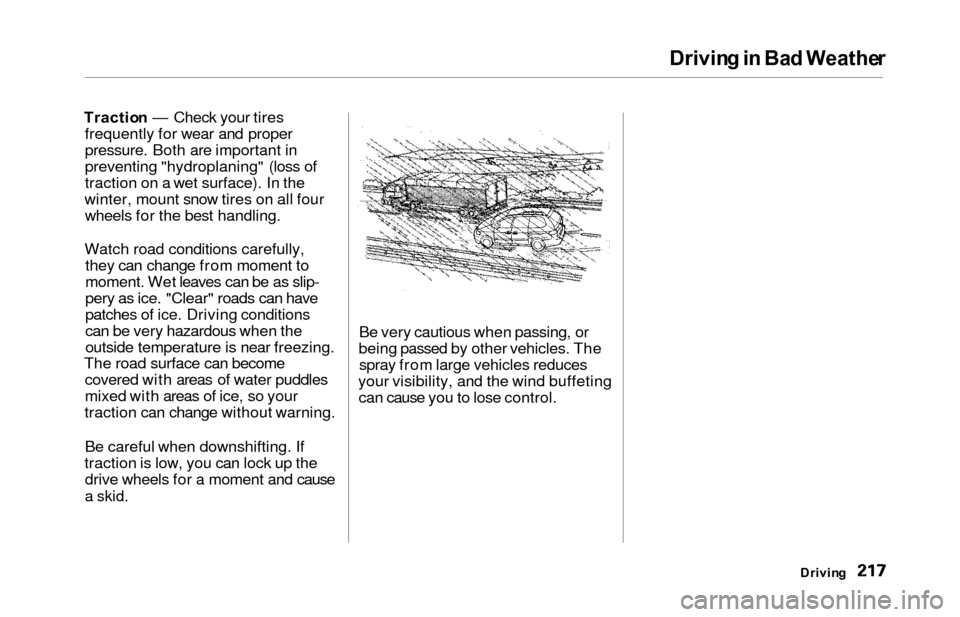
Be very cautious when passing, or
being passed by other vehicles. The spray from large vehicles reduces
your visibility, and the wind buffeting can cause you to lose control.
Drivin g
Page 247 of 352
Cooling Syste m
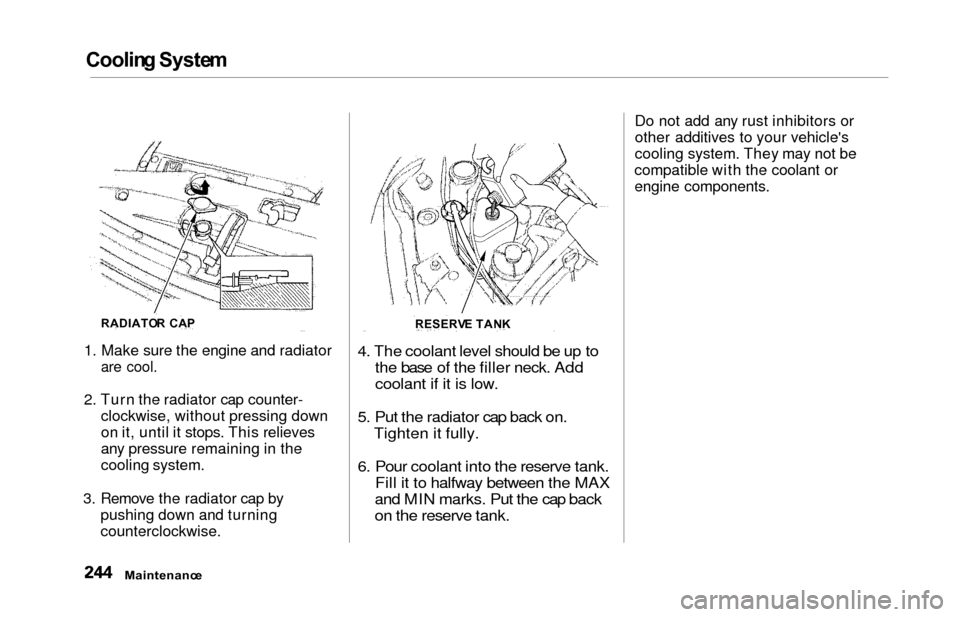
1. Make sure the engine and radiator
are cool.
2. Turn the radiator cap counter-
clockwise, without pressing down
on it, until it stops. This relieves
any pressure remaining in the
cooling system.
3. Remove the radiator cap by pushing down and turning
counterclockwise.
4. The coolant level should be up tothe base of the filler neck. Add
coolant if it is low.
5. Put the radiator cap back on. Tighten it fully.
6. Pour coolant into the reserve tank. Fill it to halfway between the MAX
and MIN marks. Put the cap back
on the reserve tank.
Do not add any rust inhibitors or
other additives to your vehicle's
cooling system. They may not be
compatible with the coolant or
engine components.
Maintenanc e
RADIATOR CA P
RESERVE TAN K
Page 248 of 352
Cooling Syste m
Replacin g Engin e Coolan t
The cooling system should be completely drained and refilled with
new coolant according to the time
and distance recommendations in
the maintenance schedule. Only use Genuine Honda Antifreeze/Coolant.
Draining the coolant requires access
to the underside of the vehicle. Unless you have the tools and
knowledge, you should have this maintenance done by a skilled
mechanic.
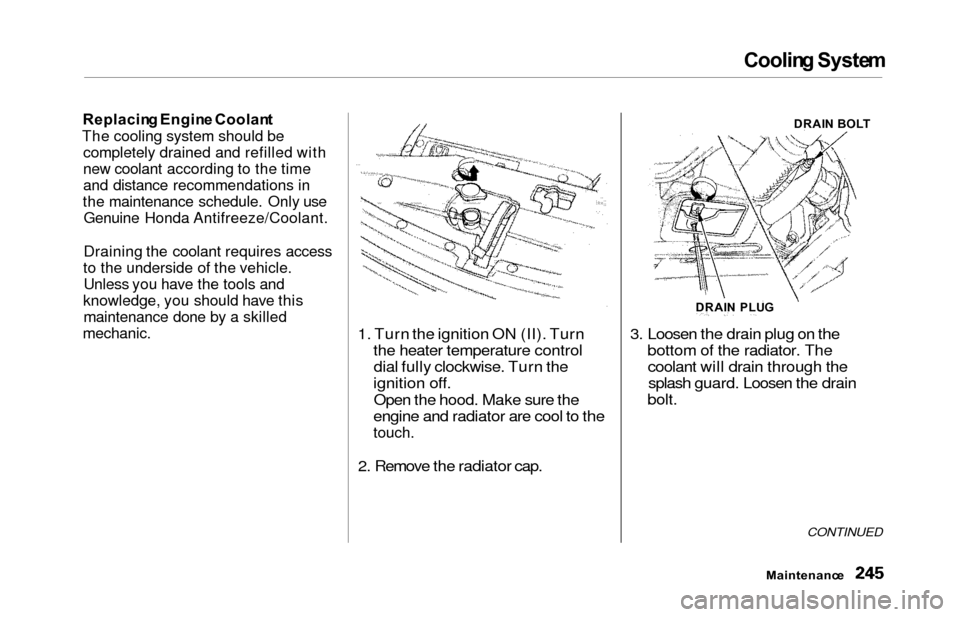
1. Turn the ignition ON (II). Turn the heater temperature controldial fully clockwise. Turn the
ignition off.
Open the hood. Make sure the
engine and radiator are cool to the
touch.
2. Remove the radiator cap. 3. Loosen the drain plug on the
bottom of the radiator. Thecoolant will drain through thesplash guard. Loosen the drain
bolt.
CONTINUED
Maintenanc e
DRAIN PLU G DRAI
N BOL T
Page 249 of 352
Cooling Syste m
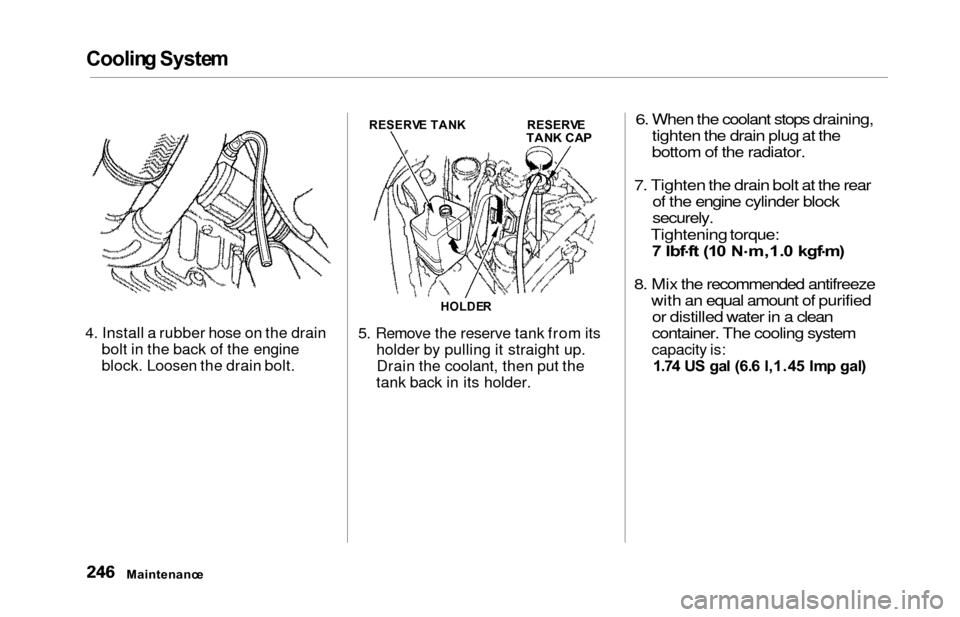
4. Install a rubber hose on the drain
bolt in the back of the engine
block. Loosen the drain bolt. 5. Remove the reserve tank from its
holder by pulling it straight up.Drain the coolant, then put the
tank back in its holder.
6. When the coolant stops draining, tighten the drain plug at the
bottom of the radiator.
7. Tighten the drain bolt at the rear of the engine cylinder block
securely.
Tightening torque:
7 lbf .
f t (1 0 N .
m,1. 0 kgf .
m )
8. Mix the recommended antifreeze
with an equal amount of purifiedor distilled water in a clean
container. The cooling system
capacity is:
1.7 4 U S ga l (6. 6 l,1.4 5 Im p gal )
Maintenanc e
RESERVE TAN KRESERV ETANK CA P
HOLDE R
Page 254 of 352
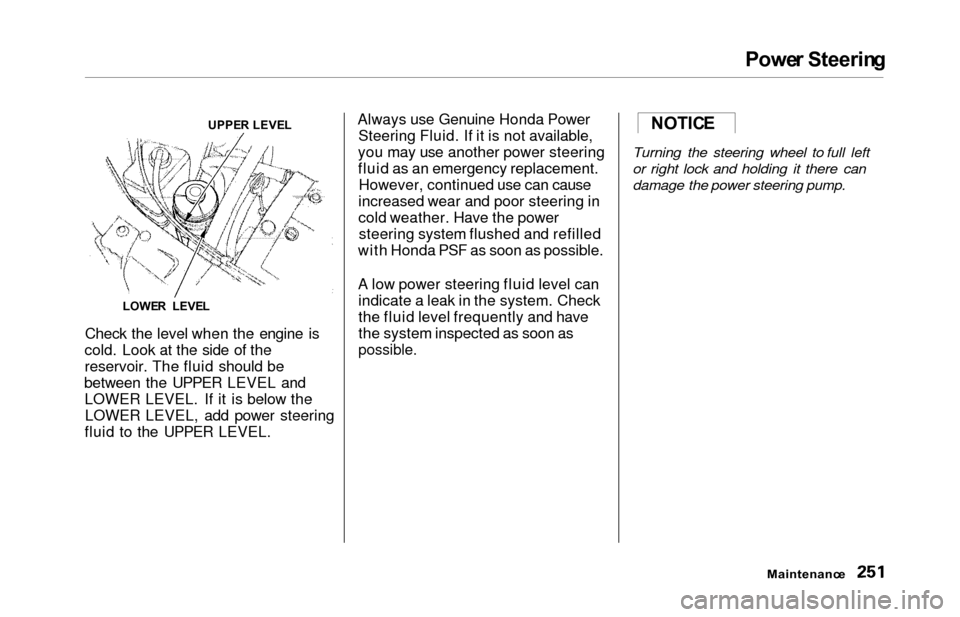
Power Steerin g
Check the level when the engine is
cold. Look at the side of the
reservoir. The fluid should be
between the UPPER LEVEL and LOWER LEVEL. If it is below theLOWER LEVEL, add power steering
fluid to the UPPER LEVEL. Always use Genuine Honda Power
Steering Fluid. If it is not available,
you may use another power steering
fluid as an emergency replacement. However, continued use can cause
increased wear and poor steering in
cold weather. Have the power steering system flushed and refilled
with Honda PSF as soon as possible.
A low power steering fluid level can indicate a leak in the system. Check
the fluid level frequently and have
the system inspected as soon as
possible.
Turning the steering wheel to full left
or right lock and holding it there can
damage the power steering pump.
Maintenanc e
UPPER LEVE L
LOWE R LEVE LNOTICE