Page 136 of 352
Heating an d Coolin g
How to Us e th e Syste m
This section covers how to set up the
system controls for ventilation,
heating, cooling, dehumidifying, and
defrosting.
The engine must be running for the heater and air conditioning to
generate hot and cold air. The heater
uses engine coolant to warm the air.If the engine is cold, it will be several
minutes before you feel warm air
coming from the system.
The air conditioning does not rely on engine temperature.
It is best to leave the system in Fresh
Air mode under almost all conditions. Keeping the system in Recirculation
mode, particularly with the A/C off,
can cause the windows to fog up.
Switch to Recirculation mode when
you are driving through smoky or dusty conditions, then switch back to
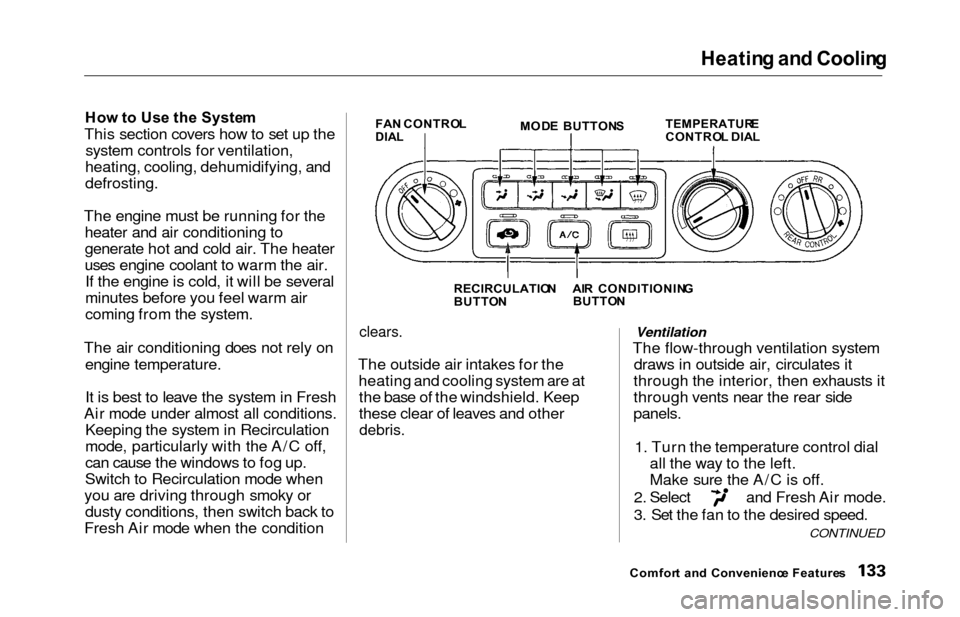
Fresh Air mode when the conditionFA N CONTRO LDIALMOD E BUTTON STEMPERATUR ECONTROL DIA L
RECIRCULATIO N
BUTTO N
clears.
The outside air intakes for the
heating and cooling system are atthe base of the windshield. Keep
these clear of leaves and other
debris.
Ventilation
The flow-through ventilation system draws in outside air, circulates it
through the interior, then exhausts it
through vents near the rear side
panels.
1. Turn the temperature control dial all the way to the left.
Make sure the A/C is off.
2. Select and Fresh Air mode.
3. Set the fan to the desired speed.
Comfor t an d Convenienc e Feature s
CONTINUED
AIR CONDITIONIN G
BUTTO N
Page 138 of 352
Heating an d Coolin g
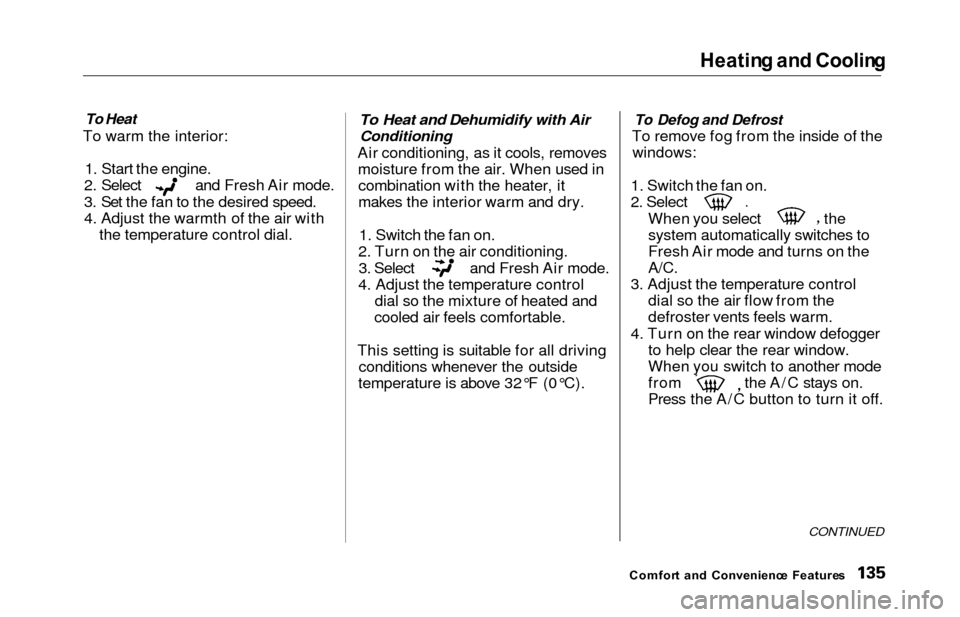
To Heat
To warm the interior:
1. Start the engine.
2. Select and Fresh Air mode.
3. Set the fan to the desired speed.
4. Adjust the warmth of the air with the temperature control dial.
To Heat and Dehumidify with Air
Conditioning
Air conditioning, as it cools, removesmoisture from the air. When used incombination with the heater, it
makes the interior warm and dry.
1. Switch the fan on.
2. Turn on the air conditioning.
3. Select and Fresh Air mode.
4. Adjust the temperature control dial so the mixture of heated and
cooled air feels comfortable.
This setting is suitable for all driving conditions whenever the outside
temperature is above 32°F (0°C).
To Defog and Defrost
To remove fog from the inside of the
windows:
1. Switch the fan on.
2. Select
When you select the
system automatically switches to
Fresh Air mode and turns on the
A/C.
3. Adjust the temperature control dial so the air flow from the
defroster vents feels warm.
4. Turn on the rear window defogger to help clear the rear window.
When you switch to another mode
from the A/C stays on.
Press the A/C button to turn it off.
CONTINUED
Comfor t an d Convenienc e Feature s
Page 141 of 352
Climate Contro l Syste m
On EX model
The automatic climate control
system in your Honda picks the
proper combination of air condi-
tioning, heating, and ventilation to maintain the interior temperature
you select. The system also adjusts the fan speed and air flow levels.
Your vehicle also has a rear A/C unit that allows the rear passengers to
adjust the heating, cooling, and air
flow (see page 152).
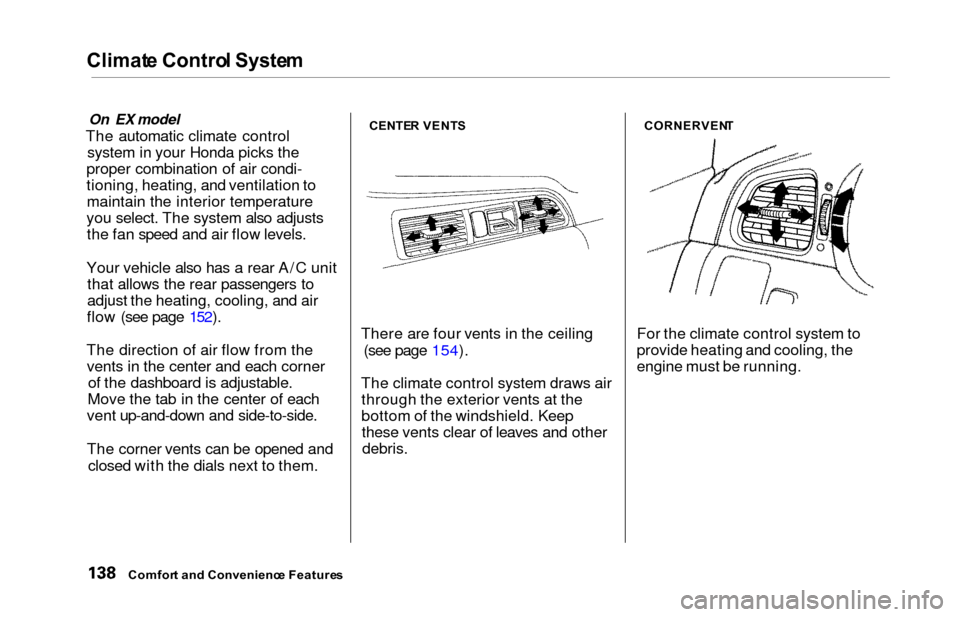
The direction of air flow from the vents in the center and each corner of the dashboard is adjustable.
Move the tab in the center of each
vent up-and-down and side-to-side.
The corner vents can be opened and
closed with the dials next to them.CENTE R VENT S
There are four vents in the ceiling
(see page 154).
The climate control system draws air through the exterior vents at the
bottom of the windshield. Keepthese vents clear of leaves and other
debris.
CORNERVEN T
For the climate control system to
provide heating and cooling, the
engine must be running.
Comfort an d Convenienc e Feature s
Page 146 of 352
Climate Contro l Syste m
Fan Control Dial
You can manually select the fan
speed by turning the fan control dial.
When you turn the dial clockwise, the fan is taken out of automaticmode and starts to run at its lowestspeed. Turning the dial fully
clockwise increases the fan's speed,
which increases air flow.
Rear A/C Control Dial
With this dial, you can adjust the rear A/C unit heating, cooling, andair flow (see page 152).
Mode Button
Use the MODE button to select the
vents the air flows from. Some air will flow from the dashboard corner
vents in all modes. Each time you
press the MODE button, the display shows the mode selected. Press the
button four times to see all the
modes.
MOD E BUTTO N
REAR A/ C CONTRO L DIA L
CONTINUED
Comfor t an d Convenienc e Feature s
FA
N CONTRO L DIA L
Page 148 of 352
Climat
e Contro l Syste m
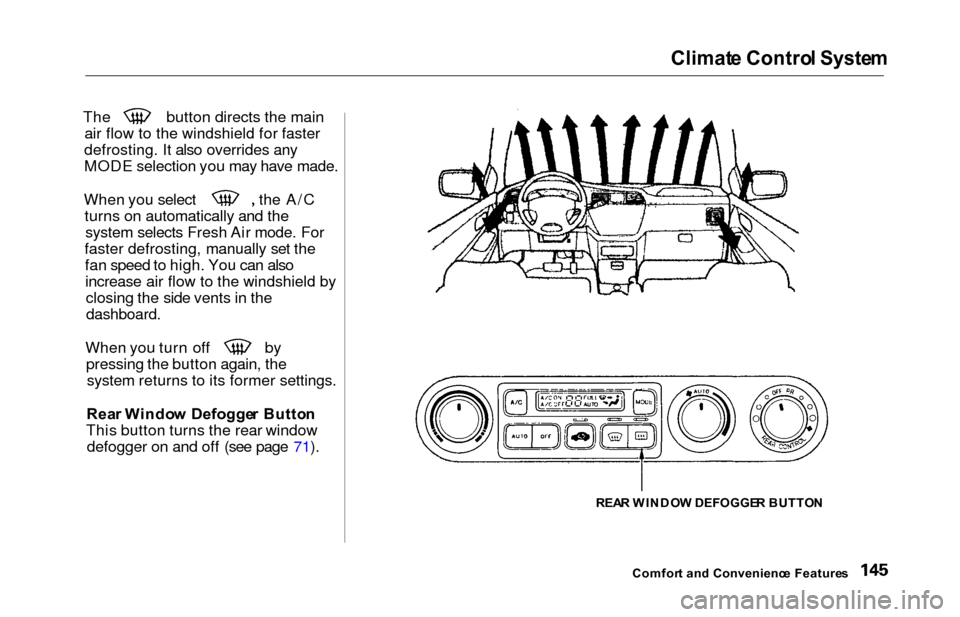
The button directs the main
air flow to the windshield for faster
defrosting. It also overrides any
MODE selection you may have made. When you select the A/C
turns on automatically and thesystem selects Fresh Air mode. For
faster defrosting, manually set the fan speed to high. You can alsoincrease air flow to the windshield byclosing the side vents in the
dashboard.
When you turn off by
pressing the button again, thesystem returns to its former settings.
Rea r Windo w Defogge r Butto n
This button turns the rear window defogger on and off (see page 71).
REAR WINDO W DEFOGGE R BUTTO N
Comfor t an d Convenienc e Feature s
Page 153 of 352
Climate Contro l Syste m
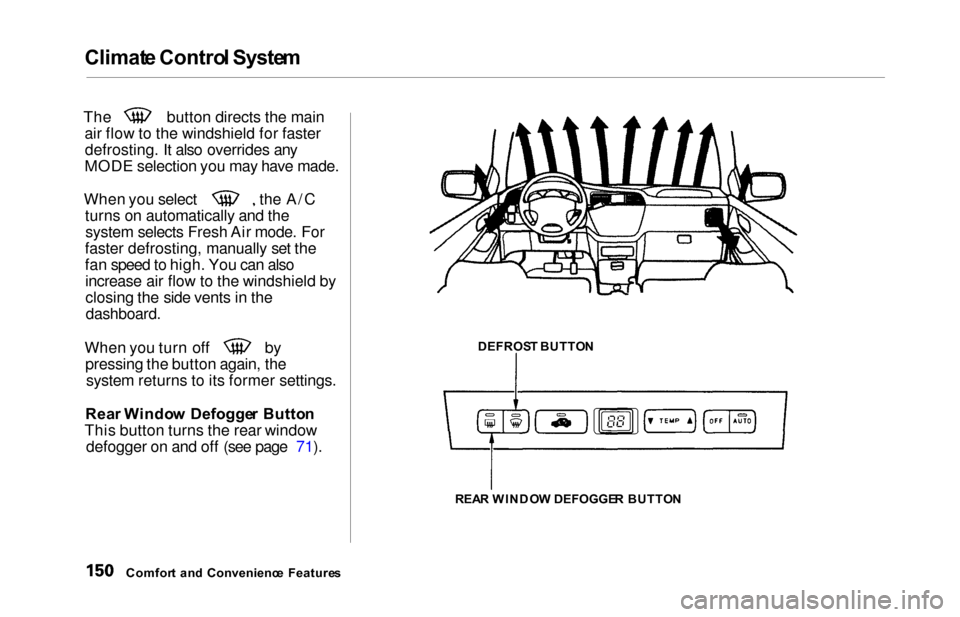
The button directs the main
air flow to the windshield for fasterdefrosting. It also overrides any
MODE selection you may have made.
When you select the A/C turns on automatically and thesystem selects Fresh Air mode. For
faster defrosting, manually set the
fan speed to high. You can also increase air flow to the windshield by
closing the side vents in the
dashboard.
When you turn off by pressing the button again, thesystem returns to its former settings.
Rea r Windo w Defogge r Butto n
This button turns the rear window defogger on and off (see page 71).
Comfor t an d Convenienc e Feature s DEFROS
T BUTTO N
REA R WINDO W DEFOGGE R BUTTO N
Page 155 of 352
Climate Contro l Syste m
Rear A/ C Uni t
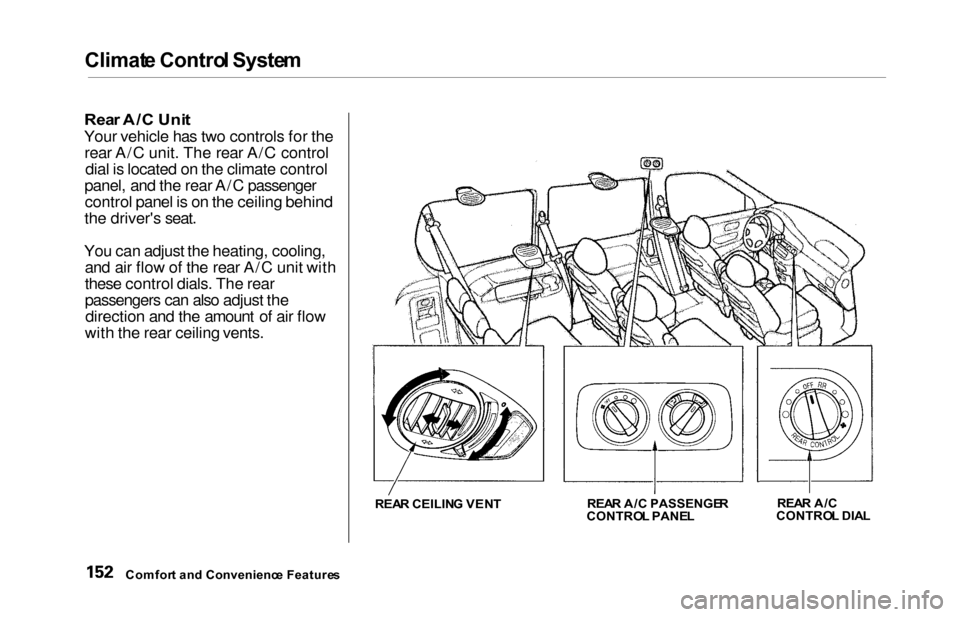
Your vehicle has two controls for the
rear A/C unit. The rear A/C control dial is located on the climate control
panel, and the rear A/C passenger control panel is on the ceiling behind
the driver's seat.
You can adjust the heating, cooling, and air flow of the rear A/C unit with
these control dials. The rear
passengers can also adjust thedirection and the amount of air flow
with the rear ceiling vents.
REA R CEILIN G VEN T REA
R A/ C PASSENGE R
CONTRO L PANE L REA
R A/ C
CONTRO L DIA L
Comfor t an d Convenienc e Feature s
Page 156 of 352
Climat
e Contro l Syste m
Rear A/C Control Dial
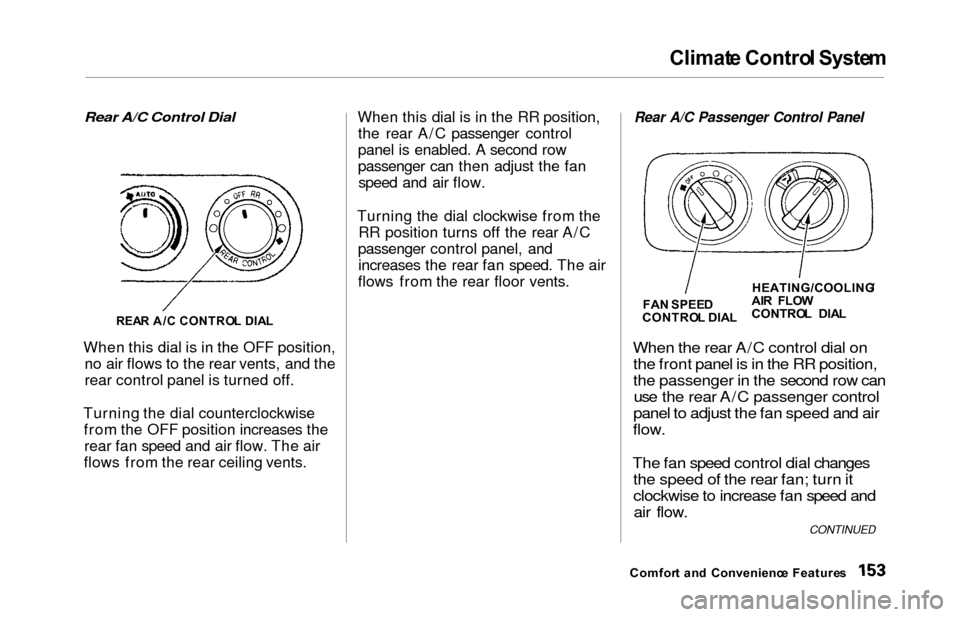
When this dial is in the OFF position, no air flows to the rear vents, and the
rear control panel is turned off.
Turning the dial counterclockwise from the OFF position increases therear fan speed and air flow. The air
flows from the rear ceiling vents. When this dial is in the RR position,
the rear A/C passenger control
panel is enabled. A second row
passenger can then adjust the fanspeed and air flow.
Turning the dial clockwise from the RR position turns off the rear A/C
passenger control panel, and increases the rear fan speed. The air
flows from the rear floor vents.
Rear A/C Passenger Control Panel
When the
rear A/C control dial on
the front panel is in the RR position,
the passenger in the second row can use the rear A/C passenger control
panel to adjust the fan speed and air
flow.
The fan speed control dial changes the speed of the rear fan; turn it
clockwise to increase fan speed andair flow.
Comfor t an d Convenienc e Feature s
REA
R A/ C CONTRO L DIA L
FA
N SPEE D
CONTRO L DIA LHEATING/COOLING
/
AI R FLO W
CONTRO L DIA L
CONTINUED