Page 95 of 361
2-37
Selective Real Time Damping
(SRTD) (Option)
You may have a ride control system on your vehicle
called Selective Real Time Damping (SRTD). The
system provides the following performance benefits:
�Reduced Impact Harshness
�Improved Road Isolation
�Improved High
-Speed Stability
�Improved Handling Response
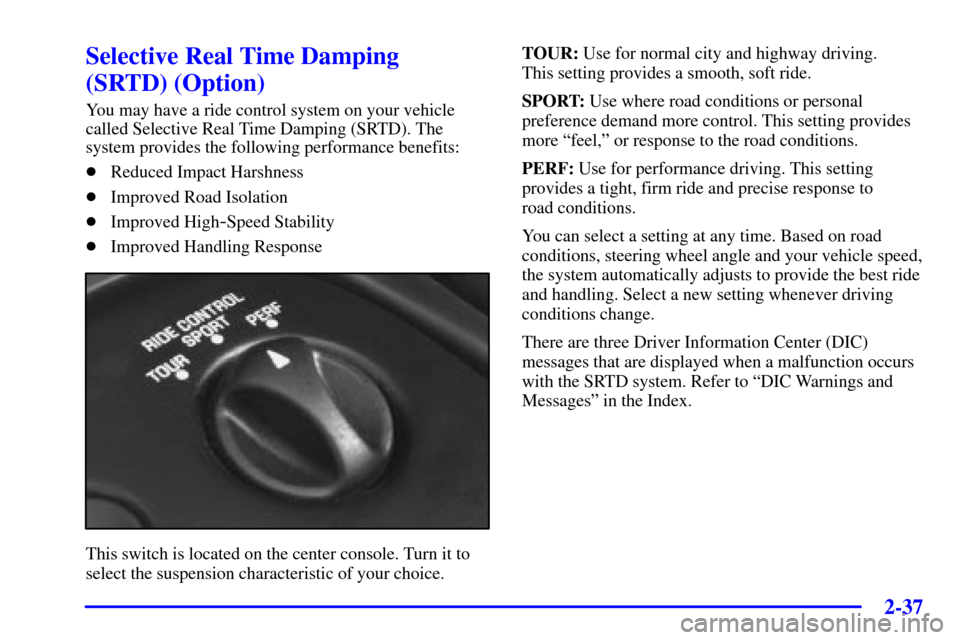
This switch is located on the center console. Turn it to
select the suspension characteristic of your choice.TOUR: Use for normal city and highway driving.
This setting provides a smooth, soft ride.
SPORT: Use where road conditions or personal
preference demand more control. This setting provides
more ªfeel,º or response to the road conditions.
PERF: Use for performance driving. This setting
provides a tight, firm ride and precise response to
road conditions.
You can select a setting at any time. Based on road
conditions, steering wheel angle and your vehicle speed,
the system automatically adjusts to provide the best ride
and handling. Select a new setting whenever driving
conditions change.
There are three Driver Information Center (DIC)
messages that are displayed when a malfunction occurs
with the SRTD system. Refer to ªDIC Warnings and
Messagesº in the Index.
Page 103 of 361
2-45
The Driver Information Center (DIC) will display the cruise
set speed in a digital number. For example, the DIC will
say CRUISE SET 60 mph (97 km/h). When you apply
the brakes or push the clutch pedal, the cruise control
disengages. The DIC will show CRUISE DISENGAGED.
See ªDIC Warnings and Messagesº in the Index.
CAUTION:
�Cruise control can be dangerous where you
can't drive safely at a steady speed. So, don't
use your cruise control on winding roads or
in heavy traffic.
�Cruise control can be dangerous on slippery
roads. On such roads, fast changes in tire
traction can cause needless wheel spinning,
and you could lose control. Don't use cruise
control on slippery roads.
If your vehicle is in cruise control when the Traction
Control System begins to limit wheel spin, the cruise
control will automatically disengage. (See ªTraction
Control Systemº in the Index.) When road conditions
allow you to safely use it again, you may turn the cruise
control back on.Setting Cruise Control
CAUTION:
If you leave your cruise control switch on when
you're not using cruise, you might hit a button
and go into cruise when you don't want to. You
could be startled and even lose control. Keep the
cruise control switch off until you want to use
cruise control.
1. Move the cruise control switch to ON.
2. Get up to the speed you want.
3. Push the SET button at the end of the lever and
release it. The cruise set speed will be displayed by
the Driver Information Center (DIC).
4. Take your foot off the accelerator pedal. The pedal
will return to an ªidleº position.
Page 129 of 361

2-71
The main components of your instrument panel are:
A. Instrument Panel Brightness Control
B. Head
-Up Display Controls (Option)
C. Turn Signal/Multifunction Lever
D. Driver Information Center (DIC)
(Located in the Instrument Cluster)
E. Instrument Panel Cluster
F. Windshield Wiper/Washer Lever
G. Driver Information Center (DIC) Buttons
H. Hazard Warning Flasher Button
I. Center Air Vents
J. Audio System
K. Comfort Controls
L. Fog Lamp Button (Option)
M. Remote Hatch Release Button (Coupe) or Remote
Trunk Release Button (Convertible/Hardtop)N. Horn
O. Ignition Switch
P. Shift Lever (Automatic Shown)
Q. Traction Control System (TCS) Switch/Active
Handling Switch (Option)
R. Accessory Power Outlet
(Located in the Center Console)
S. Selective Real Time Damping (SRTD) (Option)
T. Instrument Panel Cupholder
U. Remote Fuel Door Release Button
(Located in the Center Console)
V. Ashtray and Cigarette Lighter
W. Parking Brake
X. Glove Box
Y. Instrument Panel Fuse Block
(Located behind the Toe
-Board)
Page 130 of 361
2-72
Instrument Panel Cluster
Your instrument panel cluster and Driver Information Center (DIC) are designed to let you know at a glance how the
vehicle is running. You'll know how fast you're going, about how much fuel you have left and many other things
you'll need to know to drive safely and economically. The instrument panel cluster indicator warning lights, gages
and DIC messages are explained on the following pages.
United States Shown, Canadian Similar
Page 131 of 361

2-73 Speedometer and Odometer
Your speedometer lets you see your speed in either miles
per hour (mph) or kilometers per hour (km/h).
You may note that there are not two separate scales
for mph and km/h. When you press the E/M
(English/metric) button on the Driver Information
Center (DIC), the cluster will calculate the proper speed
and move the needle to the correct position. Either the
MPH or the km/h telltale will illuminate, depending on
which measurement you choose.
You may wonder what happens if your vehicle needs a
new odometer installed. The mileage total of the new
odometer will be set to the original miles (kilometers)
of the old odometer. See your dealer if a new odometer
must be replaced in your vehicle.
Tachometer
The tachometer displays the engine speed in thousands
of revolutions per minute (rpm).
Fuel will shut off at about 6200 rpm.
If you continue to drive your vehicle at the fuel shut off
rpm, you could damage your engine. Be sure to operate
your vehicle below the fuel shut off rpm or reduce your
rpm quickly when the fuel shuts off.
Warning Lights, Gages and Messages
This part describes the warning lights and gages that
may be on your vehicle. The pictures will help you
locate them.
Warning lights and gages can signal that something is
wrong before it becomes serious enough to cause an
expensive repair or replacement. Paying attention to
your warning lights and gages could also save you or
others from injury.
Warning lights come on when there may be or is a
problem with one of your vehicle's functions. As you
will see in the details on the next few pages, some
warning lights come on briefly when you start the
engine just to let you know they're working. If you are
familiar with this section, you should not be alarmed
when this happens.
Gages can indicate when there may be or is a problem
with one of your vehicle's functions. Often gages and
warning lights work together to let you know when
there's a problem with your vehicle.
Page 132 of 361

2-74
When one of the warning lights comes on and stays on
when you are driving, or when one of the gages shows
there may be a problem, check the section that tells you
what to do about it. Please follow this manual's advice.
Waiting to do repairs can be costly
-- and even
dangerous. So please get to know your warning lights
and gages. They're a big help.
Your vehicle also has a driver information center that
works along with the warning lights and gages.
See ªDriver Information Centerº in the Index.
Safety Belt Reminder Light
When the key is turned to ON or START, a chime will
come on for about eight seconds to remind people to
fasten their safety belts, unless the driver's safety belt is
already buckled.
The safety belt light will
also come on and stay on
until the driver's belt
is buckled.
Air Bag Readiness Light
There is an air bag readiness light on the instrument
panel, which shows a deployed air bag symbol.
The system checks the air bag's electrical system for
malfunctions. The light tells you if there is an electrical
problem. The system check includes the air bag
modules, the wiring and the diagnostic module.
For more information on the air bag system,
see ªAir Bagº in the Index.
This light will come on
when you start your vehicle,
and it will flash for a few
seconds. Then the light
should go out. This means
the system is ready.
If the air bag readiness light stays on after you start the
vehicle or comes on when you are driving, your air bag
system may not work properly. Have your vehicle
serviced right away.
Page 134 of 361
2-76
Brake System Warning Light
Your vehicle's hydraulic brake system is divided into
two parts. If one part isn't working, the other part can
still work and stop you. For good braking, though,
you need both parts working well.
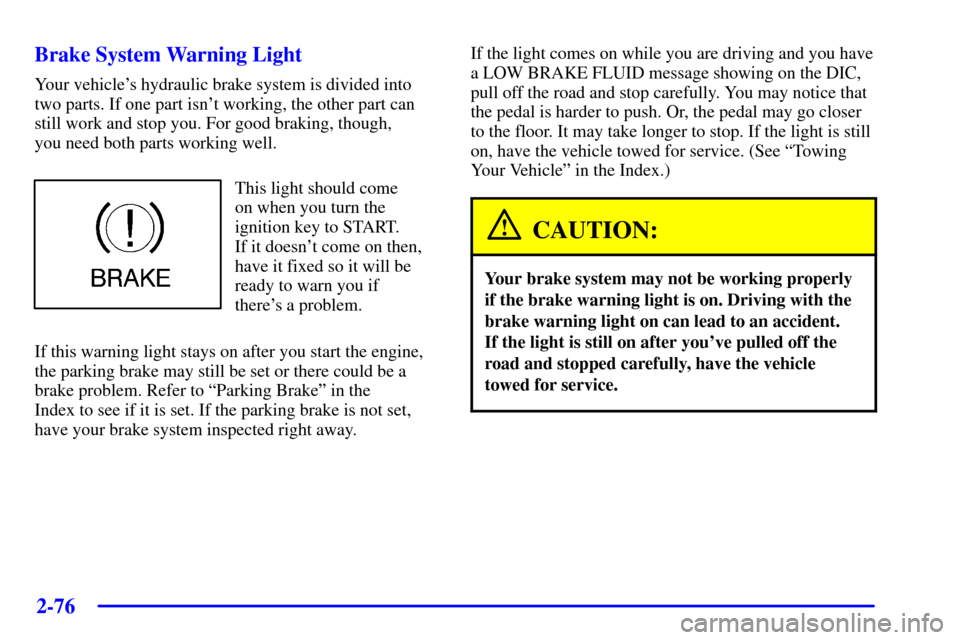
This light should come
on when you turn the
ignition key to START.
If it doesn't come on then,
have it fixed so it will be
ready to warn you if
there's a problem.
If this warning light stays on after you start the engine,
the parking brake may still be set or there could be a
brake problem. Refer to ªParking Brakeº in the
Index to see if it is set. If the parking brake is not set,
have your brake system inspected right away.If the light comes on while you are driving and you have
a LOW BRAKE FLUID message showing on the DIC,
pull off the road and stop carefully. You may notice that
the pedal is harder to push. Or, the pedal may go closer
to the floor. It may take longer to stop. If the light is still
on, have the vehicle towed for service. (See ªTowing
Your Vehicleº in the Index.)
CAUTION:
Your brake system may not be working properly
if the brake warning light is on. Driving with the
brake warning light on can lead to an accident.
If the light is still on after you've pulled off the
road and stopped carefully, have the vehicle
towed for service.
Page 135 of 361

2-77 Anti-Lock Brake System Warning Light
With the anti-lock brake
system, the light will come
on when you start your
engine and may stay on
for several seconds.
That's normal.
If the light stays on, turn the ignition to OFF. Or, if the
light comes on when you're driving, stop as soon as
possible and turn the ignition off. Then start the engine
again to reset the system. If the light still stays on, or
comes on again while you're driving, your vehicle needs
service. If the regular brake system warning light isn't
on, you still have brakes, but you don't have anti
-lock
brakes. If the regular brake system warning light is
also on, you don't have anti
-lock brakes and there's a
problem with your regular brakes. See ªBrake System
Warning Lightº earlier in this section. Also see
ªSERVICE ABSº under ªDriver Information
Center (DIC) Messagesº in the Index.
The anti
-lock brake system warning light should come
on briefly when you turn the ignition key to ON. If the
light doesn't come on then, have it fixed so it will be
ready to warn you if there is a problem.
Traction Control System (TCS) Light
This light should come on
briefly as you start the
engine. If the light doesn't
come on then, have it fixed
so it will be ready to warn
you if there's a problem.
If it stays on, or comes on and the DIC shows a
SERVICE TRACTION SYSTEM message when you're
driving, there's a problem with your TCS system and
your vehicle needs service. When this light is on, the
system will not limit wheel spin. Adjust your driving
accordingly. If the driver turns off the Traction Control
System by pressing the button on the console, the
TCS system light will come on and the TRACTION
SYSTEM OFF message will show on the DIC.