Page 6 of 361
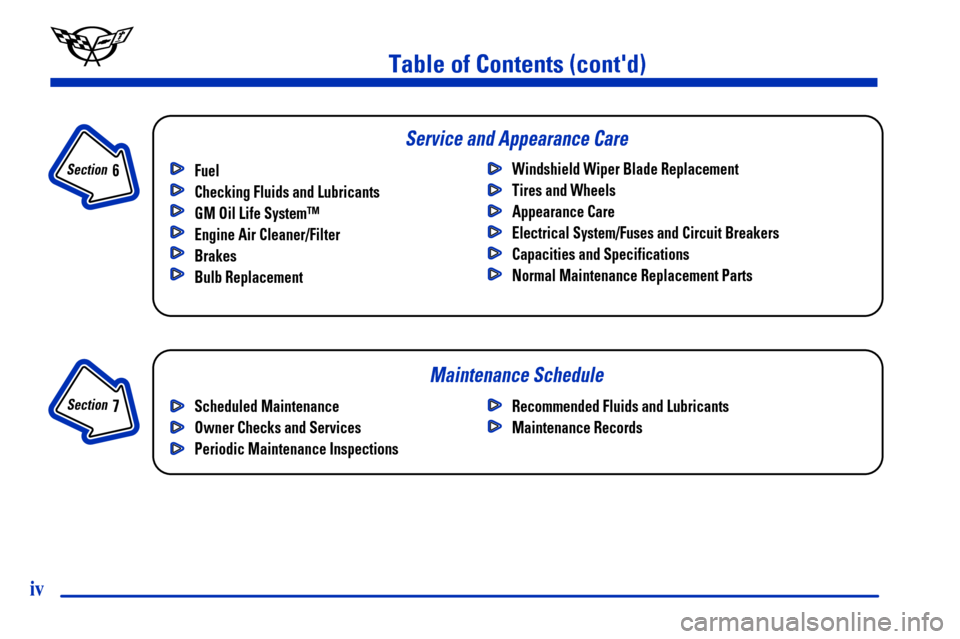
Maintenance Schedule Service and Appearance Care
Table of Contents (cont'd)
Fuel
Checking Fluids and Lubricants
GM Oil Life System™
Engine Air Cleaner/Filter
Brakes
Bulb ReplacementWindshield Wiper Blade Replacement
Tires and Wheels
Appearance Care
Electrical System/Fuses and Circuit Breakers
Capacities and Specifications
Normal Maintenance Replacement Parts
Section
7
Section
6
Scheduled Maintenance
Owner Checks and Services
Periodic Maintenance InspectionsRecommended Fluids and Lubricants
Maintenance Records
iv
Page 143 of 361
2-85
You should reset the fuel information display every
time you refuel. To reset the display, press FUEL until
AVERAGE appears. Then, press RESET on the Driver
Information Center (DIC).
Head-Up Display (Option)
CAUTION:
If the HUD image is too bright, or too high in
your field of view, it may take you more time to
see things you need to see when it's dark outside.
Be sure to keep the HUD image dim and placed
low in your field of view.
If your vehicle is equipped with the Head-Up Display
(HUD), you can see some of the driver information that
appears on your instrument panel cluster.The information may be displayed in English or metric
units and appears as an image focused out toward the
front of your vehicle. The HUD consists of the
following information:
�Speedometer
�Turn Signal Indicators
�High
-Beam Indicator Symbol
�Tachometer
�Oil, Temperature and Fuel Gages
�Shift Light (Performance SHIFT Light)
This light is used for performance driving to indicate
that the vehicle's best performance level has been
reached to shift the transmission into the next higher
gear. The SHIFT light will display at an engine
speed of about 5,750 rpm, just prior to reaching the
engine fuel cut
-off mode. To better understand the
vehicle's power curves, see ªCapacities and
Specificationsº in the Index.
�Check Gages Icon
Page 250 of 361

6-
6-1
Section 6 Service and Appearance Care
Here you will find information about the care of your vehicle. This section begins with service and fuel information,
and then it shows how to check important fluid and lubricant levels. There is also technical information about your
vehicle, and a part devoted to its appearance care.
6
-2 Service
6
-3 Fuel
6
-5 Filling Your Tank
6
-9 Checking Things Under the Hood
6
-12 Engine Oil
6
-17 Engine Air Cleaner/Filter
6
-19 Automatic Transmission Fluid
6
-19 Manual Transmission Fluid
6
-21 Hydraulic Clutch
6
-22 Rear Axle
6
-23 Engine Coolant
6
-26 Surge Tank Pressure Cap
6
-26 Power Steering Fluid
6
-27 Windshield Washer Fluid
6
-29 Brakes
6
-32 Battery
6
-33 Bulb Replacement
6
-37 Windshield Wiper Blade Replacement6
-40 Tires
6
-52 Lifting Your Corvette
6
-56 Appearance Care
6
-56 Cleaning the Inside of Your Vehicle
6
-59 Cleaning a Removable Roof Panel
6
-60 Cleaning the Outside of Your Vehicle
6
-61 Cleaning Your Convertible Top
6
-62 Cleaning Aluminum Wheels
6
-62 Cleaning Tires
6
-62 Finish Damage
6
-63 Underbody Maintenance
6
-64 GM Vehicle Care/Appearance Materials
6
-65 Vehicle Identification Number (VIN)
6
-65 Service Parts Identification Label
6
-66 Electrical System
6
-73 Replacement Bulbs
6
-74 Capacities and Specifications
6
-75 Normal Maintenance Replacement Parts
Page 262 of 361
6-13
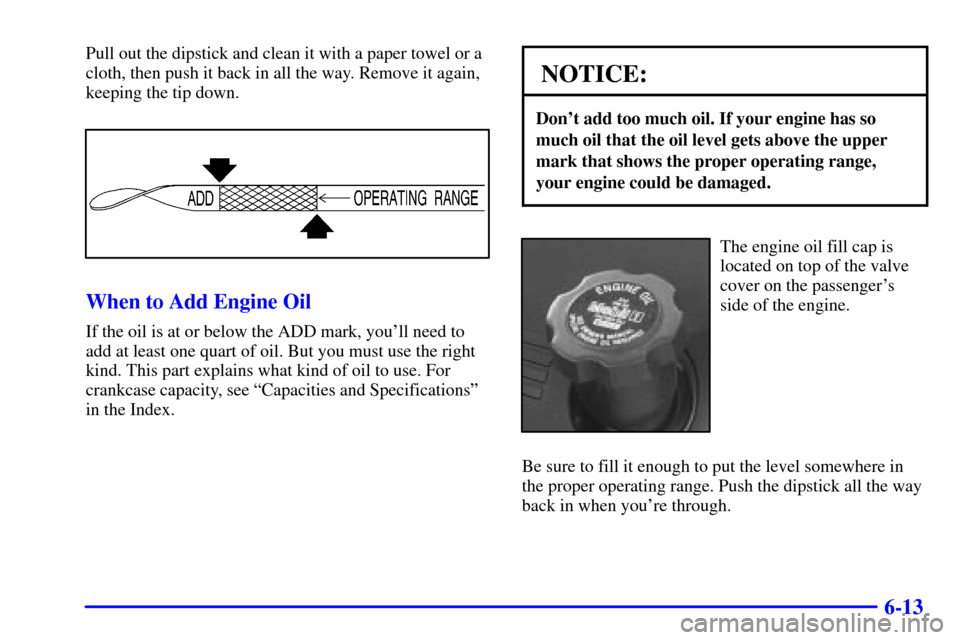
Pull out the dipstick and clean it with a paper towel or a
cloth, then push it back in all the way. Remove it again,
keeping the tip down.
When to Add Engine Oil
If the oil is at or below the ADD mark, you'll need to
add at least one quart of oil. But you must use the right
kind. This part explains what kind of oil to use. For
crankcase capacity, see ªCapacities and Specificationsº
in the Index.
NOTICE:
Don't add too much oil. If your engine has so
much oil that the oil level gets above the upper
mark that shows the proper operating range,
your engine could be damaged.
The engine oil fill cap is
located on top of the valve
cover on the passenger's
side of the engine.
Be sure to fill it enough to put the level somewhere in
the proper operating range. Push the dipstick all the way
back in when you're through.