2000 BMW 540I SEDAN seat adjustment
[x] Cancel search: seat adjustmentPage 10 of 217

Contents
Overview
Controls and features
Cockpit16
Instrument cluster18
Indicator and warning lamps22
Multifunction steering wheel
(MFL)25
Hazard warning flashers27
Warning triangle 27
First-aid kit 27
Refueling28
Fuel specifications29
Tire inflation pressure29
Locks and security systems:
Keys34
Electronic vehicle
immobilizer35
Central locking system36
Opening and closing Ð from the
outside36
With the key 36
Opening and closing Ð from the
inside40
Luggage compartment lid/
Tailgate41
Luggage compartment44
Alarm system45
Electric power windows47
Sliding/Tilt sunroof 48
Adjustments:
Seats 50
Steering wheel 54
Mirrors54
Seat, mirror and steering wheel
memory56
Car Memory, Key Memory58
Passenger safety systems:
Safety belts59
Airbags60
Child restraints 64
Child seat security66
Child-safety locks66
Driving:
Steering/Ignition lock67
Starting the engine68
Switching off the engine69
Parking brake69
Manual transmission70
Automatic transmission 71
Automatic transmission with
Steptronic 74
Indicator/Headlamp flasher77
Wiper/Washer system77
Rear window defroster79
Cruise control80
Everything under control:
Odometer, outside temperature
display82
Tachometer83
Energy control83
Fuel gauge83
Temperature gauge84
Service Interval Display84
Check Control85
Onboard computer88
Technology for safety and
convenience:
Park Distance Control (PDC) 90
Automatic Stability Control plus
Traction (ASC+T)/Dynamic
Stability Control (DSC) 91
Tire Pressure Control (RDC) 92
Page 32 of 217
32n
Locks and security systems:
Keys34
Electronic vehicle
immobilizer35
Central locking system36
Opening and closing
Ð from the outside36
With the key36
Opening and closing
Ð from the inside40
Luggage compartment lid/
Tailgate41
Luggage compartment44
Alarm system45
Electric power windows47
Sliding/Tilt sunroof48
Adjustments:
Seats50
Steering wheel54
Mirrors54
Seat, mirror and steering wheel
memory56
Car Memory, Key Memory58
Passenger safety systems:
Safety belts59
Airbags60
Child restraints64
Child seat security66
Child-safety locks66Driving:
Steering/Ignition lock67
Starting the engine68
Switching off the engine69
Parking brake69
Manual transmission70
Automatic transmission71
Automatic transmission with
Steptronic74
Indicator/Headlamp flasher77
Wiper/Washer system77
Rear window defroster79
Cruise control80
Everything under control:
Odometer, outside temperature
display82
Tachometer83
Energy control83
Fuel gauge83
Temperature gauge84
Service Interval Display84
Check Control85
Onboard computer88
Technology for safety and
convenience:
Park Distance Control (PDC)90
Automatic Stability Control plus
Traction (ASC+T)/Dynamic
Stability Control (DSC)91
Tire Pressure Control (RDC)92
Page 50 of 217
50n
For maximum safety, please comply
with the following instructions when ad-
justing a seat:
Never try to adjust your seat while
operating the vehicle. The seat
could respond with unexpected move-
ment, and the ensuing loss of vehicle
control could lead to an accident. Wear
the safety belt firmly against your body
at all times. In the event of a frontal im-
pact, a loose lap belt could slide over
your hips, leading to abdominal injury.
In addition, the safety belt's restraint ef-
fectiveness is reduced if the belt is
worn loosely.
Never ride with the backrest reclined to
an extreme horizontal angle (especially
important for front passengers to re-
member). Keep the backrest relatively
upright to minimize the risk of "sliding
under" the safety belt and sustaining in-
jury in an accident.
Do not slide the seats to the rear when
the vehicle is at an extreme angle (on
garage ramps or steep slopes, for in-
stance), to prevent the shoulder strap's
automatic height adjustment mecha-
nism from disengaging.<
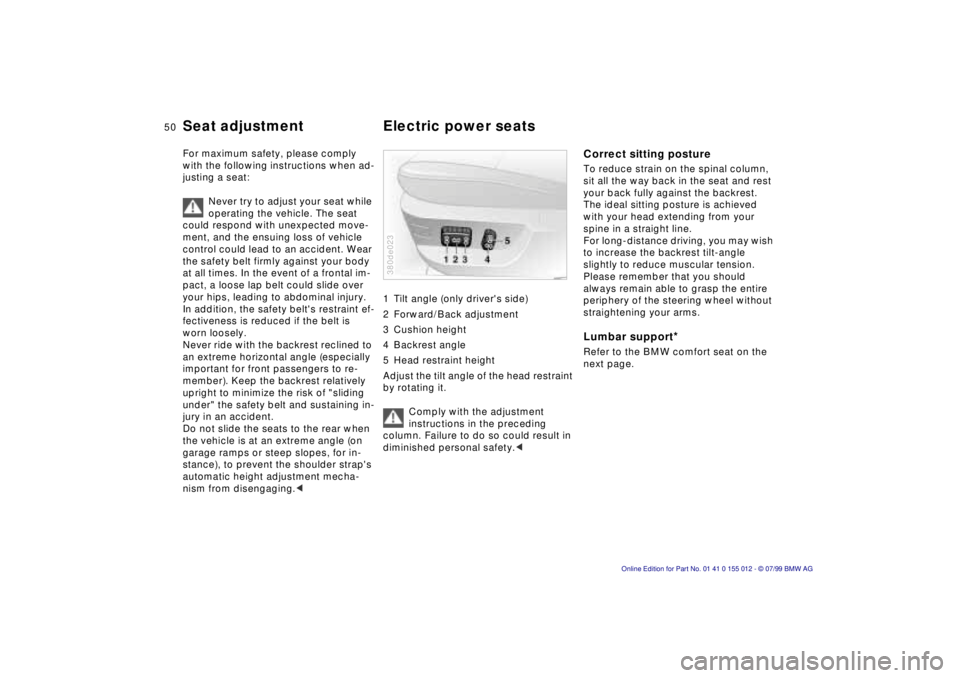
1 Tilt angle (only driver's side)
2 Forward/Back adjustment
3 Cushion height
4 Backrest angle
5 Head restraint height
Adjust the tilt angle of the head restraint
by rotating it.
Comply with the adjustment
instructions in the preceding
column. Failure to do so could result in
diminished personal safety.< 380de023
Correct sitting postureTo reduce strain on the spinal column,
sit all the way back in the seat and rest
your back fully against the backrest.
The ideal sitting posture is achieved
with your head extending from your
spine in a straight line.
For long-distance driving, you may wish
to increase the backrest tilt-angle
slightly to reduce muscular tension.
Please remember that you should
always remain able to grasp the entire
periphery of the steering wheel without
straightening your arms.Lumbar support
*
Refer to the BMW comfort seat on the
next page.
Seat adjustment Electric power seats
Page 51 of 217
51n
RepairsIndexOverview Controls Car care Technology Data
BMW comfort seat
*
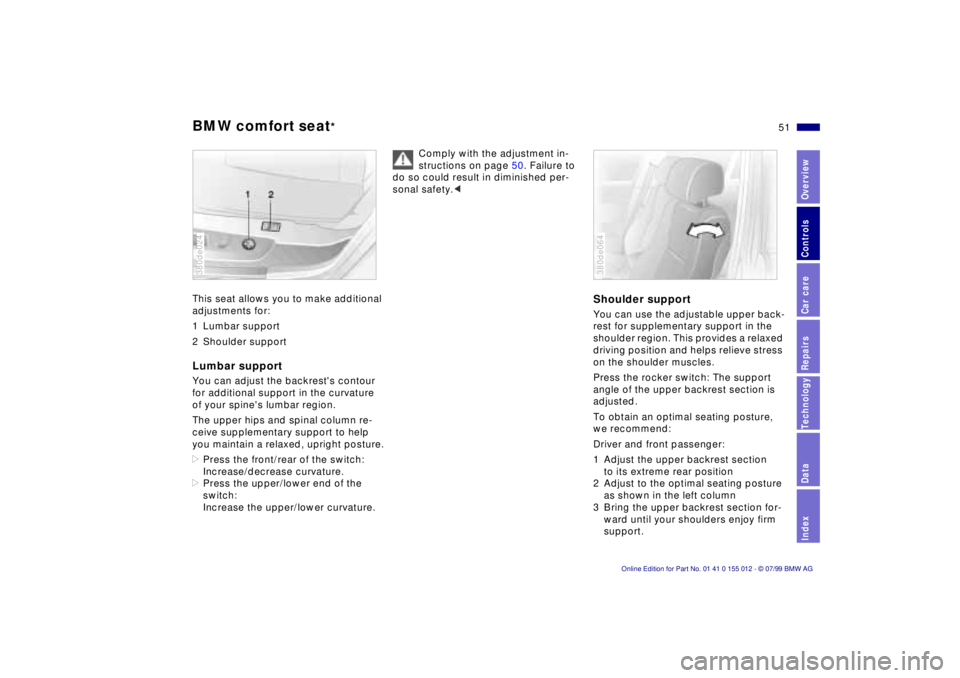
This seat allows you to make additional
adjustments for:
1 Lumbar support
2 Shoulder supportLumbar supportYou can adjust the backrest's contour
for additional support in the curvature
of your spine's lumbar region.
The upper hips and spinal column re-
ceive supplementary support to help
you maintain a relaxed, upright posture.
>Press the front/rear of the switch:
Increase/decrease curvature.
>Press the upper/lower end of the
switch:
Increase the upper/lower curvature.380de024
Comply with the adjustment in-
structions on page 50. Failure to
do so could result in diminished per-
sonal safety.<
Shoulder supportYou can use the adjustable upper back-
rest for supplementary support in the
shoulder region. This provides a relaxed
driving position and helps relieve stress
on the shoulder muscles.
Press the rocker switch: The support
angle of the upper backrest section is
adjusted.
To obtain an optimal seating posture,
we recommend:
Driver and front passenger:
1 Adjust the upper backrest section
to its extreme rear position
2 Adjust to the optimal seating posture
as shown in the left column
3 Bring the upper backrest section for-
ward until your shoulders enjoy firm
support.380de064
Page 52 of 217
52n
BMW comfort seat
*
BMW sports seat
*
Front passenger's seat adjusted for
relaxed traveling:
1 Adjust the upper backrest section
to its extreme rear position
2 Increase the seat cushion tilt
3 Tilt the backrest more
4 Bring the upper backrest section
forward.
Make corrections in the forward-
backward adjustment of the seat
to ensure that the safety belt still fits
firmly against your body. If you do not
do this, the protection provided by the
safety belt may be reduced.<
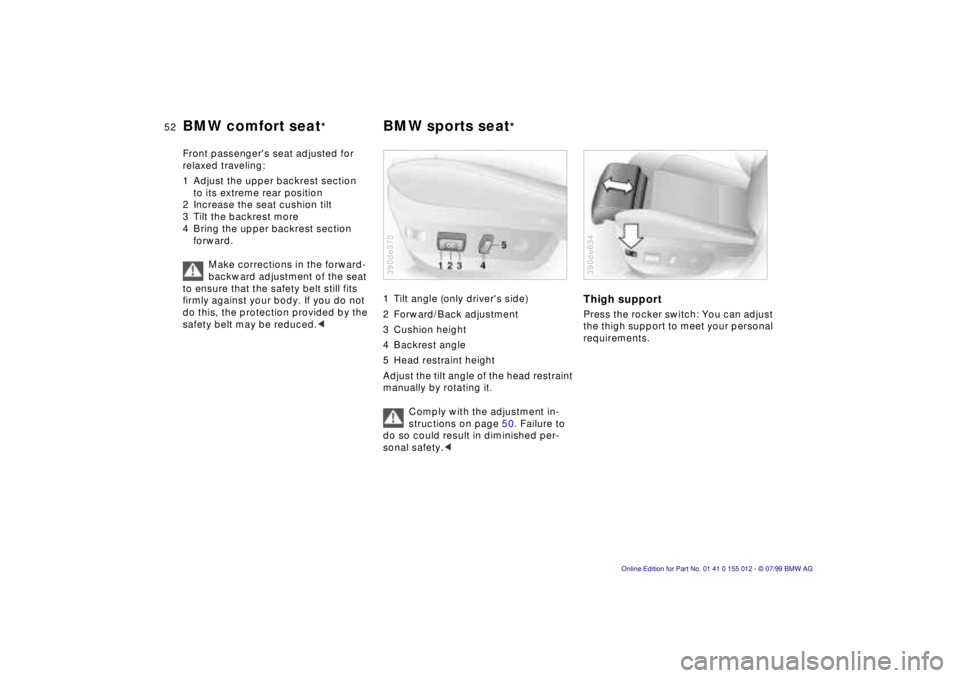
1 Tilt angle (only driver's side)
2 Forward/Back adjustment
3 Cushion height
4 Backrest angle
5 Head restraint height
Adjust the tilt angle of the head restraint
manually by rotating it.
Comply with the adjustment in-
structions on page 50. Failure to
do so could result in diminished per-
sonal safety.<390de370
Thigh supportPress the rocker switch: You can adjust
the thigh support to meet your personal
requirements.390de634
Page 54 of 217
54n
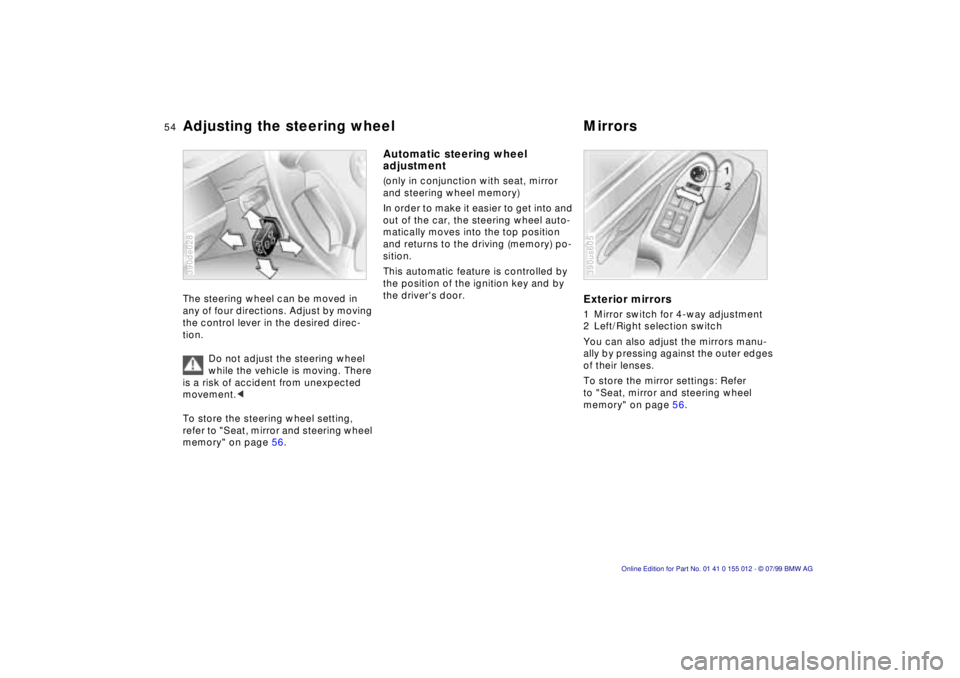
Adjusting the steering wheel MirrorsThe steering wheel can be moved in
any of four directions. Adjust by moving
the control lever in the desired direc-
tion.
Do not adjust the steering wheel
while the vehicle is moving. There
is a risk of accident from unexpected
movement.<
To store the steering wheel setting,
refer to "Seat, mirror and steering wheel
memory" on page 56.390de028
Automatic steering wheel
adjustment (only in conjunction with seat, mirror
and steering wheel memory)
In order to make it easier to get into and
out of the car, the steering wheel auto-
matically moves into the top position
and returns to the driving (memory) po-
sition.
This automatic feature is controlled by
the position of the ignition key and by
the driver's door.
Exterior mirrors1 Mirror switch for 4-way adjustment
2 Left/Right selection switch
You can also adjust the mirrors manu-
ally by pressing against the outer edges
of their lenses.
To store the mirror settings: Refer
to "Seat, mirror and steering wheel
memory" on page 56.390us605
Page 56 of 217
56n
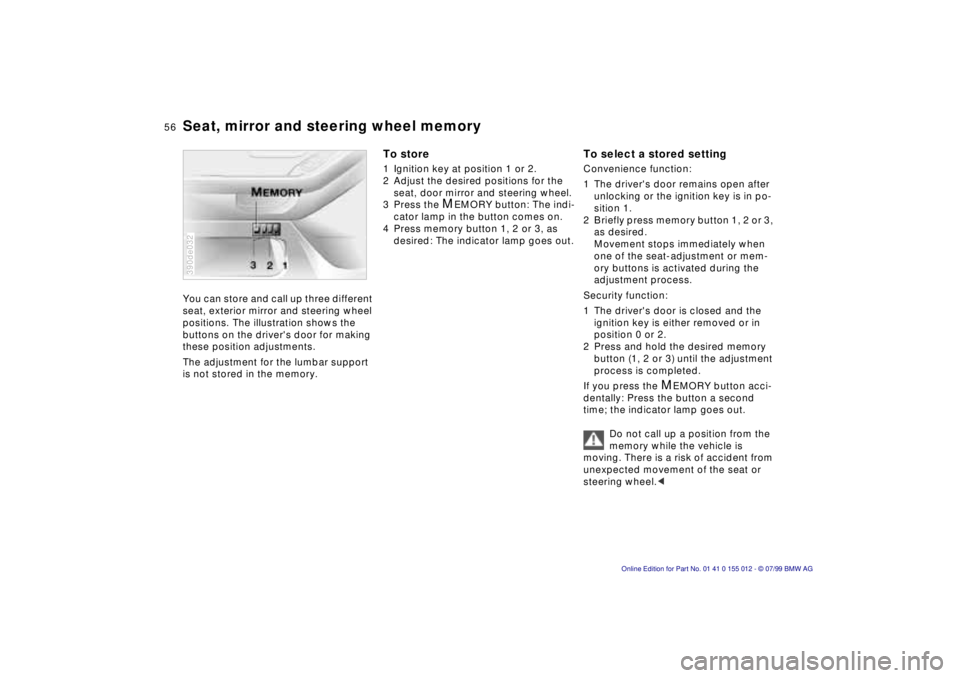
Seat, mirror and steering wheel memoryYou can store and call up three different
seat, exterior mirror and steering wheel
positions. The illustration shows the
buttons on the driver's door for making
these position adjustments.
The adjustment for the lumbar support
is not stored in the memory.390de032
To store1 Ignition key at position 1 or 2.
2 Adjust the desired positions for the
seat, door mirror and steering wheel.
3 Press the
M
EMORY button: The indi-
cator lamp in the button comes on.
4 Press memory button 1, 2 or 3, as
desired: The indicator lamp goes out.
To select a stored settingConvenience function:
1 The driver's door remains open after
unlocking or the ignition key is in po-
sition 1.
2 Briefly press memory button 1, 2 or 3,
as desired.
Movement stops immediately when
one of the seat-adjustment or mem-
ory buttons is activated during the
adjustment process.
Security function:
1 The driver's door is closed and the
ignition key is either removed or in
position 0 or 2.
2 Press and hold the desired memory
button (1, 2 or 3) until the adjustment
process is completed.
If you press the
M
EMORY button acci-
dentally: Press the button a second
time; the indicator lamp goes out.
Do not call up a position from the
memory while the vehicle is
moving. There is a risk of accident from
unexpected movement of the seat or
steering wheel.<
Page 58 of 217
58n
Car Memory, Key MemoryHow the system functionsYou have probably frequently wished
that you could configure individual
functions of your vehicle to reflect your
own personal requirements. In engi-
neering your vehicle, BMW has included
several user-defined functions in the
vehicle's design. Your authorized BMW
center can make these settings for you.
There are settings related to the vehicle
("Car Memory") and settings related to
individuals ("Key Memory"). You can
have two different basic positions con-
figured for two different persons. The
only requirement is that each person
uses his or her own remote control key.463de029
When your vehicle is unlocked with the
remote control, the vehicle recognizes
the individual user by means of a data
exchange with the key, and makes
adjustments accordingly.
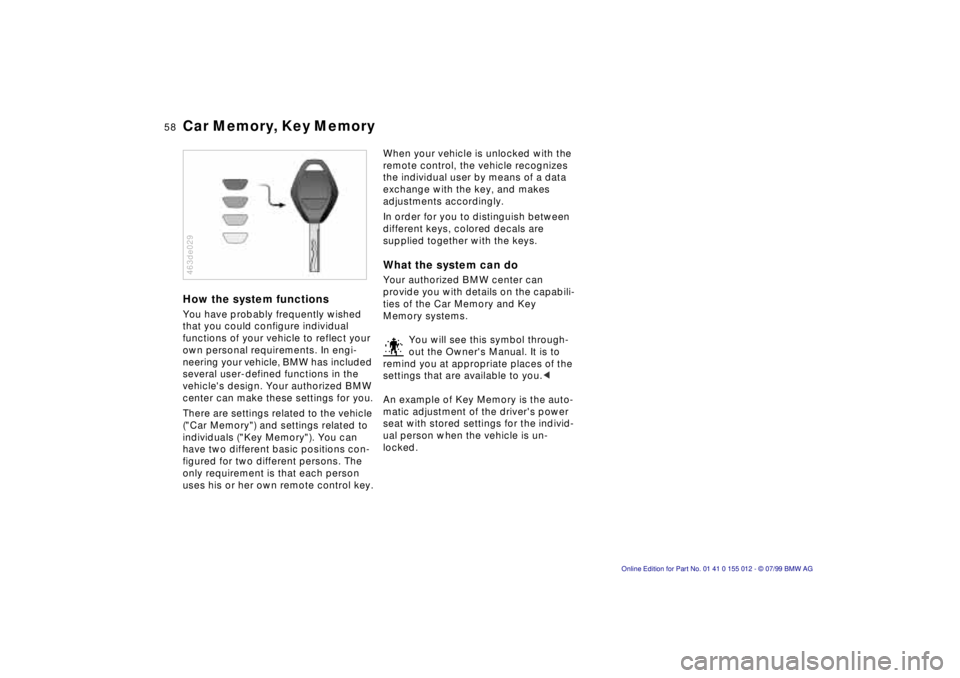
In order for you to distinguish between
different keys, colored decals are
supplied together with the keys.What the system can doYour authorized BMW center can
provide you with details on the capabili-
ties of the Car Memory and Key
Memory systems.
You will see this symbol through-
out the Owner's Manual. It is to
remind you at appropriate places of the
settings that are available to you.<
An example of Key Memory is the auto-
matic adjustment of the driver's power
seat with stored settings for the individ-
ual person when the vehicle is un-
locked.