Page 60 of 170

When pressing the controls on the keyless entry keypad, press the
middle of the buttons to ensure a good activation.
Programming your own entry code
1. Enter the factory-set code (keypad will illuminate when pressed).
2. Press the 1/2 control within five
seconds of step 1.
3. Enter your personal 5 digit code.
Enter each digit within five seconds
of the previous one.
4. Enter a sixth digit to indicate
which personality feature should be
recalled by the personal code.
²1/2 recalls personality 1
²3/4 recalls personality 2
²9/0 does not recall a personality
All of the vehicle doors will lock and unlock to confirm programming of
the new code. Each personality driver profile (personality 1 or
personality 2) can be associated with only one personal code. The
factory-set code cannot be associated with a personality profile.
Do not set a code that includes five of the same number or presents
them in sequential order. Thieves can easily figure out these types of
codes.
You can program up to three personal codes to unlock your vehicle.
These codes do not replace the permanent code that the dealership gave
you.
Erasing personal code
To erase all of the personal entry codes programmed to a vehicle:
1. Enter the factory-set code.
2. Press 1/2 within 5 seconds of
step 1.
3. Press and hold 1/2 for two
seconds. All of the vehicle doors will
lock and then unlock to confirm
erasure.
123
45678
90
123
45678
90
Controls and features
61
Page 61 of 170
Unlocking the doors and releasing the trunk with the keyless entry
system
To unlock the driver door, enter either the factory-set code or personal
code (each digit pressed within 5 seconds of prior digit). The interior
lamps will illuminate.
To unlock all doors, enter the
factory-set code or personal code
(driver door unlocks) and press 3/4
within 5 seconds.
To release the trunk, enter the
factory-set code or personal code
(driver door unlocks) and press 5/6
within 5 seconds.
After the factory-set code or personal code has been entered, you can
unlock all doors (press 3/4) and release the trunk (press 5/6) as long as
the controls are pressed within 5 seconds of each other.
Locking doors with the keyless entry system
It is not necessary to enter the factory-set code prior to locking all doors.
To lock the doors:
1. Press 7/8 and 9/0 at the same
time.
123
45678
90
123
45678
90
123
45678
90
Controls and features
62
Page 62 of 170

Autolock
The autolock feature will lock all of the doors when:
²all vehicle doors are fully closed
²the ignition key is turned to the ON position
²the vehicle is in a forward gear and
²you exceed 5 km/h (3 mph).
The autolock feature repeats when:
²the ignition key remains in the ON position
²a door is opened and then closed
²the vehicle is in a forward gear, and
²you exceed 5 km/h (3 mph).
The autolock feature can be turned on/off by using the feature menu in
the message center. Refer toElectronic message centerfor more
information.
PERIMETER ALARM SYSTEM
Arming the system
When armed, this system will help protect your vehicle from
unauthorized entry. When unauthorized entry occurs, the system will
flash the headlamps and/or parking lamps and the theft indicator lamp
and will chirp the horn.
The system is ready to arm whenever the ignition is turned OFF. Any of
the following actions will prearm the alarm system:
²Locking the doors with the
remote transmitter (doors opened
or closed). The horn will chirp to
confirm that the control was
pressed. The horn chirp feature
can be turned on/off by using the
feature menu in the message
center.
Controls and features
63
Page 63 of 170
²Pressing 7/8 and 9/0 on the
keyless entry pad at the same
time to lock the doors (doors
opened or closed).
²Opening a door and pressing the
power door lock control to lock
the doors.
If a door is open, the system is prearmed and is waiting for the door to
close. The anti-theft indicator on the instrument panel will be lit
continuously when the system is prearmed.
Once the doors are closed, the system will arm in 30 seconds.
Disarming the system
You can disarm the system by any of the following actions:
²Unlock the doors by using your
remote entry transmitter.
²Unlock the doors by using your
keyless entry keypad.
²Unlock the doors with a key. Turn
the key full travel (toward the
front of the vehicle) to make sure
the alarm disarms.
²Turn ignition to ACC or ON.
123
45678
90
123
45678
90
Controls and features
64
Page 64 of 170

SECURILOCKYANTI-THEFT SYSTEM
Your vehicle is equipped with a coded-key anti-theft system. Only the
correct key will be able to start your vehicle. If your keys are lost or
stolen, you must take your vehicle to a Ford/Lincoln-Mercury dealership
for re-programming.
Programming additional keys
If you need additional keys electronically coded for your vehicle, spares
can be purchased (a maximum of 16 keys can be programmed). To
program a new key, perform the following procedure:
1. With the coded key in the ignition, turn the ignition from ON to OFF.
2. Within 15 seconds of turning ignition off, insert the new coded key
into the ignition and turn it from OFF to ON or START. If successful, the
THEFT indicator light will illuminate for two seconds. Repeat procedure
for all new keys.
If key coding fails, the THEFT indicator light will flash.
Coding failure can be caused by any of the following:
²The new key was not inserted into the ignition within 15 seconds.
²16 keys have already been programmed.
²The new key does not have an electronic code.
Controls and features
65
Page 68 of 170
Emergency seatback release lever
Lift the lever to release the
seatback.
It is not necessary to use the release lever for rear seat entry or exit.
The seatback remains unlocked with normal usage and locks only during
emergency stopping, upon impact, or on steep downhill grades.
Easy access/easy out feature (driver's side only)
This feature automatically moves the driver's seat backward when:
²the transmission is in N (Neutral) or P (Park)
²the driver's safety belt is buckled
²the ignition switch is turned to OFF.
The seat will move two inches forward (to the original position when:
²the transmission is in N (Neutral) or P (Park)
²the driver's safety belt is buckled
²the ignition switch is turned to ON.
Auto-Glide seats
This feature automatically moves the seat forward or rearward when the
seatback is tilted forward or rearward to allow ease of entry into the rear
seat.
Seating and safety restraints
69
Page 71 of 170
Combination lap and shoulder belts
1. To fasten, insert the tongue into
the slot in the buckle.
2. To unfasten, push the red release
button and remove the tongue from
the buckle.
The front and rear outboard safety restraints in the vehicle are
combination lap and shoulder belts. The front and rear seat passenger
outboard safety belts have two types of locking modes described below:
Vehicle sensitive mode
The vehicle sensitive mode is the normal retractor mode, allowing free
shoulder belt length adjustment to your movements and locking in
response to vehicle movement. For example, if the driver brakes
suddenly or turns a corner sharply, or the vehicle receives an impact of
8 km/h (5 mph) or more, the combination safety belts will lock to help
reduce forward movement of the driver and passengers.
Seating and safety restraints
72
Page 72 of 170
Automatic locking mode
In this mode, the shoulder belt is automatically pre-locked. The belt will
still retract to remove any slack in the shoulder belt.
The automatic locking mode is not available on the driver safety belt.
When to use the automatic locking mode
²When a tight lap/shoulder fit is desired.
²Anytimea child safety seat is installed in the vehicle. Refer toSafety
Restraints for ChildrenorSafety Seats for Childrenlater in this
chapter.
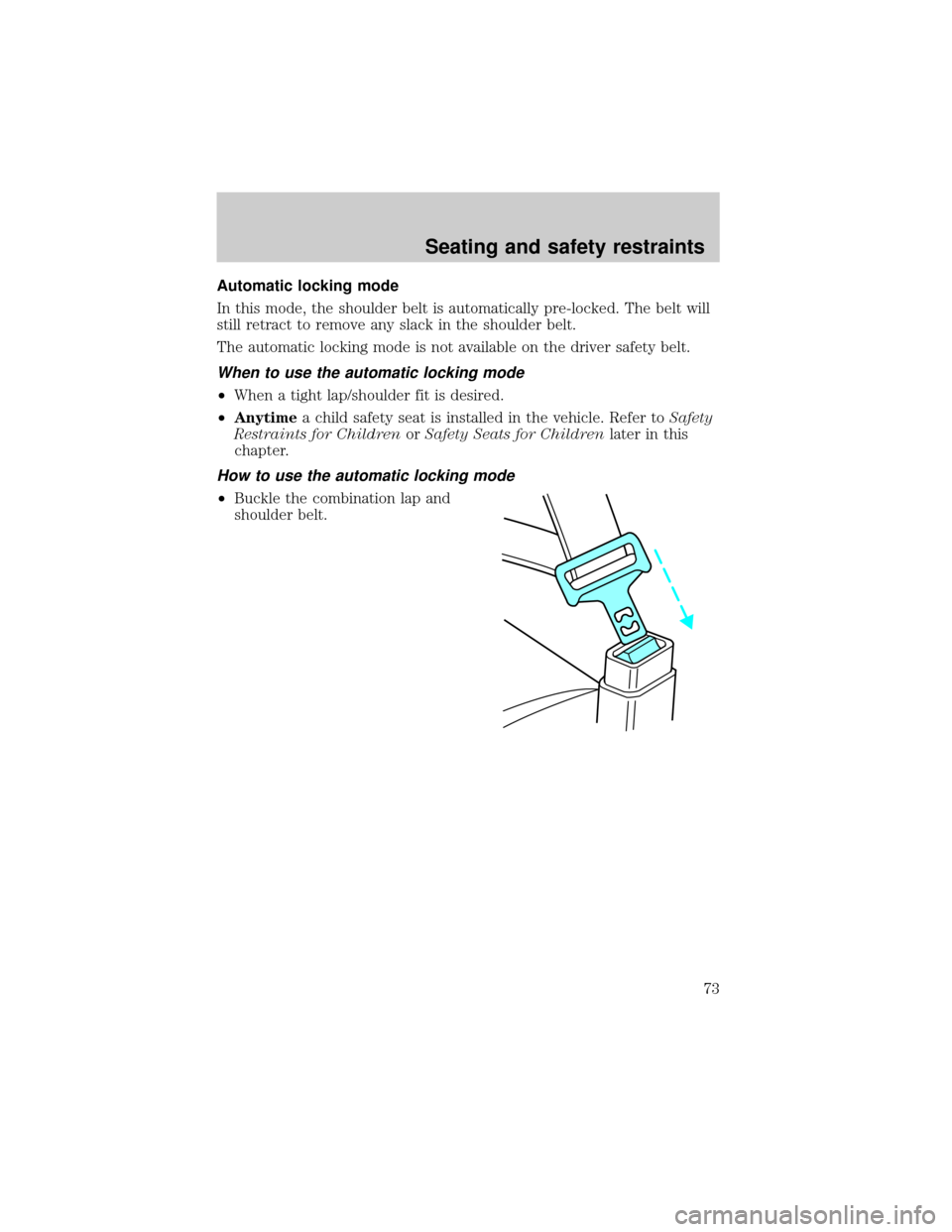
How to use the automatic locking mode
²Buckle the combination lap and
shoulder belt.
Seating and safety restraints
73