1998 CHEVROLET PRIZM air condition
[x] Cancel search: air conditionPage 7 of 364
Downloaded from www.Manualslib.com manuals search engine 0 The 1998 Chevrolet Prizrn Owner’s Manual
1-1
2-1
3-1
4-1
5-1
6-1
7-1
8-1
9-1
Seats and Restraint Systems
This section tells you how to use your seats and safety belts properly. It also explains the air bag system.
Features and Controls
This section explains how to start and operate your vehicle.
Comfort Controls and Audio Systems
This section tells you how to adjust the ventilation and comfort controls and how to operate your audio system.
Your Driving and the Road
Here you’ll find helpful information and tips about the road and how to drive under different conditions.
Problems on the Road
This section tells what to do if you have a problem while driving, such as a flat tire or overheated engine, etc,
Service and Appearance Care
Here the manual tells you how to keep your vehicle running properly and looking good.
Maintenance Schedule
This section tells you when to perform vehicle maintenance and what fluids and lubricants to use.
Customer Assistance Information
This section tells you how to contact Chevrolet for assistance and how to get service and owner publications.
It also gives you information on “Reporting Safety Defects” on page 8- 10.
Index
Here’s an alphabetical listing of almost every subject in this manual. You can use it to quickly find
something you want to read.
i
Page 124 of 364
Downloaded from www.Manualslib.com manuals search engine Air Bag Readiness Light
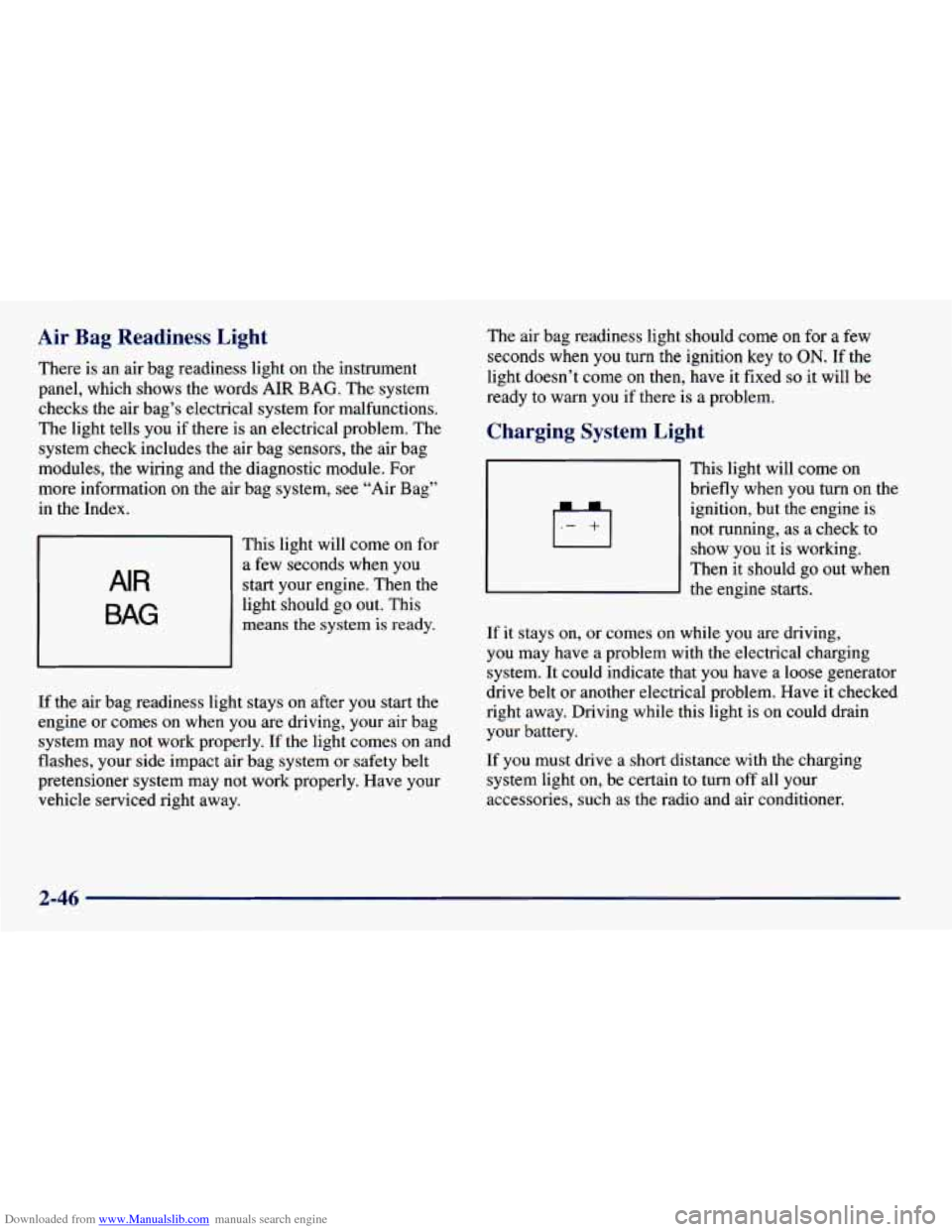
There is an air bag readiness light on the instrument
panel, which shows the words
AIR BAG. The system
checks the air bag’s electrical system for malfunctions.
The light tells you if there is an electrical problem. The
system check includes the air bag sensors, the air bag
modules, the wiring and the diagnostic module. For
more information on the air bag system,
see “Air Bag”
in the Index.
AIR
BAG
This light will come on for
a few seconds when you
start your engine. Then the
light should go out. This
means
the system is ready.
If the air bag readiness light stays on after you start
the
engine or comes on when you are driving, your air bag
system may not work properly.
If the light comes on and
flashes, your
side impact air bag system or safety belt
pretensioner system may not work properly. Have your
vehicle serviced right away.
The air bag readiness light should come on for a few
seconds when
you turn the ignition key to ON. If the
light doesn’t come
on then, have it fixed so it will be
ready
to warn you if there is a problem.
Charging System Light
This light will come on
briefly when you turn on the
ignition, but the engine is
not running, as a check to
show you it is working.
Then it should go out when
the engine starts.
If it stays on, or comes on while you are driving,
you may have
a problem with the electrical charging
system. It could indicate that you have a
loose generator
drive belt or another electrical problem. Have it checked
right away. Driving while this light is on could drain
your battery.
If you must drive a short distance with the charging
system light
on, be certain to turn off all your
accessories, such as the radio and air conditioner.
2-46
Page 128 of 364

Downloaded from www.Manualslib.com manuals search engine NOTICE:
If you keep driving your vehicle with this light
on, after
a while, your emission controls may not
~ work as well, your fuel economy may not be as
good and your engine may not run as smoothly.
This could lead to costly repairs that may not be
covered
by your warranty.
This light should come on, as a check to show you it is
working, when the ignition is on and the engine
is not
running. If the light doesn’t come on, have it repaired.
This light will also come on during a malfunction in
one of two ways:
Light Flashing -- A misfire condition has been
detected.
A misfire increases vehicle emissions and
may damage the emission control system on your
vehicle. Dealer or qualified service center diagnosis
and service may be required.
@ Light On Steady -- An emission control system
malfunction has been detected on your vehicle.
Dealer or qualified service center diagnosis and
service may be required.
If the Light Is Flashing
The following may prevent more serious damage to
your vehicle:
0 Reducing vehicle speed.
Avoiding hard accelerations.
0 Avoiding steep uphill grades.
0 If you are towing a trailer, reduce the amount of
cargo being hauled as soon as it is possible.
If the light stops flashing and remains on steady, see “If
the Light Is
On Steady” following.
If the light continues to flash, when it is
safe to do so,
stop the vehicle. Find a safe place to park your vehicle.
Turn the key off, wait at least
10 seconds and restart the
engine. If the light remains on steady, see “If the Light
Is On Steady” following. If the light is still flashing,
follow the previous steps, and drive the vehicle to your
dealer or qualified service center for service.
2-50
Page 129 of 364

Downloaded from www.Manualslib.com manuals search engine If the Light Is On Steady
You may be able to correct the emission system
malfunction by considering the following:
Did you recently put fuel into your vehicle?
If
so, reinstall the fuel cap, making sure to fully install
the cap. The diagnostic system can determine if the fuel
cap has been left off or improperly installed. A loose or
missing fuel cap will allow fuel to evaporate into the
atmosphere.
A few driving trips with the cap properly
installed should turn the light off.
Did you just drive through a deep puddle of water?
If
so, your electrical system may be wet. The condition
will usually be corrected when the electrical system
dries out.
A few driving trips should turn the light off.
Are you low
on fuel?
As your engine starts to run out of fuel, your engine may
not run as efficiently as designed since small amounts of
air are sucked into the fuel line causing a misfire. The
system can detect this. Adding fuel should correct this
condition. Make sure to install the fuel cap properly. It
will take a few driving trips to turn the light off. Have
you recently changed brands of fuel?
If so, be sure to fuel your vehicle with quality fuel (see
“Fuel” in the Index). Poor fuel quality will cause your
engine not to run as efficiently as designed. You may
notice this as stalling after start-up, stalling when you
put the vehicle into gear, misfiring, hesitation
on
acceleration or stumbling on acceleration. (These
conditions may go away once the engine is warmed
up.) This will be detected by the system and cause the
light to turn on.
If you experience one or more of these conditions,
change the fuel brand you use. It will require at least
one full tank of the proper
fuel to turn the light off.
If none of the above steps have made the light turn off,
have your dealer or qualified service center check the
vehicle. Your dealer has the proper test equipment and
diagnostic tools to fix any mechanical
or electrical
problems that may have developed.
2-51
Page 135 of 364
Downloaded from www.Manualslib.com manuals search engine 0 Section 3 Comfort Controls and Audio Systems
In this section, you’ll find out how to operate the comfort control and audio systems offered with your vehicle. Be
sure to read about the particular systems supplied with your vehicle.
3-2
3-3
3-3 3-4
3-5
3-6
3-6
3-6 3-8 Comfort Controls
Air Conditioner Controls (Option)
Heating
Ventilation System
Defogging and Defrosting
Audio Systems Setting the Clock
AM-FM Stereo (If Equipped)
AM-FM Stereo with Cassette Tape Player and
Automatic Tone Control (If Equipped) 3-1 1
3- 14
3- 14
3-15
3- 17
3- 17
3- 17
i
I
AM-FM Stereo with Compact Disc Player and
Automatic Tone Control
(If Equipped)
Understanding Radio Reception
Tips About Your Audio System
Care of Your Cassette Tape Player
Care of Your Compact Discs
Care of Your Compact Disc Player
Fixed Mast Antenna
3-1
Page 136 of 364
Downloaded from www.Manualslib.com manuals search engine Comfort Controls
With this system, you can control the heating and
ventilation in your vehicle.
If you have the air
conditioning option, you can also control cooling.
Your vehicle also has the flow-through ventilation
system described later in this section.
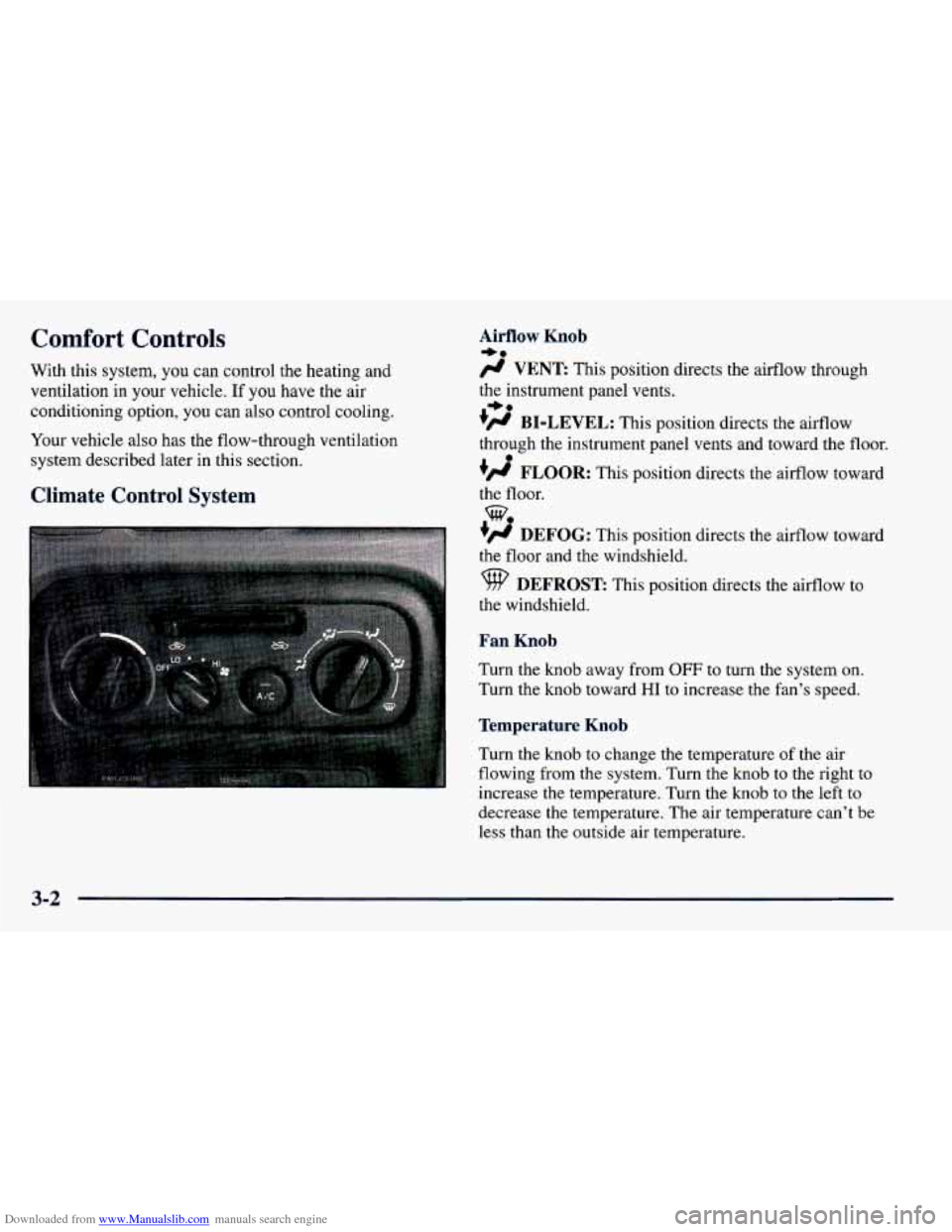
Climate Control System
Airflow Knob
/J VENT This position directs the airflow through
the instrument panel vents.
+’ BI-LEVEL: This position directs the airflow
through the instrument panel vents and toward the floor.
#’ FLOOR: This position directs the airflow toward
the floor.
+# DEFOG: This position directs the airflow toward
the floor and the windshield.
9 DEFROST: This position directs the airflow to
the windshield.
Fan Knob
Turn the knob away from OFF to turn the system on.
Turn the knob toward
HI to increase the fan’s speed.
Temperature Knob
Turn the knob to change the temperature of the air
flowing from the system. Turn the knob to the right to
increase the temperature. Turn the knob to the left
to
decrease the temperature. The air temperature can’t be
less than the outside
air temperature.
+e
+e
e
we
3-2
Page 137 of 364
Downloaded from www.Manualslib.com manuals search engine Air Intake Lever RECIRCULATE:
Choose this position to
recirculate the inside air through the comfort
control system.
outside air through the comfort control system.
CIRCULATE: Choose this position to circulate
Air Conditioner Controls (Option)
The air conditioning system uses the same controls as
described previously.
The function of each control is explained under
“Climate Control System” in this part. The incoming air
is cooled and dehumidified instead of being heated.
Push the NC button to change your comfort control
system from heating to air conditioning. A light will
come on when the air conditioning is
on. The NC
button can also control the humidity in your vehicle.
The air conditioner works best if
you keep your
windows closed. On very hot days, open the windows
just long enough for the hot air
to escape.
For normal cooling, push the A/C button and move the
air intake lever
to CIRCULATE for normal cooling. For faster cooling, move
the lever to RECIRCULATE.
Then move the airflow knob to VENT and turn the
temperature control knob to the left. Turn the fan knob
to HI.
On days when it is raining or the humidity is high,
follow these dehumidifying steps instead of the cooling
directions. It will help clean windows that are cloudy
with moisture.
Move the air intake lever to CIRCULATE and turn the
airflow knob to DEFROST. Turn the fan knob to
HI and
adjust the temperature knob to
a comfortable setting.
Heating
For the quickest results, move the air intake lever to
RECIRCULATE and the airflow knob to FLOOR.
Turn the temperature knob to the right for warmer air
and turn the fan knob toward
HI. You should switch
to CIRCULATE once in a while to avoid stale air
and cloudy windows. To prevent cold air from
blowing in, you may shut
off the outer dash vents by
using the thumbwheels.
3-3
Page 138 of 364
Downloaded from www.Manualslib.com manuals search engine Bi-Level
You may want to use bi-level heating on cool, but sunny
days. This setting directs outside air toward your body
and warmer air toward your feet.
Move the air intake lever to CIRCULATE and turn the
airflow knob
to BI-LEVEL. Turn the temperature knob
to the white area and the fan knob toward
HI.
Ventilation System
For mild outside temperatures, when very little heating
is required,
you can still direct outside air through
your vehicle.
Move the air intake lever to CIRCULATE and turn the
airflow knob
to VENT. Turn the temperature knob to a
comfortable setting and the fan knob toward
HI.
Airflow through the side vents is normal in all airflow
modes.
To optimize the effectiveness of your system in
FLOOR, DEFOG, or DEFROST modes, turn
the
outboard vent (shut-off) thumbwheels down to the
closed position.
Your vehicle's flow-through ventilation system
supplies outside air into the vehicle when it
is moving.
Outside air will also enter the vehicle when the heater or
the air conditioning fan is running and
the air intake
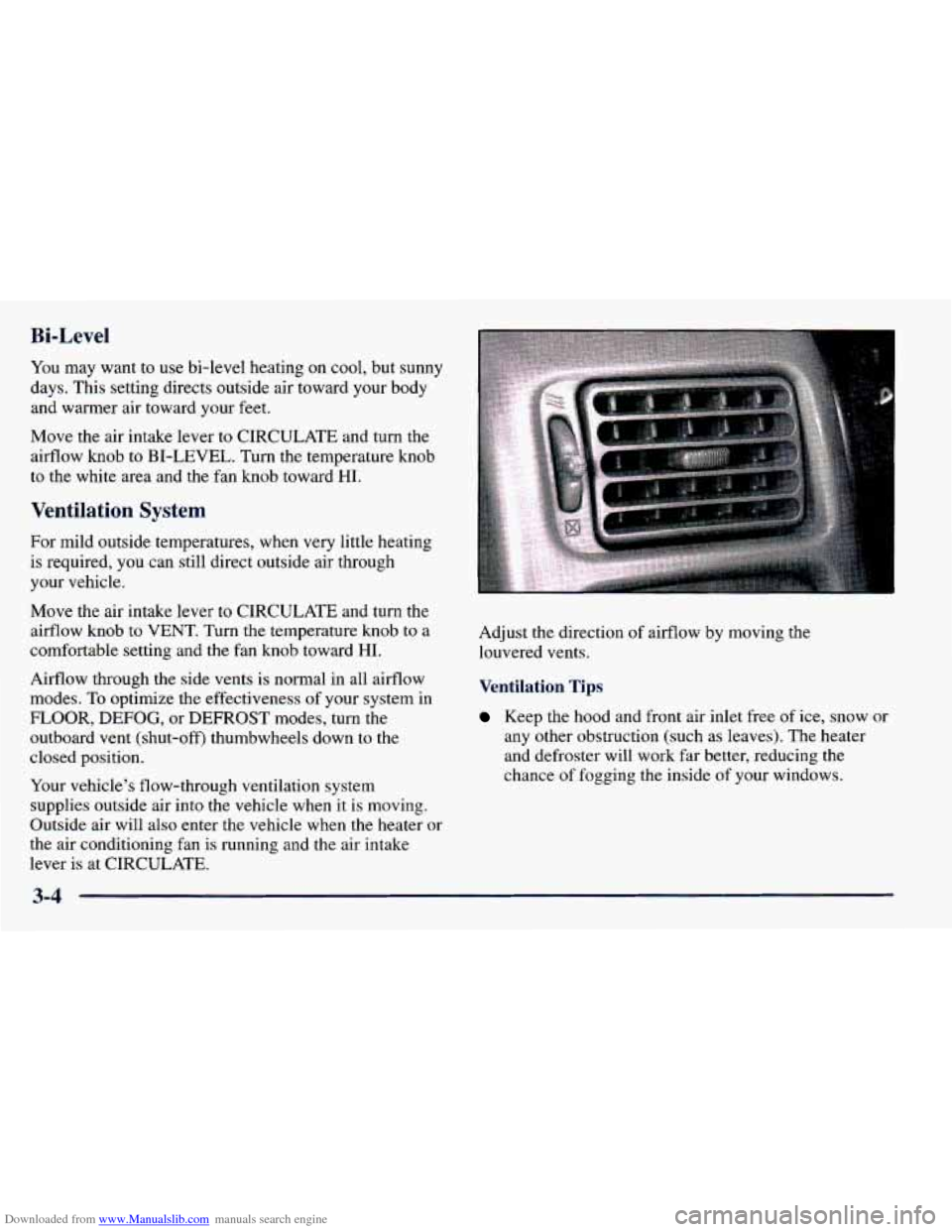
lever is at CIRCULATE. Adjust the direction
of airflow
by moving the
louvered vents.
Ventilation Tips
Keep the hood and front air inlet free of ice, snow or
any other obstruction (such as leaves). The heater
and defroster will work far better, reducing the
chance of fogging
the inside of your windows.
3-4