1998 CHEVROLET CORVETTE key fob
[x] Cancel search: key fobPage 65 of 378
Downloaded from www.Manualslib.com manuals search engine 4. When the message FOB TRAINING is displayed,
push the RESET button once. The message
HOLD
LK + UNLK 1ST FOB will be displayed.
5. Press and hold the LOCK and UNLOCK buttons on
the transmitter simultaneously for
15 seconds.
6. When a transmitter is learned, the DIC will display
FOB LEARNED and then prompt you to learn the
next transmitter.
7. Repeat Steps 5 and 6 for each additional transmitter.
8. Remove the key from the ignition.
The programming mode will shut
off if
0 You don’t program any transmitters for two minutes.
0 You take the key out of the ignition.
0 You have programmed three transmitters.
Battery Replacement
Under normal use, the battery in your key fob
transmitter should last about
18 months.
You can tell the battery is weak if the transmitter won’t
work at the normal range
in any location. If you have to
get close to your vehicle before the transmitter works,
it’s probably time to change the battery.
NOTICE:
When replacing the battery, use care not to touch
any of the circuitry. Static from your body
transferred to these surfaces may damage
the transmitter.
2-12
Page 67 of 378
Downloaded from www.Manualslib.com manuals search engine Remote Hatch/Trunk Lid Release
To use the remote hatcWtrunk lid release on automatic
transmission vehicles, your vehicle must be in PARK (P)
or NUETRAL
(N). For manual transmissions, set the
parking brake. See “Parking Brake” in the Index.
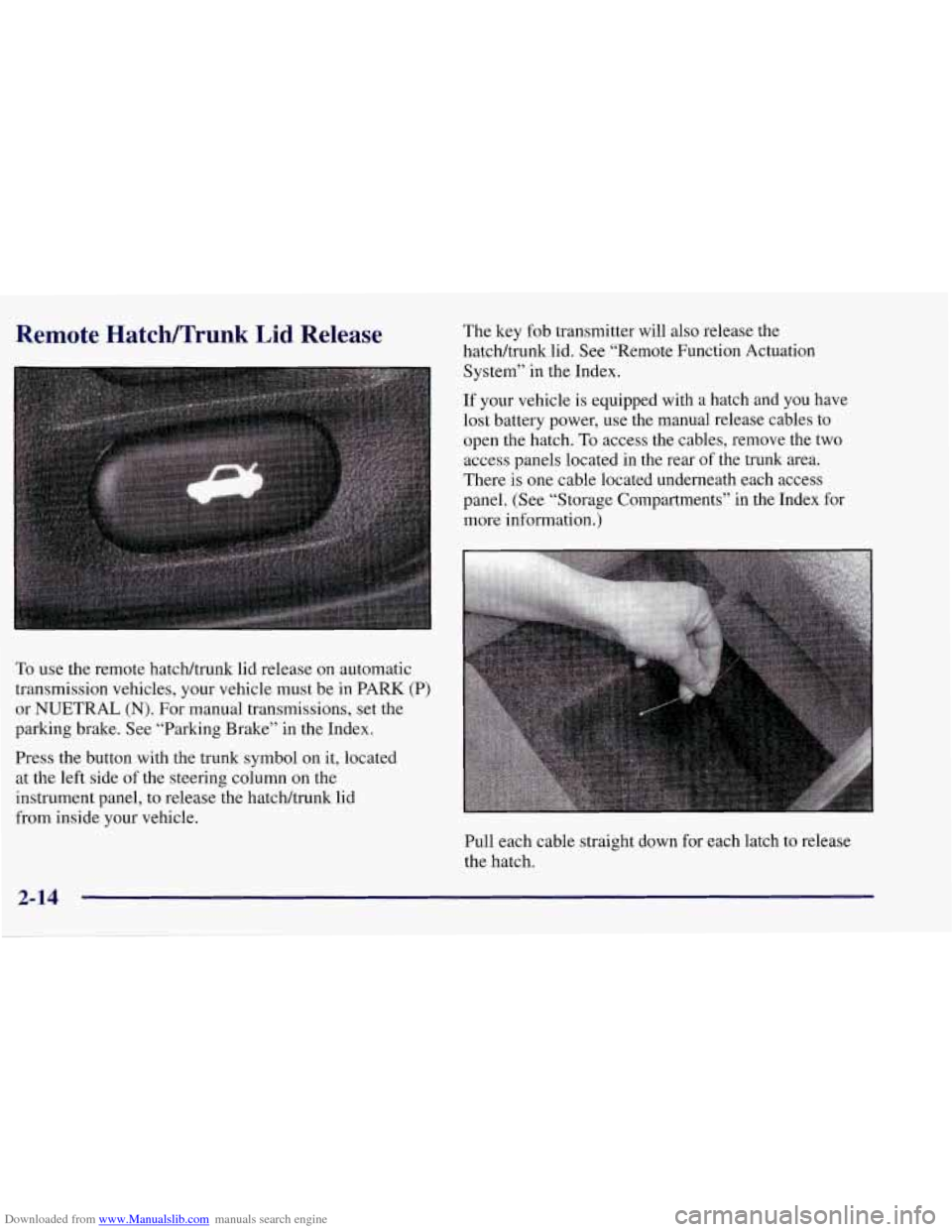
Press the button with the trunk symbol on it, located
at the left side of the steering column
on the
instrument panel, to release the hatchhunk lid
from inside your vehicle. The
key fob transmitter will also release the
hatcWtrunk lid. See “Remote Function Actuation
System” in the Index.
If your vehicle
is equipped with a hatch and you have
lost battery power, use the manual release cables to
open the hatch.
To access the cables, remove the two
access panels located in the rear of the trunk area.
There is one cable located underneath each access
panel. (See “Storage Compartments” in the Index for
more information.)
Pull each cable straight down for each latch to release
the hatch.
2-14
Page 70 of 378
Downloaded from www.Manualslib.com manuals search engine Parking at Night
Park in a lighted spot, close all windows and lock your
vehicle. Remember to keep your valuables out of sight.
Put them in a storage area, or take them with you.
Parking Lots
If you park in a lot where someone will be watching
your vehicle, it’s best to lock
it up and take your keys.
But what if you have to leave your key?
Do not leave
valuables in your vehicle, since there would be no place
to secure them.
”<
Universal Theft-Deterrent System
Your Corvette has a
theft-deterrent alarm
I SECURITY
system. With this system,
the SECURITY light will
flash as you open the door (if your ignition is
off).
This light reminds you to arrn the theft-deterrent system.
To arm the system, do the following: To
arm the system, do the following:
1. Press the LOCK button on the key fob transmitter, as
mentioned earlier, OR
2. Walk out of range with the passive switch on OR
3. Open the door. (The SECURITY light should flash.)
Lock the door with the power door lock switch. The
SECURITY light will stop flashing and stay on.
Close all the doors. The SECURITY light should
go off.
Now,
if a door or the hatcWtmnk lid is opened without
the key or the key fob transmitter system, the alarm will
go
off. Your horn will sound for two minutes, then it
will go off to save battery power. And, your vehicle
won’t start.
The theft-deterrent system won’t arm
if you lock the
doors with a key, the manual door
lock, or if you power
lock (from the inside) the vehicle after the doors
are closed.
If your passenger stays in the vehicle when you leave
with the keys, have the passenger lock the vehicle after
the doors are closed. This way the alarm won’t
arm, and
your passenger won’t set it
off.
2- 17
Page 71 of 378
Downloaded from www.Manualslib.com manuals search engine Always use your key or the key fob transmitter to
unlock a door. Unlocking a door any other way will set
off the alarm. If you do set off the alarm, there are four
ways to stop it:
Unlock any door with your key.
Put the key in the ignition.
Press the UNLOCK button on the key fob transmitter.
0 Walk into range with the passive switch on.
Testing the Alarm
1. Make sure the rear hatch/trunk lid is latched.
2. Lower a window on the door.
3. Manually arm the system with the power door
lock switch.
4. Close the doors and wait 15 seconds.
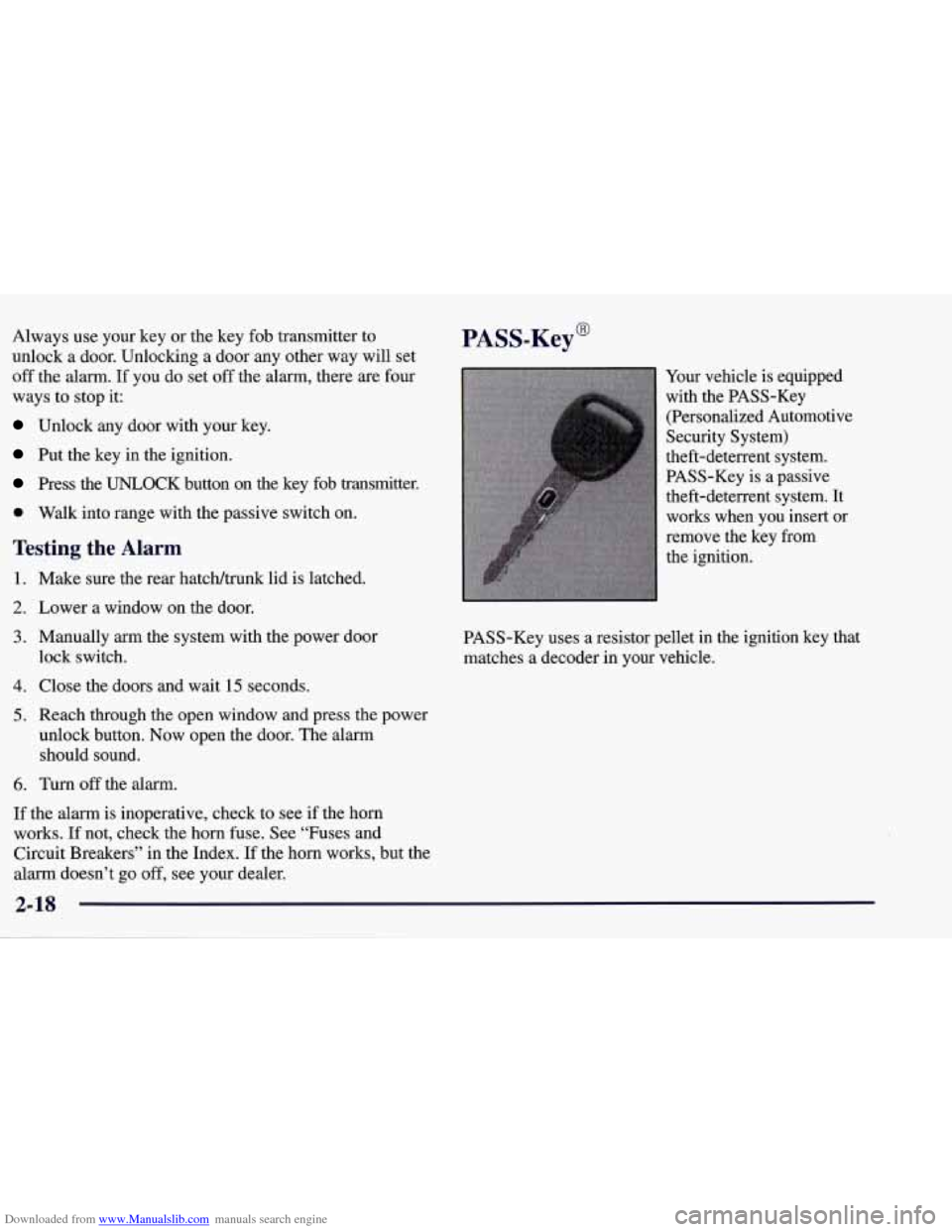
PASS-Key@
Your vehicle is equipped
with the PASS-Key
(Personalized Automotive
Security System)
theft-deterrent system.
PASS-Key is
a passive
theft-deterrent system. It
works when you insert
or
remove the key from
the ignition.
PASS-Key uses a resistor pellet in the ignition key that
matches
a decoder in your vehicle.
5. Reach through the open window and press the power
unlock button. Now open the door. The alarm
should sound.
6. Turn off the alarm.
If the alarm is inoperative, check to see if the horn
works. If not, check the horn fuse. See “Fuses and
Circuit Breakers” in the Index.
If the horn works, but the
alarm doesn’t go
off, see your dealer.
2-18
Page 147 of 378
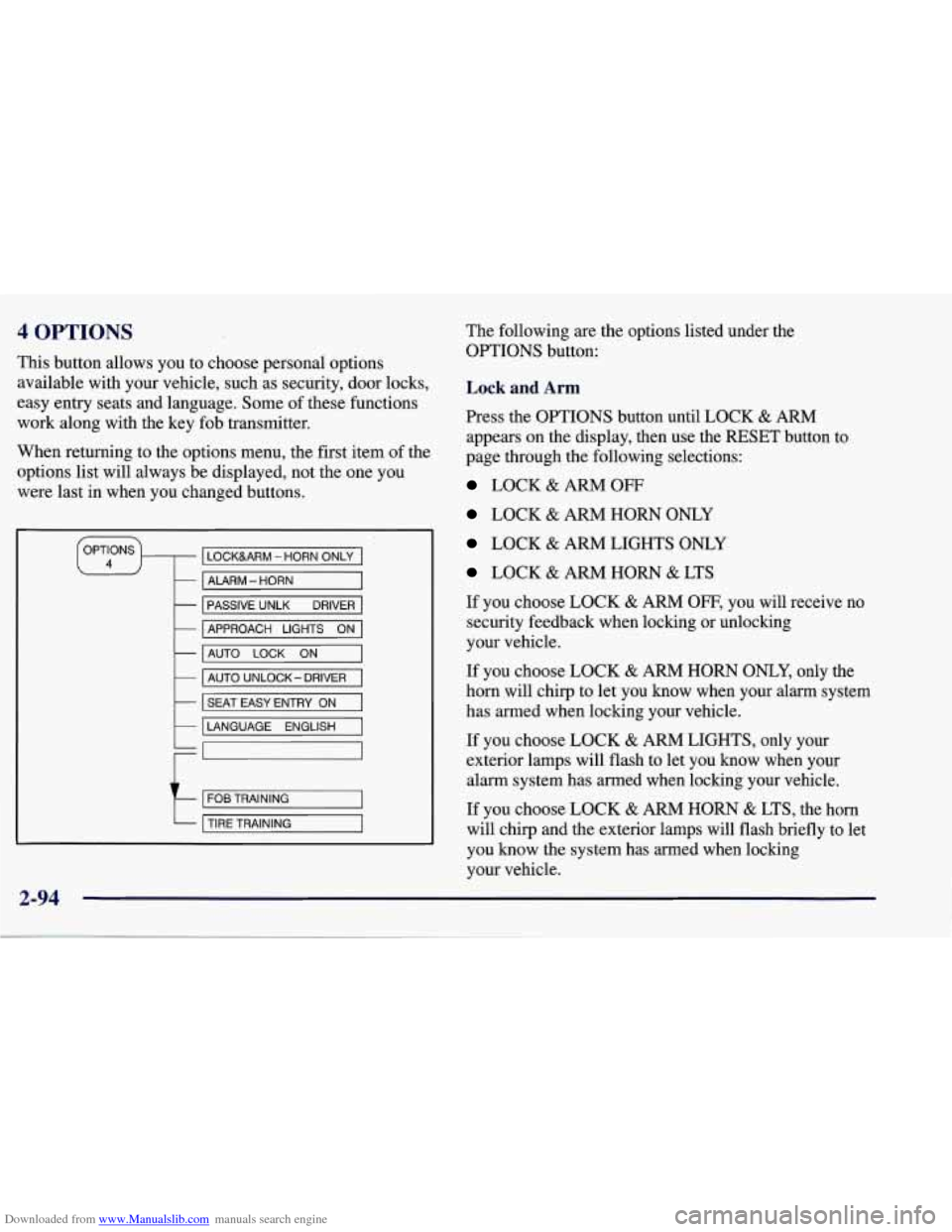
Downloaded from www.Manualslib.com manuals search engine 4 OPTIONS
This button allows you to choose personal options
available with your vehicle, such as security, door locks,
easy entry seats and language. Some of these functions
work along with the key fob transmitter.
When returning to the options menu, the first, item of the
options list will always be displayed, not the one you
were last in when you changed buttons.
LOCKURM - HORN ONLY
- ALARM - HORN
-
-
PASSIVE UNLK DRIVER
AUTO
LOCK ON -
APPROACH LIGHTS ON
- AUTO UNLOCK- DRIVER
k I SEAT EASY ENTRY ON I
LANGUAGE ENGLISH
t
FOB TRAINING
TIRE TRAINING
2-94
The following are the options listed under the
OPTIONS button:
Lock and Arm
Press the OPTIONS button until LOCK & ARM
appears on the display, then use the RESET button to
page through the following selections:
LOCK & ARM OFF
LOCK & ARM HORN ONLY
LOCK & ARM LIGHTS ONLY
LOCK & ARM HORN & LTS
If you choose LOCK
& ARM OFF, you will receive no
security feedback when locking or unlocking
your vehicle.
If you choose LOCK
& ARM HORN ONLY, only the
horn will chirp to let you know when your alarm system
has armed when locking your vehicle.
If you choose LOCK
& ARM LIGHTS, only your
exterior lamps will flash to let you know when your
alarm system has armed when locking your vehicle.
If you choose LOCK & ARM HORN & LTS, the horn
will clvrp
and the exterior lamps will flash briefly to let
you know the system has armed when locking
your vehicle.
Page 148 of 378
Downloaded from www.Manualslib.com manuals search engine Alarm
Press the OPTIONS button until ALARM appears on
the display, then use the RESET button to page through
the following selections:
0 ALARMHORN
ALARM HORN & LIGHTS
If you choose ALARM HORN, the horn will sound
during
an alarm. If you choose ALARM HORN &
LIGHTS, the horn will sound and the interior and
exterior lamps will flash during an alarm.
Passive Unlock
Press the OPTIONS button until PASSIVE UNLOCK
appears on the display, then use the RESET button to
page through the following selections:
PASSIVE UNLOCK- DRIVER
0 PASSIVE UNLOCK- BOTH
If you choose the PASSIVE UNLOCK- DRIVER, only
the driver’s door lock
will be programmed to passively
unlock. The driver’s door will passively unlock when
you approach the vehicle with the key fob transmitter
slider switch set to
ON.
If you choose PASSIVE UNLOCK- BOTH, the driver
and passenger’s door locks will be programmed to
passively unlock. The driver and passenger doors will
passively unlock when you approach the vehicle with
the key fob transmitter slider switch set to
ON.
See “Remote Function Actuation (FWA) System” in the
Index for more information.
Approach Lights
Press the OPTIONS button until APPROACH LIGHTS
appears on the display, then use the RESET button to
page through the following choices:
0 APPROACH LIGHTS ON
0 APPROACH LIGHTS OFF
If you choose APPROACH LIGHTS ON, the fog lamps,
front
turn signal, rear back-up and courtesy lamps will
come on for
30 seconds as you approach the vehicle
with the key fob transmitter. This will occur only when
it is dark outside.
APPROACH LIGHTS
OFF turns off this option.
See “Remote Function Actuation (RFA) System” in the
Index for more information.
2-95