1998 CADILLAC SEVILLE key
[x] Cancel search: keyPage 139 of 378
Downloaded from www.Manualslib.com manuals search engine Exterior Lighting Programmable Automatic Door Locks
Press the INFO button one or more times until the
FEATURE PROGRAMMING prompt appears on the DIC display. Press the ON/OFF button to enter
FEATURE PROGRAMMING.
To exit, press the INFO
RESET button.
This personalization feature enables the driver
to
program the exterior lamps to turn on or to remain off
when using the RKE transmitter to unlock the vehicle.
During dark or nighttime conditions, if exterior lighting
is selected, the parking lamps, taillamps, reverse lamps,
high-beam headlamps, etc. will turn on for about
20 seconds or until a door is opened, until the key is
turned out of
OFF or until the RKE is used to lock
the vehicle.
Press the INFO button one or more times until the
FEATURE PROGRAMMING prompt appears on the
Driver Information Center (DIC) display. Press the ON/OFF button to enter FEATURE PROGRAMMING.
To exit, press the INFO RESET button. Press the down
arrow on the
INFO button one or more times until the
EXT LIGHTS AT UNLOCK prompt appears.
To turn the feature on, press the ON/OFF button until
ON is displayed.
To turn the feature off, press the
ON/OFF button until
OFF is displayed.
Doors Lock in Gear
Press the down arrow on the INFO button one or more
times until the DOORS LOCK IN GEAR prompt
appears. This feature will automatically lock all doors
when the vehicle is shifted out of PARK (P). To turn the
feature
on, press ON/OFF until ON is displayed on the
DIC.
To turn the feature off, press ON/OFF until OFF
is displayed.
Driver Unlock in PARK (P)
Press the down arrow on the INFO button one or more
times until the
DRIVER UNLOCK IN PARK (P)
prompt appears. This feature will automatically unlock
only the driver’s door when the vehicle is shifted into
PARK (P). To turn the feature on, press ON/OFF until
ON is displayed on the DIC. To turn the feature off,
press ON/OFF until OFF is displayed.
2-78
Page 140 of 378
Downloaded from www.Manualslib.com manuals search engine Driver Unlock Key Off
Press the down arrow on the INFO button one or more
times until the DRIVER UNLOCK
KEY OFF prompt
appears. This feature will automatically unlock only the
driver’s door when the ignition key is moved to
OW. To
turn the feature on, press ON/OFF until ON is displayed
on the DIC. To
turn the feature off, press ON/OFF until
OFF is displayed.
Doors Unlock in PARK (P)
Press the down arrow on the INFO button one or more
times until the DOORS UNLOCK
IN PARK prompt
appears. This feature will automatically unlock all doors
when the vehicle is shifted into PARK
(P). To turn the
feature on, press
ON/OFF until ON is displayed on the
DIC.
To turn the feature off, press ON/OFF until OFF
is displayed.
Doors Unlock Key Off
Press the down arrow on the INFO button one or more
times until the DOORS UNLOCK
KEY OFF prompt
appears.
This feature will automatically unlock all doors
when the ignition key is turned to
OFF. To turn the
feature on, press
ON/OFF until ON is displayed on the
DIC.
To turn the feature off, press ON/OFF until OFF
is displayed.
Curbview Assist Mirror (If Equipped)
Press the down arrow on the INFO button one or more times
until the MIRROR TO CURB IN REV prompts appears on
the DIC display.
This feature will move the passenger’s
outside rearview mirror
to a curb view position when the
console shifter is placed
in REVERSE (R) and it will return
the mirror to the last known driving position when the
console shifter is moved out of REVERSE (R).
To turn this
feature on, press the ON/OFF button until ON is displayed on
the DIC. To
turn the feature off, press the ON/OFF button
until OFF is displayed. For more information, see “Curbview
Assist Mirror”
in the Index.
Driver’s Names Set/Recall (If Equipped)
After the FEATURE PROGRAMMING prompt is
displayed on the Driver Information Center (DIC) and
the
ON/OFF button is pressed, the prompts DRIVER
NO 1 or DRIVER NO 2 will appear. These prompts
correspond to which
RKE transmitter button or memory
recall button has been pressed on the
RKE transmitter.
You may have your name and a second driver’s name
displayed here replacing the prompts DRIVER
NO 1
and DRIVER NO 2. A dealership can program your
vehicle to display the names you want. The names will
appear whenever the key position
is turned to ON only
if RKE transmitters 1 or 2 are used to enter the vehicle
or buttons
1 or 2 on the driver’s door are pressed.
2-79
Page 145 of 378
Downloaded from www.Manualslib.com manuals search engine CHECK FUEL GAGE - 50: This message will appear
when the fuel supply is less than
5 gallons (1 8.9 L) and
the display is turned off.
A single chime will also sound
when this message is displayed.
CHECK GAS CAP - 61: This message will appear if
the gas cap has not been fully tightened. You should
recheck your gas cap to ensure that it’s fully tightened.
CHECK OIL LEVEL - 36: For correct operation of
the low oil sensing system, your vehicle should be on a
level surface.
A false CHECK OIL LEVEL message
may appear if the vehicle is parked on grades. The oil
level sensing system does not check for actual oil level
if the engine has been
off for a short period of time, and
the oil
level is never sensed while the engine is running.
If the CHECK OIL LEVEL message appears, and your
vehicle has been parked
on level ground with the engine
off for at least 30 minutes, the oil level should be
checked by observing the oil dipstick. Prior to checking
the oil level, be sure the engine has been off for
a few
minutes and your vehicle is on a level surface. Then
check the dipstick and add oil if necessary. See “Engine
Oil” in the Index.
CHECK WASHER FLUID - 25: This message will
appear to indicate that you need washer solvent.
DRIVER DOOR A JAR - 140: This message will
display anytime the key is in
ON and your driver’s door
is open or ajar.
A chime will also sound when the
vehicle’s speed is greater than
3 mph (4.8 km/h).
DRIVER NO. X (1 OR 2) : This message will appear
when the remote keyless entry is used. The message will
show which driver is activating the personalization
feature. It will only stay on for five seconds.
This message will appear when the engine coolant temperature is over
262 OF ( 128 O C). Stop and allow your
vehicle to idle in
PARK (P) until it cools down and the
message is removed.
Do not increase engine speed
above a normal idle.
If it does not cool down, turn off
the engine and have it serviced before driving it again.
Severe engine damage can result from an overheated
engine. See “Engine Overheating” in the Index.
ENGINE HOT-A/C OFF - 16: This message displays
when the engine coolant becomes hotter than the normal
operating temperature. To avoid added strain on a hot
engine, the air conditioning compressor is automatically
turned off. When the coolant temperature returns to
normal, the
A/C operation will automatically resume.
You can continue to drive your vehicle.
If this message
continues to appear, have the system repaired as soon as
possible to avoid compressor damage.
ENGINE COOLANT HOT IDLE ENGINE - 44:
2-84
Page 147 of 378
Downloaded from www.Manualslib.com manuals search engine RIGHT REAR DOOR A JAR - 143: The right rear
door is open or ajar when this message appears. The key
must be in the
ON position for this message to display.
A chime will also sound when the vehicle’s speed is
greater than
3 mph (4.8 km/h).
SERVICE “AC” SYSTEM - 14: This message appears
when the electronic sensors that control the air
conditioning and heating systems are no longer working.
Have the climate control system serviced if you notice a
drop in heating and air conditioning efficiency.
SERVICE AIR BAG - 83: There is a problem with the
Supplemental Inflatable Restraint (air bag) system when
this message appears. Let only a qualified technician
work on your vehicle. See your dealership for service
at once.
SERVICE CHARGING SYS - 102: This message will
display when a problem with the charging system has been
detected. Have your vehicle serviced at your dealership.
SERVICE ELECTRICAL SYS - 106: This message
will display
if an electrical problem has occurred within
the PCM or the ignition switch. Have your vehicle serviced by your dealership.
SERVICE FUEL SYSTEM - 101: The PCM has
detected a problem within the fuel system when this
message appears. See your dealership for service.
SERVICE IDLE CONTROL - 107: A problem with
the idle control has occurred when
this message displays.
Take your vehicle to your dealership for service.
SERVICE STABILITY SYS - 54 : If you ever see the
SERVICE STABILITY
SYS message, it means there
may be a problem with your stability enhancement
system. If you see this message, try to reset the system
(stop;
turn off the engine; then start the engine again). If
the SERVICE STABILITY
SYS message still comes on,
it means there is a problem. You should see your dealer
for service. Reduce your speed and drive accordingly.
A single chime will also sound when this message
is displayed.
SERVICE STEERING SYS - 127: This message is
displayed when a problem has been detected in the
Magnasteer
TM variable effort steering system. Service
is required.
SERVICE SUSPENSION SYS - 84: This message is
displayed to indicate that the suspension system is not
operating properly.
To correct this problem, have your
vehicle serviced
at your dealership.
2-86
Page 148 of 378
Downloaded from www.Manualslib.com manuals search engine SERVICE THEFT SYSTEM - 34: This message
means there is a problem in the Personalized
Automotive Security System (PASS-Key
111). A fault
has been detected in the system which means that the
PASS-Key I11 system is disabled and is not protecting
the vehicle. The vehicle usually restarts, however, you
may want to take your vehicle to a proper service center
before turning off the engine.
SERVICE TRANSMISSION - 100: See your dealer
for repair.
SERVICE VEHICLE SOON - 3: This message is
displayed when a non-emissions related powertrain
malfunction occurs. Have your vehicle serviced by
a
technician as soon as possible.
SPEED LIMITED TO 90 - 113: A failure in the
suspension control system has occurred when this
message appears. The PCM determines the speed to
which your vehicle is limited. Have your vehicle serviced if this message appears.
STABILITY SYS ENGAGED - 55 : You may see the
STABILITY
SYS ENGAGED message on the Driver
Information Center. It means that an advanced,
computer-controlled system has come on to help your
vehicle continue
to go in the direction in which you’re
steering. This stability enhancement system activates
when the computer senses that your vehicle is just
starting to spin, as it might
if you hit a patch of ice or
other slippery spot on the road. When the system is on,
you may hear a noise or feel
a vibration in the brake
pedal. This is normal.
When the STABILITY SYS ENGAGED message is on,
you should continue to steer in the direction you want to
go. The system is designed to help you in bad weather or
other difficult driving situations by making the most of
whatever road conditions will permit. If the STABILITY
SYS ENGAGED message comes on, you’ll know that
something has caused your vehicle to start to spin,
so
you should consider slowing down.
STARTING DISABLED REMOVE KEY - 33: This
message will appear when the Personalized Automotive Security System (PASS-Key
111) senses that an improper
ignition key
is being used to try to start the vehicle.
Check the ignition key for damage. If
it is damaged, it
may need
to be replaced. If you see no damage, remove
the key and
try to start the vehicle again. If it still does
not start,
try another ignition key.
2-87
Page 153 of 378
Downloaded from www.Manualslib.com manuals search engine Comfort Controls
This section tells you how to make your air system work
for
you. Your electronic climate control system uses
ozone-friendly
R- 134a refrigerant.
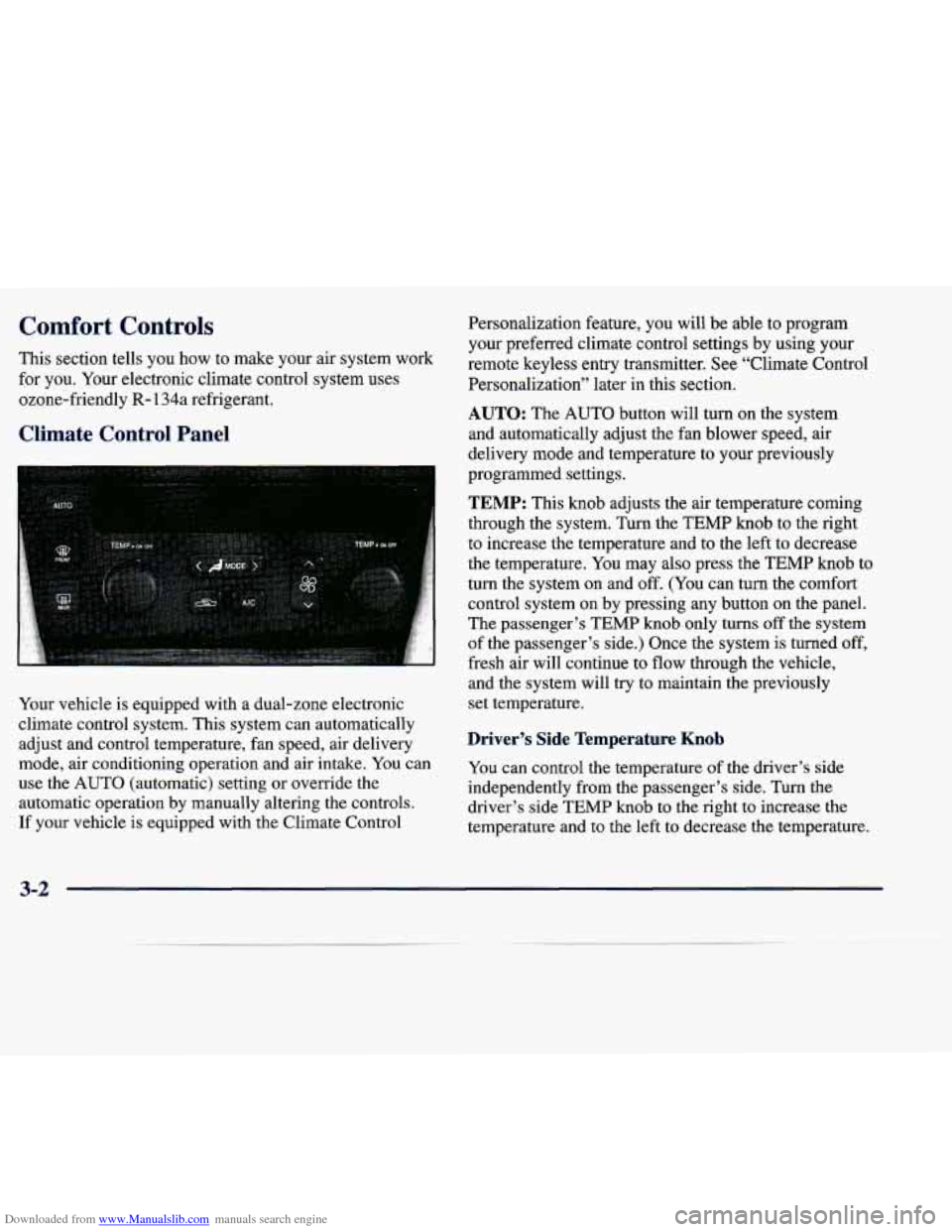
Climate Control Panel
Personalization feature, you will be able to program
your preferred climate control settings by using your
remote keyless entry transmitter. See “Climate Control
Personalization” later in this section.
AUTO: The AUTO button will turn on the system
and automatically adjust the fan blower speed, air
delivery mode and temperature to your previously
1 programmed settings.
TEMP: This knob adjusts the air temperature coming
through the system. Turn the TEMP knob to the right
to increase the temperature and to the left to decrease
the temperature.
You may also press the TEMP knob to
turn the system on and
off. (You can turn the comfort
control system on
by pressing any button on the panel.
The passenger’s TEMP knob only turns
off the system
of the passenger’s side.) Once the system
is turned off,
fresh air will continue to flow through the vehicle,
Your vehicle is equipped with
a dual-zone electronic
climate control system. This system can automatically
adjust and control temperature, fan speed, air delivery and the system will
try to maintain the previously
set temperature.
Driver’s Side Temperature Knob
mode, air conditioning Operation and air intake. YOU Can you can control the temperature of the driver’s side
use the
AUTO (automatic) setting or override the
independently from the passenger’s side. Turn the
automatic operation by manually altering the controls.
driver’s side TEMP
knob to the right to increase the
If your vehicle is equipped with the Climate Control
temperature and to the left to decrease the temperature.
3-2
Page 161 of 378
Downloaded from www.Manualslib.com manuals search engine HVAC Steering Wheel Controls
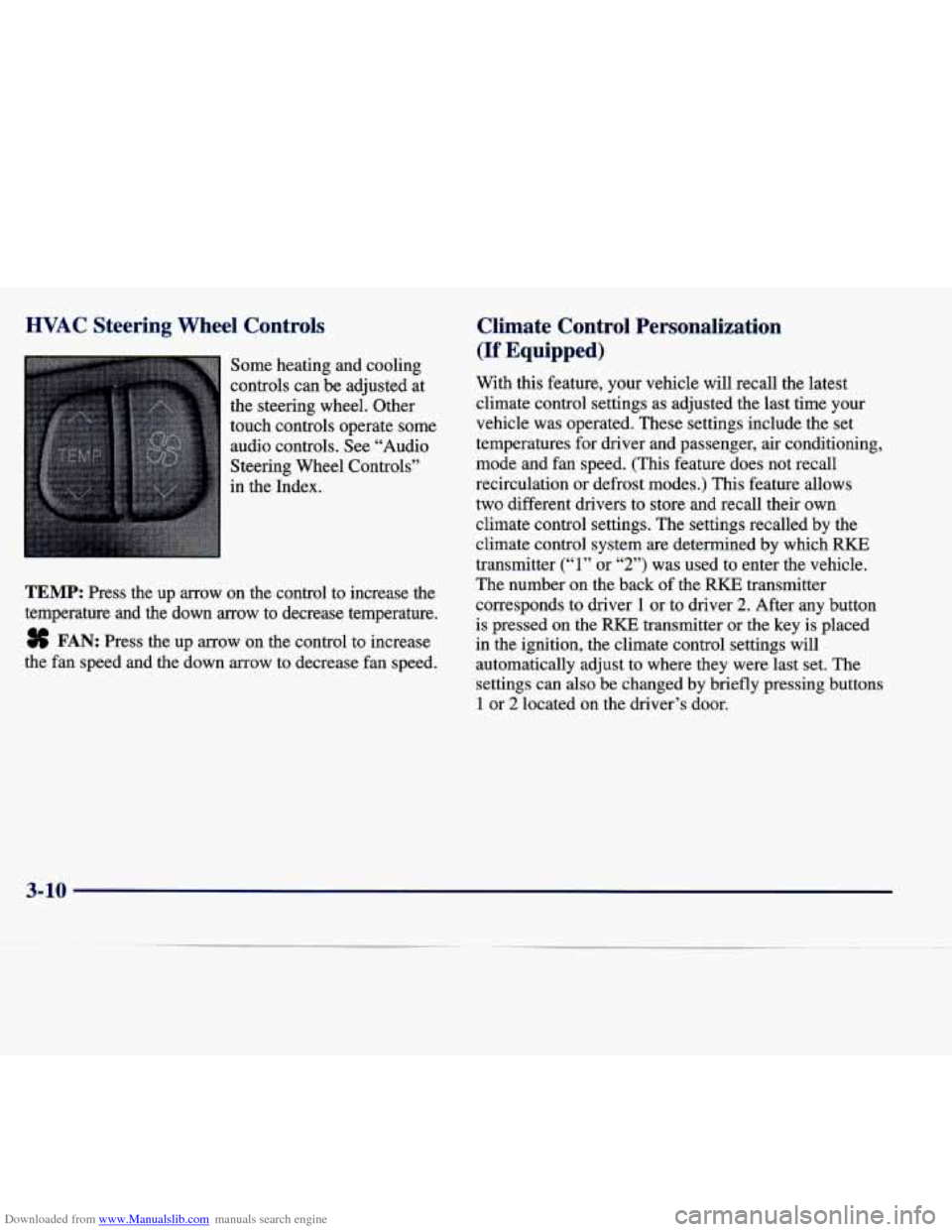
Some heating and cooling
controls can be adjusted at
the steering wheel. Other
touch controls operate some
audio controls. See “Audio
Steering Wheel Controls”
in the Index.
TEMP: Press the up arrow on the control to increase the
temperature and the down
arrow to decrease temperature.
8 FAN: Press the up arrow on the control to increase
the fan speed and the down arrow to decrease fan speed.
Climate Control Personalization
(If Equipped)
With this feature, your vehicle will recall the latest
climate control settings as adjusted the last time your
vehicle was operated. These settings include the set
temperatures for driver and passenger, air conditioning,
mode and fan speed. (This feature does not recall
recirculation
or defrost modes.) This feature allows
two different drivers to store and recall their own
climate control settings. The settings recalled by the
climate control system
are determined by which RKE
transmitter
(“1” or “2”) was used to enter the vehicle.
The number on the back
of the RKE transmitter
corresponds to driver
1 or to driver 2. After any button
is pressed on the
RKE transmitter or the key is placed
in the ignition, the climate control settings will
automatically adjust to where they were last set. The
settings can also be changed by briefly pressing buttons
1 or 2 located on the driver’s door.
3-10
Page 200 of 378
Downloaded from www.Manualslib.com manuals search engine Drunken Driving
Death and injury associated with drinking and driving
is a national tragedy. It’s the number one contributor to
the highway death toll, claiming thousands of victims
every year.
Alcohol affects four things that anyone needs to drive
a vehicle:
Judgment
0 Muscular Coordination
Vision
0 Attentiveness.
Police records show that almost half of all motor
vehicle-related deaths involve alcohol. In most cases,
these deaths are the result of someone who was drinking
and driving. In recent years, over 17,000 annual motor
vehicle-related deaths have been associated with the use
of alcohol, with more than
300,000 people injured.
Many adults
-- by some estimates, nearly half the adult
population
-- choose never to drink alcohol, so they
never drive after drinking. For persons under
21, it’s
against the law in every
U.S. state to drink alcohol.
There are good medical, psychological and
developmental reasons for these laws. The
obvious way to solve this highway safety problem
is for people never to drink alcohol and then drive. But
what if people do? How much is “too much”
if the
driver plans to drive?
It’s a lot less than many might
think. Although it depends on each person and situation,
here is some general information on the problem.
The Blood Alcohol Concentration (BAC) of someone
who is drinking depends upon four things:
0 The amount of alcohol consumed
0 The drinker’s body weight
The amount of food that is consumed before and
during drinking
The length of time it has taken the drinker to
consume the alcohol.
According to the American Medical Association, a 180-lb. (82 kg) person who drinks three 12-ounce
(355 ml) bottles of beer in an hour will end up with a
BAC of about 0.06 percent. The person would reach the
same BAC by drinking three 4-ounce
(120 ml) glasses
of wine or three mixed drinks if each had 1 - 1/2 ounces
(45 ml) of a liquor like whiskey, gin or vodka.