1998 BMW 740I air condition
[x] Cancel search: air conditionPage 74 of 211
73n
RepairsIndexOverview Controls Car care Technology Data
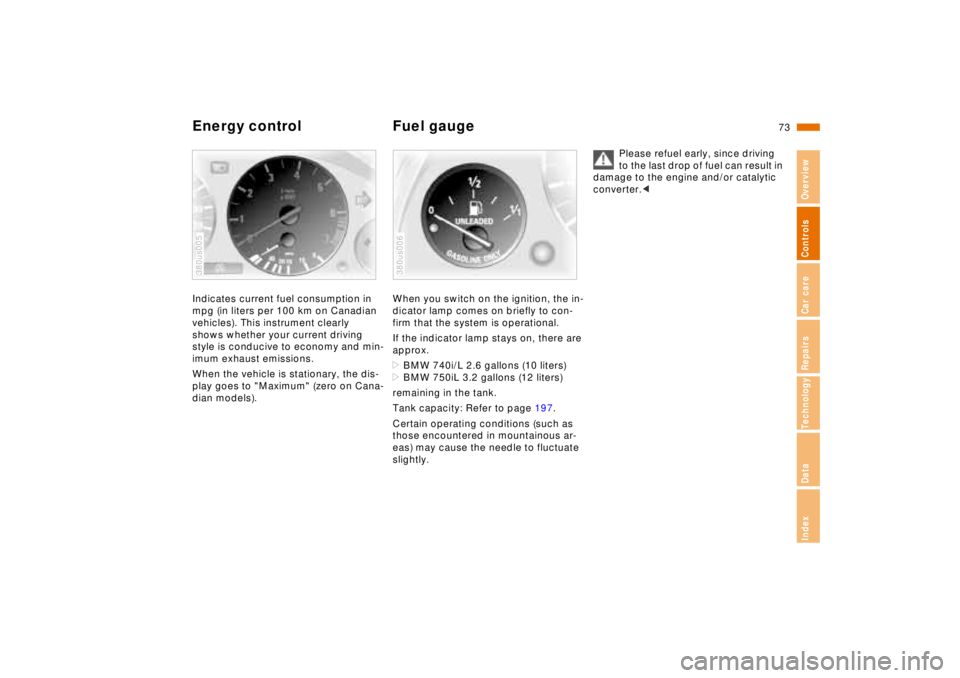
Energy control Fuel gaugeIndicates current fuel consumption in
mpg (in liters per 100 km on Canadian
vehicles). This instrument clearly
shows whether your current driving
style is conducive to economy and min-
imum exhaust emissions.
When the vehicle is stationary, the dis-
play goes to "Maximum" (zero on Cana-
dian models).380us005
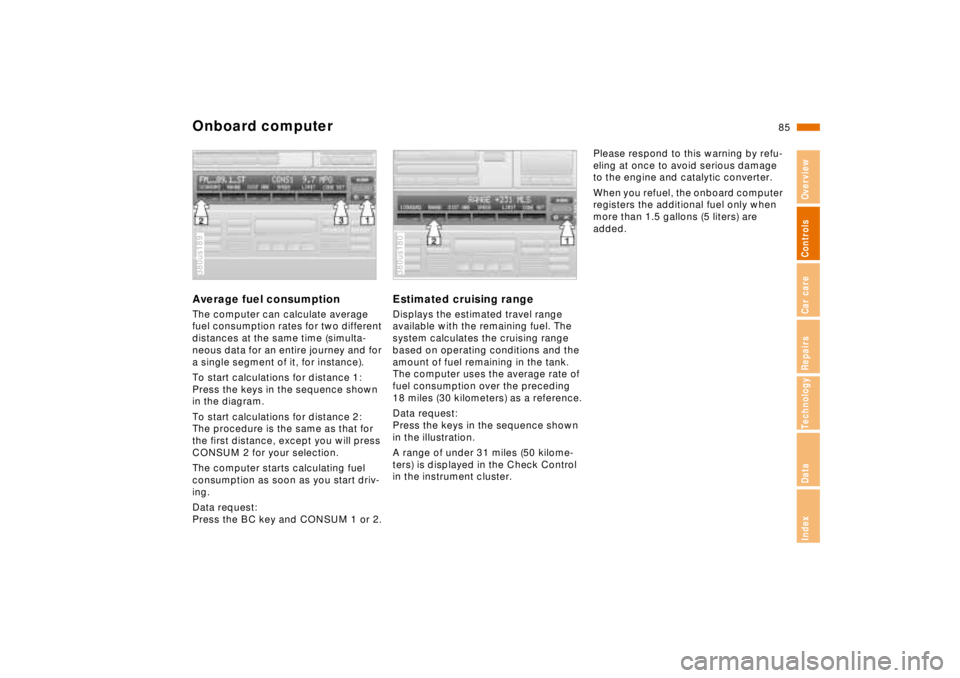
When you switch on the ignition, the in-
dicator lamp comes on briefly to con-
firm that the system is operational.
If the indicator lamp stays on, there are
approx.
>BMW 740i/L 2.6 gallons (10 liters)
>BMW 750iL 3.2 gallons (12 liters)
remaining in the tank.
Tank capacity: Refer to page 197.
Certain operating conditions (such as
those encountered in mountainous ar-
eas) may cause the needle to fluctuate
slightly.380us006
Please refuel early, since driving
to the last drop of fuel can result in
damage to the engine and/or catalytic
converter.<
Page 86 of 211
85n
RepairsIndexOverview Controls Car care Technology Data
Onboard computerAverage fuel consumptionThe computer can calculate average
fuel consumption rates for two different
distances at the same time (simulta-
neous data for an entire journey and for
a single segment of it, for instance).
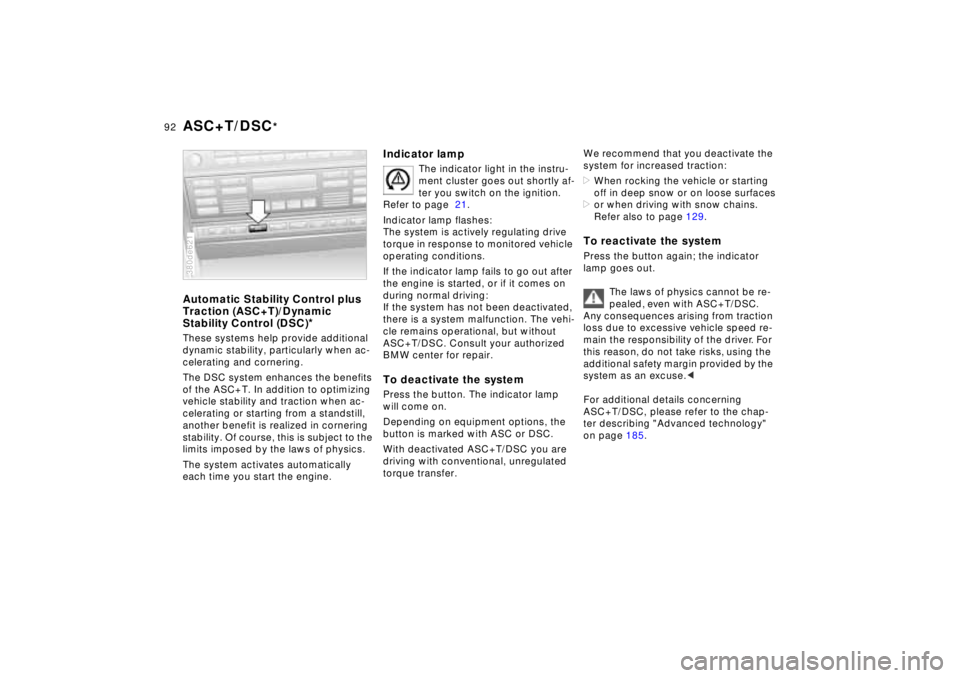
To start calculations for distance 1:
Press the keys in the sequence shown
in the diagram.
To start calculations for distance 2:
The procedure is the same as that for
the first distance, except you will press
CONSUM 2 for your selection.
The computer starts calculating fuel
consumption as soon as you start driv-
ing.
Data request:
Press the BC key and CONSUM 1 or 2.380us189
Estimated cruising rangeDisplays the estimated travel range
available with the remaining fuel. The
system calculates the cruising range
based on operating conditions and the
amount of fuel remaining in the tank.
The computer uses the average rate of
fuel consumption over the preceding
18 miles (30 kilometers) as a reference.
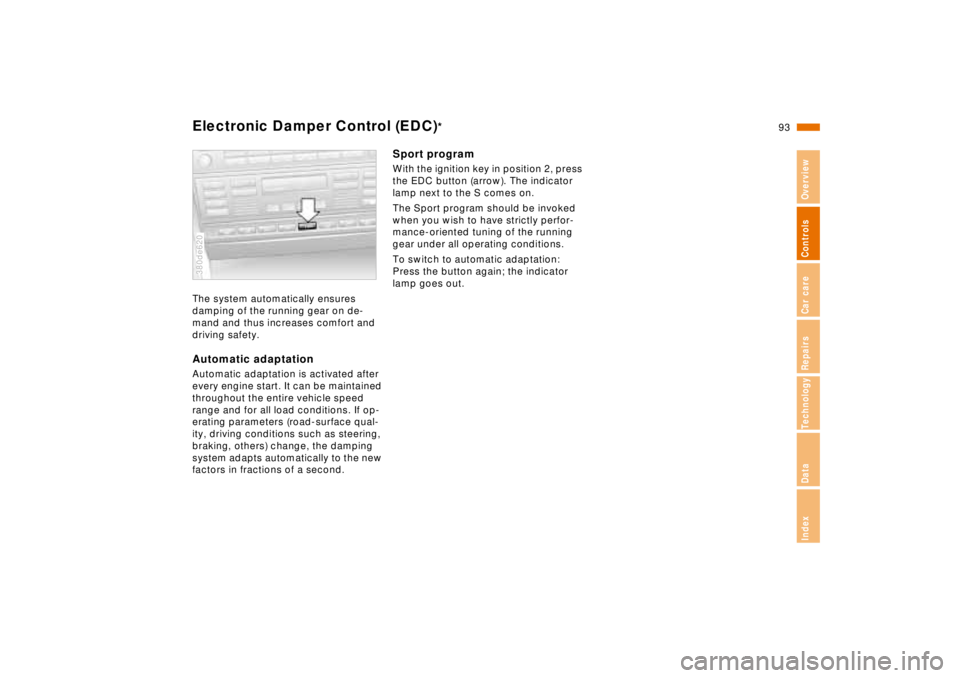
Data request:
Press the keys in the sequence shown
in the illustration.
A range of under 31 miles (50 kilome-
ters) is displayed in the Check Control
in the instrument cluster.380us180
Please respond to this warning by refu-
eling at once to avoid serious damage
to the engine and catalytic converter.
When you refuel, the onboard computer
registers the additional fuel only when
more than 1.5 gallons (5 liters) are
added.
Page 93 of 211
92n
ASC+T/DSC
*
Automatic Stability Control plus
Traction (ASC+T)/Dynamic
Stability Control (DSC)
*
These systems help provide additional
dynamic stability, particularly when ac-
celerating and cornering.
The DSC system enhances the benefits
of the ASC+T. In addition to optimizing
vehicle stability and traction when ac-
celerating or starting from a standstill,
another benefit is realized in cornering
stability. Of course, this is subject to the
limits imposed by the laws of physics.
The system activates automatically
each time you start the engine.380de621
Indicator lamp
The indicator light in the instru-
ment cluster goes out shortly af-
ter you switch on the ignition.
Refer to page 21.
Indicator lamp flashes:
The system is actively regulating drive
torque in response to monitored vehicle
operating conditions.
If the indicator lamp fails to go out after
the engine is started, or if it comes on
during normal driving:
If the system has not been deactivated,
there is a system malfunction. The vehi-
cle remains operational, but without
ASC+T/DSC. Consult your authorized
BMW center for repair.
To deactivate the systemPress the button. The indicator lamp
will come on.
Depending on equipment options, the
button is marked with ASC or DSC.
With deactivated ASC+T/DSC you are
driving with conventional, unregulated
torque transfer.
We recommend that you deactivate the
system for increased traction:
>When rocking the vehicle or starting
off in deep snow or on loose surfaces
>or when driving with snow chains.
Refer also to page 129.To reactivate the systemPress the button again; the indicator
lamp goes out.
The laws of physics cannot be re-
pealed, even with ASC+T/DSC.
Any consequences arising from traction
loss due to excessive vehicle speed re-
main the responsibility of the driver. For
this reason, do not take risks, using the
additional safety margin provided by the
system as an excuse.<
For additional details concerning
ASC+T/DSC, please refer to the chap-
ter describing "Advanced technology"
on page 185.
Page 94 of 211
93n
RepairsIndexOverview Controls Car care Technology Data
Electronic Damper Control (EDC)
*
The system automatically ensures
damping of the running gear on de-
mand and thus increases comfort and
driving safety.Automatic adaptationAutomatic adaptation is activated after
every engine start. It can be maintained
throughout the entire vehicle speed
range and for all load conditions. If op-
erating parameters (road-surface qual-
ity, driving conditions such as steering,
braking, others) change, the damping
system adapts automatically to the new
factors in fractions of a second.380de620
Sport programWith the ignition key in position 2, press
the EDC button (arrow). The indicator
lamp next to the S comes on.
The Sport program should be invoked
when you wish to have strictly perfor-
mance-oriented tuning of the running
gear under all operating conditions.
To switch to automatic adaptation:
Press the button again; the indicator
lamp goes out.
Page 96 of 211
95n
RepairsIndexOverview Controls Car care Technology Data
Tire Pressure Control (RDC)
*
Flat tireIf there is a tire failure with a loss of air
pressure, the message "TIRE DEFECT"
appears in the Check Control. In addi-
tion, a gong sounds.
If this occurs, reduce vehicle speed im-
mediately and stop the vehicle. Avoid
hard brake applications. Do not over-
steer. Replace the wheel and flat tire.
The spare tire which is available in
your vehicle as standard equip-
ment is equipped with the electronics
required for RDC and, following activa-
tion of the system, is also monitored af-
ter it is mounted.<
The RDC cannot alert you to se-
vere and sudden tire damage
caused by external factors.<
Have the tires changed by your
authorized BMW center.
Your authorized BMW center has been
trained to work with the RDC system
and is equipped with the necessary
special tools to do so.<
System interferenceUnder certain local conditions, the RDC
may malfunction for brief periods be-
cause of interference from outside sys-
tems or electronic devices which have
the same radio frequency.
During the period of the malfunction,
the message "TIRE CONTROL INAC-
TIVE" appears in the Check Control.
You will also see the same message
>in the event of a system fault
>if a wheel is mounted without the
RDC electronics
>if, in addition to the spare tire, addi-
tional wheels with RDC electronics
are on board.
Please contact your authorized BMW
center for additional information.
Page 102 of 211

101n
RepairsIndexOverview Controls Car care Technology Data
Automatic climate control1 Air flow directed against windshield
and door windows
2 Air flow toward the upper body
The rotary dials allow infinitely-vari-
able regulation of the air supply,
changes in the air-flow direction,
and temperature regulation.
(Change air-flow direction in the
rear passenger area with the levers
in the center of the vent). In the
closed position, air flows out at the
upper center of the instrument
panel only104
3 Front footwell ventilation
There are corresponding air vents in
the rear footwell as well
4 Automatic air distribution –
left-hand side102
5 Individual air distribution –
left-hand side102
6 Temperature control –
left-hand side103
7 Temperature and air flow display,
left- and right-hand
sides103,104
8 Temperature control –
right-hand side103
9 Residual heat mode104
10 Individual air distribution –
right-hand side10211 Automatic air distribution –
right-hand side102
12 Air supply – right-hand side104
13 Recirculated-air mode/Automatic
recirculated-air control (AUC)103
14 Air conditioner103
15 Rear window defroster70, 103
16 Defrosting the windows and remove
condensation103
17 Air grill for interior temperature sen-
sor - please keep clear and unob-
structed
18 Air supply – left-hand side104
Page 103 of 211
102n
Automatic climate controlTips for pleasant drivingUse the automatic system, i.e., press
AUTO button 4. Select an interior tem-
perature that is comfortable for you -
we recommend 707 (226) as a com-
fortable setting. When the outside tem-
perature is above 427 (56), you can
also use the air conditioning system 14.
This will dry the air and prevent window
fogging, for example if people are wear-
ing damp clothes in the vehicle. Set the
outlets 2 so that the air flows past you
and does not flow directly at you. Set
the rotary dial between the air outlets 2
for the upper body to a medium posi-
tion, since air that is somewhat cooler
promotes driving without fatigue.
The following description will guide you
through additional individual settings.
You can make the settings of your
vehicle in such a manner that,
when you unlock the car with your per-
sonalized remote control, your own per-
sonalized setting of the automatic cli-
mate control is initiated.<
Automatic air distribution
The AUTO program as-
sumes the adjustment of
the air distribution and the air supply for
you and in addition adapts the tempera-
ture to external influences (summer,
winter) to meet preferences you can
specify. This program maintains a com-
fortable in-car climate regardless of the
season. Select an interior temperature
that is comfortable for you - we recom-
mend 707 (226) as a comfortable
setting.
The temperature setting and the word
"AUTO" for the air flow appear in the
display 7 (refer to the overview on
page 100). Open the ventilation outlet
for the upper body area. Switch on the
air conditioner in warm weather. The
maximum cooling capacity is achieved
when you set the rotary dial 3 (refer to
page 104) to cold.
Individual air distribution
You can cancel the AUTO
program by selecting spe-
cific distribution patterns to
suit your own individual re-
quirements. You can direct
air to flow onto the windows , toward
the upper body , and into the footwell
.
To defrost windshield and door
windows
This program quickly removes
ice and condensation from the
windshield and the side windows.
Air conditioner
The air is cooled and dehumidi-
fied and - depending on the tem-
perature setting - warmed again when
the air conditioner system is switched
on.
Depending on the weather, the wind-
shield may fog over briefly when the en-
gine is started.
At outside temperatures below approx.
427 (56), switch off the air condi-
tioner. This will help to prevent the win-
dows from fogging up.
If the windows fog over immediately af-
ter the air conditioner is switched off,
switch it back on.
Condensation forms in the air con-
ditioner system during operation,
which then exits under the vehicle.
Traces of condensed water of this kind
are thus normal.<
Page 104 of 211
103n
RepairsIndexOverview Controls Car care Technology Data
Automatic climate controlAutomatic recirculated-air control
(AUC)
You can respond to unpleasant
external odors by temporarily
stopping the flow of outside air. The
system then recirculates the air cur-
rently within the vehicle. Press the but-
ton repeatedly to run through the fol-
lowing control sequence:
>Indicator lamps off: Fresh air flows
into the vehicle
>Left-hand indicator lamp on – AUC
mode: The system detects pollutants
in the outside air and responds by
deactivating the outside air flow when
required. The system then recircu-
lates the air currently within the vehi-
cle
>Right-hand indicator lamp on: The
flow of external air into the vehicle is
permanently blocked. The system
then recirculates the air currently
within the vehicle.
If you have a multi-function steering
wheel with the AUC button (refer to
page 23), you can also switch between
"OFF" and AUC from there.
If the windows fog over in the re-
circulated-air mode, switch this
mode off and increase the air supply as
required.<
Rear window defroster
When the rear window defroster
is activated, the indicator lamp
comes on. The rear window defroster
switches off automatically.
Temperature
You can make individual
temperature settings on the
driver's side and the front passenger
side. Your settings will be shown in the
display 7. The displayed temperatures
are reference values for the interior
temperature. We recommend 707
(226) as a comfortable setting,
whether the air conditioner is operating
or not. When you start the vehicle, the
system ensures that the selected tem-
perature is achieved as quickly as pos-
sible. It then maintains this tempera-
ture, regardless of the season.
You can set uncontrolled heater
output at up to 907 (326). Full
cooling output is available from the air
conditioner down to 607 (166).<
Air supply
In the "AUTO" program, the
air flow is controlled auto-
matically. AUTO will appear in the dis-
play, refer to the overview on page 100.
Use "+" and "–" to vary the air flow.
When your setting is displayed by bars,
the automatic air flow is switched off.
Automatic air distribution maintains its
setting. You can reactivate the auto-
matic air flow by pressing the "AUTO"
button.
When you press "– " during operation at
minimum blower speed all displays are
canceled: The fan, heating and air con-
ditioner are switched off. The outside
air supply is closed. By pressing any
button of the automatic climate control
(except the "REST" button 9), you can
switch the system back on.