Page 100 of 315

95
To Set a Higher Set Speedq
Press and hold SET ACCEL. Release the switch
when the desired vehicle speed is reached. OR
q
Press and release SET ACCEL. Each press will
increase the set speed by 1 mph (1.6 km/h).
OR
q
Accelerate with your accelerator pedal, then
press SET ACCEL.
You may accelerate with the accelerator pedal at
any time during speed control usage. Releasing the
accelerator pedal will return your vehicle speed to
the previously programmed set speed.
To Set a Lower Set Speedq
Press and hold COAST. Release the switch
when the desired vehicle speed is reached. OR
q
Press and release COAST. Each press will
decrease the set speed by 1 mph (1.6 km/h).
OR
q
Depress the brake pedal. When the desired
vehicle speed is reached, press SET ACCEL.
To Disengage Speed Controlq
Depress the brake pedal.
Disengaging the speed control will not erase the
previously programmed set speed.
To Return to a Set Speedq
Press RESUME. For RESUME to operate, the
vehicle speed must be faster than 30 mph
(48 km/h).
Indicator Lightq
Lights when either the SET ACCEL or RESUME
switches are pressed and remains lighted until it
is either disengaged or turned off.
File:05fncf8.ex
Update:Thu Jun 27 10:02:20 1996
Page 102 of 315
97
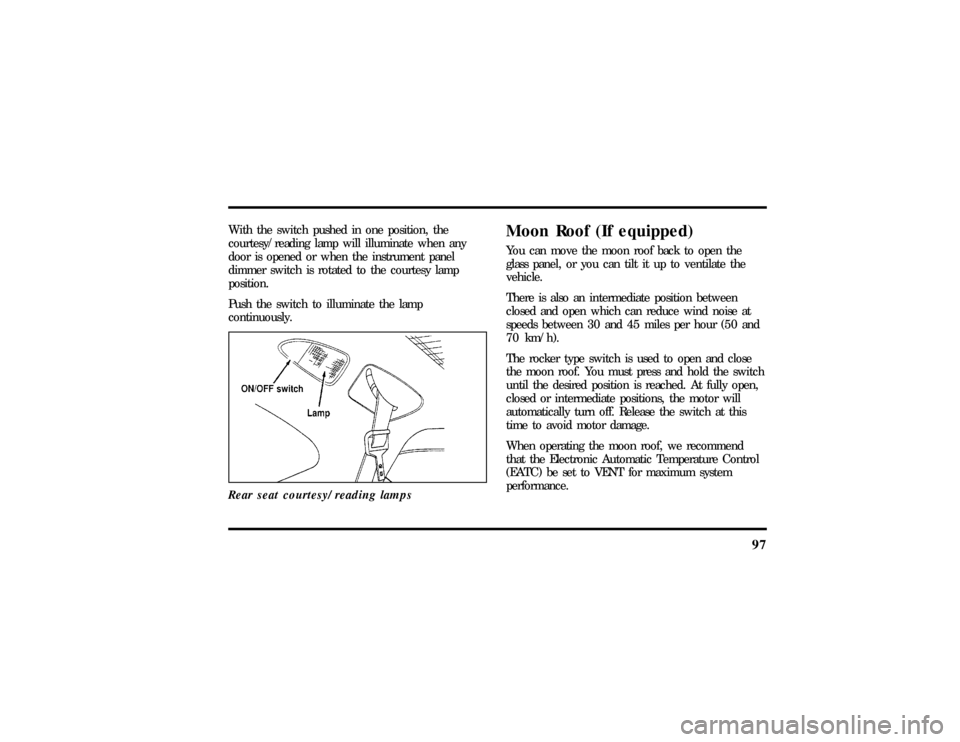
With the switch pushed in one position, the
courtesy/reading lamp will illuminate when any
door is opened or when the instrument panel
dimmer switch is rotated to the courtesy lamp
position.
Push the switch to illuminate the lamp
continuously.
Rear seat courtesy/reading lamps
Moon Roof (If equipped)You can move the moon roof back to open the
glass panel, or you can tilt it up to ventilate the
vehicle.
There is also an intermediate position between
closed and open which can reduce wind noise at
speeds between 30 and 45 miles per hour (50 and
70 km/h).
The rocker type switch is used to open and close
the moon roof. You must press and hold the switch
until the desired position is reached. At fully open,
closed or intermediate positions, the motor will
automatically turn off. Release the switch at this
time to avoid motor damage.
When operating the moon roof, we recommend
that the Electronic Automatic Temperature Control
(EATC) be set to VENT for maximum system
performance.
File:05fncf8.ex
Update:Thu Jun 27 10:02:20 1996
Page 108 of 315
103
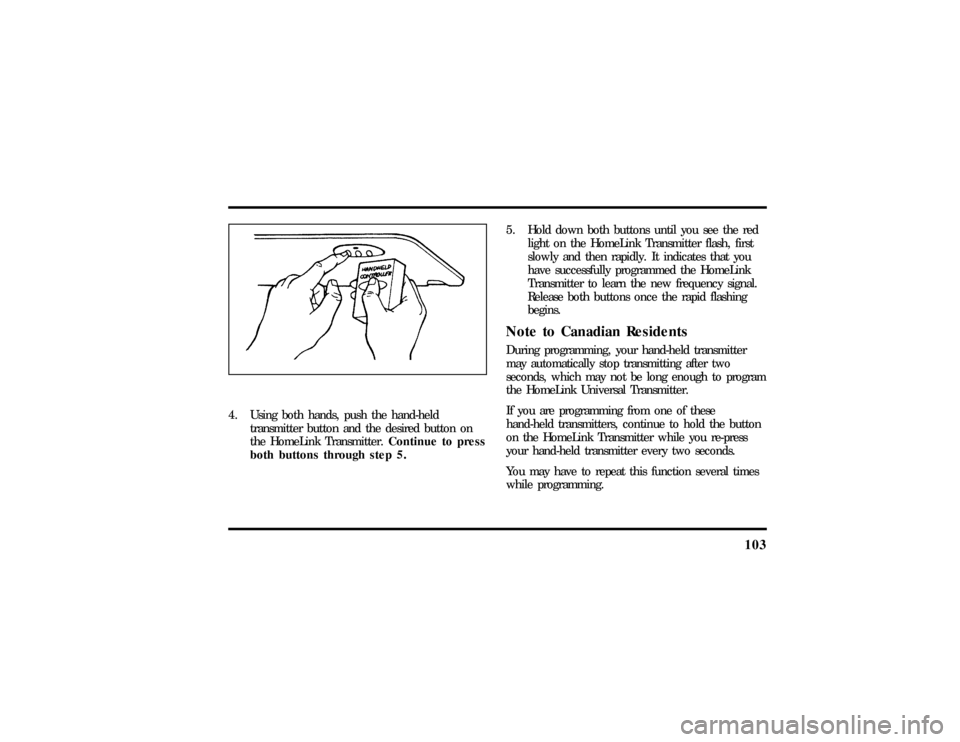
4. Using both hands, push the hand-held
transmitter button and the desired button on
the HomeLink Transmitter.Continue to press
both buttons through step 5.5. Hold down both buttons until you see the red
light on the HomeLink Transmitter flash, first
slowly and then rapidly. It indicates that you
have successfully programmed the HomeLink
Transmitter to learn the new frequency signal.
Release both buttons once the rapid flashing
begins.
Note to Canadian ResidentsDuring programming, your hand-held transmitter
may automatically stop transmitting after two
seconds, which may not be long enough to program
the HomeLink Universal Transmitter.
If you are programming from one of these
hand-held transmitters, continue to hold the button
on the HomeLink Transmitter while you re-press
your hand-held transmitter every two seconds.
You may have to repeat this function several times
while programming.
File:05fncf8.ex
Update:Thu Jun 27 10:02:20 1996
Page 109 of 315

104Operating the HomeLinkHUniversal
TransmitterOnce it is programmed, the HomeLink Universal
Transmitter can be used in place of your hand-held
transmitter(s). To operate, simply press the
appropriate button on the HomeLink Transmitter.
The red light comes on while the signal is being
transmitted.
NOTE:If your hand-held transmitter appears to
program the HomeLink Transmitter, but does not
open your garage door, and if your garage door
opener was manufactured after 1995, your garage
door opener may have a ªcode protectedº or
ªrolling codeº feature.
A ªrolling codeº type of system will change the
ªcodeº of your garage door opener every time you
open or close your garage door.
To determine if you have one of these systems,
depress the button on the HomeLink Transmitter
that you programmed. If the red light on theHomeLink Transmitter flashes rapidly for 1-2
seconds, then remains on, your garage door opener
has a rolling code system.
Training a Garage Door Opener
Equipped with ªRolling CodesºTo train your ªrolling codeº garage door opener to
operate from your HomeLink Transmitter, follow
these steps:
1. Program your hand-held transmitter to the
HomeLink Transmitter by following the
procedures outlined in the ªProgrammingº
section of these instructions. (If you already
completed this programming, proceed to the
next instruction.)
2. Train your garage door opener receiver to
recognize your HomeLink Transmitter. (Your
garage door opener receiver will learn to
recognize the HomeLink Transmitter by
following the same procedures used to train the
hand-held transmitter.)
File:05fncf8.ex
Update:Thu Jun 27 10:02:20 1996
Page 116 of 315

111
Personality Memory recall from the remote
transmitter can be disabled. This is done by sliding
the switch on the back of the transmitter to OFF.
Personality Memory can still be recalled using
keyless entry code or the Memory 1 or Memory 2
switches.Keyless EntryUp to three unique keyless entry codes can be
programmed by the customer. Two of the codes
can be assigned to recall Personality Memory 1 or
Memory 2. Each time the 5-digit code is entered on
the keypad, the driver's door will unlock and
Personality Memory 1 or Memory 2 will be
recalled.
NOTE:Please note that even though the driver's
Personality Memory may be recalled using remote
or keyless entry, the seats and mirrors will not
move to the driver's set positions until the driver's
door is opened. The steering column will move
when the key is inserted.
Memory SwitchesPressing either the Memory 1 or Memory 2 switch
on the driver's door will also recall the Personality
Memory settings as selected, providing your vehicle
is in P (Park) or N (Neutral).Auto SaveAny change made by the driver to one of the above
Personality Memory settings will be updated and
saved automatically. The display, DRIVER 1 (or 2)
SETTING SAVED, will appear on the Message
Center for five (5) seconds as a confirmation of the
update to Personality Memory.
If the driver does not use the remote entry
transmitter, or keyless entry keypad to unlock the
doors upon entering or does not press the Memory
1 or Memory 2 switch, then any change to one of
the Personality Memory settings will not be
automatically saved. Instead the driver will be
prompted by the Message Center. ªIDENTIFY
DRIVER TO SAVEº. Press select button (located on
File:05fncf8.ex
Update:Thu Jun 27 10:02:20 1996
Page 123 of 315
118Using the Power Trunk ReleaseThe remote trunk lock switch located in the driver's
door trim panel can be operated at any time unless
you render the switch inoperable by locking the
button with your master key.
The remote control for the trunk
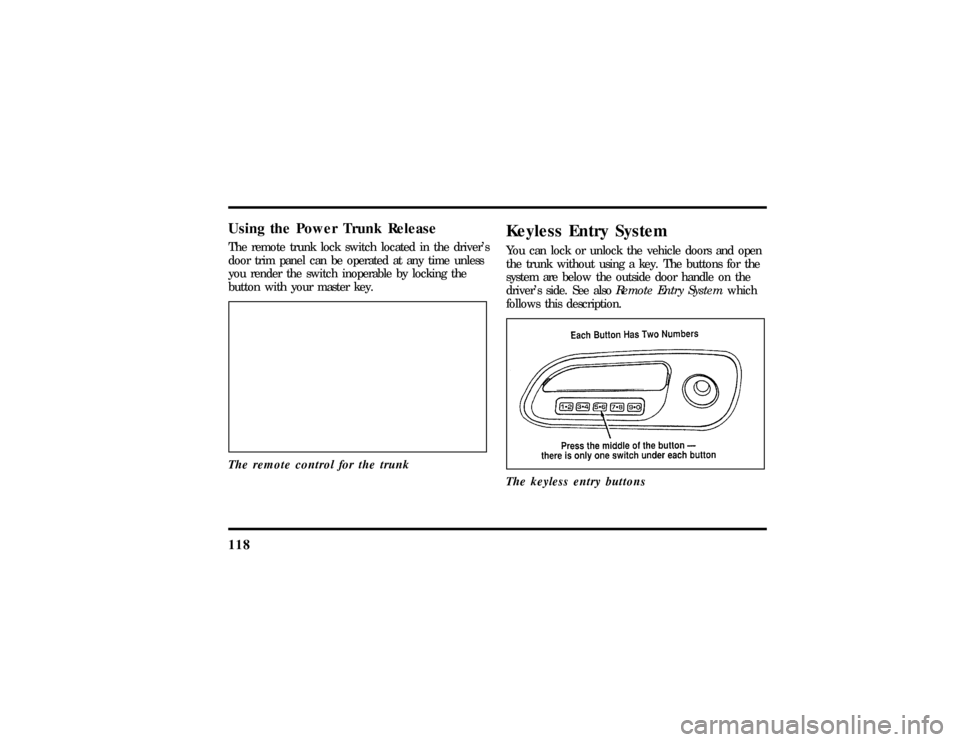
Keyless Entry SystemYou can lock or unlock the vehicle doors and open
the trunk without using a key. The buttons for the
system are below the outside door handle on the
driver's side. See alsoRemote Entry Systemwhich
follows this description.
The keyless entry buttons
File:05fncf8.ex
Update:Thu Jun 27 10:02:20 1996
Page 125 of 315

1203. To unlock the trunk, press the 5/6 button
within five (5) seconds of unlocking the driver's
or passenger's door, or re-enter the code to
open the driver's door, then press 5/6.
As long as the driver's door has been unlocked first,
you can open the passenger door or the trunk in
any order.Locking the Doors with the Keyless
Entry SystemAlong with unlocking your doors, you can use the
keyless entry system to lock the doors.
To lock all of the vehicle's doors at the same time,
press 7/8 and 9/0 at the same time. It is not
necessary to first enter the keypad code. This will
also arm your anti-theft system (if equipped).
AutolockThe Autolock feature will automatically lock both
doors when:q
the ignition key remains in the ON position
q
driver's and passenger's doors are closed
q
a door is opened and then closed
q
the vehicle is in a forward gear, and
q
you exceed three mph (five km/h).
If you do not want to use the Autolock feature, it
can be deactivated by using the driver's settings
menu in the Message Center.
Programming Your Own Entry CodeYou can program a personal code to unlock your
vehicle. This code does not replace the permanent
code that the dealership gave you. Use your
personal code in the same manner as you would
your original code.
File:05fncf8.ex
Update:Thu Jun 27 10:02:20 1996
Page 126 of 315

121
To program your own code:
1. Select five digits for your personal code.
2. Enter the factory code that the dealership gave
you.
3. Within five (5) seconds, press 1/2.
4. Within five (5) seconds of pressing 1/2, enter
your personal code, pressing each digit within
five (5) seconds of the previous digit.
The keyless entry system registers this second
code. To open your vehicle, you can now use
either code. The module remembers only one
personal code at a time. Entering a second
personal code will erase the first, replacing it
with the new second one.To erase your personal code:
1. Enter the original permanent code.
2. Press 1/2 within five seconds of Step 1.
3. Wait six seconds.
The keyless entry system automatically erases
your personal code. The system will now only
respond to the permanent code.
Do not set a code that presents the numbers in
sequential order, such as 1/2, 3/4, 5/6, 7/8, 9/0.
Studies show that people who idly press the buttons
usually press a sequential pattern. Also, do not
select a code that uses the same button five times.
Thieves can easily figure out these types of codes.
File:05fncf8.ex
Update:Thu Jun 27 10:02:20 1996