Page 157 of 241
Brake Fluid
Check the fluid level in the reser-
voirs monthly. There are two reser-
voirs. They are:
Brake fluid reservoir
ABS reservoir
The brake fluid in the brake and anti- lock brake systems should be
replaced according to the time anddistance recommendations in the
maintenance schedule. Always use Genuine Honda DOT 3
brake fluid. If it is not available, youshould use only DOT 3 or DOT 4
fluid, from a sealed container, as a temporary replacement. However,
the use of any non-Honda brake fluid can cause corrosion and decrease
the life of the system. Have the
brake fluid replaced with Honda DOT 3 brake fluid as soon as
possible.
Brake fluid marked DOT 5 is not
compatible with your car's brakingsystem and can cause extensive
damage.
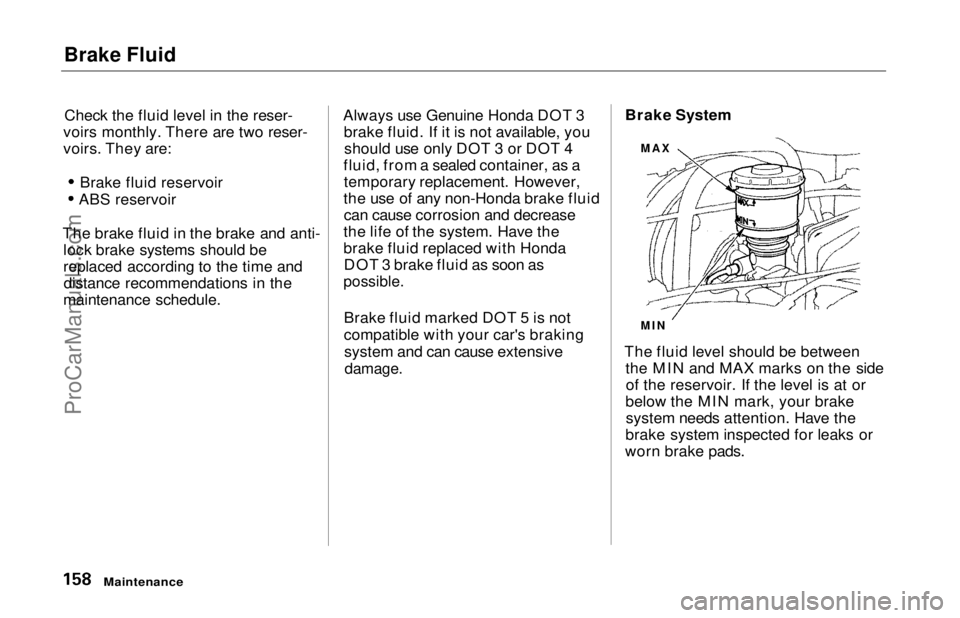
Brake System
The fluid level should be between the MIN and MAX marks on the sideof the reservoir. If the level is at or
below the MIN mark, your brake system needs attention. Have the
brake system inspected for leaks or
worn brake pads.
Maintenance
MAX
MINProCarManuals.comMain Menu Table of Contents s t
Page 158 of 241
Brake Fluid, Power Steering
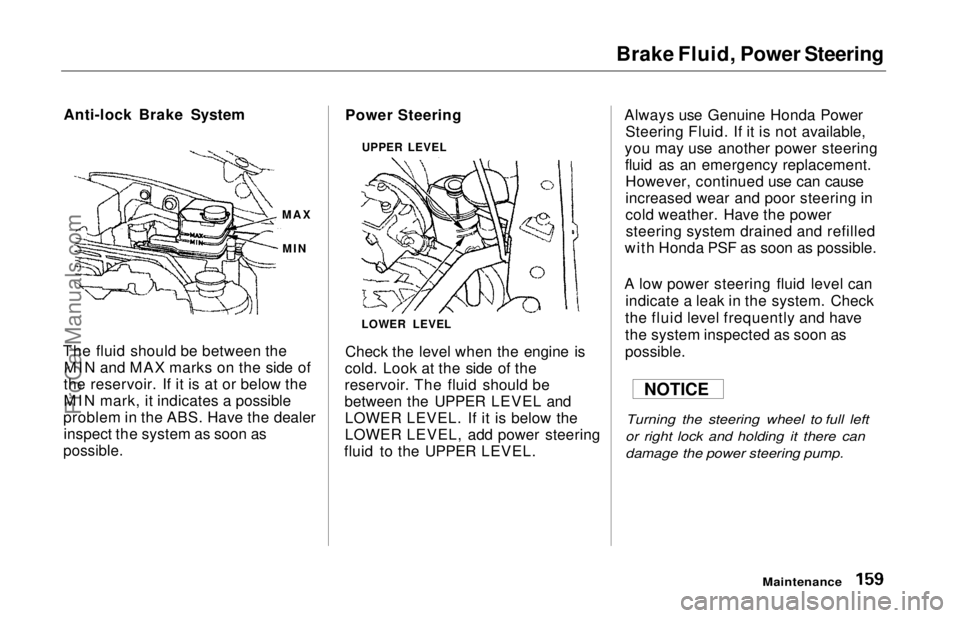
Anti-lock Brake System
The fluid should be between the MIN and MAX marks on the side of
the reservoir. If it is at or below the
MIN mark, it indicates a possible
problem in the ABS. Have the dealer inspect the system as soon as
possible.
Power Steering
Check the level when the engine is
cold. Look at the side of the
reservoir. The fluid should be
between the UPPER LEVEL and LOWER LEVEL. If it is below the
LOWER LEVEL, add power steering
fluid to the UPPER LEVEL. Always use Genuine Honda Power
Steering Fluid. If it is not available,
you may use another power steering fluid as an emergency replacement.However, continued use can cause
increased wear and poor steering in
cold weather. Have the powersteering system drained and refilled
with Honda PSF as soon as possible.
A low power steering fluid level can indicate a leak in the system. Check
the fluid level frequently and have
the system inspected as soon as
possible.
Turning the steering wheel to full left
or right lock and holding it there can
damage the power steering pump.
Maintenance
MAX
MIN
NOTICE
LOWER LEVEL UPPER LEVELProCarManuals.comMain Menu Table of Contents s t
Page 159 of 241
Air Cleaner Element
The air cleaner element should becleaned or replaced according to the
time and distance recommendations in the maintenance schedule. Cleaning (Severe Conditions)
Clean the air cleaner element by
blowing compressed air through it in
the opposite direction to normal air
flow. If you do not have access to compressed air (such as a service
station), ask your Honda dealer to do
this service.
Follow the replacement procedure
for removal and reinstallation. Replacement
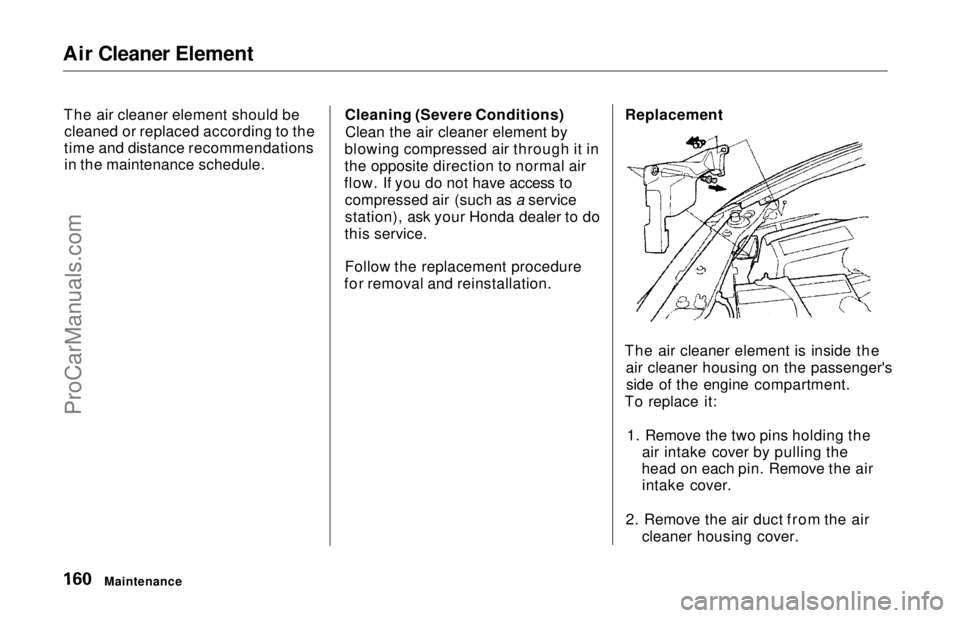
The air cleaner element is inside the air cleaner housing on the passenger'sside of the engine compartment.
To replace it:
1. Remove the two pins holding the air intake cover by pulling the
head on each pin. Remove the air intake cover.
2. Remove the air duct from the air cleaner housing cover.
MaintenanceProCarManuals.comMain Menu Table of Contents s t
Page 160 of 241
Air Cleaner Element
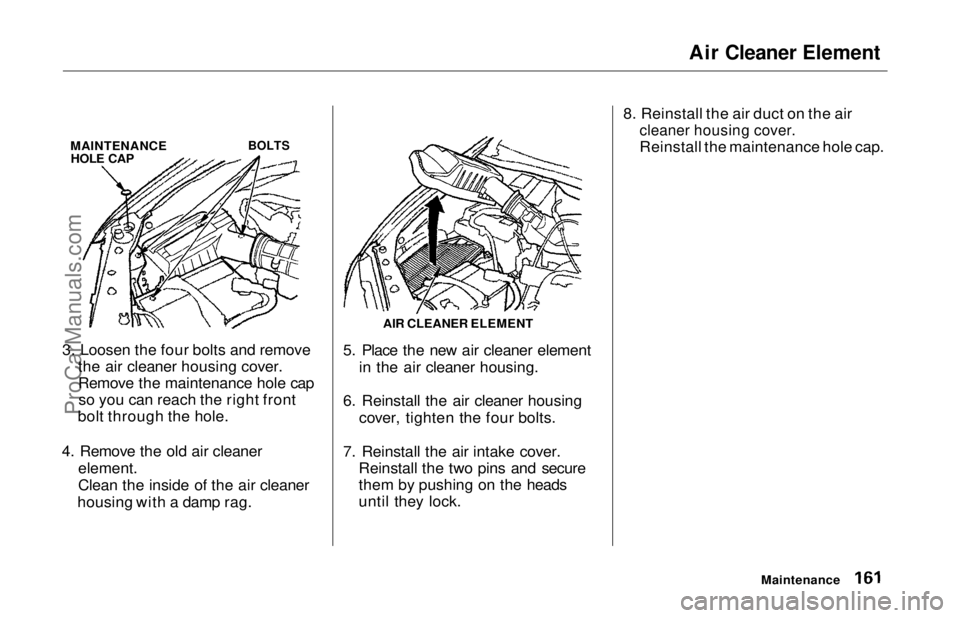
MAINTENANCE HOLE CAP
BOLTS
3. Loosen the four bolts and remove the air cleaner housing cover.
Remove the maintenance hole capso you can reach the right front
bolt through the hole.
4. Remove the old air cleaner
element.
Clean the inside of the air cleaner
housing with a damp rag. 5. Place the new air cleaner element
in the air cleaner housing.
6. Reinstall the air cleaner housing cover, tighten the four bolts.
7. Reinstall the air intake cover. Reinstall the two pins and secure
them by pushing on the heads
until they lock. 8. Reinstall the air duct on the air
cleaner housing cover.
Reinstall the maintenance hole cap.
Maintenance
AIR CLEANER ELEMENTProCarManuals.comMain Menu Table of Contents s t
Page 161 of 241
Spark Plugs
The spark plugs in your car need to be replaced every 2 years or 30,000
miles (48,000 km), whichever comes
first.
Replacement
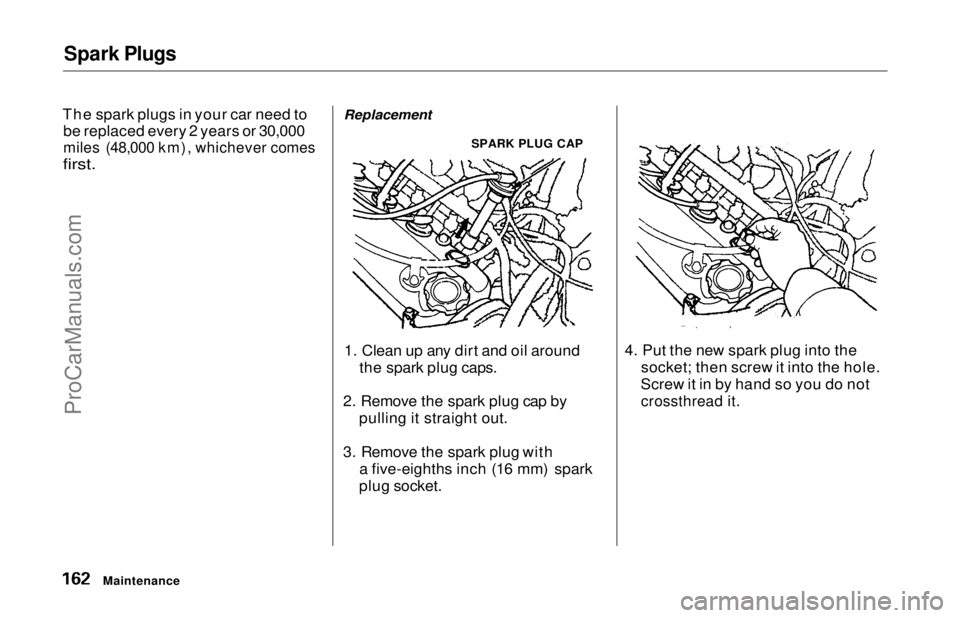
SPARK PLUG CAP
1. Clean up any dirt and oil around the spark plug caps.
2. Remove the spark plug cap by pulling it straight out.
3. Remove the spark plug with a five-eighths inch (16 mm) spark
plug socket. 4. Put the new spark plug into the
socket; then screw it into the hole.
Screw it in by hand so you do not
crossthread it.
MaintenanceProCarManuals.comMain Menu Table of Contents s t
Page 162 of 241
Spark Plugs
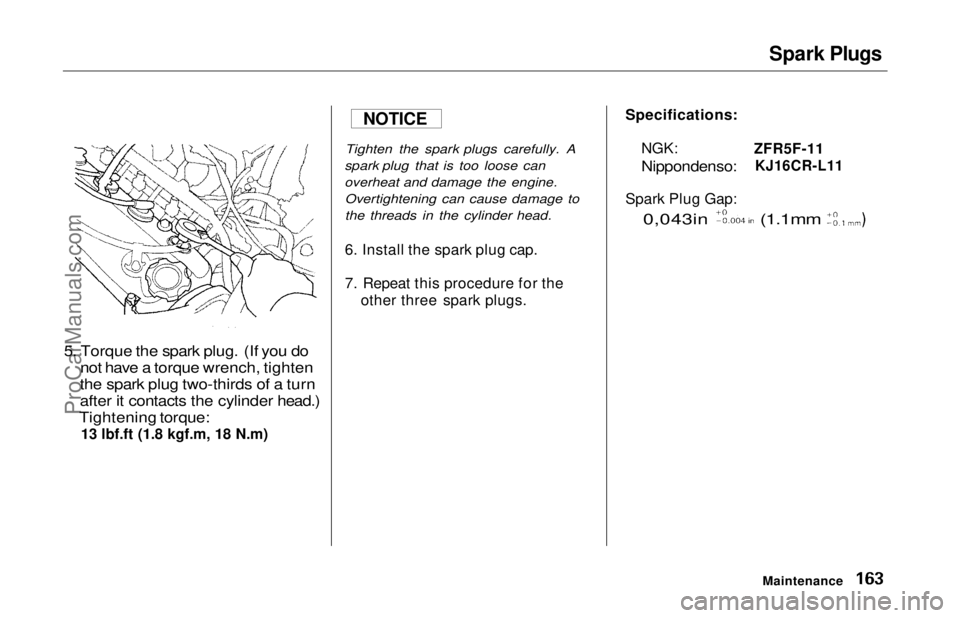
5. Torque the spark plug. (If you do not have a torque wrench, tighten
the spark plug two-thirds of a turn
after it contacts the cylinder head.)
Tightening torque:
13 lbf.ft (1.8 kgf.m, 18 N.m)
Tighten the spark plugs carefully. A
spark plug that is too loose can
overheat and damage the engine. Overtightening can cause damage to
the threads in the cylinder head.
6. Install the spark plug cap.
7. Repeat this procedure for the
other three spark plugs.
Maintenance
Specifications:
NGK:
Nippondenso:
ZFR5F-11
KJ16CR-L11
Spark Plug Gap:
0,043in (1.1mm
NOTICE
ProCarManuals.comMain Menu Table of Contents s t
Page 163 of 241
Battery
Check the condition of your car's
battery monthly. You should check
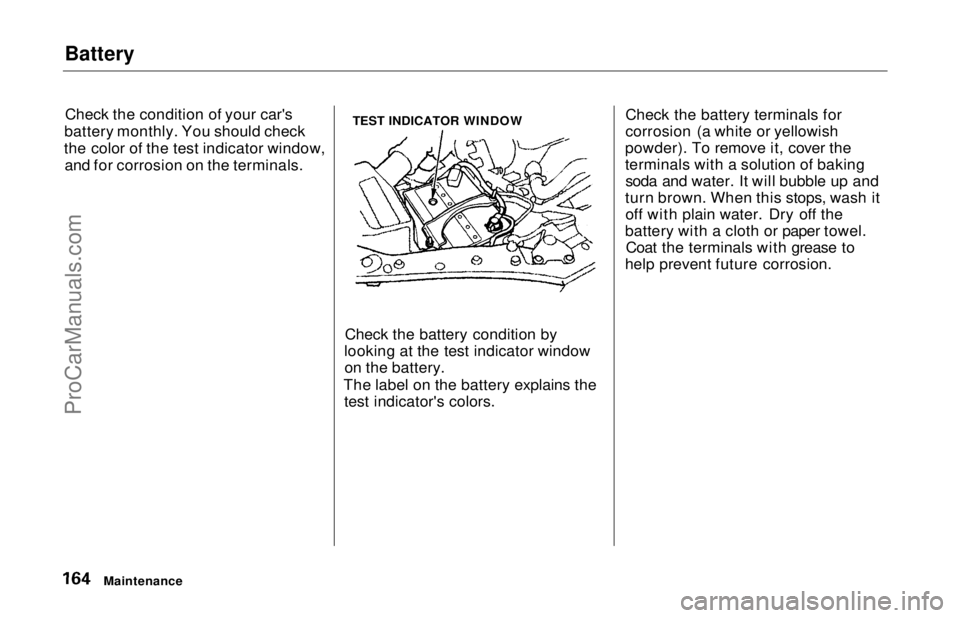
the color of the test indicator window, and for corrosion on the terminals. TEST INDICATOR WINDOW
Check the battery condition by
looking at the test indicator window on the battery.
The label on the battery explains the test indicator's colors. Check the battery terminals for
corrosion (a white or yellowish
powder). To remove it, cover the
terminals with a solution of baking soda and water. It will bubble up and
turn brown. When this stops, wash it off with plain water. Dry off the
battery with a cloth or paper towel. Coat the terminals with grease to
help prevent future corrosion.
MaintenanceProCarManuals.comMain Menu Table of Contents s t
Page 164 of 241
Battery
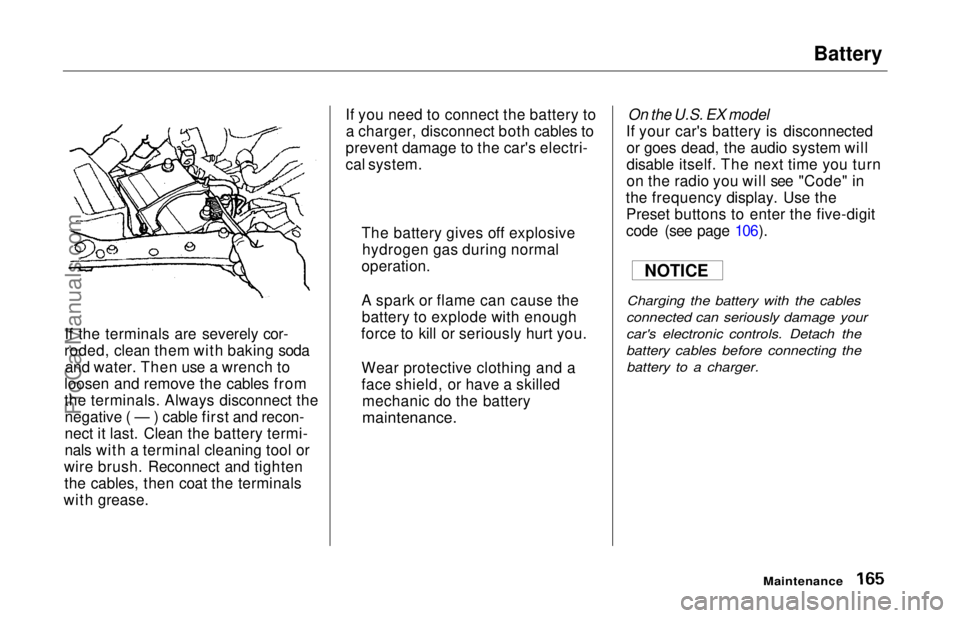
If the terminals are severely cor-
roded, clean them with baking soda and water. Then use a wrench to
loosen and remove the cables from
the terminals. Always disconnect the negative ( — ) cable first and recon-
nect it last. Clean the battery termi-
nals with a terminal cleaning tool or
wire brush. Reconnect and tighten the cables, then coat the terminals
with grease. If you need to connect the battery to
a charger, disconnect both cables to
prevent damage to the car's electri-
cal system.
On the U.S. EX model
If your car's battery is disconnected or goes dead, the audio system will
disable itself. The next time you turn
on the radio you will see "Code" in
the frequency display. Use the Preset buttons to enter the five-digit
code (see page 106).
Charging the battery with the cables
connected can seriously damage your
car's electronic controls. Detach the
battery cables before connecting the battery to a charger.
Maintenance
The battery gives off explosive
hydrogen gas during normal
operation.
A spark or flame can cause the battery to explode with enough
force to kill or seriously hurt you.
Wear protective clothing and a
face shield, or have a skilled mechanic do the battery
maintenance.
NOTICEProCarManuals.comMain Menu Table of Contents s t