1997 HONDA ODYSSEY ESP
[x] Cancel search: ESPPage 79 of 241
Heating and Cooling
To Heat
To warm the interior:
1. Start the engine. 2. Select and
3. Set the fan to the desired speed.
4. Adjust the warmth of the air with
the temperature control lever.
To Heat and Dehumidify with Air
Conditioning
Air conditioning, as it cools, removes moisture from the air. When used in
combination with the heater, it
makes the interior warm and dry.
1. Switch the fan on.
2. Turn on the air conditioning. 3. Select and
4. Adjust the temperature control
lever so the mixture of heated andcooled air feels comfortable.
This setting is suitable for all driving conditions whenever the outside
temperature is above 32°F (0°C).
To Defog and Defrost
To remove fog from the inside of the windows:
1. Switch the fan on.
2. Turn on the air conditioning. 3. Select and
4. Adjust the temperature control lever so the airflow from thedefroster vents feels warm.
5. Turn on the rear window defogger to help clear the rear window.
CONTINUED
Comfort and Convenience FeaturesProCarManuals.comMain Menu Table of Contents s t
Page 83 of 241
Audio System
AM/FM/Cassette Stereo Audio
System
For U.S. LX and Canadian models
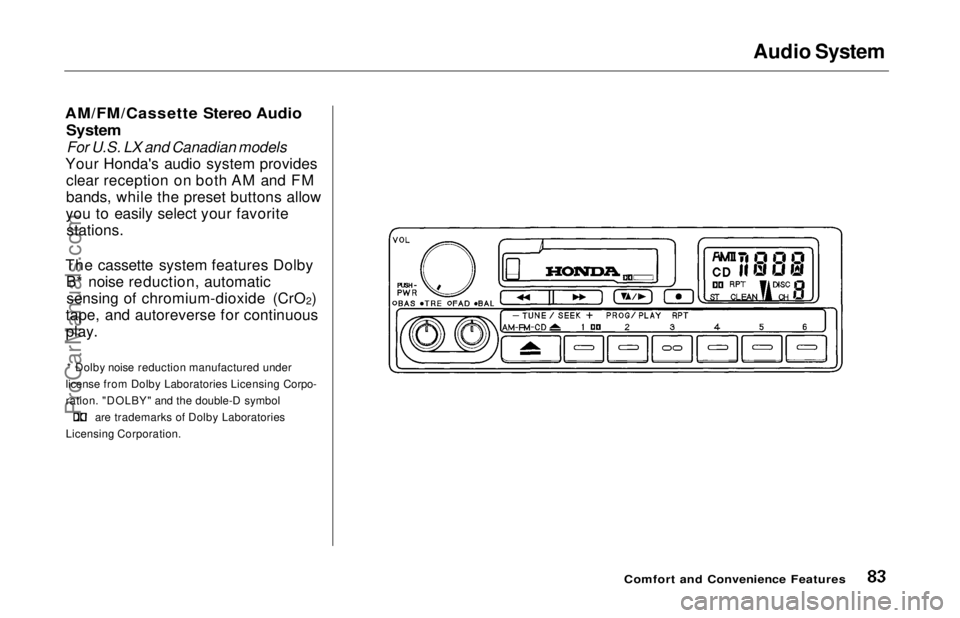
Your Honda's audio system provides clear reception on both AM and FM
bands, while the preset buttons allow
you to easily select your favorite stations.
The cassette system features Dolby B* noise reduction, automaticsensing of chromium-dioxide (CrO 2)
tape, and autoreverse for continuous
play.
* Dolby noise reduction manufactured under
license from Dolby Laboratories Licensing Corpo-
ration. "DOLBY" and the double-D symbol are trademarks of Dolby Laboratories
Licensing Corporation.
Comfort and Convenience FeaturesProCarManuals.comMain Menu Table of Contents s t
Page 85 of 241
Audio System
You can use any of three methods to find radio stations on the selected
band: TUNE, SEEK, or the Preset
buttons.
TUNE — Use the TUNE/SEEK buttons to tune the radio to a desired frequency. Press ( ) to change
to a higher frequency, and press ( ) to tune to a lower frequency.
The frequency numbers will start to change rapidly. Release the switch
when the display reaches the desired
frequency. To change the frequency in small increments, press and
release the appropriate TUNE/SEEK button. SEEK — The SEEK function
searches the band for a station with
a strong signal. To activate it, push
the TUNE/SEEK button until you
hear a beep, then release it. Depending on which TUNE/SEEK
button you pushed, the system scans upward or downward from the
current frequency. It stops when it
finds a station with a strong signal.
Preset — You can store the fre-
quencies of your favorite radiostations in the six preset buttons.
Each button will store one frequency on the AM band, and two on the FM
band.
To store a frequency:
1. Select the desired band, AM or FM. FM1 and FM2 let you store
two frequencies with each Preset
button.
2. Use the TUNE or SEEK function to tune the radio to a desired
station.
3. Pick the Preset button you want for that station. Press the buttonand hold it until you hear a beep.
4. Repeat steps 1 to 3 to store a total of six stations on AM and twelve
on FM.
Once a station's frequency is stored,
simply press and release the proper
Preset button to tune to it.
The preset frequencies will be lost if your vehicle's battery goes dead, is
disconnected or the radio fuse is
removed.
Comfort and Convenience FeaturesProCarManuals.comMain Menu Table of Contents s t
Page 91 of 241
Audio System
To select a different disc, press the appropriate preset button (1 — 6). If
you select an empty slot in the magazine, the changer will, after
finding that slot empty, try to load
the CD in the next slot. This continues until it finds a CD to load
and play.
You can use the TUNE/SEEK buttons to select tracks within a disc.Push and release the appropriate
TUNE/SEEK button, the system will move to the beginning of a track. Press the button to move to the
beginning of the next track, and press the button to move to the
beginning of the current track.
If you press and hold the TUNE/
SEEK button, you will hear a beep
and the system will continue to move
across tracks. Release the button
when you think it has reached the desired place on the disc. REPEAT — When you activate the
Repeat feature by pressing the RPT
button, the system continuously
replays the current track. You will see RPT in the display as a reminder.
Press the RPT button again to turn it
off.
To take the system out of CD mode, press the AM or FM button, or inserta cassette in the player. When you
return to CD mode, play will contin-
ue at the same disc and track.
If you turn the system off while a CD
is playing, either with the PWR/VOL
knob or the ignition switch, play will
continue at the same disc and track
when you turn it back on.
Protecting Compact Discs
For information on how to handle
and protect compact discs, see page
104.
CD Changer Error Indications
For information on the meaning of
the CD Error Indications and what to do when you see those indications,
refer to page 105 .
Comfort and Convenience FeaturesProCarManuals.comMain Menu Table of Contents s t
Page 93 of 241
Audio System
Operating the Radio
The ignition switch must be in
ACCESSORY (I) or ON (II). Turn the system on by pushing the PWR/
VOL knob.
Adjust the volume by turning the PWR/VOL knob.
The band and frequency that the radio was last tuned to is displayed.
To change bands, press the AM/FM 1-2 button. On the FM band, ST will
be displayed if the station is broad- casting in stereo. Stereo reproduc-
tion on AM is not available.
You can use any of three methods to find radio stations on the selectedband: TUNE, SEEK, or the Preset
buttons. TUNE — Use the TUNE/SEEK
switch to tune the radio to a desired
frequency. Push the switch up to
tune to a higher frequency, and push
the switch down to tune to a lower
frequency. The frequency numbers
will start to change rapidly. Release
the switch when the display reaches
the desired frequency. To change
the frequency in small increments, push and release the TUNE/SEEKswitch quickly. SEEK — The SEEK function
searches the band for a station with
a strong signal. To activate it, push
the TUNE/SEEK switch until you
hear a beep, then release it. Depending on which way you pushed
the switch, the system scans upward
or downward from the current
frequency. It stops when it finds a station with a strong signal.
Preset — You can store the fre- quencies of your favorite radio
stations in the six preset buttons.
Each button will store one frequency
on the AM band, and two on the FM
band.
CONTINUED
Comfort and Convenience FeaturesProCarManuals.comMain Menu Table of Contents s t
Page 97 of 241
Audio System
Radio Frequencies
Your Honda's radio can receive the complete AM and FM bands.
Those bands cover these frequen-
cies:
AM band: 530 to 1,710 kilohertz
FM band:
87.7 to 107.9 megahertz
Radio stations on the AM band are
assigned frequencies at least ten
kilohertz apart (530, 540, 550). Stations on the FM band areassigned frequencies at least 0.2
megahertz apart (87.9, 88.1, 88.3).
Stations must use these exact
frequencies. It is fairly common for stations to round-off the frequency in
their advertising, so your radio could
display a frequency of 100.9 even
though the announcer may identify
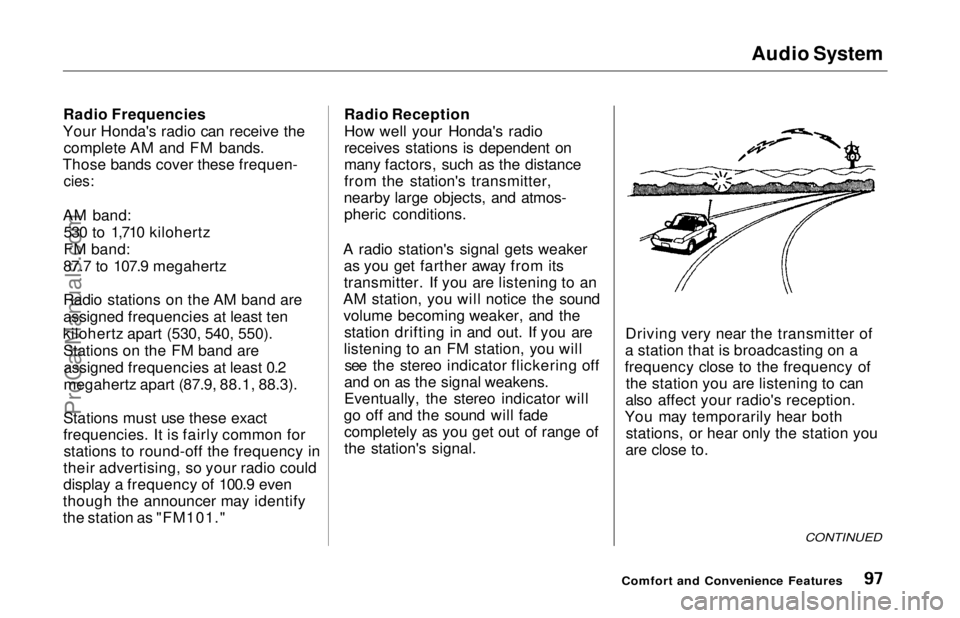
the station as "FM101." Radio Reception
How well your Honda's radio
receives stations is dependent on
many factors, such as the distance
from the station's transmitter,
nearby large objects, and atmos- pheric conditions.
A radio station's signal gets weaker as you get farther away from its
transmitter. If you are listening to an
AM station, you will notice the sound volume becoming weaker, and the station drifting in and out. If you are
listening to an FM station, you will see the stereo indicator flickering off
and on as the signal weakens.
Eventually, the stereo indicator will
go off and the sound will fade completely as you get out of range of
the station's signal. Driving very near the transmitter of
a station that is broadcasting on a
frequency close to the frequency of the station you are listening to can
also affect your radio's reception.
You may temporarily hear both stations, or hear only the station you
are close to.
CONTINUED
Comfort and Convenience FeaturesProCarManuals.comMain Menu Table of Contents s t
Page 98 of 241
Audio System
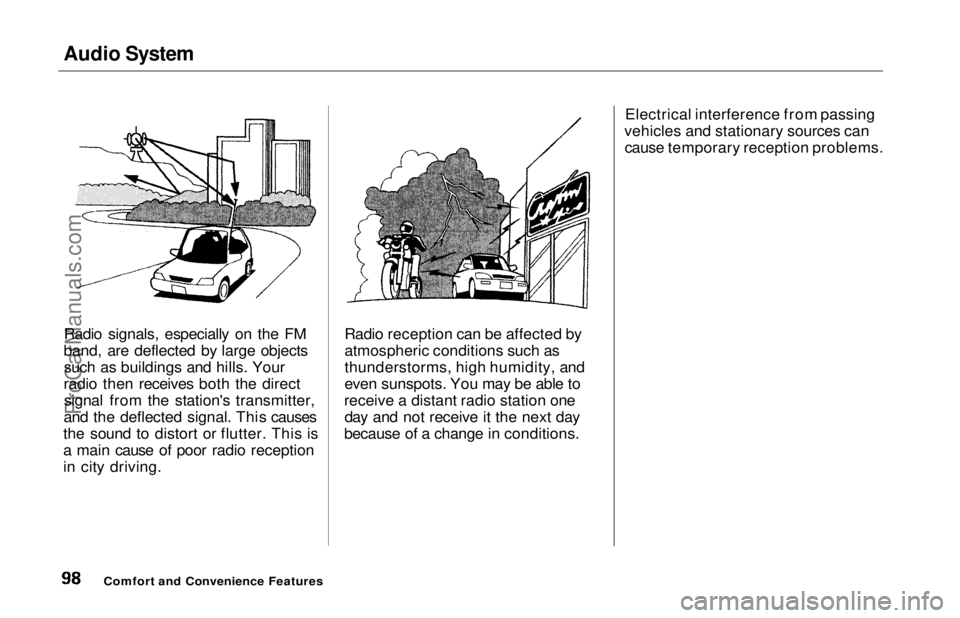
Radio signals, especially on the FM
band, are deflected by large objects such as buildings and hills. Your
radio then receives both the direct signal from the station's transmitter,
and the deflected signal. This causes
the sound to distort or flutter. This is
a main cause of poor radio reception
in city driving. Radio reception can be affected by
atmospheric conditions such as
thunderstorms, high humidity, and
even sunspots. You may be able to
receive a distant radio station one day and not receive it the next day
because of a change in conditions. Electrical interference from passing
vehicles and stationary sources can cause temporary reception problems.
Comfort and Convenience FeaturesProCarManuals.comMain Menu Table of Contents s t
Page 100 of 241
Audio System
Tape Search Functions
With a cassette playing, you can use the FF, REW, RPT, or SKIP function
to find a desired program.
FF/REW —
Fast Forward and
Rewind move the tape rapidly. To
rewind the tape, push the FF/REW/
SKIP switch down, then release it.
You will see REW in the display. To fast forward the tape, push the switch up, then release it. You will
see FF displayed. Press the PLAY
button to take the system out of
rewind or fast forward. If the system
reaches the end of the tape while in
fast forward or rewind, it auto-
matically stops that function,
reverses direction, and begins to play. SKIP
—
The SKIP function lets you
skip over a song or passage. You
activate SKIP with the FF/REW/
SKIP switch. To skip to the
beginning of a song or passage
currently playing, push the switch down and hold it until you hear a
beep. You will see REW flashing in
the display as the tape rewinds. To skip to the beginning of the next
song, push the switch up and hold it
until you hear a beep. You will see FF flashing in the display as the tape
fast forwards. When the system
finds the beginning of a song or
passage, it goes back to PLAY. REPEAT
—
The Repeat function
continuously replays the current song or passage. Press the RPT
button to activate it; you will see RPT displayed as a reminder. When the
system reaches the end of the song
or passage currently playing, it will
automatically go into rewind. When
it senses the beginning of the same song or passage, the system returns
to PLAY mode. It will continue to
repeat this same program until you deactivate REPEAT by pressing the
button again.
The SKIP and REPEAT functions use silent periods on the tape to find
the end of a song or passage. These
features may not work to yoursatisfaction if there is almost no gap
between selections, a high noise
level between selections, or a silent
period in the middle of selection.
Comfort and Convenience FeaturesProCarManuals.comMain Menu Table of Contents s t