1997 GMC SIERRA light
[x] Cancel search: lightPage 96 of 436
Up Shift Light
SHIFT
If you have a manual
transmission,
you may have
a SHIFT light. This light
will show
you when to shift
to the next higher gear for
best fuel economy.
When this light comes on, you can shift to the next
higher gear
if weather, road and traffic conditions let
you. For the best fuel economy, accelerate slowly and shift when the light comes
on.
While you accelerate, it is normal for the light to go
on and off if you quickly change the position of the
accelerator. Ignore the
SHIFT light when you downshift.
If your vehicle has four-wheel drive and is equipped
with a manual transmission, disregard the
SHIFT light
when the transfer case is in
4L.
Locking Rear Axle (If Equipped)
If you have this feature, your rear axle can give you
additional traction on snow, mud, ice, sand
or gravel. It
works like a standard axle most
of the time, but when
one of the rear wheels has no traction and the other
does,
the locking feature will allow the wheel with traction to
move the vehicle.
Four-wheel Drive (If Equipped)
If your vehicle has four-wheel drive, you can send your
engine’s driving power to all four wheels for extra
traction.
To get the most satisfaction out of four-wheel
drive, you must be familiar with its operation. Read the
part that follows before using four-wheel drive. You
should use 2-WHEEL
HIGH (2H) for most normal
driving conditions.
I NOTICE: I
Driving in the 4-WHEEL HIGH (4H) or
4-WHEEL LOW (4L) positions for a long time
on dry or wet pavement could shorten the life of
your vehicle’s drivetrain.
2-22
ProCarManuals.com
Page 97 of 436
Front Axle Locking Feature
The front axle locks and unlocks automatically when you shift the transfer case. Some delay for the axle to lock or
unlock is normal. If the outside temperature is very hot, or
the vehicle has
been used under hard driving conditions,
there may be a slight delay for the axle to unlock.
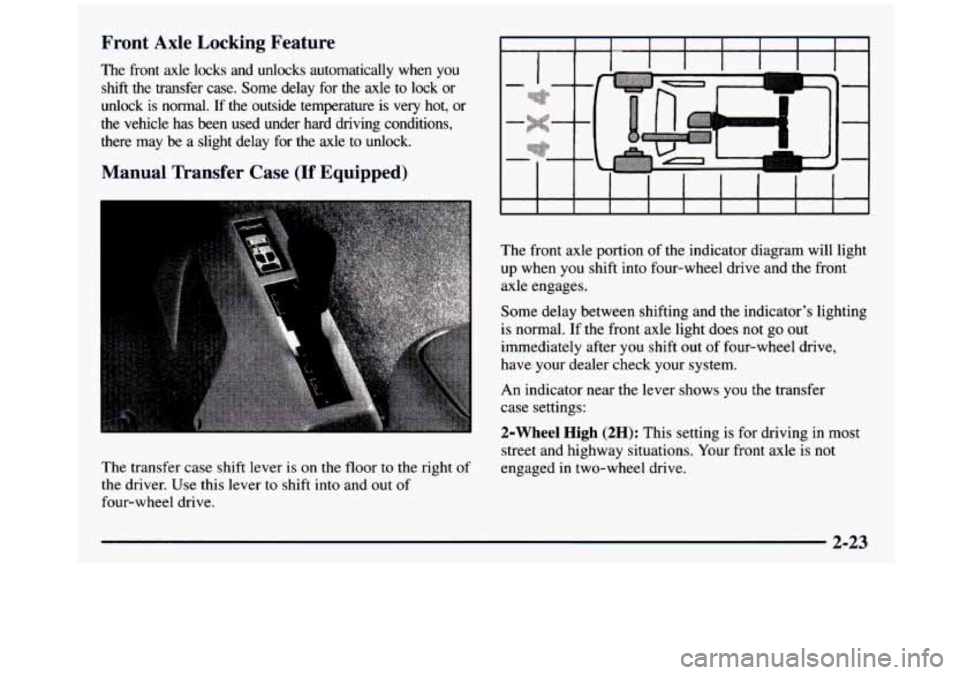
Manual Transfer Case (If Equipped)
The transfer case shift lever is on the floor to the right of
the driver. Use this lever to shift into and out of
four-wheel drive. The front
axle portion of the indicator diagram will light
up when
you shift into four-wheel drive and the front
axle engages.
Some delay between shifting and the indicator’s lighting
is normal. If
the front axle light does not go out
immediately after you shift out of four-wheel drive,
have your dealer check your system.
An indicator near the lever shows you the transfer
case settings:
2-Wheel High (2H): This setting is for driving in most
street and highway situations. Your front axle is not
engaged in two-wheel drive.
2-23
ProCarManuals.com
Page 98 of 436
$-Wheel High (4H): This setting engages your front
axle
to help drive your vehicle. Use 4H when you need
extra traction, such as on wet or icy roads, or in most
off-road situations.
Neutral (N): Shift to this setting only when your vehicle
needs to be towed or when using a power take-off.
4-Wheel Low (4L): This setting also engages your front
axle to give you extra power and also gives you a higher
driveline ratio. It should
be used only for off-road driving.
You can shift from 2-WHEEL HIGH (2H) to 4-WHEEL
HIGH (4H) or from 4-WHEEL HIGH
(4H) to
2-WHEEL HIGH (2H) while the vehicle is moving.
Your front axle will engage faster if
you take your foot
off of the accelerator for a few seconds after you shift.
In extremely cold weather, it may be necessary
to stop
or slow the vehicle
to shift into 4-WHEEL HIGH (4H). To
shift into or out of 4-WHEEL LOW (4L) or
NEUTRAL
(N):
1. Slow the vehicle to a roll, about 1 to 3 mph (2 to
5 kmh) and shift an automatic transmission into
NEUTRAL (N), or with a manual transmission,
press the clutch pedal.
2. Shift the transfer case shift lever in one continuous motion.
Don’t pause in NEUTRAL
(N) as you shift the transfer
case into 4-WHEEL LOW (4L), or your gears
could clash.
Remember that driving in 4-WHEEL HIGH (4H) or
4-WHEEL LOW (4L) may reduce fuel economy.
Also,
driving in four-wheel drive on dry pavement could
cause your tires to wear faster and make your transfer
case harder to shift and run noisier.
When your headlamps or parking lamps are on,
rotate the thumb wheel next to the headlamp switch
up to brighten or down
to dim your transfer case
indicator light.
2-24
ProCarManuals.com
Page 99 of 436
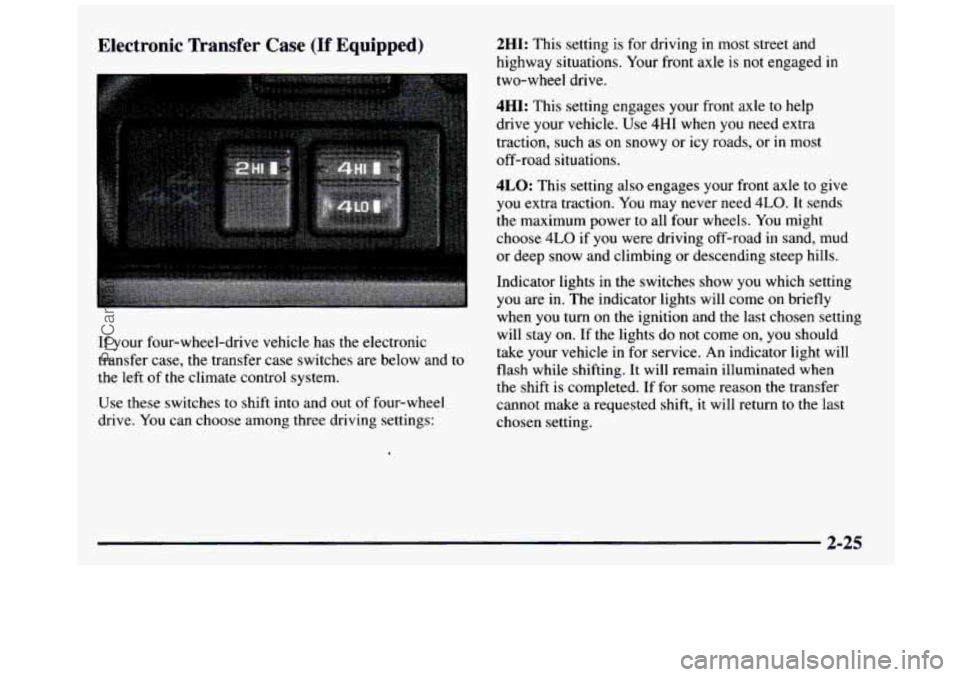
Electronic Transfer Case (If Equipped)
If your four-wheel-drive vehicle has the electronic
transfer case, the transfer case switches are below and
to
the left of the climate control system.
Use these switches to shift into and out
of four-wheel
drive. You can choose among three driving settings:
.
2HI: This setting is for driving in most street and
highway situations. Your front axle is not engaged
in
two-wheel drive.
4HI: This setting engages your front axle to help
drive your vehicle. Use
4HI when you need extra
traction, such as
on snowy or icy roads, or in most
off-road situations.
4LO: This setting also engages your front axle to give
you extra traction. You may never need
4LO. It sends
the maximum power to all four wheels. You might
choose
4LO if you were driving off-road in sand, mud
or deep snow and climbing or descending steep hills.
Indicator lights in the switches show you which setting
you are in. The indicator lights will come
on briefly
when you turn on the ignition and the last chosen setting
will stay on. If the lights do not come on, you should
take your vehicle in for service. An indicator light will
flash while shifting. It
will remain illuminated when
the shift is completed. If for some reason the transfer
cannot make a requested shift,
it will return to the last
chosen setting.
ProCarManuals.com
Page 100 of 436
Shifting from 2HI to 4HI
Press and release the 4HI switch. This can be done at
any speed, and the front axle will lock automatically
with some delay.
Shifting from 4HI to 2HI
Press and release the 2HI switch. This can be done at
any speed, and
the front axle will unlock automatically
with some delay.
Shifting from 2HI or 4HI to 4LO
To shift from 2HI or 4HI to 4L0, the vehicle must be
stopped or moving less than
3 mph (4.8 km/h) with the
transmission in NEUTRAL
(N). The preferred method
for shifting into 4LO is to have your vehicle moving
1 to
2 mph (1.6 to 3.2 km/h). Press and release the 4LO
switch. You must wait for the 4LO indicator light to stop
flashing and remain illuminated before shifting your
transmission into gear.
Shifting from 4LO to 4HI or 2HI
To shift from 4LO to 4HI or 2H1, your vehicle must be
stopped or moving less than
3 mph (4.8 km/h) with the
transmission
in NEUTRAL (N). The preferred method
for shifting out
of 4LO is to have your vehicle moving
1 to 2 mph (1.6 to 3.2 km/h). Press and release the 4HI
switch. You must wait for the 4HI indicator light to stop
flashing and remain illuminated before shifting your
transmission into gear.
If the 4HI switch is pressed when your vehicle is in
gear and/or moving, the 4HI indicator light will flash for
30 seconds but will not complete the shift unless the
vehicle is moving slower than
3 mph (4.8 km/h) and the
transmission is in NEUTRAL
(N).
If the 4LO switch is pressed when your vehicle is in
gear and/or moving, the 4LO indicator light will flash
for
30 seconds and not complete the shift unless your
vehicle
is moving slower than 3 mph (4.8 km/h) and the
transmission is in NEUTRAL
(N). After 30 seconds the
transfer case will return to 4HI.
2-26
ProCarManuals.com
Page 101 of 436
Parking Brake
To set the parking brake, hold the regular brake pedal
down with your right foot. Push down the parking brake
pedal with your left foot.
If the ignition is on, the brake system warning light will
come on.
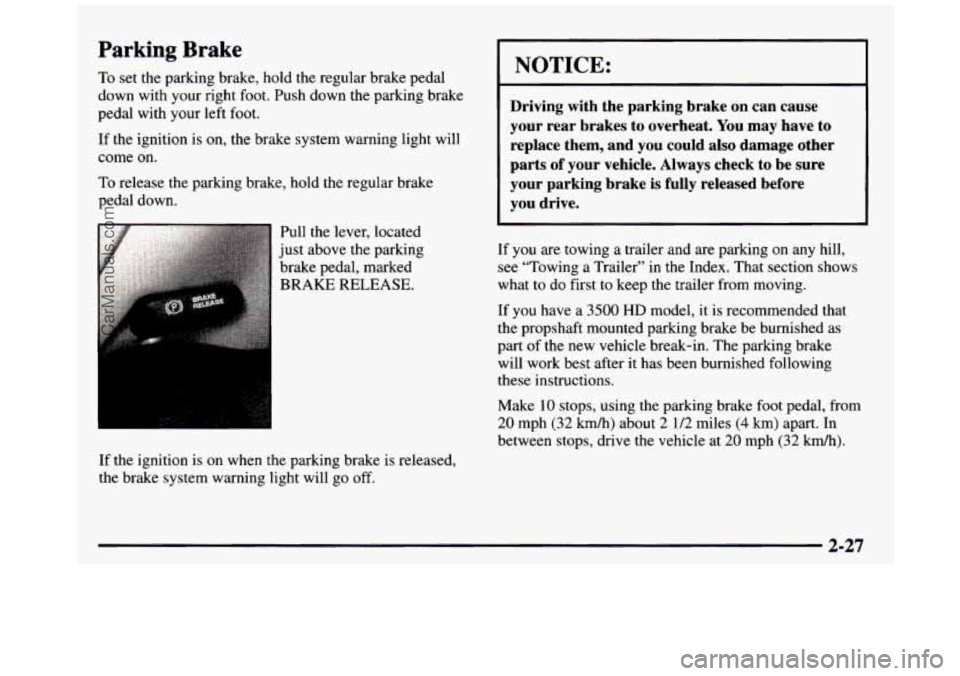
To release the parking brake, hold the regular brake
pedal down.
If the ignition is on when the parking brake is released,
the brake system warning light will go
off.
I NOTICE:
I
Driving with the parking brake on can cause
your rear brakes to overheat. You may have to replace them, and you could also damage other
parts
of your vehicle. Always check to be sure
your parking brake is fully released before
you drive.
If you are towing a trailer and are parking on any hill,
see “Towing
a Trailer’’ in the Index. That section shows
what to do first to keep the trailer from moving.
If you have
a 3500 HD model, it is recommended that
the propshaft mounted parking brake be burnished as
part of the new vehicle break-in. The parking brake
will work best after
it has been burnished following
these instructions.
Make
10 stops, using the parking brake foot pedal, from
20 mph (32 kmh) about 2 112 miles (4 km) apart. In
between stops, drive the vehicle at
20 mph (32 kmk).
2-27
ProCarManuals.com
Page 108 of 436
Crew Cab
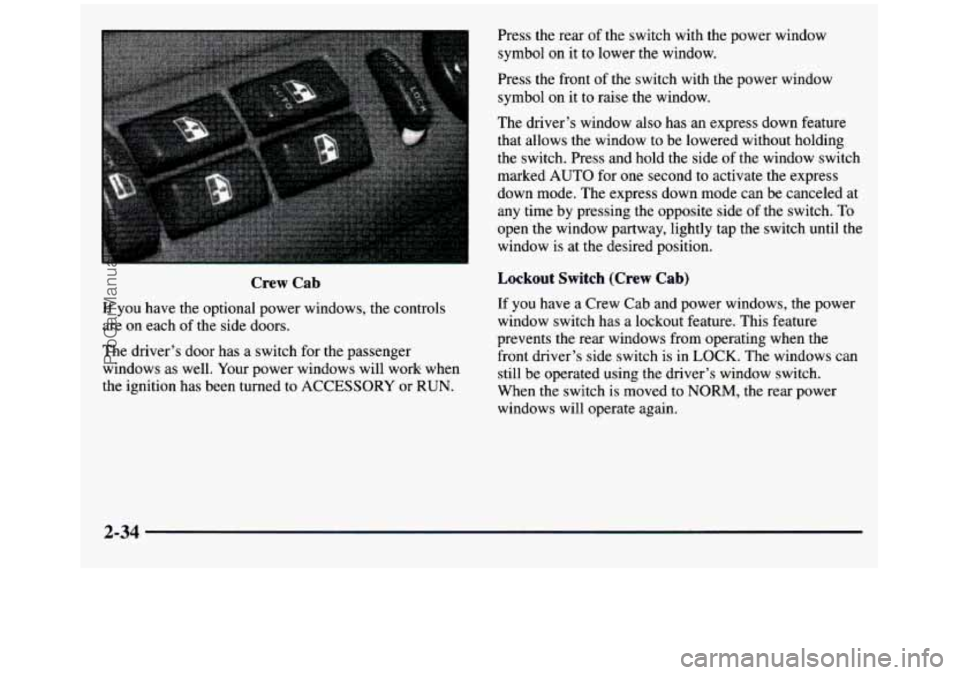
If you have the optional power windows, the controls
are on each
of the side doors.
The driver’s door has a switch for the passenger
windows as well. Your power windows will work when
the ignition has been turned to ACCESSORY or RUN. Press the rear
of the switch with the power window
symbol on it to lower the window.
Press the front of the switch with the power window
symbol on it to raise the window.
The driver’s window also has
an express down feature
that allows the window to be lowered without holding
the switch. Press and hold the side of the window switch
marked AUTO
for one second to activate the express
down mode. The express down mode can be canceled at
any time by pressing the opposite side of the switch. To
open the window partway, lightly tap the switch until the
window is at the desired position.
Lockout Switch (Crew Cab)
If you have a Crew Cab and power windows, the power
window switch has a lockout feature. This feature
prevents the rear windows from operating when the
front driver’s side switch is
in LOCK. The windows can
still be operated using the driver’s window switch.
When the switch is moved to
NORM, the rear power
windows will operate again.
2-34
ProCarManuals.com
Page 111 of 436
nrn Signal and Lane Change Signals
The turn signal has two upward (for right) and two
downward (for left) positions. These positions allow you
to signal a turn or a lane change.
To signal a
tum, move the lever all the way up or down.
When the
tum is finished, the lever will return automatically.
CII
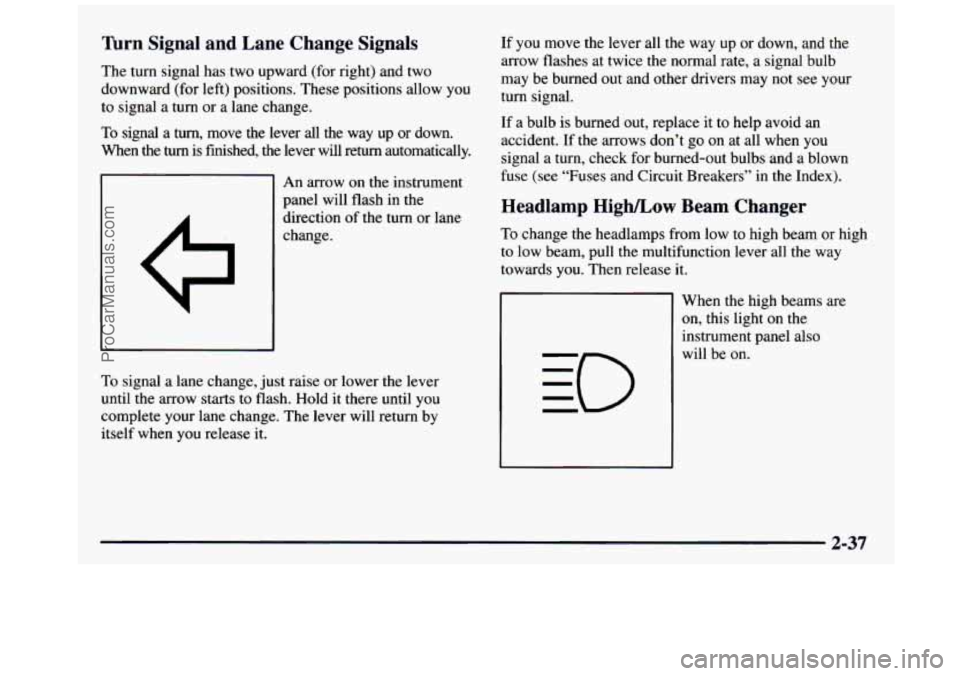
An arrow on the instrument
panel will flash in
the
direction of the turn or lane
change.
To signal a lane change, just raise or lower the lever
until the arrow starts to flash.
Hold it there until you
complete your lane change. The lever will return by
itself when you release it. If you
move the lever all the way up or down, and
the
arrow flashes at twice the normal rate, a signal bulb
may be burned out and other drivers may not see your
turn signal.
If a bulb is burned out, replace it to help avoid an
accident. If
the arrows don’t go on at all when you
signal a turn, check for burned-out bulbs and a blown
fuse (see “Fuses and Circuit Breakers” in the Index).
Headlamp High/Low Beam Changer
To change the headlamps from low to high beam or high
to low beam, pull the multifunction lever all the way
towards you. Then release it.
When the high beams are
on, this light on the
instrument panel also
will be on.
2-37
ProCarManuals.com