1997 CHEVROLET TRACKER ignition
[x] Cancel search: ignitionPage 133 of 388

AM-FM Stereo (If Equipr
Playing the Radio
ON-VOL: This knob turns the system on and off and
controls the volume.
To increase volume and turn the
radio on, turn the knob clockwise. Turn it
counterclockwise
to decrease volume.
RCL: Display the time with the ignition off by pressing
this button. When the radio is playing, press this button
to recall the station frequency.
Finding a Station
AM-FM: Press this button to switch between AM and
FM. The lighted display shows your selection.
TUNE: Press the right or left arrow to go to a higher or
lower station. Press and hold to continue tuning and
release when you find your station. The display will
show the frequency of each station tuned.
SEEK: Press the right or left arrow to go to the next
higher or lower station and stay there.
PUSHBUTTONS: The six numbered pushbuttons let
you return to your previously played stations. You can
set up to
12 stations (six AM and six FM). Just:
1. Turn the radio on.
2. Press AM-FM to select the band.
3. Tune in the desired station.
4. Press one of the six pushbuttons for at least
two seconds. The sound will mute and then return
when the station is stored. Whenever
you press that
numbered button, the station you set will return.
5. Repeat the steps for each pushbutton.
3-7
ProCarManuals.com
Page 135 of 388
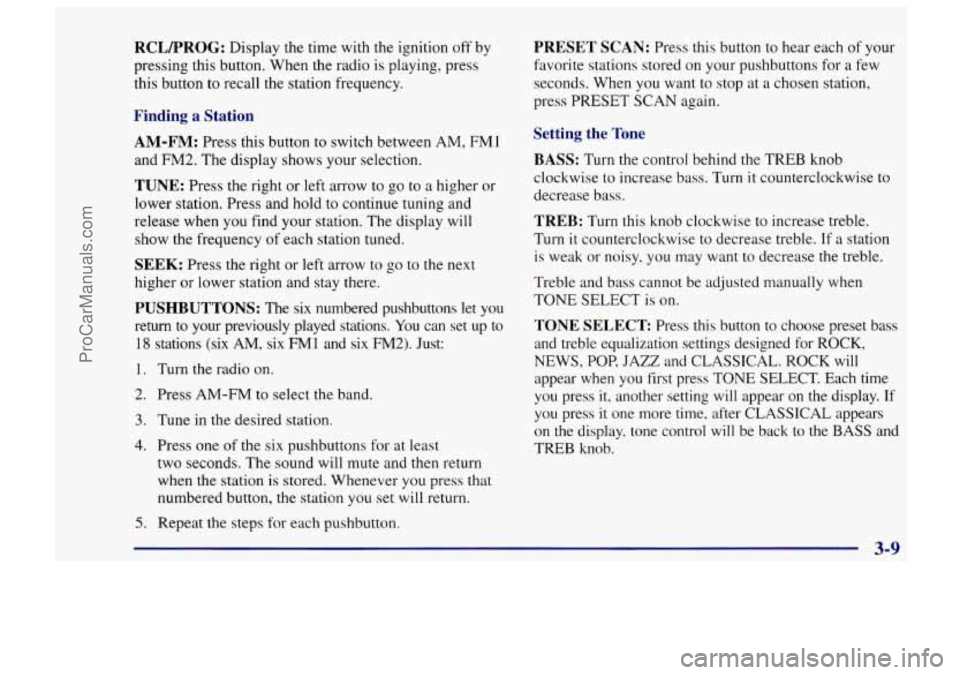
RCLFROG: Display the time with the ignition off by
pressing this button. When the radio
is playing, press
this button
to recall the station frequency.
Finding a Station
AM-FM: Press this button to switch between AM, FMl
and FM2. The display shows your selection.
TUNE: Press the right or left arrow to go to a higher or
lower station. Press and hold to continue tuning and
release when you find your station. The display will
show the frequency of each station tuned.
SEEK: Press the right or left arrow to go to the next
higher or lower station and stay there.
PUSHBUTTONS: The six numbered pushbuttons let you
return to your previously played stations.
You can set up to
18 stations (six AM, six FM1 and six FM2). Just:
1. Turn the radio on.
2. Press AM-FM to select the band.
3. Tune in the desired station.
4. Press one of the six pushbuttons for at least
two seconds. The sound
will mute and then return
when the station is stored. Whenever you press that
numbered button, the station you
set will return.
5. Repeat the steps for each pushbutton.
PRESET SCAN: Press this button to hear each of your
favorite stations stored on your pushbuttons for
a few
seconds. When you want to stop at
a chosen station.
press PRESET
SCAN again.
Setting the Tone
BASS:
Turn the control behind the TREB knob
clockwise to increase bass. Turn it counterclockwise to
decrease bass.
TREB: Turn this knob clockwise to increase treble.
Turn it counterclockwise to decrease treble. If a station
is weak or noisy, you may want to decrease the treble.
Treble and bass cannot be adjusted manually when
TONE SELECT
is on.
TONE SELECT Press this button to choose preset bass
and treble equalization settings designed for ROCK,
NEWS, POP, JAZZ and CLASSICAL. ROCK will
appear when you first press TONE SELECT. Each time
you press it, another setting will appear on the display. If
you press it one more time, after CLASSICAL appears
on the display, tone control will be back to
the BASS and
TREB knob.
3-9
I
ProCarManuals.com
Page 137 of 388

MTL: Your bias is set automatically. MTL will appear
on your display when a metal or chrome tape is inserted.
RCLPROG: Press this button to switch from one side
of the tape to the other. Your cassette tape player can
play continuously because the player has an
auto-reverse feature.
TAPE: Press this button when the radio is playing to
switch to tape play. To switch from the tape to the radio
when the tape
is playing, press the AM-FM button.
EJECT Press this button to remove the tape and switch
to radio. If you leave a cassette tape
in the player while
listening to the radio, it may become warm.
CLN: If this message appears on the display, the
cassette tape player needs to be cleaned. It will still play
tapes, but you should clean it
as soon as possible to
prevent damage to the tapes and player. See “Care of
Your Cassette Tape Player”
in the Index. After you clean
the player, press and hold
EJECT for five seconds to
reset the CLN indicator. The radio will display --- to
show the indicator was reset.
AM-FM Stereo with Cassette Tape and
Compact
Disc Player (If Equipped)
Playing the Radio
ON-VOL: This knob turns the system on and off and
controls
the volume. To increase volume and turn the
radio on, turn the knob clockwise. Turn
it
counterclockwise to decrease volume.
RCL: Display the time with the ignition off by pressing
this button. When the radio is playing. press
this button
to recall the station frequency.
3-11
ProCarManuals.com
Page 141 of 388

RDM (5): Press this button to hear the tracks in random,
rather than sequential, order. Press RDM or RPT again
to turn off random play.
NXT (6): Press this button to go to the next track. If you
hold the button, or press it more than once, the player
will continue moving forward through the disc.
COMP: Press this button to make soft and loud
passages more nearly equal in volume.
RCL: Press this button to see which track is playing.
Press RCL again, within five seconds, to see how long
it has been playing (elapsed time). The track number
also appears when the disc
is inserted or you change
the volume.
CD-TP: Press this button to switch between playing a
tape and a CD when both are inserted.
STOP: Press this button or AM-FM to stop playing the
disc and switch to radio. Press STOP again
to restart the
disc at the point where it stopped.
EJECT Press this button to remove the disc. The radio
will play. The disc will start at the first track when you
reinsert it. If you leave a compact disc in the player
while listening to the radio, it may become warm.
Theft-Deterrent Feature
The theft-deterrent feature for the AM-FM stereo with
cassette tape or compact disc player can be used or
ignored.
If ignored, the system plays normally. If it is
used, your system won’t be usable if it’s ever stolen
because it will
go into LOC mode.
If your vehicle loses battery power for any reason, you
must enter your secret code again before the system will
turn on.
Activating the Theft-Deterrent Feature
The following instructions will tell you how to enter a
security code into
the system.
NOTE: If you allow more than 15 seconds to elapse
between any steps, the radio automatically reverts to
time and you must start the procedure over at Step
4.
1. Write down any four-digit number and keep it in a
safe place.
2. Turn the ignition switch to ACC or ON.
3. Turn the radio off.
4. Press the 1 and 4 buttons together. Hold them down
until
---- shows on the display.
ProCarManuals.com
Page 143 of 388

Unlocking the Theft-Deterrent Feature After a
Power
Loss
If power is disrupted to the radio while in the SEC
mode, the unit will not work and LOC will show on the
display whenever the ignition is on. To unlock the unit,
press the left or right SEEK arrows, or the left or right
TUNE arrows and
0000 will appear on the display.
1.
2.
3.
4.
5.
Press the SEEK left arrow and hold it until the first
digit
of your code appears.
Press the SEEK right arrow and hold it until the
second digit of your code appears.
Press the
TUNE left arrow and hold it until the third
digit of your code appears.
Press the
TUNE right arrow and hold it until the
fourth digit of your code appears.
Press
AM-FM after you have checked that the code
matches the one you wrote down. Now the time
of
day will appear on the display. (Please note that if an
incorrect code is entered,
ERR will appear on the
display and the above steps need to be repeated.)
Understanding Radio Reception
FM Stereo
FM stereo will give you the best sound. But FM signals
will reach only about
10 to 40 miles (1 6 to 65 km). Tall
buildings or hills can interfere with
FM signals, causing
the sound to come and go.
AM
.The range for most AM stations is greater than for FM,
especially at night. The longer range, however, can
cause stations to interfere with each other. AM can pick
up noise from things like storms and power lines. Try
reducing the treble to reduce this noise if you ever get
it.
Tips About Your Audio System
Hearing damage from loud noise is almost undetectable
until it is too late. Your hearing
can adapt to higher
volumes of sound. Sound that seems normal can be loud
and harmful to your hearing. Take precautions by
adjusting the volume control on your radio to a safe
sound level before your hearing adapts to it.
3-17
ProCarManuals.com
Page 175 of 388

Driving in Water
Light rain causes no special off-road driving problems.
But heavy rain can mean flash flooding, and flood
waters demand extreme caution.
Find out how deep the water is before you drive through
it. If it’s deep enough to cover your wheel hubs, axles or
exhaust pipe, don’t try
it -- you probably won’t get
through. Also, water that deep can damage your axle
and other vehicle parts.
If the water isn’t too deep, then drive through it slowly.
At fast speeds, water splashes
on your ignition system
and your vehicle can stall. Stalling can also occur if you
get your tailpipe under water. And, as long as your
tailpipe is under water, you’ll never be able to start your
engine. When you go through water, remember that
when your brakes get wet,
it may take you longer
to stop.
Driving through rushing water can be dangerous.
Deep water can sweep your vehicle downstream
and you and your passengers could drown.
If it’s
only shallow water, it can still wash away the
ground from under your tires, and
you could lose
traction and roll the vehicle over. Don’t drive
through rushing water.
See “Driving Through Water” in the Index for more
information on driving through water.
4-29
ProCarManuals.com
Page 185 of 388

If you drive regularly in steep country, or if you’re
planning to visit there, here are some tips that can make
your trips safer and more enjoyable. (See “Off-Road
Driving’’ in the Index for information about driving
off-road.)
Keep your vehicle in good shape. Check all fluid
levels and also the brakes, tires, cooling system and
transmission. These parts can work hard on
mountain roads.
0 Know how to go down hills. The most important
thing to know is this: let your engine do some of the
slowing down. Shift to a lower gear when you go
down a steep or long hill.
If you don’t shift down, your brakes could get
so hot that they wouldn’t work well. You
would then have poor braking or even none going
down
a hill. You could crash. Shift down to let
your engine assist your brakes on
a steep
downhill slope. Coasting downhill
in NEUTRAL
(N) or with the
ignition
off is dangerous. Your brakes will have to
do all the work
of slowing down. They could get
so hot that they wouldn’t work well. You would
then have poor braking or even none going down
a hill. You could crash. Always have your engine
running and your vehicle in gear when you
go downhill.
0
0
0
0
Know how to go uphill. You may want to shift down
to a lower gear. The lower gears help cool your engine
and transmission, and you can climb the hill better.
Stay
in your own lane when driving on two-lane
roads
in hills or mountains. Don’t swing wide or cut
across
the center of the road. Drive at speeds that let
you stay
in your own lane.
As you go over the top of a hill, be alert. There could be
something in your lane, llke a stalled car or an accident.
You may see highway signs on mountains that warn of
special problems. Examples are long grades, passing or
no-passing zones,
a falling rocks area or winding
roads. Be alert
to these and take appropriate action.
4-39
1
ProCarManuals.com
Page 191 of 388

I NOTICE:
Do not tow your Geo with the rear wheels in
contact with the ground, or the transmission
could be damaged.
2.
3.
4.
Set the parking brake.
If your Geo is a four-wheel-drive vehicle, set your
manual free-wheeling hubs to
FREE or unlock your
automatic freewheeling hubs. See “Four-wheel
Drive” in the Index.
Turn the ignition key to ACC to unlock the
steering wheel.
I NOTICE:
Make sure that the towing speed does not
exceed
55 mph (90 km/h), or your Geo could be
badly damaged.
Towing from the Front
h
I1 I
I NOTICE: I
If your vehicle has automatic freewheeling hubs
or two-wheel drive,
do not tow it on all four
wheels.
If you do, your transmission could
be damaged.
4-45
I
ProCarManuals.com