1997 CHEVROLET ASTRO light
[x] Cancel search: lightPage 138 of 404

Downloaded from www.Manualslib.com manuals search engine Anti-Lock Brake System Warning Light
ANTI -
LOCK
With the anti-lock brake
system, this light will
come
on when you start
your engine and may stay
on for several seconds.
That’s normal.
Engine Co ~ ant Temperature Gage
If the gage pointer moves
to the red area, your engine
is
too hot!
If the light stays on, or comes on when you’re driving,
your vehicle needs service. If the regular brake system
warning lightisn’t on,
you still have brakes, but you
don’t have anti-lock brakes.
If the regular brake system
warning light is
also on, you don’t have anti-lock brakes
and there’s a problem with your regular brakes. See
“Brake System Warning Light” earlier in this section.
The anti-lock brake system warning light should come
on briefly when you turn the ignition key to RUN. If the
light doesn’t come
on then, have it fixed so it will be
ready to warn you if there
is a problem. It
means that your engine coolant has overheated.
If you
have been operating your vehicle under normal driving
conditions, you should pull
off the road, stop your
vehicle and turn
off the engine as soon as possible.
In “Problems on
the Road,” this manual shows you what
to
do. See “Engine Overheating” in the Index.
2-64
Page 139 of 404

Downloaded from www.Manualslib.com manuals search engine Malfunction Indicator Lamp (Service Engine Soon Light)
Your vehicle is equipped
with a computer which
monitors operation of the
fuel, ignition and emission SERVICE
ENGINE
SOON
This system is called OBD I1 (On-Board
Diagnostics-Second Generation) and is intended to
assure that emissions are at acceptable levels for the life
of the vehicle, helping
to produce a cleaner
environment. (In Canada, OBD
I1 is replaced by
Enhanced Diagnostics.) The SERVICE ENGINE SOON
light comes
on to indicate that there is a problem and
service is required. Malfunctions
often will be indicated
by the system before any problem is apparent. This may
prevent more serious damage to your vehicle. This
system is also designed
to assist your service technician
in correctly diagnosing any malfunction.
NOTICE:
If you keep driving your vehicle with this light
on, after a while, your emission controls may not
work as well, your fuel economy may not be
as
good and your engine may not run as smoothly.
This could lead to costly repairs that may not be
covered by your warranty.
This light should come on, as a check to show you it is
working, when the ignition is on and the engine is not
running. If the light doesn’t come on, have it repaired.
This light will also come
on during a malfunction in one
of two ways:
0
0
Light Flashing -- A misfire condition has been
detected.
A misfire increases vehicle emissions and
may damage the emission control system on your
vehicle. Dealer or qualified service center diagnosis
and service is required.
Light On Steady -- An emission control system
malfunction has been detected on your vehicle.
Dealer or qualified service center diagnosis and
service may be required.
2-65
Page 140 of 404
Downloaded from www.Manualslib.com manuals search engine If the Light Is Flashing
The following may prevent more serious damage to
your vehicle:
0 Reducing vehicle speed.
If the Light Is On Steady
You may be able to correct the emission system
malfunction by considering
the following:
Did you recently put fuel into your vehicle?
0 Avoiding hard accelerations.
0 Avoiding steep uphill grades.
If you are towing a trailer, reduce the amount of
cargo being hauled as soon as it is possible.
If the light stops flashing and remains
on steady, see “If
the Light Is On Steady” following.
If the light continues to flash, when it is safe to do
so,
stop the vehicle. Find a safe place to park your vehicle.
Turn the key
off, wait at least 10 seconds and restart the
engine. If the light remains on steady, see “If the Light
Is On Steady” following. If the light is still flashing,
follow
the previous steps, and drive the vehicle to your
dealer
or qualified service center for service. If
so, reinstall the fuel
cap, making sure to fully install
the cap. The diagnostic system can determine if the fuel
cap has been left off
or improperly installed. A loose or
missing fuel cap will allow fuel
to evaporate into the
atmosphere. A few driving trips with
the cap properly
installed should turn the light
off.
Did you just drive through a deep puddle of water?
If
so, your electrical system may be wet. The condition
will usually be corrected when the electrical system
dries out.
A few driving trips should turn the light off.
Have
you recently changed brands of fuel?
If
so, be sure to fuel your vehicle with quality fuel (see
“Fuel” in the Index). Poor fuel quality will cause your
engine not to run as efficiently as designed.
You may
notice this as stalling after start-up, stalling when you
put
the vehicle into gear, misfiring, hesitation on
acceleration or stumbling on acceleration. (These
conditions may go away once
the engine is warmed up.)
This will be detected by the system and cause the light
to turn
on.
2-66
Page 141 of 404

Downloaded from www.Manualslib.com manuals search engine If you experience one or more of these conditions,
change the
fuel brand you use. It will require at least one
full tank of the proper fuel to turn the light off.
If none of the above steps have made the light turn
off,
have your dealer or qualified service center check the
vehicle. Your dealer has the proper test equipment and
diagnostic tools
to fix any mechanical or electrical
problems that may have developed.
Oil Pressure Gage
The oil pressure gage shows
the engine oil pressure in
psi (pounds per square inch)
when the engine is running.
Canadian vehicles indicate pressure in kPa (kilopascals).
Oil pressure may vary with engine speed, outside
temperature and oil viscosity, but readings above the
low pressure zone indicate the normal operating range.
A reading in the low pressure zone may be caused by a
dangerously low oil level or other problems causing low
oil pressure.
I
Don’t keep driving if the oil pressure is low. If
you do, your engine can become so hot that it
catches fire.
You or others could be burned.
Check your oil
as soon as possible and have your
vehicle serviced.
1
NOTICE:
Damage to your engine from neglected oil
problems can be costly and is not covered by
your warranty.
2-67
Page 142 of 404

Downloaded from www.Manualslib.com manuals search engine Daytime Running Lamps Indicator L' -'-
I
:::O e..
You will have this light
on the instrument panel.
It goes on whenever the
Daytime Running Lamps (DRL) are on.
--k -- * Gages Light
This light will come on
briefly when you are
starting the engine.
CHECK
GAGES
When it begins to get dark, the DRL indicator light is
a reminder to turn on your headlamps.
If the light comes on and stays on while you are driving,
check your
various gages to see if they are in the
warning zones.
2-68
Page 152 of 404
Downloaded from www.Manualslib.com manuals search engine If your vehicle has rear air conditioning, setting it on LO
may enhance the front A/C performance by allowing
trapped refrigerant
in the rear lines to circulate.
The rear air conditioning system will
only send cooled
air
if the front system is on. It can still be used to
circulate air, even if the front system
is off.
When the air conditioning, DEFROST or BLEND is on,
you may notice a slight increase or decrease in engine
speed, due to compressor operation. This
is normal
because the system is designed to cycle the compressor
on and off to keep the desired temperature.
Heating
On cold days, use HEATER with the temperature knob
in the red area. Outside air will be brought in through
the floor outlets. The heater works best if you keep your
windows closed while using it.
If you use the optional engine coolant heater before
starting your engine, your heating system will produce
warmer air faster
to heat the passenger compartment in
cold weather. See “Engine Coolant Heater” in the Index.
Defrosting
Use DEFROST to remove fog or ice from the
windshield quickly in extremely cold conditions. The
temperature knob should be in the red area and the fan
control toward high. The air conditioning compressor
may operate in this setting to dehumidify the air.
The
BLEND setting is useful for cold weather with a
large number of passengers or very humid conditions to
help keep the windshield clear.
Ventilation System
For mild outside temperatures when little heating or
cooling is needed, use VENT to direct outside air
through your vehicle. Air will flow through the
instrument panel vents.
Your vehicle’s flow-through ventilation system supplies
outside air to the inside
of your vehicle when it is
moving. With the side windows closed, air will flow into
the front air inlet grilles at the base
of the windshield,
through
the vehicle and out the rear air exhaust valves.
Outside air will also enter the vehicle when the heater or
the air conditioning fan is running.
Page 154 of 404
Downloaded from www.Manualslib.com manuals search engine Rear Window Defogger
If your vehicle has this option,
(Option)
the rear window will
The rear window defogger will only work when the
ignition switch is
in the RUN position,
have lines running across the glass. These lines heat
your window.
For best results, clear the window
of as much snow or
ice as possible before using the rear window defogger.
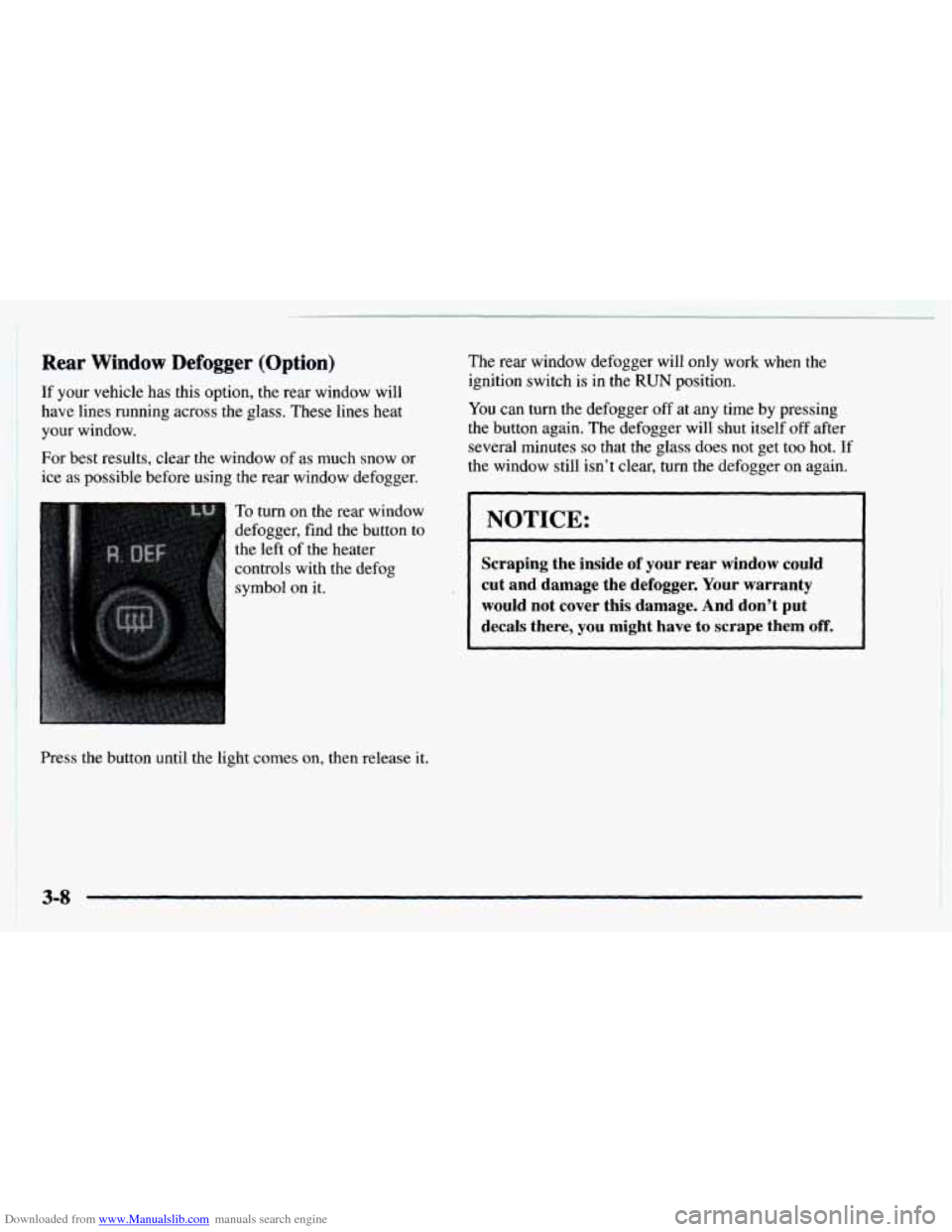
To turn on the rear window
defogger, find the button to
the left of the heater
Press the button until the light comes
on, then release it.
You can turn the defogger off at any time by pressing
the button again. The defogger will shut itself
off after
several minutes
so that the glass does not get too hot. If
the
window still isn’t clear$ turn the defogger on again.
NOTICE:
Scraping the inside of your rear window could
cut and damage the defogger.
Your warranty
would
not cover this damage. And don’t put
decaIs there, you might have to scrape them off.
3-8
Page 156 of 404

Downloaded from www.Manualslib.com manuals search engine Finding a Station
AM-FM: Press the lower knob to switch between AM
and FM. The display shows your selection.
TUNE: Turn the lower knob to tune in radio stations.
SEEK: Press the right arrow to tune to the next higher
station and the left arrow
to tune to the next lower
station and stay there.
SCAN: Press both SEEK buttons to listen to a few
seconds
of each radio station. SCAN will light up on the
display. Press the right arrow to
tune in the next higher
station and press
the left arrow to tune to the next lower
station. Press
VOLUME or both SEEK buttons to
stop scanning.
PUSHBUTTONS: The four numbered pushbuttons let
you return to your favorite stations.
You can set up to
14 stations (seven AM and seven FM). Just:
1. Turn the radio on.
2. Press AM-FM to select the band.
3. Tune in the desired station.
4. Press SET. (SET will appear on the display.)
5. Press and hold one of the four pushbuttons, within
five seconds. Whenever you press that numbered
button,
the station you set will return.
6. Repeat the steps for each pushbutton. In
addition to the four stations already set,
up to three
more stations may be preset on each band by pressing
two adjoining buttons at the same time. Just:
1. Tune in the desired station.
2. Press SET. (SET will appear on the display.)
3. Press two adjoining buttons at the same time, within
five seconds. Whenever you press the same two
buttons, the station
you set will return.
4. Repeat the steps for each pair of pushbuttons.
Setting the Tone
BASS: Slide this lever up or down to increase or
decrease
bass.
TREB: Slide this lever up or down to increase or
decrease treble.
If a station is weak or noisy, you may
want to decrease the treble.
Adjusting the Speakers
BAL:
Turn the control behind the upper knob to move
the sound to the left or right speakers. The middle
position balances the
sound between the speakers.
FADE: Turn the control behind the lower knob to move
the sound to the front or rear speakers. The middle
position balances the sound between the speakers.