Page 135 of 320
4. When the Universal Transmitter light begins to
flash rapidly (this could take up to 60 seconds),
release both buttons. You can now use your
Universal Transmitter instead of the hand-held
controller.
1325. To program the other two buttons on
your Universal Transmitter, skip step two
and repeat steps 3 and 4.
NOTE:Be sure to keep your original
hand-held transmitter for possible retraining if it
becomes necessary to erase the Universal
Transmitter.
Note to Canadian users: Prior to 1992,
regulations required many hand-held controllers
to stop transmitting after one or two seconds.
Transmission will stop even though you
continue to hold down the button, and even if
the light on the hand-held transmitters remains
lit. If you think you have one of these
controllers, you should press and re-press the
controller every two seconds without releasing
the Universal Transmitter button. Release both
buttons when the Universal Transmitter light
begins to flash rapidly.
Page 149 of 320
The operator verbally obtains details of Your
situation and, if necessary, ties your vehicle into a
three-way phone call with the United States Auto
Club or local 911 or other emergency services to
dispatch the appropriate assistance to your
location. Once the situation has been appropriately
handled, the operator will terminate the call, the
system warning light will stop flashing and the
system will be reset. In most situations, ONLY
the response center can terminate an assistance
request.
General Description
Lincoln's Remote Emergency Satellite Cellular
Unit (RESCU) is designed to expedite roadside or
emergency assistance to distressed motorists who
are uncertain of their location and/or are uncertain
of who to contact for assistance.
The Lincoln RESCU System utilizes Global
Positioning System (GPS) technology and the
146nation's cellular phone network to track vehicle
location and, at the touch of a button, put you in
voice contact with the Lincoln Security
Response Center.
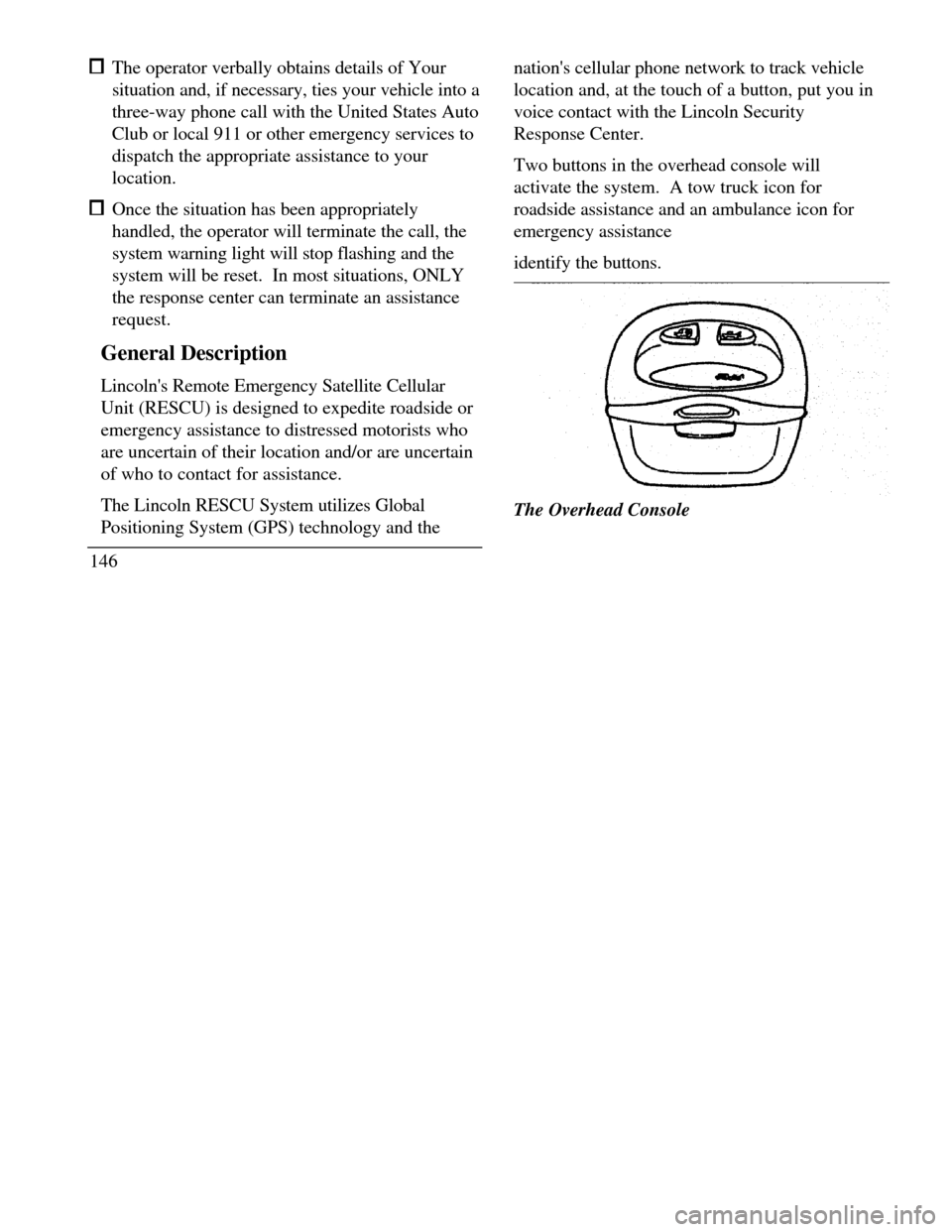
Two buttons in the overhead console will
activate the system. A tow truck icon for
roadside assistance and an ambulance icon for
emergency assistance
identify the buttons.The Overhead Console
Page 152 of 320

when appropriate, stay in direct phone contact
with you until emergency help arrives notify pre-designated family contacts or friends
of the emergency situation, if requested, or if no
response is received from the vehicle.
NOTE: If You are certain of your location, a direct
phone call to 911 or other emergency services may
provide a faster response.
Activation and Deactivation
When either of the two Lincoln RESCU buttons is
pressed, a warning light, located in the overhead
console, will begin to flash and status messages will
be displayed on the vehicle's message center,
confirming an assistance request has been made.
The warning light will continue to flash throughout
the activation.The RESCU Warning light
The system can be activated whenever your
ignition key is in the RUN/START Position and
for two Minutes after your vehicle is turned off.
In most situations, the assistance request can
ONLY be terminated and the system reset when
a special tone is sent to the vehicle by the
Lincoln Security Response Center. (See
Automatic Redial later in this chapter for
exceptions.) Operation will continue even if the
vehicle is turned off during an activation
(although visual feedback via the Message
Center will not be available in this situation).
149
Page 162 of 320
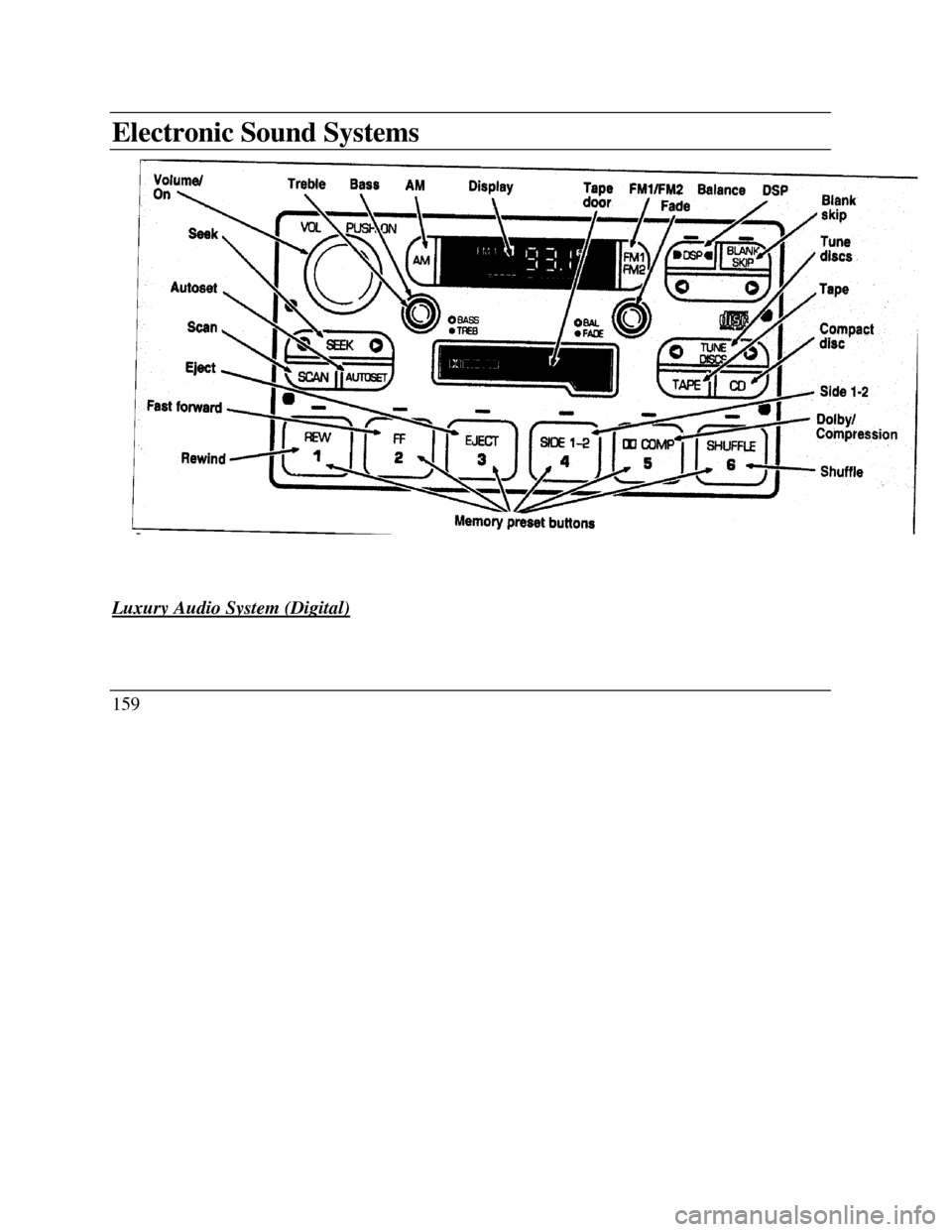
Electronic Sound SystemsVolume on Treble Bass AM Display Tape FM1/FM2 Balance DSP Blank skip
Fade Seek Autoset Scan Eject Fast forward BASS TREB Tune Compact discs Tape Dolby/
Compression Shuffle Rewind Memory preset buttons
Luxury Audio System (Digital)159
Page 164 of 320

Luxury Audio System
Using the Controls on Your New Radio
How to turn the radio on and off
Press the "VOL/PUSH ON" knob to turn the
radio on. Press again to turn it off.
How to adjust the volume
Turn the "VOL/PUSH ON" knob clockwise to
increase the volume and counter-clockwise to
decrease the volume.
NOTE: If the volume is set above a certain level
when the ignition is turned off, the volume level
will reset to a "nominal" listening level when the
ignition switch is turned back on. However, if the
radio is turned off with the "VOL/PUSH ON"
knob, the volume will not reset and will stay at
the same level when the radio is turned back on.Selecting the AM or FM frequency band
Push the "AM" or "FM1/FM2" button to select
the desired frequency band. Pushing the
"FM1/FM2" button more than once will
alternate between FM1 and FM2. These
functions are used with the station memory
buttons described under How to tune radio
stations.
HOW to tune radio stations
There -are four ways for you to tune in a
particular station. You can use the "TUNE",
"SEEK", 'SCAN”or memory buttons. Using the "TUNE" function
You can change the frequency up or down one
increment at a time by Pressing and releasing
either the left ()or-right () side of the
"TUNE" or "TUNE DISCS" button. To
change frequencies quickly, press and hold
down either the right or left side of the button.
161
Page 165 of 320

Manual tuning adjusts your radio to any
allowable broadcast frequency, whether or not a
station is present on that frequency. (See All
About Radio Frequencies in this section.) Using the "SEEK" function
Press the right *) side of the 'SEEK" button to
select the next listenable station up the
frequency band. Press the left (.4) side of the
button to select the next listenable station
down the frequency band. By holding the
button down, listenable stations can be passed
over to reach the desired station. Using the 'SCAN" function
Pressing the "SCAN" button will begin the
scan mode up the frequency band, stopping on
each listenable station for approximately five
seconds.
To stop the scan mode on the presently
sampled station, press the "SCAN" button again.
162 Setting the station MEMORY PRESET buttons
Your radio is equipped with 6 station
memory buttons. These buttons can be used
to select up to 6 preset AM stations and 12
FM stations (6 in FMI and 6 in FM2)
1Select a band, then select a frequency.
2.Press one of the memory buttons and hold
until the sound returns and the lamp above
the memory button lights up. That
memory button is now set.
3.Follow the above steps for each memory
preset button.
NOTE:Custom memory presets
can be recalled using the keyless entry
system. See Memory Profile System in
the Features chapter.
Page 166 of 320

Using the Automatic Memor.y Store feature
(“AUTOSET”)
If the memory buttons have been set, either by
using the Auto Memory Load feature or if you
have set them manually, the system is prepared to
let you use a convenient feature called
Automatic Memory Store.
With Auto Memory Store, you can continually
set strong stations into your memory buttons
without losing your originally set stations. Your
radio will automatically set your memory buttons
to the strong local stations.
Activate Auto Memory Store by pushing the
"AUTOSET" button once. Your radio will set
the first six strong stations of the band you are in
(AM, FMI or FM2) into the memory buttons.
The display will flash "AUTO" and display the
autoset icon "A" while the stations are being set
in the memory buttons.NOTE: If there are less than six strong
stations in the frequency band, the
remaining unfilled buttons will store the
last strong station detected on the band.
After all stations have been filled, the radio
will begin playing the station stored on
memory button 1.
To deactivate the Auto Memory Store mode and
return to the manually-set memory button stations,
simply push the "AUTOSET" button. Display will
show "AUTO" then "OFF". The next time Auto
Memory Store is activated on that band, the radio
will store the next set of six strong stations.
Adjusting the tone balance of your radio Increasing or decreasing bass and treble
response Push the "BASS/TREB" popout knob
to gain access to the bass and treble controls.
Bass control allows you to adjust the lower,
bass frequencies to your preference. The outer
ring of the "BASS/TREB" knob adjusts the
bass (turn clockwise to increase bass;
counterclockwise to decrease bass).
163
Page 172 of 320
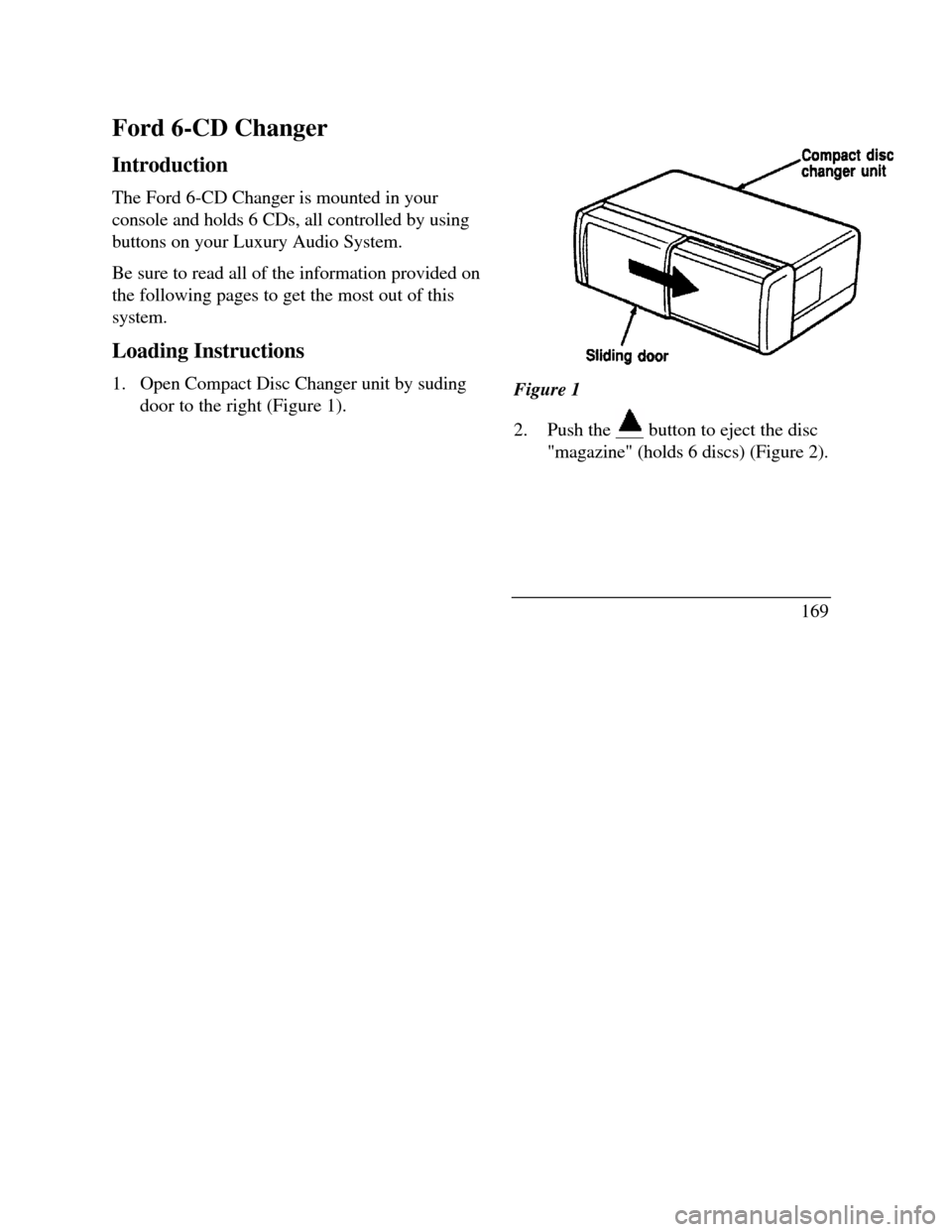
Ford 6-CD Changer
Introduction
The Ford 6-CD Changer is mounted in your
console and holds 6 CDs, all controlled by using
buttons on your Luxury Audio System.
Be sure to read all of the information provided on
the following pages to get the most out of this
system.
Loading Instructions
1. Open Compact Disc Changer unit by suding
door to the right (Figure 1).Figure 1
2.Push the button to eject the disc"magazine" (holds 6 discs) (Figure 2).
169