Page 75 of 320

To turn your EATC on, push the AUTOMATIC
button or any of the six override buttons along
the bottom of the control.
To turn your EATC off, press the OFF button.
When the system is off, the display window will
be blank (dark) except when OUTSIDE TEMP
has been selected. Then, OUTSIDE TEMP and
the temperature will appear in the window.
If you select AUTOMATIC, the system will
automatically determine fan speed and airflow
location. If an override button is selected, your
selection determines airflow location only. Fan
speed remains automatic unless you override it
by rotating the vertical thumbwheel located at
the extreme right of the control panel.
To change the temperature in the display
window, select any temperature between 65°F (I
8°C) and 85°F (29°C) using the BLUE (cooler)
or RED (warmer) buttons. The Electronic
Automatic Temperature Control will do the rest.
72If you want continuous maximum cooling, push the
BLUE button until 60°F (16°C) is shown in the
display window. Your EATC will cool at
maximum and disregard the 60°F (16°C) setting
until you select a warmer temperature with the
RED button. If you want continuous maximum
heating, push the RED button until 90°F (32°C) is
shown in the display window. Your EATC wifl
provide maximum heat regardless of the 90°F
(32°C) setting until you select a cooler temperature
with the BLUE button.
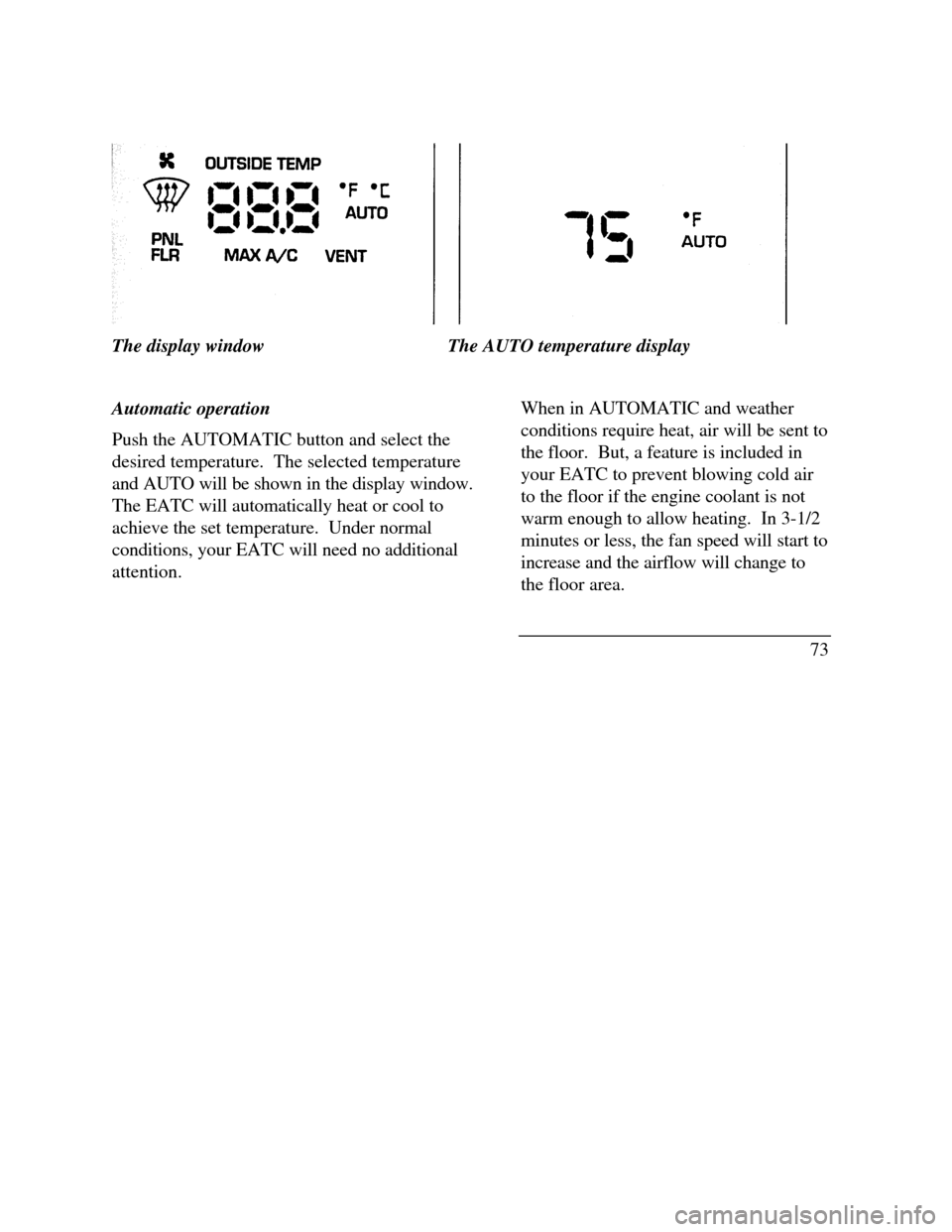
The display window tells you how the system is
operating. It will indicate the selected temperature
and the operating function you have chosen; AUTO
or one of the six manual overrides. It will also
indicate manual (thumbwheel) control of the fan
speed with the symbol. The display window
with all possible displays and their positions are
shown here. Normally not aU are shown at the
same time but are included here to familiarize you
with the names and symbols.
Page 76 of 320
The display windowThe AUTO temperature display
Automatic operation
Push the AUTOMATIC button and select the
desired temperature. The selected temperature
and AUTO will be shown in the display window.
The EATC will automatically heat or cool to
achieve the set temperature. Under normal
conditions, your EATC will need no additional
attention.When in AUTOMATIC and weather
conditions require heat, air will be sent to
the floor. But, a feature is included in
your EATC to prevent blowing cold air
to the floor if the engine coolant is not
warm enough to allow heating. In 3-1/2
minutes or less, the fan speed will start to
increase and the airflow will change to
the floor area.
73
Page 78 of 320
Fan speed and thumbwheel
Your EATC automatically adjusts the fan speed
to the existing conditions. You must push
AUTOMATIC for automatic fan speed
operation. To control the fan speed yourself,
use the thumbwheel which will cancel the
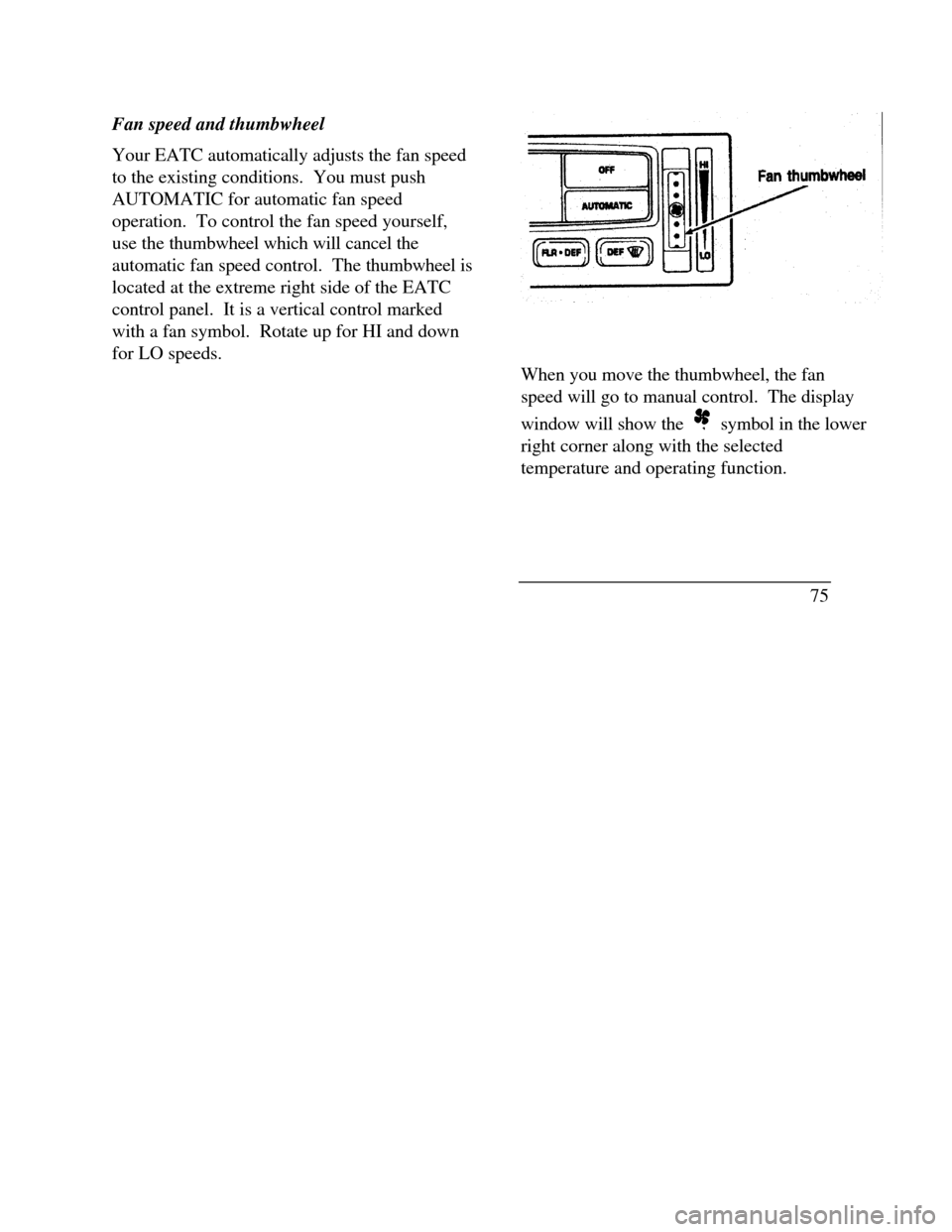
automatic fan speed control. The thumbwheel is
located at the extreme right side of the EATC
control panel. It is a vertical control marked
with a fan symbol. Rotate up for HI and down
for LO speeds.Fan thumbwheel
When you move the thumbwheel, the fan
speed will go to manual control. The display
window will show the symbol in the lower
right corner along with the selected
temperature and operating function.
75
Page 80 of 320

MAX A/C button
The MAX A/C feature allows for faster cooling
because air is drawn from inside the vehicle.
Using inside air causes the fan to sound louder
which is normal for this selection. The Display
window will change to indicate 60°F (16°C) and
MAX A/C. The fan will run at high speed and
the airflow will be from the instrument panel
registers. To exit and return to the previous
temperature, push AUTOMATIC or any of the
other five override buttons.
VENT button
Push this button to select outside air through the
instrument panel registers. The display window
will show the set temperature and VENT to the
lower right of the temperature. Your EATC will
heat the air if the temperature you have selected
is warmer than the outside air coming into the
vehicle. However, the air will NOT be cooled
regardless of the temperature setting.PNL & FLR button
Push this button to get air from the floor and
instrument panel registers at the same time.
The display will show the set temperature and
the words PNL and FLR. Depending on the
selected temperature, the air will be
automatically heated or cooled.
FLOOR button
Airflow will be to the floor when the FLOOR
button is pressed. The display window will
show the set temperature and FLR to the left of
the temperature. The air cannot be cooled in
the FLOOR position, only heated. Fan speed
will be automatic unless manually controlled. If
you override the fan speed and wish to return to
automatic fan control, push AUTOMATIC.
Then, again select FLOOR for airflow to the
floor.
77
Page 81 of 320

FLR & DEF button
Push this button to get air to the floor and
windshield defrosters at the same time. The
display will show the set temperature, FLR and
the Defrost symbol. If the outside temperature
is about 50°F (10°C) and above, the air will be
dehumidified to remove moisture. This will help
to prevent fogging in humid weather.
DEFROST button
Press the Defrost Button to obtain maximum
airflow to the windshield. Adjust the
temperature setting as required for defrosting.
The Display window will show the temperature
setting with the Defrost symbol to the left of the
temperature. When the outside temperature is
about 50°F (10°C) and above, the air will be
dehumidified to remove moisture. This will help
prevent fogging in humid weather.
78OUTSIDE TEMP button
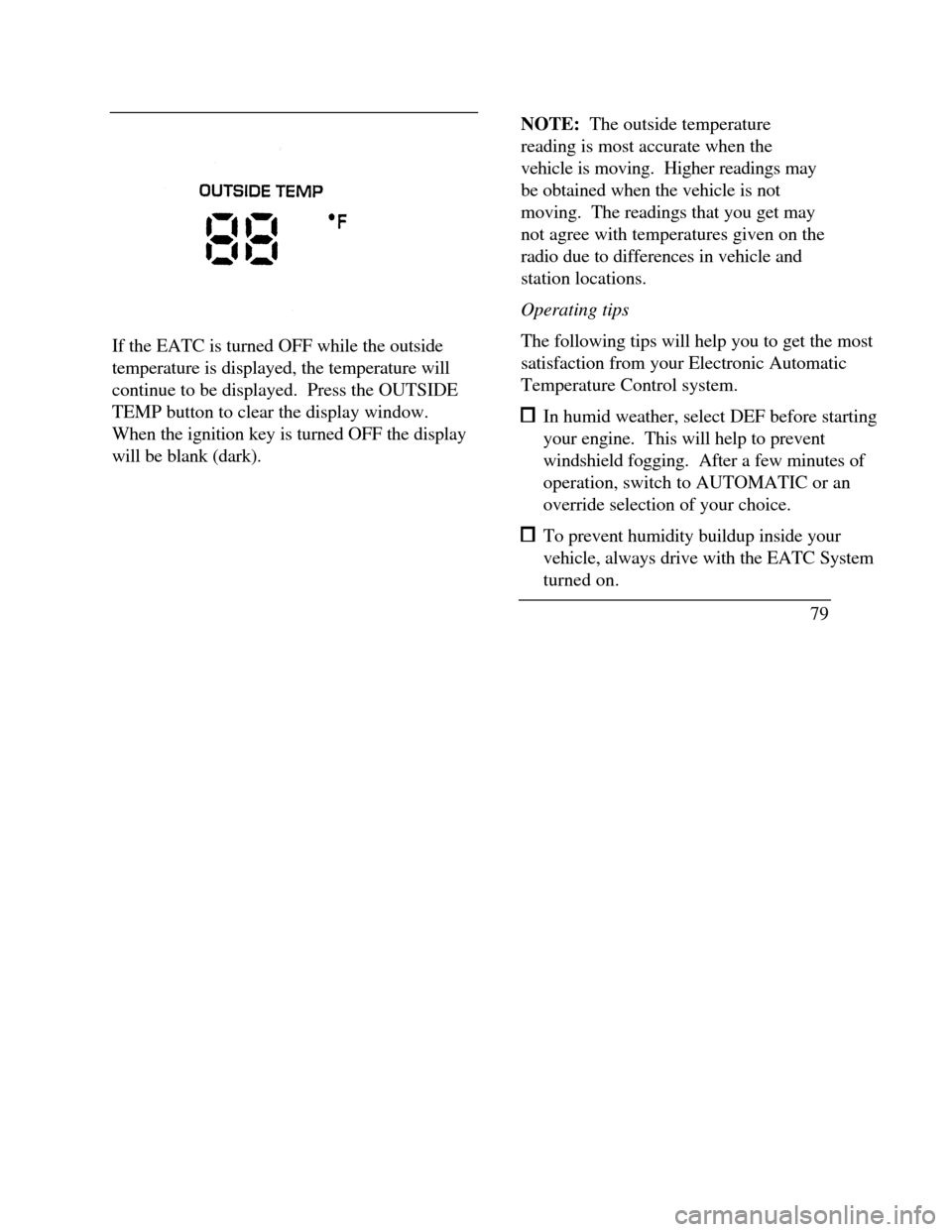
By pressing this button the temperature
of the air outside of the vehicle will show
in the display. The outside temperature
will continue to be displayed until the
OUTSIDE TEMP button is pressed
again to cancel. If the selected
temperature setting is changed while the
outside temperature is displayed, the new
selected temperature will be displayed for
4 seconds after it is changed. Then, the
outside temperature will return to the
window. If a manual override is pressed
or the thumbwheel is rotated while the
outside temperature is displayed, the
window will show the change for 4
seconds. Then, the outside temperature
will return along with the changed
override selection.
Page 82 of 320
If the EATC is turned OFF while the outside
temperature is displayed, the temperature will
continue to be displayed. Press the OUTSIDE
TEMP button to clear the display window.
When the ignition key is turned OFF the display
will be blank (dark).NOTE: The outside temperature
reading is most accurate when the
vehicle is moving. Higher readings may
be obtained when the vehicle is not
moving. The readings that you get may
not agree with temperatures given on the
radio due to differences in vehicle and
station locations.
Operating tips
The following tips will help you to get the most
satisfaction from your Electronic Automatic
Temperature Control system. In humid weather, select DEF before starting
your engine. This will help to prevent
windshield fogging. After a few minutes of
operation, switch to AUTOMATIC or an
override selection of your choice. To prevent humidity buildup inside your
vehicle, always drive with the EATC System
turned on.
79
Page 87 of 320

If the autolamp is active, the headlamp system
will come on immediately after starting your
vehicle. If your vehicle is running before you
activate the autolamp, there may be a 15 second
delay before the headlights illuminate.
2.Turn the ignition key to ON or start your
vehicle.
3.Find the autolamp switch to the left of the
steering wheel on the instrument panel.
4. Push the autolamp switch up toward the
MAX position. As you press this switch, the
autolamp system's status will be displayed in
the message center. The system can be
turned OFF or can be set to provide light for
up to three (3) minutes after you turn your
vehicle off.
84Do not put any articles on top of the photocell
that is located in the top left corner of the
instrument panel. This photocell controls the
autolamp. If you cover it, the photocell reacts
as if it is nighttime, and the lamps turn on.
To turn the autolamp off, push the switch down
until the message center display reaches OFF.
Turning On Interior
Lights/Instrument Panel Illumination
You can brighten or dim the lights in the
instrument panel and the compass display
in the inside rearview mirror (if
equipped) with the PANEL DIM switch
located on the instrument panel.
Page 122 of 320
Memory Profile System
The Personality Memory Feature customizes your
Continental for up to two (2) drivers. The
following features are automatically recalled when
unlocking the doors using the remote entry
transmitter, keyless entry keypad, or by pressing
the Memory 1 or Memory 2 switches on the
driver's door: All driver's seat positions except power lumbar
and head restraint. Both left and right outside mirror settings. Radio station presets including the last selected
station and band and 0 preset preferences on
FMI, FM2, and AM. Instrument panel dimming setting. Autolamp delay time-out setting. Ride/Steering menu setting. Feature Menu settingsThe Ride/Steering menu is located in the
Message Center. The RIDE display allows you
to adjust the suspension feel to FIRM,
NORMAL, or PLUSH.
Pressing the Ride/Steering menu switch again
brings the STEERING display. This allows you
to adjust steering effort to LOW, NORMAL, or
HIGH.
For more information on ride/steering options,
see Road Calibrated Suspension later in this
chapter.
Personality Memory also allows you to
customize settings from the Feature menu
located in the Message Center. The Feature
menu contains five (5) features that you can
enable or disable. The features are listed in the
order they appear in the Feature menu. EXPRESS WINDOW - for one tap down
operation of the driver's window.
119