1996 CHEVROLET TAHOE tow
[x] Cancel search: towPage 132 of 403
Downloaded from www.Manualslib.com manuals search engine Section 3 Comfort Controls and Audio Systems
In this section you’ll find out how to operate the comfort
control and audio systems offered with your vehicle. Be
sure to read about the particular systems supplied with
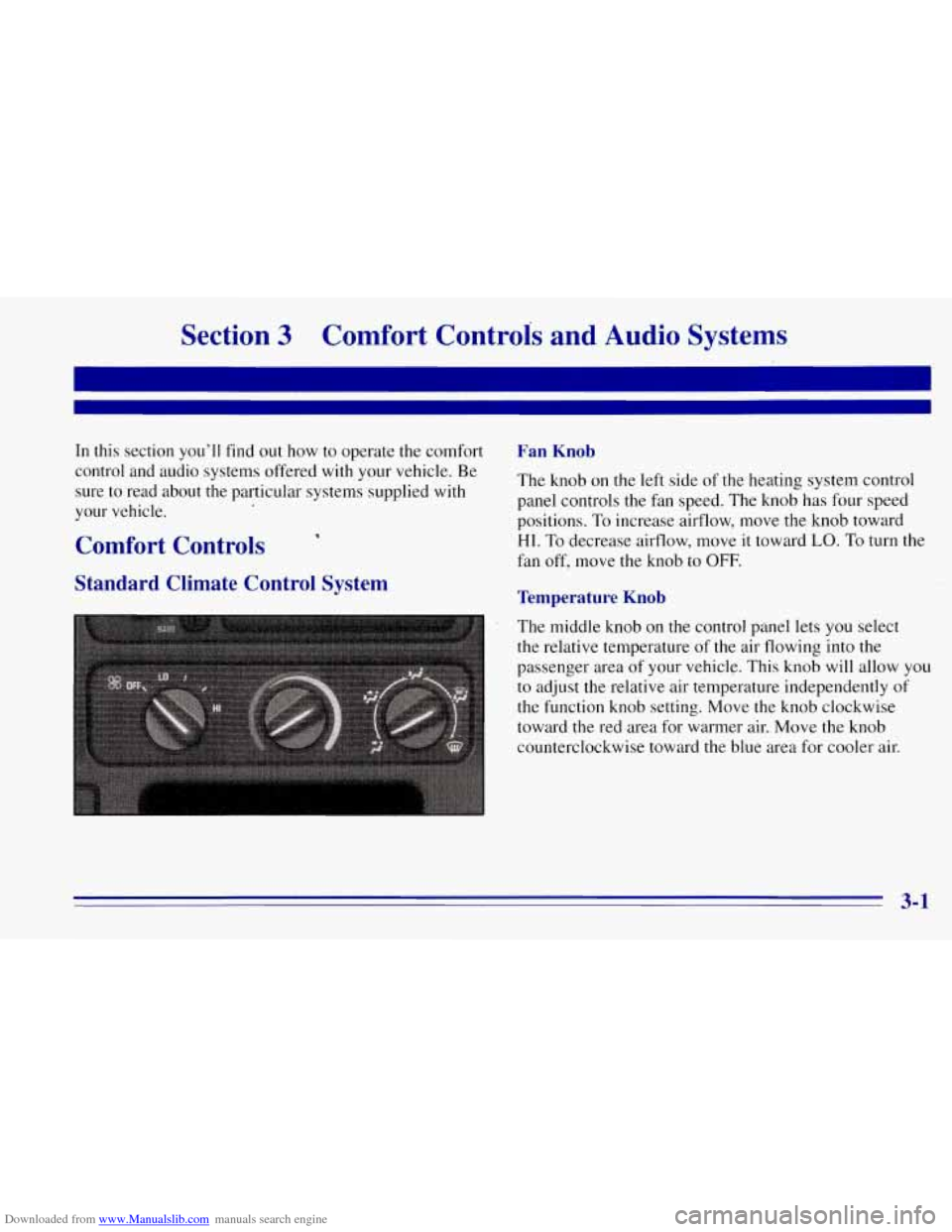
your vehicle. Fan Knob
The knob on the left side of the heating system control
panel controls the fan speed. The knob has four speed
positions. To increase airflow, move the knob toward
HI. To decrease airflow, move it toward LO. To turn the
fan off, move the knob to
OFF. Comfort Controls
Standard Climate Control System Temperature Knob
The middle knob on the control panel lets you select
the relative temperature of the air flowing into the
passenger area of your vehicle. This knob will allow
you
to adjust the relative air temperature independently of
the function knob setting. Move the knob clockwise
toward the red area for warmer air. Move the knob
counterclockwise toward the blue area for cooler air.
3-1
Page 133 of 403
Downloaded from www.Manualslib.com manuals search engine Mode Knob
The right knob on the control panel allows you to
choose the direction
of air delivery. The control knob
can
be placed in any position between any two mode
settings to blend the flow of air.
+e
/J VENT This setting directs air through the
instrument panel outlets.
+’ VENT/HEAT Use this setting to divide airflow
between the floor outlets and instrument panel outlets.
+No HEATER: This setting directs air through the
floor outlets.
+fl DEFOG: This setting directs air to the heater
outlets and toward the windshield.
.+.
w.
DEFROST This setting directs air toward
the windshield.
Optional Climate Control System
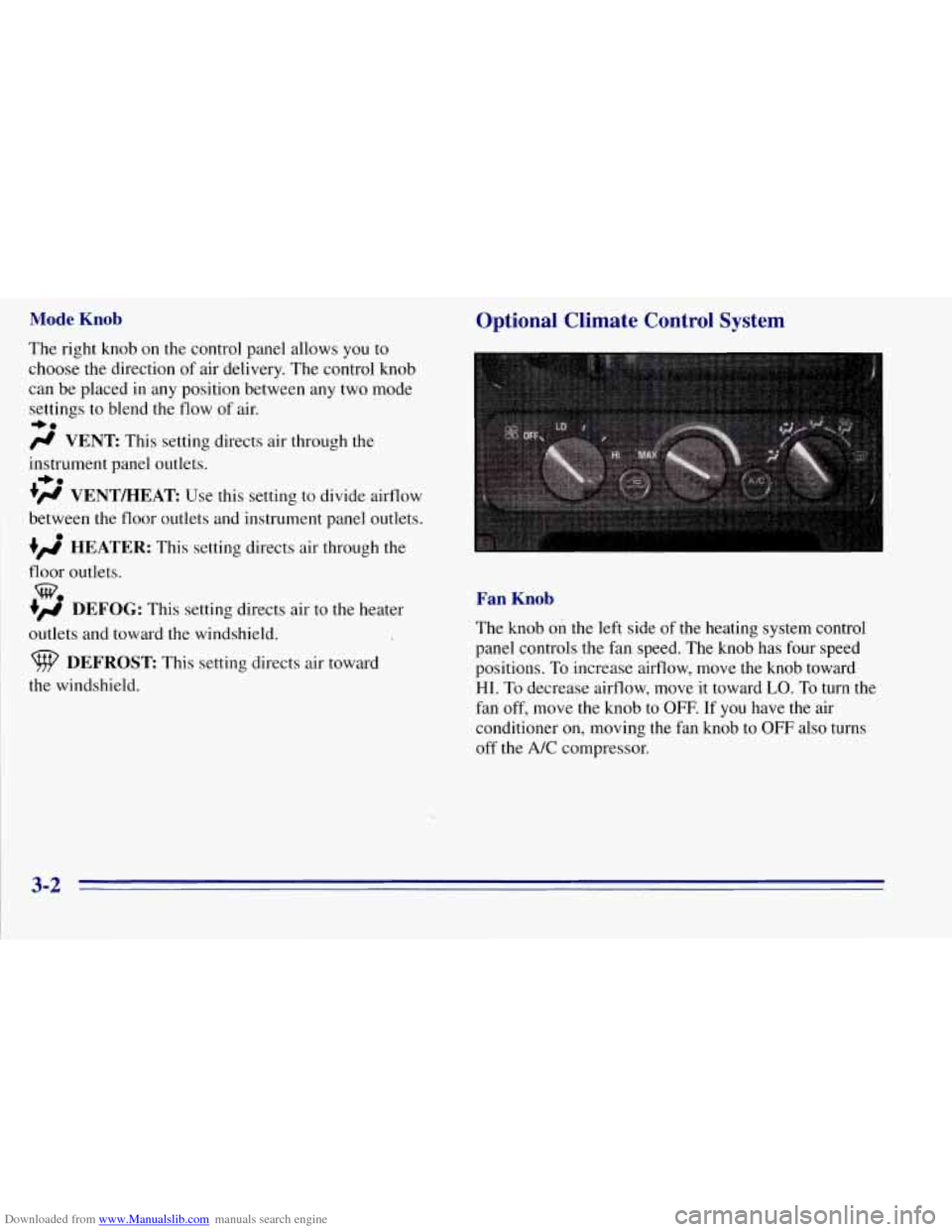
Fan Knob
The knob on the left side of the heating system control
panel controls the fan speed. The
knob has four speed
positions. To increase airflow, move the knob toward
HI.
To decrease airflow, move it toward LO. To turn the
fan off, move the knob to
OFF. If you have the air
conditioner on, moving
the fan knob to OFF also turns
off the
A/C compressor.
3-2
Page 134 of 403
Downloaded from www.Manualslib.com manuals search engine Temperature Knob
The middle knob on the control pane-1 lets you select
the relative temperature of the air flowing into the
passenger area of your vehicle. This knob will allow you
to adj.ust the relative air temperature independently of
the function knob setting, Move the knob clockwise
toward the red area for warmer air. Move the knob
counterclockwise toward the blue area for cooler air.
Mode Knob
The right knob on the control panel allows you to
choose the direction of air delivery. The control knob
can be placed in any position between any two mode
settings to blend the flow of air.
+e
# VENT This setting directs air through the
instrument panel outlets.
+’ VENTMEAT Use this setting to divide airflow.
between the floor outlets and instrument panel outlets.
+e
HEATER: This setting directs air through the
floor outlets.
+# DEFOG: This setting directs air to the heater
outlets and toward the windshield.
9 DEFROST This setting directs air toward
the windshield.
w.
Rear Air Conditioning and Heating Systems
(Suburban)
’
If your vehicle has either or both of these systems, you
can increase and decrease the airflow at the rear vents.
Depending on the system
you have and the setting
selected,
you can send cooled or heated air to the rear of
the vehicle.
Rear Air Conditioning (Without Rear Heater)
If your vehicle has rear air conditioning (without rear
heater), the controls are located above the front and
second seats. The front and rear overhead controls let
you increase and decrease the airflow at the rear vents.
To operate the rear air conditioning system, the front air
conditioning system must be on. With the front air
conditioning system off, the rear system controls can be
used to circulate air in the rear of the vehicle.
3-3
Page 136 of 403
Downloaded from www.Manualslib.com manuals search engine Rear Heater (Without Rear Air Conditioning)
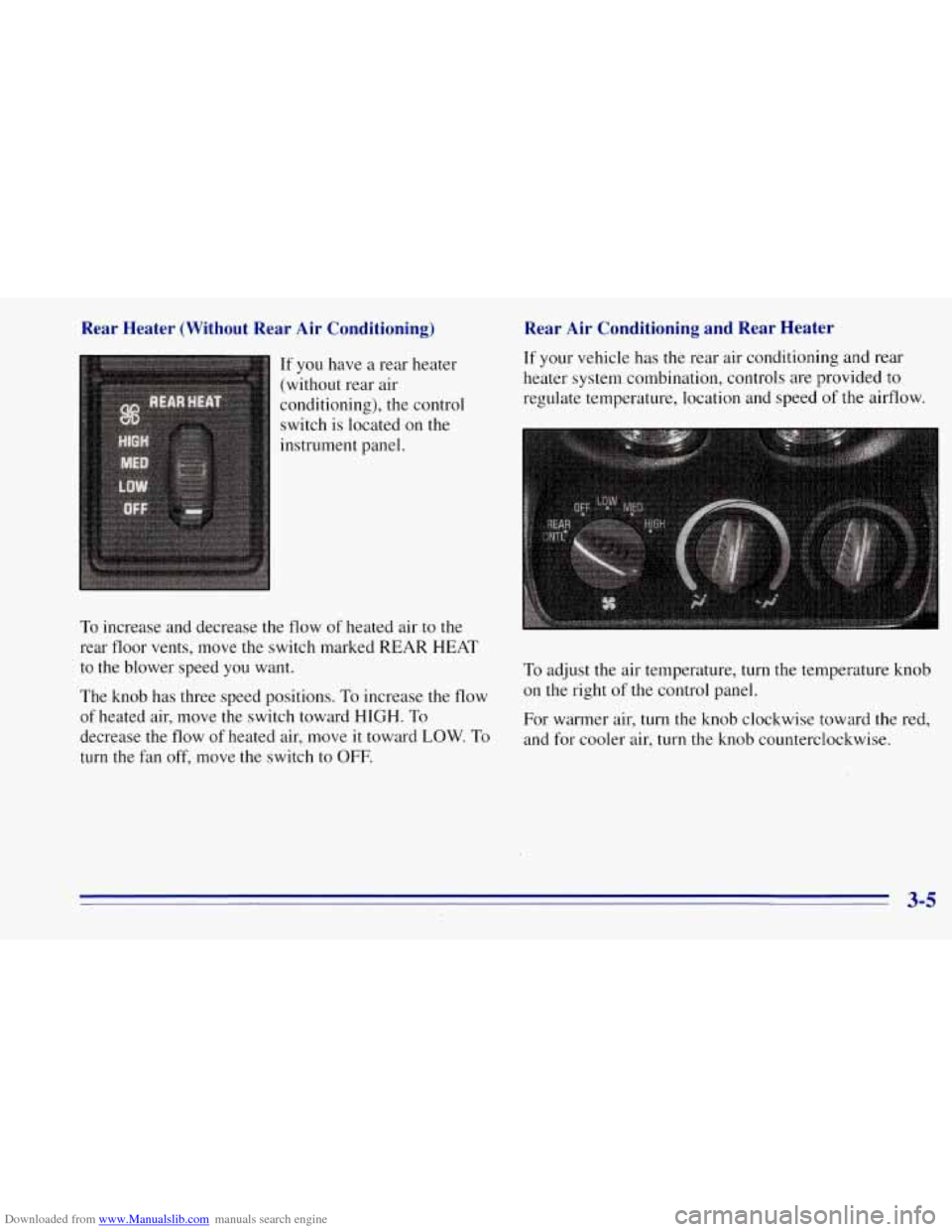
If you have a rear heater
(without rear air
conditioning), the control
switch is located on the
instrument panel.
To increase and decrease the flow of heated air to the
rear floor vents, move the switch marked REAR HEAT
to the blower speed you want.
The knob has three speed positions. To increase the flow
of heated air, move the switch toward HIGH. To
decrease the
flow of heated air, move it toward LOW. To
turn the fan off, move the switch to OFF.
Rear Air Conditioning and Rear Heater
If your vehicle has the rear air conditioning and rear
heater system combination, controls are provided to
regulate temperature, location and speed
of the airflow.
To adjust the air temperature, turn the temperature knob
on the right of the control panel.
For warmer air, turn the knob clockwise toward the red,
and for cooler air, turn the knob counterclockwise.
3-5
Page 139 of 403
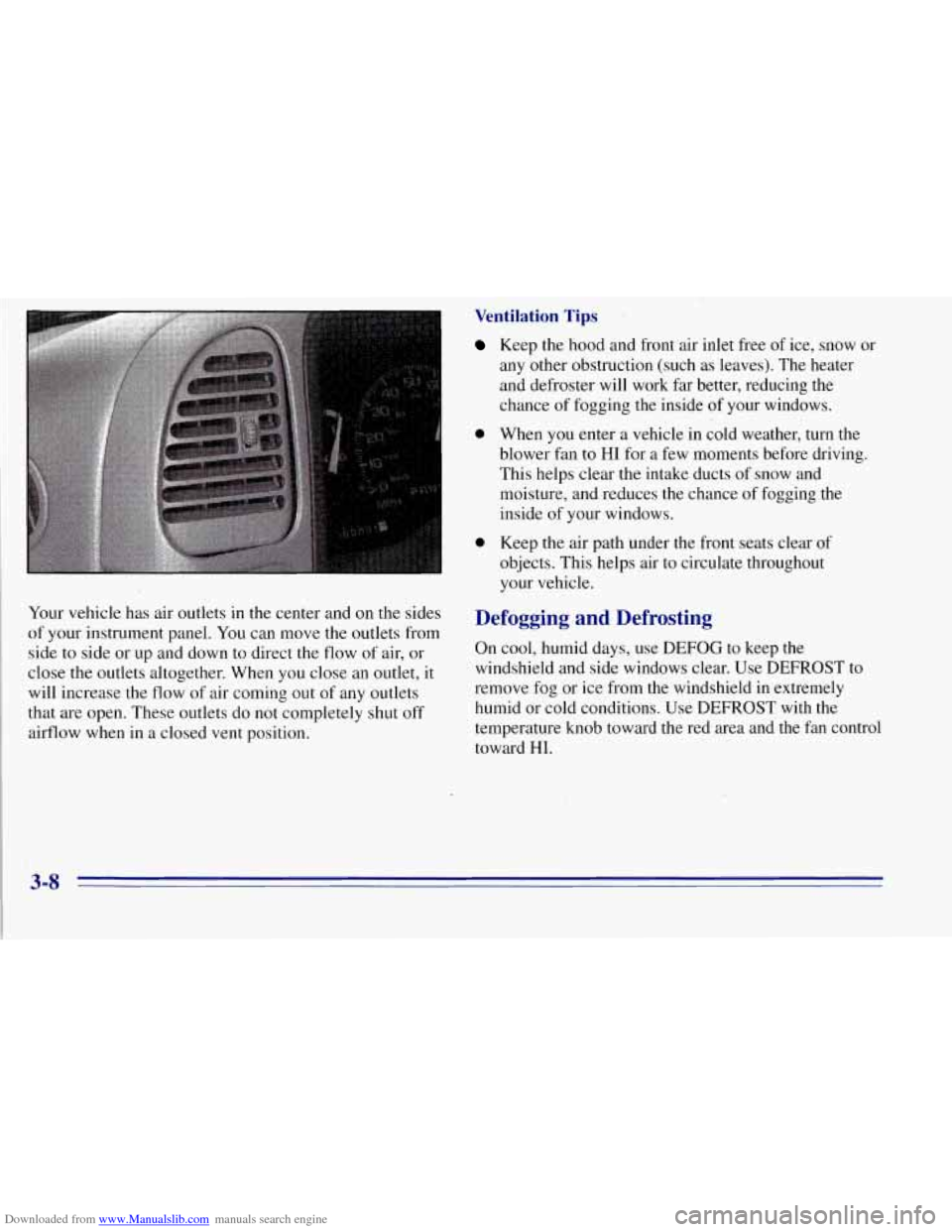
Downloaded from www.Manualslib.com manuals search engine Your vehicle has air outlets in the center and on the sides
of your instrument panel. You can move the outlets from
side to side or up and down to direct the flow
of air, or
close the outlets altogether. When you close an outlet, it
will increase the flow
of air coming out of any outlets
that
are open. These outlets do not completely shut off
airflow when in a closed vent position.
0
0
Ventilation Tips
Keep the hood and front air inlet free of ice, snow or
any other obstruction (such as leaves). The heater
and defroster will work far better, reducing the
chance
of fogging the inside of your windows.
When you enter a vehicle in cold weather, turn the
blower fan to HI for a few moments before driving.
This helps clear the intake ducts of snow and
moisture, and reduces the chance
of fogging the
inside of your windows.
Keep the air path under the front seats clear of
objects. This helps ,air to circulate throughout
your vehicle.
efogging and Defrosting
D
On cool, humid days, use DEFOG to keep the
windshield and side windows clear. Use DEFROST to
remove fog or ice from the windshield in extremely
humid or cold conditions. Use DEFROST with the
temperature knob toward the red area and the fan control
toward HI.
3-8
Page 202 of 403
Downloaded from www.Manualslib.com manuals search engine A CAUTION:
--
Things you put inside your vehicle can strike
and injure people in
.a sudden stop or turn, or
in a crash.
Put things in the cargo area of your vehicle.
lky to spread the .weight evenly.
Never stack heavier things, like suitcases,
inside the vehicle
so that some of them are
above the tops of the seats.
Don’t leave an unsecured child restraint in
your vehicle.
When-you carry something inside the
vehicle, secure it whenever you can.
Don’t leave a seat folded down unless you
need to.
There’s also important loading information for off-road
driving in this manual. See “Loading Your Vehicle’’ in
the Index.
Towing a Trailer
/I -
If you don’t use the correct equipment and drive
properly, you can lose control when you pull a
trailer. For example,
if the trailer is too heavy, the
brakes may not work well
-- or even at all. You
and your passengers could be seriously injured.
Pull
a trailer only if you have followed all the
steps in this section. Ask your
GM dealer for
advice and information about towing
a trailer
with your vehicle.
4-43
Page 203 of 403
Downloaded from www.Manualslib.com manuals search engine NOTICE:
Pulling a trailer improperly can’ damage your
vehicle and result in costly repairs not covered by
your warranty.
TO pull a trailerr dorrectly, follow
the advice in this part, and see your
GM dealer
for important information about towing a trailer
with your vehicle.
Every vehicle is ready for some trailer towing. If yours
was built with trailering options, as many are, it’s ready
for heavier trailers. But trailering is different than just
driving your vehicle by itself, Trailering means changes
in handling, durability and fuel economy. Successful,
safe trailering takes correct equipment, and it has to be
used properly.
That’s the reason for this
part. In it are many
time-tested, important trailering tips and safety rules.
Many
of these are important for your safety and that of
your passengers.
So please read this section carefully ,
before you pull a trailer.
4-44
Page 204 of 403
Downloaded from www.Manualslib.com manuals search engine If You Do Decide To Pull A Trailer
If you do, here are some important points:
0
0
0 0
0
There are many different laws, including speed limit
restrictions, having
to do with trailering. Make sure
your rig will be legal, not only where you live but
also where you’ll be driving. A good source for this
information can be state or provincial police.
Consider using a sway control if your trailer will
weigh
4,000 lbs. (1 800 kg) or. less. You should
always use a sway control if your trailer will weigh
more than
4,000 lbs. (1 800 kg). You can ask a hitch
dealer about sway controls.
Don’t tow a trailer at all during the first
500 miles
(800 km) your new vehicle is driven. Your engine,
axle or other parts could be damaged.
Then, during the first
500 miles (800 km) that you
tow a trailer, don’t drive over
50 mph (80 kmk) and
don’t make starts at full throttle. This helps your
engine and other parts of your vehicle wear in at the
heavier loads.
If you have an automatic transmission, you can tow
in OVERDRIVE
(OD). You may want to shift the
transmission to DRIVE (D) or,
if necessary, a lower
gear selection
if the transmission shifts too often
(e.g., under heavy loads and/or hilly conditions). Three important
considerations have to do with weight:
the weight of the trailer,
the weight
of the trailer tongue
and the weight on your vehicle’s tires.
Weight of the Trailer
How heavy can a trailer safely be?
It depends on how you plan to use your rig. For
example, speed, altitude, road grades, outside
temperature and how much your vehicle is used to pull a
trailer are all important. And, it can also depend on any
special equipment that you have
on your vehicle.
Use the following chart to determine how much your
vehicle can weigh, based upon your vehicle model
and options.
Maximum trailer weight is calculated assuming the
driver and one passenger are in the tow vehicle and it
has all the required trailering equipment. The weight of
additional optional equipment, passengers and cargo in
the tow vehicle must be subtracted from the maximum
trailer weight.
Above the 2,000 lbs.
(908 kg) trailer rating, the
engine oil cooler is required on C/K-
1500 models with
5.7L engine and C/K-2500 Suburban models with
5.7L engine and 3.73 axle ratio.
4-45