1996 CHEVROLET BLAZER ignition
[x] Cancel search: ignitionPage 146 of 392
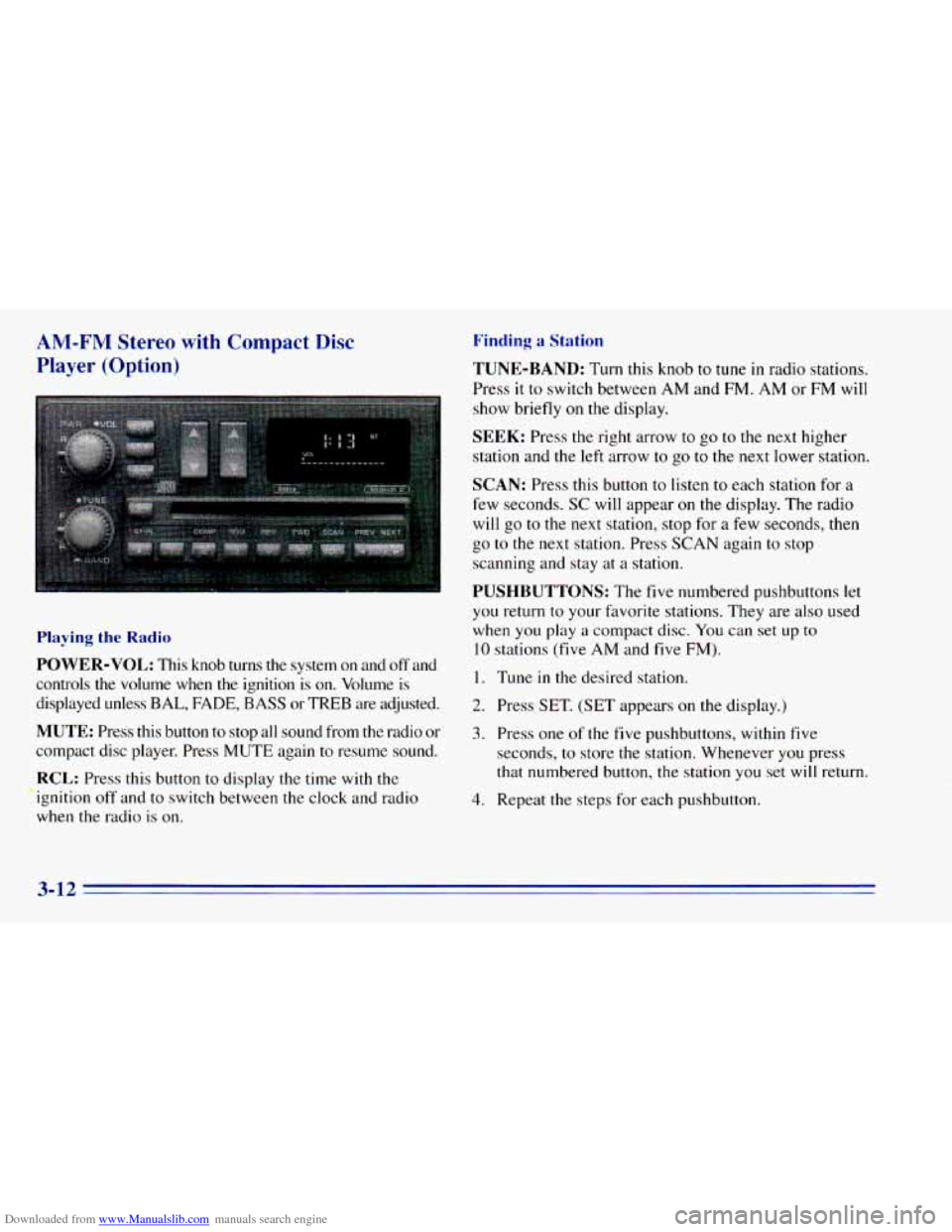
Downloaded from www.Manualslib.com manuals search engine AM-FM Stereo with Compact Disc
Player (Option)
Playing the Radio
POWER-VOL: This knob turns the system on and off and
controls
the volume when the ignition is on. Volume is
displayed unless
BAL, FADE, BASS or TREB are adjusted.
MUTE: Press this button to stop all sound from the radio or
compact disc player. Press MUTE again to resume sound.
RCL: Press this button to display the time with the
ignition off and to switch between the clock and radio
when the radio
is on.
Finding a Station
TUNE-BAND: Turn this knob to tune in radio stations.
Press
it to switch between AM and FM. AM or FM will
show briefly on the display.
SEEK: Press the right arrow to go to the next higher
station and
the left arrow to go to the next lower station.
SCAN: Press this button to listen to each station for a
few seconds.
SC will appear on the display. The radio
will go to the next station, stop for a few seconds, then
go
to the next station. Press SCAN again to stop
scanning and stay at
a station.
PUSHBUTTONS: The five numbered pushbuttons let
you return to your favorite stations. They are also used
when you play
a compact disc. You can set up to
10 stations (five AM and five FM).
I. Tune in the desired station.
2. Press SET. (SET appears on the display.)
3. Press one of the five pushbuttons, within five
seconds, to store the station. Whenever you press
that numbered button, the station you set
will return.
4. Repeat the steps for each pushbutton.
3-12
Page 148 of 392
Downloaded from www.Manualslib.com manuals search engine REV (4): Press and hold this button to return to a
passage quickly. Release it to play the passage. The
counter reading will appear
on the display while using
this control.
FWD (5): Press and hold this button to advance to a
passage quickly. Release
it to resume playing. Watch the
display to stop at a specific passage.
SCAN: Press this button to listen to each selection for
about
six seconds. The disc will go to the next selection,
stop for a few seconds, then
go to the next selection.
Press
RDM, SCAN or any other motion button again to
stop scanning.
PREV: Hold the backward arrow or press it more than
once to return the disc
to previous tracks.
NEXT Press the forward arrow to hear the next track
now instead of waiting
until the current track is finished.
If you hold this button or press it more than once, the
disc will advance further.
ST-PL: Press this button to stop the disc and play the
radio. Press it again
to restart the disc at the point where
it stopped. Press
the POWER-VOL knob
or turn the ignition key
off to stop the disc player. The disc stays in the player
and
will resume playing at the point where it stopped.
EJCT Press this button to eject the disc and play the
radio. The disc
will start at track one when you reinsert it.
Theft-Deterrent Feature
Delco LOC II@ is a theft-deterrent feature for the
compact disc player.
It can be used or ignored. If ignored,
the system plays normally.
If used, your player won’t be
usable
if it is ever stolen, because it won’t turn on.
The instructions below tell
you how to enter a secret
code into the system.
It is recommended that you read
through all
11 steps before starting the procedure. If
your vehicle loses battery power for any reason, you
must unlock the system
with your secret code before the
radio
will turn on.
NOTE: If you allow more than 15 seconds to elapse
between any steps, the radio automatically reverts to
time and you must start the procedure over at Step
4.
3-14
Page 149 of 392
Downloaded from www.Manualslib.com manuals search engine Locking the Theft System Unlocking the Theft System After a Power Loss
Enter your secret code as follows: pause no more than
15 seconds between steps:
1. Turn the ignition on with the radio off.
2. Press SET and 000 will appear on the display.
3. Press SCAN to make the first digit appear.
4. Press SEEK right arrow or SEEK left arrow to make
the next two digits agree with your code.
5. Press BAND and 000 will appear on the display
again. Now
you are ready to enter the last three
digits
of your code.
6. Repeat Steps 3 and 4 for the last three digits of
your code.
'7. Press BAND after you have confirmed that the code
matches the secret code you have written down. The
time
will be displayed indicating that the system is
disabled.
If the display shows SEC, the numbers
entered did
not match your secret code and the unit
is still secured.
When battery power is given
to a secured radio, the
radio won't
turn on and LOC will appear on the display.
1.
2.
3.
4.
5.
6.
7.
8,
9.
10,
-.I 1.
Write down any six-digit number and keep it in a
safe place separate from the vehicle.
Turn the ignition to the ACCESSORY or
RUN position.
Press POWER
to turn the radio off.
Press the 1 and 4 buttons together. Hold them down
until
--- shows on the display. Next you will use the
secret code number which
you have written down.
Press SET and
000 will appear on the display.
Press SCAN to make
the first digit appear.
Press SEEK right arrow or SEEK left arrow to
make the next two digits agree with your code.
Press BAND and
000 will appear on the display
again. Now
you are ready to enter the last three
digits of your code.
Repeat Steps
6 and 7 for the last three digits of
your code.
Press BAND and
the display will show REP for about
five seconds and then 000 will appear on the display.
Repeat Steps
6 through 10. This time the display will
show SEC to let you know that your radio
is secure.
3-15
Page 150 of 392
Downloaded from www.Manualslib.com manuals search engine Disabling the Theft System
1. Press the 1 and 4 buttons together for five seconds
with
the ignition on but the radio off. SEC will
appear
on the display to show that the unit is in the
secure mode.
2. Press SET and 000 will appear on the display.
3. Press SCAN to make the first digit appear.
4. Press SEEK right arrow or SEEK left arrow to make
the next two digits agree with your code. The display
will show the numbers
you entered.
5. Press BAND and 000 will appear on the display.
6. Enter the second three digits of the code. The display
will show the numbers
you entered.
7. Press BAND. The disabling sequence was correct
if
--_ shows on the display. The disabling sequence
was incorrect
if SEC shows on the display.
Understanding Radio Reception
FM Stereo
FM stereo will give you the best sound. But FM signals
will reach only about
10 to 40 miles (16 to 65 km). Tall
buildings or hills can interfere with
FM signals, causing
the sound to come and go.
AM
The range for most AM stations is greater than for FM,
especially at night. The longer range, however, can
cause stations to interfere with each other. AM can pick
up noise from things like storms and power lines. Try
reducing
the treble to reduce this noise if you ever get it.
3-16
Page 182 of 392
Downloaded from www.Manualslib.com manuals search engine Driving in Water
Light rain causes no special off-road driving problems.
But heavy rain can mean flash flooding, and flood
waters demand extreme caution.
Find out how deep the water is before you drive through
it. If it’s deep enough to cover your wheel hubs, axles or
exhaust pipe, don’t
try it -- you probably won’t get
through. Also, water that deep can damage your axle
and other vehicle parts.
If the water isn’t too deep, then drive through
it slowly.
At fast speeds, water splashes on your ignition system
and your vehicle can stall. Stalling can also occur if you
get
your tailpipe under water. And, as long as your
tailpipe is under water, you’ll never be able to start your\
engine. When you go through water, remember that when
your brakes get wet,
it may take you longer to stop.
I
A CAUTION:
~ Driving through rushing water can be dangerous.
Deep
water can sweep your vehicle downstream
and you and your passengers could drown.
If it’s
only shallow water, it can still wash away the ground from under your tires, and you could lose
traction and roll the vehicle over. Don’t drive
through rushing water.
See “Driving Through Water”
in the Index for more
information on driving through water.
4-28
Page 193 of 392
Downloaded from www.Manualslib.com manuals search engine A CAUTION: : '. i. .. ,tb.,.. ;I: ' ,...?-+: . '';
<. _.. .,%. , .. , , ' . .. ,. ... . . 2- . .. .
Coasting downhill in NEUTRAL (N) or with the
ignition
off is dangerous. Your brakes will have to
do all the work
of slowing down. They could get so
hot that they wouldn't work well. You would then
have poor braking or even none going down
a hill.
You could crash. Always have your engine running
and your vehicle in gear when you go downhill.
0 Know how to go uphill. You may want to shift down
to a lower gear. The lower gears help cool your engine
and transmission, and you can climb the hill better.
Stay in your own lane when driving on two-lane
roads
in hills or mountains. Don't swing wide or cut
across
the center of the road. Drive at speeds that let
you stay in your own lane.
0 As you go over the top of a hill, be alert. There could be
something in your lane, like a stalled car or an accident.
You may see highway signs on mountains that warn of
special problems. Examples are long grades, passing or
no-passing zones, a falling rocks. area or winding
roads. Be alert to
these and take appropriate action.
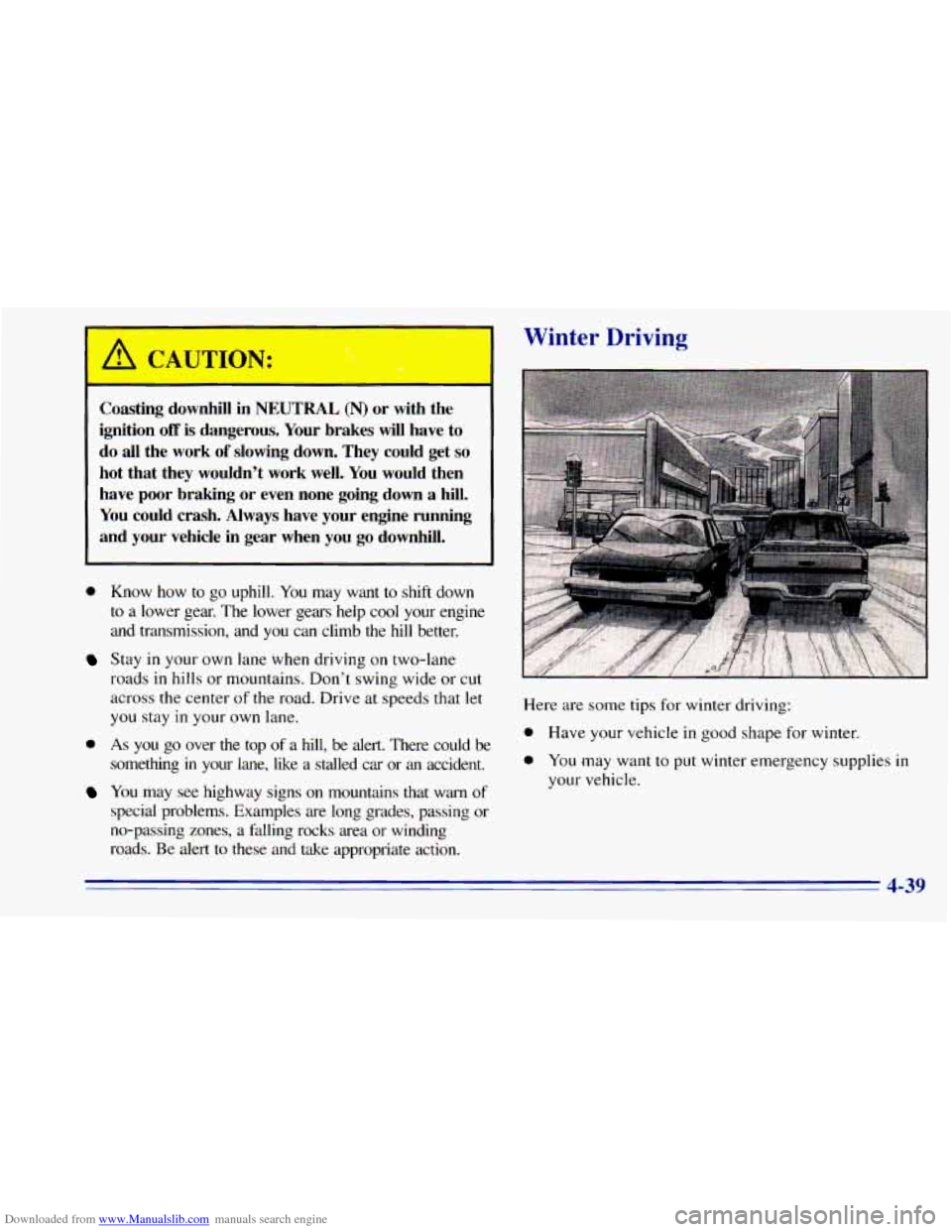
Winter Driving
4-39
Page 197 of 392
Downloaded from www.Manualslib.com manuals search engine Run your engine only as long as you must. This saves
fuel. When
you run the engine, make it go a little faster
than just idle. That
is, push the accelerator slightly. This
uses less fuel for the heat that
you get and it keeps the
battery charged. You will need a well-charged battery
to
restart the vehicle, and possibly for signaling later on
with your headlamps. Let the heater run for awhile.
Then, shut the engine off and close the window almost
all
the way to preserve the heat. Start the engine again
and repeat this
only when you feel really uncomfortable
from the cold. But
do it as little as possible. Preserve the
fuel as long as you can. To help keep warm, you can get
out
of the vehicle and do some fairly vigorous exercises
every half hour or
so until help comes.
Recreational Vehicle Towing
(Four-wheel Drive Only)
1. Set the parking brake firmly.
2. Place an automatic transmission in PARK (P) or a
manual transmission
in FIRST (1).
3. Firmly attach the vehicle being towed to the tow
vehicle.
Do not tow the vehicle by the rear bumper
bar. Refer to the hitch manufacturer’s instructions.
4. Place the transfer case shift lever in NEUTRAL (N).
Recreational vehicle towing is not recommended for
vehicles with
the optional electronic shift transfer
case or all-wheel drive because the transfer cases
have
no neutral position.
Shifting the transfer case into NEUTRAL (N) can
cause your vehicle to roll even if the transmission
is in PARK (P), for an automatic transmission,
or if your vehicle is in gear, for a manual
transmission. This is because the transfer case
overrides the transmission.
5. Release the parking brake only after the vehicle
being towed is firmly attached to the tow vehicle.
6. Insert the ignition key into the ignition switch and
turn it
one notch forward of the LOCK position. This
places the key
in the OFF position, which unlocks
the steering column while preventing battery drain.
Unlocking the steering column will allow for proper
movement
of the front wheelshires during towing.
4-43
Page 215 of 392
Downloaded from www.Manualslib.com manuals search engine 2. Get the vehicles close enough so the jumper cables
can reach, but be sure the vehicles aren’t touching
each other.
If they are, it could cause a ground
connection
you don’t want. You wouldn’t be able to
start your vehicle, and the bad grounding could
damage the electrical systems.
You could be injured if the vehicles roll. Set the
parking brake firmly on each vehicle. Put an
automatic transmission
in PARK (P) or a manual
transmission in NEUTRAL (N). If
you have a
four-wheel-drive vehicle with a manual transfer
case shift lever, be sure the transfer case is
not in
NEUTRAL (N).
3. Turn off the ignition on both vehicles. Unplug
unnecessary accessories plugged
into the cigarette
lighter, or accessory power outlets,
if you have this
option. Turn
off all lamps that aren’t needed as well
as radios. This will avoid sparks and help save both
batteries.
In addition, it could save your radio!
NOTICE:
If you leave your radio on, it could be badly
damaged. The repair wouldn’t be covered by
your warranty.
I A CAUTION:
If your vehicle has air conditioning, the auxiliary
electric fan under the hood can
start up even
when the engine is not running and can injure
you. Keep hands, clothing and tools away from
any underhood electric fan.
5-3