1996 CHEVROLET ASTRO reset
[x] Cancel search: resetPage 140 of 372
CLN: This message may appear on the display. If it
does, your cassette tape player needs to be cleaned. It
will still play tapes, but
you should clean it as soon as
possible to prevent damage to your tapes and player.
See “Care of Your Cassette Tape Player’’
in the Index.
After you clean the player, press and hold EJECT for
five seconds to reset the CLN indicator. The radio will
display --- to show the indicator was reset.
CD Adapter Kits
Although this is not a recommended practice, it is
possible
to use a CD adapter kit with your cassette
tape player.
The adapter
kit cassette should begin playing like a
regular audio cassette tape once inserted. If the cassette
immediately ejects, turn the radio off, turn the ignition on
and press and hold the TAPE
AUX button until the tape
icon flashes on the display. Insert the adapter cassette
again. It will power up the radio and begin playing.
This override routine
will remain active until EJECT
is pressed.
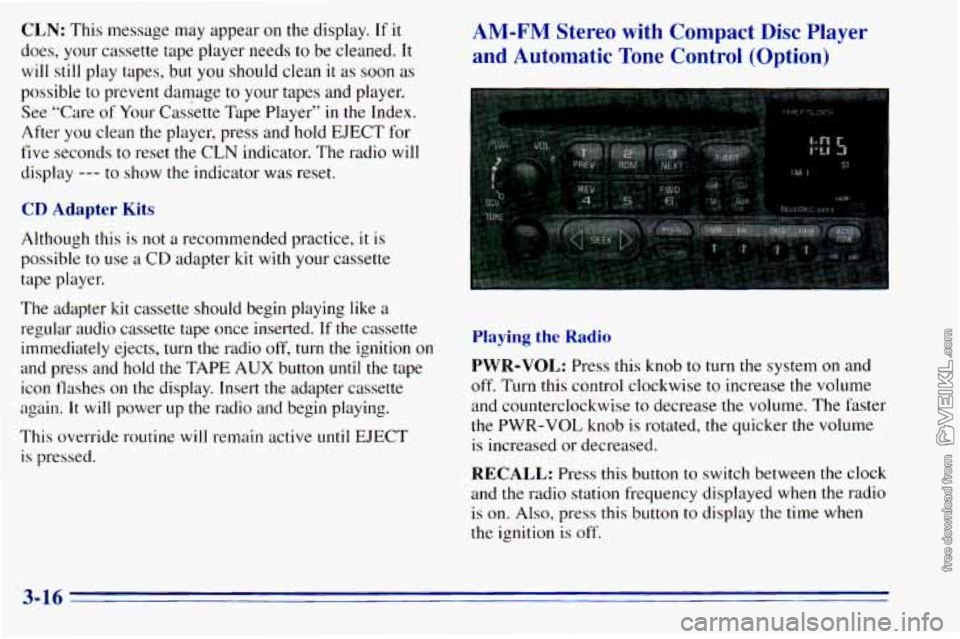
AM-FM Stereo with Compact Disc Player
and Automatic Tone Control (Option)
Playing the Radio
PWR-VOL: Press this knob to turn the system on and
off. Turn this control clockwise to increase the volume
and counterclockwise to decrease the volume. The faster
the PWR-VOL knob
is rotated, the quicker the volume
is increased or decreased.
RECALL: Press this button to switch between the clock
and the radio station frequency displayed when the radio is on.
Also, press this button to display the time when
the ignition is off.
3-16
Page 142 of 372
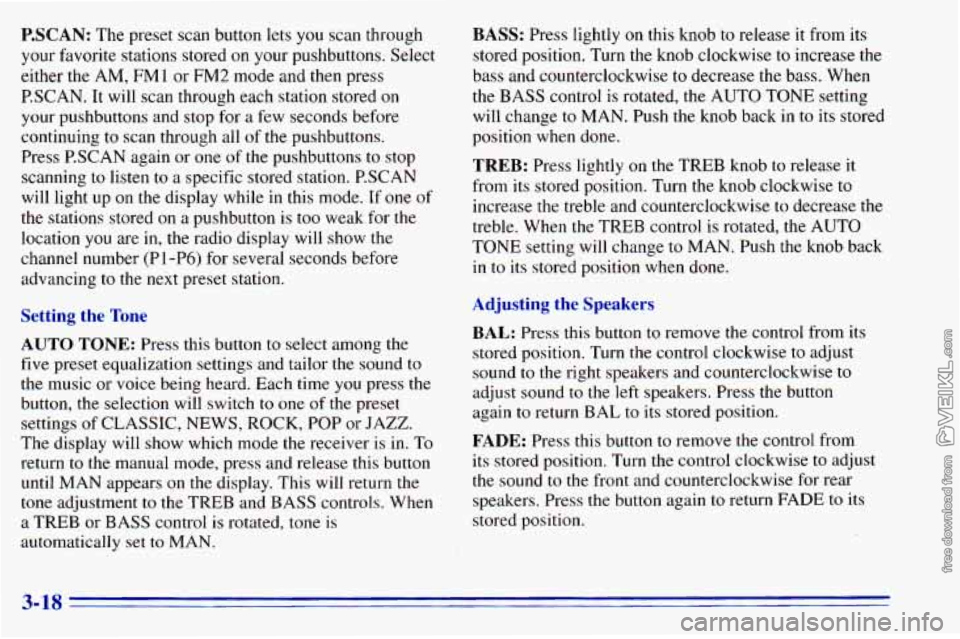
P.SCAN: The preset scan button lets you scan through
your favorite stations stored on your pushbuttons. Select
either the AM,
FMl or FM2 mode and then press
P.SCAN. It will scan through each station stored on
your pushbuttons and stop for a few seconds before
continuing to scan through all of the pushbuttons.
Press P.SCAN again or one
of the pushbuttons to stop
scanning to listen to a specific stored station. PSCAN
will light up on the display while in this mode. If one of
the stations stored
on a pushbutton is too weak for the
location you are in, the radio display will show the
channel number (Pl-P6)
for several seconds before
advancing
to the next preset station.
Setting the Tone
AUTO TONE: Press this button to select among the
five preset equalization settings and tailor the sound to
the music or voice being heard. Each time you press the
button, the selection will switch
to one of the preset
settings
of CLASSIC, NEWS, ROCK, POP or JAZZ.
The display will show which mode the receiver
is in. To
return to the manual mode, press and release this button
until MAN appears
on the display. This will return the
tone adjustment to the TREB and BASS controls. When
a TREB or BASS control is rotated, tone
is
automatically set to MAN.
BASS: Press lightly on this knob to release it from its
stored position. Turn
the knob clockwise to increase the
bass and counterclockwise
to decrease the bass. When
the
BASS control is rotated, the AUTO TONE setting
will change to MAN. Push
the knob back in to its stored
position when done.
TREB: Press lightly on the TREB knob to release it
from its stored position. Turn the knob clockwise to
increase the treble and counterclockwise to decrease the
treble. When the TREB control is rotated, the AUTO
TONE setting will change to MAN. Push the knob back
in to its stored position when done.
Adjusting the Speakers
BAL: Press this button to remove the control from its
stored position. Turn
the control clockwise to adjust
sound to the right speakers and counterclockwise to
adjust sound
to the left speakers. Press the button
again to return BAL
to its stored position.
FADE: Press this button to remove the control from
its stored position. Turn the control clockwise to adjust
the sound to the front and counterclockwise for rear
speakers. Press the button again
to return FADE to its
stored position.
3-18
Page 147 of 372
P.SET PROG: The front passengers must be listening
to something different for each of these three functions
to work:
0 Press this button to seek through your preset radio
stations set on your primary radio pushbuttons.
0 When a cassette tape is playing, press this button to
go to the other side of the tape.
VOL: Press this knob lightly so it extends. Turn the knob
clockwise to increase volume and counterclockwise to
decrease volume. Push the
knob back in when you're
not using
it. The upper VOL knob controls the upper
headphone and the lower
VOL knob controls the
lower headphone.
Theft-Deterrent Feature
THEFTLOCK" is designed to discourage theft of your
radio. It works by using a secret code to disable all radio
functions whenever battery power is removed.
The THEFTLOCK feature for the radio may be used or
ignored. If ignored,
the system plays normally and the
radio is not protected by the feature. If THEFTLOCK
is activated, your radio
will not operate if stolen.
When THEFTLOCK is activated, the radio will display
LOC to indicate a locked condition anytime battery
power is removed. If your battery loses power for any
reason, you must unlock the radio with the secret code
before
it will operate.
3-23
Page 151 of 372
Care of Your Cassette Tape Player
A tape player that is not cleaned regularly can cause
reduced sound quality, ruined cassettes or a damaged
mechanism. Cassette tapes should be stored in their
cases away from contaminants, direct sunlight and
extreme heat. If they aren’t, they may
not operate
properly or may cause failure of the tape player.
Your tape player should be cleaned regularly after every
50 hours of use. Your radio may display CLN to indicate
that
you have used your tape player for 50 hours without
resetting the tape clean timer. If
you notice a reduction
in sound quality, try a known good cassette to see if
the tape or the tape player is at fault. If this other
cassette has no improvement in sound quality, clean
the tape player. Cleaning
may be done with a scrubbing action,
non-abrasive cleaning cassette with pads which scrub
the tape head as the hubs
of the cleaner cassette turn. It
is normal for the cassette to eject while cleaning. Insert
the cassette at least three times
to ensure thorough
cleaning. A scrubbing action cleaning cassette is
available through your
GM dealer.
You may also choose a non-scrubbing action, wet-type
cleaner which uses a cassette with a fabric belt to clean
the tape head. This type of cleaning cassette will not
eject. It may not clean as thoroughly as the scrubbing
type cleaner.
Cassettes are subject to wear and the sound quality may
degrade over time. Always make sure that the cassette
tape is
in good condition before you have your tape
player serviced.
3-27
Page 260 of 372
Thermostat When to Check Power Steering Fluid
Engine coolant temperature is controlled by a thermostat It is not necessary to reg,ularlY check Power steering
in the engine coolant system. The thermostat stops the fluid unless you suspect there is a leak in the system or
flow
of coolant through the radiator until the coolant you
hear an unusual noise. A fluid loss in this system
reaches a preset temperature. could indicate
a problem. Have the system inspected
and remired.
Power Steering Fluid
I
How To Check Power Steering Fluid
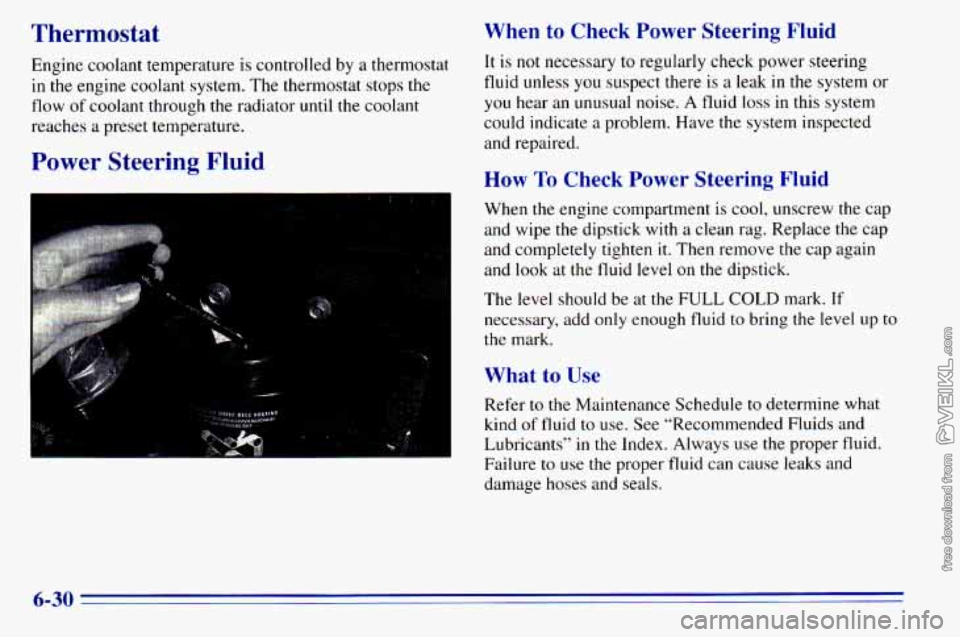
When the engine compartment is cool, unscrew the cap
and wipe
the dipstick with a clean rag. Replace the cap
and completely tighten
it. Then remove the cap again
and look at the fluid level
on the dipstick.
The level should be at the
FULL COLD mark. If
necessary, add only enough fluid to bring the level up to
the mark.
What to Use
Refer to the Maintenance Schedule to determine what
kind
of fluid to use. See “Recommended Fluids and
Lubricants’’
in the Index. Always use the proper fluid.
Failure to use the proper fluid can cause leaks and
damage hoses and seals.
6-30
Page 277 of 372
Traction -- A, B, C
The traction grades, from highest to lowest, are A, B,
and C, and they represent the tire’s ability to stop on wet
pavement as measured under controlled conditions on specified government test surfaces of asphalt and concrete.
A tire marked C may have poor traction performance.
Warning: The traction grade assigned to this tire is based
on braking (straightahead) traction tests and does not
include cornering (turning) traction.
Temperature -- A, B, C
The temperature grades are A (the highest), B, and C,
representing
the tire’s resistance to the generation of
heat and its ability
to dissipate heat when tested under
controlled conditions
on a specified indoor laboratory
test wheel. Sustained high temperature can cause
the
material of the tire to degenerate and reduce tire life, and
excessive temperature can lead
to sudden tire failure.
The grade
C corresponds to a level of performance
which all passenger car tires must meet under the
Federal Motor Vehicle Safety Standard
No. 109. Grades
B and A represent higher levels of performance on the
laboratory test wheel than the minimum required by law.
Warning: The temperature grade for this tire is
established for a tire that
is properly inflated and not
overloaded. Excessive speed, underinflation, or excessive loading, either
separately or in combination.
can cause heat buildup and possible tire failure.
Wheel Alignment and Tire Balance
The wheels on your vehicle were aligned and balanced
carefully at the factory
to give you the longest tire life
and best overall performance.
In most cases, you will
not need to have your wheels
aligned again. However, if
you notice unusual tire
wear or your vehicle pulling one way or the other, the
alignment may need to be reset.
If you notice your
vehicle vibrating when driving
on a smooth road, your
wheels may need to be rebalanced.
Wheel Replacement
Replace any wheel that is bent, cracked, or badly rusted
or corroded. If wheel nuts keep coming loose,
the wheel,
wheel bolts and wheel
nuts should be replaced. If the
wheel leaks air, replace
it (except some aluminum
wheels, which can sometimes be repaired). See your
GM dealer if any of these conditions exist.
Your dealer will know
the kind of wheel you need.
Each new wheel should have the same load-carrying
capacity, diameter, width, offset and be mounted the
same way as
the one it replaces.
6-47