Electronic Climate Control (Option)
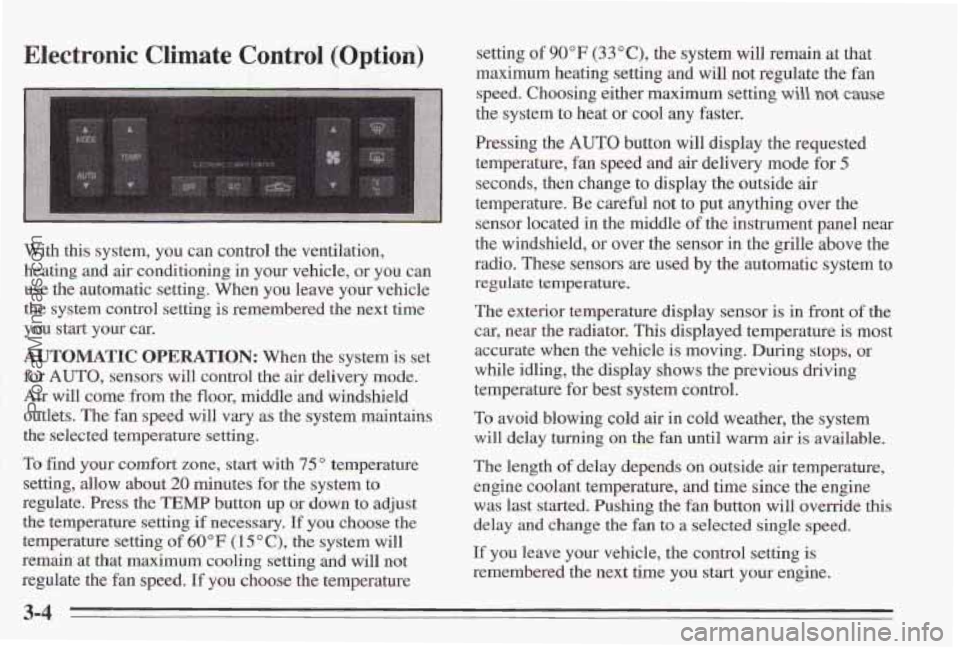
With this system, you can control the ventilation,
heating and
air conditioning in your vehicle, or you can
use the automatic setting. When
you leave your vehicle
the system control setting
is remembered the next time
you start your
car.
AUTOMATIC OPERATION: When the system is set
for
AUTO, sensors will control the air delivery mode.
Air will come from the floor, middle and windshield
outlets. The fan speed will
vary as the system maintains
the selected temperature setting.
To find your comfort
zone, start with 75" temperature
setting, allow about
20 minutes for the system to
regulate. Press the
TEMP button up or down to adjust
the temperature setting
if necessary, If you choose the
temperature
setting of 60°F (1 5 O C), the system will
remain at that maximum cooling setting and will not
regulate the fan speed.
If you choose the temperature setting
of 90°F (33"C), the system
will remain at that
maximum heating setting and will
not regulate the fan
speed. Choosing either maximum setting
will not cause
the system to heat or cool any faster.
Pressing the
AUTO button will display the requested
temperature, fan speed and air delivery mode for
5
seconds, then change to display the outside air
temperature. Be careful not to put anything over the
sensor located in the middle
of the instrument panel near
the windshield, or over the sensor in the
grille above the
radio. These sensors are used by the automatic system to
regulate temperature.
The exterior temperature display sensor is in front of the
car, near the radiator,
This displayed temperature is most
accurate when the vehicle is moving. During stops,
or
while idling, the display shows the previous driving
temperature for best system control.
To avoid blowing cold air in cold weather, the system
will delay turning on the
fan until warm air is available.
The length
of delay depeds on outside air temperature,
engine coolant temperature, and time since the engine
was last started. Pushing the
fan button will override this
delay and change the fan
to a selected single speed.
If you leave your vehicle, the control setting is
remembered the next time you start your engine.
3-4
ProCarManuals.com
Drunken Driving
Death and injury associated with drinking and driving is
a national tragedy. It’s the number one contributor to the
highway death toll, claiming thousands of victims every
year.
Alcohol affects
four things that anyone needs to drive a
vehicle:
Judgment
Muscular Coordination
a Vision
Attentiveness
Police records show that almost
half of all motor
vehicle-related deaths involve alcohol.
In most cases,
these deaths
are the result of someone who was drinking
and driving. In recent years, some 18,000 annual motor
vehicle-related deaths have been associated with the use
of alcohol, with more than 300,000 people injured.
Many adults
-- by some estimates, nearly half the adult
population
-- choose never to drink alcohol, so they
never drive after drinking. For persons under
21, it’s
against the law in every U.S. state to drink alcohol.
There
are good medical, psychological and
developmental reasons
for these laws.
The obvious way to solve this highway safety problem
is for people never to drink alcohol and then drive. But
what if people do? How much is “too much” if the
driver plans
to drive? It’s a lot less than many might
think. Although it depends on each person
and situation,
here
is some general information on the problem.
The Blood Alcohol Concentration (BAC)
of someone
who
is drinking depends upon four things:
How much alcohol consumed
0 The drinker’s body weight
The amount of food that is consumed before and
during drinking
the alcohol
The length of time it’s taken the drinker to consume
According to the American
Medical Association, a
180-pound (82 kg) person who drinks thee 12-ounce
(355 ml) bottles of beer in an hour will end up with a
BAC
of about 0.06 percent. The person would reach the
same
BAC by drinking three 4-ounce (120 d) glasses
of wine or three mixed drinks if each had 1-1/2 ounces
(45 ml) of a liquor like whiskey, gin or vodka.
4-2
ProCarManuals.com