1995 PONTIAC BONNEVILLE display
[x] Cancel search: displayPage 63 of 338
Ignition Switch
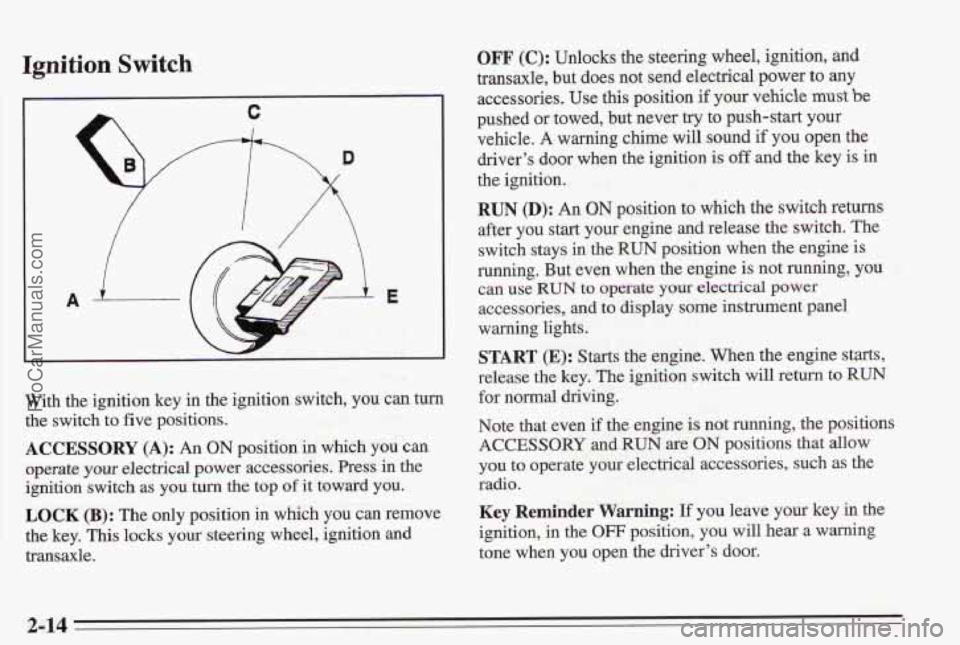
With the ignition key in the ignition switch, you can turn
the switch to five positions.
ACCESSORY (A): An ON position in which you can
operate your electrical power accessories. Press in the
igniti’on switch as you turn the top of it toward you.
LOCK (B): The only position in which you can remove
the key, This locks your steering wheel, ignition and
transaxle.
OFF (e): Unlocks the steering wheel, ignition, and
transaxle, but does not send electrical power to any
accessories.
Use this position if your vehicle me be
pushed or towed, but never try to push-start your
vehicle.
A warning cbime will sound if you open the
driver’s door when the ignition
is off and the key is in
the ignition.
RUN 0): An ON position to which the switch returns
after you start your engine and release the switch. The
switch stays in the RUN position when the engine is
running. But even when the engine is not running, you
accessories,
and to display some instrument panel
warning lights.
§TART (E): Starts the engine. When the engine starts,
release de key. The ignition switch will return to
RUN
for normal driving.
Note that even if
the engine is not running, the positions
ACCESSORY and RUN are ON positions that allow
you to operate
yom electrical accessories, such as the
radio.
Key Reminder Warning: If you leave your key in the
ignition, in the OFF position, you will hear a warning
tone when you open the driver’s door.
CEUl Use Rm to QPe3Tit.e yOlar &C!T’kd power
2-14 ProCarManuals.com
Page 88 of 338
Instrument Panel Intensity Control
You can brighten or dim your instrument cluster lamps
by rotating the headlamp switch. Rotate the switch all
the way counterclockwise to turn on the interior
courtesy lamps. Rotate the switch clockwise to
turn off
the instrument cluster lamps and displays.
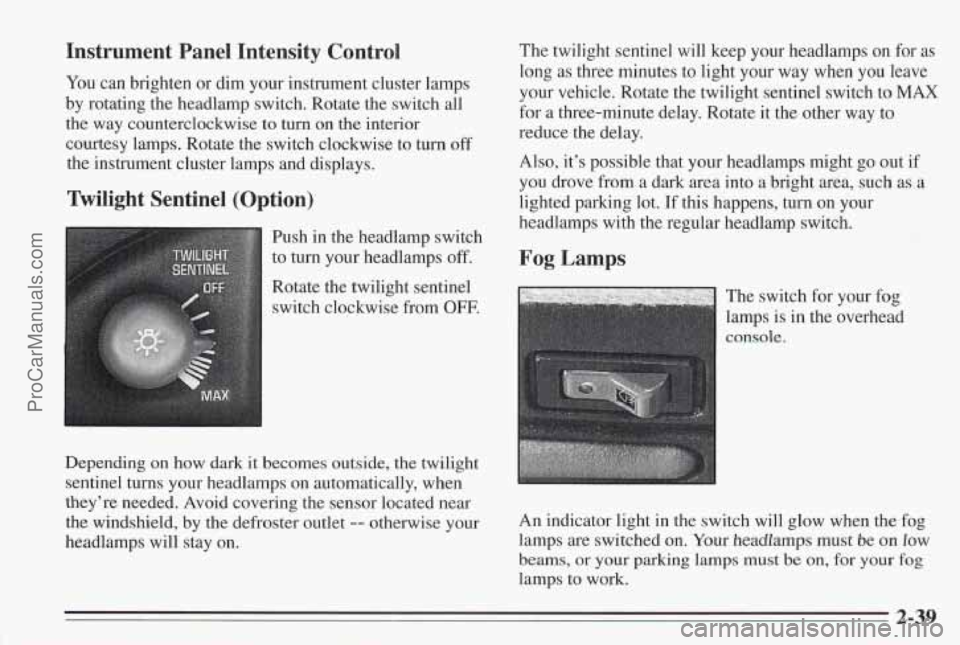
Twilight Sentinel (Option)
Push in the headlamp switch
to
turn your headlamps off.
Rotate the twilight sentinel
switch clockwise from
OFF.
Depending on how dark it becomes outside, the twilight
sentinel
turns your headlamps on automatically, when
they’re needed. Avoid covering the sensor located near
the windshield, by the defroster outlet
-- otherwise your
headlamps will stay on. The
twilight sentinel will keep your headlamps on
for as
long as three minutes to light your way when you leave
your vehicle. Rotate the twilight sentinel switch to
MAX
for a three-minute delay. Rotate it the other way to
reduce the delay.
Also, it’s possible that your headlamps might go out if
you drove from a dark area into a bright area, such as a
lighted parking lot.
If this happens, turn on your
headlamps with the regular headlamp switch.
Fog Lamps
The switch for your fog
lamps is in the overhead
An indicator light in the switch will glow when the fog
lamps are switched
on. Your headlamps must be on low
beams, or your parking lamps must be on, for your fog
lamps to work.
2-39
ProCarManuals.com
Page 99 of 338
Speedometer and Odometer
Your speedometer lets you see your speed in both miles
per hour (mph) and kilometers per hour
(km/h). Your
odometer
shows how far your vehicle has been driven,
in either miles (used in the United States) or kilometers
(used in Canada).
The odometer
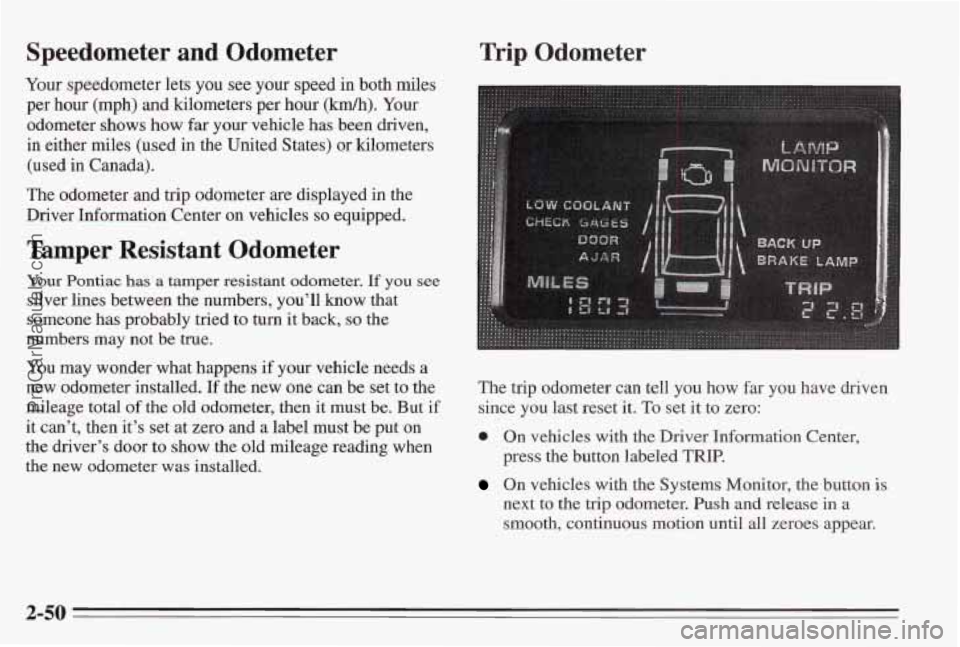
and trip odometer are displayed in the
Driver Information Center on vehicles
so equipped.
Tamper Resistant Odometer
Your Pontiac has a tamper resistant odometer. If you see
silver lines between the numbers, you’ll know that
someone has probably tried to turn it back,
so the
numbers may not be true.
You may wonder what happens if your vehicle needs a
new odometer installed. If the new one can be set to the
mileage total
of the old odometer, then it must be. But if
it can’t, then it’s set at zero and a label must be put on
the driver’s door
to show the old mileage reading when
the new odometer was installed.
Trip Odometer
The trip odometer can tell you how far you have driven
since you last reset it.
To set it to zero:
0 On vehicles with the Driver Information Center,
press the button labeled
TRIP.
On vehicles with the Systems Monitor, the button is
next to the trip odometer. Push and release in a
smooth, continuous motion until all zeroes appear.
2-50
ProCarManuals.com
Page 109 of 338
Check Oil Level Warning Light (Option)
1
CHECK OIL
LEVEL
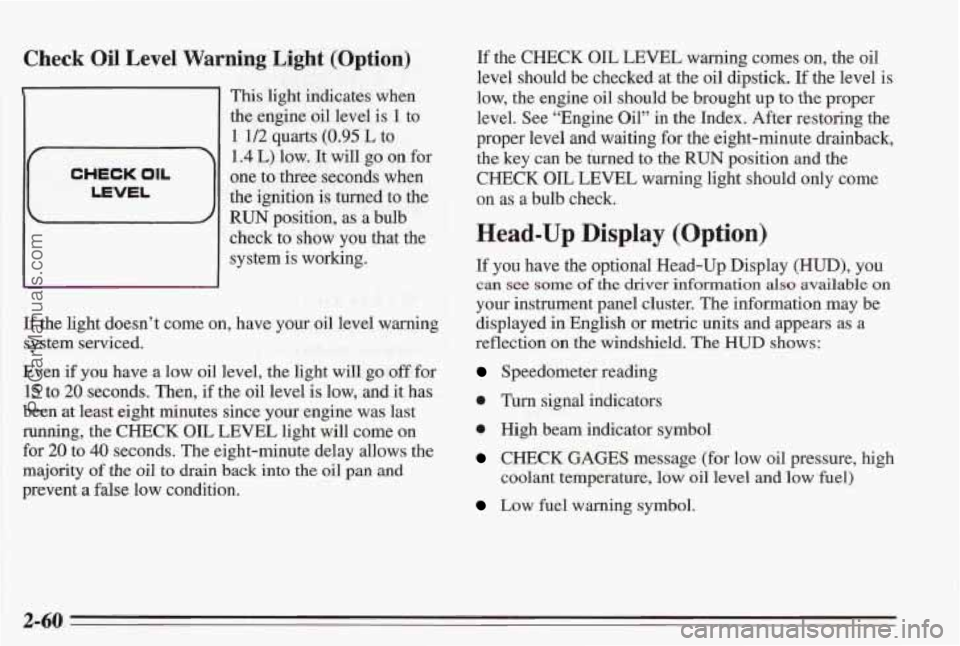
1 This light indicates when
the engine oil level is
1 to
1 1/2 quarts (0.95 L to
1.4 L) low. It will go on for
one to three seconds when
the ignition is turned to the
RUN position, as a bulb
check to show
you that the
system is working.
If the light doesn’t come on, have your oil level warning
system serviced.
Even if
you have a low oil level, the light will go off for
15 to 20 seconds. Then, if the oil level is low, and it has
been at least eight minutes since your engine was last
running, the CHECK OIL LEVEL light will come on
for 20 to
40 seconds. The eight-minute delay allows the
majority of the
oil to drain back into the oil pan and
prevent
a false low condition. If the
CHECK OIL LEVEL
warning comes on, the oil
level should be checked at the oil dipstick. If the level is
low, the engine oil should be brought up
to the proper
level. See “Engine Oil” in the Index. After restoring the
proper level and
waiting for the eight-minute drainback,
the key can be turned to the
RUN position and the
CHECK OIL LEVEL warning light should only come
on
as a bulb check.
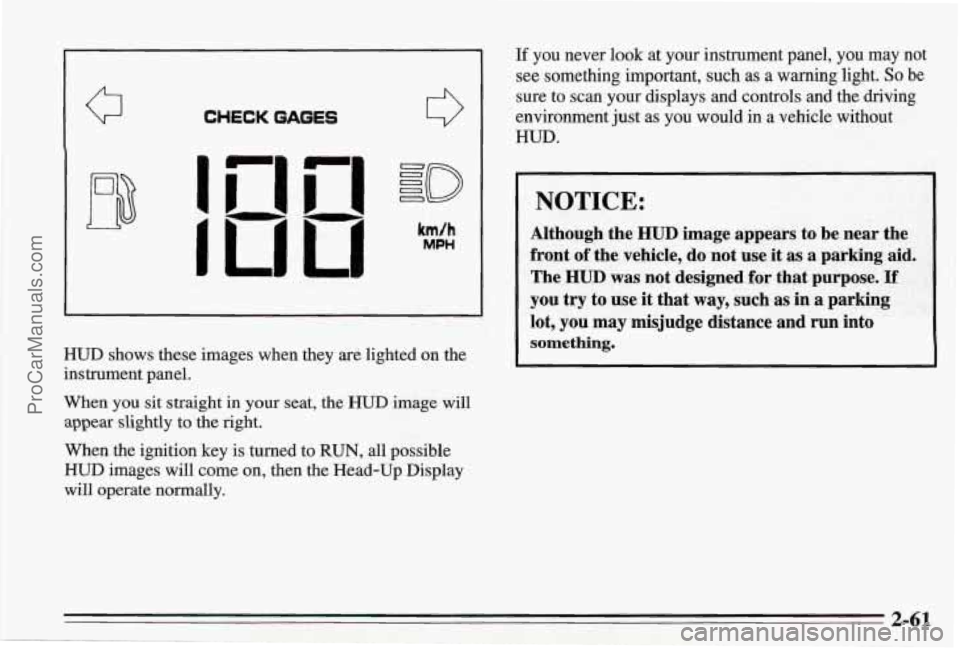
Head-Up Display (Option)
If you have the optional Head-Up Display (HUD), you
can see some of the driver information also available on
your instrument panel cluster. The information may be
displayed in English or metric units and appears as
a
reflection on the windshield. The HUD shows:
Speedometer reading
0 Turn signal indicators
e High beam indicator symbol
CHECK GAGES message (for low oil pressure, high
coolant temperature, low oil level and
low fuel)
Low fuel warning symbol.
2-60
ProCarManuals.com
Page 110 of 338
Q
i
CHECKGAGES
HUD shows these images when they are lighted on the
instrument panel.
When you sit straight in your seat, the
HUD image will
appear slightly to the right.
When the ignition key is turned to RUN, all possible
HUD images will come on, then the Head-Up Display
will operate normally.
If you never look at your instrument panel, you may not
see something important, such as a warning light. So be
sure to scan your displays and controls and the driving
environment just
as you would in a vehicle without
HUD.
NOTICE:
Although the HUD image appears to be near the
front
of the vehicle, do not use it as a parking aid.
The
HUD was not designed for that purpose. If
you try to use it that way, such as in a parking
lot, you may misjudge distance and run into
something.
2-61
ProCarManuals.com
Page 115 of 338
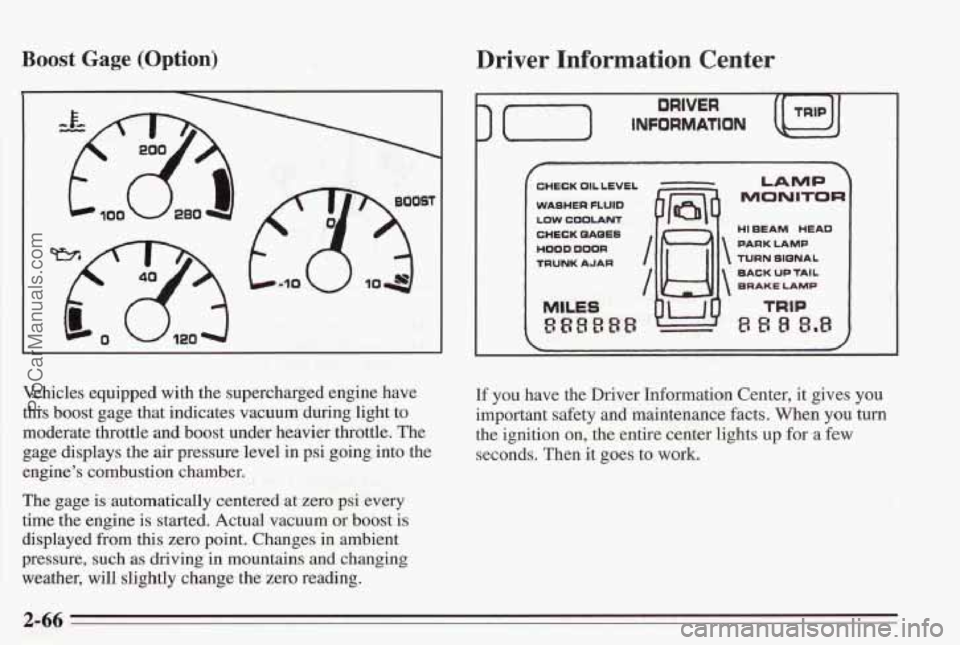
Boost Gage (Option)
Vehicles equipped with the supercharged engine have
this boost gage that indicates vacuum during light to
moderate throttle and boost under heavier throttle. The
gage displays the air pressure level in psi going into the
engine’s combustion chamber.
The gage is automatically centered at zero psi every
time the engine is started. Actual vacuum or
boost is
displayed from this zero point. Changes in ambient
pressure, such
as driving in mountains and changing
weather, will slightly change the zero reading.
Driver Information Center
) (-) INFORMATION
DRIVER
CHECK OIL LEVEL
WASHER
FLUID
LOW COOLANT
CHECK QAQES
HOOD DOOR
TRUNK AJAR
MILES
888888
I /w
7
LAMP
MONITOR
HI EEAM HEAD
PARK LAMP
TURN SIQNAL
BACK
UP TAIL
BRAKE LAMP
If you have the Driver Information Center, it gives you
important safety and maintenance facts. When you turn
the ignition on, the entire center lights
up for a few
seconds. Then it goes to work.
2-66
ProCarManuals.com
Page 120 of 338
3. Release the MODE button. The heading display will
start to rotate.
4. Drive the car in small circles. Don’t drive faster than
10 mph.
out. It usually takes
1 to 5 circles.
this when the direction bars are on and the
CALIBRATE light is
off.
5. Drive in circles until the CALIBRATE light goes
6. Your compass should be calibrated. You will know
Compass Accuracy: Your compass may show different
headings around bridges, power lines, large metal
objects, and steep hills. This is normal and
is true of
compasses in general.
If you put large metal objects like golf clubs in the trunk
they could affect accuracy. If the accuracy is close, the
compass will adapt
to these objects over time.
If you use an antenna with a magnetic base, it is best to
mount it away from the center of the trunk near the rear
window. The
rear defog system can affect accuracy, and
the
compass corrects for the rear defog. However, if the rear
defog is turned on while making sharp turns, the
accuracy may be off. When you turn the rear defog
off
again, the accuracy returns to normal.
Do not turn on the rear defog if you are trying to
calibrate. The system will not allow the calibration. You
will hear the chime, and CALIBRATE will flash for a
few seconds.
Be aware that metal objects are sometimes buried in the
ground. They
can affect accuracy and you may not know
they are there. As an example, many concrete roads
have metal reinforcements inside.
ProCarManuals.com
Page 125 of 338
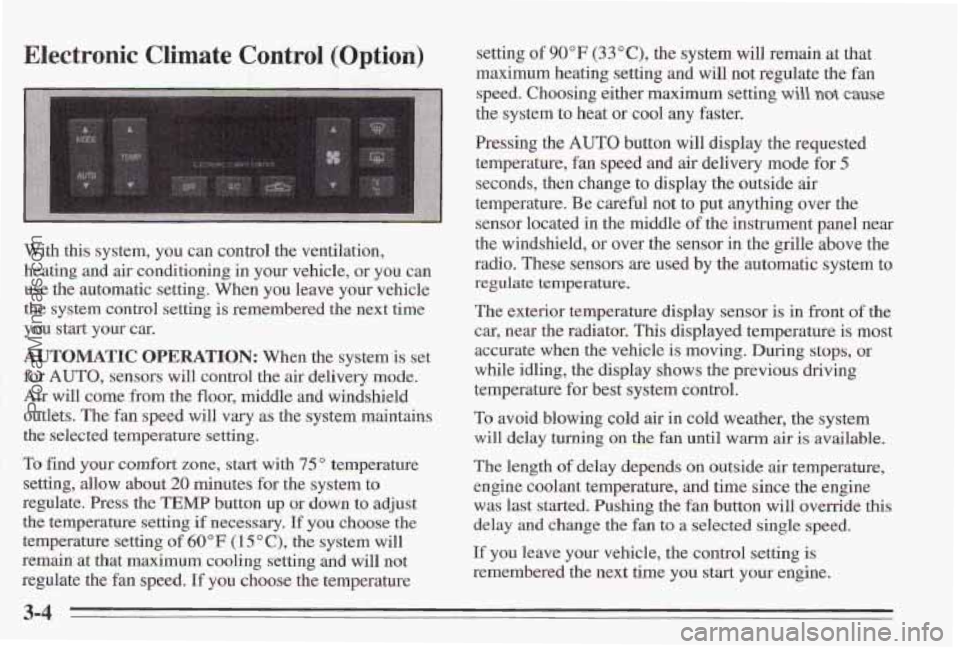
Electronic Climate Control (Option)
With this system, you can control the ventilation,
heating and
air conditioning in your vehicle, or you can
use the automatic setting. When
you leave your vehicle
the system control setting
is remembered the next time
you start your
car.
AUTOMATIC OPERATION: When the system is set
for
AUTO, sensors will control the air delivery mode.
Air will come from the floor, middle and windshield
outlets. The fan speed will
vary as the system maintains
the selected temperature setting.
To find your comfort
zone, start with 75" temperature
setting, allow about
20 minutes for the system to
regulate. Press the
TEMP button up or down to adjust
the temperature setting
if necessary, If you choose the
temperature
setting of 60°F (1 5 O C), the system will
remain at that maximum cooling setting and will not
regulate the fan speed.
If you choose the temperature setting
of 90°F (33"C), the system
will remain at that
maximum heating setting and will
not regulate the fan
speed. Choosing either maximum setting
will not cause
the system to heat or cool any faster.
Pressing the
AUTO button will display the requested
temperature, fan speed and air delivery mode for
5
seconds, then change to display the outside air
temperature. Be careful not to put anything over the
sensor located in the middle
of the instrument panel near
the windshield, or over the sensor in the
grille above the
radio. These sensors are used by the automatic system to
regulate temperature.
The exterior temperature display sensor is in front of the
car, near the radiator,
This displayed temperature is most
accurate when the vehicle is moving. During stops,
or
while idling, the display shows the previous driving
temperature for best system control.
To avoid blowing cold air in cold weather, the system
will delay turning on the
fan until warm air is available.
The length
of delay depeds on outside air temperature,
engine coolant temperature, and time since the engine
was last started. Pushing the
fan button will override this
delay and change the fan
to a selected single speed.
If you leave your vehicle, the control setting is
remembered the next time you start your engine.
3-4
ProCarManuals.com