1995 CHEVROLET TAHOE check engine
[x] Cancel search: check enginePage 141 of 486
Downloaded from www.Manualslib.com manuals search engine Glow Plugs Light
GLOW
PLUGS
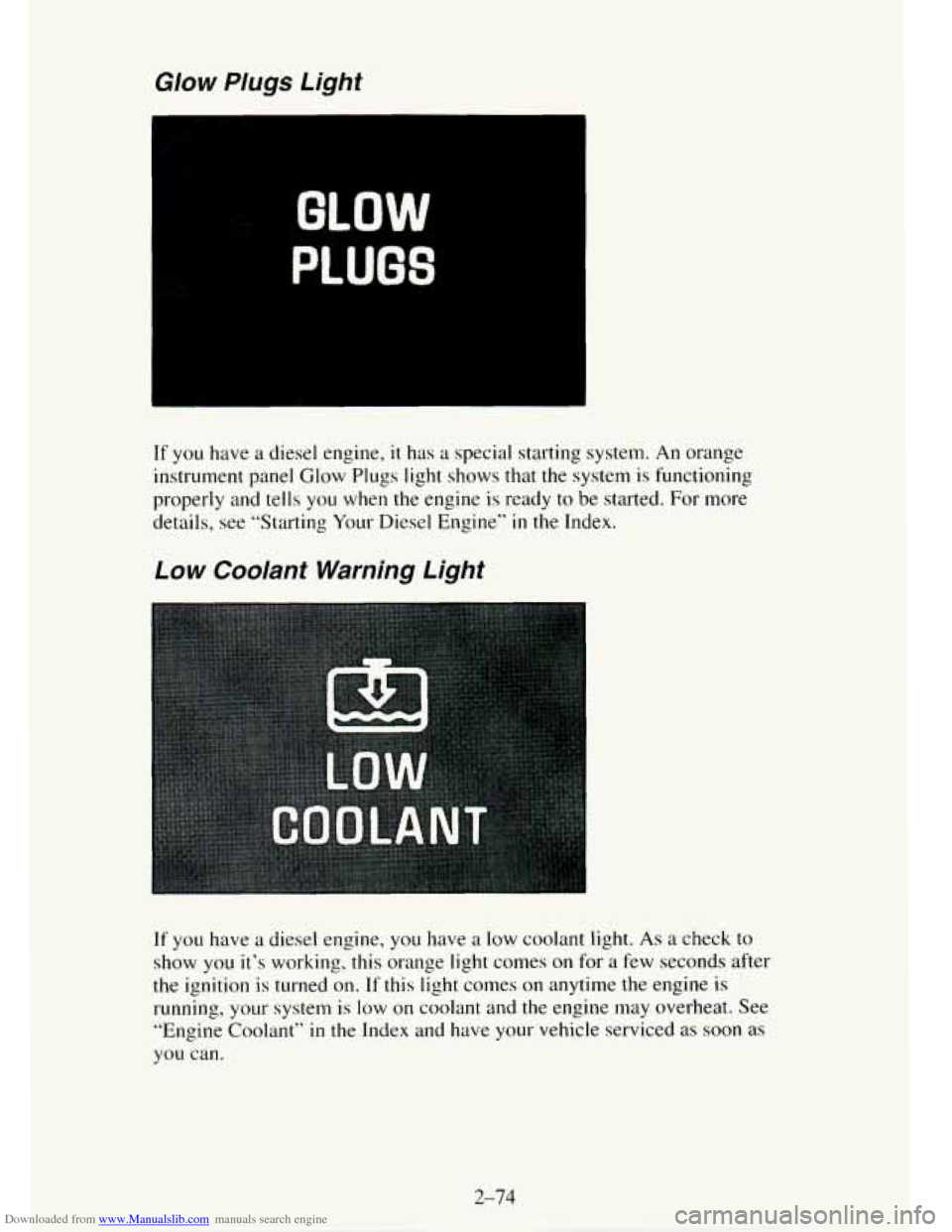
If you have a diesel engine, it has a special starting system. An orange
instrument panel Glow Plugs light shows that the system is functioning
properly and tells you when the engine is ready to be started. For more
details, see “Starting Your Diesel Engine”
in the Index.
Low Coolant Warning Light
If you have a diesel engine, you have a low coolant light. As a check to
show you it’s working, this orange light comes on for a few seconds after
the ignition
is turned on. If this light comes on anytime the engine is
running,
your system is low on coolant and the engine may overheat. See
“Engine
Coolant” in the Index and have your vehicle serviced as soon as
you can.
2-74
Page 142 of 486
Downloaded from www.Manualslib.com manuals search engine Charging System Warning Light
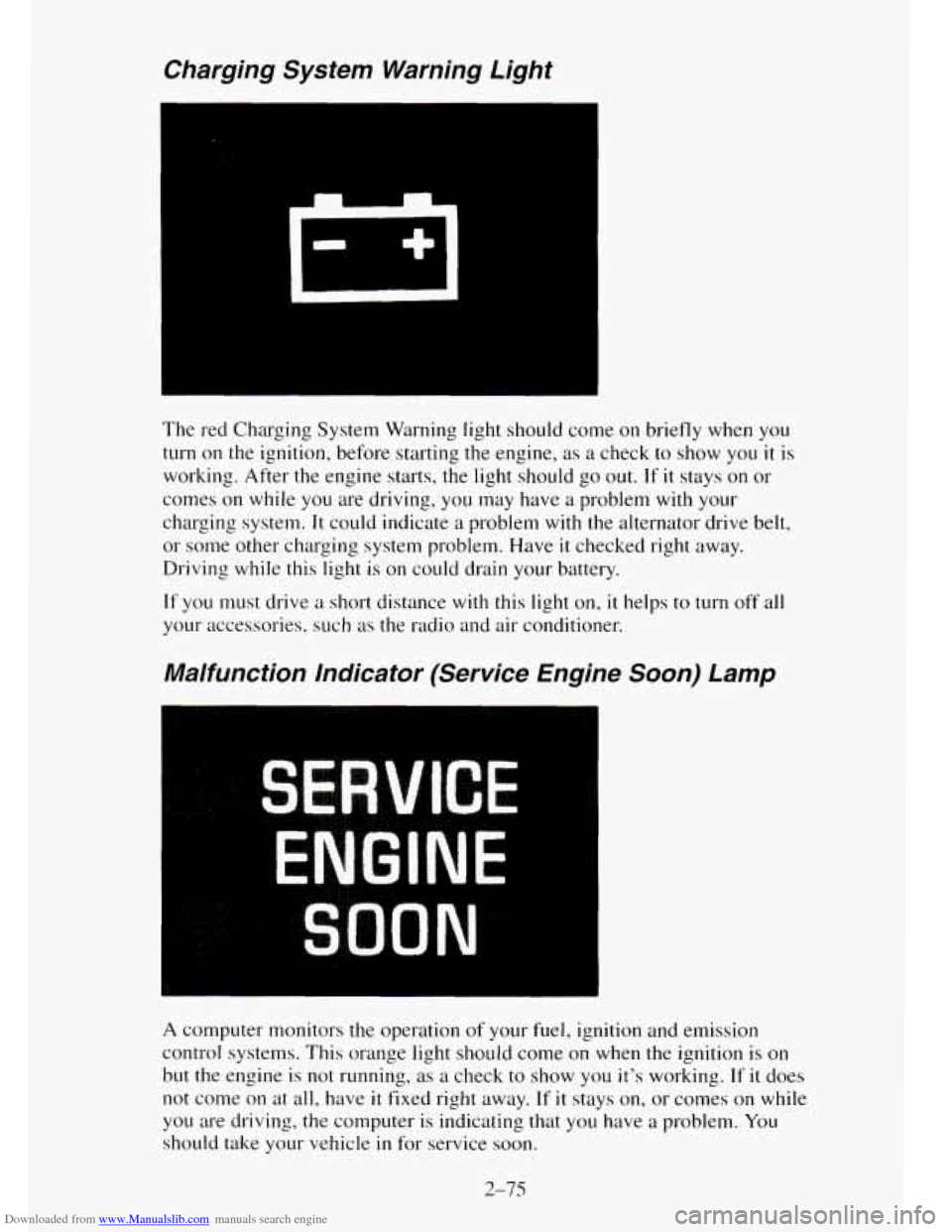
The red Charging System Warning light should come on briefly when you
turn on the ignition, before starting the engine, as a check to show you it is
working. After the engine starts, the light should go out. If it stays on or
conles on while you are driving, you may have a problem with your
charging system.
It could indicate a problem with the alternator drive belt,
or some other charging system problem. Have
it checked right away.
Driving while this light is on could drain your battery.
If you must drive a short distance with this light on, it helps to turn off all
your accessories, such
as the radio and air conditioner.
Malfunction indicator (Service Engine Soon) Lamp
A computer monitors the operation of your fuel, ignition and emission
control systems.
This orange light should come on when the ignition is on
but the engine is
not running, as a check to show you it’s working. If it does
not come on at all, have
it fixed right away. If it stays on, or comes on while
you are driving, the computer is indicating that you have a problem. You
should take your vehicle in for service soon.
2-75
Page 143 of 486

Downloaded from www.Manualslib.com manuals search engine NOTICE:
If’ you keep driving your vehicle with this light on, after a whi\
le
the emission controls won’t work as well, your
fuel economy
won’t be as
good, and your engine may not run as smoothly.
This could lead to costly repairs not covered by your warranty\
.
Check Gages Light
This orange light will come on briefly when you are starting the engine. If
the light comes on and stays on while you are driving, it could indicate a
problem
with your vehicle. It could be a problem with your oil pressure,
coolant temperature, or some other problem. Check your various gages to
see
if they are in the warning zones. If they are, have your vehicle serviced
right away.
Daytime Running Lamps (DRL) Indicator Light
2-76
Page 147 of 486
Downloaded from www.Manualslib.com manuals search engine Oil Pressure Gage
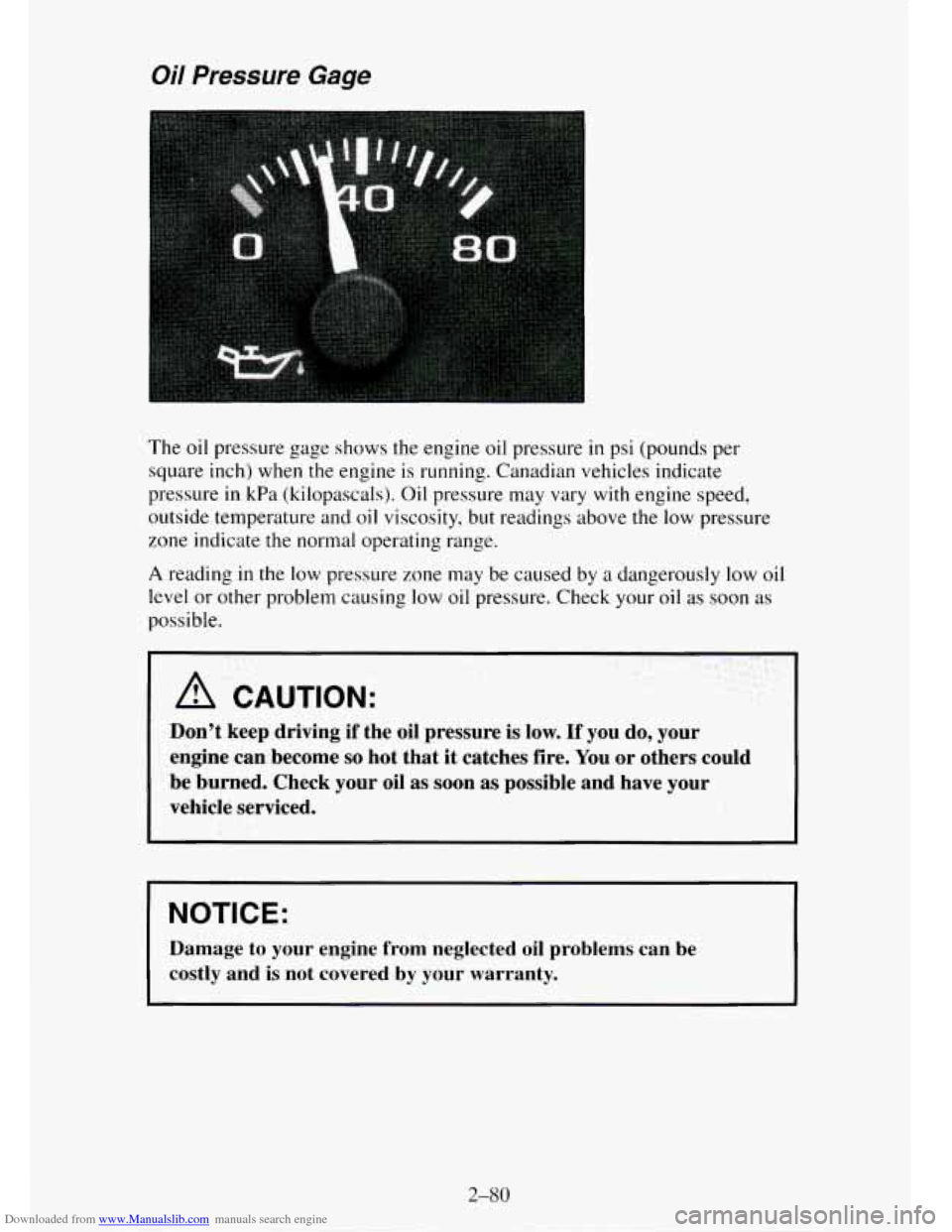
The oil pressure gage shows the engine oil pressure in psi (pounds per
square inch) when the engine is running. Canadian vehicles indicate
pressure
in kPa (kilopascals). Oil pressure may vary with engine speed,
outside temperature and
oil viscosity, but readings above the low pressure
zone indicate the normal operating range.
A reading in the low pressure zone may be caused by a dangerously low oil
level or other problem causing
low oil pressure. Check your oil as soon as
possible.
A CAUTION:
Don’t keep driving if the oil pressure is low. If you do, your
engine can become
so hot that it catches fire. You or others could
be burned. Check your oil as soon
as possible and have your
vehicle serviced.
NOTICE:
Damage to your engine from neglected oil problems can be
costly and is not covered
by your warranty.
2-%O
Page 152 of 486
Downloaded from www.Manualslib.com manuals search engine Luggage Carrier
If you have a luggage carrier, you can load things on top of your vehicle.
The luggage carrier has slats and side rails attached to the roof, and cross
rails which can be moved fore and aft in the side rails to help secure cargo.
Tie the load to
the side rails or side rail supports. Use the cross rails mostly
for fore and aft stops.
NOTICE:
Loading cargo that weighs more than 200 pounds (90.6 kg) on
the luggage carrier may damage your vehicle. When you carry
large things, never let them hang over the rear or the sides of
your vehicle. Load your cargo
so that it rests on the slats and
does not scratch or damage the vehicle. Put the cargo against the
side rails and fasten it securely to the luggage carrier.
Don’t exceed the maximum vehicle capacity when loading your vehicle. For
more information on vehicle capacity and loading, see “Loading Your
Vehicle”
in the Index.
To prevent damage or loss of cargo as you’re driving, check now and then to
make sure the luggage carrier and cargo are still securely fastened.
Be sure
the cargo is properly loaded.
0 If small heavy objects are placed on the roof, place the load in the area
over the rear wheels (behind the rear side door on Suburbans).
If you
need
to, cut a piece of 3/8 inch plywood to fit inside the cross rails and
side rails to spread the load.
If plywood is used, tie it to the side rail
supports.
Tie the load to the cross rails or the side rail supports. Use the cross
rails
only to keep the load from sliding.
If you need to carry long items, move the cross rails as far apart as they
will go. Tie
the load to the cross rails and the side rails or side rail
supports. Also tie
the load to the bumpers. Do not tie the load so tightly
that the cross rails or side rails are damaged.
0 After moving the cross rails, be sure to tighten all the slider screws.
Trailer Wiring Harness
A 7-wire harness is stored under your vehicle along the rear frame
crossmember. The harness connects
to the underhood electrical center and
no connector, and should be wired by a qualified electrical technician.
2-85
Page 159 of 486
Downloaded from www.Manualslib.com manuals search engine fuel economy. This setting also cools the air the fastest and can be used to
keep “unwanted odors” and/or dust from entering the vehicle. When using
the air conditioner, turn off recirculation after the vehicle reaches
a
comfortable interior temperature.
When the right knob
on the control panel is between HEAT and DEFROST,
the recirculation feature will not function.
NC - This button, between the middle and right knobs, allows the air
coming into your vehicle
to be cooled and directed through the instrument
panel vents. This setting
is useful for normal cooling on hot days. When you
first
use A/C with the recirculation button pushed in, turn off recirculation
as soon as the vehicle reaches a comfortable interior temperature.
Engine Coolant Heater
If your vehicle has a diesel engine, it is equipped with an engine coolant
heater. An engine coolant heater is optional
on gas engine vehicles. If you
use the engine coolant heater before starting your engine (in cold weather
(20” F, (-8” C), or lower) your heating system will produce warmer air
faster, to heat
the passenger compartment in cold weather.
The use of an engine coolant heater also reduces
the time it takes for the
engine to reach normal operating temperature, and shortens the time it takes
the heater
to reach full output. For more information, See “Engine Coolant
Heater” in the Index.
Diesel Engine Heater Output
If you idle your diesel engine for a long time when it’s cold outside, your
heater may blow out cool air. This is normal. When you increase the engine
speed, your heater should blow
out warmer air. If it doesn’t, your coolant
level may be too low. See “Engine Coolant” in the Index to see how to
check your coolant level.
Rear Air Conditioning and Heating Systems (Suburban)
If your vehicle has either or both of these systems, you can increase and
decrease the air flow at the rear vents. Depending
on the system you have
and the setting selected, you can send cooled or heated air to the rear of the
vehicle.
Rear Air Conditioning (Without Rear Heater)
If your vehicle has rear air conditioning (without rear heater), the controls
are located above the front and second seats. The front and rear overhead
controls let
you increase and decrease the air flow at the rear vents.
3-4
Page 177 of 486
Downloaded from www.Manualslib.com manuals search engine If the disc player is very hot, or if you’re driving on a very rough road, a
disc may come
out or just not play. If you see the word Err on the display,
the disc player is too hot
to play the disc. Press RECALL to make the word
Err go off the display.
When things get back to normal, the disc should play again. If the disc
comes back out, check whether:
The disc is upside down.
It is dirty, scratched, or wet.
Too much moisture is in the air. (If there IS, wait about one hour and try
again.)
RECALL
- Press RECALL to see what track is playing. Press it again
within
5 seconds to see how long the CD has been playing that track.
Elapsed time is displayed
in minutes and tenths of a second. The track
number will
also appear when a new track begins to play. Press RECALL
again to return to the time display.
COMP
- Press the COMP button to make soft and loud passages more
nearly equal in volume. “COMP’ will appear
in the display while using this
control.
PREV
(1) - Press PREV or 4 SEEK to search for the previous selection,
If you hold this button or press
it more than once, the disc will advance
further. PREV will appear
in the display.
RDM
(2) - Press RDM to play the tracks on the disc in random (instead of
1,2,
3 ...) order. While in the RDM mode, RANDOM appears in the display.
Press RDM again to return to normal play.
NEXT (3) - Press NEXT or SEEK to search for the next selection. If
you hold this button or press it more than once, the disc will advance
further. NEXT will appear
in the display.
REV
(4)- Press and hold REV to return rapidly to a favorite passage. You
will hear the disc selection play at high speed while you press the REV
button. This allows you to listen and find out when the disc is at the desired
selection passage. Release REV to resume playing.
00 (5)- Press 00 to reduce tape noise fa remote cassette player is
used. The 00 symbol will appear in the display while the player is in this
mode.
FWD
(6)- Press and hold FWD to advance rapidly within a track. You will
hear the disc selection play at high speed while you press the FWD button.
This allows
you to listen and find out when the disc is at the desired
selection passage. Release FWD
to resume playing.
CD
AUX - To switch between the player and the radio when a disc is
playing, press the AMFM button. To return to the player, press CD AUX.
3-22
Page 182 of 486
Downloaded from www.Manualslib.com manuals search engine To help avoid hearing loss or damage:
1. Adjust the volume control to the lowest setting.
2. Increase volume slowly until you hear comfortably and clearly.
NOTICE:
Before you add any sound equipment to your vehicle - like a
tape player, CB radio, mobile telephone or two-way radio - be
sure you can add what you want.
If you can, it’s very important
to do it properly. Added sound equipment may interfere with the
operation of your vehicle’s engine, Delco@ radio or other
systems, and even damage them. And, your vehicle’s systems
may interfere with the operation of sound equipment that has
been added improperly.
So, before adding sound equipment, check with your dealer and
be sure to check Federal rules covering mobile radio and
telephone units.
Care of Your Cassette Player and Tapes
A tape player that is not cleaned regularly is subject to reduced sound
quality, ruining the cassette, or damaging the mechanism. Tape cassettes that
are not properly stored
in their plastic cases away from contaminants, direct
sunlight, and extreme heat may not operate properly and could cause
premature failure
of the tape player.
Your tape player should be cleaned with every
50 hours of use to provide
optimum performance. Your radio may display “Cln” (Clean)
to indicate
that you have used your tape player for 50 hours without re-setting the tape
clean timer. If you notice a reduction
in sound quality, regardless of when
the tape player was last cleaned, try playing a different cassette to see if the
tape or tape player is at fault.
If the second cassette results in no
improvement
in sound quality, try cleaning the tape player.
Proper tape player cleaning should be done with
a scrubbing action,
non-abrasive cleaning cassette. This is a wet-type cleaning system that uses
a cleaning cassette with pads which scrub
the tape head as the hubs of the
cleaner cassette turn. To properly clean your tape player, follow instructions
with the cleaning cassette. If
you use this type of cleaner, the radio may
display an error and eject the cartridge. This
is normal and is the result of an
added feature
in the tape player that detects broken tapes. If an error occurs,
you will need to insert the cleaning cassette at least 3 times to thoroughly
clean the tape player.
3-27