1995 CHEVROLET S10 ESP
[x] Cancel search: ESPPage 19 of 354
Downloaded from www.Manualslib.com manuals search engine 0: Why don’t they just put in air bags so people won ’t have to wear
safety belts?
A: Air bags are in many vehicles today and will be in more of them in the
future. But they are supplemental systems only;
so they work with
safety belts - not instead of them. Every air bag system ever offered
for sale has required the
use of safety belts. Even if you’re in a vehicle
that has air bags,
you still have to buckle up to get the most protection.
That’s true
not only in frontal collisions, but especially in side and
other collisions.
Q: If I’m a good driver, and I never drive far from home, why should I
A: You may be an excellent driver, but if you’re in an accident - even
wear safety belts?
one that isn’t your fault - you and your passengers can be hurt. Being
a good driver doesn’t protect you from things beyond your control,
such as bad drivers.
Most accidents occur within
25 miles (40 km) of home. And the
greatest number of serious injuries and deaths occur at speeds of less
than
40 mph (65 km/h).
Safety belts are for everyone.
How to Wear Safety Belts Properly
Adults
This part is only for people of adult size.
Be aware that there are special things to know about safety belts and
children. And there are different rules for smaller children and babies. If a
child will be riding in your vehicle, see the part
of this manual called
“Children.” Follow those rules for everyone’s protection.
First, you’ll want
to know which restraint systems your vehicle has.
We’ll start with the driver Position.
Driver Position
This part describes the driver’s restraint system.
Lap-Shoulder Belt
The driver has a lap-shoulder belt. Here’s how to wear it properly.
1. Close and lock the door.
1-10
Page 27 of 354
Downloaded from www.Manualslib.com manuals search engine When should an air bag inflate?
The air bag is designed to inflate in moderate to severe frontal or
near-frontal crashes. The air bag will inflate only if the impact speed is
above the system’s designed “threshold level.” If your vehicle\
goes straight
into a wall that doesn’t move or deform, the threshold level is about 14 to
18
mph (23 to 29 kdh). The threshold level can vary, however, with specific
vehicle design,
so that it can be somewhat above or below this range. If your
vehicle strikes something that will move or deform, such
as a parked car, the
threshold level will be higher. The air bag is not designed to inflate in
rollovers, side impacts, or rear impacts, because inflation would not help the
occupant.
In any particular crash, no one can say whether an air bag should have
inflated simply because
of the damage to a vehicle or because of what the
repair costs were. Inflation is determined by the angle of the impact and the
vehicle’s deceleration. Vehicle damage is only one indication of this.
The air bag system is designed to work properly under a wide range of
conditions, including off-road usage. Observe safe driving speeds,
especially on rough terrain.
As always, wear your safety belt. See
“Off-Road Driving” in the Index for more tips on off-road driving.
What makes an air bag inflate?
In a frontal or near-frontal impact of sufficient severity, the air bag sensing
system detects that the vehicle is suddenly stopping as a result of a crash.
The sensing system triggers a chemical reaction
of the sodium azide sealed
in the inflator. The reaction produces nitrogen gas, which inflates the air
bag. The inflator, air bag, and related hardware are all part
of the air bag
module packed inside the steering wheel.
1-18
Page 53 of 354
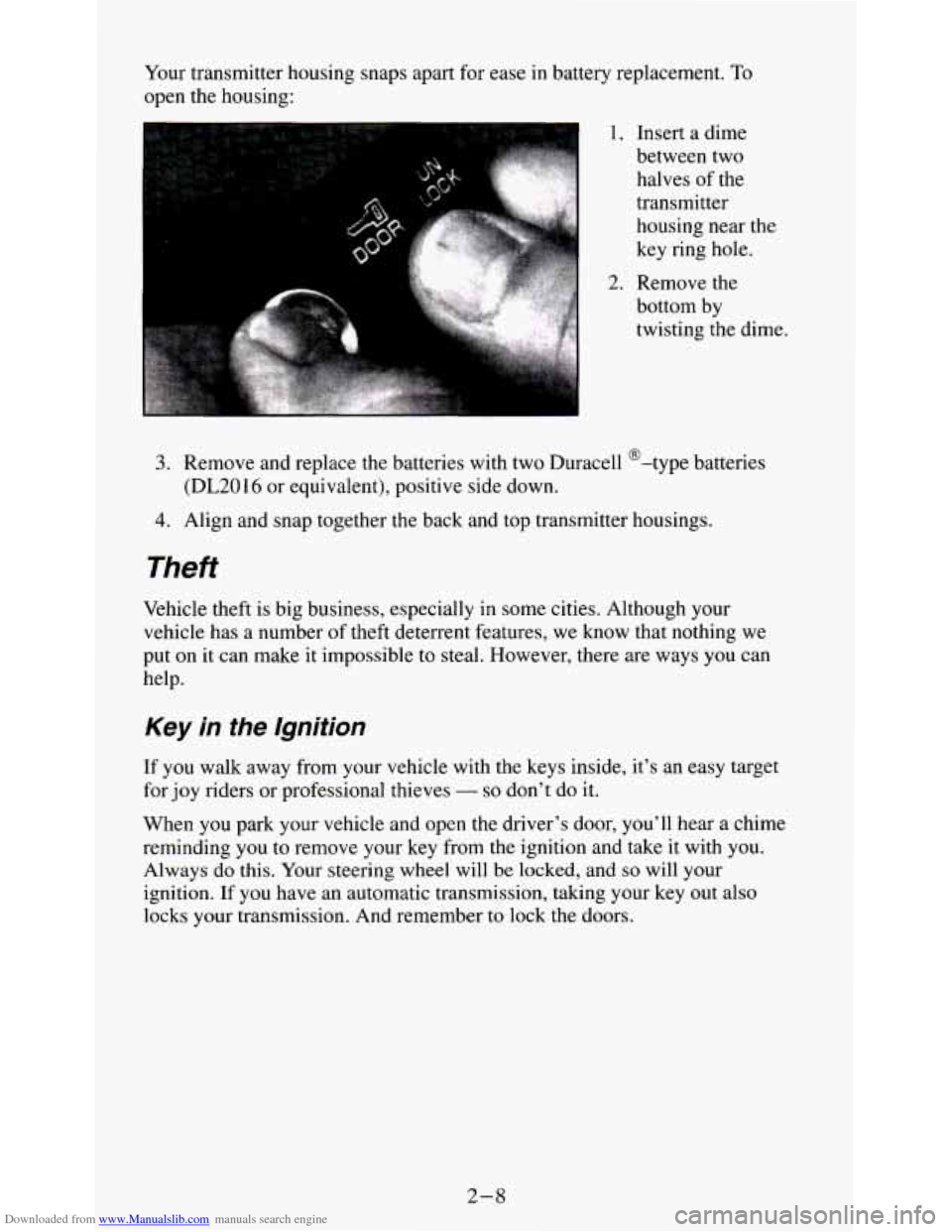
Downloaded from www.Manualslib.com manuals search engine Your transmitter housing snaps apart for ease in battery replacement. To
open the housing:
1. Insert a dime
between two
halves
of the
transmitter
housing near the
key ring hole.
2. Remove the
bottom by
twisting the dime.
3. Remove and replace the batteries with two Duracell @-type batteries
4. Align and snap together the back and top transmitter housings.
(DL2016
or equivalent), positive side down.
Theft
Vehicle theft is big business, especially in some cities. Although your
vehicle has a number
of theft deterrent features, we know that nothing we
put
on it can make it impossible to steal. However, there are ways you can
help.
Key in the lgnition
If you walk away from your vehicle with the keys inside, it’s an easy target
for joy riders or professional thieves
- so don’t do it.
When
you park your vehicle and open the driver’s door, you’ll hear a chime
reminding you
to remove your key from the ignition and take it with you.
Always do this. Your steering wheel will be locked, and so will your
ignition.
If you have an automatic transmission, taking your key out also
locks your transmission. And remember
to lock the doors.
2-8
Page 120 of 354
Downloaded from www.Manualslib.com manuals search engine Pushbuttons - The four pushbuttons let you return to favorite stations. To
set
the pushbuttons for up to fourteen favorite stations (7 AM and 7 FM):
1. Tune in the desired station.
2. Press the SET button. “SET” appears in the display.
3. Within 5 seconds, press one of the four pushbuttons to store the station.
Whenever you press that button, the preset station will return.
Repeat these steps for each pushbutton.
NOTE:
In addition to the four stations set as above, up to three additional stations
may be preset on each band by pressing two adjoining buttons at the same
time. Then do the following:
I. Tune in the desired station.
2. Press the SET button. “SET” appears in the display momentarily.
3. Within 5 seconds, press any two adjoining pushbuttons at the same
time. (The station will return when the same two buttons are pressed
again.)
TREBLE
- Slide the TREBLE lever up to increase the treble response. If a
station is weak or noisy, slide the TREBLE lever down to reduce the noise.
BASS - Slide the BASS lever up to increase the bass response. Adjust the
BASS lever
to give a pleasing sound to your ear.
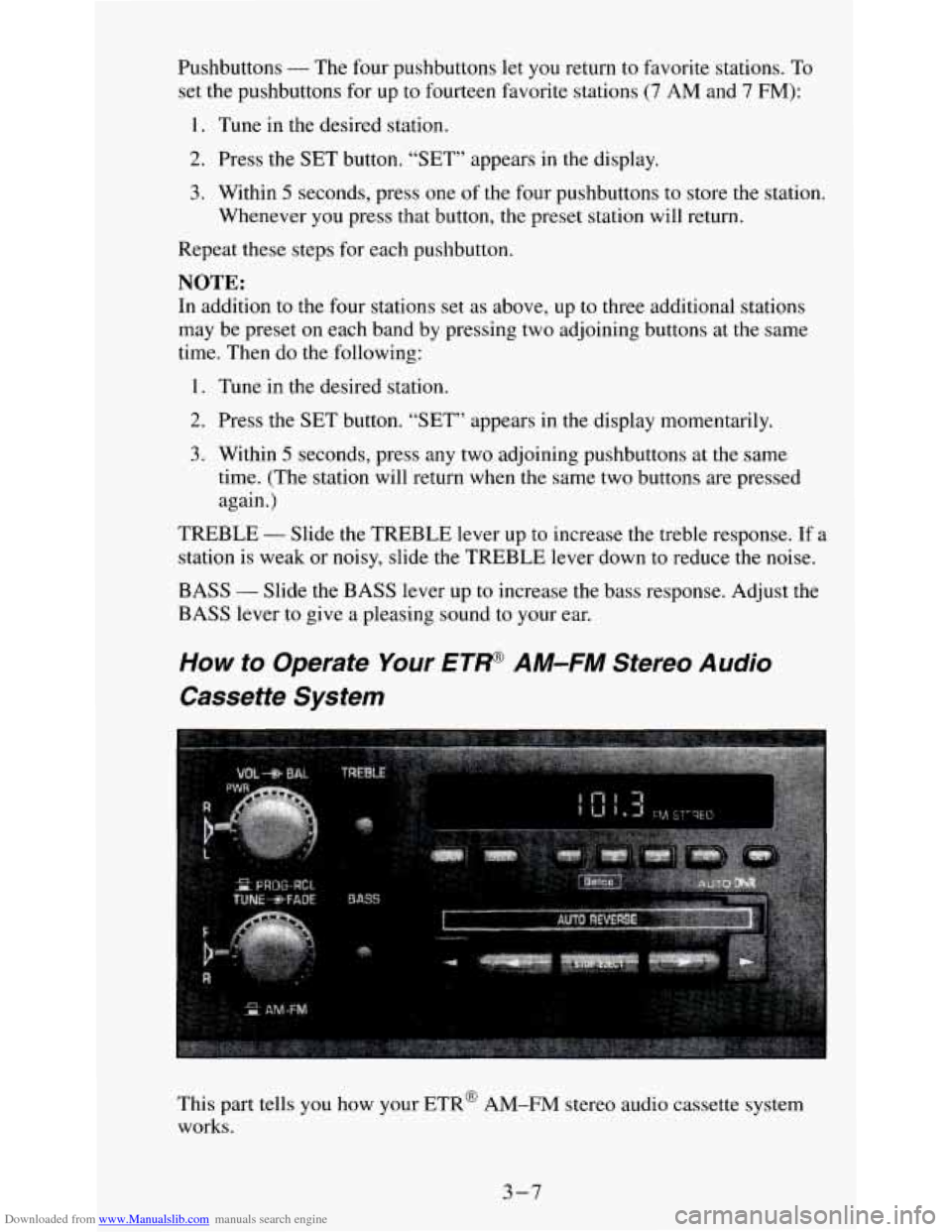
How to Operate Your ET/+@ AM-FM Stereo Audio
Cassette System
This part tells you how your ETR@ AM-FM stereo audio cassette system
works.
3-7
Page 122 of 354
Downloaded from www.Manualslib.com manuals search engine Repeat these steps for each pair of buttons.
TREBLE
- Slide the TREBLE lever up to increase the treble response. If
the station is weak or noisy, slide the TREBLE lever down to reduce the
noise.
BASS
- Slide the BASS lever up to increase the bass response. Adjust the
BASS lever to give a pleasing sound to your ear.
AUTO DNR
@ - This unit is equipped with an automatic Dynamic Noise
Reduction system. DNR@reduces background hiss on
AM and FM radio
broadcasts, as well as on cassette tapes. DNR@is a registered trademark of
National Semiconductor Corporation.
To PIay A Cassette
Your tape player is built to work best with tapes that are 30 to 45 minutes
long
on each side. Tapes longer than that are so thin they may not work well
in this player.
Once the tape is playing, use the upper and lower
knobs for volume, balance
and fade just as you do for the radio. A lighted arrow shows which direction
the tape is being played.
FWD
- To rapidly advance the tape, press 4 or b in the direction that the
amber arrow points and the tape will rapidly go forward until you press the
STOP-EJECT button lightly.
REV
- To rapidly reverse the tape, press 4 or b in the opposite direction
that the amber arrow points and the tape will rapidly reverse until you press
the STOP-EJECT button lightly.
PROGRAM
- To go from one side of the tape to the other, press the
PWR-VOL-PROG-RCL knob.
STOP-EJECT
- To remove the tape or stop the tape and switch to radio,
press
the STOP-EJECT button.
If “Cln” (Clean) appears
on the display when you insert your cassette tape,
your cassette player needs to be cleaned.
It will still play cassette tapes but it
should be cleaned to prevent damage to your cassette tapes and the cassette
tape player. See “Care of Your Cassette Tape Player” later in this section.
After you have cleaned the cassette tape player, press and hold EJECT for
5
seconds to reset the the “Cln” indicator. The radio will display “- - -” to
show the clean feature has been reset.
3-9
Page 130 of 354

Downloaded from www.Manualslib.com manuals search engine Disabling The Theft System
1.
2.
3.
4.
5.
6.
Press presets 1 and 4 for 5 seconds with ignition on and radio off. The
display will show “SEC”, indicating the unit is in the secure mode.
Press the SET button. The display will show
“000”.
Enter the first three digits of the code following steps 6 and 7 of the
preceding paragraphs (To Lock the System). The display will show the
numbers as entered.
Press the BAND knob. The radio will display
“OOO”.
Enter the second three digits of the code. The display will show the
numbers as entered.
Press the BAND knob.
If the display shows “- - - ”, the disabling
sequence was successful. The numbers matched the user-selected code
or the factory back-up code, and the unit is in the UNSECURED
mode.
If the display shows “SEC”, the disabling sequence was
unsuccessful and the numbers did not match either of the codes and the
unit will remain
in the SECURED mode.
Understanding Radio Reception
FM stereo will give you the best sound. But FM signals will reach only
about 10 to
40 miles (16 to 65 km). And, tall buildings or hills can interfere
with
FM signals, causing the sound to come and go.
The range for most AM stations is greater than for
FM, especially at night.
The longer range, however, can cause stations to interfere with each other.
AM can pick up noise from things like storms and power lines. Try reducing
the treble to reduce this noise if you ever get it.
AM Stereo means the Delco@ system can receive C-QUAM@stereo
broadcasts. Many AM stations around the count use C-QUAM@ to
produce stereo, though some do not. (C-QUAM is a registered trademark
of Motorola, Inc.) If your Delco@ system can get C-QUAM@, your
“STEREO” light will come on when you’re receiving
it.
Be aware that hearing damage from loud noise is almost undetectable until
it is too late. Your hearing can adapt to higher volumes
of sound. Sound that
seems normal can be loud and harmful to your hearing. Take precautions by
adjusting the volume control on your radio to a safe sound level before your
hearing adapts to it.
3
To help avoid hearing loss or damage:
1. Adjust the volume control to the lowest setting.
2. Increase volume slowly until you hear comfortably and clearly.
3-17
Page 137 of 354
Downloaded from www.Manualslib.com manuals search engine The body takes about an hour to rid itself of the alcohol in one drink. No
amount of coffee or number of cold showers will speed that up. “I’ll be
careful” isn’t the right answer. What if there’s an emergency, a need to take
sudden action, as when a child darts into the street?
A person with even a
moderate
BAC might not be able to react quickly enough to avoid the
collision.
There’s something else about drinking and driving that many people don’t
know. Medical research shows that alcohol
in a person’s system can make
crash injuries worse, especially injuries
to the brain, spinal cord or heart.
This means that when anyone who has been drinking
- driver or passenger
- is in a crash, that person’s chance of being killed or permanently disabled
is higher than if the person had not been drinking.
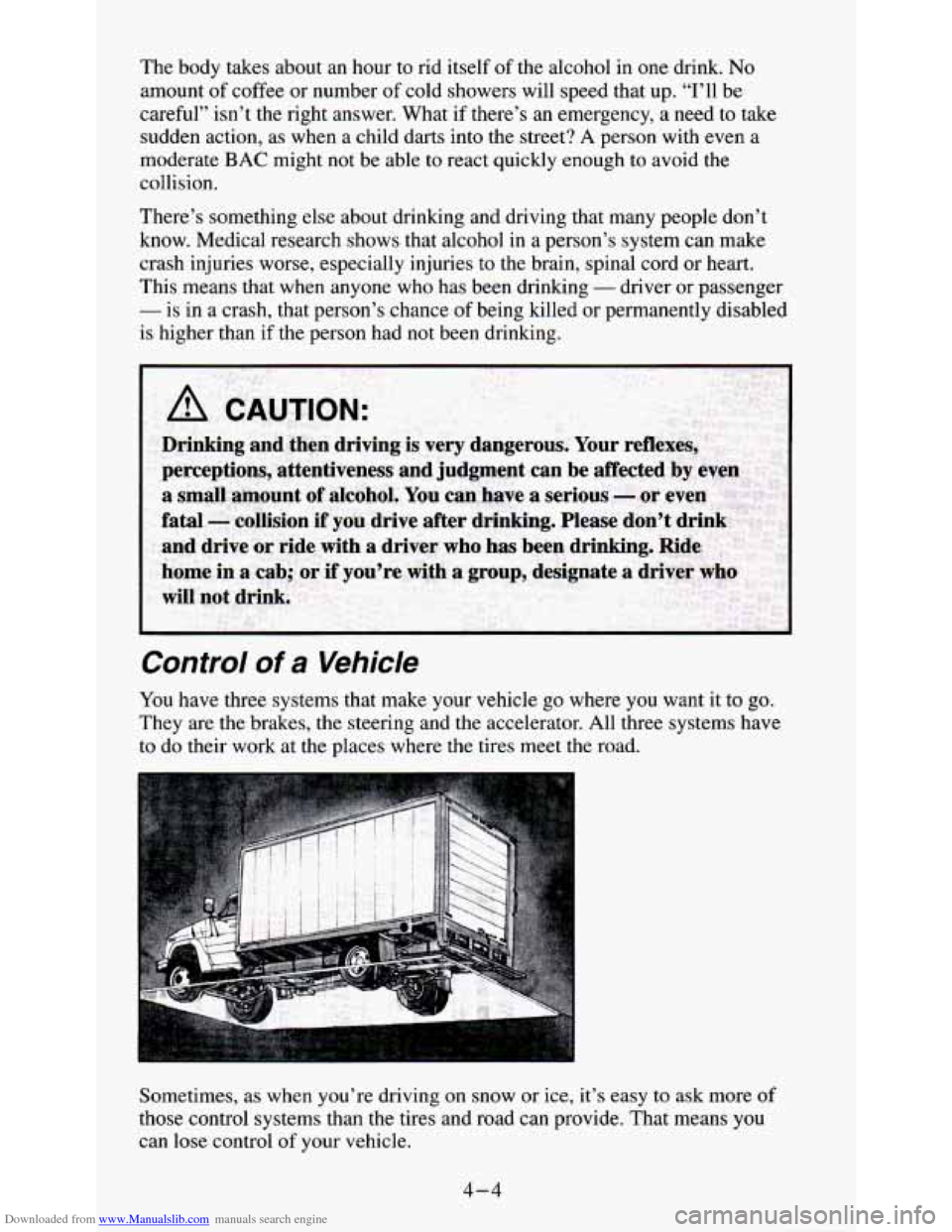
Control of a Vehicle
You have three systems that make your vehicle go where you want it to go.
They are the brakes, the steering and the accelerator. All three systems have
to do their work at the places where the tires meet the road.
Sometimes, as when you’re driving on snow or ice, it’s easy to ask more
of
those control systems than the tires and road can provide. That means you
can lose control of your vehicle.
4-4
Page 140 of 354
Downloaded from www.Manualslib.com manuals search engine To Use Four-wheel Anii-Lock
Don’t pump the brakes. Just hold the brake pedal down and let anti-lock
work for
you. You may feel the brakes vibrate, or you may notice some
noise, but
this is normal.
On vehicles with four-wheel drive, your anti-lock brakes work at all
times
- whether you are in two-wheel drive or four-wheel drive.
To Use Rear- Wheel Anii-Lock
Use rear-wheel anti-lock like regular brakes. You may feel the brakes
vibrate, or
you may notice some noise outside your vehicle, but this is
normal. Let anti-lock work for you, but remember: Your front wheels can
still stop rolling. If that happens, release enough pressure
on the brakes to
get the wheels rolling again
so that you can steer.
Braking in Emergencies
At some time, nearly every driver gets into a situation that requires hard braking.
The four-wheel anti-lock system
lets you steer and brake at the same time.
If you have the rear-wheel anti-lock braking system, your front wheels can
stop rolling when you brake very hard. Once they do, the vehicle can’t
respond to your steering. Momentum will carry
it in whatever direction it
was headed when the front wheels stopped rolling. That could be off the
road, into the very thing you were trying
to avoid, or into traffic.
So, unless you have four-wheel anti-lock, use a “squeeze” braking
technique. This will give
you maximum braking while maintaining steering
control. You do this by pushing on the brake pedal with steadily increasing
pressure. When you do, it
will help maintain steering control. In many
emergencies, steering can help
you more than even the very best braking.
Steering
Power Steering
If you lose power steering assist because the engine stops or the system is
not functioning,
you can steer but it will take much more effort.
Steering Tips
Driving on Curves
It’s important to take curves at a reasonable speed.
A lot of the “driver lost control” accidents mentioned on the news happen
on curves. Here’s why:
Experienced driver
or beginner, each of us is subject to the same laws of
physics when driving on curves. The traction of the tires against the road
4-7