1995 CHEVROLET MONTE CARLO audio
[x] Cancel search: audioPage 3 of 324
Downloaded from www.Manualslib.com manuals search engine 0 1995 Chevrolet Monte Carlo Owner's Manual
Seats and Restraint Systems .............................................................. 1-1
Featuresandcontrols .................................................................. 2-1
Comfort Controls and Audio Systems ..................................................... 3-1
This section tells you how to use your scats and safety belts properly. It also explains the air bag system.
This section explains how
to start and operate your Chevrolet.
This section tells you how
to adjust the ventilation and comfort controls and how to operate your
sound system.
Here
you'll find helpful inforlnation and tips about the road and how to drive under different conditions.
This section tells you what
to do if you have a problem while driving. such as a flat tire or engine
overheating, etc.
Here the
~nanual tells you how to keep your Chevrolet running properly and looking good.
This section tells you when
to perform vehicle maintenance and what tluids and lubricants to use.
This section tells you how to contact Chevrolet for assistance and how to get service publications. It also
gives you information on "Reporting Safety Defects" on page 8-4.
Here's an alphabetical listing of almost every subject in this manual. You can use it to quickly find
something you want to read.
Your Driving and the Road .............................................................. 4-1
Problems on the Road .................................................................. 5-1
Service and Appearance Care.. .......................................................... 6-1
Maintenanceschedule .................................................................. 7-1
Customer Assistance Information ........................................................ 8-1
Index ........................................................................\
......... 9-1
1
Page 111 of 324
Downloaded from www.Manualslib.com manuals search engine 0 Section 3 Comfort Controls and Audio Systems
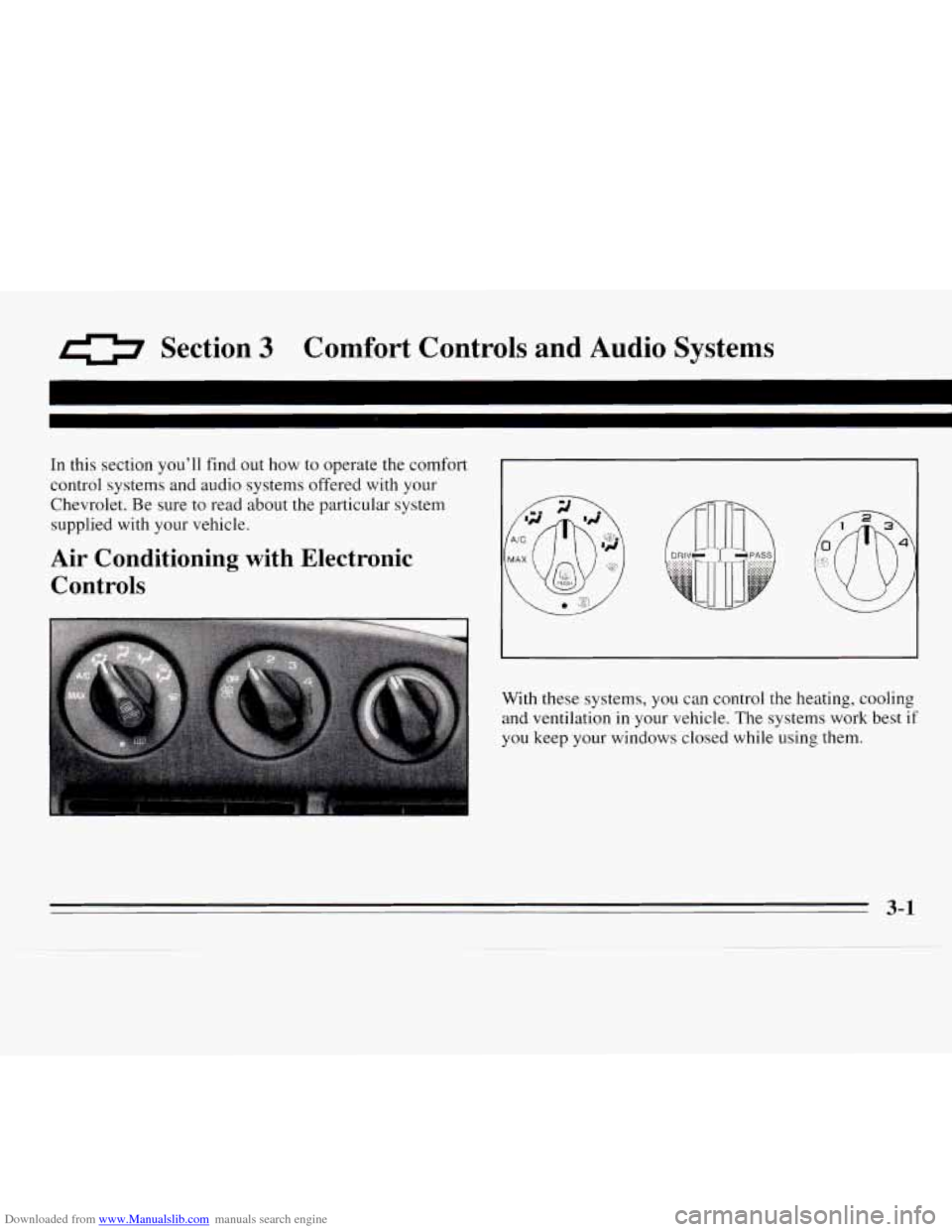
In this section you’ll find out how to operate the comfort
control systems and audio systems offered with your
Chevrolet. Be sure to read about
the particular system
supplied with your vehicle.
Air Conditioning with Electronic
Controls @ . !.
With these systems, you can control the heating, cooling
and ventilation in your vehicle. The systems work best if
you keep your windows closed while
using them.
3-1
Page 115 of 324
Downloaded from www.Manualslib.com manuals search engine Audio Systems
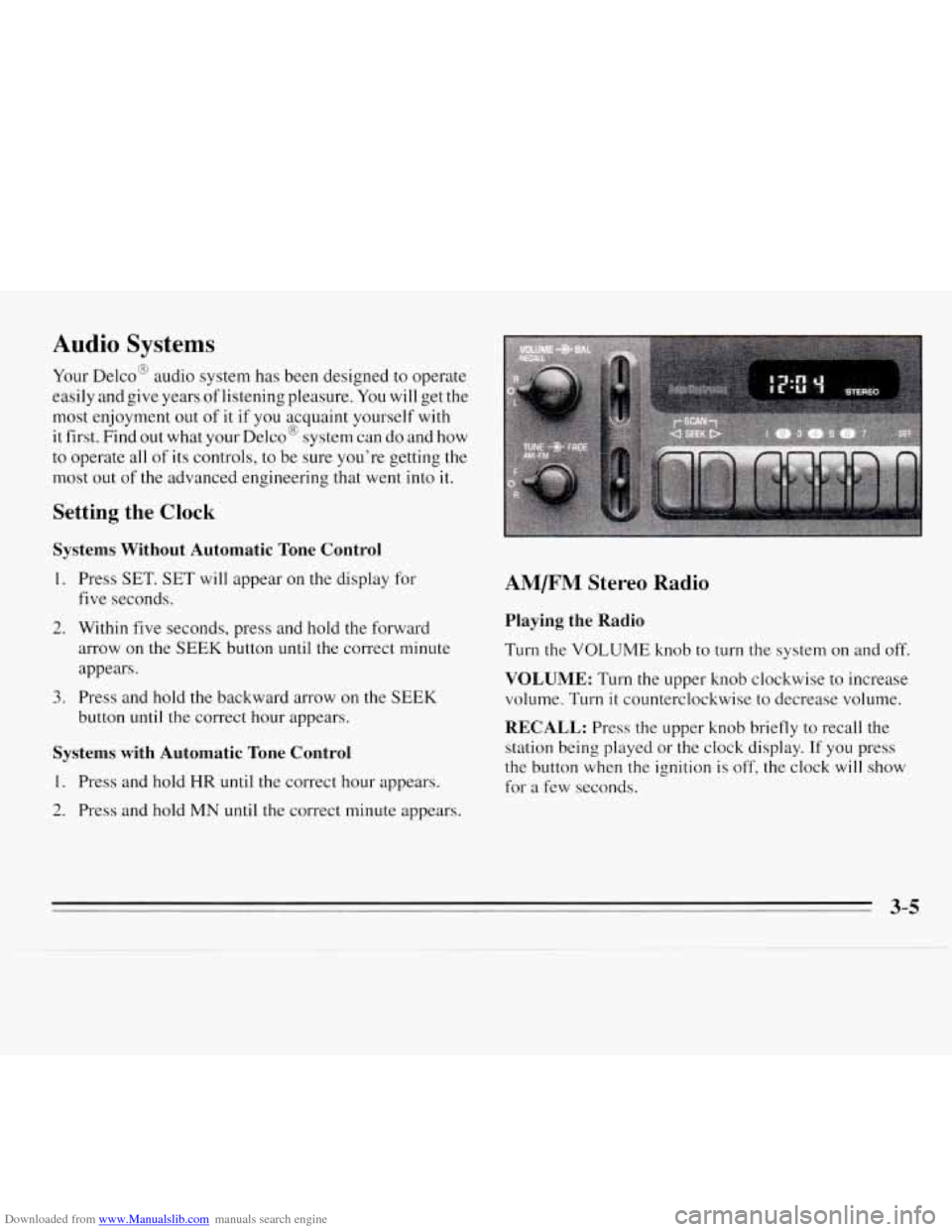
Your Delco@ audio system has been designed to operate
easily and give years of listening pleasure.
You will get the
most enjoyment out
of it if you acquaint yourself with
it first. Find
out what your Delco@ system can do and how
to operate all
of its controls, to be sure you’re getting the
most out
of the advanced engineering that went into it.
Setting the Clock
Systems Without Automatic Tone Control
1.
2.
3.
Press SET. SET will appear on the display for
five seconds.
Within five seconds, press and hold the forward
arrow on the
SEEK button until the correct minute
appears.
Press and hold
the backward arrow on the SEEK
button until the correct hour appears.
Systems with Automatic Tone Control
1. Press and hold HR until the correct hour appears.
2. Press and hold MN until the correct minute appears.
AM/FM Stereo Radio
Playing the Radio
Turn the VOLUME knob to turn the system on and off.
VOLUME: Turn the upper knob clockwise to increase
volume. Turn
it counterclockwise to decrease volume.
RECALL: Press the upper knob briefly to recall the
station being played
or the clock display. If you press
the button when the ignition is
off, the clock will show
for a few seconds.
Page 118 of 324
Downloaded from www.Manualslib.com manuals search engine REV: Press this button to reverse the tape rapidly. Press
it again to return
to playing speed. The radio will play
while the tape reverses.
FWD: Press this button to advance quickly to another
part of the tape. Press the button again to return to
playing speed. The radio will play while the tape
advances.
PROGRAM: Press the upper knob to change the side of
the tape that is playing.
EJECT Press this button to remove the tape. The radio
will play.
Cln: This message may appear on the display. If it does,
your cassette tape player needs to be cleaned. It will still
play tapes, but you should clean
it as soon as possible to
prevent damage
to your tapes and player. See “Care of
Your Cassette Tape Player” in the Index. After you clean
the player, press and hold EJECT for five seconds to
reset the Cln indicator.
“- - -” will appear in the display
to show the indicator was reset.
AM/FM Stereo Radios with Automatic Tone
Control
If your Chevrolet has a radio with Automatic Tone
Control,
the instructions below will explain how to use
the radio. To find out if your radio has Automatic Tone
Control, look for an AUTO TONE button. If the system
has one, you have Automatic Tone Control. If not,
see
the systems explained earlier in this section.
Playing the Radio
Press the PWR knob to turn the system on and off.
VOL: Turn this knob clockwise to increase volume.
Turn it counterclockwise to decrease volume.
SCV: Your system has a feature called
speed-compensated volume (SCV). With SCV, your
audio system makes up for road noise by getting louder
as you drive faster. The control behind the upper knob
has SCV positions. The top position has a higher
maximum volume and gets louder faster than the middle
two positions. If you don’t want to use SCV, turn the
control all the way down.
RECALL: Press this button to recall the station being
played. If you press the button when the ignition is off,
the clock will show for a few seconds.
3-8
Page 125 of 324
Downloaded from www.Manualslib.com manuals search engine Understanding Radio Reception
FM Stereo
FM Stereo will give you the best sound, but FM signals
will reach only about
10 to 40 miles (16 to 65 km). Tall
buildings or hills can interfere with
FM signals, causing
the sound
to come and go.
AM
The range for most AM stations is greater than for FM,
especially at night. The longer range, however, can
cause stations to interfere with each other.
AM can also
pick up noise from things like storms and power lines.
To lower this noise, try reducing the treble level.
Tips About Your Audio System
Hearing damage from loud noise is almost undetectable
until it is too late. Your hearing can adapt to higher
volumes of sound. Sound that seems normal can be
loud and harmful to your hearing. Take precautions by
adjusting the volume control on your radio
to a safe
sound level before your hearing adapts to it. To
help avoid hearing loss or damage:
Adjust the volume control to the lowest setting.
Increase volume slowly until you hear Comfortably
and clearly.
NOTICE:
Before you add any sound equipment to your
vehicle
-- like a tape player, CB radio, mobile
telephone or two-way radio
-- be sure you,
can add what you want.
If you can, it’s very
important to do
it properly. Added sound
equipment may interfere with the operation
of your vehicle’s engine, Delco@ radio or other
systems, and even damage them. And, your
vehicle’s systems may interfere with the
operation of sound equipment that has been
added improperly.
So, before adding sound equipment, check with
your dealer and be sure to check Federal rules
covering mobile radio and telephone units.
3-15
Page 127 of 324
Downloaded from www.Manualslib.com manuals search engine Care of Your Compact Discs
Handle discs carefully. Store them in their original cases
or other protective cases and away from direct sunlight
and dust. If the surface
of a disc is soiled, dampen a
clean, soft cloth in a mild, neutral detergent solution and
clean
it, wiping from the center to the edge.
Be sure never to touch the signal surface
when handling
discs. Pick up discs by grasping the outer edges or
the
edge of the hole and the outer edge.
Fixed Mast Antenna
The fixed mast antenna can withstand most car washes
without being damaged. If the mast should ever become
slightly bent, you can straighten
it out by hand. If the
mast is badly bent, as it might be by vandals, you should
replace
it.
Check every once in a while to be sure the mast is still
tightened
to the fender.
Steering Wheel Touch Controls
(Option)
You can control certain audio system functions using the
buttons on your steering wheel.
VOLUME: Press the up or down arrows to increase or
decrease volume.
PLAY: Press to play the CD or cassette instead of the
radio.
MUTE: Press to silence the system. Press again to turn
on the sound.
SEEK: Press the up or down arrows to tune to the next
or previous radio station. If a tape
or compact disc is
playing, the player will advance or rewind.
PRESET Press to play a station you have programmed
on the radio preset buttons.
AM/FM: Press to choose AM, FMl or FM2. If a tape
or compact disc is playing,
it will stop and the radio will
play.
3-17
Page 294 of 324
Downloaded from www.Manualslib.com manuals search engine Part B: Owner Checks and Services
Listed below are owner checks and services which should be performed at the intervals specified
to help
ensure the safety, dependability and emission control
performance
of your vehicle.
Be sure any necessary repairs are completed at once.
Whenever any fluids or lubricants are added to your
vehicle, make sure they are the proper ones, as shown
in Part
D.
At Each Fuel Fill
It is important for you or a service station attendant to
perform these underhood checks at each.fuelfil1.
Engine Oil Level
Check the engine oil level and add the proper oil if
necessary. See “Engine Oil” in the Index for further
details.
Engine Coolant Level
Check the engine coolant level and add the proper
coolant mix
if necessary. See “Coolant” in the Index
for further details.
Windshield Washer Fluid Level
Check the windshield washer fluid level in the
windshield washer tank and add the proper fluid
if
necessary. See “Windshield Washer Fluid” in the Index
for further details.
At Least Once a Month
Tire Inflation
Check tire inflation. Make sure tires are inflated to the
pressures specified on the Tire-Loading Information
label. See “Loading
Your Vehicle” in the Index. See
“Tires” in
the Index for further details.
Cassette Deck
Clean cassette deck. Cleaning should be done every
50 hours of tape play. See “Audio Systems” in the Index
for further details.
At Least Once a Year
Key Lock Cylinders
Lubricate the key lock cylinders with the lubricant
specified
in Part D.
Page 311 of 324
Downloaded from www.Manualslib.com manuals search engine 0 Section 9 Index
ABS ......................................... 4-6
Adding Automatic Transaxle Fluid
..................... 6- I9
Brake Fluid
................................. 6-26
Electrical Equipment
............... 2- 12 . 3- IS. 6-53
Engine Coolant
.............................. 6-20
Engine Oil
.................................. 6- 12
Power Steering Fluid ......................... 6-23
Sound Equipment
............................ 3- 15
Windshield Washer Fluid ...................... 6-24
AirBag
....................................... 1-17
How Does It Restrain ......................... 1-2 1
How It Works ............................... 1 - 19
Location ................................... 1-19
Readiness Light ........................ I - 18. 2-44
Servlclng 1-22
What Makes
It Inflate ......................... 1-20
What Will You See After It Inflates .............. 1-21
When Should It Inflate ........................ 1-20
Aircleaner
.................................... 6-15
Air Conditioning ................................ 3-3
Air Conditioning Refrigerants ..................... 6-62
Air Conditioning with Electronic Controls ............ 3- 1
Alignment and Balance, Tires ..................... 6-41
Aluminum Wheels
. Cleaning ...................... 6-49
Antenna
. Fixed Mast ............................ 3- 17
.. ...................................
Antifreeze ..................................... 6-19
Anti-Lock Brake System Warning Light
......... 2.46. 4.6
Anti-Lock Brakes
............................... 4-6
Anti-Theft Feature. Theftlock
..................... 3-13
Appearancecare
............................... 6-44
Appearance Care and Materials
.................... 6-52
Armrest. Storage
............................... 2-36
Ashtrays. Front
................................. 2-38
Ashtrays. Rear
................................. 2-39
Audio Systems
.................................. 3-5
Auto-Down Window
............................ 2-24
Automatic Transaxle
............................ 2-14
Drive (D) Position
............................ 2-16
First Gear (1) Position
........................ 2-17
Neutral (N) Position
.......................... 2-15
Overdrive (@I) Position ........................ 2-16
Park Mechanism and Parking Brake Check
........ 7-38
Park
(P) Position ............................. 2-14
Reverse (R) Position
.......................... 2-15
Second Gear (2) Position
...................... 2-17
Shifting
.................................... 2-14
Automatic Transaxle Fluid
........................ 6-16
Adding
.................................... 6-19
Checking
................................... 6-16
Anti-Lock Brake System Active Light
.............. 2-47
Audio Systems. Steering Wheel Touch Controls
....... 3-17
9-1