1995 CHEVROLET MONTE CARLO radio controls
[x] Cancel search: radio controlsPage 10 of 324
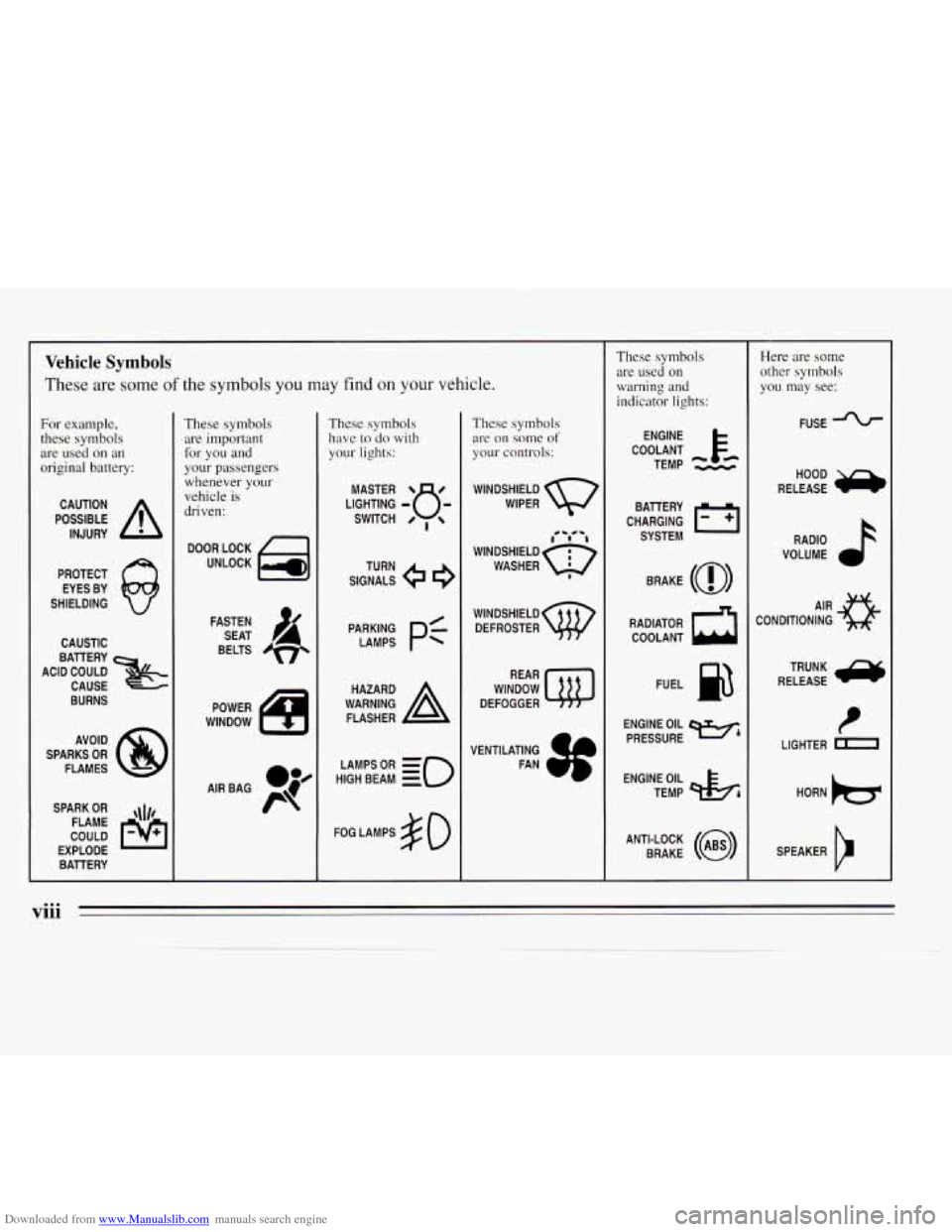
Downloaded from www.Manualslib.com manuals search engine Vehicle Symbols
These are some of the symbols you may find on your vehicle.
For example, these symbols
are used on an
original battery:
POSSIBLE A
CAUTION
INJURY
PROTECT EYES BY
SHIELDING
CAUSTIC
ACID COULD
x
BATTERY
CAUSE
BURNS
AVOID
SPARKS
OR
FLAMES
SPARK
OR ,\I/,
COULD FLAME
EXPLODE BAllERY
These symbols are important
for you and
your passengers whenever your
vehicle
is
driven:
DOOR LOCK
UNLOCK
FASTEN SEAT
4
BELTS
POWER
WINDOW
These symbols have
to do with
your lights:
SIGNALS e
TURN
HIGH
LAMPSoR BEAM = =o
FOG LAMPS $0
These symbols are
on solne of
your controls:
WIPER Q
f0 -** -1
WINDSHIELDQ
WASHER I
WINDSHIELD
DEFROSTER
WINDOW
DEFOGGER
VENTILATING FAN
These symbols are used
on
warning and
indicator lights:
COOLANT F-
TEMP --
ENGINE
CHARGING
I-1
BATTERY SYSTEM
BRAKE
(@)
RADIATOR COOLANT
a
FUEL e3
ENGINE OIL
PRESSURE
Wb
TEMP OIL 9b
ANTI-LOCK (@)
BRAKE
Here are some other symbols
you may see:
FUSE J
RADIO k
VOLUME a
CONDITIONING AIR a
t
LIGHTER m
viii
Page 115 of 324
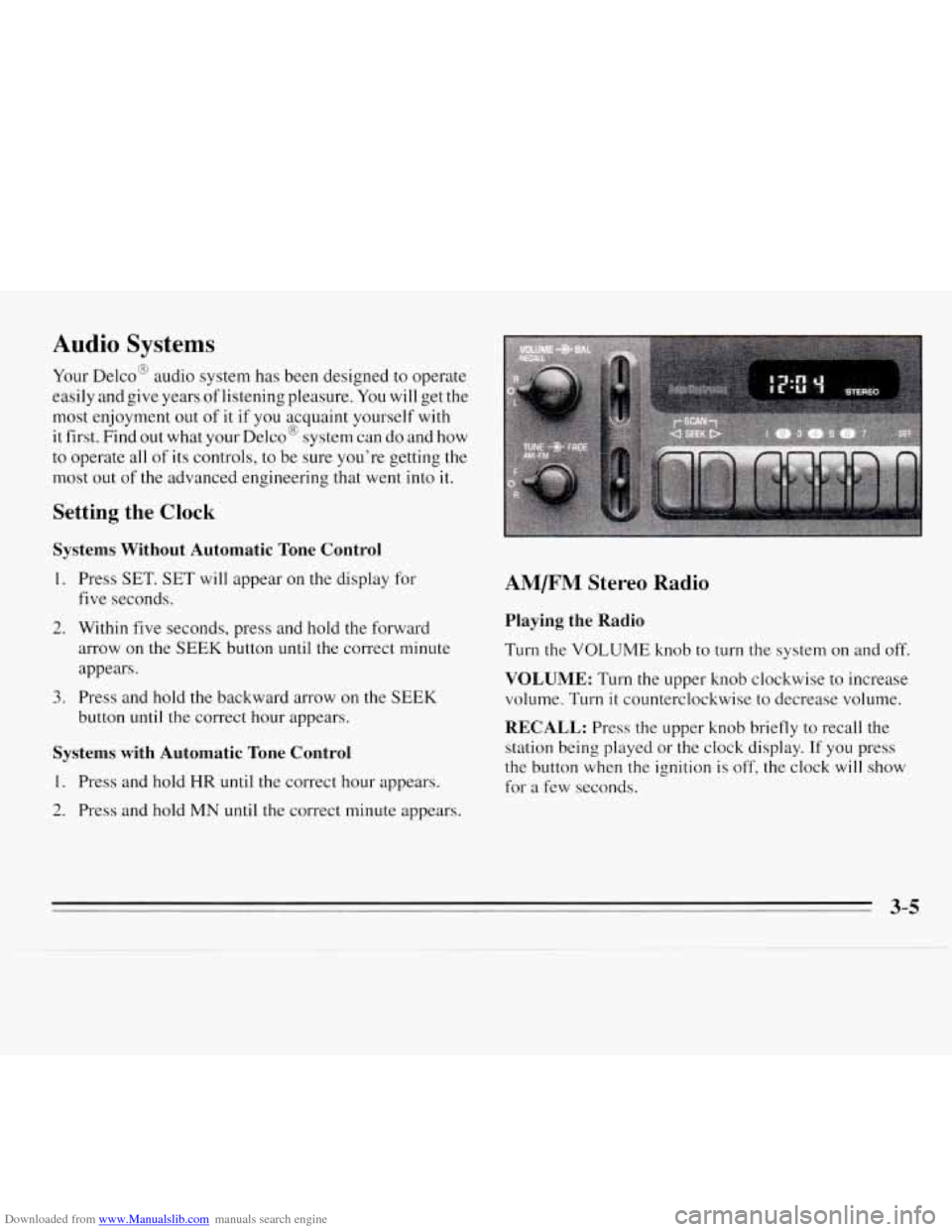
Downloaded from www.Manualslib.com manuals search engine Audio Systems
Your Delco@ audio system has been designed to operate
easily and give years of listening pleasure.
You will get the
most enjoyment out
of it if you acquaint yourself with
it first. Find
out what your Delco@ system can do and how
to operate all
of its controls, to be sure you’re getting the
most out
of the advanced engineering that went into it.
Setting the Clock
Systems Without Automatic Tone Control
1.
2.
3.
Press SET. SET will appear on the display for
five seconds.
Within five seconds, press and hold the forward
arrow on the
SEEK button until the correct minute
appears.
Press and hold
the backward arrow on the SEEK
button until the correct hour appears.
Systems with Automatic Tone Control
1. Press and hold HR until the correct hour appears.
2. Press and hold MN until the correct minute appears.
AM/FM Stereo Radio
Playing the Radio
Turn the VOLUME knob to turn the system on and off.
VOLUME: Turn the upper knob clockwise to increase
volume. Turn
it counterclockwise to decrease volume.
RECALL: Press the upper knob briefly to recall the
station being played
or the clock display. If you press
the button when the ignition is
off, the clock will show
for a few seconds.
Page 117 of 324
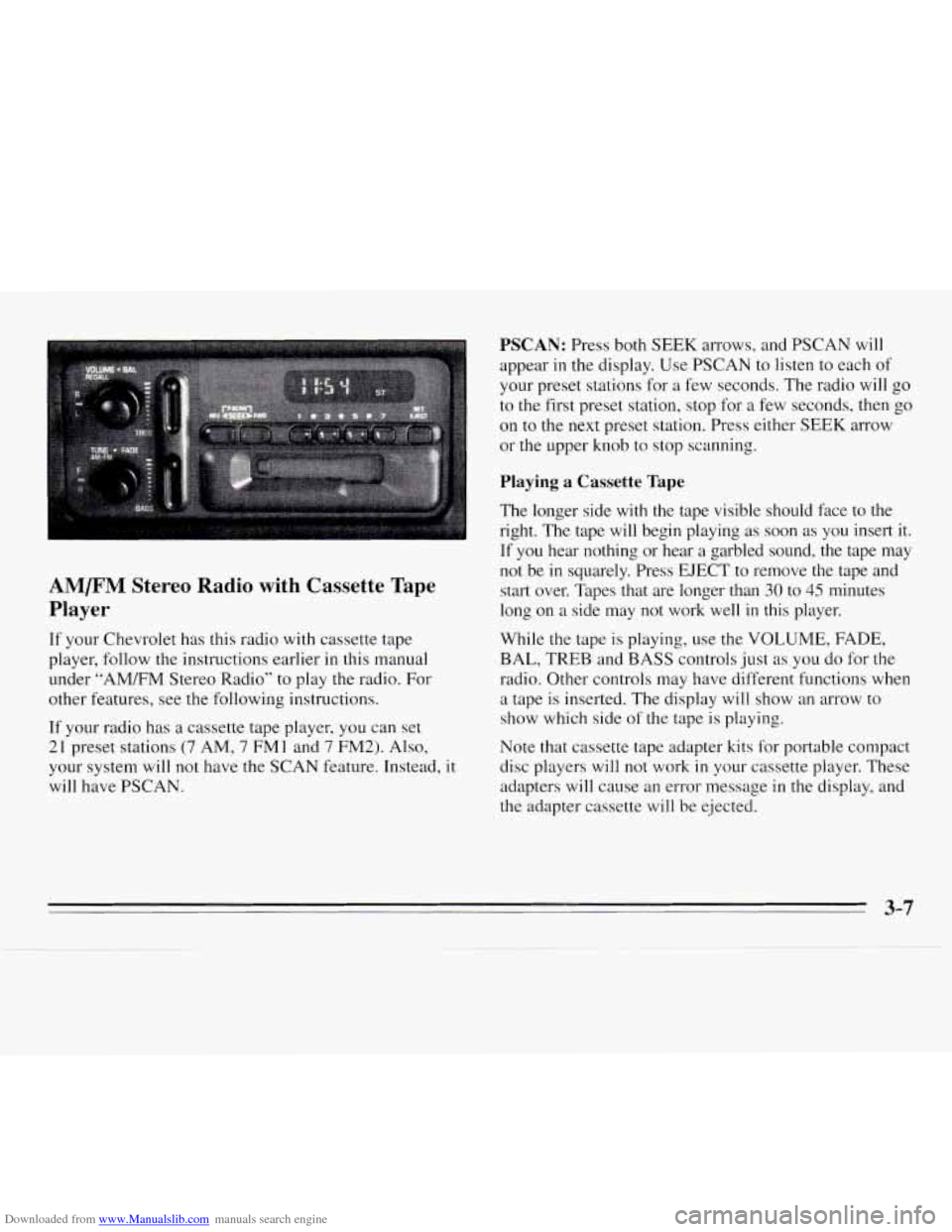
Downloaded from www.Manualslib.com manuals search engine AM/FM Stereo Radio with Cassette Tape
Player
If your Chevrolet has this radio with cassette tape
player, follow the instructions earlier
in this manual
under “AMEM Stereo Radio’’
to play the radio. For
other features, see the following instructions.
If your radio has
a cassette tape player, you can set
21 preset stations (7 AM, 7 FMl and 7 FM2). Also,
your system will not have the SCAN feature. Instead, it
will have PSCAN.
PSCAN: Press both SEEK arrows, and PSCAN will
appear
in the display. Use PSCAN to listen to each of
your preset stations for
a few seconds. The radio will go
to
the first preset station, stop for a few seconds, then go
on to the next preset station. Press either SEEK arrow
or the upper knob to stop scanning.
Playing a Cassette Tape
The longer side with the tape visible should face to the
right.
The tape will begin playing as soon as you insert it.
If you hear nothing or hear
a garbled sound, the tape may
not be
in squarely. Press EJECT to remove the tape and
start over. Tapes that are longer than
30 to 45 minutes
long on a side may not work well in this player.
While the tape is playing, use the VOLUME, FADE,
BAL, TREB and BASS controls just
as you do for the
radio. Other controls may have different functions when
a tape is inserted. The display will show an arrow to
show which side
of the tape is playing.
Note that cassette tape adapter kits
for portable compact
disc players will not work
in your cassette player. These
adapters
will cause an error message in the display, and
the adapter cassette will be ejected.
3-7
Page 120 of 324
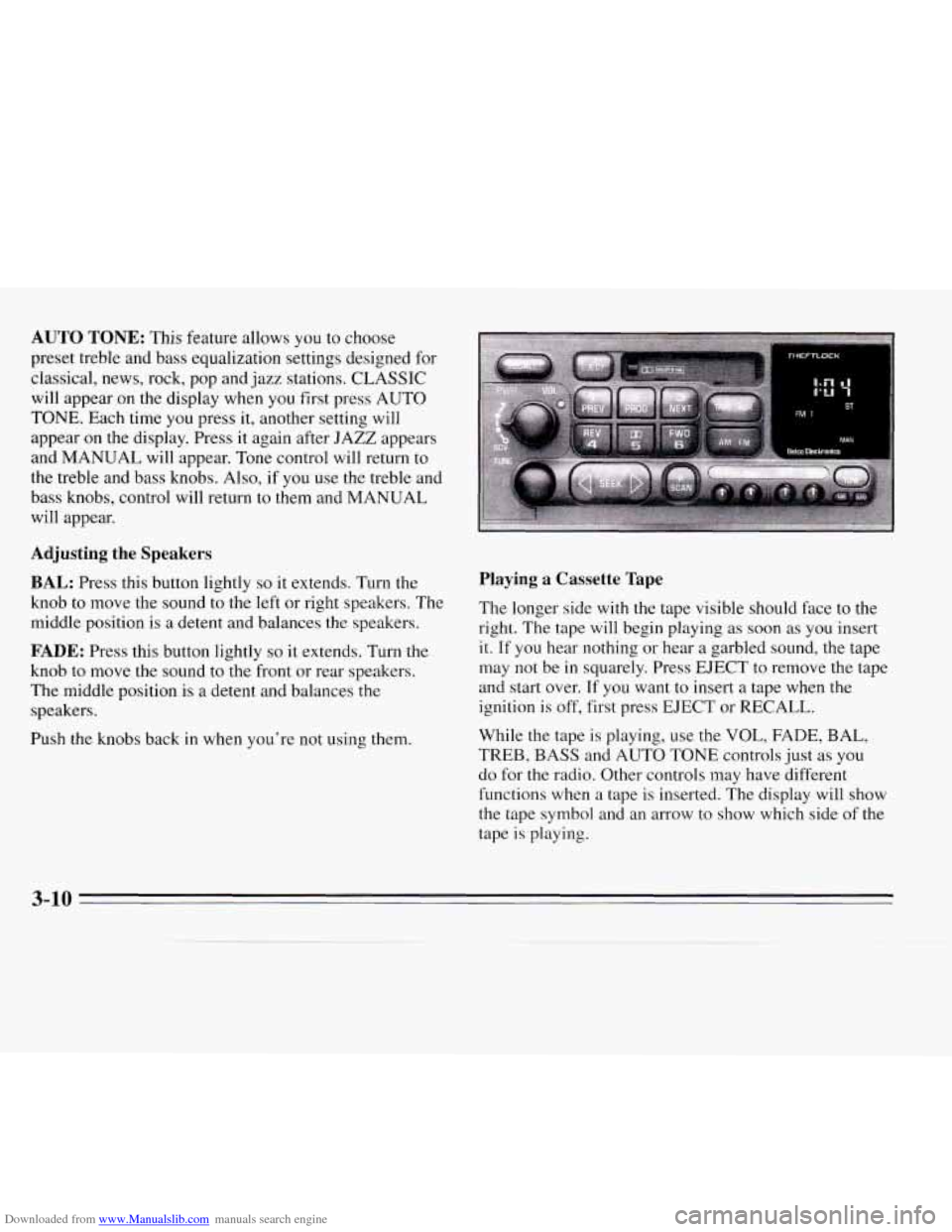
Downloaded from www.Manualslib.com manuals search engine AUTO TONE: This feature allows you to choose
preset treble and bass equalization settings designed for
classical, news, rock, pop and jazz stations. CLASSIC
will appear on the display when you first press AUTO
TONE. Each time you press it, another setting will
appear on the display. Press it again after JAZZ appears
and MANUAL will appear. Tone control will return to
the treble and bass knobs. Also, if
you use the treble and
bass knobs, control will return to them and MANUAL
will appear.
Adjusting the Speakers
BAL: Press this button lightly so it extends. Turn the
knob to move the sound
to the left or right speakers. The
middle position is
a detent and balances the speakers.
FADE: Press this button lightly so it extends. Turn the
knob to move
the sound to the front or rear speakers.
The middle position is a detent and balances the
speakers.
Push
the knobs back in when you're not using them.
Playing a Cassette Tape
The longer side with the tape visible should face to the
right. The tape
will begin playing as soon as you insert
it. If you hear nothing or hear a garbled sound, the tape
may
not be in squarely. Press EJECT to remove the tape
and start over.
If you want to insert a tape when the
ignition is off, first press EJECT or RECALL.
While the tape
is playing, use the VOL, FADE, BAL,
TREB, BASS and AUTO TONE controls just as you
do for the radio. Other controls may have different
functions when a tape is inserted. The display will show
the tape symbol and an arrow to show which side of the
tape
is playing.
3-10
Page 127 of 324
Downloaded from www.Manualslib.com manuals search engine Care of Your Compact Discs
Handle discs carefully. Store them in their original cases
or other protective cases and away from direct sunlight
and dust. If the surface
of a disc is soiled, dampen a
clean, soft cloth in a mild, neutral detergent solution and
clean
it, wiping from the center to the edge.
Be sure never to touch the signal surface
when handling
discs. Pick up discs by grasping the outer edges or
the
edge of the hole and the outer edge.
Fixed Mast Antenna
The fixed mast antenna can withstand most car washes
without being damaged. If the mast should ever become
slightly bent, you can straighten
it out by hand. If the
mast is badly bent, as it might be by vandals, you should
replace
it.
Check every once in a while to be sure the mast is still
tightened
to the fender.
Steering Wheel Touch Controls
(Option)
You can control certain audio system functions using the
buttons on your steering wheel.
VOLUME: Press the up or down arrows to increase or
decrease volume.
PLAY: Press to play the CD or cassette instead of the
radio.
MUTE: Press to silence the system. Press again to turn
on the sound.
SEEK: Press the up or down arrows to tune to the next
or previous radio station. If a tape
or compact disc is
playing, the player will advance or rewind.
PRESET Press to play a station you have programmed
on the radio preset buttons.
AM/FM: Press to choose AM, FMl or FM2. If a tape
or compact disc is playing,
it will stop and the radio will
play.
3-17