Page 36 of 324
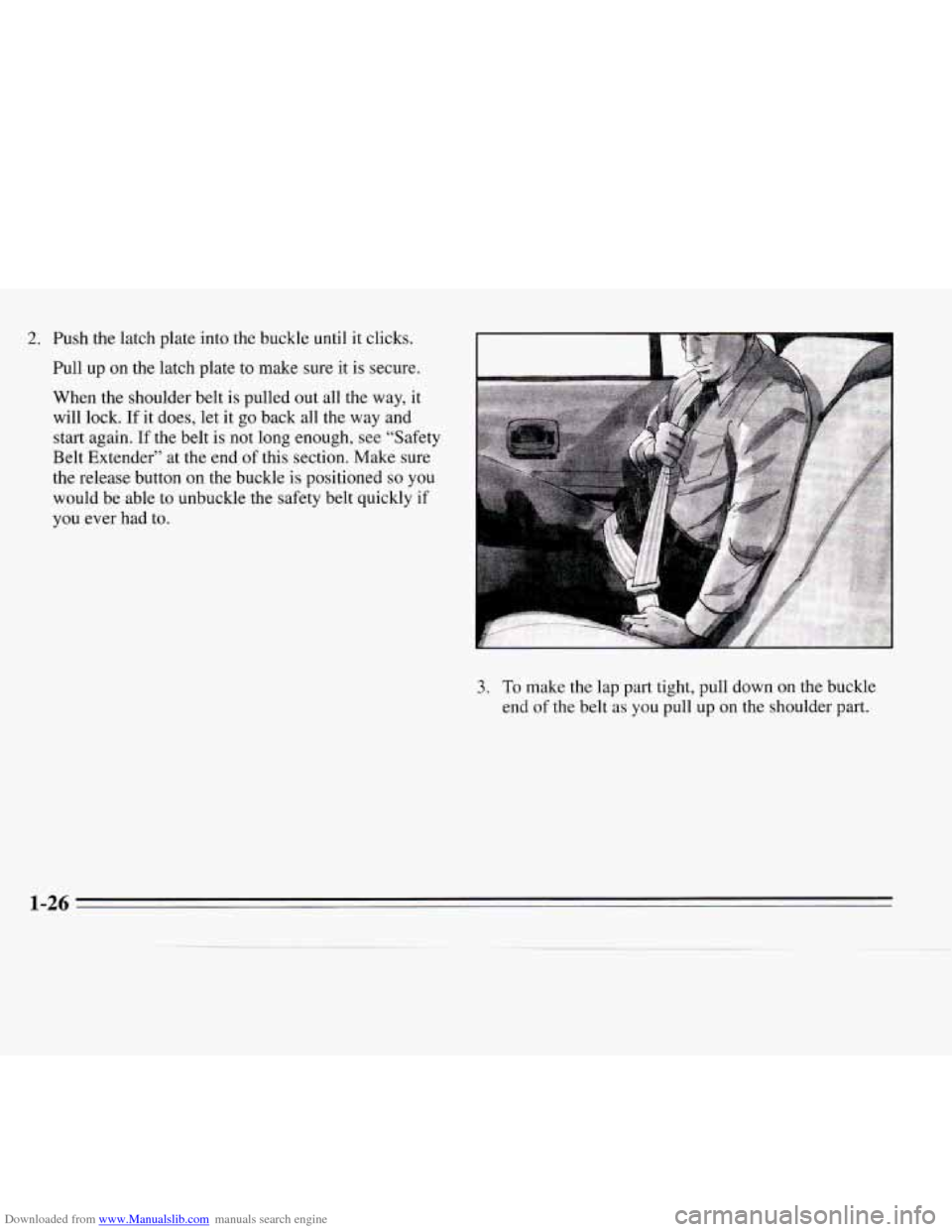
Downloaded from www.Manualslib.com manuals search engine 2. Push the latch plate into the buckle until it clicks.
Pull up on the latch plate to make sure it
is secure.
When the shoulder belt
is pulled out all the way, it
will lock. If
it does, let it go back all the way and
start again.
If the belt is not long enough, see “Safety
Belt Extender”
at the end of this section. Make sure
the release button on the buckle is positioned
so you
would be able
to unbuckle the safety belt quickly if
you ever had to.
3. To make the lap part tight, pull down on the buckle
end
of the belt as you pull up on the shoulder part.
1-26
Page 37 of 324
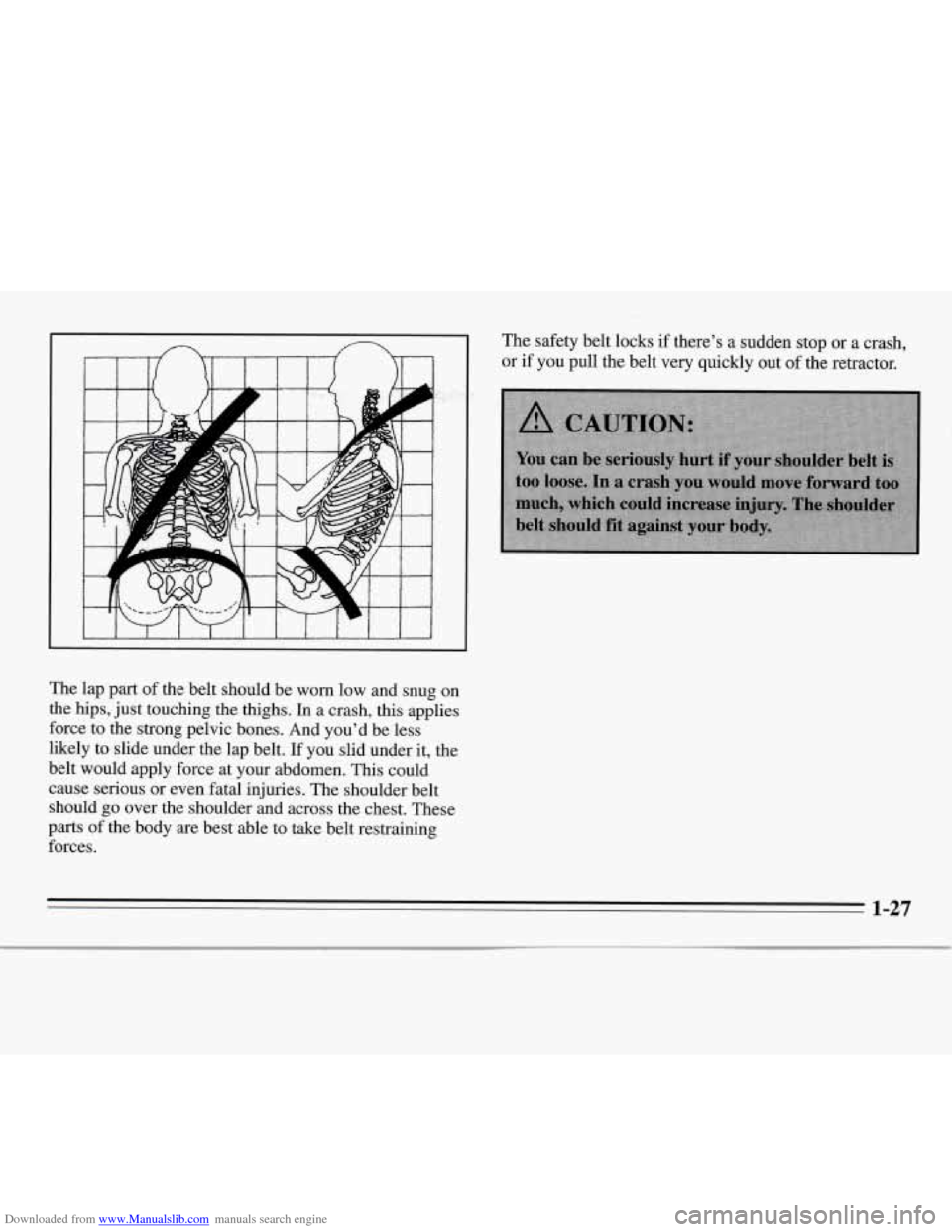
Downloaded from www.Manualslib.com manuals search engine The lap part of the belt should be worn low and snug on
the hips, just touching the thighs.
In a crash, this applies
force to the strong pelvic bones. And you’d be less
likely to slide under the lap belt.
If you slid under it, the
belt would apply force at your abdomen. This could
cause serious or even fatal injuries. The shoulder belt
should go over the shoulder and across the chest. These
parts of the body are best able to take belt restraining
forces. The safety
belt locks
if there’s a sudden stop or a crash,
or
if you pull the belt very quickly out of the retractor.
1-27
Page 46 of 324
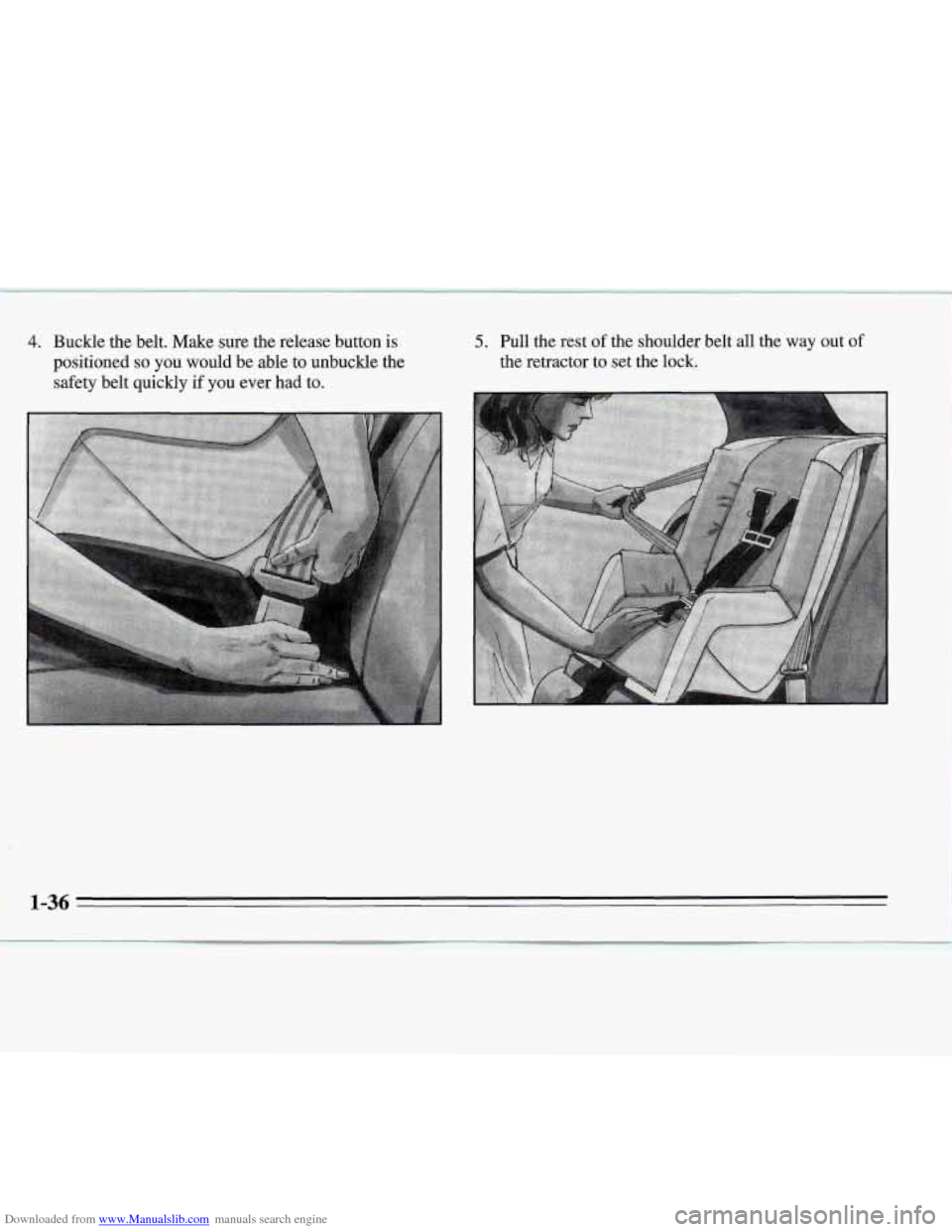
Downloaded from www.Manualslib.com manuals search engine 4. Buckle the belt. Make sure the release button is
positioned
so you would be able to unbuckle the
safety belt quickly
if you ever had to.
5. Pull the rest of the shoulder belt all the way out of
the retractor to set the lock.
1-36
Page 51 of 324
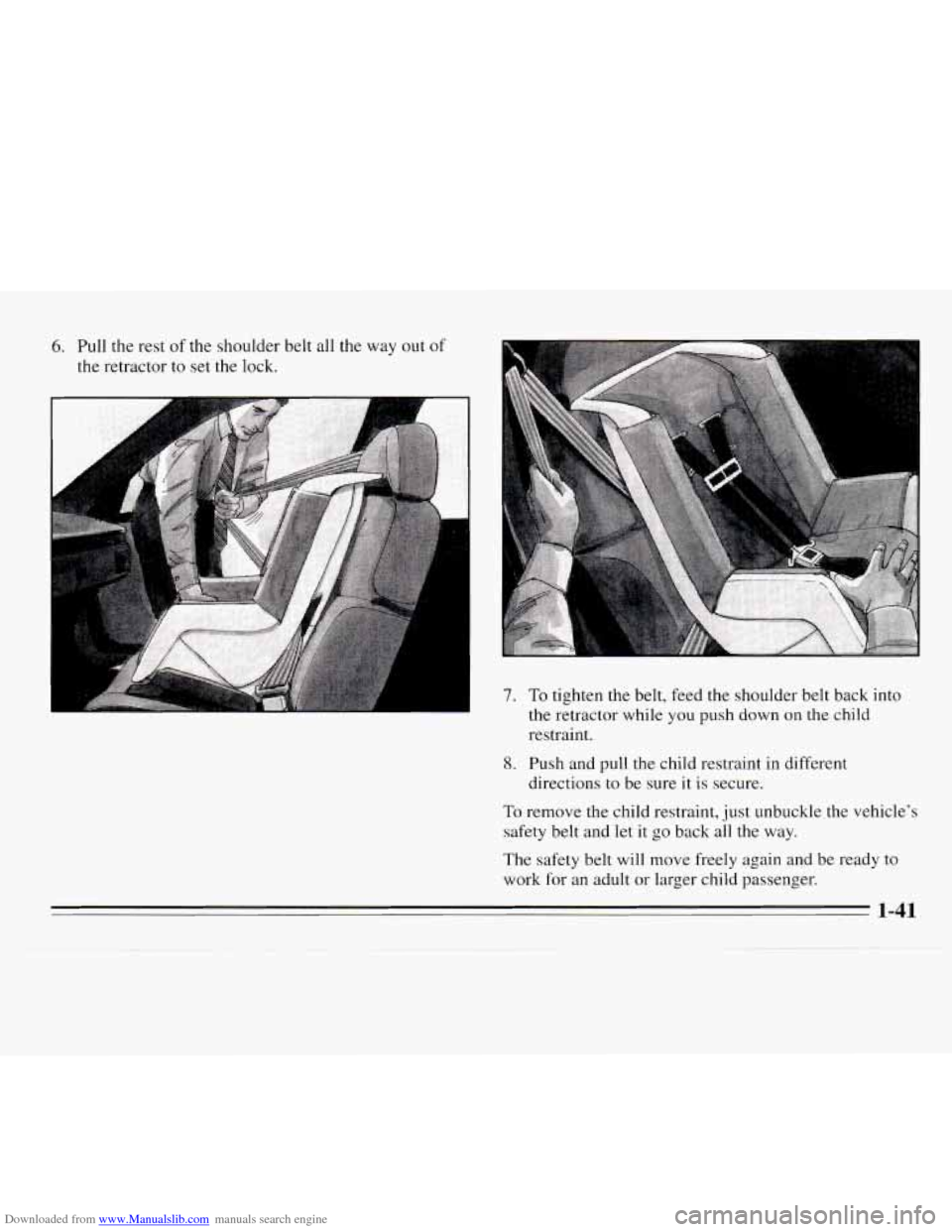
Downloaded from www.Manualslib.com manuals search engine 6. Pull the rest of the shoulder belt all the way out of
the retractor to set the lock.
-
7. To tighten the belt, feed the shoulder belt back into
the retractor while you push down on the child
restraint
.
8. Push and pull the child restraint in different
directions
to be sure it is secure.
To remove the child restraint, just unbuckle the vehicle’s
safety belt and let
it go back all the way.
The safety belt will move freely again and be ready to
work for an adult or larger child passenger.
1-41
Page 58 of 324

Downloaded from www.Manualslib.com manuals search engine The ignition keys are
for the ignition only.
The door keys are for the
doors and all other locks.
When a new Chevrolet is delivered, the dealer removes
the plugs from the door keys and gives them to the first
owner. The
ignition keys don’t have plugs. Your Chevrolet
dealer
or Roadside Assistance has the code for your
keys.
Each plug has
a code on it that tells your dealer or a
qualified locksmith how to make extra door keys. Keep
the plugs in a safe place.
If you lose your door keys,
youlll be able to have new ones made easily using these
If you need a new ignition key, contact your Chevrolet
dealer who can obtain the correct key code, or, in an
emergency, call Chevrolet Roadside Assistance at
plugs.
1-800-CHEV USA
(1-800-243-8872).
NOTICE:
Your Chevrolet has a number of new features
that can help prevent theft. But you can have a
lot
of trouble getting into your vehicle if you ever
lock your keys inside. You may even have to
damage your vehicle to get
in. So be sure you
have.extra keys.
2-2
Page 59 of 324
Downloaded from www.Manualslib.com manuals search engine Door Locks There are several ways to lock and unlock your vehicle.
From the outside, use your
door key or Remote Lock
Control,
if your vehicle has
this option.
2-3
Page 60 of 324
Downloaded from www.Manualslib.com manuals search engine From the inside, push the lever to lock the door. To
unlock, pull the lever.
Power Door Locks
Press the power door lock switch to lock or unlock all
doors.
Leaving Your Vehicle
If you are leaving the vehicle, take your keys, open your
door and set the locks from inside. Then get out and
close the door.
Remote Lock Control (Option)
If your Chevrolet has this option, you can lock and
unlock your doors or unlock your trunk from up to
30 feet (9 m) away using the key chain transmitter
supplied with your vehicle.
Your Remote Lock Control operates on a radio
frequency subject to Federal Communications
Commission (FCC) Rules.
This device complies with Part 15 of the FCC Rules.
Operation is subject to the following two conditions:
(1) This device may not cause harmful interference, and
(2) This device must accept any interference received,
including interference that may cause undesired operation.
2-4
Page 61 of 324
Downloaded from www.Manualslib.com manuals search engine Should interference to this system occur, try this:
0 Check to determine if battery replacement is necessary.
See the instructions on battery replacement.
0 Check the distance. You may be too far from your
vehicle. This product has a maximum range.
Check the location. Other vehicles or objects may be
See your Chevrolet dealer or a qualified technician
blocking
the signal.
for service.
Changes or modifications to this system
by other than an
authorized service facility could void authorization to
use this equipment.
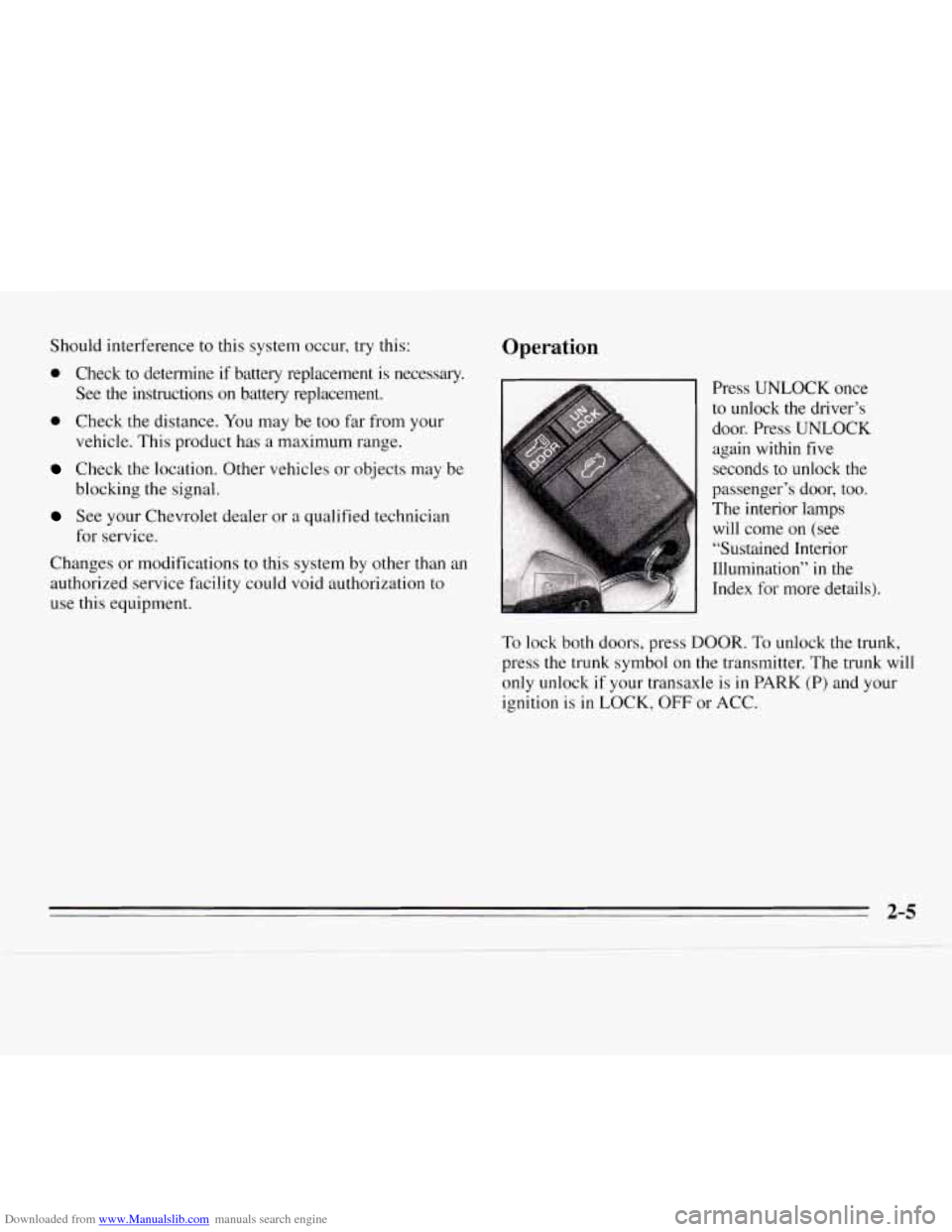
Operation
Press UNLOCK once
to unlock the driver’s
door. Press UNLOCK
again within five
seconds to unlock the
passenger’s door, too.
The interior lamps will come on (see
“Sustained Interior
Illumination’’ in the
Index
for more details).
To lock both doors, press DOOR. To unlock the trunk,
press the trunk symbol
on the transmitter. The trunk will
only unlock
if your transaxle is in PARK (P) and your
ignition is in LOCK,
OFF or ACC.
2-5