Page 76 of 388
Downloaded from www.Manualslib.com manuals search engine THIRD (D): This is like @, but you never go into
Overdrive.
Here are some times you might choose
D instead of 0:
- When driving on hilly, winding roads
- When towing a trailer, so there is less shifting
between gears
- When going down a steep hill
SECOND
(2): This position gives you more power but
lower fuel economy. You can use
SECOND (2) on hills.
It can help control your speed as you go down steep
mountain roads, but then you would also want to use
your brakes
off and on.
NOTICE:
Don’t drive in SECOND (2) for more than
5 miles (8 km), or at speeds over 55 mph
~ (88 km/h), or you can damage your transmission.
Use
@ or DRIVE (D) as much as possible.
Don’t shift into SECOND
(2) unless you are going
slower than
65 mph (105 kd), or you can
damage your engine.
FIRST (1): This position gives you even more power
(but lower fuel economy) than
SECOND (2). You can
use it on very steep hills, or in deep snow or mud.
If the
selector lever is put in
FIRST (1) the transmission won’t
shift into first gear until the vehicle is going slowly
enough.
I NOTICE:
If your rear wheels can’t rotate, don’t try to
drive. This might happen if you were stuck in
very deep sand or mud
or were up against a solid
object.
You could damage your transmission.
Also, if you stop when going uphill, don’t hold
your vehicle there with only the accelerator
pedal. This could overheat and damage the
transmission. Use your brakes or shift into
PARK (P) to hold your vehicle in position on
a hill.
Maximum engine speed is limited to protect driveline
components from improper operation.
2-24
Page 82 of 388
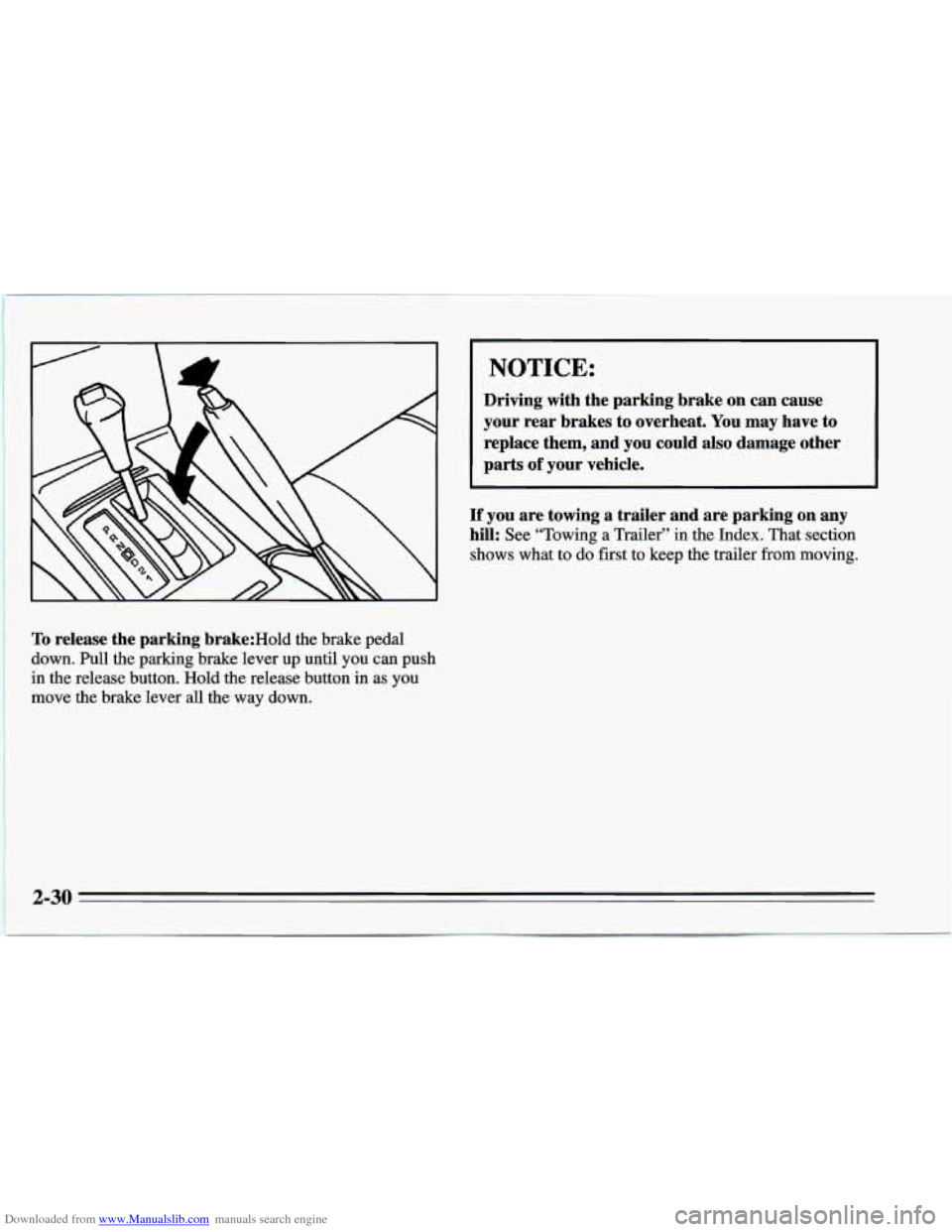
Downloaded from www.Manualslib.com manuals search engine To release the parking brake:Hold the brake pedal
down. Pull the parking brake lever
up until you can push
in the release button. Hold the release button in as you
move the brake lever
all the way down.
I NOTICE:
Driving with the parking brake on can cause
your rear brakes to overheat. You
may have to
replace them, and you could also damage other
parts
of your vehicle.
If you are towing a trailer and are parking on any
hill: See “Towing a Trailer”
in the Index. That section
shows what to do first to keep the trailer from moving.
Page 83 of 388
Downloaded from www.Manualslib.com manuals search engine Shifting Into PARK (P)
(Automatic Transmission Models only)
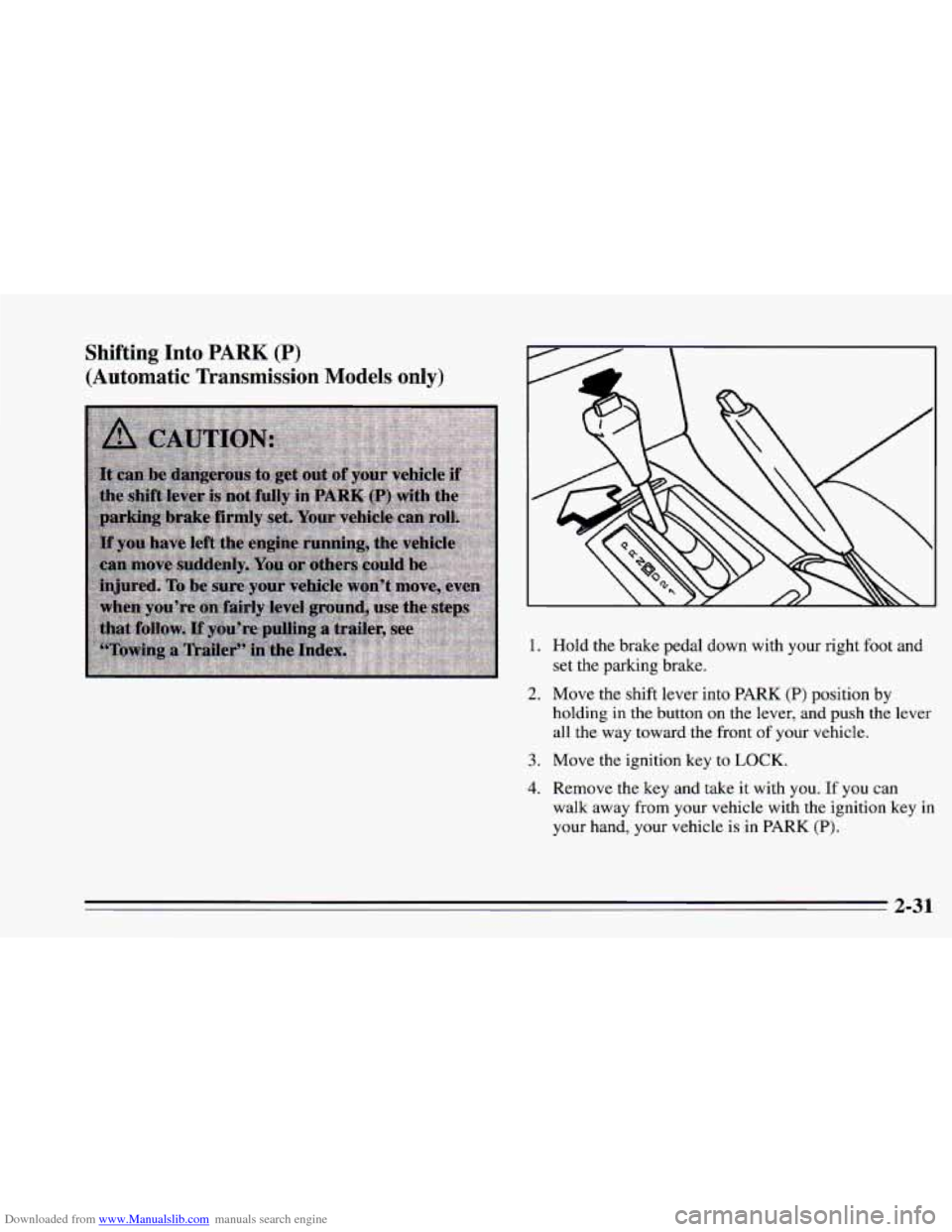
1. Hold the brake pedal down with your right foot and
set the parking brake.
2. Move the shift lever into PARK (P) position by
holding in the button on the lever, and push the lever
all the way toward the front
of your vehicle.
3. Move the ignition key to LOCK.
4. Remove the key and take it with you. If you can
walk away
from your vehicle with the ignition key in
your hand, your vehicle is in PARK (P).
2-31
Page 85 of 388
Downloaded from www.Manualslib.com manuals search engine Shifting Out of PARK (P)
(Automatic Transmission)
Your Chevrolet has a brake-transmission shift interlock.
You have to fully apply your regular brake before
you
can shift from PARK (P) when the ignition is in the
RUN position.
See “Automatic Transmission” in the
Index.
If you
canil6t shift out of PARK (P), ease pressure on
the shift lever
-- push the shift lever all the way into
PARK (P) and release the shift lever button as you
maintain brake application. Then press the shift lever
button and move the shift lever into the gear you wish.
If you ever hold the brake pedal down but still can’t
shift out of PARK
(P), try this:
1. Turn the key to OFF.
2. Apply and hold the brake.
3. Shift to NEUTRAL (N).
4. Start the vehicle and then shift to the drive gear YOU
want.
5. Have the vehicle fixed as soon as you can.
Parking Your Vehicle
(Manual Transmission)
Before you get out of your vehicle, put your manual
transmission in REVERSE (R) and firmly apply the
parking brake.
If your vehicle is equipped to tow a trailer, see “Towing
a Trailer” in the Index.
2-33
Page 87 of 388
Downloaded from www.Manualslib.com manuals search engine Running Your Engine While You’re
Parked (Automatic Transmission)
It’s better not to park with the engine running. But if you
ever have to, here are
some things to know.
Follow the proper steps to be sure your vehicle won’t
move, See “Shifting Into PARK (P)” in the Index.
If
you are parking on a hill and if you’re pulling a
trailer,
also see “Towing a Trailer” in the Index.
2-35
Page 91 of 388
Downloaded from www.Manualslib.com manuals search engine A green arrow on the
instrument panel will flash
in the direction of the turn
or lane change.
To signal a lane change, just raise or lower the lever
until the green arrow starts to flash. Hold it there until
you complete your lane change. The lever will return by
itself when you release it.
As you signal a turn or a lane change, if the arrows don’t
flash but just stay
on, a signal bulb may be burned out
and other drivers won’t see your turn signal.
If a bulb is burned out, replace it to help avoid an
accident.
If the green arrows don’t go on at all when you
signal a turn, check the fuse (see “Fuses” in the Index).
Headlamp High-Low Beam
To change the headlamps
from low beam to high or
high to low, pull the turn
signal lever all the way
toward
you. Then release it.
When the high beams are
on, this blue light on the
instrument panel also will
be
on.
2-39
Page 105 of 388
Downloaded from www.Manualslib.com manuals search engine
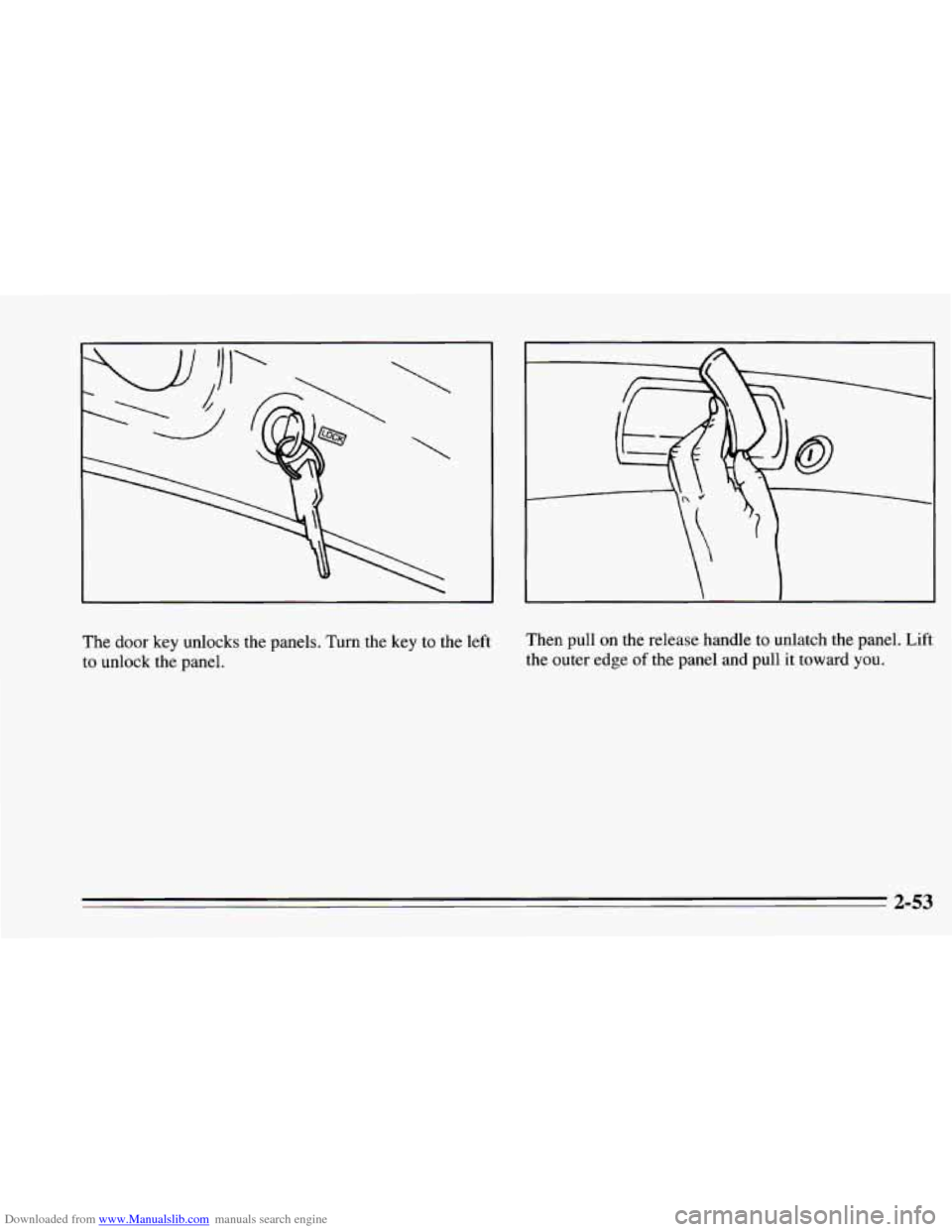
The door key unlocks the panels. Turn the key to the left Then
pull on the release handle to unlatch the panel. Lift
to unlock the panel. the
outer edge
of the panel and pull it towad you.
2-53
Page 112 of 388
Downloaded from www.Manualslib.com manuals search engine Close-Out Pane1
The close-out panel can be closed for hidden storage in
the rear area of your vehicle.
To remove the close-out panel:
Close the panel. If the close-out panel is not closed
and resting on the trim panel, it cannot be removed.
Pull the panel toward you to unsnap it. Then slide the
close-out panel along the groove
in the trim panel.
Reverse the steps to install
the panel.
2-60