1995 CHEVROLET CAMARO check engine light
[x] Cancel search: check engine lightPage 126 of 388
Downloaded from www.Manualslib.com manuals search engine Malfunction Indicator Lamp (Service Engine Soon Light)
SERVICE
ENGINE SOON
A computer monitors operation of your fuel, ignition
and emission control systems. This amber indicator light
should come
on when the ignition is on, but the engine
is
not running, as a check to show you it is working. If it
does not come on at all, have it fixed right away. If
it
stays on, or it comes on while you are driving, the
computer is indicating that you have a problem. You
should take your vehicle in for service soon.
NOTICE:
If you keep driving your vehicle with this light
on, after a while the emission controls won’t
work as well, your fuel economy won’t be as good
and your engine may not run
as smoothly. This
could lead to costly repairs not covered by your
warranty.
OBD I1 3800 L36 Engine (Code K)
Certain vehicles are equipped with a new emission
diagnostic system. You can tell whether your vehicle has
this system by reading your tune-up label Iocated under
the hood. If the label says OBD I1 on it, the following
instructions apply.
Your Chevrolet is equipped with an onboard computer
which monitors operation
of the emission control
system. This system is called
OBD I1 (On-Board
Diagnostics-Second Generation) and is intended
to
assure that emissions are at acceptable levels for the life
of the vehicle, helping to produce a cleaner
environment. The SERVICE ENGINE
SOON light
comes on to indicate when service is required.
Malfunctions often will be indicated by the system
2-74
Page 127 of 388
Downloaded from www.Manualslib.com manuals search engine before any problem is apparent, which may prevent
more serious damage to your vehicle. This system is
also designed to assist your service technician in
correctly diagnosing any malfunction.
The SERVICE ENGINE
SOON light should come on,
as a check to show you it is working, when the ignition
is on and the engine is not running. This light will also
come on during a malfunction in one of two ways:
Light on steady - indicates a system malfunction has
been detected. Drive the vehicle to the dealer for
service at your first opportunity.
0 Light flashing - indicates a misfire has been detected
which may damage the emission control system. The
damage may be reduced by lowering the vehicle
speed, reducing the amount of cargo being hauled or
trailered, avoiding hard acceleration, or
by avoiding
steep uphill grades. If these actions are effective, the
light will stop flashing and remain on steady. Drive
the vehicle to a dealer for service. If the light
continues to flash, stop the vehicle. Wait for
a steady
light to come on,
then drive the vehicle to a dealer
for service. These
following conditions also may cause the
SERVICE ENGINE SOON light to come on:
Low Fuel/Out of Fuel
- As the vehicle starts to run out
of fuel the SERVICE ENGINE SOON light may come
on as a result of an engine misfire. Filling your gasoline
tank should correct this condition. Make sure to install
the gas cap fully. It will require a few driving trips to
turn the light off.
Poor Quality Fuel
- Be sure to fuel your vehicle with
quality fuel. Your engine may not run efficiently on poor
fuel.
Poor fuel may cause stalling, hesitation or misfire.
These conditions may go away when the engine is
warmed-up. However, poor quality fuel may cause the
SERVICE ENGINE SOON light to come on.
Have a dealer check the vehicle. If
no problems are
found, you may want to change to another brand of fuel.
Driving Through Standing Water
- Driving your vehicle
through puddles
of deep standing water may result in a
temporary misfire condition. This condition will usually
correct itself shortly after the electrical system dries out.
It will require a few driving trips to turn the light off.
2-75
Page 129 of 388
Downloaded from www.Manualslib.com manuals search engine Low Oil Light
I
Damage to your engine from neglected oil
problems can be costly and
is not covered by your
warranty.
This red warning light
should come on while
you are starting your
engine. If the light
1 NOTICE:
If the light stays on after starting your engine, your
engine oil level may be too
low. You may need to add
oil. See “Engine
Oil” in the Index.
NOTICE:
The oil level monitoring system only checks the
oil level when you are starting your engine.
It
does not keep monitoring the level once the
engine
is running. Also, the oil level check only
works when the engine has been turned off long
enough for the oil to drain back into the oil pan.
2-77
Page 130 of 388
Downloaded from www.Manualslib.com manuals search engine Voltmeter
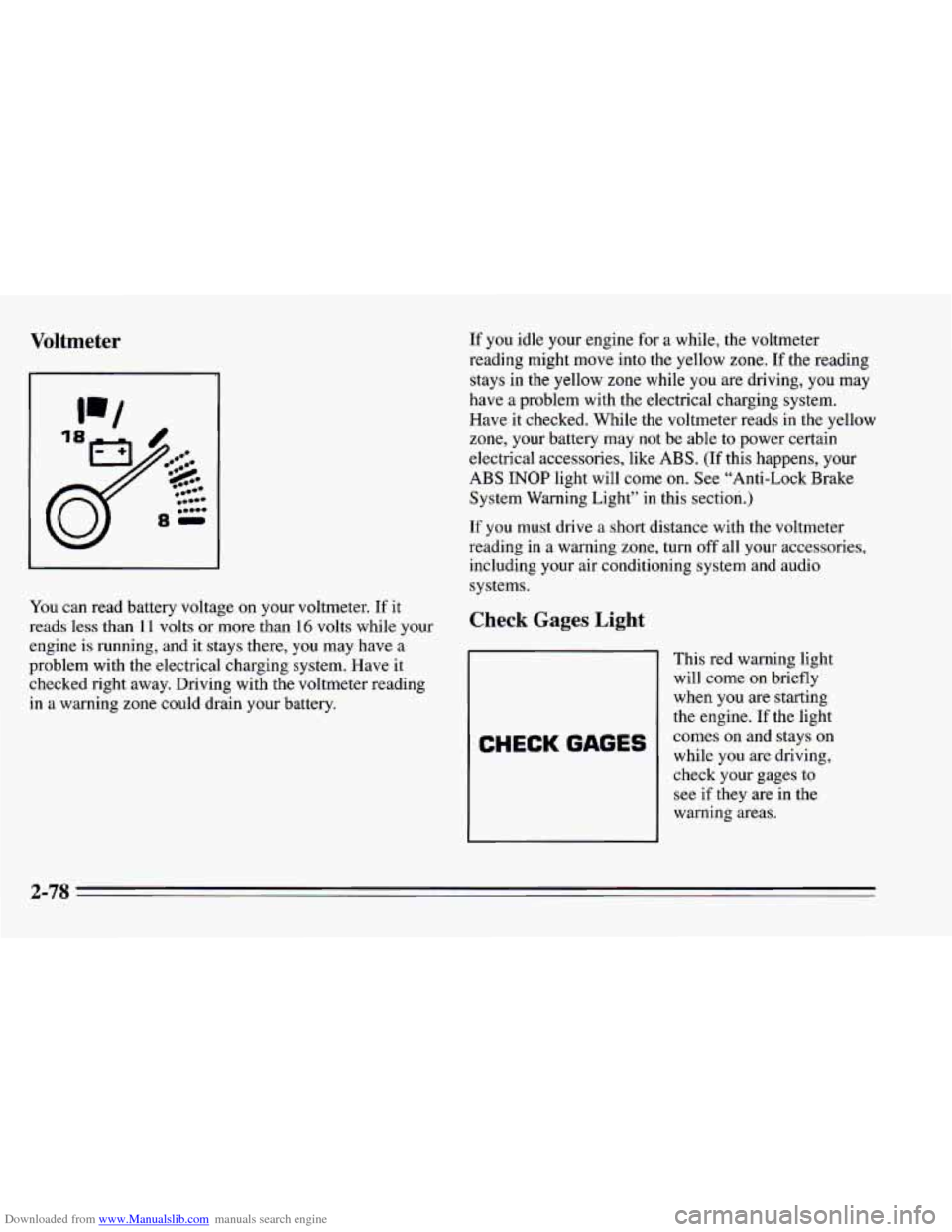
You can read battery voltage on your voltmeter. If it
reads less than
11 volts or more than 16 volts while your
engine is running, and
it stays there, you may have a
problem with the electrical charging system. Have it
checked right away. Driving with the voltmeter reading
in a warning zone could drain your battery.
If you idle your engine for a while, the voltmeter
reading might move into the yellow zone.
If the reading
stays in the yellow zone while you are driving, you may
have a problem with the electrical charging system.
Have it checked. While the voltmeter reads in the yellow
zone, your battery may
not be able to power certain
electrical accessories, like ABS.
(If this happens, your
ABS INOP light will come on. See “Anti-Lock Brake
System Warning Light” in this section.)
If you must drive a short distance with the voltmeter
reading in a warning zone, turn
off all your accessories,
including your air conditioning system and audio
systems.
Check Gages Light
CHECK GAGES
This red warning light
will come
on briefly
when you are starting
the engine.
If the light
comes on and stays on
while you are driving,
check your gages to
see if they are in the
warning areas.
2-78
Page 155 of 388
Downloaded from www.Manualslib.com manuals search engine NOTICE:
Before you add any sound equipment to your
vehicle
-- like a tape player, CB radio, mobile
telephone
or two-way radio -- be sure you can
add what you want.
If you can, it’s very
important to
do it properly. Added sound
equipment may interfere with the operation of
your car’s engine, Delco@radio or other systems,
and even damage them. And, your vehicle’s
systems may interfere with the operation
of
sound equipment that has been added
improperly.
So, before adding sound equipment, check with
your dealer and be sure
to check Federal rules
covering mobile radio and telephone units.
Care of Your Cassette Tape Player
A tape player that is not cleaned regularly can cause
reduced sound quality, ruined cassettes, or a damaged
mechanism. Cassette tapes should be stored in their
cases away from contaminants, direct sunlight, and
extreme heat. If they aren’t, they may not operate
properly or cause failure of the tape player.
Your tape player should be cleaned regularly each
month or after every
50 hours of use. If you notice a
reduction
in sound quality, try a known good cassette to
see if the tape
or the tape player is at fault. If this other
cassette has no improvement in sound quality, clean the
tape player.
3-17
Page 156 of 388
Downloaded from www.Manualslib.com manuals search engine Cleaning may be done with a scrubbing action,
non-abrasive cleaning cassette with pads which scrub
the tape head
as the hubs of the cleaner cassette turn. It
' is normal for the cartridge to eject while cleaning. Insert
I the cassette at least 3 times to ensure thorough cleaning.
A scrubbing action cleaning cassette is available through
your Chevrolet dealership.
You may also chc #e a non-scrubbing action, wet-type
cleaner which
uses a cassette with a fabric belt to clean
the tape head. This type
of cleaning cassette will not
eject. It may not clean as thoroughly
as the scrubbing
type cleaner.
Cassettes are subject to wear and the sound quality may
degrade over time. Always make sure that the cassette
tape is
in good condition before you have your tape
player serviced.
Care of Your Compact Discs
Handle discs carefully. Store them in their original cases
or other protective cases and away from direct sunlight
and dust. If the surface
of a disc is soiled, dampen a
clean, soft cloth in a mild, neutral detergent solution and
clean it, wiping from the center to the edge.
Be sure never
to touch the signal surface when handling
discs. Pick
up discs by grasping the outer edges or the
edge
of the hole and the outer edge.
Fixed Mast Antenna
The fixed mast antenna can withstand most car washes
without being damaged. If the mast should ever become
slightly bent,
you can straighten it out by hand. If the
mast is badly bent, as it might be by vandals,
you should
replace it.
Check every once in a while
to be sure the mast is still
tightened
to the rear quarter panel.
Page 170 of 388
Downloaded from www.Manualslib.com manuals search engine Do not get too close to the vehicle you want to pass
while you’re awaiting
an opportunity. For one thing,
following
too closely reduces your area of vision,
especially if you’re following a larger vehicle. Also,
you won’t have adequate space if the vehicle ahead
suddenly slows or stops. Keep back a reasonable
distance.
0 When it looks like a chance to pass is coming up,
start to accelerate but stay in the right lane and don’t
get too close. Time your move
so you will be
increasing speed as the time comes to move into the
other lane.
If the way is clear to pass, you will have a
“running start’’ that more than makes up for the
distance you would lose by dropping back. And if
something happens to cause you
to cancel your pass,
you need only slow down and drop back again and
wait for another opportunity.
0 If other cars are lined up to pass a slow vehicle, wait
your turn. But take care that someone isn’t trying to
pass you as you pull out
to pass the slow vehicle.
Remember
to glance over your shoulder and check
the blind spot.
Check your mirrors, glance over your shoulder, and
start your left lane change signal before moving out
of the right lane
to pass. When you are far enough
ahead of the passed vehicle to see its front in your
inside mirror, activate your right lane change signal
and move back into the right lane. (Remember that
your right outside mirror is convex. The vehicle you
just passed may seem to be farther away from
you
than it really is.)
0 Try not to pass more than one vehicle at a time on
two-lane roads. Reconsider before passing the next
vehicle.
0 Don’t overtake a slowly moving vehicle too rapidly.
Even though the brake lights are
not flashing, it may
be slowing down or starting to turn.
following driver to get ahead of
you. Perhaps you
can ease a little to the right.
0 If you’re being passed, make it easy for the
Page 173 of 388
Downloaded from www.Manualslib.com manuals search engine Night Vision
No one can see as well at night as in the daytime. But as
we get older these differences increase.
A 50-year-old
driver may require at least twice as much light to see the
same thing at night
as a 20-year-old.
What
you do in the daytime can also affect your night
vision. For example, if
you spend the day in bright
sunshine
you are wise to wear sunglasses. Your eyes will
have less trouble adjusting
to night. But if you’re
driving, don’t wear sunglasses at night. They may cut
down
on glare from headlamps, but they also make a lot
of things invisible.
You can be temporarily blinded by approaching lights. It
can take a second or two, or even several seconds, for
your eyes to readjust to the dark. When
you are faced
with severe glare
(as from a driver who doesn’t lower
the high beams, or a vehicle with misaimed headlamps),
slow down a little. Avoid staring directly into the
approaching lights. Keep
your windshield and all the glass
on your vehicle
clean
-- inside and out. Glare at night is made much
worse by dirt
on the glass. Even the inside of the glass
can build up a film caused by dust. Dirty glass makes
lights dazzle and flash more than clean glass would,
making the pupils
of your eyes contract repeatedly.
Remember that your headlamps light up far less of a
roadway when
you are in a turn or curve. Keep your
eyes moving; that way, it’s easier to pick out dimly
lighted objects. Just as your headlamps should be
checked regularly for proper aim,
so should your eyes
be examined regularly. Some drivers suffer from night
blindness
-- the inability to see in dim light -- and
aren’t even aware
of it.
4-17