1995 BUICK REGAL lock
[x] Cancel search: lockPage 101 of 340
Accessory Outlet
If your vehicle has a center console, you have a 12-volt
outlet. It
is on the passenger side, near the floor. Open
the cover to use the outlet.
NOTICE:
Adding some electrical equipment to your vehicle
can damage
it or keep other things from working
as they should. This wouldn’t be covered by your
warranty. Check with your dealer before adding
electrical equipment and never use anything
requiring more than
20 amps.
Sun Visors
To block out glare, you can swing down the visors. You
can also move them from side to side. The visors have
extenders that you
can pull out.
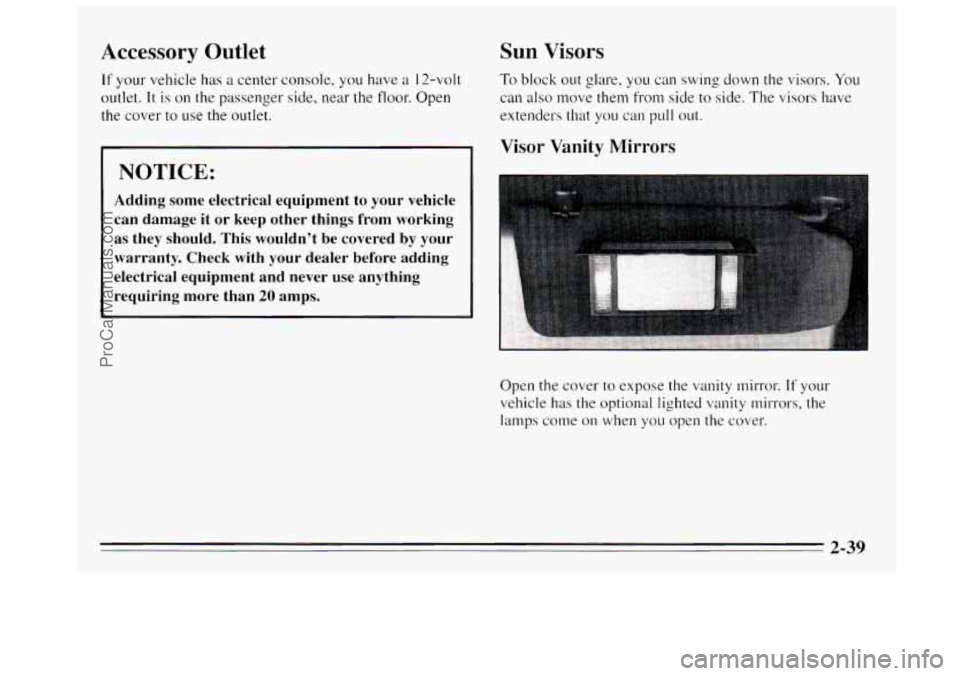
Visor Vanity Mirrors
Open the cover to expose the vanity mirror. If your
vehicle has the optional lighted
vanity mirrors, the
lamps come on when you open the cover.
2-39
ProCarManuals.com
Page 109 of 340
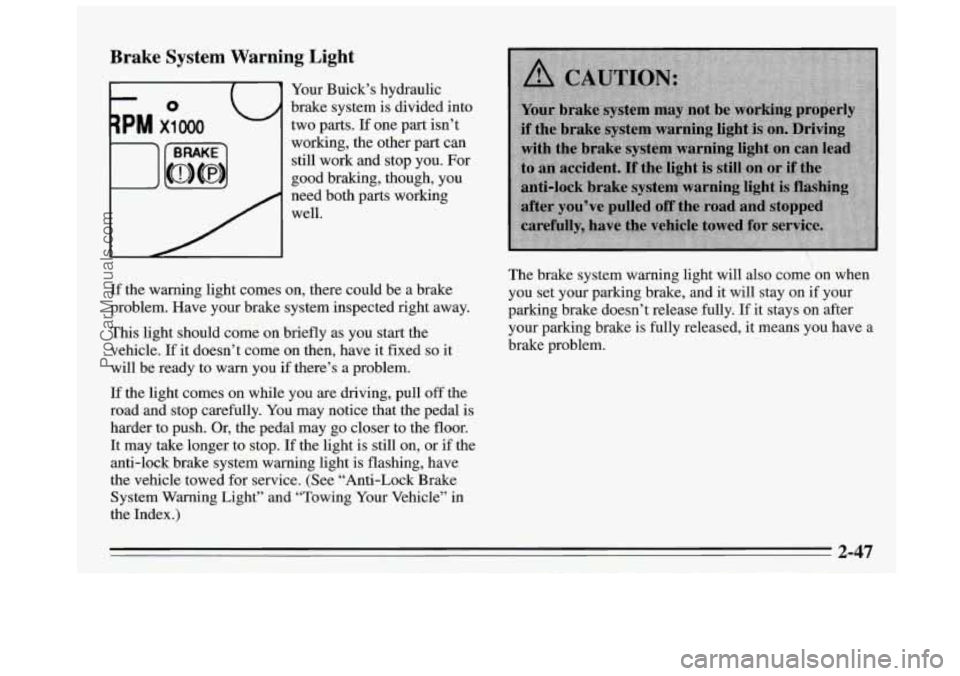
Brake System Warning Light
Your Buick’s hydraulic
brake system is divided into
two parts.
If one part isn’t
working, the other part can
still work and stop you. For
good braking, though, you
need both parts working
well.
If the warning light comes on, there could be a brake
problem. Have your brake system inspected right away.
This light should come on briefly as you start the
vehicle.
If it doesn’t come on then, have it fixed so it
will be ready to warn you if there’s a problem.
If the light comes on while you are driving, pull
off the
road and stop carefully. You may notice that the pedal is
harder to push. Or, the pedal may go closer to the floor.
It may take longer to stop. If the light is still on, or if the
anti-lock brake system warning light is flashing, have
the vehicle towed for service. (See “Anti-Lock Brake
System Warning Light” and “Towing Your Vehicle” in
the Index.
)
The brake system warning light will also come on when
you set your parking brake, and it
will stay on if your
parking brake doesn’t release fully.
If it stays on after
your parking brake is fully released, it means you have
a
brake problem.
2-47
ProCarManuals.com
Page 110 of 340
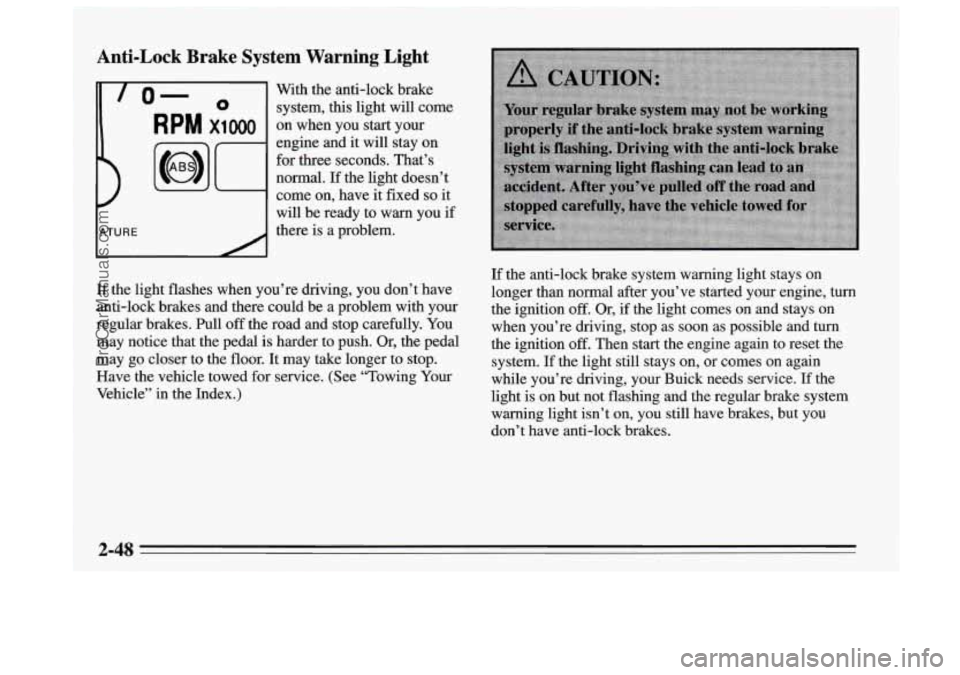
Anti-Lock Brake System Warning Light
-
lo- 0 system, this light will come
With
the anti-lock brake
RPM x1000 on when you start your
engine and it will stay on
for three seconds. That’s
normal. If the light doesn’t
come on, have it fixed
so it
will be ready to warn you
if
there is a problem.
If the light flashes when you’re driving, you don’t have
anti-lock brakes and there could be a problem with your
regular brakes.
Pull off the road and stop carefully. You
may notice that the pedal is harder to push.
Or, the pedal
may go closer to the floor. It may take longer to stop.
Have the vehicle towed for service. (See “Towing Your
Vehicle’’ in the Index.)
If the anti-lock brake system warning light stays on
longer than normal after you’ve started your engine,
turn
the ignition off. Or, if the light comes on and stays on
when you’re driving, stop as soon as possible and
turn
the ignition off. Then start the engine again to reset the
system.
If the light still stays on, or comes on again
while you’re driving, your Buick needs service. If the
light
is on but not flashing and the regular brake system
warning light isn’t
on, you still have brakes, but you
don’t have anti-lock brakes.
2-48
ProCarManuals.com
Page 111 of 340

Anti-Lock Brake System Active Light
When your anti-lock system
is adjusting brake pressure
to help avoid a braking skid,
the
LOW TRAC light will
Engine Loolant Temperature Light
This light tells you that
your engine coolant has
overheated or your radiator
CYL hhh cooling fan is not working.
Slippery road conditions will exist
if this light comes on,
so adjust your driving accordingly. The light will stay on
for
a few seconds after the system stops adjusting brake
pressure.
The
LOW TRAC light also comes on briefly, as a bulb
check, when the engine is started. If the light doesn’t
come on then, have it fixed
so it will be there to tell you
when the system is active. If
you have been
operating your vehicle under normal
driving conditions, you should pull off the road, stop
your vehicle and turn off the engine as soon as possible.
Hot Coolant Can Burn You Badly!
In “Problems on the Road,” this manual shows what to
do. See “Engine Overheating” in the Index.
2-49
ProCarManuals.com
Page 121 of 340
Flow-Through Ventilation System
Your vehicle’s flow-through ventilation system supplies
outside air into the vehicle when it is moving. Outside
air will also enter the vehicle when the air conditioning
fan is running.
Ventilation Tips
e
e
e
Keep the hood and front air inlet free of ice, snow or
any other obstruction, such as leaves. The heater and
defroster will work far better, reducing the chance of
fogging the inside of your windows.
When you enter a vehicle in cold weather, adjust the
mode
to HTR and the fan to the highest speed for a
few moments before driving off. This helps clear the
intake ducts of snow and moisture and reduces the
chance of fogging the inside
of your windows.
Keep the air path under the front seats clear
of
objects. This helps air to circulate throughout your
vehicle.
Audio Systems
Your Delco@ audio system has been designed to operate
easily and give years
of listening pleasure. You will get
the most enjoyment out of it
if you ac uaint yourself
with it first. Find out what your Delco system can do
and how
to operate all its controls, to be sure you’re
getting the most out of the advanced engineering that
went into it.
gs
Setting the Clock
1. Press and hold HRS until the correct hour appears.
2. Press and hold MIN until the correct minute appears.
ProCarManuals.com
Page 122 of 340
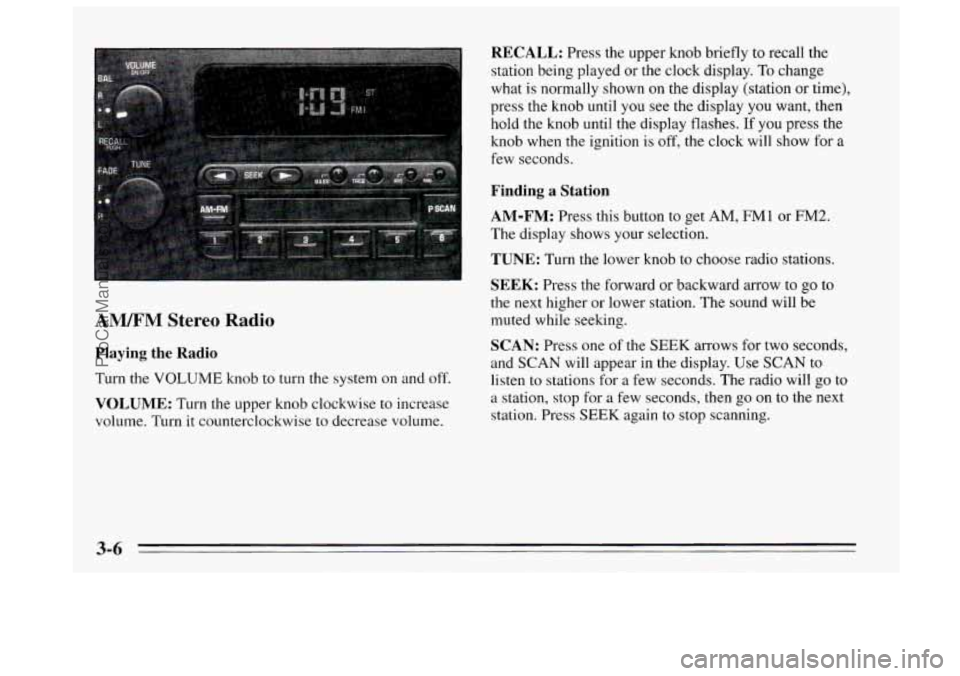
AM/FM Stereo Radio
Playing the Radio
Turn the VOLUME knob to turn the system on and off.
VOLUME: Turn the upper knob clockwise to increase
volume. Turn it counterclockwise to decrease volume.
RECALL: Press the upper knob briefly to recall the
station being played or the clock display.
To change
what is normally shown
on the display (station or time),
press the knob until you see the display
you want, then
hold the knob until the display flashes. If you press the
knob when
the ignition is off, the clock will show for a
few seconds.
Finding a Station
AM-FM:
Press this button to get AM, FMI or FM2.
The display
shows your selection.
TUNE: Turn the lower knob to choose radio stations.
SEEK: Press the forward or backward arrow to go to
the
next higher or lower station. The sound will be
muted while seeking.
SCAN: Press one of the SEEK arrows for two seconds,
and SCAN will appear in the display. Use SCAN to listen to stations for
a few seconds. The radio will go to
a station, stop for a few seconds, then
go on to the next
station. Press SEEK again to stop scanning.
3-6
ProCarManuals.com
Page 125 of 340
44 (3): Press this button to reverse the tape rapidly.
Press it again to return to playing speed. The radio will
play while the tape reverses.
bb (4): Press this button to advance quickly to another
part of the tape. Press the button again to return
to playing
speed. The radio will play while the tape advances.
SIDE (5): Press this button to change the side of the
tape that is playing.
on (6): Press this button to reduce background noise.
The display will show either
OFF or ON for a few
seconds when you press the butt.on.
Dolby@
B Noise Reduction manufactured under license
from Dolby Laboratories Licensing Corporation.
“Dolby” and the
on@ symbol are trademarks of Dolby
Laboratories Licensing Corporation.
EJECT: Press this button to remove the tape. The radio
will play.
Cln: This message may appear on the display. If it does,
your cassette tape player needs to be cleaned. It will still
play tapes, but you should clean
it as soon as possible to
prevent damage
to your tapes and player. See “Care of
Your Cassette Tape Player” in the Index. After you clean
the player, press and hold EJECT for five seconds to
reset the Cln indicator.
“- - -” will appear in the display
to show the indicator was reset.
AM/FM Stereo Radios with Automatic Tone
Control
If your Buick has a radio with Automatic Tone Control,
the instructions below will explain how to use the radio.
To find out if your radio has Automatic Tone Control,
look for a
TONE button. If the system has one, you have
Automatic Tone Control. If not, see the systems
explained earlier
in this section.
Playing the Radio
Press the VOLUME knob to turn the system on and off.
VOLUME: Turn this knob clockwise to increase
volume. Turn
it counterclockwise to decrease volume.
RECALL: Press this button briefly to recall the station
being played or the clock display. To change what is
normally shown on the display (station or time), press
the button until you see the display
you want, then hold
the button
until the display flashes. If you press the
button when the ignition
is off, the clock will show for a
few seconds.
Finding a Station
AM-FM:
Press this button to get AM, FMl or FM2.
The display shows your selection.
3-9
ProCarManuals.com
Page 131 of 340
AUTO PRESET Press it and the system will set the 12
strongest
FM or the 6 strongest AM stations on your
preset buttons. To return to
the stations you manually
set, press the AUTO PRESET button again. (This button
performs
the same function as AUTO SET described
above.)
EJECT The system has two EJECT buttons. Press the
button near the CD slot to remove a disc. Press the button
near the tape slot to remove a tape. The radio will play.
SOURCE: Press this knob to change to the tape or disc
function when the radio
is on. If both a tape and a disc are
installed, the system
will first go to tape play; TAPE will
appear on the display. If SOURCE is pressed again, the
system
will go to disc play; CD will appear on the display.
THEFTLOCK TM
Your system has this feature if it shows Theftlock on its
face. THEFTLOCK
is a theft-deterrent feature that can
be used or ignored.
If you ignore it, your system will
play normally.
If you use it, your system can’t be turned
on if it is stolen because it locks anytime battery power
is removed.
To unlock it, a code must be entered.
These instructions will tell you how to enter a code into
your system. They also
tell you how to unlock the
system with your code and how to shut off the
THEFTLOCK system.
Entering a Code
1. Write down any number from 000 to 1999. This is
your code.
2. Turn the ignition to ACC or RUN.
3. Turn the radio off.
4. Press the I and 4 preset buttons at the same time and
hold
until “- - - ” shows on the display.
You
now have only I5 seconds between each of the
following steps.
5. Press MIN and “000” will appear on the display.
6. Press MIN again and hold until the last two digits of
your code appear.
7. Press and hold HRS until the first digit or digits of
your code appear.
8. Press AM-FM after you make sure the code matches
the one you wrote down. “rEP” will appear on the
display, meaning you should repeat steps
5 through 7.
9. After you repeat the steps, press AM-FM. SEC
should appear on the display, meaning your system is
secured. If your ignition is off, THEFTLOCK will
flash
in the display.
Store
the paper with your code written on it in a safe place.
3-15
ProCarManuals.com