Page 121 of 340
Flow-Through Ventilation System
Your vehicle’s flow-through ventilation system supplies
outside air into the vehicle when it is moving. Outside
air will also enter the vehicle when the air conditioning
fan is running.
Ventilation Tips
e
e
e
Keep the hood and front air inlet free of ice, snow or
any other obstruction, such as leaves. The heater and
defroster will work far better, reducing the chance of
fogging the inside of your windows.
When you enter a vehicle in cold weather, adjust the
mode
to HTR and the fan to the highest speed for a
few moments before driving off. This helps clear the
intake ducts of snow and moisture and reduces the
chance of fogging the inside
of your windows.
Keep the air path under the front seats clear
of
objects. This helps air to circulate throughout your
vehicle.
Audio Systems
Your Delco@ audio system has been designed to operate
easily and give years
of listening pleasure. You will get
the most enjoyment out of it
if you ac uaint yourself
with it first. Find out what your Delco system can do
and how
to operate all its controls, to be sure you’re
getting the most out of the advanced engineering that
went into it.
gs
Setting the Clock
1. Press and hold HRS until the correct hour appears.
2. Press and hold MIN until the correct minute appears.
ProCarManuals.com
Page 122 of 340
AM/FM Stereo Radio
Playing the Radio
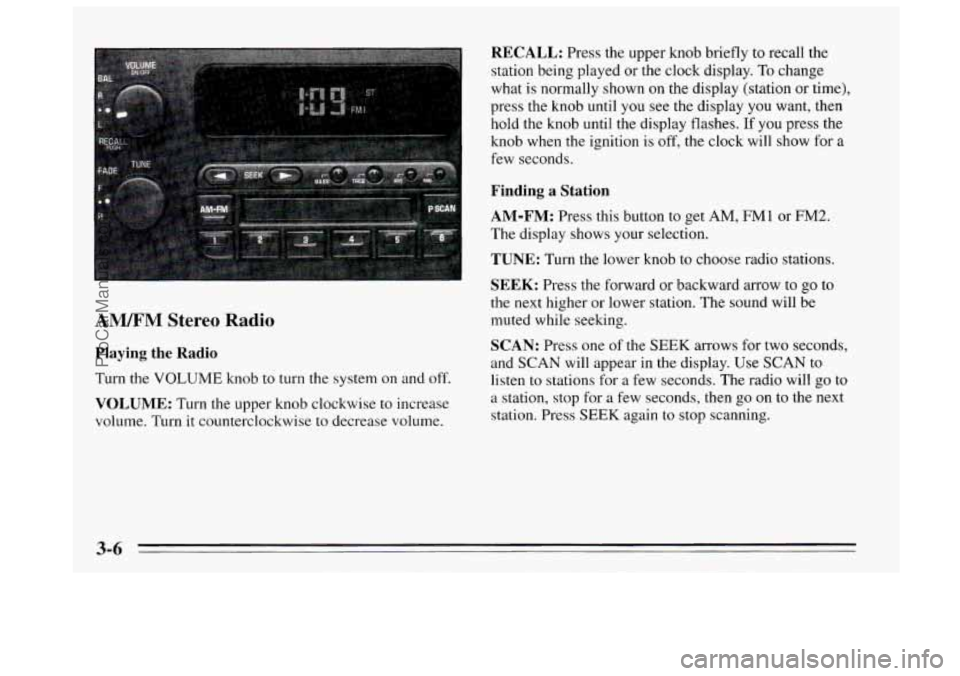
Turn the VOLUME knob to turn the system on and off.
VOLUME: Turn the upper knob clockwise to increase
volume. Turn it counterclockwise to decrease volume.
RECALL: Press the upper knob briefly to recall the
station being played or the clock display.
To change
what is normally shown
on the display (station or time),
press the knob until you see the display
you want, then
hold the knob until the display flashes. If you press the
knob when
the ignition is off, the clock will show for a
few seconds.
Finding a Station
AM-FM:
Press this button to get AM, FMI or FM2.
The display
shows your selection.
TUNE: Turn the lower knob to choose radio stations.
SEEK: Press the forward or backward arrow to go to
the
next higher or lower station. The sound will be
muted while seeking.
SCAN: Press one of the SEEK arrows for two seconds,
and SCAN will appear in the display. Use SCAN to listen to stations for
a few seconds. The radio will go to
a station, stop for a few seconds, then
go on to the next
station. Press SEEK again to stop scanning.
3-6
ProCarManuals.com
Page 125 of 340
44 (3): Press this button to reverse the tape rapidly.
Press it again to return to playing speed. The radio will
play while the tape reverses.
bb (4): Press this button to advance quickly to another
part of the tape. Press the button again to return
to playing
speed. The radio will play while the tape advances.
SIDE (5): Press this button to change the side of the
tape that is playing.
on (6): Press this button to reduce background noise.
The display will show either
OFF or ON for a few
seconds when you press the butt.on.
Dolby@
B Noise Reduction manufactured under license
from Dolby Laboratories Licensing Corporation.
“Dolby” and the
on@ symbol are trademarks of Dolby
Laboratories Licensing Corporation.
EJECT: Press this button to remove the tape. The radio
will play.
Cln: This message may appear on the display. If it does,
your cassette tape player needs to be cleaned. It will still
play tapes, but you should clean
it as soon as possible to
prevent damage
to your tapes and player. See “Care of
Your Cassette Tape Player” in the Index. After you clean
the player, press and hold EJECT for five seconds to
reset the Cln indicator.
“- - -” will appear in the display
to show the indicator was reset.
AM/FM Stereo Radios with Automatic Tone
Control
If your Buick has a radio with Automatic Tone Control,
the instructions below will explain how to use the radio.
To find out if your radio has Automatic Tone Control,
look for a
TONE button. If the system has one, you have
Automatic Tone Control. If not, see the systems
explained earlier
in this section.
Playing the Radio
Press the VOLUME knob to turn the system on and off.
VOLUME: Turn this knob clockwise to increase
volume. Turn
it counterclockwise to decrease volume.
RECALL: Press this button briefly to recall the station
being played or the clock display. To change what is
normally shown on the display (station or time), press
the button until you see the display
you want, then hold
the button
until the display flashes. If you press the
button when the ignition
is off, the clock will show for a
few seconds.
Finding a Station
AM-FM:
Press this button to get AM, FMl or FM2.
The display shows your selection.
3-9
ProCarManuals.com
Page 148 of 340
An emergency like this requires close attention and a
quick decision.
If you are holding the steering wheel at
the recommended
9 and 3 o’clock positions, you can
turn it
a full 180 degrees very quickly without removing
either hand. But you have
to act fast, steer quickly, and
just as quickly straighten the wheel once
you have
avoided the object.
The fact that such emergency situations are always
possible is a
good reason to practice defensive driving at
all times and wear safety belts properly.
Off-Road Recovery
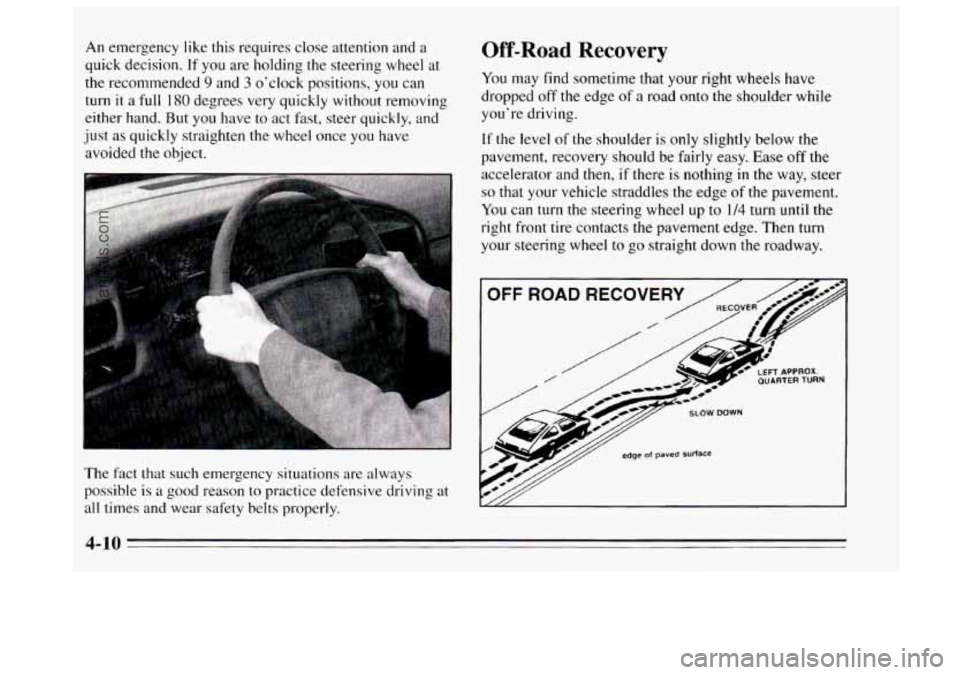
You may find sometime that your right wheels have
dropped
off the edge of a road onto the shoulder while
you’re driving.
If the level of the shoulder is only slightly below the
pavement, recovery should be fairly easy. Ease off the
accelerator and then, if there is nothing in the way, steer
so that your vehicle straddles the edge of the pavement.
You can turn the steering wheel up
to 114 turn until the
right front tire contacts the pavement edge. Then turn
your steering wheel to go straight down the roadway.
OFF ROAD RECOVERY
SLOW DOWN
edge of paved surface
4-10
ProCarManuals.com
Page 199 of 340
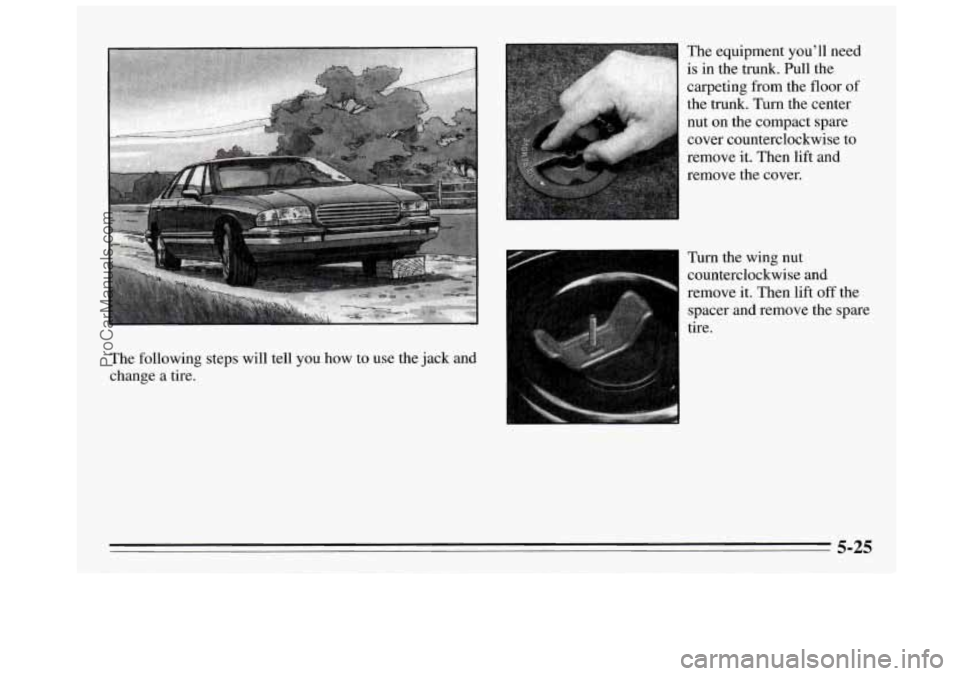
The following steps will tell you how to use the jack and
change a tire. The
equipment you’ll need
is in the trunk. Pull the
carpeting from the floor
of
the trunk. Turn the center
nut on the compact spare
cover counterclockwise to
remove it. Then lift and
remove the cover.
Turn the wing nut
counterclockwise and
remove it. Then lift
off the
spacer and remove the spare
tire.
5-25
ProCarManuals.com
Page 200 of 340
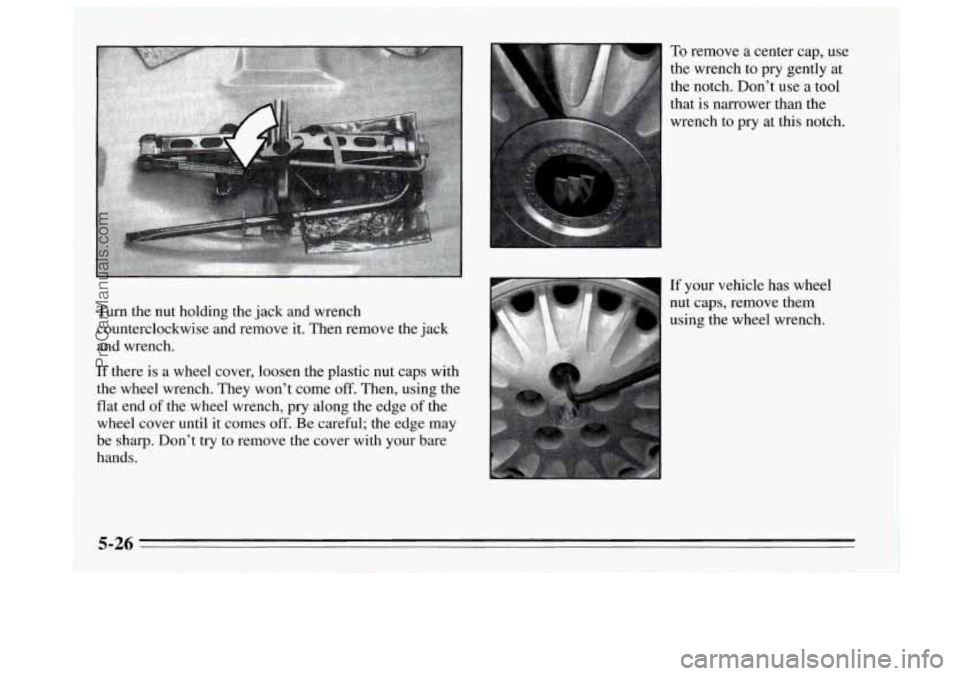
Turn the nut holding the jack and wrench
counterclockwise and remove it. Then remove the jack
and wrench.
If there is a wheel cover, loosen the plastic nut caps with
the wheel wrench. They won’t come off. Then, using the
flat end
of the wheel wrench, pry along the edge of the
wheel cover until it comes
off. Be careful; the edge may
be sharp. Don’t
try to remove the cover with your bare
hands.
To remove a center cap, use
the wrench to pry gently at
the notch. Don’t use a tool
that is narrower than the
wrench to pry at this notch.
If your vehicle has wheel
nut caps, remove them
using the wheel wrench.
5-26
ProCarManuals.com
Page 201 of 340
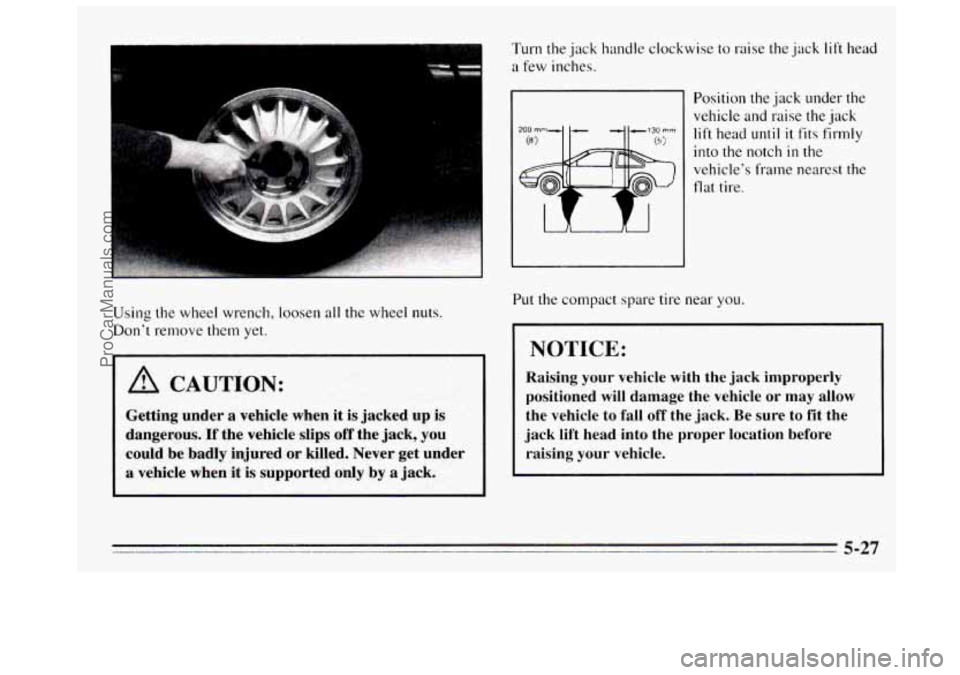
Using the wheel wrench, loosen all the wheel nuts.
Don’t remove
them yet.
A CAUTION:
Getting under a vehicle when it is jacked up is
dangerous. If the vehicle slips off the jack, you
could be badly
injured or killed. Never get under
a vehicle when it is supported only by a jack.
Turn the jack handle clockwise to raise the jack lift head
a few inches.
Position
the jack under the
vehicle and raise the jack
lift head until it fits firmly
into the notch in the
vehicle’s frame nearest the
flat tire.
Put the compact spare tire near
you.
NOTICE:
Raising your vehicle with the jack improperly
positioned will damage the vehicle
or may allow
the vehicle to fall off the jack.
Be sure to fit the
jack lift head into the proper location before
raising your vehicle.
- 5-27
ProCarManuals.com
Page 202 of 340
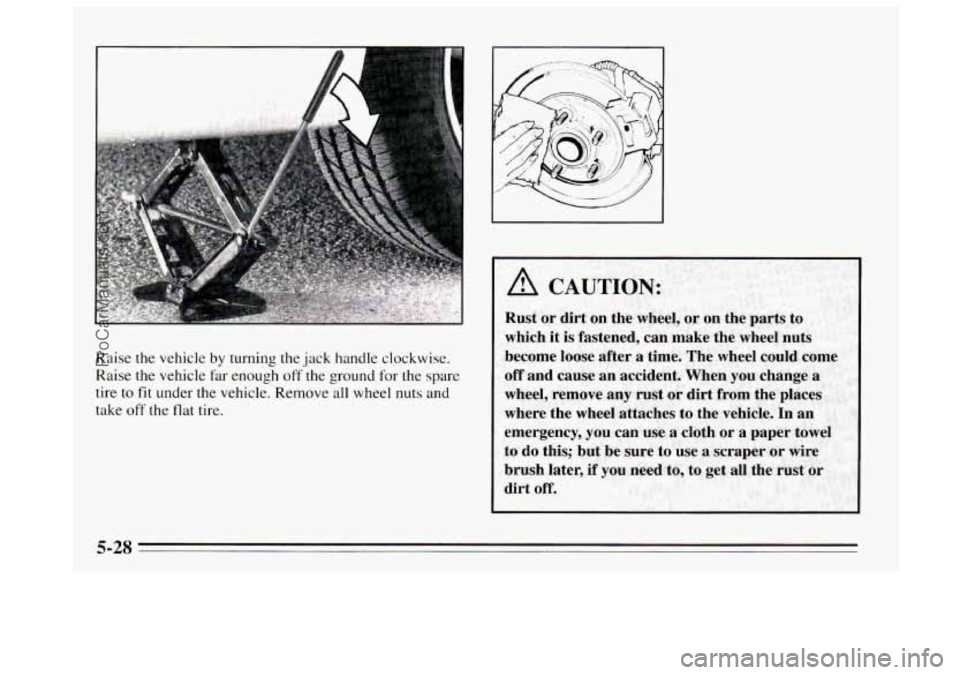
Raise the vehicle by turning the jack handle clockwise.
Raise the vehicle far enough off
the ground for the spare
tire to
fit under the vehicle. Remove all wheel nuts and
take off the flat tire.
5-28
ProCarManuals.com