Page 113 of 340

Malfunction Indicator Lamp (Check Engine Light)
111 A computer monitors
operation of your fuel,
ignition and
emission
control systems. This light
should come on when the
SOON ignition is on, but the
engine is not running, as a
check to show you it is
working.
If it does not come on at all, have it fixed right away. If
it stays on, or it comes on while you are driving, the
computer is indicating that you have a problem. You
should take your vehicle in for service soon.
NOTICE:
If you keep driving your vehicle with this light on,
after a while the emission controls won’t work as
well, your fuel economy won’t be as good and your
engine may
not run as smoothly. This could lead to
costly repairs not covered by your warranty.
Oil Warning Light
If you have a problem with
your oil, this light may stay
on after you start your
engine, or come on when
you are driving.
This indicates that oil is not going through your engine
quickly enough to keep it lubricated. The engine could
be low on oil or could have some other oil problem.
Have it fixed right away.
The oil light could also come on in three other
situations:
0 When the ignition is on but the engine is not running,
the light will come on as a test to show you
it is
working, but the light will go out when you turn the
ignition to START. If it doesn’t come
on with the
ignition on, you may have a problem with the fuse or
bulb. Have it fixed right away.
2-51
ProCarManuals.com
Page 115 of 340
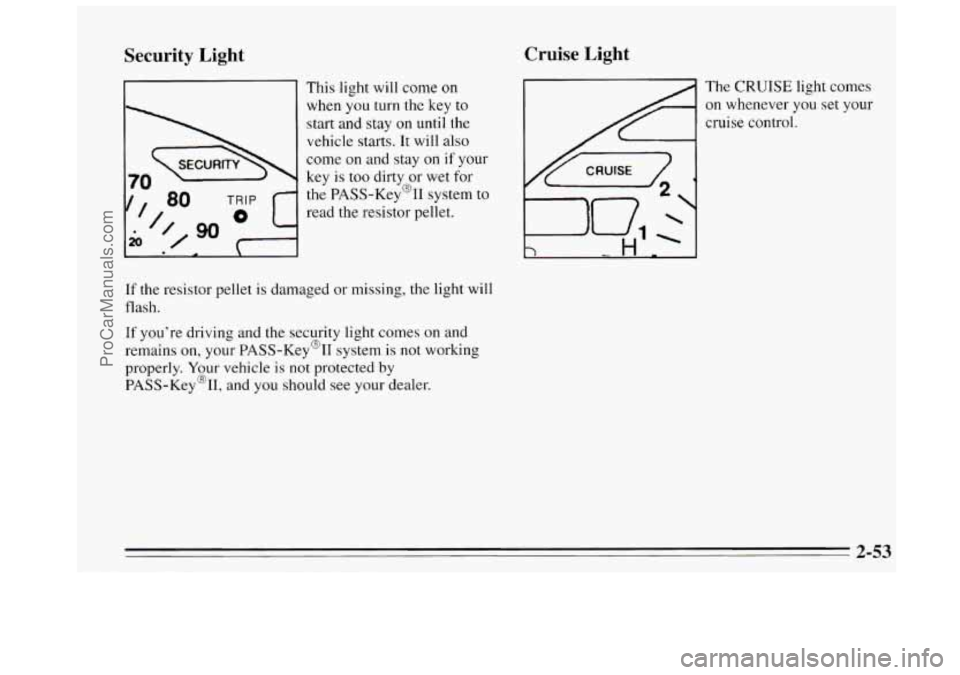
Security Light
' This light will come on
when you turn the
key to
start and stay on until the
vehicle starts.
It will also
come on and stay
on if your
key is too dirty or wet for
the PASS-Key@% system to
read the resistor pellet.
If the resistor pellet is damaged or missing, the light will
flash.
If you're driving and the security light comes on and
remains on, your PASS-Key@II system is not working
properly. Your vehicle
is not protected by
PASS-Key%,
and you should see your dealer.
Cruise Light
The CRUISE light comes
on whenever
you set your
cruise control.
2-53
ProCarManuals.com
Page 124 of 340
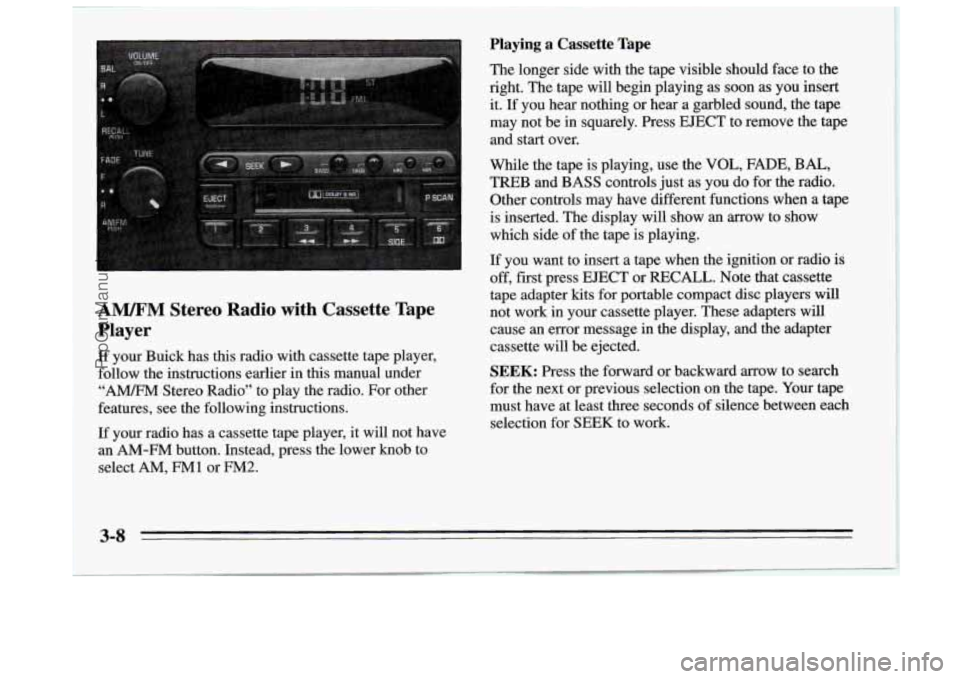
A". Stereo Radio with Cassette Tape
Player
If your Buick has this radio with cassette tape player,
follow the instructions earlier in
this manual under
"A" Stereo Radio" to play the radio. For other
features, see the following instructions.
If your radio has a cassette tape player, it will not have
an
AM-FM button. Instead, press the lower knob to
select
AM, FMl or FM2.
Playing a Cassette Tape
The longer side with the tape visible should face to the
right. The tape
will begin playing as soon as you insert
it. If you hear nothing or hear a garbled sound, the tape
may not be in squarely. Press
EJECT to remove the tape
and start over.
While the tape is playing, use the
VOL, FADE, BAL,
TREB and BASS controls just as you do for the radio.
Other controls may have different functions when a tape
is inserted. The display will show an arrow to show
which side of the tape is playing.
If you want to insert a tape when the ignition or radio is
off, fist press
EJECT or RECALL. Note that cassette
tape adapter kits for portable compact disc players will
not work in your cassette player. These adapters will
cause an error message in the display, and the adapter
cassette will be ejected.
SEEK: Press the forward or backward arrow to search
for the next or previous selection on the tape. Your tape
must have at least three seconds of silence between each
selection for
SEEK to work.
3-8
ProCarManuals.com
Page 127 of 340
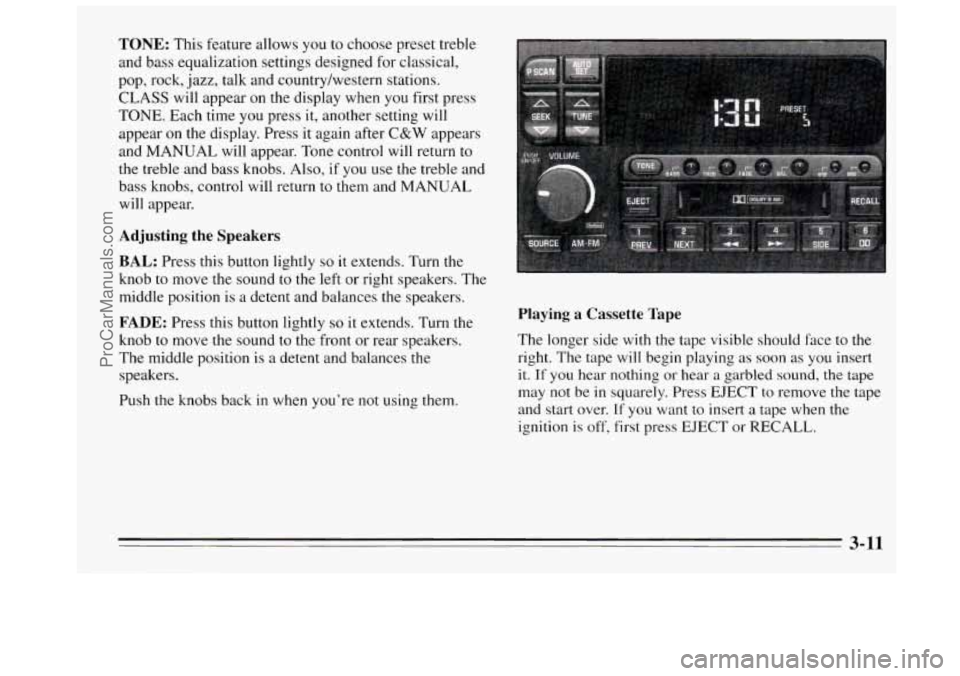
TONE: This feature allows you to choose preset treble
and bass equalization settings designed for classical,
pop, rock,
jazz, talk and country/western stations.
CLASS will appear on the display when you first press
TONE. Each time you press it, another setting will
appear
on the display. Press it again after C&W appears
and
MANUAL will appear. Tone control will return to
the treble and bass knobs. Also, if
you use the treble and
bass knobs, control will return to them and
MANUAL
will appear.
Adjusting the Speakers
BAL:
Press this button lightly so it extends. Turn the
knob to move the sound to the
left or right speakers. The
middle position is
a detent and balances the speakers.
FADE: Press this button lightly so it extends. Turn the
knob
to move the sound to the front or rear speakers.
The middle position is a detent and balances the
speakers.
Push the knobs back
in when you’re not using them.
Playing a Cassette Tape
The longer side with the tape visible should face to the
right. The tape will begin playing as soon as you insert
it. If you hear nothing or hear a garbled sound, the tape
may not be in squarely. Press EJECT to remove the tape
and start over.
If you want to insert a tape when the
ignition
is off, first press EJECT or RECALL.
3-11
ProCarManuals.com
Page 129 of 340
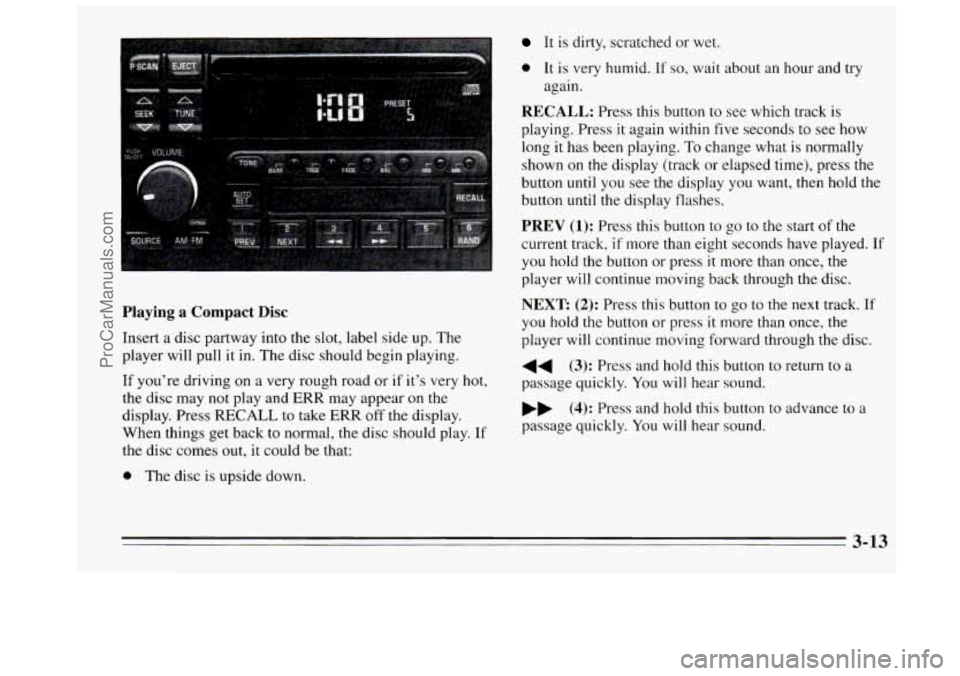
Playing a Compact Disc
Insert a disc partway into the slot, label side up. The
player will pull it in. The disc should begin playing.
If you’re driving on
a very rough road or if it’s very hot,
the disc may not play and
ERR may appear on the
display. Press RECALL to take ERR off the display.
When things get back to normal, the disc should play.
If
the disc comes out, it could be that:
0 The disc is upside down.
It is dirty, scratched or wet.
0 It is very humid. If so, wait about an hour and try
again.
RECALL: Press this button to see which track is
playing. Press it again within five seconds
to see how
long it has been playing. To change what is normally
shown on the display
(track or elapsed time), press the
button until you see the display you want, then hold the
button until the display flashes.
PREV (1): Press this button to go to the start of the
current track, if more than eight seconds have played. If
you hold the button or press it more than once, the
player will continue moving back through the disc.
NEXT (2): Press this button to go to the next track. If
you hold the button or press it more than once, the
player will continue moving forward through the disc.
44 (3): Press and hold this button to return to a
passage quickly. You will hear sound.
bb (4): Press and hold this button to advance to a
passage quickly.
You will hear sound.
3-13
ProCarManuals.com
Page 130 of 340
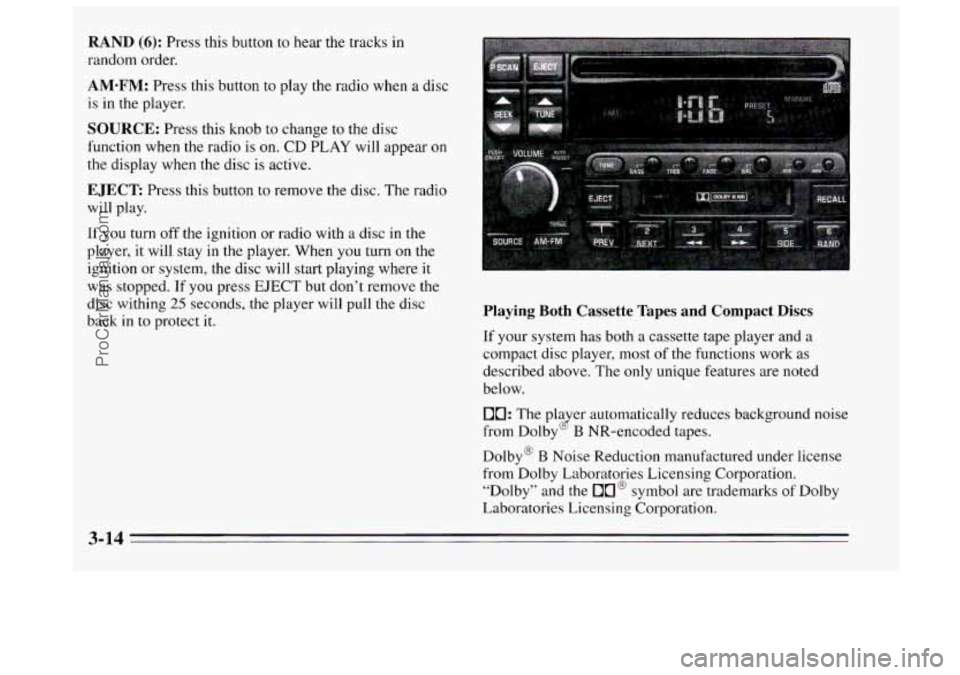
RAND (6): Press this button to hear the tracks in
random order.
AM-FM: Press this button to play the radio when a disc
is
in the player.
SOURCE: Press this knob to change to the disc
function when
the radio is on. CD PLAY will appear on
the display when the disc is active.
EJECT: Press this button to remove the disc. The radio
will play.
If
you turn off the ignition or radio with a disc in the
player, it will stay in the player. When you turn
on the
ignition or system, the disc will start playing where
it
was stopped. If you press EJECT but don’t remove the
disc withing
25 seconds, the player will pull the disc
back
in to protect it. Playing Both Cassette Tapes and Compact Discs
If your system has both a cassette tape player and a
compact disc player, most of the functions work as
described above. The only unique features are noted
below.
10: The pla er automatically reduces background noise
from Dolby
B NR-encoded tapes. (2
Dolby@ B Noise Reduction manufactured under license
from Dolby Laboratories Licensing Corporation. “Dolby” and the
On@ symbol are trademarks of Dolby
Laboratories Licensing Corporation.
3-14
ProCarManuals.com
Page 139 of 340
Section 4 Your Driving and the Road
Here you’ll find information about driving on different
kinds
of roads and in varying weather conditions. We’ve
also included many other useful tips on driving.
Defensive Driving
The best advice anyone can give about driving is: Drive
defensively.
Please start
with a very important safety device in your
Buick: Buckle up. (See “Safety Belts”
in the Index.)
Defensive driving really means “be ready for anything.”
On city streets, rural roads, or freeways,
it means
“always expect the unexpected.”
Assume that pedestrians or other drivers are going to be
careless and make mistakes. Anticipate what they might
do. Be ready for their mistakes.
Rear-end collisions are about the most preventable
of accidents. Yet they are common. Allow enough
following distance. It’s the best defensive driving
maneuver,
in both city and rural driving. You never
know when the vehicle
in front of you is going to brake
or turn suddenly.
4-1
ProCarManuals.com
Page 144 of 340
Avoid needless heavy braking. Some people drive
in spurts -- heavy acceleration followed by heavy
braking
-- rather than keeping pace with traffic. This is a
mistake. Your brakes may not have time to cool between
hard stops. Your brakes will wear out much fidster
if YOLI
do a lot of heavy braking. If you keep pace with the
traffic and allow realistic following distances, you will
eliminate a lot of unnecessary braking. That means
better braking and longer brake life.
If your engine ever stops while you’re driving, brake
normally but don’t pump your brakes. If
you do, the
pedal may get harder to push down. If your engine
stops, you will still have some power brake assist. But
you will use it when you brake. Once the power assist is
used up,
it may take longer to stop and the brake pedal
will be harder to push.
Anti-Lock Brakes (ABS)
Your Buick has an advanced electronic braking system
that will help prevent
a braking skid.
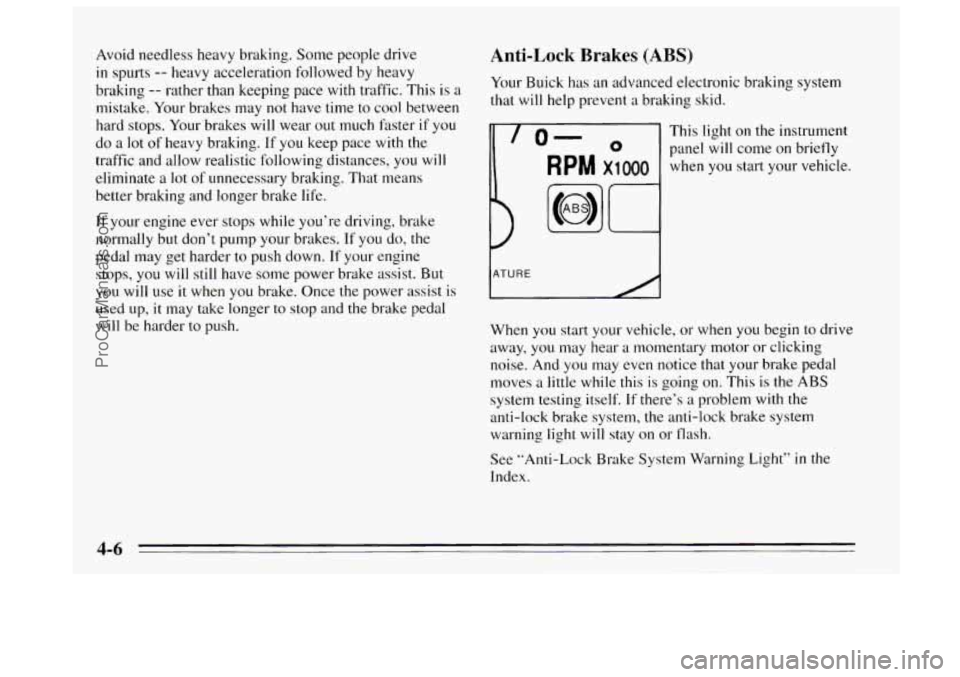
This light on the instrument
panel
will come on briefly
when you start your vehicle.
When you start your vehicle, or when
you begin to drive
away, you may hear
a momentary motor or clicking
noise. And
you may even notice that your brake pedal
moves
a little while this is going on. This is the ABS
system testing itself.
If there’s a problem with the
anti-lock brake system, the anti-lock brake system
warning light
will stay on or flash.
See ”Anti-Lock Brake System Warning Light”
in the
Index.
4-6
ProCarManuals.com