1994 PONTIAC GRAND-AM air condition
[x] Cancel search: air conditionPage 4 of 274

How to Use This Manual
It
Using Your 1994 Pontiac
Owner’s Manual
I‘
Many people read their owner’s manual
from beginning
to end when they first
receive their new vehicle. This will help
you learn about the features and controls
for your vehicle. In this manual, you’ll
find that pictures and words work
together to explain things quickly.
There are nine parts with black-tabbed
pages
in this manual. Each part begins
with a brief list of contents, so you can
usually tell at a glance
if that part
contains the information you want.
You can bend the manual slightly to reveal
the black tabs that help you find a part.
I
Part 1: Seats & Restraint Systems
This part tells you how to use your seats
and safety belts properly. It also explains
the
“SRS” (Air Bag) System.
Part 2: Features & Controls
This part,explains how to start and
operate your Pontiac.
Part 3: Comfort Controls & Audio
Systems
This part tells you how to adjust the
ventilation and comfort controls and how
to operate your sound system.
Part 4: Your Driving and the Road
Here you’ll find helpful information and
tips about
the road and how to drive
under different conditions.
Part 5: Problems on the Road
This part tells you what to do if you have
a problem while driving, such as a flat tire
or engine overheating, etc.
Part 6: Service & Appearance Care
Here the manual tells you how to keep
your Pontiac running properly and
looking good.
Part 7: Maintenance Schedule
This part tells you when to perform
vehicle maintenance and what fluids and
lubricants to use.
Part 8: Customer Assistance
Information
This part tells you how to contact Pontiac
for assistance and how to get service
publications. It
also gives you information
on “Reporting Safety Defects’’ on
page 247.
Part 9: Index
Here’s an alphabetical listing of almost
?very subject
in this manual. You can use it
to quickly find something you want to read.
Service Station Information
This is a quick reference of service
information.
You can find it on the last
page of this manual.
3.. .
ProCarManuals.com
Page 6 of 274

Vehicle Symbols
These are some of the symbols you may find on your vehicle.
For example,
these symbols
are used on an
original battery:
PROTECT
EYES BY
SHIELDING
CAUSTIC
BURNS
AVOID
SPARKS
OR
FLAMES
SPARK OR ,\I/,
COULD FLAME
EXPLODE BATTERY
These symbols
are important
for you and
your passengers
whenever your
vehicle is
driven:
DOOR LOCK
UNLOCK
FASTEN SEAT 4
BELTS
POWER
WINDOW
These symbols
have
to do with
your lights:
SIGNALS e
TURN
HIGH BEAM OR = =o
FOG LAMPS $0
These symbols
are
on some of
your controls:
WIPER Q
WINDSHIELD
WASHER
wlNDSHIELDw DEFROSTER
WINDOW REAR
DEFOGGER.
VENTILATING ca
FAN c.
These symbols
are used
on
warning and
indicator lights:
COOLANT F-
TEMP --
ENGINE
CHARGING BATTERY
SYSTEM
BRAKE (0)
RADIATOR a
COOLANT
FUEL
ENGINE OIL
PRESSURE
-4
TEMP OIL &
ANTILOCK (e)
BRAKE
Here are some
other symbols
you may
see:
FUSE *
RADIO
VOLUME
AIR
CONDITIONING
RELEASE TRUNK
LIGHTER
SPEAKER
b
ProCarManuals.com
Page 98 of 274

A reading in the red zone may be caused
by a dangerously low oil level or other
problem causing low oil pressure. Have
your vehicle serviced immediately.
NOTICE:
Damage to your engine from
neglected oil problems can be costly
and is not covered
by your warranty.
-
-
(
T
b
tt
SI
0
rl
dl
el
ir
dl
H
th
If
li;
ac
C(
3harging System Light
'he charging system light will come on
riefly when you turn on
the ignition, but
le engine is not running, as a check to
low you
it is working. Then it should gc
ut. If it stays on when your engine is
Inning, or comes on while you are
riving, you may have a problem
with thc
lectrical charging system. It could
tdicate that you have a loose generator
rive belt or another electrical problem.
ave
it checked right away. Driving whih
lis light is on could drain your battery.
'you must drive a short distance with thc
ght on, be certain to turn off all your
xessories, such as the radio and air
mditioner.
Voltmeter (OPTION)
When your engine is not running, this
gage shows the condition
of your
charging system.
When your engine is not running, but the
ignition is on (in the Run position), the
gage shows your battery's state
of charge
in DC volts. Readings between the red
warning zones indicate the normal
operating range.
Readings in either red warning zone
indicate a possible problem in the
electrical system. Have your vehicle
serviced immediately.
970..
ProCarManuals.com
Page 102 of 274

In this part you’ll find out how to
operate the comfort control systems
and audio systems offered with your Pontiac
. Be sure to read about the
particular system supplied with your
vehicle
.
Part 3
Comfort Controls & Audio Systems
Climate Control System ............................................. 102
Air Conditioning System
............................................ 103
Audiosystems .................................................... 106
Settingtheclock
.................................................. 107
AMEM Stereo Radio with Cassette Tape Player ......................... 109
AMPM Stereo Radio with Cassette Tape Player and Graphic Equalizer
....... 111
AM/FM Stereo Radio with Compact Disc Player
......................... 113
AMEM Stereo Radio ............................................... 108
Understanding Radio Reception ...................................... 117
Care
of Your Cassette Tape Player ..................................... 117
Care
of Your Compact Discs ......................................... 118
FixedMastAntenna
................................................ 118
ProCarManuals.com
Page 104 of 274
Air Conditioning
System (OPTION)
The air conditioner and heater work best
if you keep your windaws closed while
using them. Your vehicle also has the
flow-through ventilation system
described later
in this section.
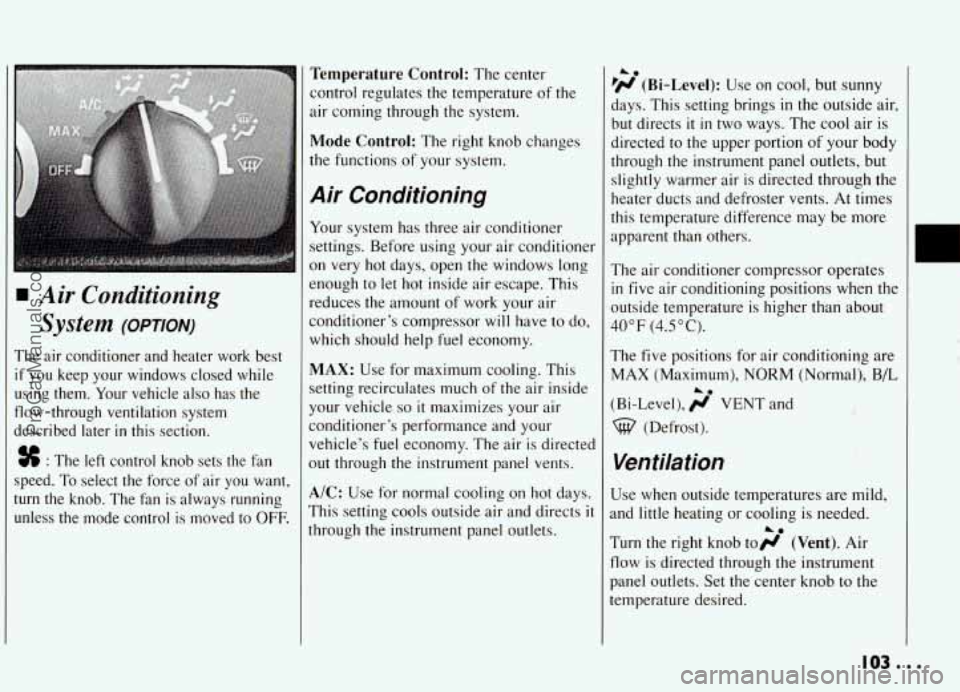
% : The left control knob sets the fan
speed. To select the force of air you want,
turn the knob. The fan is always running
unless the mode control is moved to
OFF.
Temperature Control: The center
control regulates the temperature of the
air coming through the system.
Mode Control: The right knob changes
the functions of your system.
A.ir Conditioning
Your system has three air conditioner
settings. Before using your air conditioner
on
very hot days, open the windows long
enough to let hot inside air escape. This
reduces the amount of work your air
conditioner’s compressor will have to do,
which should help fuel economy.
MAX: Use for maximum cooling. This
setting recirculates much of the air inside
your vehicle
SO it maximizes your air
conditioner’s performance and your
vehicle’s fuel economy. The air
is directed
out through the instrument panel vents.
A/C: Use for normal cooling on hot days.
This setting cools outside air and directs
it
through the instrument panel outlets.
he
lH (Bi-Level): Use on cool, but sunny
days. This setting brings
in the outside air,
but directs
it in two ways. The cool air is
directed to the upper portion of your body
through the instrument panel outlets, but
slightly warmer air is directed through the
heater ducts and defroster vents. At times
this temperature difference may be more
apparent than others.
The air conditioner compressor operates
in five air conditioning positions when the
outside temperature is higher than about
40°F (4.5”C).
The five positions for air conditioniqg are
MAX (Maximum), NORM (Normal.), B/L
(Bi-Level), ;j’ VENT and
%@ (Defrost). .. ._.
1. . ;>. w >%:
Ventilation
Use when outside temperatures are mild,
and little heating or cooling
is needed.
Turn the right knob toH (Vent). Air
flow is directed through the instrument
panel outlets. Set the center knob to the
temperature desired.
i.
IOS...
ProCarManuals.com
Page 105 of 274

Comfort Controls & Audio Systems
I Heating
Turning the right control knob to
(Heater) and the center control knob
clockwise
will send heated air through the
heater ducts toward your feet and the
floor, and some through the defroster
vents.
I ;j’ (Vent) and wo (Heater) are
economical positions because the air
conditioner compressor doesn’t
run in
these two settings. This reduces engine
load, resulting
in improved fuel economy.
If either setting fails to keep you
comfortable, or causes your windows to
fog up, turn
the right control knob to one
of the air conditioning positions, or to
%-$ (Defrost).
If you have the optional engine coolant
heater (engine block heater) and use
it
during cold weather, 0” F (- 18 O C) or
lower, your heating system
will more
quickly provide heat because the engine
coolant is already warmed. See “Engine
Coolant Heater” (Engine Block Heater)
the Index.
%?a pjd (Blend): This setting,divides air flow
Zqually between the heater ducts and the
windshield defroster vents.
Defrosting
Thew (Defrost) setting directs most air
through the defroster vents, and some
through the heater ducts.
Defogging Windows with
Air Conditioning System
To defog the windshield, turn all three
control knobs to the far right.
To defog the side windows, turn the right
control knob to pi (Bi-Level) and the
fan control knob to HIGH. Aim the side
vents toward the side windows. For
increased air flow to the side vents, close
the center vents.
A0
. . . IO4
ProCarManuals.com
Page 106 of 274
1
1
tl
a
f
U
0
Y
('
C
0
tl
'OPTION)
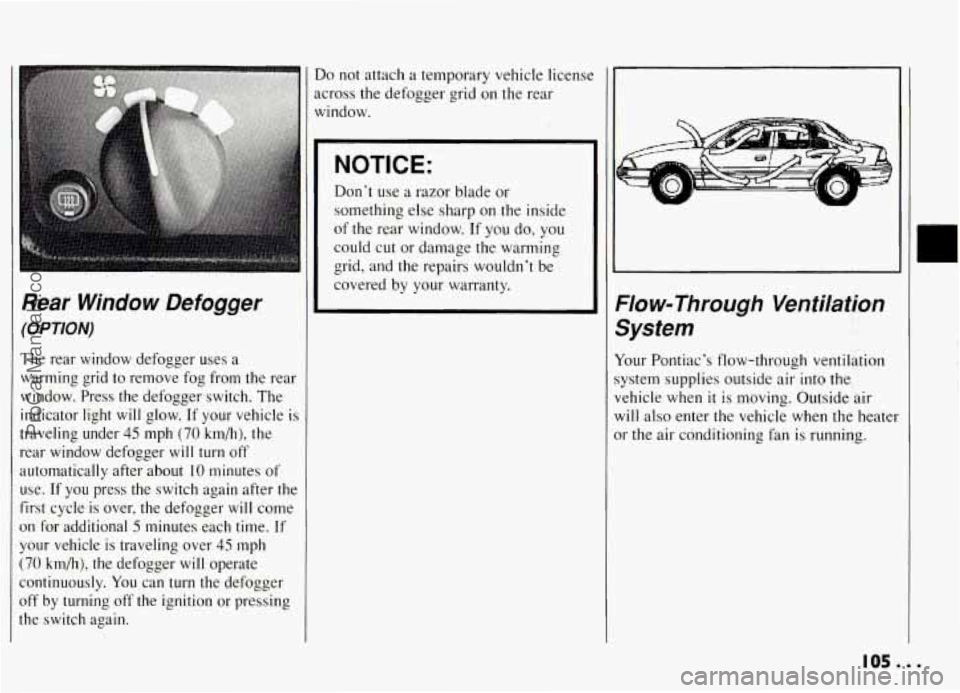
The rear window defogger uses a
varming grid to remove fog from the rear
vindow. Press the defogger switch. The
ndicator light
will glow. If your vehicle is
raveling under
45 mph (70 km/h), the
ear window defogger will turn off
utomatically after about
10 minutes of
lse. If
you press the switch again after the
irst cycle is over, the defogger
will come
In for additional 5 minutes each time. If
'our vehicle is traveling over
45 mph
70 km/h), the defogger will operate
ontinuously.
You can turn the defogger
iff by turning off the ignition or pressing
?e switch again.
Do not attach a temporary vehicle licenst
across the defogger grid on the rear
window.
NOTICE:
Don't use a razor blade or
something else sharp on the inside
of the rear window. If
you do, you
could cut or damage the warming
grid, and the repairs wouldn't be
covered by your warranty.
Flow-Through Ventilation
System
Your Pontiac's flow-through ventilation
system supplies outside air into the
vehicle when
it is moving. Outside air
will also enter the vehicle when the heater
or the air conditioning fan is running.
105...
ProCarManuals.com
Page 130 of 274

Of course, traction is reduced when water, I
snow, ice, gravel, or other material is on
the road. For safety, you’ll want to slow
down and adjust your driving to these conditions. It is important to slow down
on slippery surfaces because stopping
distance will be longer and vehicle
control more limited.
While driving on a surface with reduced traction, try your best to avoid sudden
steering, acceleration, or braking
(including engine braking by shifting to a
lower gear). Any sudden changes could cause the tires to slide.
You may not?
realize the surface is slippery until your
vehicle is skidding. Learn to recognize
warning clues
-- such as enough water;
ice or packed snow on the road to make a
“mirrored surface”
-- and slow down
when you have any doubt.
Remember: Any anti-lock braking system (ABS) helps avoid only the braking skid.
I
Driving at Night
Night driving is more dangerous than day
driving. One reason is that some drivers
are likely to be impaired
-- by alcohol or
drugs, with night vision problems, or by
fatigue.
Here are some tips on night driving.
Drive defensively.
0 Don’t drink and drive.
Adjust your inside rearview mirror to
reduce the glare from headlights
behind you.
0 Since you can’t see as well, you may
need to slow down and keep more
space between you and other vehicles.
0 Slow down, especially on higher
speed roads. Your headlights can light
up only
so much road ahead.
In remote areas, watch for animals.
If you’re tired, pull off the mad in a
safe place and rest.
Night Wsion
No one can see as well at night as in the
daytime. But as we get older these
differences increase. A 50-year-old driver
may require at least twice as much. light to
see the same thing at night as a
20-year-old.
What you do in the daytime can also
affect your night vision. For example, if
you spend the day
in bright sunshine you
are wise to wear sunglasses. Your eyes
will have less trouble adjusting to night.
But
if you’re driving, don’t wear
sunglasses at night. They may cut down
on glare from headlights, but they also
make a lot of things invisible.
129...
ProCarManuals.com